
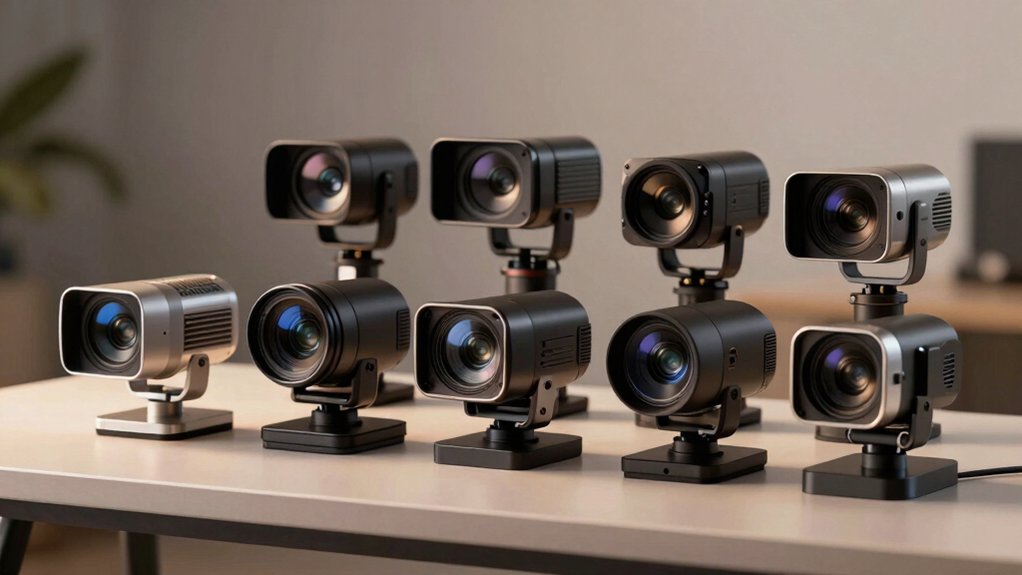

When you’re setting up for live streaming, your camera choice directly affects how your audience perceives your content. You’ll need to evaluate several factors—resolution quality, autofocus capabilities, zoom range, and built-in audio features—to find the right fit for your specific needs. This guide walks you through nine top-performing 4K webcams and what makes each one stand out. But before you decide, you should understand the key features that separate average cameras from exceptional ones.
| EMEET S600 4K Webcam for Streaming |

| Balanced Performer | Video Resolution & Frame Rate: 4K at 30FPS or 1080P at 60FPS | Autofocus Technology: Advanced PDAF autofocus with auto light balance | Field of View (FOV): 40°–73° (1080P) / 73° fixed (4K) | VIEW LATEST PRICE | Read Our Analysis |
| EMEET NOVA 4K Webcam for PC & Live Streaming |

| Privacy-Focused Choice | Video Resolution & Frame Rate: 4K at 30FPS (defaults to 1080P) or 1080P at 60FPS | Autofocus Technology: Precise PDAF autofocus (7.9–118 inches range) | Field of View (FOV): 73° fixed field of view | VIEW LATEST PRICE | Read Our Analysis |
| EMEET PIXY Dual-Camera 4K PTZ Webcam AI Tracking |

| AI Tracking Leader | Video Resolution & Frame Rate: 4K at 30FPS or 1080P at 60FPS | Autofocus Technology: PDAF with AI autofocus and 0.2s blink-speed focusing | Field of View (FOV): 73° field of view | VIEW LATEST PRICE | Read Our Analysis |
| EMEET C60E Dual-Camera 4K Webcam with 11X Zoom |
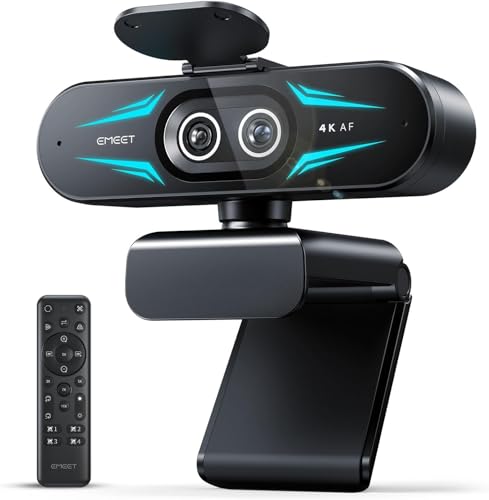
| Dual-Camera Innovator | Video Resolution & Frame Rate: 4K at 30FPS, 2K at 30FPS, or 1080P at 30/60FPS | Autofocus Technology: PDAF autofocus with stable, fast focus | Field of View (FOV): 73° viewing angle | VIEW LATEST PRICE | Read Our Analysis |
| Logitech MX Brio Ultra HD 4K Webcam |

| Premium All-Rounder | Video Resolution & Frame Rate: 4K at 30FPS or 1080P at 60FPS | Autofocus Technology: AI-enhanced autofocus with auto-exposure and white balance | Field of View (FOV): Logi-designed lens with 2x better face visibility (FOV not specified) | VIEW LATEST PRICE | Read Our Analysis |
| OBSBOT Tiny 2 Lite 4K AI Tracking Webcam |

| Professional Esports Pick | Video Resolution & Frame Rate: 4K resolution with multiple frame rate options | Autofocus Technology: AI tracking with customizable preset modes | Field of View (FOV): Multiple shooting modes with customizable framing | VIEW LATEST PRICE | Read Our Analysis |
| AOC 4K Webcam with Microphone & Noise Cancellation |

| Budget-Friendly Essential | Video Resolution & Frame Rate: 4K Ultra HD resolution | Autofocus Technology: Automatic light correction with no specific focus tech mentioned | Field of View (FOV): 90° wide-angle lens | VIEW LATEST PRICE | Read Our Analysis |
| Insta360 Link 2 4K PTZ Webcam with AI Tracking |

| Gesture Control Expert | Video Resolution & Frame Rate: 4K video (2160p) at variable frame rates | Autofocus Technology: True Focus with PDAF and instant focusing | Field of View (FOV): 1080mm lens focal length with digital zoom | VIEW LATEST PRICE | Read Our Analysis |
| NexiGo N680E Pro 4K Webcam with Ring Light |

| Content Creator’s Pick | Video Resolution & Frame Rate: 4K sensor with 1080P at 60FPS streaming | Autofocus Technology: PDAF autofocus for fast, precise focusing | Field of View (FOV): 80° field of view | VIEW LATEST PRICE | Read Our Analysis |
More Details on Our Top Picks
EMEET S600 4K Webcam for Streaming
Are you streaming content that demands sharp visuals and reliable performance without complicated setup? The EMEET S600 delivers both. Its 4K Sony sensor captures video at 30FPS in 4K or 60FPS in 1080P, depending on your software choice. The camera’s advanced autofocus tracks movement smoothly across different lighting conditions. Built-in microphones filter background noise automatically, though you can adjust this setting through EMEETLINK software. The 73° field of view works at 4K, while 1080P offers variable angles from 40° to 73°. Setup requires no extra drivers—simply plug it in. For customization, download EMEETLINK to refine image and audio settings. A privacy cover protects your lens when you’re not streaming.
- Video Resolution & Frame Rate:4K at 30FPS or 1080P at 60FPS
- Autofocus Technology:Advanced PDAF autofocus with auto light balance
- Field of View (FOV):40°–73° (1080P) / 73° fixed (4K)
- Built-In Microphones:Premium microphones with noise-filtering algorithm (default enabled)
- Privacy Protection:Built-in privacy cover on lens
- Sensor Type & Size:Sony 1/2.55″ sensor
- Additional Feature:Built-in lens privacy cover
- Additional Feature:Advanced PDAF autofocus technology
- Additional Feature:Auto light balance adjustment
EMEET NOVA 4K Webcam for PC & Live Streaming
The EMEET NOVA 4K Webcam delivers unrivaled 4K performance at 30FPS, making it an ideal choice if you’re streaming on platforms like Zoom, Teams, or Google Meet and want sharp, detailed video without extra setup hassles. You’ll appreciate the precise PDAF autofocus that works within 7.9 to 118 inches, adjusting automatically to keep you in frame. The dual omnidirectional microphones capture clear audio up to eight feet, performing best in quiet spaces. Setup requires only a USB 2.0 connection—no drivers or software installation needed. You can mount the camera on any standard tripod using the ¼-inch nut, or adjust its joint for 360° horizontal rotation and 15° vertical tilt. Switch from the default 1080P to 4K resolution through built-in software or apps like OBS and PotPlayer.
- Video Resolution & Frame Rate:4K at 30FPS (defaults to 1080P) or 1080P at 60FPS
- Autofocus Technology:Precise PDAF autofocus (7.9–118 inches range)
- Field of View (FOV):73° fixed field of view
- Built-In Microphones:Dual omnidirectional microphones with 8-foot pickup radius
- Privacy Protection:Privacy cover included
- Sensor Type & Size:CMOS sensor
- Additional Feature:Wired-only design/no wireless
- Additional Feature:360° horizontal rotation capability
- Additional Feature:Dual omnidirectional microphones included
EMEET PIXY Dual-Camera 4K PTZ Webcam AI Tracking
If you’re streaming fitness classes, product demonstrations, or performances where you need your camera to follow your movement automatically, EMEET’s PIXY Dual-Camera 4K PTZ Webcam delivers that capability through its AI tracking system. The camera’s dual-camera setup uses an auxiliary AI camera to detect your face position, optimizing autofocus and exposure while maintaining accurate skin tones across different lighting conditions. You get 4K 30FPS video output with a 310° pan and 180° tilt range, allowing seamless tracking of your movement. The three-chip AI system predicts your motion and adjusts lighting automatically, eliminating manual refocusing. You can activate gesture control by holding your open palm centered for two seconds, triggering preset framing adjustments. The 3-mic array with three sound modes—Live Mode, Noise Canceling Mode, and Original Sound Mode—handles various audio environments. Set up presets through EMEET STUDIO software for portrait, product demos, or fitness formats.
- Video Resolution & Frame Rate:4K at 30FPS or 1080P at 60FPS
- Autofocus Technology:PDAF with AI autofocus and 0.2s blink-speed focusing
- Field of View (FOV):73° field of view
- Built-In Microphones:3-mic array with 3 sound modes (Live, Noise Canceling, Original)
- Privacy Protection:Privacy mode via tilt, timer, or app
- Sensor Type & Size:Sony 1/2.55″ sensor (main imaging camera)
- Additional Feature:Dual-camera AI tracking system
- Additional Feature:310° pan/180° tilt movement
- Additional Feature:Gesture control activation feature
EMEET C60E Dual-Camera 4K Webcam with 11X Zoom
Looking to switch between wide-angle shots and close-up framing without cutting your stream? The EMEET C60E offers dual cameras that handle both simultaneously. Use the wide-angle lens for panoramic scenes and the telephoto lens for detailed close-ups at roughly 13.8 inches away. The 11X hybrid zoom lets you adjust framing in real time using either the included remote or EMEET STUDIO software. Control zoom, brightness, and focus without interrupting your broadcast. The dual omnidirectional microphones capture audio within a 9.8-foot radius. Plug the USB 2.0 connection into Windows 10/11 or macOS 10.14+ systems for immediate functionality across OBS, Twitch, YouTube, and Facebook.
- Video Resolution & Frame Rate:4K at 30FPS, 2K at 30FPS, or 1080P at 30/60FPS
- Autofocus Technology:PDAF autofocus with stable, fast focus
- Field of View (FOV):73° viewing angle
- Built-In Microphones:2 omnidirectional microphones with 9.8-foot pickup radius
- Privacy Protection:No privacy feature specified
- Sensor Type & Size:1/2.8″ CMOS sensor
- Additional Feature:11X hybrid zoom capability
- Additional Feature:Dual-camera wide/telephoto design
- Additional Feature:Remote control with RGB lighting
Logitech MX Brio Ultra HD 4K Webcam
Logitech’s MX Brio stands out for professionals and content creators who need flexible video quality options without sacrificing image clarity. You’ll capture either 4K at 30fps or 1080p at 60fps, depending on your streaming platform’s requirements. The webcam’s AI-enhanced features automatically adjust exposure, white balance, and focus, while dual beamforming microphones reduce background noise during calls. You can manually fine-tune lighting, ISO, and shutter speed through Logitech’s software for precise control. The Show Mode lets you tilt the camera downward to display desk notes. A rotating privacy cover blocks the lens when inactive, and USB-C connectivity works across Windows, macOS, and Linux systems.
- Video Resolution & Frame Rate:4K at 30FPS or 1080P at 60FPS
- Autofocus Technology:AI-enhanced autofocus with auto-exposure and white balance
- Field of View (FOV):Logi-designed lens with 2x better face visibility (FOV not specified)
- Built-In Microphones:Dual beamforming microphones with noise-reducing technology
- Privacy Protection:Built-in webcam cover that rotates to block lens
- Sensor Type & Size:CMOS sensor (70% larger pixels than previous models)
- Additional Feature:Show Mode desk sharing feature
- Additional Feature:Rotating privacy webcam cover
- Additional Feature:Fine manual control adjustments
OBSBOT Tiny 2 Lite 4K AI Tracking Webcam
The OBSBOT Tiny 2 Lite excels for esports broadcasters, content creators, and educators who need hands-free framing without manual camera adjustments. Its 4K resolution and 1/2″ CMOS sensor capture sharp images in multiple orientations—horizontal, portrait, and upside-down. The AI tracking system offers upper body and hand tracking modes with customizable tracking and non-tracking areas. Use gesture control to lock portrait tracking or adjust zoom by facing the camera and showing hand signals. Set preset positions with separate tracking parameters for different scenes, reducing adjustment time during broadcasts. The webcam requires no app download for basic use, though it supports SDK, OSC, and Stream Deck for advanced customization.
- Video Resolution & Frame Rate:4K resolution with multiple frame rate options
- Autofocus Technology:AI tracking with customizable preset modes
- Field of View (FOV):Multiple shooting modes with customizable framing
- Built-In Microphones:Not specified in product details
- Privacy Protection:Not specified in product details
- Sensor Type & Size:1/2″ CMOS sensor
- Additional Feature:Customizable preset tracking modes
- Additional Feature:Multiple gesture control options
- Additional Feature:Upper body/hand tracking modes
AOC 4K Webcam with Microphone & Noise Cancellation
If you’re streaming professional content and need both sharp video quality and reliable audio without extra equipment, AOC’s 4K webcam delivers both features in one device. Connect it via USB to your computer—no drivers required. The 90° wide-angle lens captures everyone in frame, while the 180° tilt and 360° swivel let you adjust your angle instantly. Position the webcam on your monitor, desk, or tripod based on your setup. The built-in microphone reduces background noise automatically, and automatic light correction improves visibility in dim conditions. Use the sliding lens cover for privacy when you’re not streaming. This webcam works seamlessly with Zoom, Teams, and Skype.
- Video Resolution & Frame Rate:4K Ultra HD resolution
- Autofocus Technology:Automatic light correction with no specific focus tech mentioned
- Field of View (FOV):90° wide-angle lens
- Built-In Microphones:Built-in microphone with noise reduction
- Privacy Protection:Physical sliding lens cover for complete privacy
- Sensor Type & Size:4K sensor (size not specified)
- Additional Feature:90° wide-angle lens included
- Additional Feature:180° tilt/360° swivel rotation
- Additional Feature:Physical sliding lens cover
Insta360 Link 2 4K PTZ Webcam with AI Tracking
Want a webcam that follows you automatically while you stream? The Insta360 Link 2 delivers 4K video with physical pan-and-tilt capabilities that track your movement in real time. Its AI framing adjusts your composition automatically, while gesture control lets you command the camera without touching it. The integrated AI microphone cancels background noise, keeping your speech clear during broadcasts. You’ll access advanced settings through Link Controller software to personalize performance. It works with Zoom, Teams, and Twitch on Mac and Windows desktops. The privacy mode tilts down after inactivity, protecting your space when you’re not streaming.
- Video Resolution & Frame Rate:4K video (2160p) at variable frame rates
- Autofocus Technology:True Focus with PDAF and instant focusing
- Field of View (FOV):1080mm lens focal length with digital zoom
- Built-In Microphones:AI-based noise-canceling microphone
- Privacy Protection:Privacy mode tilts down after inactivity with manual control
- Sensor Type & Size:1/2-inch sensor with HDR and low-light performance
- Additional Feature:Natural DSLR-like bokeh effect
- Additional Feature:Whiteboard mode/DeskView mode
- Additional Feature:Remote smartphone control option
NexiGo N680E Pro 4K Webcam with Ring Light
Content creators who need both professional video quality and built-in lighting will find the NexiGo N680E Pro a practical all-in-one solution. The camera delivers 4K video with 1080p streaming at 60fps, ensuring smooth output for live broadcasts. Its tri-tone ring light features stepless brightness control and adjustable color temperatures to match your environment. Dual noise-canceling microphones capture clear audio for conversations and streaming commentary. The USB plug-and-play setup requires no drivers, and the 80° field of view accommodates various recording spaces. A privacy shutter and flexible clip mount let you customize your setup quickly across Windows, Mac, and Chrome OS platforms.
- Video Resolution & Frame Rate:4K sensor with 1080P at 60FPS streaming
- Autofocus Technology:PDAF autofocus for fast, precise focusing
- Field of View (FOV):80° field of view
- Built-In Microphones:Dual noise-canceling microphones
- Privacy Protection:Privacy shutter
- Sensor Type & Size:Sony 1/2.5″ sensor
- Additional Feature:Built-in tri-tone ring light
- Additional Feature:Stepless brightness control feature
- Additional Feature:Premium coated lens design
Factors to Consider When Choosing 4K Webcams for Live Streaming
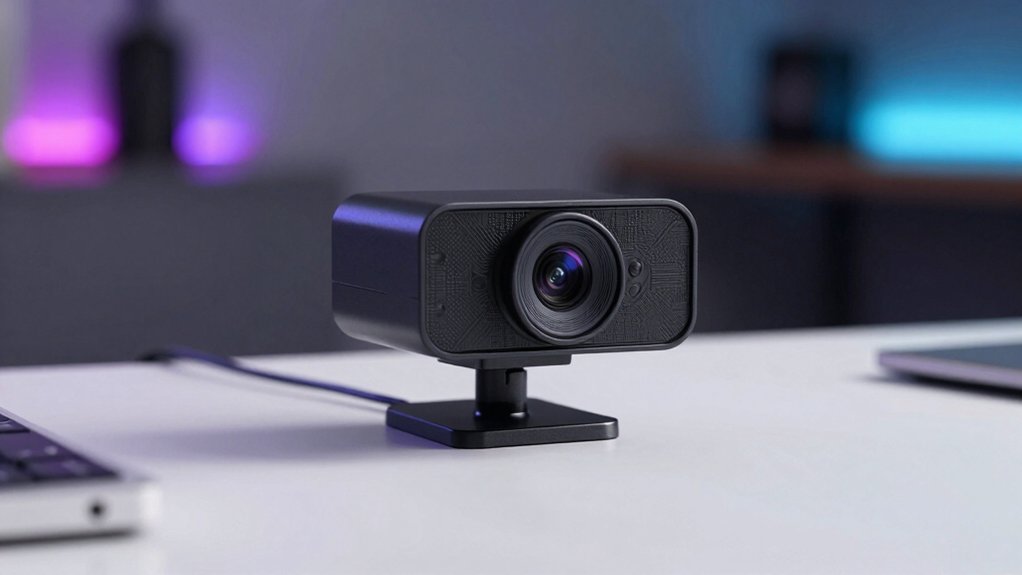
When you’re selecting a 4K webcam for live streaming, you’ll need to evaluate five key specifications: sensor size and resolution to ensure sharp image quality, autofocus speed and accuracy to keep you in focus during movement, field of view options to determine how much of your background you capture, audio quality and microphone capabilities to match your video production, and zoom capabilities and range to control how close or distant your framing appears. Each of these factors directly affects your stream’s professional appearance and your audience’s viewing experience. Start by listing your priorities—for example, if you move around frequently during streams, prioritize fast autofocus over extended zoom range—then compare webcam models against those specific needs.
Sensor Size And Resolution
How does sensor size affect your 4K streaming quality? Larger sensors capture more light, delivering better low-light performance and improved dynamic range. Most 4K webcams use 1/2.5” to 1/2.8” sensors, which balance quality and affordability.
Resolution determines detail level in your streams. 4K provides sharper images than 1080p, though you’ll need sufficient bandwidth and processing power to enable it. Many webcams default to 1080p, requiring manual software adjustment to activate 4K output.
Choose cameras with PDAF or CMOS sensors for faster autofocus and accurate exposure adjustments. Consider your frame rate needs: 4K at 30fps suits most streams, while 1080p at 60fps works better for fast-action content requiring smoothness.
Match sensor size and resolution to your lighting conditions and internet capabilities.
Autofocus Speed And Accuracy
Why does autofocus matter for live streaming? When you’re broadcasting, you need your camera to lock focus quickly on your face and maintain sharpness as you move. PDAF technology accomplishes this faster than contrast-based systems, reducing lock-on delays during dynamic scenes. You’ll want to check your webcam’s reframe speed—typically 0.2 to 1.1 seconds—which shows how fast it refocuses after motion or lighting changes. Look for 4K sensors with PDAF capabilities, as they deliver better autofocus performance across wider fields of view and reduce hunting in low-light conditions. If available, select models with AI-assisted autofocus or tracking features. These adjust exposure and skin tones automatically as you move, preventing blur and keeping your image stable throughout your stream.
Field Of View Options
Field of view—the width of the scene your webcam captures—directly shapes how your audience perceives your broadcast framing. Most 4K webcams cap out at 73° to minimize distortion while maintaining sharp edges. You’ll find three main options: fixed wide-angle lenses for consistent framing, adjustable FOV models that let you zoom between perspectives, and dual-camera setups enabling seamless switching without physical movement. Consider your broadcast style when choosing. Stationary setups benefit from fixed angles, while dynamic content works better with adjustable options. Some advanced units include PTZ or AI tracking systems that automatically adjust framing as subjects move, effectively changing perceived field of view in real time. Match your FOV choice to your streaming environment and content needs.
Audio Quality And Microphones
Crystal-clear audio separates professional streams from amateur broadcasts, making microphone selection just as critical as video resolution. You’ll want to prioritize webcams with dual or array microphones that include built-in noise-canceling algorithms to eliminate background hum and chatter. Check the pickup range—aim for at least 8 feet—to capture your voice clearly from distance. Look for specific features like noise reduction modes, wind suppression, or keyboard noise filtering that adapt to streaming environments. Verify the microphone’s frequency response to ensure natural vocal reproduction without sibilance. Finally, confirm the audio processing integrates seamlessly with your streaming software, whether you’re using OBS, Zoom, or Teams, so you won’t need external audio interfaces.
Zoom Capabilities And Range
Once you’ve locked in your audio setup, you’ll need to evaluate how well a 4K webcam handles zoom and framing during your stream. Check whether the camera offers hybrid zoom, digital zoom, or both, and test performance in your intended resolution. Some models deliver 11X zoom but restrict it to 1080p, so verify zoom capability at 4K specifically. Look for PDAF or AI tracking to maintain sharp focus as you move. Examine whether zoom adjusts through software controls or the host app you’re using. Consider physical mounting flexibility, since repositioning the camera itself sometimes works better than relying on zoom. Test zoom quality in your actual streaming setup before purchasing.
Connectivity And Compatibility
What connection type does your computer support, and which streaming platforms do you plan to use? First, check whether your setup requires USB-A or USB-C connectivity. USB-C offers faster data transfer, while USB-A works with older systems. Next, verify that your webcam supports plug-and-play functionality to avoid driver installation delays. Then, confirm compatibility with your operating system—Windows, macOS, Chrome OS, or Linux. Finally, ensure the webcam integrates with your streaming software, whether that’s Zoom, Teams, Google Meet, OBS, or PotPlayer. Some models include wireless options via WiFi or Bluetooth, which provide flexibility but introduce security considerations. Review each specification before purchasing to guarantee seamless integration into your existing production workflow.
Tracking And AI Features
Beyond ensuring your webcam connects properly to your streaming setup, you’ll also want to evaluate how well it can track and frame your movements automatically. Look for models with PTZ-style motion tracking or dual-camera AI systems that maintain subject framing as you move around. Check if the camera uses PDAF paired with AI, which reduces focus lag to under a second. Multi-camera setups deliver smoother framing and automatic skin-tone adjustments across varying lighting. Verify the webcam includes gesture controls and preset tracking modes for quick framing changes during live streams without manual adjustment. Additionally, confirm it offers whiteboard or desk view modes and scene-aware exposure settings to maintain consistency in dynamic shooting environments.
Privacy Controls And Security
Here is the ORIGINAL TEXT rewritten with contextually relevant alternative words replacing ONLY the word(s): ensure
How important is it that your 4K webcam doesn’t transmit video data without your knowledge or consent? Very important. Start by checking whether your camera includes physical privacy shutters or lens covers that you can activate immediately when not streaming. Next, verify that the webcam supports encrypted connections and examine whether it offers hardware privacy switches independent of software controls. Consider models with USB-only connectivity, which eliminates wireless interception risks. Review the privacy mode options available—some cameras feature gesture-based or app-controlled obscuring functions. Finally, confirm that privacy features remain accessible without requiring additional third-party software installations. These steps ensure you maintain direct control over your camera’s operation and protect against unauthorized video capture during live streaming sessions.
Final Thoughts
You’ve now reviewed nine quality 4K webcams suited for live streaming. To choose the right one, you should identify your specific needs: budget, required zoom capability, AI tracking features, and microphone quality. Compare the specs across models, prioritize features that matter most to your setup, and select the webcam that delivers the best value for your streaming goals. Your audience’ll benefit from the improved video quality you’ll provide.

Meet Ry, “TechGuru,” a 36-year-old technology enthusiast with a deep passion for tech innovations. With extensive experience, he specializes in gaming hardware and software, and has expertise in gadgets, custom PCs, and audio.
Besides writing about tech and reviewing new products, he enjoys traveling, hiking, and photography. Committed to keeping up with the latest industry trends, he aims to guide readers in making informed tech decisions.