
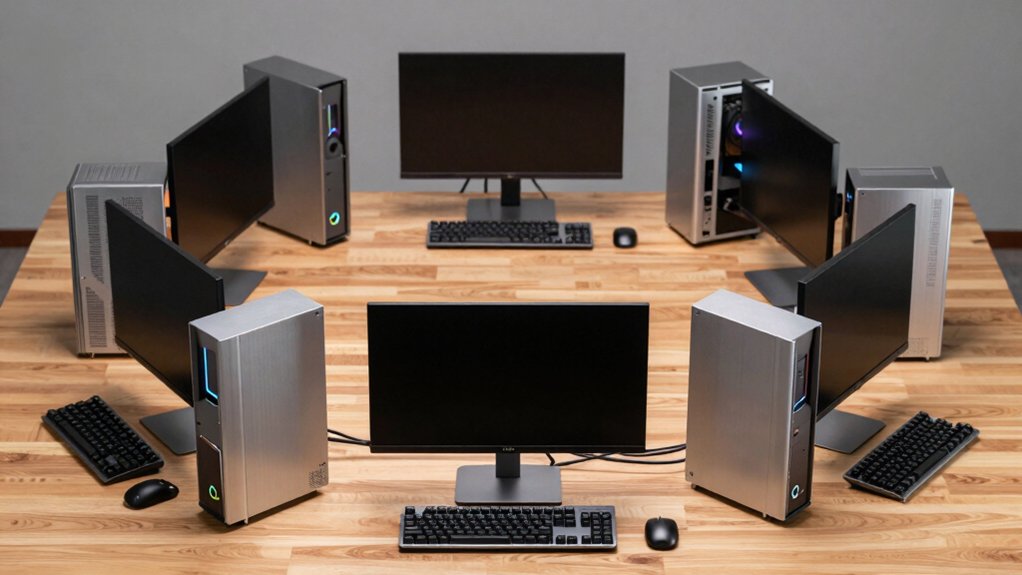

You’re looking to upgrade your home office with a mini PC that delivers real performance without consuming your workspace. These compact systems offer you powerful processors, substantial RAM, and reliable storage in a footprint smaller than traditional desktops. Your choice depends on balancing processing power, display capabilities, and budget constraints. To find your ideal match, you’ll need to evaluate specific features across multiple options—but which model truly fits your productivity needs?
| KAMRUI Pinova P2 Mini PC 16GB RAM 512GB SSD |

| Compact Powerhouse | Processor: AMD Ryzen 4300U (4-core/4-thread, up to 3.7 GHz) | RAM & Storage: 16GB LPDDR4 / 512GB M.2 SSD | Display Output & Resolution: HDMI 2.0, DP 1.4, USB-C (triple 4K@60Hz) | VIEW LATEST PRICE | Read Our Analysis |
| KAMRUI Pinova P1 Mini PC Computer AMD Ryzen |

| Best Overall | Processor: AMD Ryzen 4300U (4-core/4-thread, up to 3.7 GHz) | RAM & Storage: 16GB DDR4 / 256GB M.2 SSD | Display Output & Resolution: HDMI 2.0, DisplayPort 1.4, USB-C DP Alt Mode (triple 4K@60Hz) | VIEW LATEST PRICE | Read Our Analysis |
| GMKtec Mini PC N95 8GB RAM 256GB SSD |

| Budget-Friendly Pick | Processor: 12th Gen Intel Alder Lake N95 (4-core/4-thread, up to 3.4 GHz) | RAM & Storage: 8GB DDR4 / 256GB M.2 SSD | Display Output & Resolution: Dual HDMI 2.0 (dual 4K@60Hz) | VIEW LATEST PRICE | Read Our Analysis |
| Lenovo Business Mini Desktop PC with Windows 11 Pro |

| Professional Grade | Processor: AMD A4-9120C (base 1.6 GHz, turbo 2.4 GHz) | RAM & Storage: 8GB DDR4 / 128GB PCIe NVMe SSD | Display Output & Resolution: DisplayPort (dual display support) | VIEW LATEST PRICE | Read Our Analysis |
| ACEMAGIC K1 Mini PC AMD Ryzen 4300U 16GB 256GB |

| Best Value | Processor: AMD Ryzen 3 4300U (4-core/4-thread, up to 3.7 GHz) | RAM & Storage: 16GB DDR4 / 256GB M.2 SATA SSD | Display Output & Resolution: HDMI 2.0, DP 1.4, USB-C DP 1.4 (triple 4K@60Hz) | VIEW LATEST PRICE | Read Our Analysis |
| Dell OptiPlex 3040 Micro PC Desktop Computer |

| Enterprise-Ready | Processor: 6th Gen Intel Core i3-6100T (2-core/4-thread, 3.2 GHz) | RAM & Storage: 8GB RAM / 256GB SSD | Display Output & Resolution: HDMI and DisplayPort (dual display) | VIEW LATEST PRICE | Read Our Analysis |
| Mini PC 8GB RAM 128GB SSD Windows (N3700) |

| Most Portable | Processor: Intel Pentium N3700 (4-core/4-thread, up to 2.4 GHz) | RAM & Storage: 8GB DDR3 / 128GB SSD | Display Output & Resolution: 2x HDMI (dual 4K@30Hz) | VIEW LATEST PRICE | Read Our Analysis |
| Mini PC Intel N4000 8GB RAM 128GB Storage 4K Display |

| Best For Beginners | Processor: Intel Celeron N4000 (up to 2.6 GHz) | RAM & Storage: 8GB LPDDR4 / 128GB eMMC (expandable to 2TB via M.2) | Display Output & Resolution: 2x HDMI 2.0 (dual 4K@60Hz) | VIEW LATEST PRICE | Read Our Analysis |
| Beelink Mini PC Intel N95 8GB DDR4 256GB SSD |

| Most Versatile | Processor: 12th Gen Intel Alder Lake N95 (4-core/4-thread, up to 3.4 GHz) | RAM & Storage: 8GB DDR4 / 256GB M.2 NVMe/SATA3 SSD | Display Output & Resolution: 2x HDMI (dual display support) | VIEW LATEST PRICE | Read Our Analysis |
More Details on Our Top Picks
KAMRUI Pinova P2 Mini PC 16GB RAM 512GB SSD
Why should you consider the KAMRUI Pinova P2 if you’re setting up a home office on a tight desk footprint? This mini PC measures just 5.05 x 5.05 x 1.73 inches, fitting easily beside your monitor. You’ll get an AMD Ryzen 4300U processor handling office applications, video editing, and multitasking smoothly. The 16GB RAM and 512GB SSD provide adequate performance for daily work tasks. Connect three displays simultaneously using HDMI 2.0, DisplayPort 1.4, and USB-C outputs for expanded workflow. WiFi and Gigabit LAN ensure stable connectivity. Cooling operates nearly silently during light work, maintaining reliable operation without noise disruption. Lifetime technical support backs your investment.
- Processor:AMD Ryzen 4300U (4-core/4-thread, up to 3.7 GHz)
- RAM & Storage:16GB LPDDR4 / 512GB M.2 SSD
- Display Output & Resolution:HDMI 2.0, DP 1.4, USB-C (triple 4K@60Hz)
- Wireless & Network:WiFi, Bluetooth, Gigabit Ethernet
- Form Factor & Dimensions:5.05 x 5.05 x 1.73 inches (super compact)
- Warranty & Support:12-month satisfaction service, lifetime technical support
- Additional Feature:Supersmall 5.05×5.05×1.73 form factor
- Additional Feature:Triple 4K display capability
- Additional Feature:VESA mount compatible/portable
KAMRUI Pinova P1 Mini PC Computer AMD Ryzen
If you’re building a home office that demands reliable performance without consuming desk space, the KAMRUI Pinova P1 delivers the processing power and connectivity you need. The AMD Ryzen 4300U processor handles multitasking efficiently with 4 cores and boost speeds up to 3.7GHz. You’ll receive 16GB DDR4 RAM and 256GB SSD storage, expandable to 64GB and 4TB respectively. For displays, connect up to three 4K monitors using HDMI 2.0, DisplayPort 1.4, or USB-C with DP Alt Mode. Six USB 3.2 ports plus Gigabit Ethernet and Wi-Fi 5 ensure full connectivity. The compact chassis fits any desk setup while operating quietly with efficient cooling, making it suitable for office work and light server duties.
- Processor:AMD Ryzen 4300U (4-core/4-thread, up to 3.7 GHz)
- RAM & Storage:16GB DDR4 / 256GB M.2 SSD
- Display Output & Resolution:HDMI 2.0, DisplayPort 1.4, USB-C DP Alt Mode (triple 4K@60Hz)
- Wireless & Network:WiFi 5 (802.11ac), Bluetooth 5, Gigabit Ethernet
- Form Factor & Dimensions:5.04 x 5.04 x 2.05 inches (compact mini PC)
- Warranty & Support:2-year warranty
- Additional Feature:24/7 operation stability tested
- Additional Feature:Dual-channel DDR4 upgrade support
- Additional Feature:Included HDMI cable/VESA mount
GMKtec Mini PC N95 8GB RAM 256GB SSD
The GMKtec Mini PC N95 works best for professionals and students who need reliable performance for daily office tasks without paying for high-end specs. Its 12th Gen Intel processor delivers up to 36% better performance than older models, handling multiple applications simultaneously. The 8GB RAM and 256GB SSD enable quick startups and smooth file transfers. You’ll connect two 4K monitors via dual HDMI ports for expanded workspace. WiFi 5, Bluetooth 5.0, and Gigabit Ethernet provide flexible connectivity options. The one-year limited warranty includes professional after-sales support, ensuring you’ve got assistance when needed for routine office work, browsing, and streaming tasks.
- Processor:12th Gen Intel Alder Lake N95 (4-core/4-thread, up to 3.4 GHz)
- RAM & Storage:8GB DDR4 / 256GB M.2 SSD
- Display Output & Resolution:Dual HDMI 2.0 (dual 4K@60Hz)
- Wireless & Network:WiFi 5, Bluetooth 5.0, Gigabit Ethernet
- Form Factor & Dimensions:Compact form factor (dimensions not fully specified)
- Warranty & Support:1-year limited warranty
- Additional Feature:36% performance vs N100/N5105
- Additional Feature:AV1 video decoding support
- Additional Feature:Professional after-sales support team
Lenovo Business Mini Desktop PC with Windows 11 Pro
Lenovo’s Business Mini Desktop PC delivers professional-grade performance in a 1-liter form factor that’s 96% smaller than traditional towers, making it an ideal choice if you’re working in healthcare, finance, or other privacy-sensitive fields where data security matters most. The AMD A4-9120C processor runs at 1.6 GHz base and reaches 2.4 GHz turbo speeds, handling everyday tasks efficiently. You’ll get 8 GB DDR4 RAM and 128 GB NVMe SSD storage standard, expandable to 16 GB RAM and 1 TB SSD. The fan-free design operates silently—critical for quiet office environments. TPM encryption protects your data locally and across networks. Six USB ports, DisplayPort, and Ethernet connectivity support multiple peripherals and dual monitors. Military-tested durability and temperature tolerance from -20°C to 60°C ensure reliable operation in varied conditions.
- Processor:AMD A4-9120C (base 1.6 GHz, turbo 2.4 GHz)
- RAM & Storage:8GB DDR4 / 128GB PCIe NVMe SSD
- Display Output & Resolution:DisplayPort (dual display support)
- Wireless & Network:WiFi (802.11ac/b/g/n), Bluetooth
- Form Factor & Dimensions:1 liter compact size (96% smaller than traditional desktops)
- Warranty & Support:Amazon return policy (30-day return eligible)
- Additional Feature:Military-specification tested durability
- Additional Feature:Fan-free near-silent operation
- Additional Feature:Wall-mountable/under-desk placement options
ACEMAGIC K1 Mini PC AMD Ryzen 4300U 16GB 256GB
For anyone who needs serious multitasking power without sacrificing desk space, ACEMAGIC’s K1 delivers exceptional value through its AMD Ryzen 3 4300U processor paired with 16GB DDR4 RAM and 256GB SSD storage. You’ll handle office applications, video conferencing, and browser-heavy workloads simultaneously without lag. The 28W TDP keeps power consumption minimal, reducing your electricity costs. You can expand storage to 4TB using the additional M.2 2280 slot. Connect up to three 4K displays via HDMI 2.0, DisplayPort 1.4, and USB-C DP1.4, enabling efficient multi-monitor productivity setups. Windows 11 Pro comes preloaded, ensuring immediate productivity without installation delays. The compact 5.05″ x 5.05″ footprint and wall-mount support let you position it behind monitors or on shelves, reclaiming valuable desk real estate. Gigabit Ethernet and Wi-Fi connectivity support reliable networking.
- Processor:AMD Ryzen 3 4300U (4-core/4-thread, up to 3.7 GHz)
- RAM & Storage:16GB DDR4 / 256GB M.2 SATA SSD
- Display Output & Resolution:HDMI 2.0, DP 1.4, USB-C DP 1.4 (triple 4K@60Hz)
- Wireless & Network:WiFi, Bluetooth, Gigabit Ethernet
- Form Factor & Dimensions:5.05 x 5.05 x 1.61 inches (palm-sized)
- Warranty & Support:After-sales support from ACEMAGIC
- Additional Feature:Pro-grade aluminum chassis cooling
- Additional Feature:28W ultra-low power consumption
- Additional Feature:Preloaded Windows 11 Pro
Dell OptiPlex 3040 Micro PC Desktop Computer
If you’re looking for a compact, budget-friendly option that doesn’t sacrifice essential performance, Dell’s OptiPlex 3040 Micro PC delivers reliable computing power for your home office without taking up much desk space. This refurbished unit runs Windows 11 Pro and features a 6th generation Intel Core i3-6100T processor with 3.2 GHz speed, handling everyday tasks efficiently. You’ll get 8 GB RAM and 256 GB SSD storage for seamless multitasking. The desktop connects via HDMI and DisplayPort, supports four USB 3.0 ports plus two USB 2.0 ports, and includes built-in WiFi and Bluetooth. The included keyboard and mouse get you started immediately, making this OptiPlex an effective, no-fuss solution for home office productivity.
- Processor:6th Gen Intel Core i3-6100T (2-core/4-thread, 3.2 GHz)
- RAM & Storage:8GB RAM / 256GB SSD
- Display Output & Resolution:HDMI and DisplayPort (dual display)
- Wireless & Network:WiFi, Bluetooth, Network card (Ethernet)
- Form Factor & Dimensions:Micro form factor (specific dimensions not provided)
- Warranty & Support:Amazon return policy (30-day return eligible)
- Additional Feature:Keyboard and mouse included
- Additional Feature:Refurbished/renewed condition available
- Additional Feature:Multi-display task visibility support
Mini PC 8GB RAM 128GB SSD Windows (N3700)
The N3700 mini PC delivers practical performance for home office professionals who need a compact, reliable machine without sacrificing connectivity or display capability. You’ll get an Intel Pentium N3700 processor with 8GB RAM and 128GB SSD storage, supporting up to 2TB expansion. Set up’s straightforward: connect power, attach HDMI cables to your monitors, and you’re working. The dual 4K HDMI outputs let you run two displays simultaneously. You’ll access gigabit ethernet, dual-band WiFi, and four USB ports for peripherals. The ultra-compact 0.28kg chassis mounts behind your monitor or TV, freeing desk space. Expect roughly 15W power consumption, keeping energy costs minimal while maintaining stable performance throughout your workday.
- Processor:Intel Pentium N3700 (4-core/4-thread, up to 2.4 GHz)
- RAM & Storage:8GB DDR3 / 128GB SSD
- Display Output & Resolution:2x HDMI (dual 4K@30Hz)
- Wireless & Network:WiFi 802.11ac dual-band, Bluetooth 4.2, Gigabit Ethernet
- Form Factor & Dimensions:11.2 x 11.2 x 3.7 cm / 4.42 x 4.42 x 1.46 inches (0.47L chassis)
- Warranty & Support:1-year manufacturer warranty, lifetime technical support, 24/7 service
- Additional Feature:Smartphone-like portability/ultra-compact design
- Additional Feature:Ready out-of-box plug-and-use
- Additional Feature:Lifetime professional technical support
Mini PC Intel N4000 8GB RAM 128GB Storage 4K Display
Looking to set up a dual-monitor workspace without cluttering your desk? This Intel N4000 mini PC delivers. You’ll get two HDMI 2.0 outputs supporting dual 4K displays at 60Hz, paired with 8GB RAM and 128GB storage. The UHD Graphics 600 handles 4K video playback smoothly. WiFi 5, Bluetooth 5.0, and four USB 3.0 ports cover your connectivity needs. You can expand storage to 2TB via M.2 SSD. At just 0.29kg with dimensions of 128 x 113 x 43mm, it mounts behind your monitor using the included stand. It runs Linux or Ubuntu preinstalled. Power consumption stays minimal at 6 watts. The 12-month warranty and 24/7 support protect your investment.
- Processor:Intel Celeron N4000 (up to 2.6 GHz)
- RAM & Storage:8GB LPDDR4 / 128GB eMMC (expandable to 2TB via M.2)
- Display Output & Resolution:2x HDMI 2.0 (dual 4K@60Hz)
- Wireless & Network:Dual-band WiFi 2.4G/5G, Bluetooth 5.0, Ethernet port
- Form Factor & Dimensions:128 x 113 x 43 mm (lightweight, 0.29 kg)
- Warranty & Support:12-month warranty, 30-day return policy, 24/7 customer service
- Additional Feature:Lightweight 0.29 kg design
- Additional Feature:Linux/Ubuntu OS compatible
- Additional Feature:~6 watts power consumption
Beelink Mini PC Intel N95 8GB DDR4 256GB SSD
Need a compact workstation that handles business tasks, media streaming, and light multitasking without occupying your desk space? The Beelink Mini S delivers. Its 12th Gen Intel N95 processor runs four cores at up to 3.4 GHz, managing spreadsheets and video calls efficiently. You’ll get 8GB DDR4 RAM and 256GB SSD storage, expandable to 4TB across dual M.2 slots. The 2.5 Gbps LAN and Wi-Fi 5 ensure stable connectivity. Two HDMI outputs let you connect dual monitors for expanded workspace. Silent cooling keeps noise minimal during work hours. VESA mounting frees desk real estate. This palm-sized unit suits home offices, light server duties, and media streaming setups.
- Processor:12th Gen Intel Alder Lake N95 (4-core/4-thread, up to 3.4 GHz)
- RAM & Storage:8GB DDR4 / 256GB M.2 NVMe/SATA3 SSD
- Display Output & Resolution:2x HDMI (dual display support)
- Wireless & Network:WiFi 5 (802.11ac), Bluetooth 4.2, 2.5 Gbps LAN port
- Form Factor & Dimensions:4.5 x 4 x 1.6 inches (palm-sized)
- Warranty & Support:1-year warranty, lifetime technical support, 24/7 customer service
- Additional Feature:2.5 Gbps LAN port
- Additional Feature:WOL/PXE Boot/Auto Power On
- Additional Feature:Dedicated SSD cooling shield
Factors to Consider When Choosing a Mini PC for Home Use
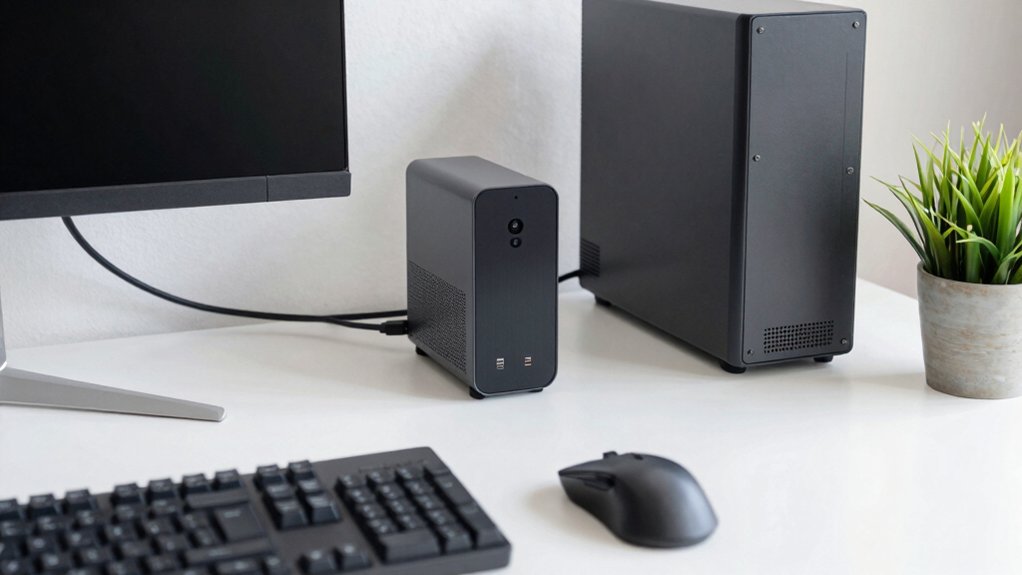
You’ll want to evaluate five key areas when selecting a mini PC: first, assess the processor and RAM you need for your daily tasks like web browsing, document editing, and video conferencing; second, confirm the storage capacity matches your file needs and operating system requirements; third, check the display outputs and port options to connect your monitor, keyboard, mouse, and other peripherals. Fourth, examine how the device handles heat and noise levels since you’ll be working near it for extended periods. Finally, consider the physical size and weight if you plan to move your setup between rooms or locations.
Performance For Daily Tasks
What specs matter most when you’re picking a mini PC for everyday work? You’ll need a multi-core CPU with at least 4 cores to handle multitasking smoothly and enable responsive app switching. Pair this with a minimum of 16GB RAM for RAM-heavy tasks like document editing and web browsing. Next, choose a fast NVMe SSD with 256GB or larger storage to reduce boot times and speed up file transfers. For graphics, integrated options like Vega or Intel UHD operating at 1.0–1.4 GHz support smooth video playback and light gaming without dedicated hardware. Finally, aim for a TDP between 15–28W to maintain quiet operation and stable performance during extended work sessions. These specifications ensure your mini PC handles daily professional demands efficiently.
Memory And Storage Capacity
How much RAM and storage capacity do you actually need in a mini PC? For home office work, aim for 16 GB of RAM to handle multitasking with multiple browser tabs and applications simultaneously. Dual-channel DDR4 memory configuration improves performance compared to single-channel setups. For storage, choose between 256 GB and 512 GB of SSD capacity as your baseline. This range supports your essential apps and files while maintaining fast boot times. Select NVMe PCIe drives over SATA SSDs—they offer significantly faster launch times and file transfers. If you edit photos or videos occasionally, prioritize the NVMe option. Check whether your mini PC has additional M.2 slots available for future expansion up to 2–4 TB when you need more space.
Display And Connectivity Options
Once you’ve confirmed your mini PC has sufficient RAM and storage for your workflow, examining its display and connectivity options becomes the next priority. Look for multiple video outputs—HDMI 2.0, DisplayPort 1.4, and USB-C with DP Alt Mode—to connect several displays simultaneously. Check the maximum resolutions each port supports to match your monitor requirements. If you’re running dual 4K displays, confirm the mini PC handles this capability. Verify USB-C includes display output via DP Alt Mode for streamlined modern connections. Additionally, confirm built-in Wi-Fi and Bluetooth versions support reliable device-sharing without extra adapters. These connectivity features directly impact your workspace flexibility and eliminate the need for costly external docking solutions.
Thermal Management And Noise
Because mini PCs operate in compact spaces with limited airflow, you’ll want to prioritize thermal management to avoid performance drops and unwanted noise during work. Look for models with aluminum chassis and silent fans that maintain near-silent operation under light loads. Check the TDP specification—systems rated at 28W or lower typically require less aggressive cooling. Verify dual air outlets and copper heat sinks, which prevent thermal throttling during extended use. If you’re mounting your mini PC using a VESA bracket, ensure the installation doesn’t obstruct airflow paths. For 24/7 operation, select units specifically designed with reliable cooling performance. Test noise levels in quiet environments before purchasing, particularly when running demanding applications. Proper thermal design directly impacts both system longevity and your work environment comfort.
Form Factor And Portability
After addressing cooling performance, you’ll want to evaluate how a mini PC’s physical design fits your home office space and lifestyle. Consider the dimensions first—most models measure around 4.5 to 5.05 inches square and 1.6 to 2.5 inches tall, fitting easily behind monitors or on desks. Check the weight, typically between 0.28 kg and 1.1 lb, to determine portability for moving between rooms. Review mounting options like VESA compatibility or wall-mounting brackets to maximize your workspace efficiency. Finally, examine the form factor’s impact on connectivity. Different designs offer varying numbers of display outputs—HDMI, DisplayPort, or USB-C DP Alt Mode—and peripheral ports. Match these specifications to your current equipment and future expansion needs for seamless home office integration.
Operating System Compatibility
What operating system does your mini PC need to run? First, identify your primary use case. Windows 11 Pro suits business tasks and standard software compatibility. Linux or Ubuntu works best for open-source development and programming. Next, verify whether your chosen mini PC ships with your preferred OS preinstalled or requires separate installation. Check driver availability for network, graphics, and power management components before purchasing. If you need multiple operating systems, confirm the device supports dual-boot configurations. Finally, review built-in security features like TPM support and OS-level encryption to ensure they match your privacy requirements. Confirm that ongoing software support and driver updates are readily available for your selected OS. This preparation prevents compatibility problems after purchase.
Expandability And Future Upgrades
How future-proof is your mini PC investment? Check the maximum RAM capacity and whether dual-channel support exists—boards supporting 64GB offer better multitasking potential than 8–16GB single-channel limits. Verify storage expansion by identifying available slots: M.2 NVMe, M.2 SATA, or additional bays. Calculate total achievable capacity across multiple slots, targeting 4TB or more for flexibility. Confirm expansion ports including additional M.2 slots and USB-C with display output for future peripherals. Assess processor and graphics upgrade paths—user-accessible components beat soldered configurations. Finally, evaluate cooling design to ensure the chassis accommodates larger modules without causing throttling during intensive tasks. These steps determine whether your mini PC remains capable as your needs evolve.
Warranty And Technical Support
When you’re investing in a mini PC for your home office, the manufacturer’s warranty and support infrastructure shouldn’t be an afterthought—they’re your safety net if something goes wrong. Look for vendors offering at least a 1-year warranty with documented coverage details. Prioritize companies providing lifetime technical support or 24/7 assistance for setup, updates, and troubleshooting. Verify whether your warranty covers hardware components like the CPU, RAM, and storage, then understand the RMA process for repairs or replacements. Check if the vendor supplies online resources, FAQs, and remote assistance. Review their return and exchange policies carefully—many offer 30-day windows with specific conditions and potential restocking fees. These details directly impact your long-term ownership experience and peace of mind.
Final Thoughts
You’ll choose your ideal mini PC by matching specs to your needs. Compare RAM (8GB minimum, 16GB for multitasking), storage (256GB+ SSD), and processor type (AMD Ryzen or Intel). Check connectivity options and display support. Verify cooling solutions ensure quiet operation. Consider your budget range and form factor preference. Test compatibility with your existing peripherals before purchasing to guarantee seamless home office integration.

Meet Ry, “TechGuru,” a 36-year-old technology enthusiast with a deep passion for tech innovations. With extensive experience, he specializes in gaming hardware and software, and has expertise in gadgets, custom PCs, and audio.
Besides writing about tech and reviewing new products, he enjoys traveling, hiking, and photography. Committed to keeping up with the latest industry trends, he aims to guide readers in making informed tech decisions.