
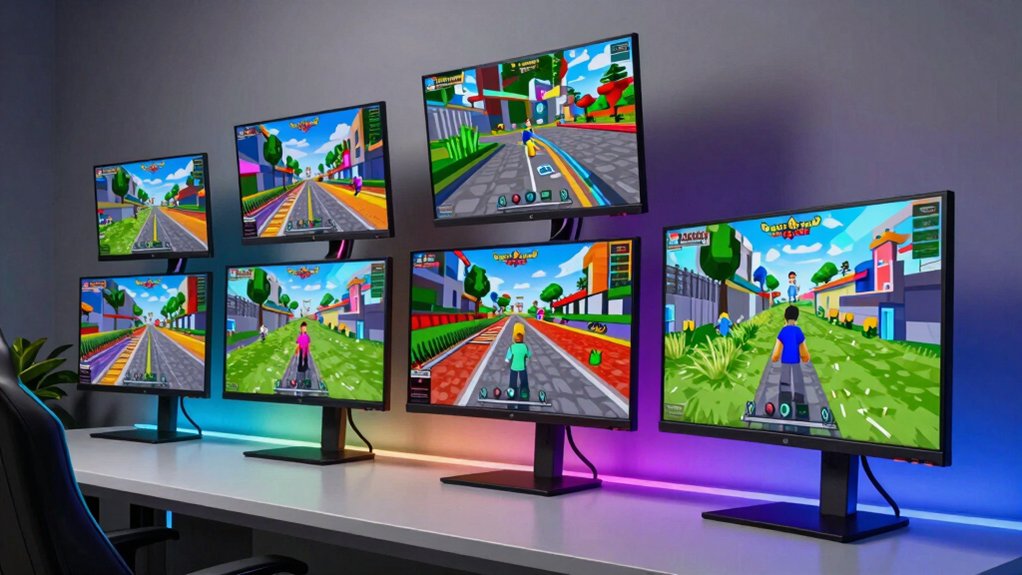

You’re looking for a gaming monitor that handles Roblox’s demands without draining your budget. The right display gives you faster refresh rates, quicker response times, and better visuals during intense gameplay. You’ll want to understand which specifications matter most and how different models compare. We’ve compiled seven monitors that gamers actually recommend, plus the key factors you need to evaluate. Here’s what sets each option apart.
| Sceptre Curved 24-inch Gaming Monitor 1080p |

| Budget Gaming Essential | Refresh Rate: 75 Hz | Screen Size: 24 inches | Resolution: 1920 x 1080 (FHD) | VIEW LATEST PRICE | Read Our Analysis |
| SANSUI 27 Inch Curved 240Hz Gaming Monitor |

| High-Performance Competitive Pick | Refresh Rate: 240 Hz | Screen Size: 27 inches | Resolution: 1920 x 1080 (FHD) | VIEW LATEST PRICE | Read Our Analysis |
| Amzfast 24 Inch Gaming Monitor 200Hz FHD |

| Best Value Performance | Refresh Rate: 200 Hz | Screen Size: 24 inches | Resolution: 1920 x 1080 (FHD) | VIEW LATEST PRICE | Read Our Analysis |
| Sceptre 24-inch Curved Gaming Monitor 1080p 180Hz |

| Best Overall Gaming | Refresh Rate: 180 Hz | Screen Size: 24 inches | Resolution: 1920 x 1080 (FHD) | VIEW LATEST PRICE | Read Our Analysis |
| Samsung 22″ Essential IPS Monitor (LS22D304GANXZA) |

| Casual Gaming Monitor | Refresh Rate: 100 Hz | Screen Size: 22 inches | Resolution: 1920 x 1080 (FHD) | VIEW LATEST PRICE | Read Our Analysis |
| SANSUI 24 Inch Gaming Monitor 200Hz 1Ms FreeSync |

| Best Balanced Gaming | Refresh Rate: 200 Hz | Screen Size: 24 inches | Resolution: 1920 x 1080 (FHD) | VIEW LATEST PRICE | Read Our Analysis |
| Amzfast 27 inch 240Hz Curved Gaming Monitor FHD |

| Premium Curved Experience | Refresh Rate: 240 Hz | Screen Size: 27 inches | Resolution: 1920 x 1080 (FHD) | VIEW LATEST PRICE | Read Our Analysis |
More Details on Our Top Picks
Sceptre Curved 24-inch Gaming Monitor 1080p
Looking for a budget gaming essential that won’t drain your wallet? The Sceptre C248W-1920RN delivers solid performance for Roblox without premium pricing. You’ll get a 24-inch curved display with 1080p resolution, providing clear visuals across the 16:9 screen. The 75 Hz refresh rate handles gameplay smoothly, while the 5 ms response time keeps motion crisp. Connect via HDMI or VGA to your PC, then adjust the monitor using the included stand. The 1800R curve creates an immersive viewing experience, and the 98% sRGB color accuracy ensures vibrant in-game colors. At approximately 7 pounds with VESA wall-mount compatibility, positioning fits most setups. This monitor suits budget-conscious Roblox players seeking reliable performance without unnecessary features.
- Refresh Rate:75 Hz
- Screen Size:24 inches
- Resolution:1920 x 1080 (FHD)
- Response Time:~5 ms
- Adaptive Sync Support:FreeSync/Adaptive Sync
- Panel Type:VA
- Additional Feature:1800R curved screen design
- Additional Feature:98.0% sRGB color gamut
- Additional Feature:Ultra-slim contemporary metal design
SANSUI 27 Inch Curved 240Hz Gaming Monitor
Want a high-performance competitive pick that won’t slow you down? The SANSUI 27-inch curved monitor delivers 240Hz refresh rates and 1ms response times, giving you the speed Roblox demands. The 1500R curved design wraps your view, improving immersion during gameplay. You’ll get 1080P resolution with FHD clarity and enjoy FreeSync support for smooth frame delivery. The monitor includes useful gaming features: shadow booster for visibility, game mode presets for quick optimization, and a crosshair overlay. Connectivity options include HDMI and DisplayPort 1.4 inputs, letting you connect multiple devices. The durable metal stand tilts -5° to 15°, and VESA 100×100mm mounting works with arm setups. You receive a 30-day money-back guarantee and one-year quality warranty with lifetime technical support.
- Refresh Rate:240 Hz
- Screen Size:27 inches
- Resolution:1920 x 1080 (FHD)
- Response Time:1 ms
- Adaptive Sync Support:FreeSync
- Panel Type:VA
- Additional Feature:Black level shadow booster
- Additional Feature:1500R curved display design
- Additional Feature:Crosshair gaming feature
Amzfast 24 Inch Gaming Monitor 200Hz FHD
The Amzfast 24-inch gaming monitor combines high refresh rates with solid color performance for competitive gaming. You’ll get a 200Hz refresh rate and 1ms response time, which keeps gameplay smooth during fast-paced Roblox sessions. The 1920×1080 resolution delivers sharp visuals on the 24-inch Fast IPS panel with 110% sRGB color accuracy. FreeSync Premium support synchronizes your monitor with compatible graphics cards, eliminating screen tearing. You can connect via HDMI 2.1 or DisplayPort 1.4 to PC, laptops, or consoles. Flicker-free technology and blue light reduction protect your eyes during extended play. The white design fits modern gaming setups, and the tilt adjustment ranges from -5° to +15° for comfortable viewing angles.
- Refresh Rate:200 Hz
- Screen Size:24 inches
- Resolution:1920 x 1080 (FHD)
- Response Time:1 ms
- Adaptive Sync Support:FreeSync Premium/Adaptive Sync
- Panel Type:IPS
- Additional Feature:Flicker-free blue light reduction
- Additional Feature:Fast IPS panel technology
- Additional Feature:HDR Sense image enhancement
Sceptre 24-inch Curved Gaming Monitor 1080p 180Hz
Sceptre’s 24-inch curved gaming monitor delivers top-tier overall gaming performance for players seeking smooth, responsive gameplay without premium pricing. The 180Hz refresh rate and 1ms response time minimize lag during fast-paced Roblox sessions. Its curved design reduces eye strain by maintaining consistent viewing angles across the screen. You’ll benefit from AMD FreeSync technology, which synchronizes frame rates with your graphics card for seamless motion. The monitor includes custom FPS and RTS gaming modes optimized for different game types. With 1080p resolution and 100% sRGB color accuracy, you get crisp visuals and accurate colors. VESA wall mount compatibility offers flexible desk placement options, while dual HDMI and DisplayPort connectivity ensure compatibility with most gaming systems.
- Refresh Rate:180 Hz
- Screen Size:24 inches
- Resolution:1920 x 1080 (FHD)
- Response Time:1 ms
- Adaptive Sync Support:FreeSync/Adaptive Sync
- Panel Type:LED
- Additional Feature:Blue-Light Shift technology
- Additional Feature:Built-in speaker system
- Additional Feature:Custom FPS/RTS gaming modes
Samsung 22″ Essential IPS Monitor (LS22D304GANXZA)
Samsung’s 22-inch casual gaming monitor delivers solid performance for Roblox players who want reliable visuals without spending heavily. The IPS panel produces consistent colors across viewing angles, while the 100 Hz refresh rate reduces lag during gameplay. You’ll get a 5 ms response time and 1920×1080 resolution. The monitor includes Eye Care features that reduce blue light and screen flicker, protecting your vision during extended sessions. Connect via HDMI or VGA ports. The lightweight design weighs 4.6 pounds, making it portable. You can adjust the refresh rate from 60 Hz to 100 Hz in your settings. FreeSync support ensures smooth performance with compatible graphics cards.
- Refresh Rate:100 Hz
- Screen Size:22 inches
- Resolution:1920 x 1080 (FHD)
- Response Time:~5 ms
- Adaptive Sync Support:FreeSync/Adaptive Sync
- Panel Type:IPS
- Additional Feature:Ultra-thin border bezels
- Additional Feature:Eye Care flicker protection
- Additional Feature:Optimizable Game Mode preset
SANSUI 24 Inch Gaming Monitor 200Hz 1Ms FreeSync
SANSUI’s 24-inch gaming monitor delivers balanced gaming performance across multiple Roblox scenarios. You’ll access a 1920×1080 resolution with up to 200Hz refresh rate and 1ms response time, which handles fast-paced Roblox games smoothly. The DisplayPort 1.4 connection supports the full 200Hz speed, while HDMI 1.4 provides an alternative option. FreeSync adaptive sync reduces screen tearing during gameplay. The 24-inch screen size offers adequate viewing space without requiring excessive head movement. Built-in game modes—FPS, RTS, and Racing—let you optimize settings for different Roblox game types. The monitor includes a VESA mount for flexible positioning and a standard tilt adjustment range. You’ll receive a one-year quality warranty plus lifetime technical support.
- Refresh Rate:200 Hz
- Screen Size:24 inches
- Resolution:1920 x 1080 (FHD)
- Response Time:1 ms
- Adaptive Sync Support:FreeSync
- Panel Type:LCD
- Additional Feature:4000:1 contrast ratio
- Additional Feature:Built-in crosshair/timer tools
- Additional Feature:110% sRGB color coverage
Amzfast 27 inch 240Hz Curved Gaming Monitor FHD
The Amzfast 27 inch 240Hz Curved Gaming Monitor delivers a premium curved experience that suits competitive Roblox players who prioritize fast response times and smooth gameplay. Its 1500R curvature and 1ms MPRT response time minimize motion blur during intense action sequences. The 240Hz refresh rate ensures fluid visuals, while FreeSync Premium technology eliminates screen tearing. The VA panel provides superior contrast at 4000:1, enhancing visibility in dark game environments. Connect via DisplayPort 1.4 for optimal performance, and utilize the FPS gaming mode for shooter titles. The 27-inch FHD display offers comfortable viewing distances, and the anti-glare coating reduces eye strain during extended play sessions.
- Refresh Rate:240 Hz
- Screen Size:27 inches
- Resolution:1920 x 1080 (FHD)
- Response Time:1 ms
- Adaptive Sync Support:FreeSync Premium/Adaptive Sync
- Panel Type:VA
- Additional Feature:Built-in dual 2W speakers
- Additional Feature:Zero-bright-dot replacement policy
- Additional Feature:1500R curved VA panel
Factors to Consider When Choosing a Monitor for Roblox
When you’re selecting a monitor for Roblox, you’ll need to evaluate five key factors: resolution and visual clarity determine how sharp your game world appears, refresh rate performance affects how smoothly your gameplay runs, and response time impacts your ability to react quickly in competitive situations. Panel type and color quality influence the overall visual experience and immersion you’ll get from extended gaming sessions. Finally, you should consider your budget constraints alongside available connectivity options, which include HDMI, DisplayPort, and USB ports that connect your monitor to your gaming device.
Resolution And Visual Clarity
How much detail do you actually need to see in Roblox? Start with 1080p resolution (1920×1080) as your baseline—it delivers crisp details for most gaming environments. Pair this with a 24–27 inch monitor to maintain readable UI elements and sharp textures without straining your eyes. If you want clearer distant objects and improved texture detail, consider upgrading to 1440p, but understand that higher resolutions demand more GPU power to maintain consistent frame rates. Check your graphics card’s capabilities before choosing. Pay attention to pixel density (PPI) on your screen size; smaller pixels at 1080p on 24–27 inch monitors prevent visible pixelation at normal viewing distances. For enhanced color and contrast, explore monitors with HDR capability, though results depend on the monitor’s brightness and color gamut performance.
Refresh Rate Performance Matters
While resolution sharpens what you see on screen, refresh rate determines how smoothly you’ll see it in motion. A 120 Hz monitor or higher noticeably reduces frame lag compared to standard 60 Hz displays. For competitive Roblox shooters and action games, 240 Hz or 200 Hz monitors deliver near-instantaneous frame updates, giving you a measurable advantage. Adaptive sync technology—FreeSync or G-Sync—prevents screen tearing when your framerates fluctuate below the monitor’s maximum refresh. If you’re using multiple monitors, higher refresh rates maintain consistent gameplay without stutter across all screens. Before investing in a high refresh rate display, verify your GPU can deliver the necessary frames per second consistently. Otherwise, you won’t fully utilize the monitor’s capabilities.
Response Time For Gameplay
Why does response time matter for your Roblox experience? Lower response times reduce motion blur and ghosting during fast-paced gameplay, making actions appear sharper and more precise. When you’re playing FPS-style games in Roblox, you’ll notice the difference immediately.
Target a response time between 1 ms MPRT or 2–5 ms gray-to-gray. This range delivers the responsiveness you need for rapid character movements and combat scenarios. Pair your monitor’s fast response time with a higher refresh rate—120 Hz to 240 Hz works well—to maximize motion clarity.
Consider your panel type carefully. IPS panels provide excellent color stability and viewing angles, while fast VA panels offer strong contrast with similarly quick response times. Choose based on your priority: color accuracy or pure responsiveness.
Panel Type And Colors
When you’re selecting a monitor for Roblox, your choice between IPS and VA panels determines how colors appear and how well you’ll see details from different angles. IPS panels deliver accurate color reproduction and consistent visuals from multiple seating positions, making Roblox scenes look correct no matter where you sit. VA panels offer higher contrast, which enhances depth in darker environments, though color accuracy may shift. Look for monitors with 100% sRGB coverage or higher to ensure vibrant textures and lighting. Higher bit depth improves color richness across Roblox worlds. Pair your panel choice with 60–144 Hz refresh rates at 1080p to reduce motion blur during fast gameplay and maximize your visual experience.
Budget And Connectivity Options
How much you’re willing to spend and which ports your monitor includes will shape your choices just as much as refresh rates and panel types do. Start by setting your budget: budget-friendly 1080p monitors at 60–75 Hz cost less and work well for Roblox. If you want better responsiveness, spend more for 120 Hz or higher refresh rates. Next, check connectivity options. Ensure your monitor has at least one HDMI port for broad compatibility with gaming consoles and PCs. For future upgrades, prioritize DisplayPort or HDMI 2.0/2.1 inputs. Finally, verify VESA mounting compatibility so you can adjust your monitor’s position flexibly. Balancing affordable pricing with solid ports prevents costly upgrades later.
Final Thoughts
You’ve reviewed seven recommended monitors for Roblox gaming. Pick a 24–27 inch curved model with 144–240 Hz refresh rate and 1–5 ms response time to handle fast gameplay. Choose IPS or VA panels for better visuals. Verify HDMI/DisplayPort connectivity and VESA mounting compatibility. Compare prices within your budget. Check for eye-care features like blue light filters. Install your selected monitor, adjust display settings to match your refresh rate, and test performance in-game.

Meet Ry, “TechGuru,” a 36-year-old technology enthusiast with a deep passion for tech innovations. With extensive experience, he specializes in gaming hardware and software, and has expertise in gadgets, custom PCs, and audio.
Besides writing about tech and reviewing new products, he enjoys traveling, hiking, and photography. Committed to keeping up with the latest industry trends, he aims to guide readers in making informed tech decisions.