
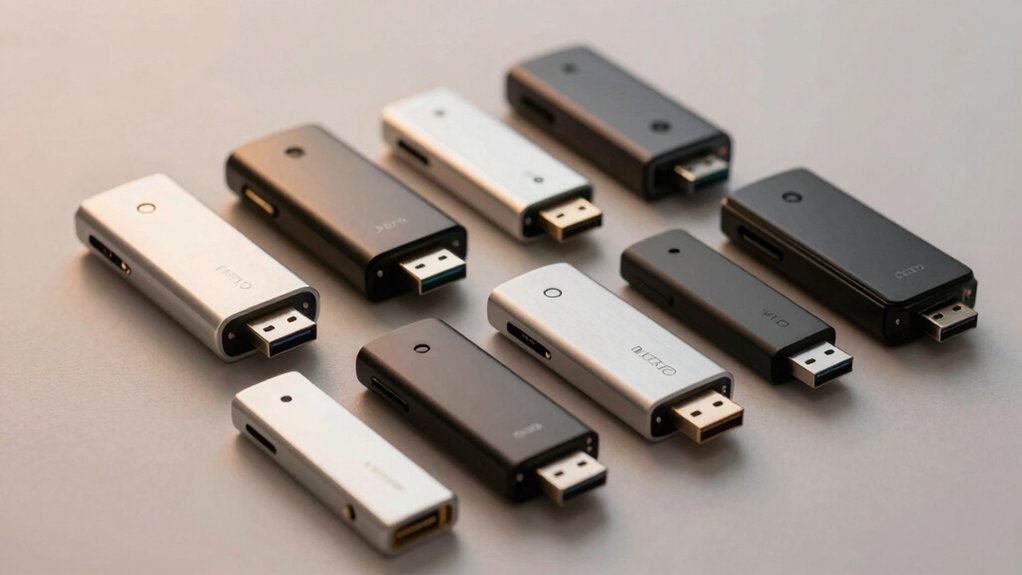

You need an SD card reader that fits your photography workflow—one that moves RAW files fast, stays compact in your bag, and works across your devices. Whether you’re shooting on location or backing up at your desk, the right reader saves you hours each week. We’ve tested nine top models that photographers trust daily, plus we’ll walk you through the key factors that separate reliable gear from the rest.
| Anker 2-in-1 USB-C SD Card Reader with Dual Slot |

| Ultra-Compact Essential | Card Slot Configuration: Dual slot (SD + Micro SD) | Data Transfer Speed: Up to 5 Gbps (USB 3.0) | Primary Connector Type: USB Type-C | VIEW LATEST PRICE | Read Our Analysis |
| BENFEI 4-in-1 USB Card Reader Adapter |

| Most Versatile Reader | Card Slot Configuration: 4-in-1 (SD, Micro SD, Memory Stick, CompactFlash) | Data Transfer Speed: Up to 160 MB/sec (UHS-I) | Primary Connector Type: USB Type-C + USB 3.0 | VIEW LATEST PRICE | Read Our Analysis |
| Acer USB-C Dual Slot SD Card Reader Adapter |

| Best Overall Value | Card Slot Configuration: Dual slot (SD + Micro SD) | Data Transfer Speed: 5 Gbps (USB 3.0) | Primary Connector Type: USB Type-C + USB Type-A | VIEW LATEST PRICE | Read Our Analysis |
| Uni High-Speed USB-C SD Card Reader Dual Slots |

| High-Speed Dual Slot | Card Slot Configuration: Dual slot (SD + Micro SD) | Data Transfer Speed: Up to 5 Gbps (USB 3.0) | Primary Connector Type: USB Type-C + USB Type-A | VIEW LATEST PRICE | Read Our Analysis |
| SmartQ C368 USB 3.0 Card Reader Multi-Format |

| Budget Multi-Format | Card Slot Configuration: 4-in-1 (SD, Micro SD, Memory Stick, CompactFlash) | Data Transfer Speed: Up to 5 Gbps (USB 3.0) | Primary Connector Type: USB Type-A | VIEW LATEST PRICE | Read Our Analysis |
| Acer Dual Slot SD Card Reader USB 3.0 Adapter |

| USB-A Workhorse | Card Slot Configuration: Dual slot (SD + Micro SD) | Data Transfer Speed: 5 Gbps (USB 3.0) | Primary Connector Type: USB Type-A | VIEW LATEST PRICE | Read Our Analysis |
| UGREEN SD Card Reader USB 3.0 Hub Adapter |

| Four-Card Simultaneous | Card Slot Configuration: 4-in-1 (SD, Micro SD, Memory Stick, CompactFlash) | Data Transfer Speed: Up to 5 Gbps (USB 3.0) | Primary Connector Type: USB Type-A | VIEW LATEST PRICE | Read Our Analysis |
| PGYTECH CreateMate USB 3.1 SD Card Reader with Case |

| Professional Travel Kit | Card Slot Configuration: 2-in-1 card reader + storage case (SD + Micro SD) | Data Transfer Speed: Up to 312 MB/s (USB 3.1) | Primary Connector Type: USB Type-C | VIEW LATEST PRICE | Read Our Analysis |
| 5-in-1 Memory Card Reader USB OTG Adapter |

| Multi-Device Adapter | Card Slot Configuration: 2-in-1 (SD + Micro SD) with iPhone charging | Data Transfer Speed: High-speed two-way transfer | Primary Connector Type: USB Type-C + Lightning + USB Type-A | VIEW LATEST PRICE | Read Our Analysis |
| SZHAIYIJIN SD Card Reader for iPhone & iPad |

| iPhone/iPad Specialist | Card Slot Configuration: Dual slot (SD + Micro SD) | Data Transfer Speed: Standard speed (USB 2.0) | Primary Connector Type: USB Type-C + Lightning | VIEW LATEST PRICE | Read Our Analysis |
More Details on Our Top Picks
Anker 2-in-1 USB-C SD Card Reader with Dual Slot
Need an ultra-compact essential card reader? The Anker PowerExpand fits beside other peripherals and works with phones in cases. It features dual slots: one standard SD slot and one microSD slot supporting SDXC, SDHC, SD, MMC, and UHS-I cards. You’ll transfer data at up to 5 Gigabits per second via USB Type-C connection. The reader weighs 9 grams and measures 1.65 inches long, making it portable for fieldwork. Compatible with MacBooks, Galaxy phones, and Chrome OS devices, it handles your camera’s memory cards efficiently. Anker backs it with an 18-month warranty and friendly customer support.
- Card Slot Configuration:Dual slot (SD + Micro SD)
- Data Transfer Speed:Up to 5 Gbps (USB 3.0)
- Primary Connector Type:USB Type-C
- Simultaneous Card Reading:Yes (dual slot)
- Warranty Duration:18 months
- Plug-and-Play (No Driver Required):Yes
- Additional Feature:Ultra-compact peripheral-friendly design
- Additional Feature:18-month warranty included
- Additional Feature:Supports UHS-I cards
BENFEI 4-in-1 USB Card Reader Adapter
The BENFEI 4-in-1 USB Card Reader Adapter stands as the most versatile reader for photographers who juggle multiple memory card formats. You’ll connect it via USB 3.0 or USB-C to your computer or tablet, then insert SD, Micro SD, Memory Stick, and CompactFlash cards simultaneously. The reader transfers data at speeds up to 160MB/sec, meaning you’ll move HD footage in seconds. Its advanced IC chip manages high-speed signals reliably across both interfaces. You’ll find it compatible with MacBooks, iPads, Surface devices, and most Android phones. The integrated design requires no drivers—just plug and play. An 18-month warranty backs your purchase, with accessible customer support included.
- Card Slot Configuration:4-in-1 (SD, Micro SD, Memory Stick, CompactFlash)
- Data Transfer Speed:Up to 160 MB/sec (UHS-I)
- Primary Connector Type:USB Type-C + USB 3.0
- Simultaneous Card Reading:Yes (4 cards simultaneously)
- Warranty Duration:18 months
- Plug-and-Play (No Driver Required):Yes
- Additional Feature:Reads four cards simultaneously
- Additional Feature:160MB/sec UHS-I transfer rates
- Additional Feature:2-in-1 USB-C/USB 3.0 design
Acer USB-C Dual Slot SD Card Reader Adapter
Acer’s USB-C dual-slot reader delivers outstanding value for photographers managing both SD and microSD cards simultaneously. You’ll transfer data at 5Gbps using USB 3.0, then plug the adapter into your laptop, tablet, or smartphone without installing drivers. The aluminum construction withstands heat and travel wear. Insert your SD card into one slot while reading a microSD card from the other, enabling efficient workflow management. Compatible with Windows, macOS, and Android devices, this compact reader measures just 2.8 inches long. Note that thick phone cases may obstruct insertion, and the device doesn’t support CFexpress or camera direct connections.
- Card Slot Configuration:Dual slot (SD + Micro SD)
- Data Transfer Speed:5 Gbps (USB 3.0)
- Primary Connector Type:USB Type-C + USB Type-A
- Simultaneous Card Reading:Yes (dual slot)
- Warranty Duration:1 year
- Plug-and-Play (No Driver Required):Yes
- Additional Feature:Heat-resistant aluminum construction
- Additional Feature:Protective end covers included
- Additional Feature:4.7-star customer rating
Uni High-Speed USB-C SD Card Reader Dual Slots
Want to transfer photos from multiple memory cards simultaneously? The Uni High-Speed USB-C SD Card Reader handles dual-slot reading and writing at 5 Gbps speeds. Simply plug the reader into your MacBook, Chromebook, or Android device—no drivers required. Insert your SD, SDHC, SDXC, or microSD cards into separate slots for parallel transfers. The compact design includes dust protection covers, making it portable for on-location shoots. You’ll download security camera footage, wildlife monitor files, and 3D printer data without additional apps. The 18-month warranty and 24/7 customer support provide reliability for your daily workflow needs.
- Card Slot Configuration:Dual slot (SD + Micro SD)
- Data Transfer Speed:Up to 5 Gbps (USB 3.0)
- Primary Connector Type:USB Type-C + USB Type-A
- Simultaneous Card Reading:Yes (dual slot)
- Warranty Duration:18 months
- Plug-and-Play (No Driver Required):Yes (Windows/macOS)
- Additional Feature:Dust and liquid protection covers
- Additional Feature:24/7 customer service support
- Additional Feature:Simultaneous read/write capability
SmartQ C368 USB 3.0 Card Reader Multi-Format
SmartQ’s C368 offers a budget multi-format solution for photographers managing multiple memory card types. You’ll connect the reader via USB 3.0 to transfer data at speeds up to 5 Gigabits per second. The four-in-one design supports SD, Micro SD, MS, and CF cards simultaneously, letting you read from different camera formats without swapping devices. Setup requires no drivers on Windows, Mac OS, or Linux systems. The compact black reader measures 2.78″ long and weighs just 0.07 pounds, making it ideal for travel. You’ll receive a cable organizer and user manual in the box. The blue LED indicator shows power status while you work.
- Card Slot Configuration:4-in-1 (SD, Micro SD, Memory Stick, CompactFlash)
- Data Transfer Speed:Up to 5 Gbps (USB 3.0)
- Primary Connector Type:USB Type-A
- Simultaneous Card Reading:Yes (4 cards simultaneously)
- Warranty Duration:1 year
- Plug-and-Play (No Driver Required):Yes
- Additional Feature:Four-in-one multi-format design
- Additional Feature:Blue LED power indicator
- Additional Feature:Cable organizer included
Acer Dual Slot SD Card Reader USB 3.0 Adapter
If you’re transferring photos from multiple memory cards simultaneously, this USB-A workhorse delivers the dual-slot functionality you need. The Acer reader accepts SD and Micro SD cards, enabling concurrent read-write operations on both slots. Its aluminum construction withstands regular travel use. Connect the USB 3.0 adapter to your computer’s Type A port—no drivers required. You’ll achieve 5 Gbps transfer speeds while maintaining backward compatibility with USB 2.0 devices. The compact design won’t block adjacent ports. Compatible with Windows, macOS, Chrome OS, and Linux systems, this reader handles SDXC, SDHC, and MMC formats efficiently for your daily workflow.
- Card Slot Configuration:Dual slot (SD + Micro SD)
- Data Transfer Speed:5 Gbps (USB 3.0)
- Primary Connector Type:USB Type-A
- Simultaneous Card Reading:Yes (dual slot)
- Warranty Duration:1 year
- Plug-and-Play (No Driver Required):Yes
- Additional Feature:Slim aluminum body design
- Additional Feature:Corded travel-friendly format
- Additional Feature:Backward compatible USB 2.0/1.1
UGREEN SD Card Reader USB 3.0 Hub Adapter
Photographers managing multiple memory cards during shoots need the UGREEN SD Card Reader’s four-card simultaneous capability. This hub reads SD, SDXC, SDHC, Micro SD, CF, and Memory Stick cards at once, supporting capacities up to 2TB. Connect the reader to your computer via USB 3.0, which transfers files at speeds up to 5Gbps. You’ll eliminate the repetitive plugging and unplugging between different cards. The compact design measures 2.17″ x 2.68″ x 0.59″ with a 1.7-foot cable, making it portable for fieldwork. Setup requires no drivers—simply plug in and it works on Windows, Mac OS, Linux, and Chrome OS systems.
- Card Slot Configuration:4-in-1 (SD, Micro SD, Memory Stick, CompactFlash)
- Data Transfer Speed:Up to 5 Gbps (USB 3.0)
- Primary Connector Type:USB Type-A
- Simultaneous Card Reading:Yes (4 cards simultaneously)
- Warranty Duration:No warranty info provided
- Plug-and-Play (No Driver Required):Yes
- Additional Feature:Supports 4 different card types
- Additional Feature:1.7 ft portable cable
- Additional Feature:Reads/writes simultaneously
PGYTECH CreateMate USB 3.1 SD Card Reader with Case
The PGYTECH CreateMate’s 2-in-1 design makes it your professional travel kit essential. You’ll transfer data at speeds up to 312 MB/s using the USB 3.1 chip and Type-C interface. The aluminum case stores two Nano SIM cards, four SD cards, and four TF cards simultaneously. You can read SD and TF cards at the same time, which saves workflow time. The IP54 waterproof rating protects your cards during fieldwork. Compatible with Windows 7+, Mac OS 10+, Linux, Android, and iPadOS, you’ll connect it directly to Type-C devices or use a Type-C to USB-A adapter for desktop computers. The included rubber case, carabiner, and eject pin provide durability and convenience for photographers managing multiple memory cards daily.
- Card Slot Configuration:2-in-1 card reader + storage case (SD + Micro SD)
- Data Transfer Speed:Up to 312 MB/s (USB 3.1)
- Primary Connector Type:USB Type-C
- Simultaneous Card Reading:Yes (SD + TF simultaneously)
- Warranty Duration:No warranty info provided
- Plug-and-Play (No Driver Required):Yes (USB 3.1)
- Additional Feature:312 MB/s transmission speed
- Additional Feature:IP54 waterproof rating protection
- Additional Feature:Integrated card case storage
5-in-1 Memory Card Reader USB OTG Adapter
Want to transfer photos and videos from your camera, phone, or tablet without hunting for multiple adapters? This 5-in-1 reader handles SD, Micro SD, USB, and USB-C connections in one device. Plug it into your iPhone, iPad, or Android phone—no drivers needed. You’ll read multiple cards simultaneously and transfer files at high speed. The built-in charging port lets you power your device while transferring, so you won’t drain your battery. It supports SD cards up to 1TB, USB 2.0 drives to 512GB, and works with JPEG, RAW, and video formats. Connect cameras, flash drives, and card readers directly to your device instantly.
- Card Slot Configuration:2-in-1 (SD + Micro SD) with iPhone charging
- Data Transfer Speed:High-speed two-way transfer
- Primary Connector Type:USB Type-C + Lightning + USB Type-A
- Simultaneous Card Reading:Yes (multiple cards)
- Warranty Duration:No warranty info provided
- Plug-and-Play (No Driver Required):Yes
- Additional Feature:iPhone/iPad simultaneous charging capability
- Additional Feature:Supports up to 1TB cards
- Additional Feature:Compatible with iOS 9.1+
SZHAIYIJIN SD Card Reader for iPhone & iPad
Need to import photos directly to your iPhone or iPad? The SZHAIYIJIN SD Card Reader connects via USB-C or Lightning ports, supporting dual SD and Micro SD card slots. Plug the reader into your device, insert your memory card, and the Photos app displays an Import option within seconds—no app installation required. You’ll transfer movies, music, documents, and photos in both directions. The device handles up to 500 mA current and includes a detachable USB-C to Lightning adapter for older Apple devices. Use it with Android phones, PCs, and Macs for cross-platform data transfers between systems and devices.
- Card Slot Configuration:Dual slot (SD + Micro SD)
- Data Transfer Speed:Standard speed (USB 2.0)
- Primary Connector Type:USB Type-C + Lightning
- Simultaneous Card Reading:Yes (dual slot)
- Warranty Duration:No warranty info provided
- Plug-and-Play (No Driver Required):Yes
- Additional Feature:Dual USB-C and Lightning connectors
- Additional Feature:Detachable Lightning adapter included
- Additional Feature:Two-way import/export capability
Factors to Consider When Choosing an SD Card Reader for Photographers
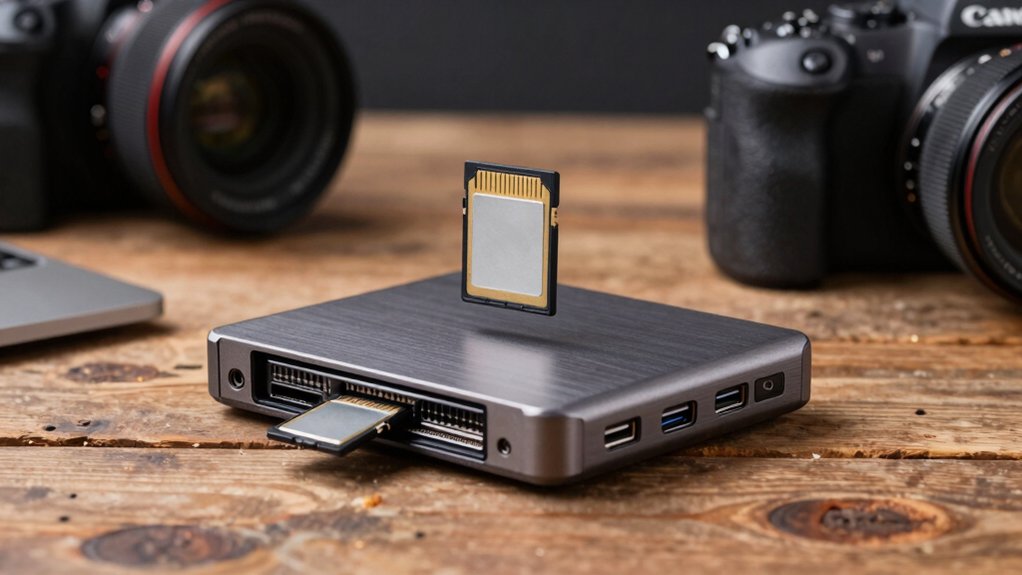
When you’re selecting an SD card reader, you’ll need to evaluate five key areas: data transfer speed performance (measured in Mbps, which determines how quickly your photos move to your computer), card slot compatibility options (ensuring it reads your specific card types like SD, SDHC, or SDXC), and device connectivity requirements (USB-A, USB-C, or Lightning ports depending on your camera and computer). You should also assess portability and build quality, since photographers often need durable readers that travel easily without damage, plus warranty and support coverage so you’ve got protection if the device fails. Each factor directly affects your workflow efficiency, file safety, and long-term value.
Data Transfer Speed Performance
How fast your SD card reader transfers files depends on several key factors you’ll want to evaluate before making a purchase. First, check the USB interface: USB 3.0/3.1 delivers up to 5 Gbps, substantially faster than USB 2.0 for moving large RAW files and 4K video. Second, verify UHS support—UHS-II cards achieve higher burst rates than UHS-I. Third, consider dual-slot readers, which halve transfer time by reading two cards simultaneously. Fourth, confirm the reader supports your card type: SDXC and SDHC formats offer faster speeds than older SD standards. Finally, examine the reader’s internal components; optimized signal management ICs improve real-world performance. Match your reader’s capabilities to your card specifications for optimal speed results.
Card Slot Compatibility Options
Which card formats does your current equipment use, and what devices will you connect your reader to? First, identify your camera’s memory card type: SD, SDHC, or SDXC. Next, determine if you need dual-slot capability to read SD and microSD simultaneously. Then, check whether you’ll connect to laptops, tablets, or smartphones. If you use older cameras or equipment, verify support for CF, MS, or RS-MMC formats. Finally, confirm USB compatibility—USB-C works with modern devices, while USB-A connects to most laptops. USB 3.0, 3.1, and 3.2 speeds vary, so match the reader’s speed to your device’s port capability. This assessment ensures your reader accommodates your entire workflow without compatibility issues.
Device Connectivity Requirements
Your SD card reader’s connectivity options directly affect which devices you can use it with and how quickly you’ll transfer files. Look for readers with both USB-C and USB-A ports to maintain compatibility with modern laptops and mobile devices. Choose USB 3.0 (5 Gbps) or faster speeds like USB 3.1/3.2 to transfer large photo and video files efficiently. If you work with smartphones or tablets, verify the reader supports OTG functionality for direct device connection without a computer. Confirm the reader works across Windows, macOS, Linux, and Android platforms to ensure broad compatibility with your entire workflow. These connectivity requirements determine your reader’s flexibility and speed across different devices and operating systems you’ll encounter daily.
Portability And Build Quality
When you’re carrying your SD card reader between shoots, a compact and lightweight design makes all the difference in your daily workflow. Look for models weighing under 20 grams to minimize bag bulk. Choose readers with dual-slot layouts supporting both SD and microSD cards, eliminating the need for separate adapters. Select durable enclosures made from aluminum or reinforced plastic to protect against field drops and impacts. Verify the reader includes an integrated USB-C or USB-A connector with a short, tangle-free cable. Check that protective end caps come standard to cover ports when not in use. Confirm the build provides dust or liquid protection, maintaining functionality across varying shooting environments. These features combine to create a reliable tool you’ll actually bring to every assignment.
Warranty And Support Coverage
Once you’ve selected a reader that’ll survive your daily shoots, protecting your investment through solid warranty and support coverage becomes the next priority. Look for warranties lasting 18 months or longer to guarantee extended protection. Verify that the manufacturer covers dead-on-arrival, damaged-on-arrival, and unopened items within standard return windows. Check whether support extends across multiple platforms—Windows, macOS, Linux, and Android—in case you upgrade your setup later. Contact customer service before purchasing to gauge responsiveness and accessibility. Review vendor-specific terms carefully, as restocking fees or return restrictions can complicate claims. Confirm that support channels are easily reachable and responsive. These steps protect your reader investment and ensure you’ll get help when problems arise.
Final Thoughts
You’ll want to prioritize speed, compatibility, and durability when selecting your SD card reader. Choose USB-C for newer devices or USB-A for established systems. Verify dual-slot designs if you’re transferring from multiple cards simultaneously. Check that your reader supports your card formats—SD, microSD, or both. Confirm cross-platform compatibility with your Mac, Windows, or mobile devices. Finally, confirm warranty coverage and build quality for consistent fieldwork performance.

Meet Ry, “TechGuru,” a 36-year-old technology enthusiast with a deep passion for tech innovations. With extensive experience, he specializes in gaming hardware and software, and has expertise in gadgets, custom PCs, and audio.
Besides writing about tech and reviewing new products, he enjoys traveling, hiking, and photography. Committed to keeping up with the latest industry trends, he aims to guide readers in making informed tech decisions.