
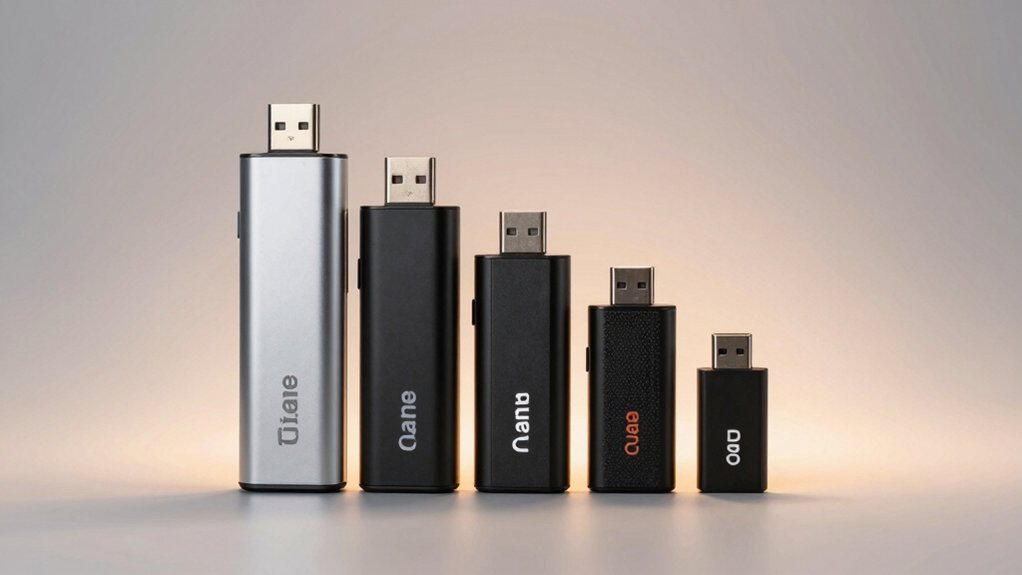

You need a fast SD card reader for your Android device that actually delivers reliable performance. The market offers several solid options with USB-C connectivity, dual-slot capability, and plug-and-play functionality that work without drivers or apps. Whether you’re transferring photos from a camera, backing up drone footage, or moving files from security devices, choosing the right reader makes a significant difference. Here’s what you should know about the top contenders available today.
| uni SD Card Reader USB-C Dual Slots |

| Dual-Slot Powerhouse | Data Transfer Speed: 5 Gbps (USB 3.0) | Dual Slot Support: Yes (SD and Micro SD simultaneous) | Connectivity Type: USB Type-C | VIEW LATEST PRICE | Read Our Analysis |
| Acer USB-C Dual Slot SD Card Reader Adapter |

| Best Overall | Data Transfer Speed: 5 Gbps (USB 3.0) | Dual Slot Support: Yes (SD and Micro SD simultaneous) | Connectivity Type: USB Type-C and USB Type-A | VIEW LATEST PRICE | Read Our Analysis |
| USB-C SD Card Reader for Android & iPhone |
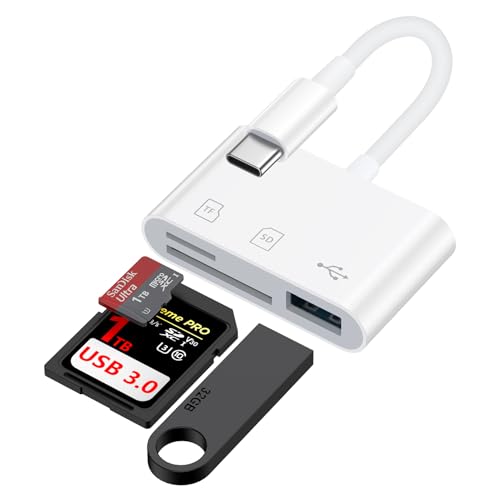
| Built-in Cable Convenience | Data Transfer Speed: 5 Gbps | Dual Slot Support: Yes (SD and Micro SD) | Connectivity Type: USB Type-C with built-in cable | VIEW LATEST PRICE | Read Our Analysis |
| Anker 2-in-1 USB-C SD Card Reader with Dual Slot |

| Ultra-Compact Design | Data Transfer Speed: 5 Gbps | Dual Slot Support: Yes (SD and Micro SD) | Connectivity Type: USB Type-C | VIEW LATEST PRICE | Read Our Analysis |
| HICOBER 3-in-1 USB-C SD Card Reader for Phones |

| Budget-Friendly Pick | Data Transfer Speed: 5 Gbps | Dual Slot Support: Yes (SD and Micro SD) | Connectivity Type: USB Type-C | VIEW LATEST PRICE | Read Our Analysis |
More Details on Our Top Picks
uni SD Card Reader USB-C Dual Slots
Who needs to transfer photos, videos, and files from multiple memory cards simultaneously? The uni SD Card Reader handles this task with dual slots and USB 3.0 speed. Connect it to your Android phone or laptop via USB-C, then insert two cards at once. You’ll transfer data at 5 Gbps without installing drivers or apps. The reader accepts SD, SDHC, SDXC, and microSD cards, making it versatile for cameras, drones, and security devices. Dust and liquid covers protect the slots during transport. At just thirteen grams, it’s portable enough for travel. You get an eighteen-month warranty and round-the-clock customer support included.
- Data Transfer Speed:5 Gbps (USB 3.0)
- Dual Slot Support:Yes (SD and Micro SD simultaneous)
- Connectivity Type:USB Type-C
- Supported Card Types:SD, SDHC, SDXC, Micro SD, Micro SDHC, Micro SDXC, MMC
- Warranty Period:18 months
- Weight/Portability:13 grams (compact, corded design)
- Additional Feature:Simultaneous dual-card read/write
- Additional Feature:Dust and liquid protection
- Additional Feature:No driver installation required
Acer USB-C Dual Slot SD Card Reader Adapter
The Acer USB-C adapter reads both microSD and SD cards simultaneously at 5Gbps speeds—a standout choice if you’re juggling multiple memory cards without switching between devices. Its dual-slot design with USB-A and USB-C headers lets you connect to most Android phones, tablets, and computers instantly. Setup requires no drivers or software installation. Simply insert your cards, plug the adapter into your device’s USB-C port, and access your files. The heat-resistant aluminum construction and protective covers ensure durability during travel. Note that thick phone cases may prevent full insertion, so remove your case if connection issues occur.
- Data Transfer Speed:5 Gbps (USB 3.0)
- Dual Slot Support:Yes (SD and Micro SD simultaneous)
- Connectivity Type:USB Type-C and USB Type-A
- Supported Card Types:SD, SDHC, SDXC, Micro SD, Micro SDHC, Micro SDXC
- Warranty Period:1 year
- Weight/Portability:15 grams (slim, lightweight, attached cord)
- Additional Feature:Heat-resistant aluminum construction
- Additional Feature:USB-A and USB-C headers
- Additional Feature:Backward-compatible with USB 2.0
USB-C SD Card Reader for Android & iPhone
Need fast photo transfers without tangled cables? This dual-slot reader handles SD, SDHC, SDXC, and Micro SD cards while delivering speeds up to 5 Gbps. The built-in USB-C cable connects directly to your Samsung Galaxy, Google Pixel, or iPhone 15/16, eliminating extra cords. Plug it in—no apps, drivers, or power needed. The compact design fits alongside other USB-C devices on your phone or tablet. You’ll transfer photos and videos quickly without disrupting your workflow. The included USB-A female port lets you attach additional peripherals simultaneously. This reader works with Windows, Mac, iOS, Android, and Chrome OS devices, making it versatile for various transfer scenarios.
- Data Transfer Speed:5 Gbps
- Dual Slot Support:Yes (SD and Micro SD)
- Connectivity Type:USB Type-C with built-in cable
- Supported Card Types:SD, SDHC, SDXC, Micro SD, Micro SDHC, Micro SDXC
- Warranty Period:Standard Amazon policy
- Weight/Portability:Lightweight with built-in cable (compact)
- Additional Feature:Built-in USB-C cord design
- Additional Feature:USB-A female port included
- Additional Feature:Supports iPhone 15/16 models
Anker 2-in-1 USB-C SD Card Reader with Dual Slot
Anker’s PowerExpand reader fits beside your phone’s other ports with its ultra-compact design, measuring just 1.65 inches long and weighing only 9 grams. The dual-slot setup lets you read both standard SD and microSD cards simultaneously, supporting SDXC, SDHC, SD, MMC, and UHS-I formats. You’ll get up to 5 Gigabits per second transfer speeds through USB-C connectivity. The reader works with Chrome OS and Mac OS devices, plus Android phones with USB-C ports. Anker backs this reader with an 18-month warranty and responsive customer service, making it a reliable option for transferring camera photos and videos to your device.
- Data Transfer Speed:5 Gbps
- Dual Slot Support:Yes (SD and Micro SD)
- Connectivity Type:USB Type-C
- Supported Card Types:SD, SDHC, SDXC, Micro SD, Micro SDHC, Micro SDXC, MMC, UHS-I
- Warranty Period:18 months
- Weight/Portability:9 grams (ultra-compact)
- Additional Feature:Ultra-compact fits beside peripherals
- Additional Feature:UHS-I card support
- Additional Feature:Works with phone in case
HICOBER 3-in-1 USB-C SD Card Reader for Phones
HICOBER’s compact 3-in-1 adapter is your budget-friendly pick if you need quick access to SD and microSD cards across multiple devices. The aluminum housing keeps temperatures stable during file transfers while the pocket-size design fits easily in bags. You’ll connect the USB-C plug directly to Android phones, tablets, or laptops. The reader supports cards up to 2TB, making it suitable for backing up photos and videos from cameras, drones, and action cams. USB 2.0 provides reliable connections for transferring documents and media files. The secure card slots prevent accidental ejection. A 2-year warranty covers manufacturing defects, and Amazon’s return policy allows returns within 30 days if unopened or damaged.
- Data Transfer Speed:5 Gbps
- Dual Slot Support:Yes (SD and Micro SD)
- Connectivity Type:USB Type-C
- Supported Card Types:SD, Micro SD (up to 2TB)
- Warranty Period:2 years
- Weight/Portability:1.1 ounces/31 grams (aluminum housing, pocket-size)
- Additional Feature:Lightweight aluminum housing included
- Additional Feature:Drop-resistant design/durability
- Additional Feature:Supports cards up to 2TB
Factors to Consider When Choosing an SD Card Reader for Android
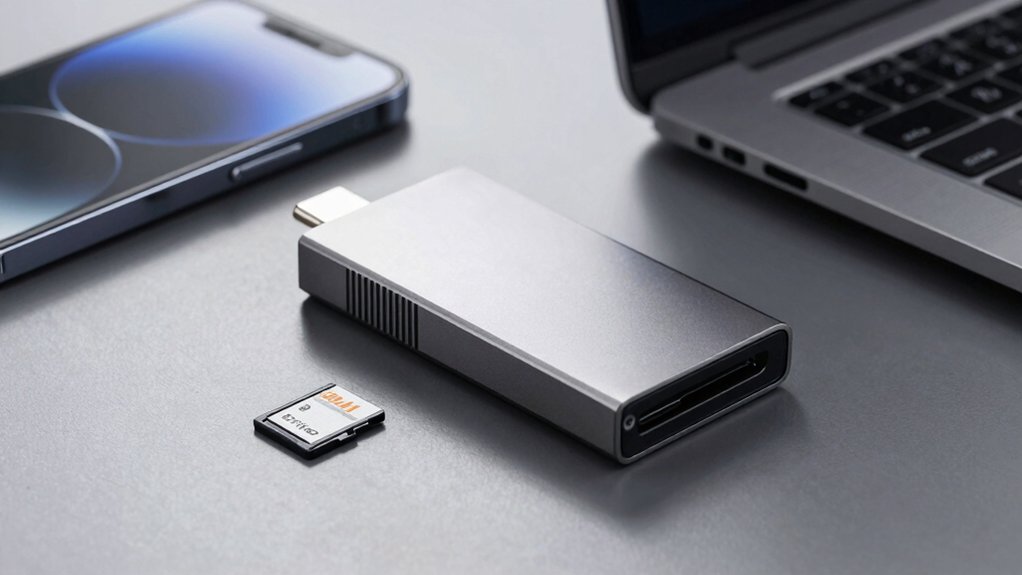
You’ll want to prioritize USB-C port compatibility first, as most modern Android devices use this connection standard for reliable data transfer. Check the reader’s transfer speed rates—look for USB 3.0 or faster to secure files move quickly without lag or bottlenecks. If you frequently work with multiple memory cards, consider dual slot functionality, which lets you read from two cards simultaneously or transfer data between them without swapping.
Best SD Card Reader for Android
What should you prioritize when selecting an SD card reader for your Android device? First, verify USB-C compatibility to ensure plug-and-play functionality without requiring drivers. Second, check the data transfer rate—5 Gbps (USB 3.0/3.1) minimizes backup delays for large media files. Third, consider dual-slot capability if you frequently work with both SD and microSD cards simultaneously. Fourth, evaluate physical design: built-in cables or integrated USB-C connectors reduce adapter clutter. Fifth, confirm the reader supports your Android OS version and USB-C host device. Sixth, exclude any options with Lightning ports, as they’re incompatible with Android. Review these specifications systematically before purchasing to guarantee fast, reliable performance that matches your workflow demands.
Factors to Consider When Choosing SD Card Reader for Android
When picking an SD card reader for your Android device, prioritize USB-C compatibility and USB 3.0 support first—these features guarantee plug-and-play functionality without requiring extra apps or drivers, and they deliver speeds up to 5 Gbps for faster file transfers. Next, verify dual-slot support so you can read and write SD and microSD cards simultaneously if needed. Check which card formats the reader supports: SD, SDHC, SDXC, microSD, microSDHC, and microSDXC. Note any exclusions like CFexpress or memory sticks. Finally, confirm OTG compatibility with your specific Android device, and check whether thick phone cases might block card insertion. These factors ensure reliable, fast performance.
USB-C Port Compatibility
USB-C port compatibility sits at the foundation of choosing a working SD card reader for Android, since most modern devices rely on this connection standard. You need a reader that supports USB-C on-the-go (OTG) or host mode to access your SD and Micro SD cards directly. Check the adapter’s specifications for USB-C 5 Gbps data transfer rating—this ensures fast read and write speeds on Android devices. Look for readers offering USB-C dual headers combining Type-C and Type-A connectors, or those with built-in USB-C cables for direct connection. Verify explicit Android support across multiple OS versions without requiring driver installation. Finally, confirm case clearance compatibility so the USB-C connector fits properly alongside thick phone cases on your specific device.
Data Transfer Speed Rates
How quickly you can move files between your SD card and Android device depends on the reader’s interface standard and real-world performance capabilities. USB 3.0 and USB-C readers theoretically reach 5 Gbps, but actual speeds vary based on your card type and device compatibility. Check whether your reader supports SDXC or just basic SD cards, since newer formats transfer faster. Dual-slot readers can process two cards simultaneously, maintaining aggregate throughput if your device allows it. Be aware that advertised “up to 5 Gbps” speeds don’t always match sustained performance—controller efficiency, cable quality, and thermal conditions reduce actual transfer rates. Test your specific setup with medium-sized files to determine realistic speed expectations before committing to a purchase.
Dual Slot Functionality
Why settle for single-slot readers when you’re managing multiple SD cards on your Android device? Dual-slot functionality lets you read or write to two cards simultaneously, cutting your workflow time in half. You can transfer files from one card while backing up another—a critical advantage if you’re handling large photo or video libraries. When selecting a reader, confirm it supports both standard SD and Micro SD cards in separate slots. This flexibility accommodates different card types without requiring multiple adapters. Dual-slot readers also prevent bottlenecks during transfers. Check that your Android device’s USB port matches the reader’s connector type—USB-C or USB-A—for seamless integration. This setup maximizes efficiency when juggling content across multiple cards regularly.
Supported Card Types
What card formats does your reader actually support? You need to verify compatibility with SD, SDHC, SDXC, and microSD/microSDHC/microSDXC formats. These cover the standard cards used with most Android devices. Check the product specifications before purchasing to confirm all four formats work with your reader.
Next, confirm maximum card capacity support. Modern readers should handle up to 2TB cards to future-proof your setup for high-capacity storage. This ensures you won’t outgrow your reader as larger cards become standard.
Finally, verify plug-and-play functionality on Android. Your reader must work without dedicated apps or drivers for basic file operations. Connect it via USB-C OTG or USB-A directly to your phone, then test reading and writing files to confirm immediate functionality without additional software installation.
Portable Design Features
When you’re selecting an SD card reader for Android, portability should rank high on your checklist because you’ll likely use it while traveling or moving between locations. Look for readers weighing 9–15 grams that fit easily into pockets or small bags. Choose models with built-in USB-C cables or integrated connectors to eliminate extra cables and reduce bulk. Dual-slot readers that accept both SD and microSD cards save space and eliminate the need for multiple adapters. Select readers with protective covers or dust-proof designs to shield ports from debris and damage during transport. Consider aluminum or metal housing for improved durability and better heat management during frequent file transfers. These design features directly impact your ability to transfer files reliably while on the move.
Durability And Build Quality
How’ll you know if an SD card reader can handle daily use and last through years of transfers? Start by examining the housing material—aluminum constructions resist wear better than plastic during frequent use. Next, verify the connector type; USB-C with reinforced stress relief withstands repeated plugging and unplugging. Check product descriptions for drop-tested or impact-resistant certifications, which indicate real-world durability. Inspect whether the design includes protective end caps that guard connectors from dust and moisture damage. Finally, assess thermal management features in the enclosure, since better heat dissipation maintains performance under sustained load and prevents component degradation. These concrete indicators—durable materials, reinforced connectors, protective features, and thermal design—directly determine how long your reader functions reliably.
Final Thoughts
You’ve now reviewed five reliable SD card readers designed for Android speed and compatibility. Choose based on your needs: dual-slot readers for multiple formats, USB-C connectivity for direct phone access, and durable builds with warranties. Test read/write performance immediately after purchase. All five options require no drivers or apps, making them plug-and-play solutions. Match your choice to your device type and transfer frequency for seamless camera, drone, or security file management.

Meet Ry, “TechGuru,” a 36-year-old technology enthusiast with a deep passion for tech innovations. With extensive experience, he specializes in gaming hardware and software, and has expertise in gadgets, custom PCs, and audio.
Besides writing about tech and reviewing new products, he enjoys traveling, hiking, and photography. Committed to keeping up with the latest industry trends, he aims to guide readers in making informed tech decisions.