
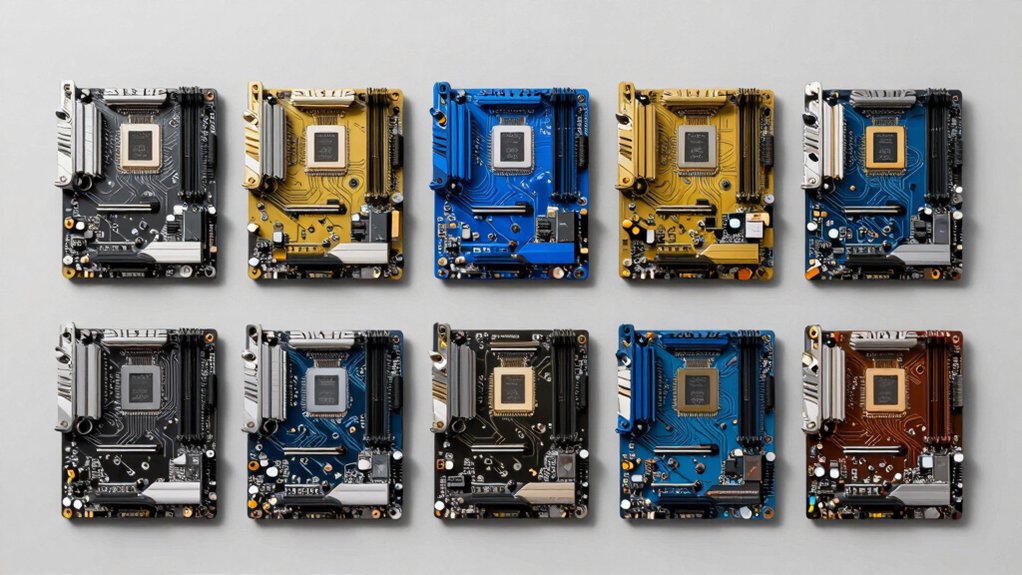

When you’re building a Windows 11 PC, you’ll need to match the right CPU with a compatible motherboard to get the best performance for your budget. You can choose from entry-level bundles like the Ryzen 5 4500 with A520M boards, mid-range options with Ryzen 5 5500 and B550 platforms, or high-performance setups featuring Ryzen 7 processors and B650E motherboards with DDR5 support. Each bundle offers different advantages—but which one actually fits your needs?
| Ryzen 5 5500 B550M Motherboard Memory Combo Bundle |

| Best Value | Processor Generation: Ryzen 5000 Series (5500) | CPU Core/Thread Count: 6-core/12-thread | Memory Type: DDR4 3600 | VIEW LATEST PRICE | Read Our Analysis |
| AMD Ryzen 5 5500 with ASUS TUF Gaming Motherboard |

| Best For Beginners | Processor Generation: Ryzen 5000 Series (5500) | CPU Core/Thread Count: 6-core/12-thread | Memory Type: DDR4 | VIEW LATEST PRICE | Read Our Analysis |
| AMD Ryzen 5 7600X CPU Processor Bundle with ASUS Motherboard |

| Best Overall | Processor Generation: Ryzen 7000 Series (7600X) | CPU Core/Thread Count: 6-core/12-thread | Memory Type: DDR5 up to 256GB | VIEW LATEST PRICE | Read Our Analysis |
| INLAND AMD Ryzen 5 4500 with MSI A520M Motherboard |

| Budget-Friendly Pick | Processor Generation: Ryzen 4000 Series (4500) | CPU Core/Thread Count: 6-core/12-thread | Memory Type: DDR4 up to 64GB | VIEW LATEST PRICE | Read Our Analysis |
| AMD Ryzen 7 7700X CPU with ASUS TUF B650E Motherboard |

| Best For Professionals | Processor Generation: Ryzen 7000 Series (7700X) | CPU Core/Thread Count: 8-core/16-thread | Memory Type: DDR5 up to 256GB | VIEW LATEST PRICE | Read Our Analysis |
| ASUS TUF Gaming Z790-Plus WiFi Motherboard |

| Best For Enthusiasts | Processor Generation: Intel 12th/13th/14th Gen (Z790) | CPU Core/Thread Count: N/A (motherboard only) | Memory Type: DDR5 up to 7200MHz (OC) | VIEW LATEST PRICE | Read Our Analysis |
| MICRO CENTER Intel i5-14400 CPU Motherboard Combo |

| Most Versatile | Processor Generation: Intel 14th Gen Raptor Lake Refresh (i5-14400) | CPU Core/Thread Count: 10-core/16-thread (6P+4E) | Memory Type: DDR4/DDR5 support | VIEW LATEST PRICE | Read Our Analysis |
| AMD Ryzen 7 9700X CPU with GIGABYTE B650 Motherboard |

| Best Performance | Processor Generation: Ryzen 9000 Series (9700X) | CPU Core/Thread Count: 8-core/16-thread | Memory Type: DDR5 up to 192GB | VIEW LATEST PRICE | Read Our Analysis |
| Micro Center CPU Motherboard Combo 12900K Z790 |

| Most Powerful | Processor Generation: Intel 12th Gen (i9-12900K) | CPU Core/Thread Count: 16-core/24-thread | Memory Type: DDR5 | VIEW LATEST PRICE | Read Our Analysis |
More Details on Our Top Picks
Ryzen 5 5500 B550M Motherboard Memory Combo Bundle
Want a budget-friendly setup that won’t compromise performance? This Newegg bundle delivers a complete solution with a Ryzen 5 5500 processor, B550M motherboard, and 16GB DDR4 memory. The six-core processor runs at 3.6 GHz and handles gaming and productivity tasks efficiently. The B550M board supports PCIe 4.0 graphics and includes six SATA ports plus six USB ports for expansion. The 3600 MHz memory ensures smooth multitasking. All components use the AM4 socket standard, so they’re fully compatible. You’ll get Windows 11 support out of the box, making setup straightforward.
- Processor Generation:Ryzen 5000 Series (5500)
- CPU Core/Thread Count:6-core/12-thread
- Memory Type:DDR4 3600
- Motherboard Socket:AM4
- PCIe Generation:PCIe 4.0
- WiFi/Connectivity:WiFi 6
- Additional Feature:6 SATA ports included
- Additional Feature:Includes 16GB DDR4 memory
- Additional Feature:PCIe 4.0 graphics support
AMD Ryzen 5 5500 with ASUS TUF Gaming Motherboard
The AMD Ryzen 5 5500 paired with an ASUS TUF Gaming A520M motherboard offers an entry-level builder a straightforward foundation for Windows 11 gaming and productivity work. This 6-core, 12-thread processor reaches 4.2 GHz boost speeds with a 65W TDP, keeping power costs low. You’ll need a discrete graphics card since the 5500 lacks integrated graphics. The A520M-PLUS motherboard supports dual-channel DDR4 memory up to 128 GB, includes M.2 NVMe storage, and provides 802.11ac Wi-Fi connectivity. The combo includes four SATA ports for traditional drives, USB 3.2 ports, and both DisplayPort and HDMI outputs. This bundle delivers reliable performance for budget-conscious builders prioritizing efficiency and expandability without unnecessary features.
- Processor Generation:Ryzen 5000 Series (5500)
- CPU Core/Thread Count:6-core/12-thread
- Memory Type:DDR4
- Motherboard Socket:AM4
- PCIe Generation:PCIe (standard)
- WiFi/Connectivity:802.11ac WiFi
- Additional Feature:Wraith Stealth Cooler included
- Additional Feature:M.2 Socket 3 support
- Additional Feature:5X Protection III connectivity
AMD Ryzen 5 7600X CPU Processor Bundle with ASUS Motherboard
AMD’s Ryzen 5 7600X paired with ASUS TUF Gaming B650E-E WiFi delivers balanced performance for gamers and creators who want platform flexibility without overspending. The 6-core, 12-thread processor reaches 5.3 GHz, supporting DDR5 memory up to 256GB across four slots. The B650E motherboard includes PCIe 5.0 slots for next-gen storage and graphics, plus Wi-Fi 6E connectivity. You’ll get enhanced power delivery through 8+2+1 DrMOS stages and thorough cooling solutions for the VRM and chipset. The open-multiplier CPU allows overclocking, while integrated Radeon Graphics provide baseline display output without a dedicated GPU.
- Processor Generation:Ryzen 7000 Series (7600X)
- CPU Core/Thread Count:6-core/12-thread
- Memory Type:DDR5 up to 256GB
- Motherboard Socket:AM5
- PCIe Generation:PCIe 5.0
- WiFi/Connectivity:WiFi 6E
- Additional Feature:PCIe 5.0 M.2 slot
- Additional Feature:DDR5 up to 256GB
- Additional Feature:Wi-Fi 6E connectivity
INLAND AMD Ryzen 5 4500 with MSI A520M Motherboard
Looking for a budget-friendly pick that doesn’t compromise on core performance? The INLAND AMD Ryzen 5 4500 paired with the MSI A520M motherboard delivers solid value. You’ll get six cores and twelve threads running up to 4.1 GHz, supporting DDR4 memory up to 64GB. The Micro-ATX board includes PCIe 4.0 support, one M.2 slot for NVMe drives, and four SATA connections. Install a discrete graphics card to unlock bring out optimal gaming capability. The included Wraith Stealth cooler handles stock speeds effectively. This bundle suits budget builds where you’re prioritizing CPU capability over expansion options while maintaining Windows 11 compatibility.
- Processor Generation:Ryzen 4000 Series (4500)
- CPU Core/Thread Count:6-core/12-thread
- Memory Type:DDR4 up to 64GB
- Motherboard Socket:AM4
- PCIe Generation:PCIe 4.0
- WiFi/Connectivity:Standard Ethernet
- Additional Feature:Wraith Stealth Cooler included
- Additional Feature:Turbo M.2 PCIe optimization
- Additional Feature:2oz Thickened Copper PCB
AMD Ryzen 7 7700X CPU with ASUS TUF B650E Motherboard
Want a workstation-class bundle that handles professional-grade tasks? The AMD Ryzen 7 7700X paired with the ASUS TUF B650E motherboard delivers performance for content creation and multithreaded applications. The 8-core, 16-thread processor reaches 5.4 GHz boost speeds, while the B650E supports DDR5 memory up to 256GB and PCIe 5.0 connectivity. You’ll get robust power delivery through 8+2+1 DrMOS and comprehensive cooling solutions for sustained performance. This combination runs Windows 11 64-bit and supports future Ryzen upgrades. Choose this bundle when you need reliability, expandability, and processing power for demanding workloads.
- Processor Generation:Ryzen 7000 Series (7700X)
- CPU Core/Thread Count:8-core/16-thread
- Memory Type:DDR5 up to 256GB
- Motherboard Socket:AM5
- PCIe Generation:PCIe 5.0
- WiFi/Connectivity:WiFi 6E
- Additional Feature:8-core, 16-thread processor
- Additional Feature:PCIe 5.0 x16 support
- Additional Feature:AI Noise Cancellation II
ASUS TUF Gaming Z790-Plus WiFi Motherboard
The ASUS TUF Gaming Z790-Plus WiFi delivers military-grade durability paired with high-end connectivity that’ll serve enthusiasts building powerful Intel systems. You’ll get a 16+1 DrMOS power solution, extensive cooling with VRM heatsinks, and four M.2 NVMe slots for storage expansion. The motherboard supports Intel’s 14th, 13th, and 12th Gen Core processors with DDR5 memory up to 7200 MHz. Connectivity includes WiFi 6 AX201, 2.5Gb LAN with TurboLAN technology, and PCIe 5.0 support. You receive Thunderbolt 4 headers and USB 3.2 Gen 2 Type-C ports for fast data transfer. This platform handles demanding workloads and gaming efficiently.
- Processor Generation:Intel 12th/13th/14th Gen (Z790)
- CPU Core/Thread Count:N/A (motherboard only)
- Memory Type:DDR5 up to 7200MHz (OC)
- Motherboard Socket:LGA 1700
- PCIe Generation:PCIe 5.0
- WiFi/Connectivity:WiFi 6 (AX201)
- Additional Feature:WiFi 6 AX201 included
- Additional Feature:Thunderbolt 4 USB4 header
- Additional Feature:4x M.2/NVMe slots
MICRO CENTER Intel i5-14400 CPU Motherboard Combo
Micro Center’s Intel i5-14400 CPU Motherboard Combo delivers the most versatile foundation for users who need solid performance without overspending on premium components. The 14th-generation i5-14400 pairs 10 cores with integrated Intel UHD Graphics 730, handling everyday tasks, web browsing, and modest gaming effectively. The MSI PRO B760M-P motherboard supports both DDR4 and DDR5 memory, letting you reuse existing DDR4 kits for budget savings. The included Intel Laminar RM1 cooler manages thermal output efficiently. If you need stronger graphics performance, add a discrete GPU. PCIe 4.0 and M.2 slots provide expansion options for storage upgrades.
- Processor Generation:Intel 14th Gen Raptor Lake Refresh (i5-14400)
- CPU Core/Thread Count:10-core/16-thread (6P+4E)
- Memory Type:DDR4/DDR5 support
- Motherboard Socket:LGA 1700
- PCIe Generation:PCIe 4.0
- WiFi/Connectivity:Ethernet (standard)
- Additional Feature:Intel Laminar RM1 Cooler
- Additional Feature:DDR4 backward compatibility option
- Additional Feature:Integrated Intel UHD 730
AMD Ryzen 7 9700X CPU with GIGABYTE B650 Motherboard
Looking to build a high-performance gaming PC? The AMD Ryzen 7 9700X paired with the GIGABYTE B650 Gaming X AX V2 delivers powerful performance. The 8-core, 16-thread processor reaches 5.5 GHz boost speeds and includes a 65W TDP, reducing cooling demands. The motherboard supports DDR5 memory up to 192 GB across four DIMM slots, PCIe 5.0 expansion, and Wi-Fi 6E connectivity. You’ll get 4 SATA ports, M.2 storage options, and AMD EXPO support for optimized memory settings. This AM5 socket combination supports Windows 11 and handles 100+ FPS gaming on popular titles, making it ideal for gamers and content creators seeking reliable performance without excessive power consumption.
- Processor Generation:Ryzen 9000 Series (9700X)
- CPU Core/Thread Count:8-core/16-thread
- Memory Type:DDR5 up to 192GB
- Motherboard Socket:AM5
- PCIe Generation:PCIe 5.0
- WiFi/Connectivity:WiFi 6E
- Additional Feature:Wi-Fi 6E, Bluetooth 5.3
- Additional Feature:Q-Flash Plus BIOS update
- Additional Feature:Fusion 2.0 RGB lighting
Micro Center CPU Motherboard Combo 12900K Z790
Want the most powerful single bundle for serious productivity and gaming? The Micro Center CPU Motherboard Combo pairs the Intel Core i9-12900K with the Z790 MAX Gaming WIFI7 motherboard. You’ll get 16 cores, 24 threads, and 5.2 GHz turbo speeds for demanding workloads. The Z790 platform supports DDR5 memory and PCIe 5.0, giving you future-proof connectivity. Wi-Fi 7 and USB4 Thunderbolt headers handle high-speed data transfers. Three PCIe 4.0 M.2 slots let you install multiple NVMe drives. The robust 14+1 power delivery and large VRM heatsinks keep temperatures stable during intensive tasks. This bundle handles content creation, multitasking, and high-end gaming without compromise.
- Processor Generation:Intel 12th Gen (i9-12900K)
- CPU Core/Thread Count:16-core/24-thread
- Memory Type:DDR5
- Motherboard Socket:LGA 1700
- PCIe Generation:PCIe 5.0
- WiFi/Connectivity:WiFi 7
- Additional Feature:Wi-Fi 7 connectivity included
- Additional Feature:USB4 Thunderbolt header support
- Additional Feature:AI Cooling II technology
Factors to Consider When Choosing a Windows 11 Motherboard and CPU Bundle
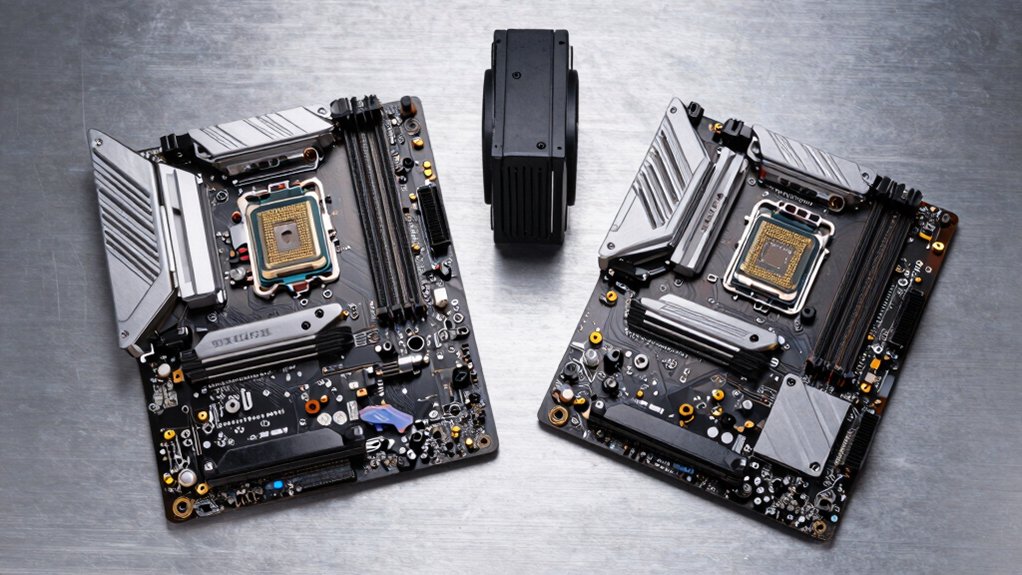
When you’re selecting a Windows 11 motherboard and CPU bundle, you’ll want to evaluate five critical factors: processor performance and speed to match your workload demands, memory compatibility and capacity to support your applications, socket type to ensure your upgrade path remains viable, power delivery and thermal design to handle your system’s electrical and heat requirements, and connectivity and expansion options to accommodate your peripherals and future additions. Each factor directly affects whether your bundle meets your current needs and allows for scaling as your requirements change. By systematically checking these elements against your intended use—whether gaming, content creation, or general computing—you’ll identify the bundle that delivers the best value and longevity for your build.
Processor Performance And Speed
How do you know which processor will actually deliver the speed you need for your specific tasks? Start by examining base and boost clock speeds, which determine single-threaded performance—higher speeds up to 5.4 GHz handle demanding applications faster. Next, count cores and threads; more cores improve multi-threaded work like video editing and rendering. Then evaluate CPU architecture, as newer generations like Zen 3 execute more instructions per clock cycle, boosting overall speed beyond raw GHz. Check your motherboard’s RAM support too—DDR5 platforms offer faster memory throughput than DDR4, enhancing responsiveness. Finally, verify your cooling solution matches the processor’s TDP, since inadequate cooling throttles boost clocks and reduces real-world performance. Match these specifications to your workload requirements.
Memory Compatibility And Capacity
To build a system that’ll actually use all the RAM you install, you’ll need to match your memory type and capacity to what your motherboard and CPU bundle supports. Check your motherboard’s manual to confirm the maximum memory capacity—typically 64–128 GB—and supported speeds, usually DDR4 3200–3600 MT/s or DDR5 variants. Count your available memory slots; most boards have 2–4 slots that determine how many modules you can install. Verify your CPU and BIOS support your chosen memory generation; mixing DDR4 and DDR5 isn’t possible. Finally, confirm XMP or EXPO profile compatibility with your specific CPU model to ensure stable overclocking. These steps guarantee your RAM investment works properly within your bundle’s constraints.
Socket Type And Upgrade Path
Why does your socket choice matter more than any other component decision? Your socket type locks you into a specific upgrade path for years. AM4 sockets support Ryzen 5000 and 3000 series CPUs with DDR4 memory, while AM5 sockets enable Ryzen 7000 series with DDR5 support. Switching between socket generations requires replacing your motherboard entirely, not just the CPU. When you choose a bundle, you’re committing to that socket’s ecosystem. If you plan to upgrade your processor in two years, verify the socket offers newer CPU options. AM5 provides longer upgrade potential because it’s the current standard. Check your motherboard’s chipset and PCIe generation—AM5 boards feature PCIe 5.0, while AM4 maxes out at PCIe 4.0. Your socket choice determines whether future upgrades require a complete platform replacement.
Power Delivery And Thermal Design
Since you’re pairing a CPU with a motherboard, the power delivery system deserves careful attention because it directly affects stability, longevity, and overclocking potential. Look for boards with robust VRM designs like 8+2+1 DrMOS configurations that supply steady voltage during multitasking and overclocking. Check for thick VRM heatsinks and additional cooling solutions covering the M.2 slot and PCH chipset—these maintain optimal temperatures under sustained load. Examine the capacitors and chokes; premium alloy components ensure reliability during extended gaming or rendering sessions. If you’re overclocking, prioritize boards with ProCool connectors that safely handle increased current demands. Finally, verify AI cooling features like Fan Xpert 4 or hybrid fan headers that dynamically adjust thermal performance based on real-time system demands.
Connectivity And Expansion Options
What connectivity and expansion features does your motherboard actually need? Start by counting your peripherals and storage devices to determine USB requirements. Look for boards with multiple USB 3.2 Gen 2 ports and front-panel headers for case connections. Next, evaluate your storage plans. Choose motherboards with at least two M.2 slots supporting PCIe 4.0 or 5.0 for fast drives. Check SATA port availability if you’re adding traditional hard drives, and verify RAID support if you need data redundancy. Then assess your network needs. Select Wi-Fi 6/6E or 7 for wireless connectivity, or prioritize 2.5Gbps Ethernet for wired speed. Finally, confirm video outputs like HDMI or DisplayPort if your CPU lacks integrated graphics. This systematic approach ensures your bundle supports your complete setup.
Final Thoughts
You’ll want to match your CPU and motherboard based on your budget and performance needs. Select a Ryzen 5 5500 bundle for balanced gaming, a Ryzen 7 7700X for high performance, or an Intel i5-14400 for alternative options. Confirm Windows 11 compatibility, check PCIe generation support, and verify RAM capacity limits. Compare VRM quality and cooling requirements. Purchase your chosen bundle, install components following manufacturer guides, and update BIOS before powering on your system.

Meet Ry, “TechGuru,” a 36-year-old technology enthusiast with a deep passion for tech innovations. With extensive experience, he specializes in gaming hardware and software, and has expertise in gadgets, custom PCs, and audio.
Besides writing about tech and reviewing new products, he enjoys traveling, hiking, and photography. Committed to keeping up with the latest industry trends, he aims to guide readers in making informed tech decisions.