
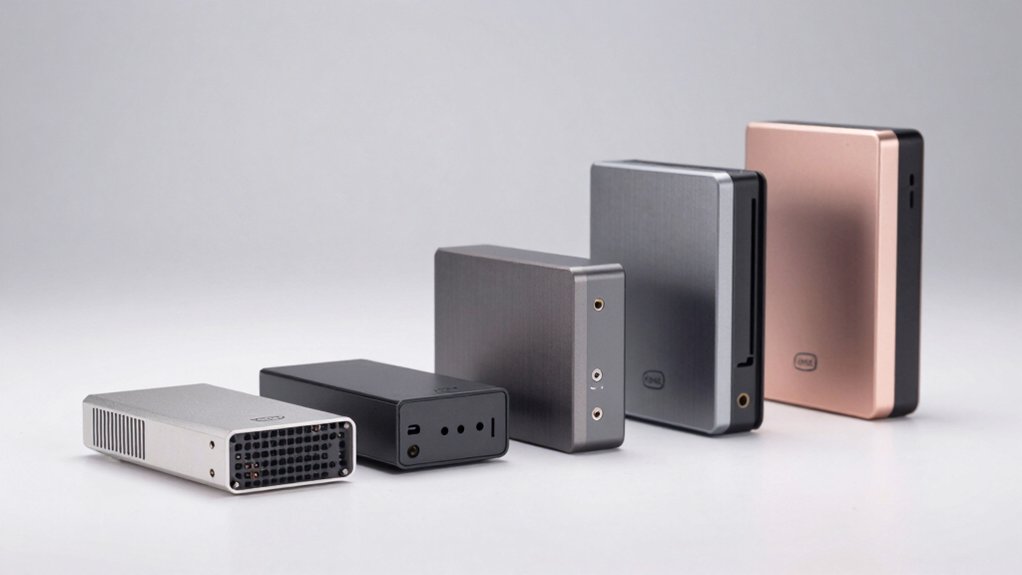

You’re looking for a compact PC that doesn’t compromise on performance. Intel NUC mini PCs offer powerful processors, dedicated graphics, and multi-display support in a footprint smaller than most monitors. Whether you need a system for productivity, creative work, or media centers, you’ll find models ranging from budget-friendly options to high-end AI-capable machines. The right choice depends on your specific needs—and we’ll break down exactly what each model delivers.
| Intel NUC 13 PRO Mini Desktop Computer (NUC13ANHi5) |
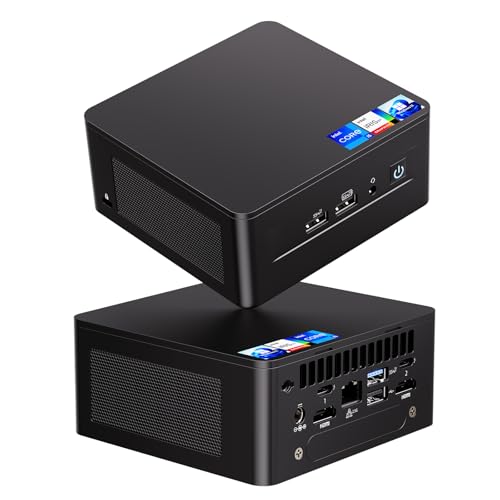
| Best Overall | Processor Generation: 13th Gen Intel Core i5-1340P | RAM Configuration: 16GB DDR4 (built-in) | Storage: 512GB M.2 SSD (expandable) | VIEW LATEST PRICE | Read Our Analysis |
| Intel NUC11 Mini PC with Windows 11 Pro |

| Budget-Friendly Pick | Processor Generation: 11th Gen Intel Celeron N5105 | RAM Configuration: 8GB DDR4 (up to 32GB) | Storage: 256GB PCIe 4.0 SSD | VIEW LATEST PRICE | Read Our Analysis |
| Intel NUC 14 Pro Mini PC Core Ultra 7 |

| Most Powerful | Processor Generation: Intel Core Ultra 7 155H | RAM Configuration: 32GB DDR5-5600 (expandable to 96GB) | Storage: 1TB PCIe Gen4 SSD | VIEW LATEST PRICE | Read Our Analysis |
| Intel NUC Pro Mini PC with Core i5-8365U |

| Best for Business | Processor Generation: 8th Gen Intel Core i5-8365U | RAM Configuration: 8GB RAM | Storage: 256GB M.2 2280 SSD | VIEW LATEST PRICE | Read Our Analysis |
| ASUS NUC 14 Pro AI Mini PC with Intel Core Ultra |

| AI-Ready Champion | Processor Generation: Intel Core Ultra 7-155H | RAM Configuration: 32GB DDR5-5600 (up to 96GB) | Storage: 1TB PCIe Gen4 SSD | VIEW LATEST PRICE | Read Our Analysis |
More Details on Our Top Picks
Intel NUC 13 PRO Mini Desktop Computer (NUC13ANHi5)
Looking for powerful performance in a space you can actually fit on your desk? The NUC13ANHi5 delivers a 13th Gen Intel Core i5-1340P with 12 cores and up to 4.6 GHz speed. You’ll get 16GB DDR4 RAM and 512GB SSD built-in, with the option to add a 2.5″ SSD for more storage. The compact 4.6 x 4.4 x 2.1 inch design mounts behind your monitor via VESA, freeing up workspace. Connect up to four displays using dual HDMI 2.1 and Thunderbolt 4 ports. Intel Iris Xe Graphics handles 8K@60Hz or 4K@120Hz output. Wi-Fi 6E and 2.5 Gbps Ethernet keep you connected. A built-in fan manages heat during intensive tasks.
- Processor Generation:13th Gen Intel Core i5-1340P
- RAM Configuration:16GB DDR4 (built-in)
- Storage:512GB M.2 SSD (expandable)
- Display Support:Up to 4K@120Hz; 8K@60Hz support
- Operating System:Not specified (no OS included)
- Warranty:3-year international warranty
- Additional Feature:VESA monitor-mountable design
- Additional Feature:Wi-Fi 6E multi-band support
- Additional Feature:Up to 8K@60Hz display
Intel NUC11 Mini PC with Windows 11 Pro
Need a compact desktop that handles everyday computing without breaking your budget? The Intel NUC11 with Windows 11 Pro delivers solid performance in a 5.31 x 4.53 x 1.42-inch frame. Its 11th Gen Celeron N5105 processor, 8GB DDR4 memory, and 256GB SSD handle photo editing, video work, and office tasks efficiently. You’ll get dual 4K display support via HDMI and Mini DisplayPort, plus gigabit networking. Upgrade RAM to 32GB or swap the SSD as needed. The 3-year warranty from GeekPlus covers your upgrades and OS, making this an economical choice for daily computing demands.
- Processor Generation:11th Gen Intel Celeron N5105
- RAM Configuration:8GB DDR4 (up to 32GB)
- Storage:256GB PCIe 4.0 SSD
- Display Support:Dual 4K Ultra HD playback
- Operating System:Windows 11 Pro preinstalled
- Warranty:3-year warranty (RAM/SSD/OS)
- Additional Feature:Dual 4K Ultra HD playback
- Additional Feature:Windows 11 Pro preinstalled
- Additional Feature:Compact 5.31″ x 4.53″ footprint
Intel NUC 14 Pro Mini PC Core Ultra 7
The Intel NUC 14 Pro Mini PC Core Ultra 7 delivers the most powerful performance when you need AI-ready computing in a compact device. You get a 16-core processor reaching 4.8 GHz with 32 GB DDR5 memory and 1 TB storage. The Intel Arc GPU boosts gaming and editing by over 2.5x. For connectivity, you’ll access dual Thunderbolt 4 ports, dual HDMI 2.1, and 2500 MB Ethernet. The advanced cooling system handles continuous operation quietly. You can expand storage by adding an M.2 SSD or 2.5″ SATA drive. Display up to eight 4K monitors or one 8K monitor for multitasking and creative work.
- Processor Generation:Intel Core Ultra 7 155H
- RAM Configuration:32GB DDR5-5600 (expandable to 96GB)
- Storage:1TB PCIe Gen4 SSD
- Display Support:8K or four 4K displays with HDR
- Operating System:Not specified (no OS included)
- Warranty:Standard Amazon return policy
- Additional Feature:AI Boost local acceleration
- Additional Feature:Dust-proof self-cleaning system
- Additional Feature:Intel Arc GPU graphics
Intel NUC Pro Mini PC with Core i5-8365U
Why settle for bulky desktop setups when you can deploy powerful computing in confined spaces? This modular system combines an Intel Core i5-8365U processor with 8GB RAM and 256GB SSD storage in a compact chassis designed for 24/7 business operation. You’ll get dual Gigabit Ethernet ports, dual HDMI outputs for two simultaneous displays, and Wi-Fi 5 connectivity. The expandable M.2 slot lets you add storage or PCIe devices as needed. Windows 11 Pro comes preloaded, and you’re backed by a 3-year global warranty with responsive support within 12 hours.
- Processor Generation:8th Gen Intel Core i5-8365U
- RAM Configuration:8GB RAM
- Storage:256GB M.2 2280 SSD
- Display Support:Dual HDMI (two displays)
- Operating System:Windows 11 Pro preloaded
- Warranty:3-year Global Coverage
- Additional Feature:Modular compute element design
- Additional Feature:Dual Gigabit Ethernet ports
- Additional Feature:Anti-theft lock slot
ASUS NUC 14 Pro AI Mini PC with Intel Core Ultra
Looking to run advanced AI applications locally on compact hardware? The ASUS NUC 14 Pro AI Mini PC delivers with an Intel Core Ultra 7-155H processor, 32GB DDR5 RAM, and 1TB PCIe Gen4 SSD. You’ll support local AI models up to 20B parameters, enabling privacy-focused operations. The Intel Arc GPU handles 4K/8K displays across four screens via Thunderbolt 4 ports. Expand storage by swapping the SSD or adding a 2.5″ drive. Connect peripherals through three USB 3.2 Gen2 Type-A ports, one USB Type-C, dual HDMI 2.1 outputs, and Wi-Fi 6E. Windows 11 Pro comes preinstalled. You receive a three-year warranty and VESA mount plate included.
- Processor Generation:Intel Core Ultra 7-155H
- RAM Configuration:32GB DDR5-5600 (up to 96GB)
- Storage:1TB PCIe Gen4 SSD
- Display Support:8K support; up to four 4K displays
- Operating System:Windows 11 Pro
- Warranty:3-year warranty with lifetime support
- Additional Feature:AI models up to 20B
- Additional Feature:Quiet 7×24 operation
- Additional Feature:Tool-free portable disassembly
Factors to Consider When Choosing an Intel NUC Mini PC
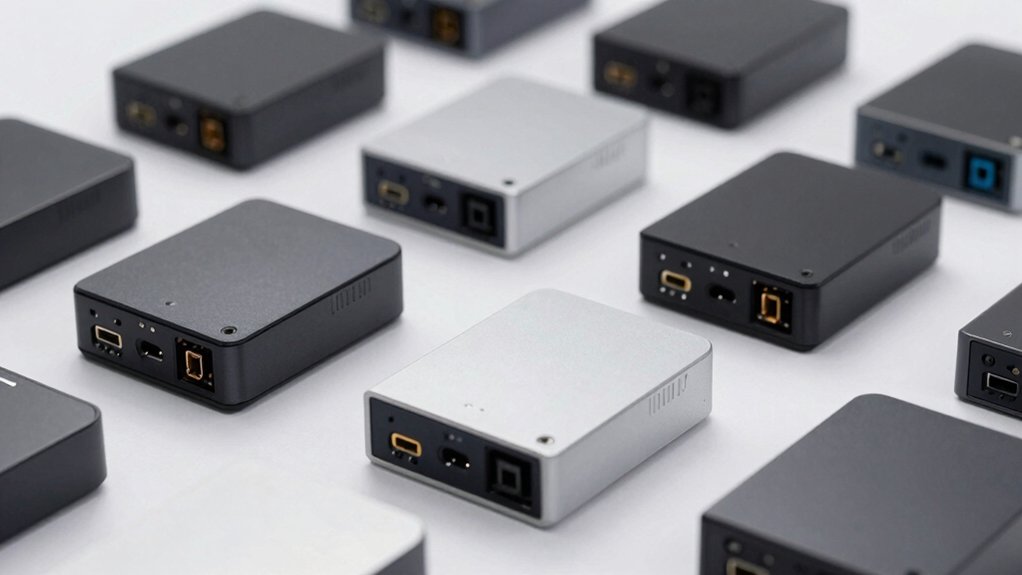
When you’re choosing an Intel NUC mini PC, you’ll need to evaluate five key factors: performance and processing power to match your workload requirements, memory and storage capacity to handle your applications and files, connectivity and port options to support your peripherals and devices, cooling and thermal management to ensure stable operation during extended use, and form factor and portability to fit your space and mobility needs. Start by identifying what tasks you’ll perform most often—video editing, gaming, programming, or general office work—since this determines the processor and RAM you’ll require. Then assess your physical setup and budget to narrow down which models offer the best balance of specifications and practicality for your situation.
Performance And Processing Power
How you’ll use your Intel NUC mini PC should shape your performance choices. First, determine your workload type. For multitasking and demanding applications, select models with 12-core or 16-core processors featuring both performance and efficiency cores. Next, check clock speeds: higher speeds up to 4.6 GHz handle single-threaded tasks like web browsing faster. Then evaluate RAM capacity and type. DDR5 with 32GB upgradable to 96GB supports memory-intensive work, while DDR4 16GB suits lighter tasks. Finally, consider your graphics needs. Integrated Iris Xe GPUs handle basic video editing and gaming, whereas AI-accelerated features reduce power consumption during on-device inference tasks. Match these specs to your specific demands for optimal performance.
Memory And Storage Capacity
Memory and storage capacity directly affect your Intel NUC’s multitasking ability and file-handling speed. You’ll find baseline models starting at 8 GB of RAM, with options up to 32 GB for standard tasks. Advanced units support upgrades to 96 GB for demanding workloads. Choose between DDR4 and DDR5 memory—DDR5 operates at speeds like 5600 MHz, delivering faster performance than DDR4’s 2933 MHz. For storage, select from 256 GB to 1 TB PCIe NVMe SSDs as your primary drive. Check if your model allows upgrades; some units have soldered memory limiting expandability. Consider dual storage setups using both M.2 NVMe and 2.5″ bays to combine high-speed performance with larger total capacity.
Connectivity And Port Options
What connectivity options does your Intel NUC actually need? Start by identifying your display requirements. Look for models with multiple video outputs—HDMI 2.0/2.1 and Mini DisplayPort—to support 2x4K displays simultaneously. Next, evaluate network needs. Check for high-speed Ethernet (1 Gbps or 2.5 Gbps) if you require stable wired connections for demanding workloads. Examine USB port variety and speeds, prioritizing USB 3.2 Gen 1/2 and Type-C for peripheral expansion and external storage. Verify wireless capabilities like Wi-Fi 6/6E and current Bluetooth versions for reliable connectivity. Finally, confirm Thunderbolt 4 availability when planning fast data transfers or external GPU and storage expansion. Match these specifications to your actual workflow demands.
Cooling And Thermal Management
While connectivity establishes how your Intel NUC connects to peripherals and displays, thermal management determines whether it’ll sustain peak performance during extended use. Look for models featuring expanded fan areas and aluminum fin heat dissipation to handle continuous workloads. Dual copper tube direct-contact cooling offers superior performance for demanding applications. Check if self-cleaning dust protection is integrated to maintain cooling efficiency over time. For 24/7 operation, prioritize robust cooling systems that keep temperatures stable. If quiet operation matters, select designs with optimized airflow paths and larger, low-noise fans. For VESA-mounted multi-display setups, verify the thermal layout prevents hotspot formation. Evaluate these cooling features against your specific usage patterns and environmental conditions before purchasing.
Form Factor And Portability
How compact does your workspace need to be? Intel NUC mini PCs measure approximately 4.4 to 4.6 inches square and 1.4 to 2.1 inches tall, fitting easily on any desk. Consider VESA-mountable models if you want to attach the unit behind your monitor, creating a space-saving all-in-one setup. Evaluate your portability requirements next. Standard configurations remain self-contained and lightweight for movement between locations. However, higher-end models with upgraded RAM or SSD additions may reduce portability slightly due to expanded components. Check thickness and weight specifications carefully, as cooling solutions and included heat sinks create slight variations. Match the form factor to your specific use case: stationary office setup, home theater, or frequent travel. This ensures you select a unit that balances power delivery with practical space constraints.
Warranty And Support Coverage
Once you’ve settled on a compact model that fits your space, you’ll want to examine the warranty and support coverage protecting your investment. Most Intel NUC mini PCs include 3-year hardware warranties, though coverage varies by component—RAM, SSD, and OS may have different terms depending on the vendor. Check whether you’re getting global or regional coverage, as some warranties restrict service to specific geographic areas. Review response time commitments; many manufacturers guarantee messaging support within 12 hours. Determine if upgrades or repairs require you to remove modules yourself or if technicians handle that work. Compare manufacturer coverage against retailer or third-party support options like GeekPlus. Consider extended support bundles if you need longer protection beyond standard terms.
Final Thoughts
You’ll find an Intel NUC mini PC that matches your needs by comparing processor generations, RAM capacity, and GPU capabilities. Start by determining your primary use—productivity, media streaming, or creative work. Check display connectivity options and storage capacity. Review your budget constraints. The NUC 13 Pro works for standard tasks, while the NUC 14 Pro suits demanding applications. Match specifications to your requirements, then select accordingly.

Meet Ry, “TechGuru,” a 36-year-old technology enthusiast with a deep passion for tech innovations. With extensive experience, he specializes in gaming hardware and software, and has expertise in gadgets, custom PCs, and audio.
Besides writing about tech and reviewing new products, he enjoys traveling, hiking, and photography. Committed to keeping up with the latest industry trends, he aims to guide readers in making informed tech decisions.