
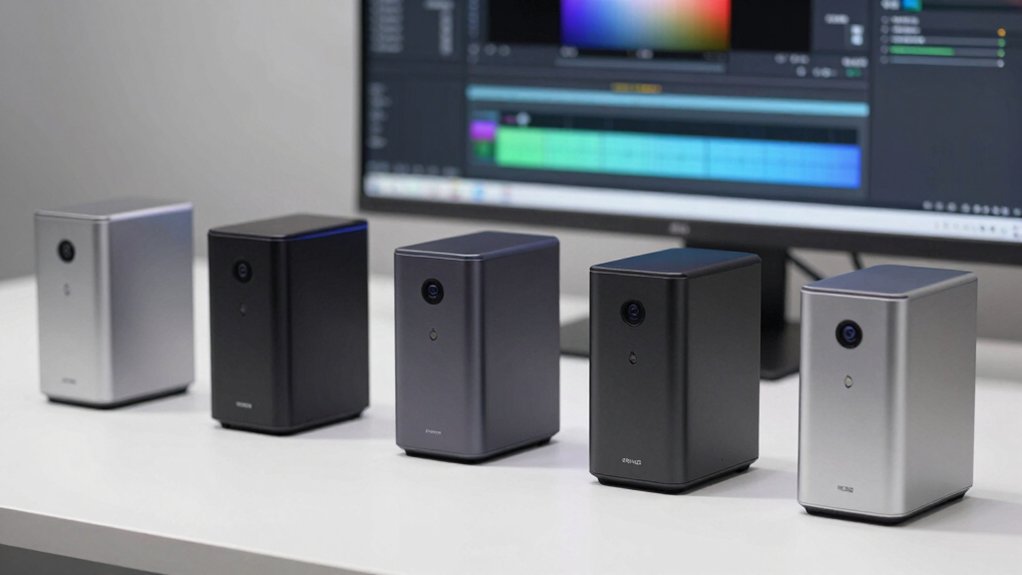

You’re looking for a mini PC that accelerates video encoding and handles multiple displays without breaking your budget. Intel Quick Sync technology speeds up creative tasks like video editing and rendering by offloading work from your CPU. Five solid options exist, each with different specs and price points. The choice depends on your RAM needs, processor power, and cooling requirements. Here’s what you need to know to pick the right one.
| ACEMAGIC M1 Mini PC Intel Core i9-11900H 32GB |

| Professional Powerhouse | Processor: Intel Core i9-11900H (8C/16T, up to 4.9GHz) | RAM & Storage: 32GB DDR4, 1TB NVMe SSD (expandable to 64GB/4TB) | Display Output: Triple 4K outputs (HDMI 2.0, DisplayPort 1.4, USB-C) | VIEW LATEST PRICE | Read Our Analysis |
| ACEMAGIC M5 Mini PC Windows 11 Pro Intel Core 14500HX |

| Best Overall | Processor: Intel Core i5-14500HX (14C/20T, up to 4.9GHz) | RAM & Storage: 32GB DDR4, 1TB NVMe PCIe 4.0 SSD (expandable to 64GB/4TB) | Display Output: Triple 4K outputs (HDMI 2.0, DisplayPort 1.4b, USB-C) | VIEW LATEST PRICE | Read Our Analysis |
| KAMRUI Hyper H2 Mini PC Windows 11 Pro |

| Best Value | Processor: Intel Core i5-14450HX (10C/16T, up to 4.8GHz) | RAM & Storage: 32GB DDR4, 1TB NVMe PCIe 4.0 SSD (expandable to 4TB) | Display Output: Triple 4K displays (HDMI 2.0, DisplayPort 1.4, USB-C) | VIEW LATEST PRICE | Read Our Analysis |
| GMKtec Mini PC N95 with 8GB RAM 256GB SSD |

| Budget-Friendly Pick | Processor: Intel Alder Lake N95 (4C/4T, up to 3.4GHz) | RAM & Storage: 8GB DDR4, 256GB M.2 2242 SSD | Display Output: Dual 4K displays (2x HDMI 2.0) | VIEW LATEST PRICE | Read Our Analysis |
| ACEMAGIC M5 Mini PC Windows 11 Pro 16GB RAM |

| Compact Creator’s Choice | Processor: Intel Core i5-14500HX (14C/20T, up to 4.9GHz) | RAM & Storage: 16GB DDR4, 512GB NVMe SSD (expandable to 64GB/4TB) | Display Output: Triple 4K displays (HDMI 2.0, DisplayPort 1.4, USB-C) | VIEW LATEST PRICE | Read Our Analysis |
More Details on Our Top Picks
ACEMAGIC M1 Mini PC Intel Core i9-11900H 32GB
The ACEMAGIC M1 is a professional powerhouse for creators who need compact performance. You’ll benefit from the Intel Core i9-11900H processor with 8 cores and 16 threads, which handles video editing, 3D modeling, and photo work efficiently. The 32GB DDR4 RAM supports multitasking across demanding applications. You can expand storage to 4TB using the additional M.2 slot. Connect three displays simultaneously via HDMI, DisplayPort, and USB Type-C for extended workspace. The integrated Intel UHD Graphics with Quick Sync technology accelerates video encoding, reducing render times considerably. Silent cooling keeps your creative environment quiet during long work sessions.
- Processor:Intel Core i9-11900H (8C/16T, up to 4.9GHz)
- RAM & Storage:32GB DDR4, 1TB NVMe SSD (expandable to 64GB/4TB)
- Display Output:Triple 4K outputs (HDMI 2.0, DisplayPort 1.4, USB-C)
- Connectivity:WiFi 6, Bluetooth, Gigabit Ethernet, multiple USB-A/USB-C ports
- Operating System:Ubuntu, Linux, and multiple operating systems
- Warranty & Support:3-year limited warranty with responsive support
- Additional Feature:Silent high-speed centrifugal cooling
- Additional Feature:Triple 4K display outputs
- Additional Feature:Palm-sized portable design
ACEMAGIC M5 Mini PC Windows 11 Pro Intel Core 14500HX
Looking for a compact workstation that handles video editing, photo processing, and creative software without sacrificing performance? The ACEMAGIC M5 delivers with its Intel Core i5-14500HX processor, featuring 14 cores and 20 threads that accelerate rendering tasks. You’ll get 32GB DDR4 RAM and 1TB NVMe storage, expandable to 64GB and 4TB respectively. Intel Quick Sync integrates directly into the UHD Graphics, speeding up video encoding by offloading processing from your CPU. The M5’s triple-display support via HDMI, DisplayPort, and USB-C lets you arrange multiple monitor setups. Its compact 5.03″ footprint fits any desk, while vapor chamber cooling maintains silent operation at 35dB during intensive creative work.
- Processor:Intel Core i5-14500HX (14C/20T, up to 4.9GHz)
- RAM & Storage:32GB DDR4, 1TB NVMe PCIe 4.0 SSD (expandable to 64GB/4TB)
- Display Output:Triple 4K outputs (HDMI 2.0, DisplayPort 1.4b, USB-C)
- Connectivity:WiFi 6, Bluetooth 5.2, Gigabit Ethernet, 6x USB-A, 1x USB-C, HDMI, DisplayPort
- Operating System:Windows 11 Pro pre-installed; supports Linux
- Warranty & Support:2-year warranty with 24/7 customer support
- Additional Feature:21–39% faster performance
- Additional Feature:Vapor chamber heat dissipation
- Additional Feature:Windows 11 Pro pre-installed
KAMRUI Hyper H2 Mini PC Windows 11 Pro
Need solid multi-core performance without overspending? The KAMRUI Hyper H2 delivers with its Intel Core i5-14450HX processor, offering 10 cores and 16 threads that handle video editing and rendering tasks efficiently. You’ll get 32GB DDR4 RAM and 1TB NVMe storage, expandable to 4TB for larger projects. The dual copper heat pipes and centrifugal fans maintain performance during extended workflows, preserving 95% multi-core capability. Triple 4K display support lets you manage multiple editing windows simultaneously. With Windows 11 Pro, USB-C connectivity, and HDMI 2.0 output, you’re equipped for serious creative work at a competitive price point.
- Processor:Intel Core i5-14450HX (10C/16T, up to 4.8GHz)
- RAM & Storage:32GB DDR4, 1TB NVMe PCIe 4.0 SSD (expandable to 4TB)
- Display Output:Triple 4K displays (HDMI 2.0, DisplayPort 1.4, USB-C)
- Connectivity:WiFi 6, Bluetooth 5.2, Gigabit Ethernet, multiple USB ports (USB-C, USB 3.2), HDMI, DisplayPort
- Operating System:Windows 11 Pro pre-installed
- Warranty & Support:12-month warranty with lifetime technical support
- Additional Feature:≥95% sustained multi-core performance
- Additional Feature:Dual copper heat pipes
- Additional Feature:12-month warranty included
GMKtec Mini PC N95 with 8GB RAM 256GB SSD
GMKtec’s budget-friendly pick, the N95 Mini PC, delivers solid performance for users seeking reliable everyday computing without premium pricing. The 12th Gen Intel N95 processor provides up to 36% performance improvement over previous generations, making it suitable for office work and multitasking. You’ll benefit from 8GB DDR4 RAM and 256GB SSD storage for faster application launches and file transfers. The dual HDMI 2.0 ports support two 4K displays simultaneously at 60Hz, enabling expanded workspace configurations. Connect peripherals through USB 3.2, Gigabit Ethernet, WiFi 5, and Bluetooth 5.0. This system handles routine creative tasks efficiently while maintaining affordability.
- Processor:Intel Alder Lake N95 (4C/4T, up to 3.4GHz)
- RAM & Storage:8GB DDR4, 256GB M.2 2242 SSD
- Display Output:Dual 4K displays (2x HDMI 2.0)
- Connectivity:WiFi 5, Bluetooth 5.0, Gigabit Ethernet, USB 3.2, HDMI, 3.5mm audio
- Operating System:Windows 11 (implied)
- Warranty & Support:1-year limited warranty with professional support
- Additional Feature:36% performance vs competitors
- Additional Feature:Dual 4K display support
- Additional Feature:AV1 decoding capability
ACEMAGIC M5 Mini PC Windows 11 Pro 16GB RAM
The ACEMAGIC M5 is the compact creator’s choice for professionals who need desktop-class performance without sacrificing desk space. You’ll get an Intel i5-14500HX processor with 14 cores that handles video editing and rendering efficiently. The 16GB RAM and 512GB SSD support multitasking workflows, while expandable storage reaches 4TB for larger projects. Windows 11 Pro includes BitLocker security for client files. Connect three 4K displays simultaneously through HDMI, DisplayPort, and USB-C. Advanced cooling prevents thermal throttling during intensive creative tasks, keeping your workstation stable for professional use.
- Processor:Intel Core i5-14500HX (14C/20T, up to 4.9GHz)
- RAM & Storage:16GB DDR4, 512GB NVMe SSD (expandable to 64GB/4TB)
- Display Output:Triple 4K displays (HDMI 2.0, DisplayPort 1.4, USB-C)
- Connectivity:WiFi 6, Bluetooth 5.2, Gigabit Ethernet, 6x USB ports, USB-C, HDMI, DisplayPort
- Operating System:Windows 11 Pro pre-installed
- Warranty & Support:Long-term warranty with 24/7 Amazon-based support
- Additional Feature:Comparable to i9-13900HK
- Additional Feature:USB-C docking with PD
- Additional Feature:Behind-monitor VESA mounting
Factors to Consider When Choosing a Mini PC With Intel Quick Sync

When selecting a mini PC with Intel Quick Sync, you’ll need to evaluate five key factors: the processor generation and performance level that matches your workload, the RAM capacity and storage expandability to handle your projects, the cooling system efficiency to maintain stable operation during intensive tasks, the display output connectivity options to support your monitors and peripherals, and the warranty and support coverage that protects your investment. Start by identifying your specific creative software requirements and matching them to the processor generation, then assess whether the base RAM and storage meet your needs or if expansion slots are available. Finally, confirm that the device offers adequate cooling for continuous use, sufficient video outputs for your setup, and manufacturer support that aligns with your expectations.
Processor Generation And Performance
Several processor generations separate Intel Quick Sync’s capabilities, with newer chips (11th generation and later, up through 14th generation) delivering measurably faster video encoding and decoding speeds compared to older models. When you’re selecting a mini PC, prioritize newer generations because they include larger caches and improved media engines that reduce encoding times significantly. HX-series processors offer higher core counts and sustained clock speeds, enabling better performance during multitasking and continuous video work. Check the chip’s TDP rating as well—higher TDP models maintain faster clocks longer, which directly improves sustained Quick Sync performance during transcoding and real-time editing tasks. These technical specifications determine how efficiently your mini PC handles creative workflows.
RAM And Storage Expandability
RAM and storage expandability work together with your processor choice to create a complete system capable of handling demanding creative tasks. Most mini PCs support up to 64GB RAM through dual SO-DIMM slots, with DDR4 at 3200MHz offering balanced performance and efficiency. This capacity handles multitasking across video editing, rendering, and design applications simultaneously. For storage, M.2 NVMe PCIe slots enable expansion up to 4TB total, with many models including 1TB pre-installed. Dual M.2 slots let you configure separate OS and data drives, organizing your media and applications effectively. Some models also accept SATA SSDs, expanding your compatibility options. Verify your mini PC’s exact slot configuration and maximum supported speeds before purchasing to ensure your upgrades meet your creative workflow demands.
Cooling System Efficiency
How effectively does your mini PC dissipate heat during intensive Quick Sync encoding tasks? Efficient cooling systems use dual copper heat pipes and silent centrifugal fans to sustain high clocks without throttling. Look for HX-class designs with vapor chambers or multi-loop cooling that maintain multi-core performance during long workloads. Dual-fin stacks and optimized air ducts reduce GPU and CPU temperatures that impact video encoding performance. When streaming or editing 4K content with multiple outputs, robust cooling prevents thermal throttling. Select lower-noise solutions around 35–40 dB to maintain comfortable operation during prolonged Quick Sync tasks. Verify the cooling system specifications before purchase to ensure your mini PC handles sustained creative workflows without performance drops.
Display Output Connectivity Options
When you’re setting up a creative workstation around a mini PC with Intel Quick Sync, you’ll need to evaluate what display outputs the device offers and whether they match your editing, streaming, or multi-monitor setup. Most mini PCs provide triple display capability through HDMI 2.0, DisplayPort 1.4, and USB-C with DisplayPort Alt Mode, each supporting 4K@60Hz simultaneously. Dual HDMI 2.0 outputs enable extended or mirrored displays for 4K playback. USB-C ports deliver 10Gbps data transfer, DisplayPort output, and power delivery from a single connector, streamlining your setup. Dedicated HDMI 2.0 and DP 1.4 outputs alongside USB-C create flexible 4K productivity configurations. Verify your mini PC includes the specific connector types your monitors require before purchasing.
Warranty And Support Coverage
After you’ve confirmed your mini PC’s display outputs match your setup, you’ll want to examine the warranty and support coverage that protects your investment. Check the manufacturer’s stated warranty period—typically 1 to 3 years—and confirm what it covers: parts, labor, and specific components like fans or thermal systems. Verify whether technical support operates 24/7 or during business hours only. Review the claims process, which may involve an online portal, phone, or email submission. Note typical repair or replacement turnaround times. Additionally, examine any extended warranty options and their costs. Understanding these details ensures you know exactly what protection you’re getting and can budget accordingly for additional coverage if needed.
Final Thoughts
You’ll choose your mini PC based on your specific needs. If you need maximum power, pick the ACEMAGIC M1 with its i9 processor. For budget-conscious creators, select the GMKtec N95. If you want balanced performance with modern specs, choose either ACEMAGIC M5 model. Verify your display requirements and RAM needs match each option. All feature Intel Quick Sync for efficient video encoding across creative applications.

Meet Ry, “TechGuru,” a 36-year-old technology enthusiast with a deep passion for tech innovations. With extensive experience, he specializes in gaming hardware and software, and has expertise in gadgets, custom PCs, and audio.
Besides writing about tech and reviewing new products, he enjoys traveling, hiking, and photography. Committed to keeping up with the latest industry trends, he aims to guide readers in making informed tech decisions.