
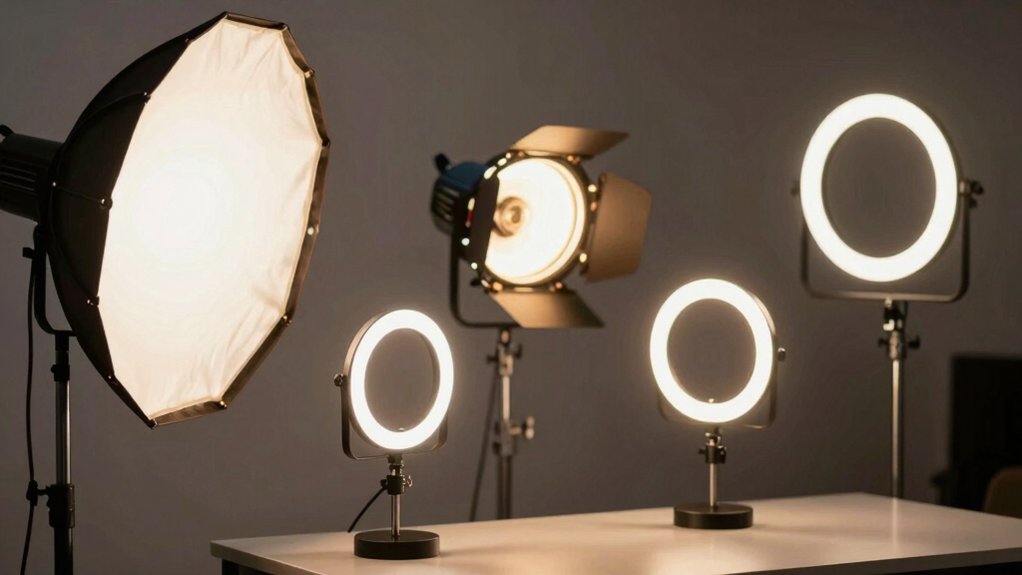

If you’re taking video calls, you’ve likely noticed that poor lighting makes you look washed out or shadowy on camera. The right lighting kit fixes this problem by providing adjustable brightness and color temperature that flatters your appearance and improves video quality. You’ll find options ranging from budget-friendly to premium models, each with different features and benefits. Here’s what you need to know to choose the best kit for your specific needs.
| Video Conference Ring Light with Dimmable Colors |

| Best All-Around | Color Temperature Range: 3200K–6500K (5 options) | Brightness Levels: 5 levels | Power Source: USB powered (2m cord) | VIEW LATEST PRICE | Read Our Analysis |
| Cyezcor Ring Light for Video Conferencing & Live Streaming |

| Best Value Pick | Color Temperature Range: 3200K–6800K (3 options) | Brightness Levels: 5 levels | Power Source: USB powered | VIEW LATEST PRICE | Read Our Analysis |
| Logitech Litra Glow Premium LED Streaming Light |

| Premium Quality Light | Color Temperature Range: Warm to cool blue (adjustable range) | Brightness Levels: Adjustable brightness (unspecified levels) | Power Source: USB powered | VIEW LATEST PRICE | Read Our Analysis |
| Zoom Lighting Adjustable Desk Ring Light for Video Calls |

| Most Versatile Setup | Color Temperature Range: 3000K–6500K (3 color temps) | Brightness Levels: 10 levels | Power Source: USB powered (10W, 5V2A) | VIEW LATEST PRICE | Read Our Analysis |
| HumanCentric Video Conference Lighting LED Webcam Light Kit |
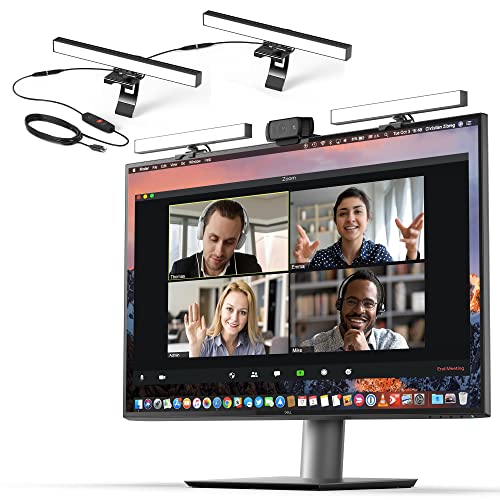
| Best Dual-Light Kit | Color Temperature Range: Adjustable brightness and color temperature | Brightness Levels: Adjustable brightness (unspecified levels) | Power Source: USB-C or USB-A powered | VIEW LATEST PRICE | Read Our Analysis |
| ALTSON 60 LED Portable Selfie Light with Tripod Adapter |

| Best Portable Option | Color Temperature Range: 2500K–6500K (3 modes) | Brightness Levels: 10 levels | Power Source: Rechargeable battery (2200mAh, USB-C) | VIEW LATEST PRICE | Read Our Analysis |
| NEEWER BASICS 2 Pack LED Video Panel Light Kit |
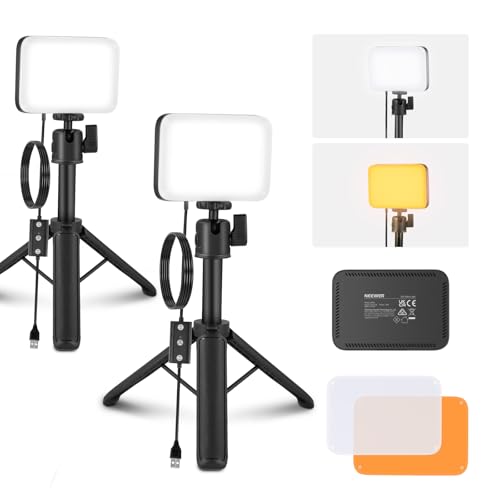
| Best Budget Kit | Color Temperature Range: 3200K and 5600K (2 color temps) | Brightness Levels: 10 levels | Power Source: USB powered (5V/2A, 2m cable) | VIEW LATEST PRICE | Read Our Analysis |
More Details on Our Top Picks
Video Conference Ring Light with Dimmable Colors
How do you ensure you’re camera-ready for every video call? The Video Conference Ring Light with Dimmable Colors solves this by delivering professional lighting directly to your workspace. This kit features 64 lamp beads producing adjustable light across five color temperatures, from warm 3200K to cool 6500K, paired with five brightness levels. You’ll clip the ring light onto your laptop or monitor using the stable clamp with anti-slip foam. The included flexible tripod offers alternative mounting on desks or conference tables. Simply connect the USB cord to your device—laptop, power bank, or charger—and adjust your preferred color and brightness settings. The ring design softens shadows and evens skin tones for flattering video appearances across Zoom, streaming platforms, and remote meetings.
- Color Temperature Range:3200K–6500K (5 options)
- Brightness Levels:5 levels
- Power Source:USB powered (2m cord)
- Mounting/Setup Type:Monitor clamp with tripod
- Color Rendering Index (CRI):Not specified
- Primary Use Cases:Video conferencing, Zoom, live streaming, self-broadcasting
- Additional Feature:64 lamp beads brightness
- Additional Feature:Includes flexible octopus tripod
- Additional Feature:18-month warranty included
Cyezcor Ring Light for Video Conferencing & Live Streaming
Need dependable lighting that won’t drain your budget? The Cyezcor Ring Light clips directly onto your monitor and powers via USB from your laptop or power bank. You’ll adjust brightness across five levels and select from three color temperatures—warm (3200K), natural (5500K), or white (6800K)—depending on your room’s lighting conditions. The 48 LED beads distribute light evenly without harsh shadows, making you look professional during Zoom calls, live streams, or YouTube videos. Setup takes minutes: secure the clip, plug in the USB cable, and rotate the ring to your preferred angle. At under $30, this lightweight kit solves common video conferencing problems without requiring desk space or complicated installation.
- Color Temperature Range:3200K–6800K (3 options)
- Brightness Levels:5 levels
- Power Source:USB powered
- Mounting/Setup Type:Monitor clip-on
- Color Rendering Index (CRI):Not specified
- Primary Use Cases:Video conferencing, Zoom, live streaming, remote work
- Additional Feature:48 lamp beads brightness
- Additional Feature:Rotation for angle adjustment
- Additional Feature:Best seller ranking status
Logitech Litra Glow Premium LED Streaming Light
The Logitech Litra Glow Premium LED Streaming Light delivers premium quality light for content creators who stream regularly and need consistent, flattering illumination across multiple platforms. Its TrueSoft technology produces balanced, full-spectrum light with cinematic color accuracy that renders natural skin tones. You’ll mount it using the patent-pending 3-way monitor mount, adjusting height, tilt, and rotation to eliminate harsh shadows. Control brightness and color temperature through the Logitech G HUB app, selecting settings from warm candlelight to cool blue. The USB-powered light works with PC and Mac systems, making it portable for on-the-go streaming. Save your preferred settings as presets for quick recall during future sessions.
- Color Temperature Range:Warm to cool blue (adjustable range)
- Brightness Levels:Adjustable brightness (unspecified levels)
- Power Source:USB powered
- Mounting/Setup Type:3-way patent-pending monitor mount
- Color Rendering Index (CRI):Full-spectrum (TrueSoft technology)
- Primary Use Cases:Video conferencing, streaming, gaming, podcasting, broadcasting
- Additional Feature:TrueSoft full-spectrum technology
- Additional Feature:Patent-pending 3-way mount
- Additional Feature:Logitech G HUB app control
Zoom Lighting Adjustable Desk Ring Light for Video Calls
If you’re looking for the most versatile setup that works across multiple scenarios—from video calls to content creation—this 7-inch ring light delivers consistent results. Adjust the color temperature from 3000K to 6500K across 10 brightness levels to match your lighting conditions. The sturdy metal base with non-slip padding protects your desk while the adjustable height (20.5 to 28.5 inches) accommodates different monitor positions. Rotate the light 360 degrees to position it behind or beside your laptop. The included phone holder lets you angle your device for selfies or social content. Connect via USB power (5V2A) to your computer or wall outlet. With 97.8 CRI rendering, you’ll achieve natural skin tones and vibrant colors in all your video work.
- Color Temperature Range:3000K–6500K (3 color temps)
- Brightness Levels:10 levels
- Power Source:USB powered (10W, 5V2A)
- Mounting/Setup Type:Desk stand with 360° rotation
- Color Rendering Index (CRI):CRI 97.8
- Primary Use Cases:Zoom meetings, video calls, remote work, live streaming, content creation
- Additional Feature:30 light modes available
- Additional Feature:Height adjustable 20.5-28.5 inches
- Additional Feature:Universal 360° phone holder
HumanCentric Video Conference Lighting LED Webcam Light Kit
HumanCentric’s dual-light setup solves the most common video conferencing problem: an underexposed face when your background’s bright. Position your camera first, then attach the lights via the webcam-style stand. You’ll get adjustable brightness and color temperature to balance your lighting. The kit expands to four lights using daisy-chaining, with a maximum 30-inch spacing between connected lights. USB power keeps setup simple—just plug into your computer. Include a power adapter if you need full brightness. Cable clips and Velcro straps manage wires cleanly.
- Color Temperature Range:Adjustable brightness and color temperature
- Brightness Levels:Adjustable brightness (unspecified levels)
- Power Source:USB-C or USB-A powered
- Mounting/Setup Type:Monitor-top webcam-style stand
- Color Rendering Index (CRI):Not specified
- Primary Use Cases:Video conferencing, Zoom calls, streaming, online classes
- Additional Feature:Expandable up to four lights
- Additional Feature:Daisy-chaining capability included
- Additional Feature:Cable management clips/straps
ALTSON 60 LED Portable Selfie Light with Tripod Adapter
Looking for lightweight lighting you can carry anywhere? The ALTSON 60 LED offers portability without sacrificing quality. This 95-gram light features 60 LEDs with CRI 97+ rating, delivering professional-grade illumination for video calls. You’ll adjust between white, natural, and warm modes across 10 brightness levels. The 2200mAh battery runs 15 hours at 10% brightness or 4 hours at 50%. Mount it using the included ¼-inch adapter, hot shoe mount, or clip directly to your device. USB-C charging takes minimal time. Its 160° rotation positions light exactly where you need it for flattering angles during Zoom meetings or streaming.
- Color Temperature Range:2500K–6500K (3 modes)
- Brightness Levels:10 levels
- Power Source:Rechargeable battery (2200mAh, USB-C)
- Mounting/Setup Type:Clip and tripod adapter
- Color Rendering Index (CRI):CRI 97+
- Primary Use Cases:Selfies, video conferencing, live streaming, makeup, social media
- Additional Feature:2200mAh rechargeable battery
- Additional Feature:160° rotation positioning
- Additional Feature:¼-inch threaded adapter included
NEEWER BASICS 2 Pack LED Video Panel Light Kit
Want affordable lighting that doesn’t compromise on conference call quality? You’ll get two bi-color LED panels with 66 LEDs each, delivering up to 750 lux brightness at half a meter. The panels offer 3200K warm and 5600K cool color temperatures, so you can match any lighting environment. Each panel weighs just 6.2 ounces and measures 5.9 by 4.1 inches, making them portable for desk setups. The included mini stands adjust from 8.3 to 21 inches high with 360-degree swivel heads for angle adjustments. You’ll control ten brightness levels through the power button or continuous dimming with long presses. The USB-powered panels run on 5V/2A with 6.6-foot cables included. Magnetic filters attach quickly for soft illumination adjustments.
- Color Temperature Range:3200K and 5600K (2 color temps)
- Brightness Levels:10 levels
- Power Source:USB powered (5V/2A, 2m cable)
- Mounting/Setup Type:Mini desk tripod stand (adjustable height)
- Color Rendering Index (CRI):CRI 95
- Primary Use Cases:Zoom calls, makeup recording, streaming, vlogging, social media content creation
- Additional Feature:66 LEDs per panel
- Additional Feature:Magnetic filter attachment system
- Additional Feature:Adjustable stand height 8.3-21 inches
Factors to Consider When Choosing a Video Conference Lighting Kit
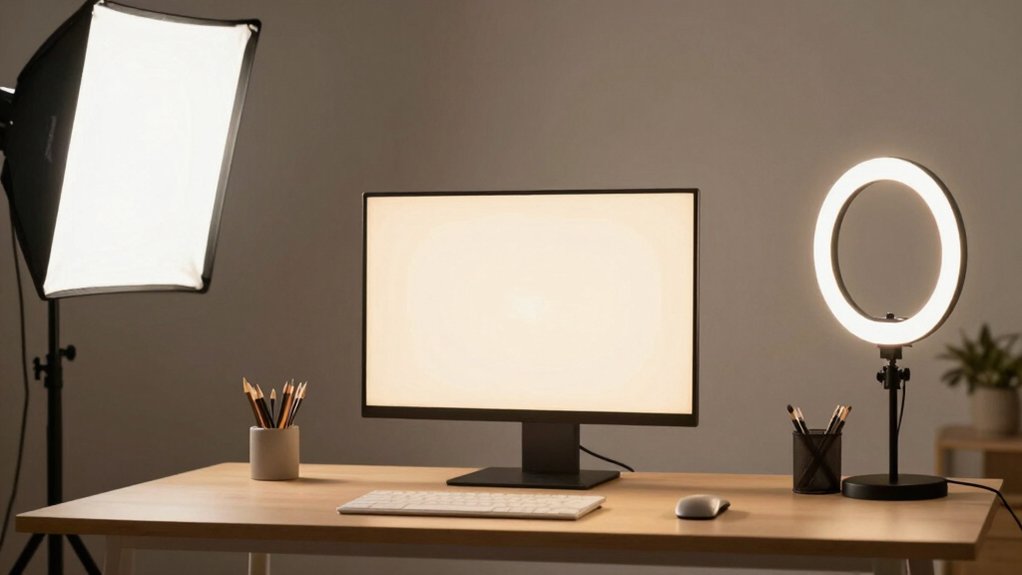
When you’re selecting a video conference lighting kit, you’ll need to evaluate five key factors: brightness and dimming levels so you can adjust light intensity for different room sizes and times of day, color temperature adjustability to match your skin tone and environment, mounting and portability options that fit your desk or studio setup, power source requirements that work with your available outlets or battery needs, and light quality with a high CRI (Color Rendering Index) rating to ensure your skin and surroundings appear natural on camera. Each of these elements directly affects how you’ll look during calls and how easily you can integrate the lights into your existing workspace. Review each factor against your specific video conferencing needs before making your purchase.
Brightness and Dimming Levels
How much control do you need over your light’s intensity? Dimming levels determine how precisely you can adjust brightness, typically ranging from 5 to 10 levels per kit. More levels give you finer control to match your specific lighting conditions. Higher brightness options help you illuminate subjects in low-light environments, reducing shadows and improving on-camera visibility. A wide brightness range lets you adapt to different ambient conditions and backdrops throughout your day. Consistent dimming control maintains stable lighting during video conferences and streams, preventing distracting fluctuations. Note that USB-powered lights often cap brightness based on port power delivery, so you may need a separate power adapter to access full brightness settings on some kits.
Color Temperature Adjustability
Understanding color temperature adjustability helps you match your lighting to different environments and tasks. Color temperature, measured in Kelvin (K), ranges from warm (3200K) to cool (6500K) light. You’ll find kits offering either multiple presets or continuous dimming controls. Presets typically include 3 to 5 fixed options, while continuous adjustment lets you fine-tune any specific temperature. Check your kit’s control method: manual dials, app controls, or quick-access buttons determine how easily you’ll adjust on the fly. A wider color temperature range ensures accurate skin tones whether you’re recording warm, cozy interviews or cool, daylight-like studio sessions. Verify both the available temperature options and the adjustment mechanism before purchasing to match your workflow needs efficiently.
Mounting and Portability
Where you’ll place your lighting kit determines which mounting option works best for your setup. Clip-on designs attach directly to monitors or laptops, saving desk space and requiring minimal footprint. Adjustable mini tripods or desktop stands offer elevated positioning with flexible angle control. Choose based on your workspace constraints and positioning needs.
Portability matters if you travel frequently or move between locations. USB-powered lights with detachable cords enhance travel-friendliness and connect to laptops, power banks, or USB chargers. Lightweight, compact units transport easily and fit crowded desks without tipping.
Evaluate adjustability range by checking rotation degrees and tilt options. Look for 360° rotation, height adjustment, and directional control to optimize lighting direction for your camera angle. Strong spring clamps with anti-scratch foam secure equipment safely without damage.
Power Source Requirements
Once you’ve settled on your mounting setup, you’ll need to confirm that your power source can reliably support your lighting kit throughout your video calls. Most kits draw power directly from USB ports on computers, monitors, power banks, or wall chargers rather than requiring dedicated AC outlets. Check your kit’s voltage and current specifications—typically 5V/2A or 5V standalone—to ensure your power source meets these requirements. Some models limit simultaneous operation, such as powering only two lights when using USB-C to USB-A adapters. If you need flexibility, consider kits with built-in rechargeable batteries like the ALTSON’s 2200mAh option. For full brightness during extended sessions, use a dedicated USB wall adapter instead of relying solely on computer ports, which may deliver inconsistent power.
Light Quality and CRI
Why does your on-camera appearance matter when choosing a lighting kit? Light quality directly affects how your skin tones and colors appear to others during video calls and streams. You’ll want to prioritize kits with a high CRI (color rendering index) of 97 or above, which renders colors accurately and naturally. Look for kits featuring adjustable color temperature ranges like 3200K to 6500K, allowing you to match your environment’s existing light. This adjustment prevents skin tone distortion under different lighting conditions. Additionally, choose kits with frameless diffusers and soft light distribution to eliminate harsh shadows and create even illumination across your face. These features combine to deliver flattering, professional-looking results on camera.
Budget and Warranty Coverage
How much you’ll actually spend on a lighting kit extends beyond the initial price tag—you’ll need to factor in warranty length and what protection it includes. Compare total costs across kits by evaluating both upfront prices and warranty durations, such as 18-month versus 1-year coverage. Check what each warranty covers—manufacturers’ protection windows, included components, and whether accidental damage is included. Verify return policies align with your timeline, particularly 30-day options that preserve legal withdrawal rights. Assess whether the kit supports scalable warranty coverage for add-ons or expansion through daisy-chaining additional lights under the same protection. Finally, confirm after-sales service responsiveness meets your needs, with support responses ideally within 12 hours or faster for troubleshooting issues.
Final Thoughts
You’ve reviewed seven lighting kits that fit different budgets and needs. Choose based on your space constraints, whether you need clip-on or tripod stands, and your budget range from thirty to premium dollars. Check the color temperature range and CRI rating to ensure natural skin tones. Verify return policies and warranties before purchasing. Test your setup with a video call to confirm the lighting meets your requirements.

Meet Ry, “TechGuru,” a 36-year-old technology enthusiast with a deep passion for tech innovations. With extensive experience, he specializes in gaming hardware and software, and has expertise in gadgets, custom PCs, and audio.
Besides writing about tech and reviewing new products, he enjoys traveling, hiking, and photography. Committed to keeping up with the latest industry trends, he aims to guide readers in making informed tech decisions.