
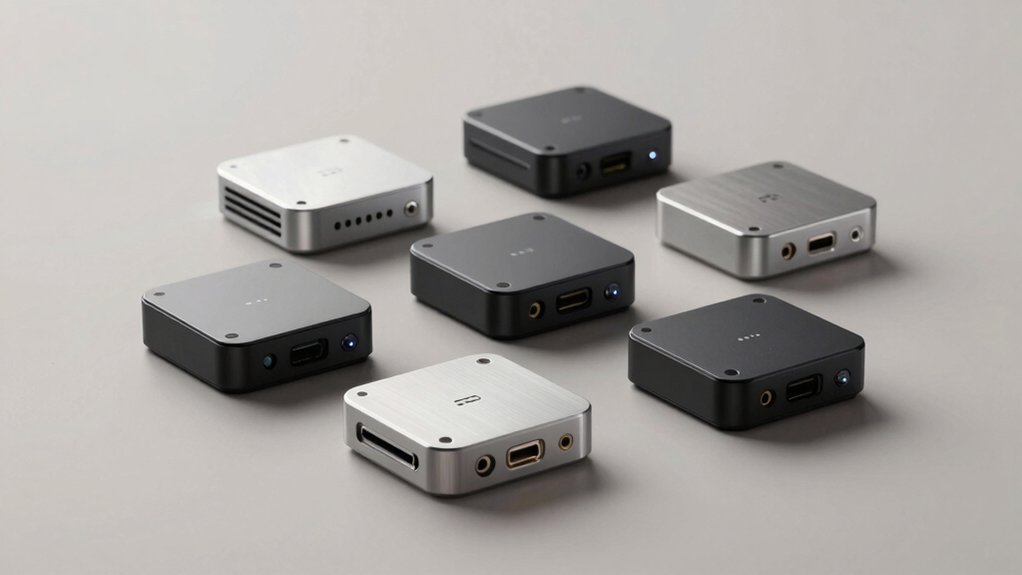

You’re looking for a compact desktop that doesn’t compromise on performance. Ultra-compact mini PCs deliver powerful processors, substantial RAM, and fast storage in a fraction of traditional desktop size. They handle office work, media streaming, and light server tasks efficiently. But with so many options available—from fanless models to gaming-capable machines—how do you pick the right one for your specific needs?
| Lenovo ThinkCentre M710q Tiny Desktop Computer |

| Budget Office Workhorse | Processor Type: 6th Gen Intel Core i3-6100T | RAM Capacity: 8GB DDR4 | Storage Capacity: 256GB SSD | VIEW LATEST PRICE | Read Our Analysis |
| GMKtec M6 Ultra Gaming Mini PC Ryzen 7640HS |

| Gaming & Multitasking Beast | Processor Type: AMD Ryzen 7 7640HS | RAM Capacity: 32GB DDR5 (upgradeable to 128GB) | Storage Capacity: 512GB M.2 PCIe 3.0 SSD (expandable to 8TB) | VIEW LATEST PRICE | Read Our Analysis |
| KAMRUI Pinova P1 Mini PC Computer with AMD Ryzen |

| Versatile Home Server | Processor Type: AMD Ryzen 4300U | RAM Capacity: 16GB DDR4 (upgradeable to 64GB) | Storage Capacity: 256GB M.2 SSD (expandable to 4TB) | VIEW LATEST PRICE | Read Our Analysis |
| MeLE Fanless Mini PC Stick with Windows 11 Pro |

| Ultra-Portable Stick PC | Processor Type: Intel Celeron N100 | RAM Capacity: 8GB LPDDR4 | Storage Capacity: 128GB eMMC (expandable to 1TB via microSD) | VIEW LATEST PRICE | Read Our Analysis |
| Lenovo ThinkCentre Neo 50q Gen 4 Mini Desktop |

| Professional Mini Desktop | Processor Type: 13th Gen Intel Core i5-13420H | RAM Capacity: 16GB DDR4 | Storage Capacity: 512GB PCIe NVMe SSD | VIEW LATEST PRICE | Read Our Analysis |
| Ultra-Compact Mini PC with 16GB RAM & 512GB SSD |

| Best All-Around Value | Processor Type: 13th Gen Intel N150 | RAM Capacity: 16GB DDR4 (upgradeable to 32GB) | Storage Capacity: 512GB PCIe M.2 SSD (expandable to 2TB) | VIEW LATEST PRICE | Read Our Analysis |
| HP Pro 400 G9 Mini PC Desktop Computer |

| Enterprise-Grade Compact | Processor Type: Intel Celeron G6900T | RAM Capacity: 16GB DDR5 (configurable up to 32GB) | Storage Capacity: 256GB PCIe M.2 SSD (up to 4TB configurable) | VIEW LATEST PRICE | Read Our Analysis |
| GMKtec Mini PC N95 with 8GB RAM 256GB SSD |

| Everyday Computing Essential | Processor Type: 12th Gen Intel Alder Lake N95 | RAM Capacity: 8GB DDR4 | Storage Capacity: 256GB M.2 SSD | VIEW LATEST PRICE | Read Our Analysis |
More Details on Our Top Picks
Lenovo ThinkCentre M710q Tiny Desktop Computer
Looking for a budget office workhorse that doesn’t sacrifice performance? The Lenovo ThinkCentre M710q delivers solid specs in a compact form. You get a 6th Gen Intel Core i3-6100T processor paired with 8GB DDR4 RAM and a 256GB SSD, handling everyday tasks efficiently. The integrated Intel HD Graphics supports dual DisplayPort monitors for expanded workspace. Windows 11 Pro provides security features you need. Six USB 3.2 ports, Ethernet, and WiFi/Bluetooth connectivity ensure you’ll connect peripherals without hassle. At 2.57kg, this mini desktop fits tight spaces while maintaining professional capability for office productivity and multimedia work.
- Processor Type:6th Gen Intel Core i3-6100T
- RAM Capacity:8GB DDR4
- Storage Capacity:256GB SSD
- Operating System:Windows 11 Pro
- Display Connectivity:2x DisplayPort, supports 1920×1080
- Wireless Connectivity:WiFi, Bluetooth
- Additional Feature:Compact 2.57 kg form factor
- Additional Feature:Six USB 3.2 Gen 1 ports
- Additional Feature:Windows 11 Pro security
GMKtec M6 Ultra Gaming Mini PC Ryzen 7640HS
The GMKtec M6 Ultra is a gaming and multitasking beast built for professionals who demand real performance from a compact device. It features a Ryzen 5 7640HS processor with six cores and twelve threads, reaching up to 5.0 GHz. You’ll get 32GB DDR5 RAM and a 512GB SSD as standard, both upgradeable. The Radeon 760M GPU handles moderate gaming and supports AV1 encoding. Connect via dual 2.5G Ethernet ports, WiFi 6, and four USB ports including USB 4.0. Display three 4K monitors simultaneously or run 8K@60Hz through USB4, making it ideal for content creation, gaming, and server applications.
- Processor Type:AMD Ryzen 7 7640HS
- RAM Capacity:32GB DDR5 (upgradeable to 128GB)
- Storage Capacity:512GB M.2 PCIe 3.0 SSD (expandable to 8TB)
- Operating System:No OS specified (work/gaming/server capable)
- Display Connectivity:1x HDMI 2.0, 1x DisplayPort, 1x USB 4.0 (8K@60Hz via USB4)
- Wireless Connectivity:WiFi 6, Bluetooth 5.2
- Additional Feature:Dual NIC 2.5G LAN
- Additional Feature:Triple 4K display support
- Additional Feature:8K@60Hz via USB4
KAMRUI Pinova P1 Mini PC Computer with AMD Ryzen
Need a versatile home server that handles multiple tasks without consuming desk space? The Pinova P1 delivers solid performance with its AMD Ryzen 4300U processor, offering 50% faster speeds than comparable i3 chips. You’ll get 16GB DDR4 RAM and 256GB SSD storage, both upgradeable to 64GB and 4TB respectively. The unit supports triple 4K displays through HDMI 2.0, DisplayPort 1.4, and USB-C connections. Six USB 3.2 ports, Gigabit Ethernet, and dual-band Wi-Fi 5 provide extensive connectivity. Its compact 5.04-inch dimensions and efficient cooling make it ideal for continuous operation as a NAS, media center, or light server without occupying significant space.
- Processor Type:AMD Ryzen 4300U
- RAM Capacity:16GB DDR4 (upgradeable to 64GB)
- Storage Capacity:256GB M.2 SSD (expandable to 4TB)
- Operating System:OS Pro
- Display Connectivity:1x HDMI 2.0, 1x DisplayPort 1.4, 1x USB-C (triple 4K support)
- Wireless Connectivity:WiFi 5 (802.11ac), Bluetooth (not specified)
- Additional Feature:Designed for 24/7 operation
- Additional Feature:TPM 2.0 security feature
- Additional Feature:Included VESA mount
MeLE Fanless Mini PC Stick with Windows 11 Pro
Want a ultra-portable stick PC that runs full desktop software without fans? The MeLE PCG02 delivers exactly that with its Celeron N100 processor, offering 45% more power than older J4125 chips. You’ll get 8GB RAM and 128GB storage, expandable to 1TB via microSD. Connect via dual-band WiFi, Bluetooth 5.1, or Gigabit Ethernet. The stick includes two USB-A 10Gbps ports and one USB-C 10Gbps port for peripherals. Windows 11 Pro comes pre-installed, though you can switch to Linux if needed. Its fanless design runs silently at 55–70°C under load, supporting 24/7 operation. The compact form factor fits anywhere—behind monitors, in industrial setups, or for digital signage.
- Processor Type:Intel Celeron N100
- RAM Capacity:8GB LPDDR4
- Storage Capacity:128GB eMMC (expandable to 1TB via microSD)
- Operating System:Windows 11 Pro
- Display Connectivity:1x HDMI (1920×1080 native)
- Wireless Connectivity:WiFi AC (dual-band 2.4G/5GHz), Bluetooth 5.1
- Additional Feature:Fanless passive cooling design
- Additional Feature:Micro SD expansion to 1TB
- Additional Feature:Kensington Security Lock Slot
Lenovo ThinkCentre Neo 50q Gen 4 Mini Desktop
Lenovo’s professional mini desktop packs 13th Gen Intel processing into a 1-liter footprint that doesn’t sacrifice business-class performance. You get an i5-13420H processor with 8 cores, 16GB DDR4 RAM, and a 512GB SSD for handling office tasks efficiently. Connect up to three 4K displays using the HDMI 2.1 and dual DisplayPort outputs. The VESA-mountable design lets you mount it behind your monitor or under your desk to save space. Wi-Fi 6 and Ethernet keep you connected, while Windows 11 Pro and TPM 2.0 provide security for business environments.
- Processor Type:13th Gen Intel Core i5-13420H
- RAM Capacity:16GB DDR4
- Storage Capacity:512GB PCIe NVMe SSD
- Operating System:Windows 11 Pro
- Display Connectivity:1x HDMI 2.1, 2x DisplayPort 1.4 (supports 4K, 3 displays)
- Wireless Connectivity:WiFi 6 (802.11ax), Bluetooth 5.2
- Additional Feature:VESA mountable compact design
- Additional Feature:Supports up to 4K
- Additional Feature:Included keyboard and mouse
Ultra-Compact Mini PC with 16GB RAM & 512GB SSD
If you’re setting up a home office or small workspace, this mini PC delivers solid performance without breaking your budget. The 13th Gen N150 processor handles everyday tasks efficiently with its 4 cores and 3.6 GHz speed. You’ll get 16GB DDR4 RAM and 512GB SSD storage, both upgradeable if you need more capacity later. The ultra-compact 5×5×1.69-inch design fits anywhere, and VESA mount compatibility lets you attach it behind your monitor. Dual ethernet ports—one 2.5 Gbps and one 1 Gbps—provide reliable networking options. Triple 4K display support through HDMI, DisplayPort, and USB-C enables multitasking across multiple screens. Windows 11 Home comes preinstalled, and you’ll get a 12-month warranty with customer support included.
- Processor Type:13th Gen Intel N150
- RAM Capacity:16GB DDR4 (upgradeable to 32GB)
- Storage Capacity:512GB PCIe M.2 SSD (expandable to 2TB)
- Operating System:Windows 11 Home
- Display Connectivity:1x HDMI 2.0, 1x DisplayPort 1.4, 1x USB-C (triple 4K support)
- Wireless Connectivity:WiFi 6 (802.11ax), Bluetooth 5.2
- Additional Feature:Dual LAN ports (1/2.5Gbps)
- Additional Feature:Intel Unison App support
- Additional Feature:VESA mount compatible
HP Pro 400 G9 Mini PC Desktop Computer
Need enterprise-grade compact performance for your business workspace? The HP Pro 400 G9 Mini PC delivers. This system weighs under 3 pounds and measures just 17.7 x 17.5 x 3.4 cm, fitting easily on or under your desk. You’ll get an Intel Celeron G6900T processor, 16GB DDR5 RAM, and 256GB PCIe SSD storage. Windows 11 Pro comes pre-configured. For connectivity, you have two DisplayPort 1.4 outputs, one HDMI 2.1, WiFi 6, Bluetooth 5.2, and multiple USB ports. The system supports triple 4K displays, making it suitable for multitasking workflows. Its quiet operation and durable design make it ideal for professional environments requiring reliable, space-efficient computing.
- Processor Type:Intel Celeron G6900T
- RAM Capacity:16GB DDR5 (configurable up to 32GB)
- Storage Capacity:256GB PCIe M.2 SSD (up to 4TB configurable)
- Operating System:Windows 11 Pro
- Display Connectivity:2x DisplayPort 1.4, 1x HDMI 2.1 (4K compatible)
- Wireless Connectivity:WiFi 6, Bluetooth 5.2
- Additional Feature:Under 3 pounds weight
- Additional Feature:Triple 4K display compatible
- Additional Feature:Ultra-quiet operation design
GMKtec Mini PC N95 with 8GB RAM 256GB SSD
The GMKtec Mini PC N95 is your everyday computing essential for professionals and home users seeking powerful performance in a compact form factor. Its 12th Gen Intel N95 processor delivers 36% better performance than previous generations, handling office work, browsing, and streaming efficiently. You’ll appreciate the 8GB DDR4 RAM and 256GB SSD for smooth multitasking and quick file transfers. The dual HDMI 2.0 outputs support two 4K displays simultaneously, enhancing productivity. Connectivity includes USB 3.2, WiFi 5, Bluetooth 5.0, and Gigabit Ethernet, covering your peripheral and network needs. The Intel UHD Graphics supports 4K video playback and AV1 decoding. GMKtec backs it with a one-year limited warranty and professional support.
- Processor Type:12th Gen Intel Alder Lake N95
- RAM Capacity:8GB DDR4
- Storage Capacity:256GB M.2 SSD
- Operating System:Not specified
- Display Connectivity:2x HDMI 2.0 (4K@60Hz)
- Wireless Connectivity:WiFi 5, Bluetooth 5.0
- Additional Feature:Dual HDMI 2.0 outputs
- Additional Feature:36% performance vs N100
- Additional Feature:AV1 video decoding support
Factors to Consider When Choosing an Ultra-Compact Tiny Mini PC
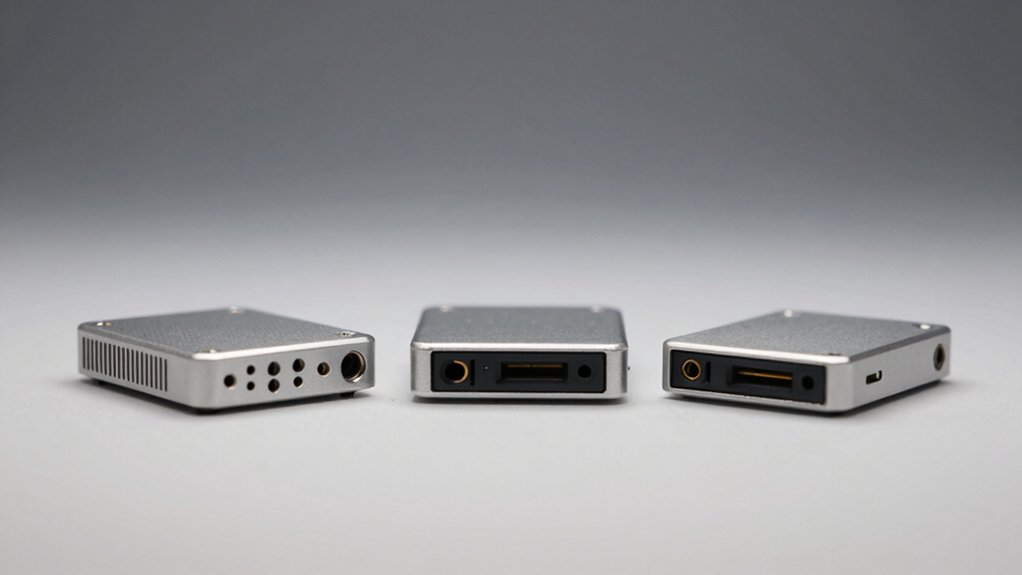
When you’re choosing an ultra-compact mini PC, you’ll need to evaluate your processing power requirements based on your intended use—whether that’s basic web browsing, video editing, or gaming—then match those needs to the processor specifications available. Next, assess your memory and storage needs, consider what display and video outputs you’ll require, review the connectivity options like USB ports and networking capabilities, and finally, determine how portability factors into your decision based on where you’ll use the device. These five considerations work together to help you find the mini PC that fits your specific situation.
Processing Power Requirements
How do you determine the right processing power for your ultra-compact mini PC?
First, identify your primary tasks. For office work and media consumption, a 6-core/12-thread processor with base clocks around 3.5 GHz suffices. If you’re multitasking heavily or handling memory-intensive applications, you’ll want 8+ cores and boost speeds reaching 5.0 GHz.
Next, pair your CPU choice with adequate RAM. Standard usage requires 8–16 GB, while demanding workloads benefit from 32–64 GB. Then, prioritize storage by selecting PCIe NVMe SSDs between 512 GB and 2 TB for faster boot and load times.
Finally, consider GPU needs. Integrated graphics with 8 compute units at ~2.6 GHz handle light gaming and media tasks without requiring a discrete graphics card, preserving your compact form factor.
Memory And Storage Capacity
Once you’ve matched your CPU to your workload, you’ll need to guarantee your RAM and storage can keep pace with that processing power. Start by selecting RAM capacity based on your tasks: 8 GB handles basic computing, while 16 GB suits multitasking and light content creation. For demanding work, choose 32 GB or upgrade to 64 GB if your model supports it. Prioritize dual-channel configurations like 2×8 GB or 2×16 GB for better bandwidth. Next, assess storage needs. Begin with 256 GB minimum, but increase to 512 GB or 1 TB for applications and files. Check if your mini PC has multiple M.2 slots or SATA support for expansion. Verify whether DDR4 or DDR5 memory aligns with your performance expectations.
Display And Video Outputs
What video outputs does your mini PC actually need? Evaluate your display setup first. Most ultra-compact mini PCs offer multiple video outputs: HDMI, DisplayPort, and USB-C with DisplayPort Alt Mode. These connections support 4K resolution at 60 Hz, allowing you to run dual 4K displays simultaneously without performance loss. If you need three monitors, select a model with all three output types available. Check your GPU specifications—integrated graphics or dedicated Radeon iGPU—since these determine maximum display capability. For multimedia work requiring multiple high-resolution screens, confirm the unit supports 4K@60Hz on at least two outputs. USB-C with DP Alt Mode can function as a daisy-chained output, reducing cable clutter. Match the mini PC’s video ports to your existing monitors or displays.
Connectivity And Networking Options
When selecting an ultra-compact mini PC, you’ll want to evaluate both wired and wireless connectivity to match your networking demands. Check for Ethernet ports offering at least 1 Gbps speeds, with 2.5 Gbps options for faster local transfers. Dual NICs or multiple Ethernet ports enable link aggregation and failover capabilities. Verify Wi-Fi 6 (802.11ax) support for improved wireless performance and Bluetooth 5.x compatibility for device pairing. Examine USB ports, particularly USB-C variants with data and power delivery capabilities, which support gigabit-speed peripherals. Confirm your mini PC includes sufficient ports for your workflow requirements—whether managing separate networks, connecting multiple devices, or supporting high-speed data transfers across your setup.
Physical Size And Portability
How much space do you actually have available for your setup? Ultra-compact mini PCs typically measure 5 to 7 inches wide and less than 2 inches tall, fitting easily behind monitors or under desks. You’ll find form factors like stick computers and 1-liter mini towers weighing between 0.4 kg and 2.9 kg, making them genuinely portable. Check whether VESA mount compatibility matters for your workspace—this feature lets you attach the PC directly to monitor arms or walls, eliminating desk clutter entirely. Consider fanless or low-profile cooling designs if you need quiet operation. Evaluate your specific placement constraints: monitor shelf, wall mount, or portable transport. Match the physical dimensions and weight to your actual space requirements before selecting a model.
Thermal Management And Cooling
Thermal management in ultra-compact mini PCs requires careful attention because tight enclosures leave minimal room for heat dissipation. You should evaluate the unit’s cooling design—either fanless passive systems or low-noise active fans—based on your intended workload and noise tolerance. Check the TDP rating; units with 45–60W ratings typically dissipate heat more easily than higher-wattage models. Examine chassis features like vents, heat sinks, and copper or graphite heat spreaders that optimize airflow. Verify that your mounting setup provides adequate clearance around vents; wall mounting or VESA placement works better than confined spaces. Proper airflow prevents thermal throttling, which reduces performance when temperatures spike. During peak usage, monitor temperatures to confirm your cooling solution sustains performance without excessive heat buildup.
Operating System Compatibility
Which operating system comes preinstalled on your ultra-compact mini PC will shape your software compatibility and feature access from day one. Windows 11 Pro models deliver TPM 2.0 security, Wake-on-LAN, and PXE boot capabilities essential for enterprise environments. Windows 11 Home offers standard functionality at lower cost but lacks advanced remote management features. Linux alternatives provide flexibility and cost savings if your software ecosystem supports it. Check driver availability for your display setup—4K multi-display support via HDMI 2.1, DisplayPort 1.4, or USB-C DP Alt depends on OS graphics driver updates. Verify professional software compatibility before purchasing. Enterprise-oriented licensing ensures proper activation and support for business deployments. Match your OS choice to your immediate and future software requirements.
Expandability And Future Upgrades
When you’re investing in an ultra-compact mini PC, you’ll want to check both its RAM and storage upgrade paths before making your purchase decision. Verify the maximum supported memory (typically 32–64GB) and storage capacity (up to 2–4TB). Confirm available expansion slots by locating M.2 slots, PCIe expansion options, and dual-drive support. Check whether RAM uses dual-channel configuration and if you can add modules without replacing existing ones. Review PCIe 4.0 capabilities for future graphics upgrades or external GPU connections via USB-C. Finally, assess cooling and power capacity to ensure the system can handle heavier components without thermal throttling. These steps determine your unit’s long-term upgrade potential and cost-effectiveness.
Final Thoughts
You’ve reviewed eight compact mini PCs offering different strengths for various needs. Select based on your primary use: choose Lenovo models for office work, GMKtec for gaming, or fanless options for silent operation. Verify RAM and storage meet your requirements. Check display outputs for your monitor setup. Compare prices against performance specs. Purchase the model matching your budget and intended purpose.

Meet Ry, “TechGuru,” a 36-year-old technology enthusiast with a deep passion for tech innovations. With extensive experience, he specializes in gaming hardware and software, and has expertise in gadgets, custom PCs, and audio.
Besides writing about tech and reviewing new products, he enjoys traveling, hiking, and photography. Committed to keeping up with the latest industry trends, he aims to guide readers in making informed tech decisions.