
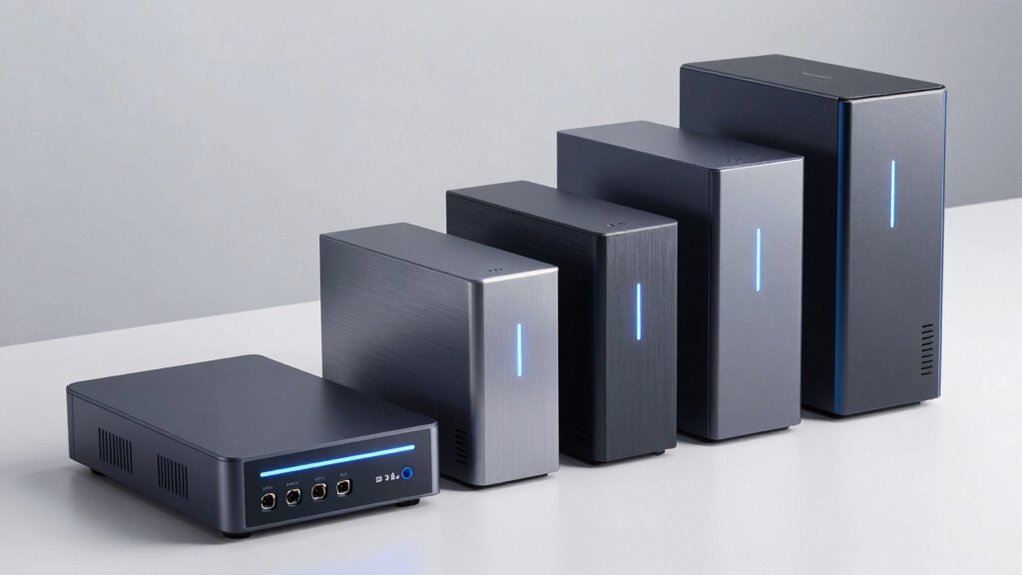

When you’re setting up home surveillance, you need a NAS that handles multiple camera feeds reliably. You’ve got several solid options available, each with specific strengths in performance, storage capacity, and price. The choice depends on your camera count, budget, and how much storage you’ll need as footage accumulates. Let’s examine what makes each system work and which factors matter most for your setup.
| Synology 2-Bay DiskStation DS223j (Diskless) |

| Compact Entry-Level | Surveillance Capability: Intelligent video surveillance tools for security footage storage | Storage Configuration: 2-bay diskless enclosure | Data Protection & Privacy: Comprehensive data protection with multi-destination backup options | VIEW LATEST PRICE | Read Our Analysis |
| Synology 2-Bay NAS DS223 (Diskless) |

| Best Overall | Surveillance Capability: Intelligent surveillance with flexible monitoring tools for home protection | Storage Configuration: 2-bay diskless enclosure | Data Protection & Privacy: Simple data protection with backup to various destinations | VIEW LATEST PRICE | Read Our Analysis |
| BUFFALO LinkStation 210 2TB NAS Network Storage Device |

| Budget-Friendly Pick | Surveillance Capability: Centralized data storage for video backups and media | Storage Configuration: 1-bay with 2TB HDD included | Data Protection & Privacy: Closed system with SSL-encrypted transfers and per-folder access restrictions | VIEW LATEST PRICE | Read Our Analysis |
| UGREEN NAS DXP2800 2-Bay Desktop Storage |

| High-Performance Choice | Surveillance Capability: Supports Plex via Docker for media management | Storage Configuration: 2-bay with up to 80TB capacity | Data Protection & Privacy: Advanced encryption with secure private cloud storage | VIEW LATEST PRICE | Read Our Analysis |
| Synology 1-Bay DiskStation DS124 (Diskless) |

| Single-Bay Specialist | Surveillance Capability: Smart surveillance with scalable video surveillance system creation | Storage Configuration: 1-bay diskless enclosure | Data Protection & Privacy: Built-in data protection with multi-destination backup capability | VIEW LATEST PRICE | Read Our Analysis |
More Details on Our Top Picks
Synology 2-Bay DiskStation DS223j (Diskless)
Looking for a compact entry-level NAS that won’t drain your budget or occupy much space? The Synology DS223j delivers two bays for storing security footage using intelligent video surveillance tools. Its diskless configuration means you’ll add your own hard drives, keeping initial costs down. The unit runs Synology DiskStation Manager (DSM), which handles backup to multiple destinations and provides collaborative file access across Android, desktop, laptop, and iPhone devices. At 6.5 inches deep and 3.94 inches wide, it fits easily on shelves or desks. You’ll receive a two-year warranty and access to Synology’s knowledge center for setup guidance. This makes it practical for protecting your home surveillance data affordably.
- Surveillance Capability:Intelligent video surveillance tools for security footage storage
- Storage Configuration:2-bay diskless enclosure
- Data Protection & Privacy:Comprehensive data protection with multi-destination backup options
- Operating System/Software:Synology DiskStation Manager (DSM)
- Warranty:2-year warranty
- Multi-Platform Access:Android, Desktop, Laptop, iPhone compatibility
- Additional Feature:Energy-efficient, compact, quiet design
- Additional Feature:Tempered glass enclosure aesthetic
- Additional Feature:Two-bay expandable storage configuration
Synology 2-Bay NAS DS223 (Diskless)
Need a straightforward surveillance storage solution without breaking your budget? The Synology DS223 is a 2-bay NAS that delivers flexible monitoring tools for home protection. You’ll set up centralized data storage with complete ownership, then access your surveillance footage across desktops, laptops, and smartphones. The built-in DSM operating system provides license-free private cloud capabilities without additional software purchases. This black metal enclosure measures 9.15 by 4.25 by 6.5 inches and weighs under three pounds, so tabletop placement works in most spaces. The 2-year manufacturer warranty covers defects, and Amazon’s 30-day return policy protects your purchase against damage or DOA units.
- Surveillance Capability:Intelligent surveillance with flexible monitoring tools for home protection
- Storage Configuration:2-bay diskless enclosure
- Data Protection & Privacy:Simple data protection with backup to various destinations
- Operating System/Software:Synology DiskStation Manager (DSM) with license-free solutions
- Warranty:2-year warranty
- Multi-Platform Access:Desktop, Laptop, Server, Smart Phone compatibility
- Additional Feature:Metal enclosure construction durability
- Additional Feature:Entry-level pricing for beginners
- Additional Feature:Two-bay redundancy capability
BUFFALO LinkStation 210 2TB NAS Network Storage Device
The BUFFALO LinkStation 210 offers a budget-friendly pick for homeowners who want centralized storage without monthly subscription costs. You plug it into your router and gain immediate access to shared network storage across your devices. The 2TB capacity stores surveillance footage, photos, and videos with SSL-encrypted transfers protecting your data. You’ll set up automated backups using NAS Navigator utilities for both PC and macOS systems. Per-folder access restrictions let you control who views sensitive files. The closed system design reduces third-party vulnerabilities, making it a straightforward security solution for home surveillance needs.
- Surveillance Capability:Centralized data storage for video backups and media
- Storage Configuration:1-bay with 2TB HDD included
- Data Protection & Privacy:Closed system with SSL-encrypted transfers and per-folder access restrictions
- Operating System/Software:NAS Navigator utilities for automated backups
- Warranty:2-year warranty
- Multi-Platform Access:PC and macOS support with NAS Navigator
- Additional Feature:2TB HDD storage included
- Additional Feature:Made in Japan quality
- Additional Feature:Subscription-free personal cloud access
UGREEN NAS DXP2800 2-Bay Desktop Storage
Want a high-performance NAS that handles both surveillance storage and everyday file management? The UGREEN DXP2800 delivers with an Intel N100 processor, 8GB DDR5 RAM, and 2.5 GbE connectivity supporting transfer speeds of 1GB in three seconds. You’ll get up to 80TB storage capacity using compatible drives from Western Digital, Seagate, or Toshiba—purchase separately. The device includes AI-powered photo organization, secure encryption, Docker support, and Plex integration. Setup works across Windows, macOS, Android, iOS, and web platforms. Connect via wired Ethernet for peak performance. A two-year warranty and 24/7 specialist support back your investment.
- Surveillance Capability:Supports Plex via Docker for media management
- Storage Configuration:2-bay with up to 80TB capacity
- Data Protection & Privacy:Advanced encryption with secure private cloud storage
- Operating System/Software:User-friendly apps with AI-powered photo album and Docker support
- Warranty:2-year warranty
- Multi-Platform Access:Windows, macOS, Android, iOS, web, and smart TV access
- Additional Feature:Intel N100 quad-core processor
- Additional Feature:Up to 80TB storage capacity
- Additional Feature:AI-powered photo album organization
Synology 1-Bay DiskStation DS124 (Diskless)
Synology’s single-bay specialist, the DS124 (Diskless), suits users who need reliable surveillance storage without complexity or excess capacity. This compact NAS consolidates your video footage in one secure location while supporting multi-platform access across desktops, laptops, and smartphones. You’ll benefit from built-in data protection that backs up files to multiple destinations, safeguarding against loss. The device features DSM license-free operation, giving you private cloud access without subscription costs. Its alloy steel construction and surface-mount design integrate seamlessly into home setups. With a two-year warranty and straightforward support, you get dependable surveillance storage that handles essential security needs efficiently.
- Surveillance Capability:Smart surveillance with scalable video surveillance system creation
- Storage Configuration:1-bay diskless enclosure
- Data Protection & Privacy:Built-in data protection with multi-destination backup capability
- Operating System/Software:DSM license-free private cloud with secure collaboration
- Warranty:2-year warranty
- Multi-Platform Access:Desktop, Laptop, Server, Smart Phone compatibility
- Additional Feature:Alloy steel enclosure construction
- Additional Feature:Compact single-bay configuration
- Additional Feature:Scalable video surveillance system
Factors to Consider When Choosing a NAS for Home Surveillance
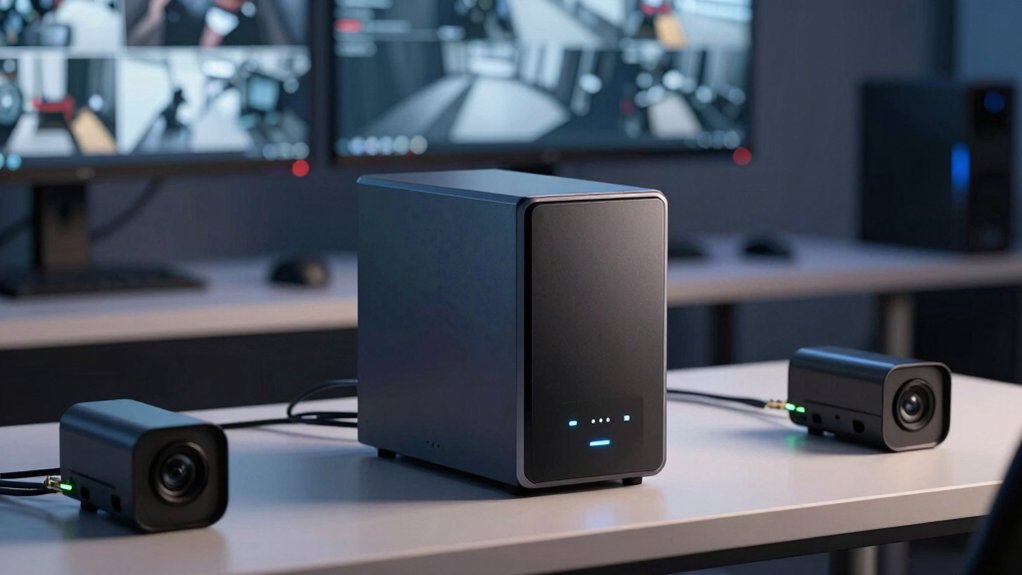
You’ll need to evaluate five core factors before selecting a NAS system: storage capacity (how many cameras you have and how long you want to retain footage), network connectivity speed (gigabit ethernet or faster to handle multiple camera streams), surveillance software compatibility (whether the NAS supports your camera brand’s software), processor performance (sufficient CPU power to manage simultaneous video feeds), and expandability options (the ability to add drives or upgrade components as your system grows). Each factor directly impacts how well your NAS performs under real surveillance conditions, so you should assess your current needs and future expansion plans against what each model offers.
Storage Capacity Requirements
How much storage does your surveillance system actually need? Calculate your daily usage by multiplying the number of cameras by gigabytes per camera daily. Resolution and frame rate determine this figure—4K continuous recording consumes far more space than 1080p. Next, multiply daily usage by your desired retention period. If you want three months of footage across four cameras using 50 GB daily per camera, you’ll need roughly 18 TB of raw capacity. Then add overhead: RAID configurations like RAID 5 or 6 reduce usable space through parity, so plan 20–30% extra. Finally, account for future growth by selecting a NAS with expandable bays. This approach ensures you won’t outgrow your system prematurely.
Network Connectivity Speed
Why does network speed matter for your surveillance setup? Network connectivity directly impacts how quickly footage transfers from your cameras to the NAS and affects real-time monitoring. Standard Gigabit Ethernet may create bottlenecks, especially with multiple 4K streams. Instead, choose a NAS with a 2.5 GbE port for faster, sustained throughput. For optimal performance, verify your network switch also supports multi-gigabit speeds. If your system uses multiple cameras simultaneously, consider a NAS with dual network interfaces (dual NICs) to enable link aggregation, which improves both throughput and reliability. Avoid relying on wireless connectivity for high-volume surveillance workloads. Install a wired Ethernet backbone throughout your home to ensure consistent, dependable performance for all your cameras.
Surveillance Software Compatibility
Once you’ve established a fast, reliable network backbone, your next step is confirming that your NAS can actually run the surveillance software you need. Check whether your chosen NAS supports native surveillance applications with active development and regular updates. Verify CPU and memory resources meet your camera system’s demands, especially if you’re using high-resolution feeds or AI analytics. Confirm protocol compatibility—your NAS must support ONVIF, RTSP, or your camera’s custom protocol to avoid integration problems. Review camera compatibility lists provided by the NAS manufacturer to ensure smooth stream recording and playback. Finally, assess whether required licenses are included or sold separately, and determine if third-party surveillance apps are viable alternatives if native options don’t meet your needs.
Processor Performance Power
Because your NAS must handle multiple simultaneous camera streams without dropping frames or delaying alerts, you’ll want to prioritize processor performance as a critical specification. Look for quad-core processors or higher to manage concurrent video analytics smoothly. Check whether the CPU includes hardware acceleration for video encoding and decoding—this reduces system load and power consumption during continuous recording. Multi-core processors also support simultaneous tasks like surveillance, cloud services, and backups without creating bottlenecks. Balance core count and clock speed to maintain steady performance while controlling long-term energy costs. Higher CPU performance directly lowers latency in motion detection and alert generation, improving your surveillance system’s real-time responsiveness. Verify the processor specs before purchasing to ensure your NAS meets your camera count and recording requirements.
Expandability And Scalability
How’ll you handle your surveillance footage when your storage fills up? Choose a NAS with multiple bays and hot-swappable drives so you can upgrade without shutting down your system. Look for models supporting RAID configurations that let you add drives while maintaining protection against failures. Check if the unit accepts PCIe expansion cards or external RAID enclosures to increase capacity beyond internal bays. Verify the maximum usable storage capacity and confirm that throughput and IOPS scale properly when you add drives. Select systems with straightforward management interfaces that simplify creating new storage pools and migrating video data. This approach ensures your NAS grows with your surveillance needs without requiring expensive replacements.
Final Thoughts
You’ve reviewed five solid NAS options for surveillance. Pick the Synology DS223j if you want affordable expandability with strong software. Choose the BUFFALO LinkStation 210 for budget simplicity. Select the UGREEN DXP2800 if you need maximum performance and storage capacity. Consider the DS124 for single-camera setups. Evaluate your camera count, storage needs, and budget before deciding. Start with expandability in mind—you’ll likely add cameras later.

Meet Ry, “TechGuru,” a 36-year-old technology enthusiast with a deep passion for tech innovations. With extensive experience, he specializes in gaming hardware and software, and has expertise in gadgets, custom PCs, and audio.
Besides writing about tech and reviewing new products, he enjoys traveling, hiking, and photography. Committed to keeping up with the latest industry trends, he aims to guide readers in making informed tech decisions.