
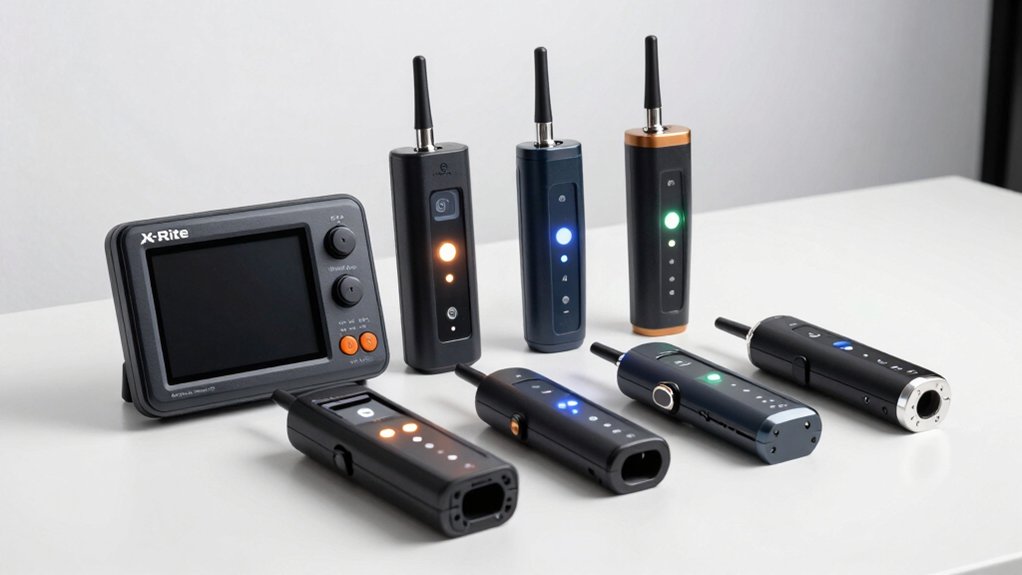

When you’re selecting colors for design projects, you’ll need tools that deliver accurate, consistent results. Pantone offers several matching solutions—from physical fan decks to digital measurement devices—each designed for different workflows and budgets. You can choose between portable options for quick on-site matching or exhaustive systems that integrate with your existing software. The right tool depends on your specific needs, so understanding what each one does matters before making your decision.
| Pantone Formula Guide Coated & Uncoated (GP1601B) |

| Industry Standard | Primary Use Case: Print color matching (coated & uncoated substrates) | Color System/Library: 2,390 Pantone solid coated and uncoated colors | Format/Physical Design: Compact fan decks (coated & uncoated) | VIEW LATEST PRICE | Read Our Analysis |
| Pantone Munsell Capsure Color Matching Tool | RM200SOIL |
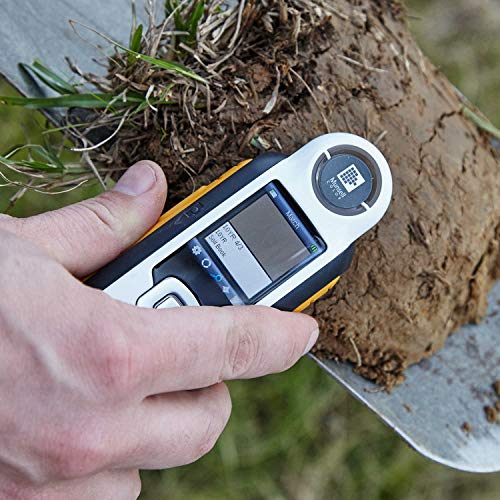
| Specialized Field Tool | Primary Use Case: Soil, rock, plant tissue, and bead color classification | Color System/Library: Munsell Soil (441), Rock (115), Plant Tissue (17), Bead (176) colors | Format/Physical Design: Handheld spectrocolorimeter device | VIEW LATEST PRICE | Read Our Analysis |
| Pantone CAPSULE SIGNATURE Color Guide 612 Colors (CAP2026) |
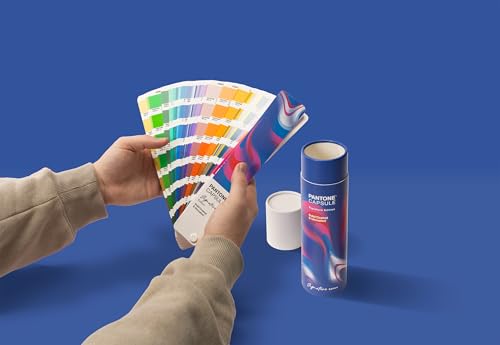
| Best for Beginners | Primary Use Case: Entry-level graphic design and branding color selection | Color System/Library: 612 curated Pantone colors | Format/Physical Design: Coated and uncoated paper stock guide | VIEW LATEST PRICE | Read Our Analysis |
| Pantone Spectrocolorimeter Portable Color Measurement Tool (RM200QC) |

| Professional Grade | Primary Use Case: Quality control and color measurement across production | Color System/Library: Custom standards (up to 20) and sample storage (350 samples) | Format/Physical Design: Handheld portable spectrocolorimeter | VIEW LATEST PRICE | Read Our Analysis |
| Pantone Color Bridge Guide Coated (GG6103B) |
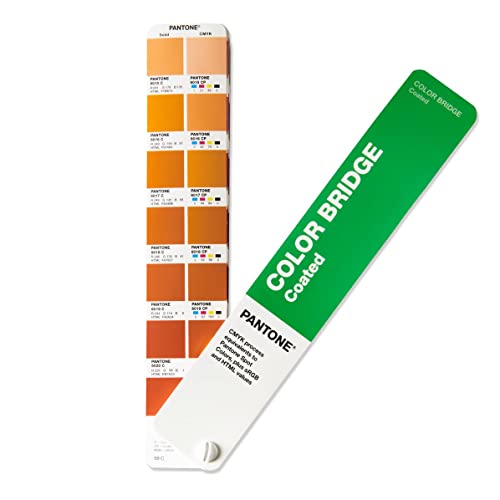
| Digital-First Solution | Primary Use Case: Spot color to CMYK/RGB/HTML conversion | Color System/Library: 2,359 Pantone Matching System colors with CMYK equivalents | Format/Physical Design: Handheld fan deck | VIEW LATEST PRICE | Read Our Analysis |
More Details on Our Top Picks
Pantone Formula Guide Coated & Uncoated (GP1601B)
The Pantone Formula Guide Coated & Uncoated is the industry-standard color matching system that designers, printers, and packaging teams rely on for accurate print production. This guide contains 2,390 solid colors with exact ink formulas displayed alongside corresponding numbers, ensuring consistent results across projects. You’ll receive two compact fan decks—one for coated paper and one for uncoated—plus a built-in lighting check tool to verify proper viewing conditions. The system integrates with Color Bridge and CMYK guides for digital workflows. Use this foundational tool to compare how colors appear on different paper types, then expand your palette with optional Metallics, Pastels, or Neons guides for specialized finishes.
- Primary Use Case:Print color matching (coated & uncoated substrates)
- Color System/Library:2,390 Pantone solid coated and uncoated colors
- Format/Physical Design:Compact fan decks (coated & uncoated)
- Key Professional Features:Built-in lighting check tool; exact ink formulas
- Target User:Agencies, printers, designers, packaging teams, production teams
- Software/Ecosystem Integration:Works with Color Bridge, CMYK Guide, Solid Chips; part of Pantone ecosystem bundles
- Additional Feature:2,390 solid colors included
- Additional Feature:Built-in lighting check tool
- Additional Feature:Expandable specialty extensions
Pantone Munsell Capsure Color Matching Tool | RM200SOIL
Evaluating soil composition in the field? The Pantone Munsell Capsure Color Matching Tool identifies soil colors using the established Munsell Color System. You’ll match samples against 441 Munsell Soil colors, plus reference materials for rocks, plant tissue, and beads. The device includes a spectrocolorimeter and lets you record voice notes with measurements. CAPSURE Sync software updates your color libraries and syncs with Adobe Photoshop, Illustrator, and QuarkXPress. Weighing 2.68 pounds with compact dimensions, you’ll carry it easily between locations. No batteries required—you’re ready to classify soils accurately in laboratories or outdoor settings immediately.
- Primary Use Case:Soil, rock, plant tissue, and bead color classification
- Color System/Library:Munsell Soil (441), Rock (115), Plant Tissue (17), Bead (176) colors
- Format/Physical Design:Handheld spectrocolorimeter device
- Key Professional Features:Voice-recorded notes; CAPSURE Sync software; Adobe integration
- Target User:Natural resource managers, soil scientists, field researchers
- Software/Ecosystem Integration:CAPSURE Sync software; Adobe Photoshop, Illustrator, QuarkXPress compatible
- Additional Feature:Voice-recorded measurement notes
- Additional Feature:Four specialized Munsell libraries
- Additional Feature:55+ years established system
Pantone CAPSULE SIGNATURE Color Guide 612 Colors (CAP2026)
Looking for your first Pantone color matching tool? The CAPSULE SIGNATURE Color Guide offers 612 curated colors designed specifically for you. This starter kit includes both coated and uncoated paper stocks in two weights: 100 lb and 80 lb. You’ll preview how colors appear across different print surfaces. The guide combines iconic shades, modern trends, and essential tones for graphic design, branding, and product design projects. Its affordable price makes it accessible for students, freelancers, and early-career professionals. Use it portably on-site for color matching and design decisions across multiple media types.
- Primary Use Case:Entry-level graphic design and branding color selection
- Color System/Library:612 curated Pantone colors
- Format/Physical Design:Coated and uncoated paper stock guide
- Key Professional Features:Affordable entry-level tool for students and freelancers
- Target User:Students, freelancers, young professionals, universities
- Software/Ecosystem Integration:Standalone guide (no digital integration specified)
- Additional Feature:612 curated colors
- Additional Feature:Dual paper stock weights
- Additional Feature:Affordable entry-level option
Pantone Spectrocolorimeter Portable Color Measurement Tool (RM200QC)
Pantone’s RM200QC offers professional-grade color measurement for manufacturers who need reliable, portable quality control across production runs. You store up to 20 color standards and measure 350 samples, each tagged with voice or text notes. The device displays Pass/Fail results instantly, showing color differences visually on its plot screen. You’ll maintain consistent color across lab, production, and shipping stages while reducing reliance on staff judgment. Weighing two pounds with included lithium-ion battery, you carry this hand-held tool between locations for quick readings that bridge incoming materials to finished products.
- Primary Use Case:Quality control and color measurement across production
- Color System/Library:Custom standards (up to 20) and sample storage (350 samples)
- Format/Physical Design:Handheld portable spectrocolorimeter
- Key Professional Features:Pass/Fail warnings; color plot comparison; voice/text sample tags
- Target User:Manufacturing quality control teams across multiple industries
- Software/Ecosystem Integration:Standalone device with internal storage (no cloud integration specified)
- Additional Feature:Store 350 samples maximum
- Additional Feature:Pass/Fail warning display
- Additional Feature:Color difference plotting visual
Pantone Color Bridge Guide Coated (GG6103B)
Need a tool that bridges your print and digital workflows? The Pantone Color Bridge Guide Coated offers instant color conversion by matching 2,359 Pantone Spot shades to their nearest CMYK, RGB, and HTML equivalents. You’ll work with 224 newly added PMS colors across a handheld fan deck format. The 100-lb coated paper stock maintains G7 press precision standards, ensuring print accuracy matches what you see on screen. A built-in lighting indicator lets you view colors consistently under varying conditions. The guide integrates with Pantone Connect for Adobe Creative Cloud, giving you access to thousands of swatches and streamlined color sharing across your design projects.
- Primary Use Case:Spot color to CMYK/RGB/HTML conversion
- Color System/Library:2,359 Pantone Matching System colors with CMYK equivalents
- Format/Physical Design:Handheld fan deck
- Key Professional Features:G7 press precision; Pantone Connect cloud integration; built-in lighting indicator
- Target User:Designers, print production teams, color-critical workflows
- Software/Ecosystem Integration:Pantone Connect cloud integration; Adobe Creative Cloud compatible
- Additional Feature:CMYK/RGB/HTML conversion
- Additional Feature:Pantone Connect cloud integration
- Additional Feature:G7 press calibration aligned
Factors to Consider When Choosing Pantone Color Matching Tools
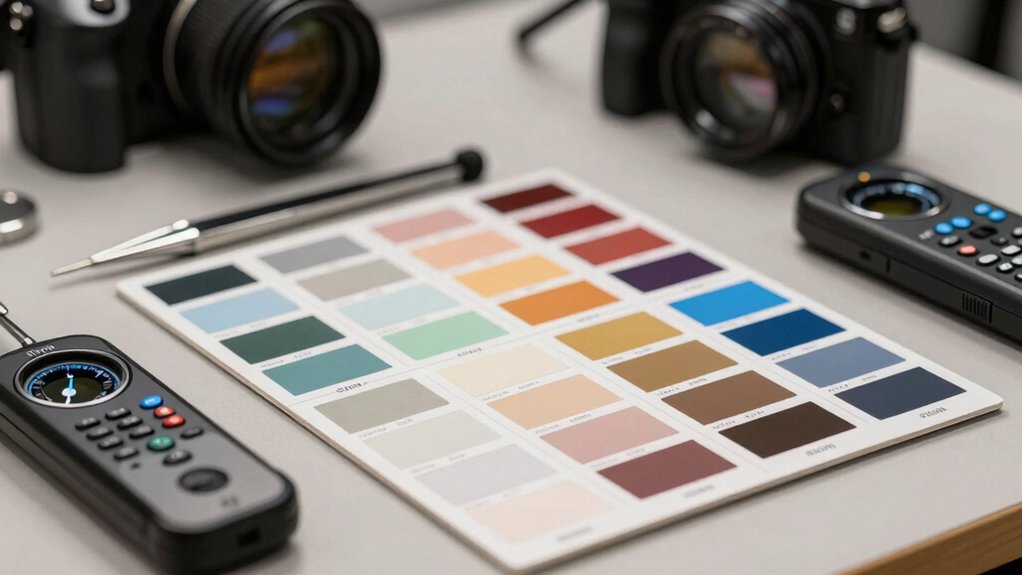
When you’re selecting a Pantone color matching tool, you need to evaluate five key factors: your specific use case (whether you’re matching print, digital, or fabric colors), the color range and coverage the tool offers, its portability for on-site work or accessibility for remote teams, how well it integrates with your existing design software and workflows, and the overall budget against the value you’ll receive. Start by identifying which of these factors matters most to your work—for example, a packaging designer prioritizes portability and print accuracy, while a digital designer needs strong software integration. Then compare tools systematically across each factor to find the option that aligns with your priorities and constraints.
Your Specific Use Case
Before you select a color matching tool, you’ll want to identify exactly where and how you’ll use it, because this decision shapes every other aspect of your choice. Ask yourself: Will you work in a studio, on a production line, or in the field? Studio work typically requires physical color guides for quick reference, while production environments benefit from electronic spectrocolorimeters that log data automatically. Field applications demand portable, rugged devices with battery reliability. Next, determine your workflow: Do you need print-focused matching with coated and uncoated guides, or field identification with software syncing? Finally, assess your data requirements. Do you need stored standards, pass/fail alerts, and batch traceability notes? These answers eliminate unsuitable options and direct you toward tools that genuinely fit your operations.
Color Range and Coverage
How many colors does your project actually require? Start by evaluating the color range each tool offers. Standard Pantone guides include 2,359 solid colors, but some sets add trend-driven selections for expanded coverage. Next, determine whether you need coated versus uncoated ranges, since colors appear differently on various paper stocks and affect matching accuracy. Consider specialized extensions like Metallics, Pastels, and Neons if your designs demand specialty finishes. Review whether the tool provides complementary ranges in CMYK, RGB, or HTML formats to support cross-media work. Finally, check for curated sub-collections, such as 612-color capsules or 224 new additions, which streamline selection for common design tasks. Matching your tool’s coverage to your actual project needs prevents over-purchasing while ensuring you have sufficient color options.
Portability and Accessibility
A Pantone color matching tool’s usefulness depends heavily on whether you can actually carry it where you need it. Look for compact, handheld devices weighing around 2 pounds or less—these fit easily into your bag for transport between sites and labs. Check whether the tool includes built-in lighting features so you can assess colors accurately without carrying additional equipment. Consider devices that combine multiple functions like color matching, documentation, and reporting into one unit, reducing what you need to pack. Verify compatibility with mobile apps or cloud platforms like Pantone Connect, which let you access color libraries and workflows remotely from any device. These features ensure you maintain productivity whether working in-studio or in the field.
Integration With Workflows
When you’re selecting a Pantone color matching tool, you’ll want to prioritize how well it fits into your existing design and production processes. Check whether the tool syncs with Adobe Photoshop and Illustrator, allowing you to export colors directly into your projects. Verify that it supports Color Bridge and CMYK guides so you can move seamlessly from digital design to print production. Look for cloud-connected options like Pantone Connect, which let you access expanded libraries across devices and share colors with team members instantly. Confirm the tool includes software synchronization features that automatically update your color libraries. Finally, ensure it provides viewing condition tools so colors remain consistent across different production environments and lighting situations.
Budget and Value Proposition
What’s the real cost of a Pantone color matching tool, and does it fit your actual workflow needs? Start by comparing entry-level options like Capsule Signature against professional kits, weighing upfront expenses against long-term value. Calculate total cost of ownership by identifying companion tools you’ll need—digital swatch libraries, software licenses, or cloud connectivity features. Next, assess whether added features justify the price: built-in lighting checks, G7 color alignment, or ecosystem compatibility with design software. Then, evaluate color coverage and formats your projects require, from coated versus uncoated samples to CMYK, RGB, and HTML translations. Finally, consider future-proofing through tool compatibility with Pantone Connect and other integrations, ensuring your investment scales with project growth.
Final Thoughts
You’ve reviewed five Pantone color matching tools, each serving different needs. Select the Formula Guide for thorough ink formulas and dual fan decks. Choose CAPSURE for portable, beginner-friendly matching. Pick CAPSULE SIGNATURE for scalable options with soil color matching. Use the Spectrocolorimeter for precise on-site measurements with pass/fail metrics. Consider Pantone Connect for cloud-based access across design software. Match your choice to your workflow requirements and budget constraints.

Meet Ry, “TechGuru,” a 36-year-old technology enthusiast with a deep passion for tech innovations. With extensive experience, he specializes in gaming hardware and software, and has expertise in gadgets, custom PCs, and audio.
Besides writing about tech and reviewing new products, he enjoys traveling, hiking, and photography. Committed to keeping up with the latest industry trends, he aims to guide readers in making informed tech decisions.