
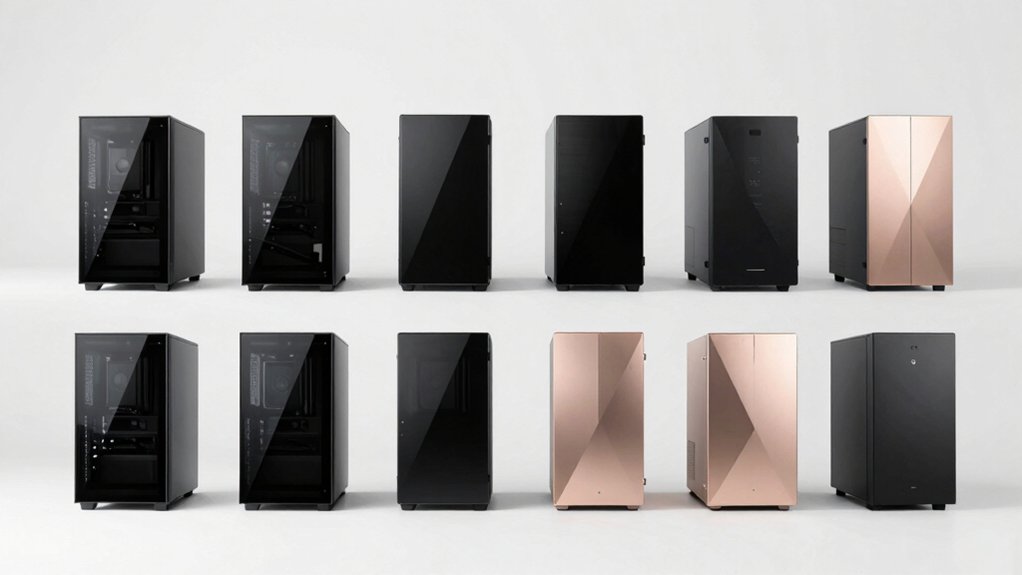

When you’re building a PC that sits on your desk, you need a case that balances aesthetics with functionality. You’ll want to evaluate wood-front designs, tempered-glass panels, and cable management systems that suit your specific hardware. Your choice impacts not just how your build looks, but whether your components fit properly and stay cool. Understanding what features matter most will help you narrow down your options—here’s what you need to know.
| FOIFKIN M1 ATX Mid-Tower PC Case with ARGB Fans |

| Wood & Elegance | Motherboard Support: ATX/M-ATX/ITX | GPU Length Support: Up to 310mm | Front Panel Material: Walnut wood with metal | VIEW LATEST PRICE | Read Our Analysis |
| Fractal Design North Charcoal Black ATX Gaming Case |

| Sustainable Design | Motherboard Support: ATX/mATX/ITX | GPU Length Support: Up to 355mm (or 300mm with 360mm radiator) | Front Panel Material: Sustainably sourced walnut/oak wood with mesh | VIEW LATEST PRICE | Read Our Analysis |
| Hyte Y70 Touch Dual Chamber ATX Mid Tower Case |

| Premium Touchscreen | Motherboard Support: ATX | GPU Length Support: Up to 4-slot vertical support | Front Panel Material: Tempered glass panoramic | VIEW LATEST PRICE | Read Our Analysis |
| Hyte Y70 Dual Chamber ATX Gaming Case (CS-HYTE-Y70-B) |

| Dual Chamber Pro | Motherboard Support: ATX | GPU Length Support: Up to 4-slot vertical support | Front Panel Material: Tempered glass panoramic | VIEW LATEST PRICE | Read Our Analysis |
| Okinos Walnut Wood Micro ATX PC Case with Tempered Glass |

| Compact Wood Case | Motherboard Support: Micro ATX | GPU Length Support: Up to 320mm | Front Panel Material: Mesh intake | VIEW LATEST PRICE | Read Our Analysis |
| ASUS ProArt PA401 Wood Edition ATX Case |

| Crafted Minimalist | Motherboard Support: ATX | GPU Length Support: Up to 315mm | Front Panel Material: FSC-certified wood | VIEW LATEST PRICE | Read Our Analysis |
| MUSETEX Y6 ATX Mid Tower Gaming PC Case |
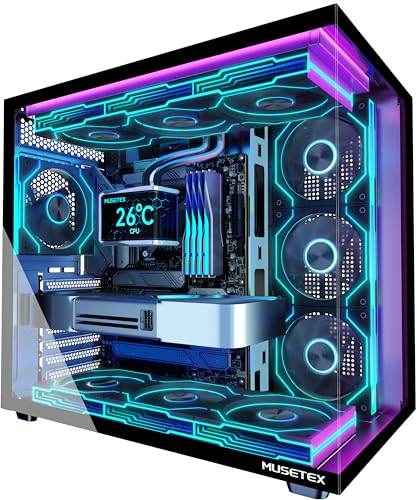
| RGB Spectacle | Motherboard Support: ATX/Micro-ATX/Mini-ITX | GPU Length Support: Up to 410mm | Front Panel Material: Tempered glass with ARGB fans | VIEW LATEST PRICE | Read Our Analysis |
| RUIX OV303 ATX Mid-Tower PC Case with ARGB Fans |

| Most Versatile | Motherboard Support: ATX | GPU Length Support: Up to 420mm | Front Panel Material: Tempered glass panoramic | VIEW LATEST PRICE | Read Our Analysis |
| DARKROCK EC2 Black ATX Mid Tower PC Case |
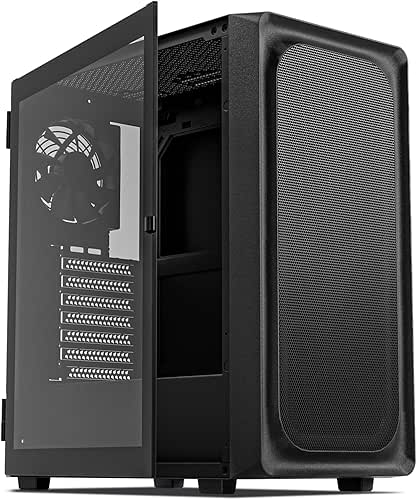
| Mesh Airflow Focus | Motherboard Support: ATX/M-ATX/ITX | GPU Length Support: Up to 340mm | Front Panel Material: Meshed front panel | VIEW LATEST PRICE | Read Our Analysis |
| NZXT H5 Flow 2024 Compact ATX Gaming Case |

| Best Compact Build | Motherboard Support: Micro-ATX/ATX/Mini-ITX | GPU Length Support: Optimized for GPU cooling (no specific limit stated) | Front Panel Material: Ultra-fine mesh | VIEW LATEST PRICE | Read Our Analysis |
| CORSAIR 4000D RS ARGB Mid-Tower ATX PC Case |

| Modular Innovation | Motherboard Support: ATX/mATX/ITX | GPU Length Support: Supports powerful graphics cards (no specific limit stated) | Front Panel Material: Perforated 3D Y-pattern panel | VIEW LATEST PRICE | Read Our Analysis |
More Details on Our Top Picks
FOIFKIN M1 ATX Mid-Tower PC Case with ARGB Fans
Want a case that combines wood and elegance for your desk setup? The FOIFKIN M1 features a walnut front panel integrated with metal, creating a natural appearance suitable for modern workspaces. You get four pre-installed PWM ARGB fans for cooling performance. The tempered glass side panel snaps on without tools for easy access. Interior dimensions accommodate ATX, M-ATX, or ITX motherboards. You can install up to eight 120mm fans across front, rear, top, and bottom mounting points. The case supports CPU coolers up to 174mm tall and GPUs up to 310mm long. Storage capacity includes space for two HDDs and two SSDs, or one HDD and three SSDs. The I/O panel provides one USB Type-C 3.0, one USB 3.0, and one USB 2.0 port, plus audio connections.
- Motherboard Support:ATX/M-ATX/ITX
- GPU Length Support:Up to 310mm
- Front Panel Material:Walnut wood with metal
- Pre-installed Fans:4x ARGB PWM fans
- Radiator Support (Maximum):240mm/280mm top-mounted
- Side Panel Type:Tempered glass with tool-free snap-on
- Additional Feature:Black walnut wood front panel
- Additional Feature:Tool-free snap-on glass panel
- Additional Feature:Supports up to 8 fans
Fractal Design North Charcoal Black ATX Gaming Case
If you’re building a mid-tower PC that prioritizes sustainable design without sacrificing style, the Fractal Design North Charcoal Black deserves consideration. The case supports ATX, mATX, and ITX motherboards, giving you flexibility in component selection. Genuine walnut wood front panels and clear tempered glass side panels create a distinctive desk-ready appearance. Two 140 mm PWM fans handle intake cooling through the open mesh front. You’ll find two combined 3.5″/2.5″ drive mounts plus two dedicated 2.5″ mounts for storage expansion. GPUs up to 355 mm fit comfortably, or 300 mm with a 360 mm front radiator installed. Unclipping side panels and removing the integrated top tab provides straightforward access during builds and upgrades.
- Motherboard Support:ATX/mATX/ITX
- GPU Length Support:Up to 355mm (or 300mm with 360mm radiator)
- Front Panel Material:Sustainably sourced walnut/oak wood with mesh
- Pre-installed Fans:2x 140mm Aspect PWM fans
- Radiator Support (Maximum):360mm front (implied)
- Side Panel Type:Clear tempered glass
- Additional Feature:Sustainably sourced wood front
- Additional Feature:Two bridgeless expansion slots
- Additional Feature:Natural mesh ventilation design
Hyte Y70 Touch Dual Chamber ATX Mid Tower Case
The Hyte Y70 Touch’s premium touchscreen display sets it apart for PC builders who want their case to function as both a high-performance chassis and a desktop centerpiece. You’ll customize the 14.9-inch LCD screen extensively through HYTE Nexus software, adjusting brightness and content to match your setup. The dual-chamber design separates your GPU and cooling components from cable management, keeping the front appearance clean behind the panoramic glass. You can mount up to four graphics cards vertically, support 360mm radiators on the side or top, and fit up to ten total fans for maximum cooling capacity. The case accommodates standard ATX motherboards and weighs 24.4 pounds.
- Motherboard Support:ATX
- GPU Length Support:Up to 4-slot vertical support
- Front Panel Material:Tempered glass panoramic
- Pre-installed Fans:No fans listed (touchscreen model)
- Radiator Support (Maximum):360mm side + 360mm top
- Side Panel Type:3-piece panoramic tempered glass
- Additional Feature:14.9″ integrated LCD touchscreen
- Additional Feature:Dual chamber interior design
- Additional Feature:4-slot vertical GPU support
Hyte Y70 Dual Chamber ATX Gaming Case (CS-HYTE-Y70-B)
Hyte’s dual chamber pro design separates your power supply and cables from your components, making this case ideal if you’re building a high-end gaming PC and want a clean, professional appearance on your desk. The black CS-HYTE-Y70-B model features a 3-piece panoramic tempered glass panel that showcases your build while maintaining aesthetic unity. You’ll mount your graphics card vertically using the included PCIe 4.0 riser cable, which includes color-matched details. The case supports up to 360mm side radiators and adjustable top mounts, accommodating various cooling configurations. Tool-less panels and reusable Velcro straps streamline cable management, while floating storage sleds provide modular organization options.
- Motherboard Support:ATX
- GPU Length Support:Up to 4-slot vertical support
- Front Panel Material:Tempered glass panoramic
- Pre-installed Fans:No fans listed
- Radiator Support (Maximum):360mm side + 360mm top
- Side Panel Type:3-piece panoramic tempered glass
- Additional Feature:3-piece panoramic tempered glass
- Additional Feature:Color-matched PCIe riser canopy
- Additional Feature:Floating storage sleds included
Okinos Walnut Wood Micro ATX PC Case with Tempered Glass
Looking for a compact wood case that doesn’t sacrifice style or cooling performance? The Okinos Walnut Wood Micro ATX case combines genuine walnut wood paneling with a tempered glass side panel, creating a distinctive desktop aesthetic. The case supports Micro ATX motherboards with GPU lengths up to 320mm and CPU coolers reaching 164mm in height. Four pre-installed 120mm fans and three-sided mesh intake design ensure efficient airflow. The case measures 14.65″ deep, 8.27″ wide, and 15.83″ high, weighing 4.3 kg. You’ll find USB 3.0 ports, Type-C 3.2 Gen 2 connectivity, and standard ATX power supply compatibility up to 150mm depth. The one-year manufacturer warranty covers your investment.
- Motherboard Support:Micro ATX
- GPU Length Support:Up to 320mm
- Front Panel Material:Mesh intake
- Pre-installed Fans:4x 120mm 3-pin fans
- Radiator Support (Maximum):Not specified
- Side Panel Type:Tempered glass
- Additional Feature:Genuine walnut wood decoration
- Additional Feature:Type-C 3.2 Gen 2 port
- Additional Feature:Three-sided mesh intake design
ASUS ProArt PA401 Wood Edition ATX Case
ASUS’s crafted minimalist PA401 Wood Edition delivers premium aesthetics for creators and professionals who demand both form and function. You’ll appreciate the FSC-certified wood front panel paired with a tempered glass side panel that showcases your components without obstruction. The case accommodates GPUs up to 315mm and supports 240mm radiators for robust cooling setups. Dual 160 × 32mm front ring fans generate up to 138 CFM airflow. You get practical features including a high-speed USB Type-C 20Gbps port, dual-section PWM fan control, and integrated rear cable clips. The detachable PSU bracket and left-side panel lock streamline assembly and cable management for efficient builds.
- Motherboard Support:ATX
- GPU Length Support:Up to 315mm
- Front Panel Material:FSC-certified wood
- Pre-installed Fans:2x 160x32mm front ring fans
- Radiator Support (Maximum):240mm radiator
- Side Panel Type:Semi-transparent coated tempered glass
- Additional Feature:FSC-certified crafted wood panel
- Additional Feature:Dual 160mm ring fans
- Additional Feature:Left-side panel lock security
MUSETEX Y6 ATX Mid Tower Gaming PC Case
The MUSETEX Y6 delivers an RGB spectacle that’ll transform your desk setup. You get seven pre-installed Infinity Mirror ARGB fans with adjustable speeds controlled through your motherboard software. The dual tempered glass panels provide a 270-degree viewing angle, showcasing your components clearly. You can fit ATX, Micro-ATX, or Mini-ITX motherboards, GPUs up to 410mm, and CPU coolers up to 160mm tall. The case includes front USB 3.0, USB Type-C, and audio ports for convenient access. Install your graphics card, power supply, and liquid cooler according to the included specifications, then customize your lighting through multiple available modes.
- Motherboard Support:ATX/Micro-ATX/Mini-ITX
- GPU Length Support:Up to 410mm
- Front Panel Material:Tempered glass with ARGB fans
- Pre-installed Fans:7x Infinity Mirror ARGB fans
- Radiator Support (Maximum):360mm top-mounted
- Side Panel Type:270° dual tempered glass panels
- Additional Feature:7 Infinity Mirror ARGB fans
- Additional Feature:270° dual tempered glass
- Additional Feature:Anti-vortex blade design
RUIX OV303 ATX Mid-Tower PC Case with ARGB Fans
If you’re building a PC that requires flexibility across multiple cooling solutions and component sizes, RUIX’s most versatile OV303 mid-tower delivers. The case accommodates GPUs up to 420mm and supports up to 10 fans or seven fans with a 360mm AIO cooler. Four pre-installed 120mm ARGB PWM fans come ready to use. The dual tempered glass panels provide visibility of your components. Mount your power supply at the bottom, use the built-in GPU support bracket to reduce motherboard strain, and organize storage with two 3.5″ HDD bays and one 2.5″ slot. Magnetic dust filters on top and bottom simplify maintenance. The case fits ATX motherboards and includes USB 3.0 and Type-C connectivity on the front panel.
- Motherboard Support:ATX
- GPU Length Support:Up to 420mm
- Front Panel Material:Tempered glass panoramic
- Pre-installed Fans:4x 120mm ARGB PWM fans
- Radiator Support (Maximum):360mm radiator
- Side Panel Type:Panoramic tempered glass (front and side)
- Additional Feature:Built-in GPU support bracket
- Additional Feature:Panoramic tempered glass panels
- Additional Feature:Large magnetic dust filters
DARKROCK EC2 Black ATX Mid Tower PC Case
DARKROCK’s EC2 Black delivers mesh airflow focus for builders who prioritize cooling performance without sacrificing desk aesthetics. You’ll install your motherboard—ATX, M-ATX, or ITX—and position your GPU up to 340 mm long. The case supports eight 120 mm fans or one 360 mm radiator for custom cooling loops. You’ll benefit from the meshed front panel that maximizes airflow while the magnetic dust filters on top and bottom catch particles. The tempered glass side panels let you display your components clearly. One pre-installed fan gets you started immediately. Type-C front connectivity connects modern peripherals directly to your build.
- Motherboard Support:ATX/M-ATX/ITX
- GPU Length Support:Up to 340mm
- Front Panel Material:Meshed front panel
- Pre-installed Fans:1x pre-installed fan
- Radiator Support (Maximum):360mm radiator
- Side Panel Type:Tempered glass
- Additional Feature:Meshed front panel design
- Additional Feature:Type-C ready connectivity
- Additional Feature:Magnetic dust filter system
NZXT H5 Flow 2024 Compact ATX Gaming Case
NZXT’s H5 Flow 2024 delivers compact mid-tower performance for builders prioritizing airflow without sacrificing desk space. The case features ultra-fine mesh panels on the front, top, and sides that maximize cooling efficiency. You’ll find two pre-installed 120mm fans positioned at the front and rear. The perforated PSU shroud draws air from additional intake fans, and you can mount radiators up to 360mm on the front or 240mm on top. Internal cable management uses wide channels and straps for organization. The tempered glass side panel showcases your components while the compact dimensions fit standard desks.
- Motherboard Support:Micro-ATX/ATX/Mini-ITX
- GPU Length Support:Optimized for GPU cooling (no specific limit stated)
- Front Panel Material:Ultra-fine mesh
- Pre-installed Fans:2x 120mm Quiet Airflow fans
- Radiator Support (Maximum):360mm front + 240mm top
- Side Panel Type:Tempered glass
- Additional Feature:Ultra-fine mesh panels
- Additional Feature:Perforated PSU shroud design
- Additional Feature:Seamless cable management system
CORSAIR 4000D RS ARGB Mid-Tower ATX PC Case
The CORSAIR 4000D RS ARGB delivers modular innovation for builders who want to upgrade their setup over time. You’ll mount three pre-installed ARGB fans using the InfiniRail system, which accommodates up to 200mm fans on the front and 140mm on the roof. The 3D Y-Pattern front panel directs airflow efficiently while maintaining clean aesthetics. You can support dual 360mm radiators and swap components like the motherboard tray as your needs evolve. The case fits ATX, mATX, and ITX motherboards, offering expansion slots for graphics cards and cooling solutions. Its compact 19.13-inch height fits most desks without consuming excessive space.
- Motherboard Support:ATX/mATX/ITX
- GPU Length Support:Supports powerful graphics cards (no specific limit stated)
- Front Panel Material:Perforated 3D Y-pattern panel
- Pre-installed Fans:3x CORSAIR RS ARGB PWM fans
- Radiator Support (Maximum):Dual 360mm radiators
- Side Panel Type:Tempered glass panels
- Additional Feature:FRAME modular case system
- Additional Feature:InfiniRail fan mounting system
- Additional Feature:3D Y-Pattern airflow panel
Factors to Consider When Choosing a Modern PC Case
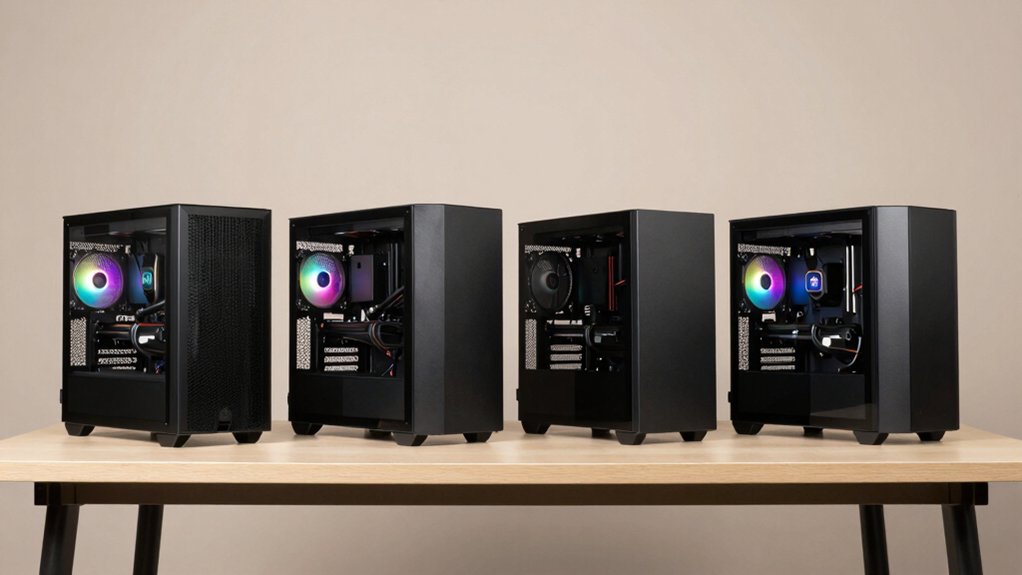
When you’re choosing a modern PC case, you’ll need to evaluate five key factors that directly affect your build’s performance and appearance: cooling and airflow design, motherboard compatibility, cable management layout, aesthetic appeal and material quality, and support for your GPU and cooler dimensions. Start by checking your motherboard size (ATX, Micro-ATX, or Mini-ITX) against the case’s compatibility specifications, then measure your graphics card length and CPU cooler height to ensure they’ll fit without obstruction. Finally, assess the case’s front panel airflow design, internal cable routing options, and exterior finish to balance thermal performance with the visual impact you want on your desk.
Cooling And Airflow
How much airflow does your build actually need? Evaluate your cooling requirements by checking your components’ thermal output. Select a case with multiple fan mounting points—front, rear, top, and bottom—allowing configurations up to eight 120mm fans for high-airflow builds. Prioritize cases with mesh front panels and dust filters to maximize intake airflow while maintaining easy maintenance. Consider pre-installed ARGB fans, which indicate robust cooling potential out of the box. Check radiator compatibility if you’re planning liquid cooling; some cases support 360mm radiators on the side or top. Choose dual-chamber or panoramic designs to separate intake and exhaust zones, reducing heat buildup effectively. Match your case’s cooling capacity to your specific hardware needs.
Motherboard Compatibility
Most modern cases specify which motherboard form factors they’ll accommodate—ATX, mATX, ITX, and sometimes E-ATX—so you’ll need to verify that your motherboard’s dimensions align with the case’s tray layout, standoff spacing, and I/O cutout positioning. Check the case manufacturer’s specifications for maximum GPU length and CPU cooler height, as these measurements directly affect motherboard clearance. Dual-chamber designs may create separate routing paths that impact component spacing around the socket area. Review the case’s front-to-back dimensions and PCIe slot spacing, since additional drive bays or radiator mounts can constrain larger motherboards. Some cases offer modular frames or swappable I/O panels for future upgrades. Always cross-reference your motherboard’s exact dimensions against the case’s compatibility list before purchasing.
Cable Management Design
Several cable management features’ll determine how cleanly you can organize and hide cables inside your case. Dual-chamber designs separate your motherboard area from power components, creating dedicated routing paths. Tool-less panels and modular storage sleds let you position cables behind the motherboard tray or in rear chambers without obstruction. Check for integrated Velcro straps and detachable PSU brackets to secure and manage cable tension efficiently. Color-matched canopies and PCIe risers conceal connections from the front view for visual cleanliness. Evaluate radiator and fan mounting options, as front or top placements require unobstructed power and pump cable paths. Wide internal bays provide flexible drive organization while maintaining tidy cable runs throughout the case.
Aesthetic And Materials
What materials you choose’ll shape both how your case looks and how it feels to the touch. Wood fronts—walnut or oak—deliver a natural, premium appearance that contrasts sharply with metal or glass panels, creating visual depth. Tempered glass side panels showcase your components while resisting scratches and enhancing the premium feel. Consider finish options: natural wood tones and beige editions reflect light warmly, while dark metal and black glass absorb it, altering how your interior appears. Panoramic or dual-chamber layouts combine wood and glass to emphasize clean exterior lines and highlight internal components. Select materials based on your desk environment and component visibility preferences. FSC-certified wood offers sustainability alongside aesthetics. Match your finish choice to your workspace lighting for optimal visual impact.
GPU And Cooler Support
When selecting a modern PC case, you’ll need to verify that your graphics card and cooling solution fit comfortably within the chassis. Check the maximum GPU length your case supports—options range from 310 mm to 420 mm depending on the model. Consider radiator placement: front 360 mm radiators and side-mounted options affect available GPU clearance. If you want to showcase your graphics card, choose cases offering vertical GPU mounting with included PCIe 4.0 riser cables. Dual-chamber designs separate hot components, improving thermal management for high-TDP GPUs. Review fan capacity and pre-installed ARGB options; cases supporting 8–10 fans enhance cooling potential. Match your specific GPU model and cooler dimensions against the case’s specifications before purchasing.
Storage Capacity Options
How much storage you’ll need depends on your specific use case—whether you’re building a gaming rig, workstation, or general-purpose PC—so you’ll want to check your case’s drive bay configuration before purchasing. Cases typically offer 2–4 internal bays supporting both 3.5” and 2.5” drives, allowing you to install multiple HDDs and SSDs simultaneously. Some models feature dual-chamber interiors with modular storage sleds or floating mounts that maintain clean cable routing while accommodating your drives. High-end cases provide customizable brackets and additional mounting spaces for maximum flexibility. Consider your access needs: front-panel or side-panel designs simplify installation, particularly in cases with tempered glass. Match your storage requirements to the case’s capacity before finalizing your purchase decision.
Final Thoughts
You’ll pick your ideal case by matching three priorities: aesthetics (wood fronts, glass panels), hardware compatibility (radiator and GPU lengths), and cable management. List your components’ dimensions first. Compare cases against these specs. Decide between premium wood finishes for desk appeal or ARGB-heavy models for customization. Verify airflow and cooling capacity suit your build’s power output. Select based on your ranked preferences, then verify return policies before purchasing.

Meet Ry, “TechGuru,” a 36-year-old technology enthusiast with a deep passion for tech innovations. With extensive experience, he specializes in gaming hardware and software, and has expertise in gadgets, custom PCs, and audio.
Besides writing about tech and reviewing new products, he enjoys traveling, hiking, and photography. Committed to keeping up with the latest industry trends, he aims to guide readers in making informed tech decisions.