
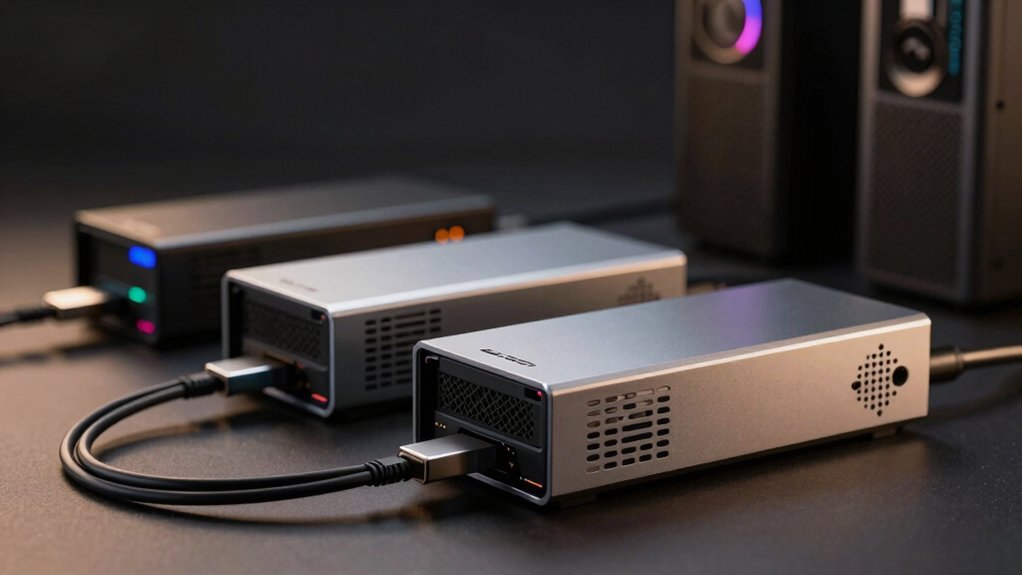

When you’re working with a mini PC, you’ll quickly hit performance limits if you’re running graphics-intensive tasks. External GPUs solve this problem by connecting to your system through Thunderbolt, USB4, or PCIe connections, instantly upgrading your gaming and rendering capabilities. You’ll find options ranging from compact docks supporting mid-range cards to powerful enclosures handling flagship GPUs like the RTX 4090. The key is matching the right eGPU to your specific needs—and we’ll show you how.
| BOSGAME eGPU Dock AMD Radeon RX 7600M XT |

| Best All-in-One | GPU/Processing Type: AMD Radeon RX 7600M XT (built-in) | Primary Interface: Oculink (PCIe x4) | Power Supply: 240W external adapter (included) | VIEW LATEST PRICE | Read Our Analysis |
| PCIe 4.0 eGPU Dock with OCuLink Cable |

| Best Budget Dock | GPU/Processing Type: External graphics card slot (no GPU included) | Primary Interface: OCuLink (PCIe 4.0 x4) | Power Supply: Standard ATX power supply (not included) | VIEW LATEST PRICE | Read Our Analysis |
| AOOSTAR AG01 External GPU Docking Station with 800W Power |

| Best Built-in Power | GPU/Processing Type: External graphics card slot (no GPU included) | Primary Interface: OCULink (PCIe 4.0 x4) | Power Supply: 800W built-in power supply | VIEW LATEST PRICE | Read Our Analysis |
| BOSGAME eGPU Graphic Card Dock Radeon RX 7600M XT |

| Most Portable GPU | GPU/Processing Type: AMD Radeon RX 7600M XT (built-in) | Primary Interface: Thunderbolt 3/4, USB 4, or OCuLink | Power Supply: Internal/external (not specified) | VIEW LATEST PRICE | Read Our Analysis |
| OwlTree PCIe 5.0 eGPU Dock for Graphics Cards |

| Next-Gen Performance | GPU/Processing Type: External graphics card slot (no GPU included) | Primary Interface: PCIe 5.0 x4 (128Gbps) | Power Supply: Standard ATX power supply 500W+ (not included) | VIEW LATEST PRICE | Read Our Analysis |
| Razer Core X V2 External Graphics Enclosure eGPU |

| Premium Enclosure | GPU/Processing Type: External graphics card slot (no GPU included) | Primary Interface: Thunderbolt 5/4 or USB 4 | Power Supply: User-selected ATX power supply (not included) | VIEW LATEST PRICE | Read Our Analysis |
| MINISFORUM DEG1 eGPU Docking Station for Graphics Cards |

| Best Oculink Option | GPU/Processing Type: External graphics card slot (no GPU included) | Primary Interface: Oculink (PCIe 4.0 x4) | Power Supply: ATX/SFX standard power supply (not included) | VIEW LATEST PRICE | Read Our Analysis |
| PCIE 3.0 eGPU Dock with Thunderbolt 4 Cable |

| Best Thunderbolt Value | GPU/Processing Type: External graphics card slot (no GPU included) | Primary Interface: Thunderbolt 3/4 or USB4 | Power Supply: Multiple input options (4+4-pin, Molex, PD 3.0, DC5521) | VIEW LATEST PRICE | Read Our Analysis |
| Beelink EX Docking Station with External GPU Support |

| Best Mini PC Bundle | GPU/Processing Type: External graphics card slot (no GPU included) | Primary Interface: PCIe x8 | Power Supply: 600W built-in power supply | VIEW LATEST PRICE | Read Our Analysis |
| Graphics Card Adapter Cable Mini PCIe to PCIe X16 |

| Best Laptop Adapter | GPU/Processing Type: External GPU adapter cable | Primary Interface: Mini PCIe to PCIe x16 | Power Supply: USB cable powered | VIEW LATEST PRICE | Read Our Analysis |
More Details on Our Top Picks
BOSGAME eGPU Dock AMD Radeon RX 7600M XT
The BOSGAME eGPU Dock delivers an all-in-one solution for mini PC users who need immediate graphics performance gains. This unit features an AMD Radeon RX 7600M XT with 8GB GDDR6 memory and RDNA 3.0 architecture, reaching clock speeds up to 2300 MHz. You’ll connect it via Oculink port for high bandwidth and low latency performance. The dock includes two HDMI 2.1 ports supporting 4K at 60Hz and two DisplayPort 2.0 outputs for 4K at 120Hz, enabling multi-monitor setups. Its compact dimensions—11 by 6 by 4 inches—weigh only 4.8 pounds, making it portable for travel. The package includes the eGPU, Oculink cable, 240W power adapter, and USB-C cable. You’ll receive three years of factory support with 24/7 online service.
- GPU/Processing Type:AMD Radeon RX 7600M XT (built-in)
- Primary Interface:Oculink (PCIe x4)
- Power Supply:240W external adapter (included)
- Video Outputs:2x HDMI 2.1 (4K@60Hz), 2x DP2.0 (4K@120Hz)
- Weight/Portability:4.8 pounds (portable)
- Warranty/Support:3 years factory support, 24/7 online service
- Additional Feature:Oculink PCIe x4 connectivity
- Additional Feature:Dual display support capability
- Additional Feature:Travel-ready compact form
PCIe 4.0 eGPU Dock with OCuLink Cable
PCIe 4.0 eGPU Dock with OCuLink Cable delivers high-speed connectivity for mini PC users seeking affordable external GPU solutions. This dock supports PCIe 4.0 x4 64Gbps speeds through its OCuLink SFF-8612 interface, accommodating graphics cards like the RTX 4090 or AMD RX 7900 XTX. The 50 cm ultra-thin cable features gold-plated contacts and advanced shielding to minimize interference. You’ll need a standard ATX power supply and your own GPU. Remember: power off your computer before unplugging the cable, as this interface doesn’t support hot swapping. Multi-status LEDs monitor device performance in real time.
- GPU/Processing Type:External graphics card slot (no GPU included)
- Primary Interface:OCuLink (PCIe 4.0 x4)
- Power Supply:Standard ATX power supply (not included)
- Video Outputs:None (GPU-dependent)
- Weight/Portability:Lightweight with detachable design
- Warranty/Support:1 year warranty
- Additional Feature:Gold-plated contact conductivity
- Additional Feature:Ultra-thin flexible cable
- Additional Feature:Full EMI shielding coverage
AOOSTAR AG01 External GPU Docking Station with 800W Power
Looking to power a high-end graphics card on your mini PC? The AOOSTAR AG01 delivers an 800W power supply with 600W dedicated to your graphics card. This docking station features an OCULink interface providing 64 Gbps bandwidth via PCIe 4.0 x4 lanes. Before purchasing, verify your device has an OCULink port. The aluminum frame accommodates graphics cards of unlimited length. Power off your system before connecting or disconnecting the cable—OCULink doesn’t support hot-plug. Press the fixed lock switch to release when unplugging. The station accepts two 8-pin power connectors and weighs 1.5 kg. Windows 11 22H2 or later and Mac operating systems are supported. AOOSTAR provides a 12-month warranty from your order date.
- GPU/Processing Type:External graphics card slot (no GPU included)
- Primary Interface:OCULink (PCIe 4.0 x4)
- Power Supply:800W built-in power supply
- Video Outputs:None (GPU-dependent)
- Weight/Portability:1.5 kg (3.3 pounds, portable)
- Warranty/Support:1 year warranty, 12-month after-sales service
- Additional Feature:Built-in 800W power
- Additional Feature:Hot-swap TGX support
- Additional Feature:Unlimited graphics card length
BOSGAME eGPU Graphic Card Dock Radeon RX 7600M XT
Want the most portable GPU that doesn’t sacrifice power? The BOSGAME eGPU delivers Radeon RX 7600M XT performance in a lightweight 1.92 lb aluminum enclosure. Connect via Thunderbolt 3/4, USB 4, or OCuklin to your laptop, desktop, or handheld console. You’ll get 8GB GDDR6 memory with 100W default power, upgradeable to 120W via turbo button. The dock includes two HDMI 2.1 ports, two DisplayPort 2.0 outputs supporting four displays simultaneously, plus RJ45 ethernet and two USB-A ports. Add up to 4TB SSD storage through M.2 expansion. Backed by three-year factory support and 24/7 customer service, this eGPU matches RTX 4050 laptop performance while remaining highly portable.
- GPU/Processing Type:AMD Radeon RX 7600M XT (built-in)
- Primary Interface:Thunderbolt 3/4, USB 4, or OCuLink
- Power Supply:Internal/external (not specified)
- Video Outputs:2x HDMI 2.1 (4K@60Hz), 2x DP2.0 (4K@120Hz)
- Weight/Portability:1.92 pounds (highly portable)
- Warranty/Support:1 year warranty, 3 years professional support, 24/7 service
- Additional Feature:Turbo button 120W mode
- Additional Feature:Up to 4TB SSD
- Additional Feature:Four simultaneous display support
OwlTree PCIe 5.0 eGPU Dock for Graphics Cards
The OwlTree PCIe 5.0 eGPU Dock brings next-gen performance to mini PCs and laptops. This dock supports 50 Series graphics cards and connects via an ultra-thin, flexible 0.8mm NVMe M.2 cable with full shielding. You’ll need a PCIe x16 slot and a 500W or higher ATX power supply to operate it. The 50cm cable reaches easily between your device and external GPU. Gold-plated contacts ensure reliable connectivity, while LED indicators display real-time status. The detachable design allows easy portability and storage. Compatible with NVIDIA RTX 50 Series and AMD RX 90xx Series cards, it delivers PCIe 5.0 x4 speeds at 128Gbps for significant performance boosts without taking up internal space.
- GPU/Processing Type:External graphics card slot (no GPU included)
- Primary Interface:PCIe 5.0 x4 (128Gbps)
- Power Supply:Standard ATX power supply 500W+ (not included)
- Video Outputs:None (GPU-dependent)
- Weight/Portability:Not specified (detachable enclosure design)
- Warranty/Support:1 year warranty
- Additional Feature:PCIe 5.0 x4 128Gbps
- Additional Feature:Next-gen 50-series ready
- Additional Feature:NVMe M.2 to PCIe
Razer Core X V2 External Graphics Enclosure eGPU
Razer’s premium enclosure transforms Thunderbolt 5, Thunderbolt 4, or USB 4 Windows laptops into desktop-class gaming and creative workstations by connecting compatible NVIDIA or AMD desktop GPUs. You’ll connect the included Thunderbolt 5 cable between your laptop and the enclosure without needing to restart. The vented steel chassis houses a 120 mm fan that automatically adjusts speed based on temperature, and you can customize the fan curve through Razer Synapse. You can install GPUs up to 4 slots wide and swap in your chosen ATX power supply using tool-free thumbscrews. For optimal performance, connect your external monitor directly to the GPU as a secondary display. Update your graphics drivers before use.
- GPU/Processing Type:External graphics card slot (no GPU included)
- Primary Interface:Thunderbolt 5/4 or USB 4
- Power Supply:User-selected ATX power supply (not included)
- Video Outputs:None (GPU-dependent)
- Weight/Portability:5.06 kg (11.15 pounds, stationary)
- Warranty/Support:2 year manufacturer warranty
- Additional Feature:Thunderbolt 5 80Gbps bandwidth
- Additional Feature:Tool-free GPU installation
- Additional Feature:Auto-adjusting temperature fan
MINISFORUM DEG1 eGPU Docking Station for Graphics Cards
If you’re running a MINISFORUM mini PC and want to connect high-end graphics cards like the RTX 4090 or AMD RX 7900 XTX, you’ll find that Oculink connectivity offers the most direct path forward. The DEG1 docking station uses Oculink 4i with PCIe 4.0 x4 bandwidth to link your mini PC to a full-size GPU. You’ll need to provide your own graphics card and power supply—the dock supports both ATX and SFX standard PSUs. Note that Oculink doesn’t support hot plugging, so you must power down before connecting or disconnecting. The dock measures 10.64 by 6.87 inches and weighs 2.64 pounds, making it relatively compact for your setup.
- GPU/Processing Type:External graphics card slot (no GPU included)
- Primary Interface:Oculink (PCIe 4.0 x4)
- Power Supply:ATX/SFX standard power supply (not included)
- Video Outputs:None (GPU-dependent)
- Weight/Portability:2.64 pounds (portable)
- Warranty/Support:30-day return guarantee
- Additional Feature:Oculink PCIe 4.0 x4
- Additional Feature:ATX/SFX power support
- Additional Feature:Follow-start mini PC compatible
PCIE 3.0 eGPU Dock with Thunderbolt 4 Cable
Looking for an eGPU dock that won’t drain your wallet? The OwlTree PCIE 3.0 eGPU Dock offers solid performance for external GPU setups. You’ll connect it via Thunderbolt 3, 4, or USB4, achieving 22 Gbps transfer speeds. The dock supports NVIDIA and AMD graphics cards with multiple power options: CPU connectors, Molex, PD 3.0 (60W), or DC5521 (120W). You get 4K display output capabilities at 3840 x 2160 resolution. The package includes the dock, a 23.6-inch Thunderbolt 4 cable, and a power jumper cable. It’s compatible with Windows laptops and gaming consoles like the Lenovo Legion Go. You’ll benefit from straightforward installation and official driver support from NVIDIA or AMD.
- GPU/Processing Type:External graphics card slot (no GPU included)
- Primary Interface:Thunderbolt 3/4 or USB4
- Power Supply:Multiple input options (4+4-pin, Molex, PD 3.0, DC5521)
- Video Outputs:Up to 3840 x 2160 (4K) resolution
- Weight/Portability:Not specified (compact dock)
- Warranty/Support:1 year warranty
- Additional Feature:Multiple power input options
- Additional Feature:4K resolution display support
- Additional Feature:Included Thunderbolt 4 cable
Beelink EX Docking Station with External GPU Support
The Beelink EX Docking Station delivers a complete mini PC bundle that combines your Beelink GTi Ultra Series machine with external GPU capability in one integrated package. The 600W built-in power supply supports NVIDIA RTX 30 Series and AMD RX 6000 Series graphics cards without requiring an external PSU. Connect your GPU through the PCIe x8 interface for lossless performance. Power on the dock first, then your mini PC to ensure proper startup sequence. You’ll access additional expansion options including M.2 slots and USB ports for SSDs and Wi-Fi modules. The dual-switch design lets you operate components independently, conserving energy and extending device lifespan.
- GPU/Processing Type:External graphics card slot (no GPU included)
- Primary Interface:PCIe x8
- Power Supply:600W built-in power supply
- Video Outputs:None (GPU-dependent)
- Weight/Portability:Not specified (docking station format)
- Warranty/Support:3 year warranty, lifetime technical support, 24/7 service
- Additional Feature:600W built-in power supply
- Additional Feature:Dual-switch energy conservation design
- Additional Feature:M.2 SSD/Wi-Fi expandability
Graphics Card Adapter Cable Mini PCIe to PCIe X16
For laptop users wanting to connect external GPUs without opening their machines, this adapter cable connects Mini PCIe slots to full-size PCIe X16 graphics cards. The MOLUCKFU adapter measures 5.04 by 1 inch and weighs just 0.25 pounds, making it portable for travel. You’ll get plug-and-play installation—simply insert the cable into your laptop’s Mini PCIe slot and attach your external GPU. The adapter supports PCIe 3.0 connections and works with Windows and macOS systems. This solution enables gaming performance upgrades, cryptocurrency mining setups, and multimedia work without requiring internal hardware modifications or technical expertise.
- GPU/Processing Type:External GPU adapter cable
- Primary Interface:Mini PCIe to PCIe x16
- Power Supply:USB cable powered
- Video Outputs:External display support (GPU-dependent)
- Weight/Portability:0.25 pounds (highly portable cable)
- Warranty/Support:Warranty information available (specific terms not detailed)
- Additional Feature:Plug-and-play laptop upgrade
- Additional Feature:Mini PCIe to x16
- Additional Feature:Lightweight portable form factor
Factors to Consider When Choosing an External GPU for Mini PC
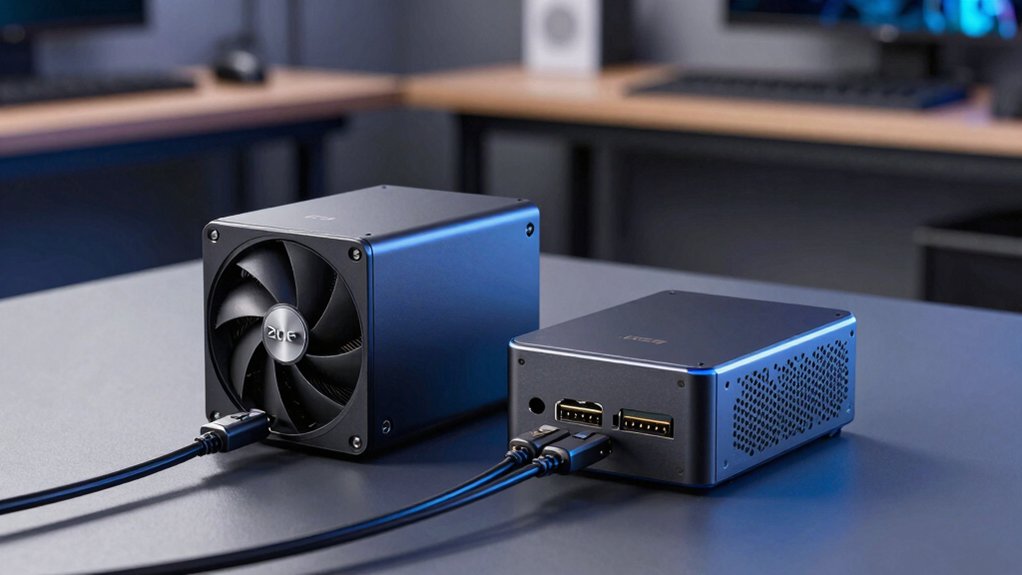
You’ll need to verify that your mini PC’s interface—whether it’s Thunderbolt 3, USB-C, or Mini PCIe—matches your external GPU enclosure’s connection standard, since incompatible ports won’t function. Check your power supply’s wattage against the GPU’s requirements, as most external setups demand 65–100W minimum, and confirm whether your enclosure needs a separate power adapter or draws from your mini PC’s existing supply. Finally, review the GPU’s bandwidth performance metrics, physical dimensions, and compatibility with your specific graphics card model to ensure it’ll fit your enclosure and deliver the performance boost you’re seeking.
Interface Compatibility Standards
Matching your mini PC’s connection port to your external GPU enclosure is the foundation of a working eGPU setup, and it directly affects both performance and usability. You’ll encounter four main interface types: OCULink, PCIe x4, Thunderbolt 3/4, and USB4. Each delivers different bandwidth levels—PCIe 5.0 x4 provides the fastest speeds, while Thunderbolt 3 offers moderate performance with excellent compatibility. Check your mini PC’s available ports first, then verify the enclosure matches that standard. Some enclosures use NVMe-to-PCIe adapters, requiring specific slot compatibility. Consider hot-plug capabilities too: Thunderbolt and USB4 support hot-plugging, but many OCULink units don’t, affecting how you’ll connect and disconnect your GPU without restarting.
Power Supply Requirements
Since your external GPU enclosure needs adequate power to run both the graphics card and the dock itself, you’ll need to match the power supply to your GPU’s maximum thermal design power (TDP) plus the enclosure’s overhead. Some enclosures include built-in power supplies ranging from 600W to 800W, covering both GPU and chassis power. Others require you to supply your own ATX or SFX power supply. Check your GPU’s TDP first—high-end cards like the RTX 4090 demand larger PSUs and robust cooling. Verify whether your enclosure includes power delivery or if you must source a separate unit. Ensure dual-screw mounting secures your PSU properly. Match your power supply wattage to total system demands, then confirm compatibility with your specific dock model before purchasing.
Graphics Card Support
Your mini PC’s external GPU enclosure must match your graphics card’s specifications across several critical dimensions. First, verify the GPU’s physical length against your enclosure’s stated limits—some docks accommodate cards up to 4 slots wide, while others have no length restrictions. Second, confirm the enclosure’s power delivery capacity matches your card’s requirements. If you’re using a high-end GPU drawing 300W or more, you’ll need an enclosure with a built-in PSU rated accordingly, or you’ll supply your own ATX power supply. Third, check slot width compatibility to ensure your card fits properly without obstruction. Finally, review PCIe version support—your enclosure must support the bandwidth your GPU needs for optimal performance on your specific mini PC model.
Bandwidth Performance Metrics
When you’re evaluating an external GPU enclosure, bandwidth—the speed at which data travels between your mini PC and the graphics card—directly impacts performance, especially at high resolutions and frame rates. You’ll encounter three primary interface options: PCIe 4.0 x4 delivers up to 64 Gbps, Thunderbolt 5 offers 80 Gbps, and PCIe 5.0 x4 provides 128 Gbps where supported. However, real-world speeds differ from advertised specs. Thunderbolt 4 and USB4 connections introduce protocol overhead that reduces usable bandwidth compared to direct PCIe connections. Additionally, your enclosure’s internal routing and the card’s power delivery can further limit sustained transfer rates. Check manufacturer specifications for actual performance benchmarks rather than relying solely on nominal interface speeds.
Physical Size Constraints
Three primary dimensions matter when you’re selecting an external GPU enclosure for a mini PC: length, width, and weight. Most enclosures range from 11×6×4 inches to 14 inches in length, so measure your desk space before purchasing. Weight typically spans 1.5 lb to over 5 kg, affecting stability and portability. Heavier units require sturdy desk placement away from vibration sources. Check whether the enclosure features detachable ends or slim PCB designs, which reduce overall footprint. Verify cable length—most OCULink/PCIe connections use roughly 50 cm cables to minimize bulk. Finally, confirm power supply type: external PSUs occupy additional space, while built-in 600–800W supplies integrate compactly but generate more heat. Prioritize dimensions that fit your specific workspace constraints.
Thermal Management Solutions
Beyond fitting your enclosure into your workspace, you’ll need to manage the heat that high-performance GPUs generate inside those compact cases. Choose enclosures with active cooling systems, such as built-in 120 mm fans, to dissipate heat from GPUs drawing up to 600W. Metal chassis made from aluminum or steel expand surface area for efficient heat spread and reduce thermal throttling. Verify that your enclosure has optimized airflow design with proper ventilation pathways. Select higher bandwidth interfaces like OCuLink or PCIe 4.0 x4 to enable sustained data transfers without bottlenecks that elevate temperatures. Check for monitoring indicators and user-accessible thermal controls that let you adjust fan curves proactively. These steps maintain stable GPU performance during demanding workloads.
Warranty And Support Options
Most external GPU enclosures come with warranty periods ranging from 1 to 3 years, but you’ll want to verify exactly what’s covered under each manufacturer’s terms. Check whether the warranty includes both the enclosure and integrated components like the power supply and GPU, since some vendors only cover specific parts. Confirm that 24/7 online customer support is available for troubleshooting and RMA processing. Review the return policy window, typically 30 days, and note which conditions qualify—dead-on-arrival, damaged, or unopened items. Examine whether after-sales service includes lifetime technical support or limited-time assistance. Finally, review warranty exclusions for user-applied upgrades or hot-plug usage to avoid unexpected gaps in coverage when you need repairs.
Budget And Value Proposition
How do you determine whether an external GPU setup truly delivers value for your mini PC investment? Calculate the total cost by adding the dock price, GPU upgrade expense, and any required power supply wattage. Higher wattage units like 600W open up more capable GPUs but increase upfront costs. Verify your mini PC’s interface compatibility—OCuLink, Thunderbolt, or USB4—to avoid unnecessary adapters that waste money. Check the GPU dock’s PCIe generation support, such as PCIe 4.0 or 5.0 x4, to maximize resale value and future upgrade potential. Finally, compare warranty lengths and after-sales support across brands, typically ranging from one to three years. Weigh these factors against your performance needs and budget constraints to justify the investment.
Final Thoughts
You’ll boost your mini PC’s performance by selecting an eGPU dock that matches your GPU’s power requirements and your system’s connection type—whether that’s Thunderbolt 4, USB4, or PCIe. Check your GPU’s length and power draw against the dock’s specifications. Compare warranty coverage and cooling capacity. Once you’ve identified compatible options, purchase the model that fits your budget and connectivity needs, then install it following the manufacturer’s instructions for immediate performance gains.

Meet Ry, “TechGuru,” a 36-year-old technology enthusiast with a deep passion for tech innovations. With extensive experience, he specializes in gaming hardware and software, and has expertise in gadgets, custom PCs, and audio.
Besides writing about tech and reviewing new products, he enjoys traveling, hiking, and photography. Committed to keeping up with the latest industry trends, he aims to guide readers in making informed tech decisions.