
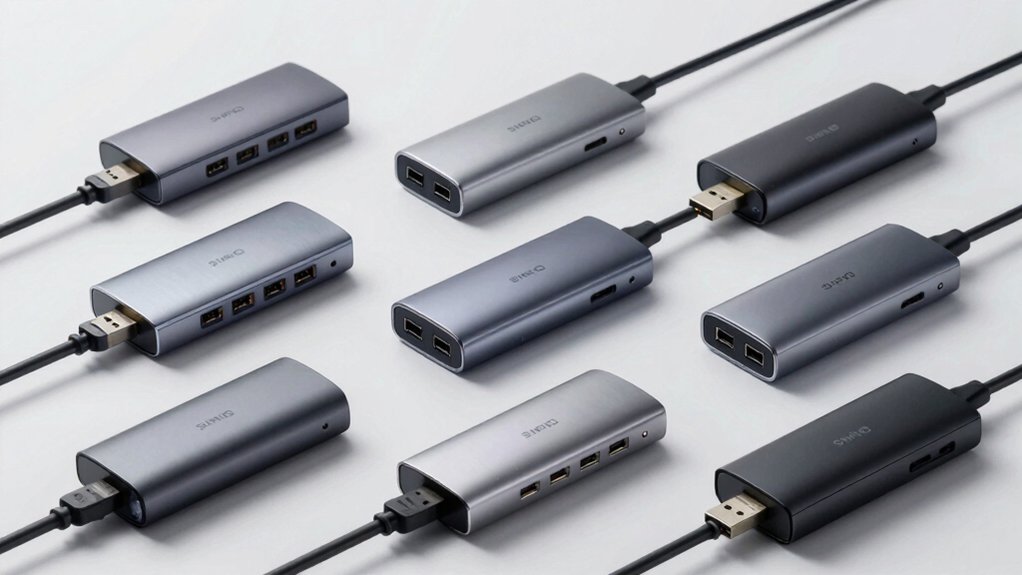

When you need to charge multiple devices simultaneously without sacrificing data speeds, you’ll face a choice between basic hubs and powered models that actually deliver. The right powered USB hub combines adequate wattage, per-port switches, and fast data transfer—but finding one that meets all these requirements isn’t straightforward. You’re about to discover nine models that genuinely perform, each addressing different needs and setups. Here’s what separates the reliable options from the rest.
| Sabrent 4 Port USB 3.0 Hub with Power Switches |

| Compact & Affordable | Total Ports: 4 USB 3.0 ports | Data Transfer Rate: 5 Gbps (USB 3.0) | Power Adapter Included: 5V/2.5A | VIEW LATEST PRICE | Read Our Analysis |
| Atolla 4-Port USB 3.0 Hub with Smart Charging |

| Best Value | Total Ports: 4 USB 3.0 data ports + 1 charging port | Data Transfer Rate: 5 Gbps (USB 3.0) | Power Adapter Included: 5V/3A | VIEW LATEST PRICE | Read Our Analysis |
| TP-Link USB 3.0 Hub 7 Ports Charging (UH720) |

| Most Ports | Total Ports: 7 USB 3.0 data ports + 2 charging ports | Data Transfer Rate: 5 Gbps (USB 3.0) | Power Adapter Included: 12V/4A | VIEW LATEST PRICE | Read Our Analysis |
| Anker 7-Port USB 3.0 Data Hub with Power Adapter |

| Best Overall | Total Ports: 7 USB 3.0 ports (1 with charging) | Data Transfer Rate: 5 Gbps (USB 3.0) | Power Adapter Included: 12V/3A (36W) | VIEW LATEST PRICE | Read Our Analysis |
| Wenter 11-Port USB 3.0 Powered Hub with Charging |

| Maximum Expandability | Total Ports: 10 USB 3.0 data ports + 1 charging port | Data Transfer Rate: 5 Gbps (USB 3.0) | Power Adapter Included: 12V/3A | VIEW LATEST PRICE | Read Our Analysis |
| intpw 9-Port USB 3.2 Hub with USB-C and PD Charging |

| Modern USB-C Hub | Total Ports: 7 USB 3.0 data ports + 2 PD charging ports | Data Transfer Rate: 5 Gbps (USB 3.0) and 10 Gbps (USB 3.2) | Power Adapter Included: 65W (20V/3.25A) | VIEW LATEST PRICE | Read Our Analysis |
| Anker 8-in-1 USB-C Hub with 100W Power Delivery |

| Professional Grade | Total Ports: 4 USB-C ports + 3 USB-A ports + 1 PD-IN port | Data Transfer Rate: 5 Gbps (USB 3.0) | Power Adapter Included: 45W | VIEW LATEST PRICE | Read Our Analysis |
| JESWO 7-Port USB 3.0 Powered Hub Aluminum |

| Premium Build Quality | Total Ports: 7 USB 3.0 ports | Data Transfer Rate: 5 Gbps (USB 3.0) | Power Adapter Included: 20W | VIEW LATEST PRICE | Read Our Analysis |
| Acer USB 3.0 Hub 4 Ports with Type-C Power |

| Portable Essential | Total Ports: 4 USB 3.0 ports | Data Transfer Rate: 5 Gbps (USB 3.0) | Power Adapter Included: 5V USB-C power port | VIEW LATEST PRICE | Read Our Analysis |
More Details on Our Top Picks
Sabrent 4 Port USB 3.0 Hub with Power Switches
The Sabrent 4 Port USB 3.0 Hub’s compact design and affordable price make it ideal for users who need basic port expansion without breaking the budget. This hub includes a 5V/2.5A power adapter and four USB 3.0 ports with individual LED-lit power switches for each port. You can control each connection independently, turning ports on or off as needed. The hub supports data transfer rates up to 5 Gbps and works with Windows 10 and Mac OS X or higher. Setup requires only a plug-and-play connection—no driver installation necessary. The hub’s small footprint measures 3.5 by 1.5 by 0.5 inches, making it portable for desktops and laptops alike.
- Total Ports:4 USB 3.0 ports
- Data Transfer Rate:5 Gbps (USB 3.0)
- Power Adapter Included:5V/2.5A
- Warranty Length:1 year limited
- Plug & Play Setup:Yes, no drivers required
- Enclosure Material:Plastic
- Additional Feature:Individual LED lit power switches
- Additional Feature:Compact ultra-slim design
- Additional Feature:Hot swappable connectivity
Atolla 4-Port USB 3.0 Hub with Smart Charging
Need reliable data transfer and charging from one compact device? The Atolla 4-Port USB 3.0 Hub delivers both. You’ll get four data ports supporting 5 Gbps transfer speeds and one dedicated charging port outputting 2.4A for tablets and phones. Individual on-off switches let you control each port independently, reducing unnecessary power draw. The included 5V/3A adapter powers the hub, while the 65cm cord provides flexible positioning. Setup requires no drivers—simply plug it in. The sturdy plastic case measures 4.25 by 1.69 inches, fitting easily into bags or desk spaces. Windows, Mac, and Linux systems recognize it immediately. Atolla backs this hub with an 18-month warranty.
- Total Ports:4 USB 3.0 data ports + 1 charging port
- Data Transfer Rate:5 Gbps (USB 3.0)
- Power Adapter Included:5V/3A
- Warranty Length:18 months
- Plug & Play Setup:Yes, no drivers required
- Enclosure Material:Plastic (glossy UV finish)
- Additional Feature:Dedicated smart charging port
- Additional Feature:Sleek glossy UV finish
- Additional Feature:25.59 inch cord length
TP-Link USB 3.0 Hub 7 Ports Charging (UH720)
TP-Link’s UH720 offers the most ports you’ll find in a single hub. You get seven USB 3.0 data ports for transferring files at speeds up to 5 Gbps, plus two dedicated charging ports that deliver 2.4A each. Connect the included 12V/4A power adapter before plugging in your devices. Attach the hub directly to your computer’s USB 3.0 port for peak performance. Use the data ports for file transfers and external drives. Reserve the charging ports exclusively for phones and tablets since they don’t support data sync. The hub works with Windows, Mac, Chrome OS, and Linux without requiring driver installation.
- Total Ports:7 USB 3.0 data ports + 2 charging ports
- Data Transfer Rate:5 Gbps (USB 3.0)
- Power Adapter Included:12V/4A
- Warranty Length:2 years
- Plug & Play Setup:Yes, no driver installation
- Enclosure Material:Plastic
- Additional Feature:Two dedicated smart charging ports
- Additional Feature:Master power on/off switch
- Additional Feature:9 total ports configuration
Anker 7-Port USB 3.0 Data Hub with Power Adapter
Anker’s 7-port hub stands out for users who need simultaneous charging and data transfer without driver installation hassles. The hub’s 36-watt power adapter supports up to 5 Gbps data speeds across all ports while delivering BC 1.2 charging at 2.1A on one port and 0.5A on the remaining six ports. Its compact design—4.3 × 1.7 × 0.9 inches—fits easily in laptop bags. The hub requires no driver installation on Windows XP through 10 or Mac OS X 10.2 and beyond. You’ll receive the hub, power adapter, USB 3.0 cable, and an 18-month warranty with your purchase.
- Total Ports:7 USB 3.0 ports (1 with charging)
- Data Transfer Rate:5 Gbps (USB 3.0)
- Power Adapter Included:12V/3A (36W)
- Warranty Length:18 months
- Plug & Play Setup:Yes, no driver installation needed
- Enclosure Material:High-grade chipset design (not specified)
- Additional Feature:BC 1.2 charging on port
- Additional Feature:36-watt power adapter included
- Additional Feature:Compact palm-sized grip
Wenter 11-Port USB 3.0 Powered Hub with Charging
When you’re juggling multiple devices—phones, tablets, external drives, cameras—you need maximum expandability without sacrificing power delivery. The Wenter 11-Port hub gives you ten USB 3.0 data ports plus one dedicated smart charging port, delivering up to 2.4A per device. The included 12V/3A power adapter supports hot-swapping, so you can connect and disconnect devices without restarting. Individual on/off switches and LED indicators on each port let you control power consumption precisely. Setup requires no drivers—just plug in the USB cable and power adapter. Data transfers reach 5Gbps speeds, and the hub supports Windows, Mac, and Linux systems across multiple versions.
- Total Ports:10 USB 3.0 data ports + 1 charging port
- Data Transfer Rate:5 Gbps (USB 3.0)
- Power Adapter Included:12V/3A
- Warranty Length:24 months
- Plug & Play Setup:Yes, no drivers required
- Enclosure Material:Plastic (Black/Silver)
- Additional Feature:10 data ports plus charging
- Additional Feature:Per-port LED power indicators
- Additional Feature:Individual on/off switches
intpw 9-Port USB 3.2 Hub with USB-C and PD Charging
The intpw modern USB-C hub delivers nine ports for users managing multiple devices simultaneously. You’ll connect the included 65W power adapter to enable stable data transfer and adequate power distribution. The hub features one USB-C 3.2 port, two USB-A 3.2 ports, four USB-A 3.0 ports, and two dedicated 45W PD charging ports. Insert your USB-C cable into compatible laptops like MacBooks or Dell XPS devices. Use the high-speed ports for transferring photos and videos at 10Gbps or 5Gbps. Plug iPhones and iPads into the PD ports for fast charging without data transfer. The aluminum design with bottom feet keeps your hub stable on any desktop surface.
- Total Ports:7 USB 3.0 data ports + 2 PD charging ports
- Data Transfer Rate:5 Gbps (USB 3.0) and 10 Gbps (USB 3.2)
- Power Adapter Included:65W (20V/3.25A)
- Warranty Length:18 months
- Plug & Play Setup:Yes, plug and play
- Enclosure Material:Aluminum
- Additional Feature:Two 45W PD charging ports
- Additional Feature:USB 3.2 10Gbps capability
- Additional Feature:32-degree angled ergonomic design
Anker 8-in-1 USB-C Hub with 100W Power Delivery
If you’re powering multiple devices simultaneously while working remotely or managing a professional workspace, this 8-in-1 hub delivers professional-grade connectivity through eight ports—four USB-C and three USB-A, plus a dedicated 100W power input—all supporting 5Gbps data transfer speeds. Connect your laptop to the 100W PD-IN port using the included 45W adapter, then attach phones, tablets, and peripherals to the remaining ports. You’ll transfer files at full speed while charging multiple devices at once. The hub supports Windows 7, Windows 10, and macOS. Note that it won’t output video or charge your laptop independently without the wall charger connected to the PD-IN port.
- Total Ports:4 USB-C ports + 3 USB-A ports + 1 PD-IN port
- Data Transfer Rate:5 Gbps (USB 3.0)
- Power Adapter Included:45W
- Warranty Length:18 months
- Plug & Play Setup:Yes, no software/drivers required
- Enclosure Material:Not specified
- Additional Feature:100W USB-C PD-IN port
- Additional Feature:Four USB-C data ports
- Additional Feature:15W dedicated phone charging
JESWO 7-Port USB 3.0 Powered Hub Aluminum
JESWO’s aluminum hub delivers premium build quality for users who need to connect multiple devices simultaneously. The 7-port USB 3.0 hub transfers data at 5 Gbps, making it 10 times faster than USB 2.0 for photos and videos. Set it up by connecting the included 3.3-foot cable to your laptop, then plug in your devices—no software required. The 20W power adapter supports multiple peripherals like keyboards, printers, and flash drives. Its aluminum enclosure with non-slip design keeps the hub stable on your desk while organizing cables efficiently. The hub works with Windows, macOS, and Linux systems, backed by a 3-year warranty.
- Total Ports:7 USB 3.0 ports
- Data Transfer Rate:5 Gbps (USB 3.0)
- Power Adapter Included:20W
- Warranty Length:3 years
- Plug & Play Setup:Yes, no software/drivers required
- Enclosure Material:Aluminum
- Additional Feature:Non-slip aluminum enclosure design
- Additional Feature:20W power adapter included
- Additional Feature:Ultra-fast 5Gbps data transfer
Acer USB 3.0 Hub 4 Ports with Type-C Power
Want a portable essential hub that powers four devices simultaneously? The Acer USB 3.0 Hub delivers exactly that with its compact design and dedicated Type-C power port. Connect your flash drives, mouse, keyboard, and printer to the four USB-A ports while supplying stable 5V power through the separate Type-C connection. This setup ensures consistent performance without draining your laptop’s battery. The built-in GL3510 chip manages data transfer at 5Gbps, making file transfers quick. Plug it in—no drivers required. It works with Windows, macOS, Chrome OS, and Linux, making it compatible across most devices you’ll encounter.
- Total Ports:4 USB 3.0 ports
- Data Transfer Rate:5 Gbps (USB 3.0)
- Power Adapter Included:5V USB-C power port
- Warranty Length:1 year
- Plug & Play Setup:Yes, no driver needed
- Enclosure Material:ABS
- Additional Feature:USB Type-C power port
- Additional Feature:Built-in GL3510 chip
- Additional Feature:Slim lightweight portable design
Factors to Consider When Choosing a Powered USB Hub
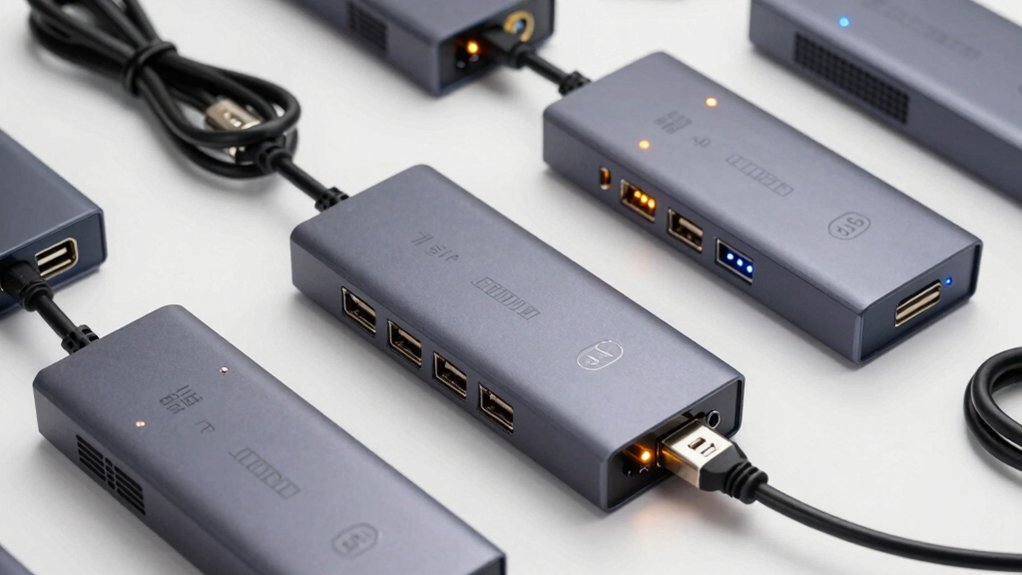
When you’re selecting a powered USB hub, you’ll need to evaluate five key factors: the power adapter’s wattage and voltage output, the number and types of ports available, the data transfer speeds it supports, whether it’s compatible with your devices, and the materials used in its construction. Start by checking your devices’ power requirements and matching them to the adapter specifications, then confirm the hub has enough ports of the right types (USB 3.0, USB-C, etc.) for your setup. Finally, verify the hub’s durability through its build quality and confirm it’ll work reliably with your existing equipment before making your purchase.
Power Adapter Specifications
Because a powered USB hub’s adapter determines how much current reaches your devices, you’ll need to understand voltage and amperage ratings before making your choice. Most adapters provide 5V output, which is standard for USB devices. The amperage rating—typically 2.5A, 3A, or 4A—indicates total available power across all ports. Check your hub’s combined amperage specification to ensure it meets your needs. If you’re connecting high-draw devices like external hard drives or multiple peripherals simultaneously, choose an adapter with higher amperage. Some hubs feature dedicated charging or Power Delivery ports that supply extra current for fast charging. Match the adapter’s total amperage to your devices’ combined power requirements to prevent instability, reboot errors, or data transfer failures.
Port Count And Types
Once you’ve confirmed your power adapter supplies sufficient amperage, the next step is evaluating the hub’s port configuration to match your actual device connections. Count the total ports you need—data ports for file transfers and charging ports for power delivery. Some hubs separate these functions, with charging ports delivering up to 2.4A per port while data ports provide 5 Gbps speeds. Check whether your hub supports simultaneous data and charging on all ports, as some models restrict this. Look for independent per-port power switches and LED indicators, which let you control which devices draw power and monitor active connections. This prevents power drain on unused devices and helps you budget your hub’s total available power across multiple simultaneous connections.
Data Transfer Speed Performance
How fast you can move files between your devices depends directly on your hub’s data port specifications and how you connect it to your computer. USB 3.0 and 3.2 ports deliver up to 5 Gbps, while older USB 2.0 ports max out at 480 Mbps. Always plug your hub into a PC’s USB 3.0 or 3.2 port to achieve full speed—connecting to USB 2.0 ports bottlenecks performance regardless of your hub’s capability. Note that dedicated charging ports don’t transfer data, so reserve those for power-only needs. For sustained high-speed transfers across multiple devices, choose hubs with seven or nine data ports to prevent throughput congestion. Verify your hub’s power supply matches all connected devices’ current demands to maintain consistent speeds.
Device Compatibility Requirements
Before you buy a powered USB hub, you’ll need to verify that it works with your specific devices and computer setup. Check your operating system—Windows, macOS, or Linux—and confirm the hub supports your version. Review the hub’s port specifications to ensure it includes the connection types you need, such as USB-A, USB-C, or specialized charging ports. Verify that the hub’s power adapter delivers sufficient amperage for all devices you’ll connect simultaneously. Look up compatibility notes regarding potential interference with wireless devices or other peripherals near your setup. Confirm whether the hub requires driver installation for your system. Additionally, check if any ports are dedicated for charging only versus data transfer. Cross-reference your devices’ power requirements against the hub’s total output capacity to prevent overload issues.
Build Quality And Durability
Now that you’ve confirmed your hub will work with your devices, you’ll want to examine how well it’s actually built to withstand regular use. Look for aluminum or robust plastic enclosures with non-slip feet that prevent sliding and reduce wear. Check that the hub includes a dedicated power adapter rated between 2.5A and 65W to handle multiple devices without rebooting. Individual per-port power switches let you control power to specific devices, extending the hub’s lifespan. Clear LED indicators show which ports are active, helping you monitor operation. Verify heat management features prevent overheating during extended use. Finally, confirm the manufacturer offers an 18–24 month warranty, which signals confidence in long-term durability and provides protection if problems arise.
Final Thoughts
You should select a powered USB hub that matches your device count and power needs. Compare the models’ port counts, power specifications, and switching capabilities against your requirements. Verify the hub supports USB 3.0 or higher for data speed. Check that it includes an adequate power adapter and carries a solid warranty. Match the hub’s features to your budget, then purchase the option that delivers the most reliable performance for your specific setup.

Meet Ry, “TechGuru,” a 36-year-old technology enthusiast with a deep passion for tech innovations. With extensive experience, he specializes in gaming hardware and software, and has expertise in gadgets, custom PCs, and audio.
Besides writing about tech and reviewing new products, he enjoys traveling, hiking, and photography. Committed to keeping up with the latest industry trends, he aims to guide readers in making informed tech decisions.