
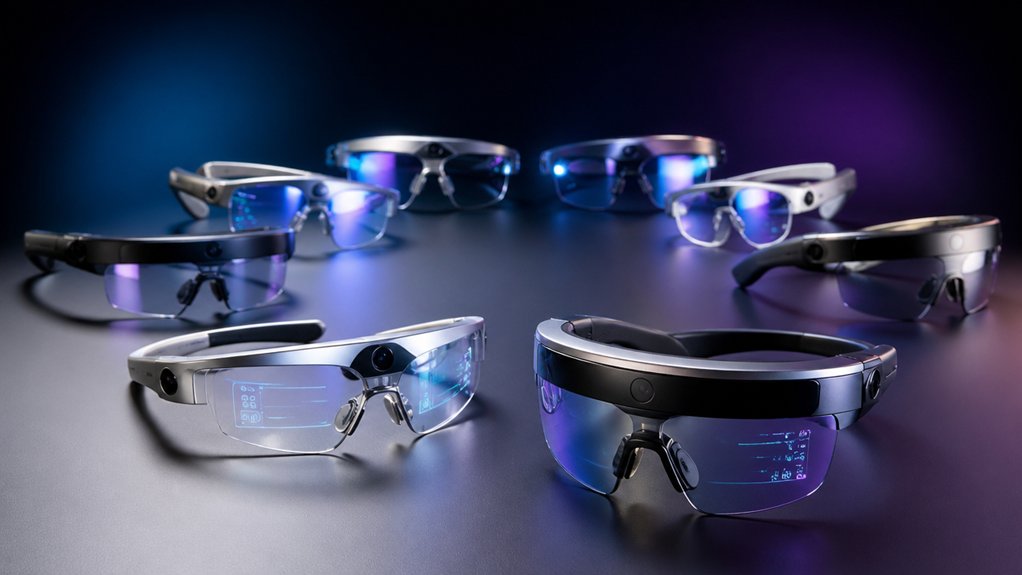

If you’re considering AR glasses, you’ll find seven strong options worth examining. Each device offers distinct features—from display size and brightness to motion tracking and visual clarity. You’ll need to evaluate your priorities: do you want portability, maximum screen real estate, or advanced eye-tracking? Understanding what each model delivers helps you match the right glasses to your needs. The differences between them matter considerably, and here’s where to start your comparison.
| XREAL 1S AR/XR Glasses with 500″ Virtual Screen |

| Best Clarity & Comfort | Virtual Screen Size: Up to 500 inches | Display Refresh Rate: 120Hz (3DoF mode); 90Hz (global) | Spatial Tracking: 3DoF native; 6DoF with XREAL Eye | VIEW LATEST PRICE | Read Our Analysis |
| RayNeo Air 4 Pro AR/XR Smart Glasses |

| Best HDR Display | Virtual Screen Size: 201 inches | Display Refresh Rate: 120Hz | Spatial Tracking: Mixed reality capable; no 6DoF mentioned | VIEW LATEST PRICE | Read Our Analysis |
| XREAL One Pro AR Glasses with X1 Chip |
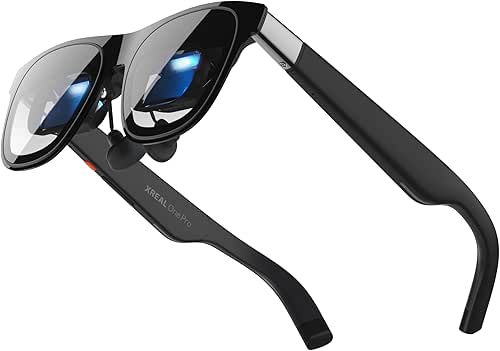
| Best Spatial Computing | Virtual Screen Size: 171 inches | Display Refresh Rate: 120Hz | Spatial Tracking: 3DoF native; 6DoF with XREAL Eye | VIEW LATEST PRICE | Read Our Analysis |
| XREAL One Pro AR Glasses with X1 Chip |

| Best All-Around Performance | Virtual Screen Size: 171 inches | Display Refresh Rate: 120Hz | Spatial Tracking: 3DoF native; 6DoF with XREAL Eye | VIEW LATEST PRICE | Read Our Analysis |
| VITURE Pro XR/AR Glasses 135″ 120Hz Display |

| Brightest Display | Virtual Screen Size: 135 inches | Display Refresh Rate: 120Hz | Spatial Tracking: 3DoF spatial anchoring | VIEW LATEST PRICE | Read Our Analysis |
| AiRA XR/AR Glasses with 160″ Display |
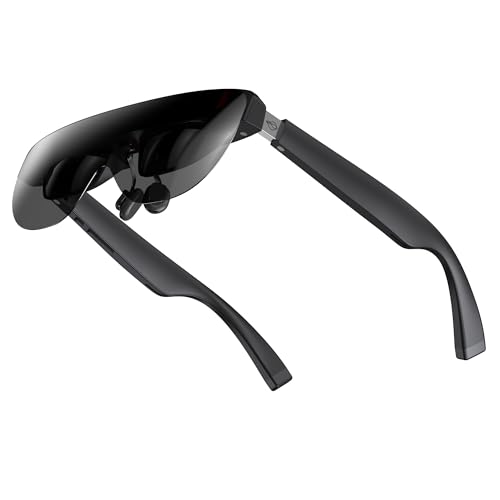
| Best Value Pick | Virtual Screen Size: 160 inches | Display Refresh Rate: 120Hz | Spatial Tracking: 3DoF spatial capability | VIEW LATEST PRICE | Read Our Analysis |
| TOZO VIZO V1 AR Glasses with Ultra-Bright Display |

| Best Budget Option | Virtual Screen Size: 118 inches | Display Refresh Rate: Not specified | Spatial Tracking: 3D mode switching capability | VIEW LATEST PRICE | Read Our Analysis |
More Details on Our Top Picks
XREAL 1S AR/XR Glasses with 500″ Virtual Screen
The XREAL 1S AR/XR Glasses deliver sharp clarity and sustained comfort for anyone who watches movies, plays games, or works for extended periods. Connect the glasses to any USB-C device like an iPhone or Steam Deck to access a virtual screen up to 500 inches. The 120Hz refresh rate in 3DoF mode keeps motion smooth, while the redesigned optical engine boosts clarity by 9%. Choose from multiple spatial modes: 0DoF follow mode, 3DoF anchor, or Real 3D for instant spatial depth. If you add XREAL Eye, you’ll gain 6DoF anchoring for free movement while your screen stays pinned. Bose audio drivers deliver balanced sound with clear vocals. The IPD range of 59.5–70.5mm fits approximately 95% of users comfortably.
- Virtual Screen Size:Up to 500 inches
- Display Refresh Rate:120Hz (3DoF mode); 90Hz (global)
- Spatial Tracking:3DoF native; 6DoF with XREAL Eye
- Audio Integration:Bose AR-grade drivers with acoustic chamber
- Device Compatibility:USB-C DP devices (iPhone, Android, Steam Deck, ROG)
- Brightness Level:Not specified
- Additional Feature:REAL 3D instant spatial depth
- Additional Feature:9% optical clarity improvement
- Additional Feature:TÜV Rheinland eye comfort certified
RayNeo Air 4 Pro AR/XR Smart Glasses
Want cinema-quality visuals on glasses you’ll actually wear? The RayNeo Air 4 Pro delivers a 201-inch virtual display using HDR10 technology with over 10 billion colors and 1920 x 1080 resolution per eye. Connect directly to your iPhone 15/16/17, Android device, MacBook, iPad, Steam Deck, or PlayStation console via USB-C—no WiFi or apps required. The Vision 4000 Chip upscales standard video to HDR in real-time while enhancing color, sharpness, and motion clarity for gaming and streaming. Bang & Olufsen speakers provide 360° spatial audio through four precision speakers. Weighing just 2.72 ounces with an open-ear design, you’ll maintain awareness of your surroundings while enjoying theater-quality entertainment at home or while traveling.
- Virtual Screen Size:201 inches
- Display Refresh Rate:120Hz
- Spatial Tracking:Mixed reality capable; no 6DoF mentioned
- Audio Integration:Bang & Olufsen with four precision speakers
- Device Compatibility:USB-C universal (iPhone 15/16/17, Android, Steam Deck, PS5, Switch 2)
- Brightness Level:Not specified
- Additional Feature:HDR10 AR display technology
- Additional Feature:AI SDR-to-HDR upscaling
- Additional Feature:No internal power storage
XREAL One Pro AR Glasses with X1 Chip
XREAL One Pro AR Glasses with X1 Chip excel for spatial computing users who need seamless device compatibility and precise tracking. Connect your USB-C device—iPhone 16, Android phone, Steam Deck, or MacBook—directly to access a 171-inch virtual screen with 57° field of view. The X1 chip delivers 3ms latency for responsive gameplay and work. Adjust the dual IPD design to fit your face (sizes M or L), then customize brightness, display mode, and screen distance through one-tap controls. Enable REAL 3D to transform content into lifelike three-dimensional visuals. The 700-nit display and electrochromic dimming adapt automatically for indoor and outdoor environments, ensuring clear, immersive viewing without additional equipment.
- Virtual Screen Size:171 inches
- Display Refresh Rate:120Hz
- Spatial Tracking:3DoF native; 6DoF with XREAL Eye
- Audio Integration:Bose-tuned sound chamber design
- Device Compatibility:USB-C video output (iPhone 16/15, Android, Steam Deck, ROG Ally, Mac, PC)
- Brightness Level:Up to 700 nits
- Additional Feature:Electrochromic dimming lens tint
- Additional Feature:Dual IPD design flexibility
- Additional Feature:One-tap quick settings control
XREAL One Pro AR Glasses with X1 Chip
If you’re looking for AR glasses that work across multiple devices without sacrificing performance, XREAL One Pro delivers well-rounded capabilities through its X1 Spatial Computing Chip, which handles 3DoF tracking with 3ms latency while supporting optional 6DoF spatial anchoring. The 57° field of view projects a 171-inch virtual screen, powered by a Sony 0.55 Micro-OLED display running at 120Hz. You’ll find dual IPD sizing fits most users, and the lightweight design integrates Bose-tuned audio directly into the frame. Connect via USB-C to iPhones, Android devices, Steam Deck, MacBooks, or Windows PCs. Adjust brightness to 700 nits for outdoor use, and employ electrochromic dimming for indoor flexibility. One-tap controls let you customize screen size, distance, and display mode instantly.
- Virtual Screen Size:171 inches
- Display Refresh Rate:120Hz
- Spatial Tracking:3DoF native; 6DoF with XREAL Eye
- Audio Integration:Bose-engineered sound chamber
- Device Compatibility:USB-C video output (iPhone 16/15, Android, Steam Deck, ROG Ally, Mac, PC)
- Brightness Level:Up to 700 nits
- Additional Feature:Electrochromic dimming lens tint
- Additional Feature:Dual IPD design flexibility
- Additional Feature:One-tap quick settings control
VITURE Pro XR/AR Glasses 135″ 120Hz Display
The VITURE Pro’s 135″ display with 4000-nit peak brightness ranks as the brightest AR glasses available, making it ideal for users who need sharp visuals in varied lighting conditions. You’ll experience edge-to-edge clarity without motion sickness, and the electrochromic film blocks nearly all external light with a button press for privacy. The aircraft-grade titanium construction ensures durability. You can adjust for myopia on the Micro-OLED panel for sharper focus. Connect via USB-C to iPhones, Android devices, MacBooks, or Windows machines. The SpaceWalker app unlocks multiple virtual screens for productivity and 3D video viewing, supporting gaming, streaming, and work tasks simultaneously anywhere.
- Virtual Screen Size:135 inches
- Display Refresh Rate:120Hz
- Spatial Tracking:3DoF spatial anchoring
- Audio Integration:HARMAN partnership stereo soundscape
- Device Compatibility:USB-C video output (iPhone 17/16/15, Android, MacBook, Windows)
- Brightness Level:Peak 4,000 nits; perceived >1,000 nits
- Additional Feature:Electrochromic film light blocking
- Additional Feature:Aircraft-grade titanium metal body
- Additional Feature:SpaceWalker native 3D support
AiRA XR/AR Glasses with 160″ Display
Want a private 160-inch theater without the premium price tag? The AiRA XR/AR Glasses deliver a massive virtual display through a lightweight 63-gram design. You’ll get crystal-clear visuals at 120Hz refresh rate with 5,000-nit brightness, ensuring sharp images in various lighting conditions. The built-in myopia adjustment (0 to –6.00D) eliminates the need for prescription lenses. Connect via USB-C to compatible iPhones, iPads, Android phones, Steam Deck, Mac, or Windows PCs. The micro-OLED display supports both 2D and 3D content for work, gaming, and entertainment. Dual stereo speakers provide integrated audio, while adjustable nose pads ensure comfort during extended use.
- Virtual Screen Size:160 inches
- Display Refresh Rate:120Hz
- Spatial Tracking:3DoF spatial capability
- Audio Integration:Dual stereo speakers integrated
- Device Compatibility:USB-C plug-and-play (iPhone 15/16/17, iPad, Android, Steam Deck, ROG Ally, Mac, PC)
- Brightness Level:Up to 5,000 nits
- Additional Feature:Built-in myopia adjustment capability
- Additional Feature:Ultra-light 63g design
- Additional Feature:Dual stereo speakers integrated
TOZO VIZO V1 AR Glasses with Ultra-Bright Display
You’re looking for AR glasses without spending premium prices? The TOZO VIZO V1 delivers practical AR features at accessible costs. Start by adjusting the built-in diopter correction from 0–500° to match your vision needs, eliminating the requirement for separate prescription glasses. The 1800-nit display ensures clear visuals indoors and outdoors, while the 118″ virtual screen replaces traditional televisions for movies and gaming. Switch between 2D and 3D modes depending on your content. Fit the adjustable nitrinol nose pads to your face shape for comfortable wear during extended sessions. Connect compatible devices—iPhones, Samsung Galaxy phones, and select laptops—wirelessly. Pair optional TOZO headphones for complete audio-visual immersion without external speakers.
- Virtual Screen Size:118 inches
- Display Refresh Rate:Not specified
- Spatial Tracking:3D mode switching capability
- Audio Integration:Built-in stereo speakers
- Device Compatibility:Multiple device compatibility (iPhone, Samsung Galaxy, OnePlus, select Windows devices)
- Brightness Level:1,800 nits (800 nits at eye level)
- Additional Feature:Adjustable myopia correction 0-500°
- Additional Feature:Nitinol memory wire nose pad
- Additional Feature:2D/3D mode switching
Factors to Consider When Choosing AR Glasses
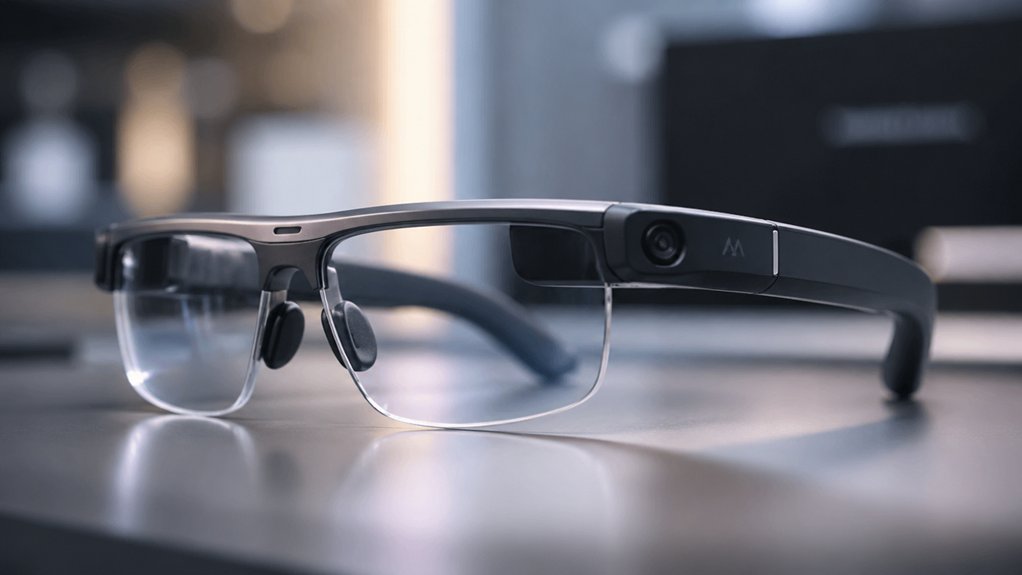
You’ll want to evaluate display quality and brightness first, since a dim screen won’t deliver the immersive experience you’re seeking in different lighting conditions. Next, assess comfort and fit design, device compatibility options, and audio features to ensure the glasses work with your existing devices and feel good during extended wear. Finally, check the spatial tracking capabilities, which determine how accurately the glasses map your environment and respond to your movements in real time.
Display Quality and Brightness
When evaluating AR glasses, brightness and display quality should rank high on your priority list because they directly affect how well you’ll see content in different lighting conditions. Check the peak brightness rating, which ranges from 700 to 5,000 nits—higher values ensure better visibility outdoors. Compare screen resolution per eye, typically 1920×1080 or equivalent, to assess text clarity and detail sharpness. Examine the field of view, ranging from 57° to wider angles, which determines how much content appears onscreen simultaneously. Look for anti-glare coatings and electrochromic dimming features that reduce glare and improve comfort in bright environments. Test the glasses in various lighting situations before purchasing to confirm they meet your visibility needs for your intended use.
Comfort and Fit Design
How do AR glasses stay comfortable during hours of use? You’ll find several design features that reduce strain and pressure. First, check the weight—most quality AR glasses range from 60–70 grams, minimizing neck and facial fatigue. Second, look for adjustable arms and multiple nose-pad sizes that customize the fit to your head shape. Third, spring hinge mechanisms allow flexible movement without slipping. Fourth, examine the IPD (interpupillary distance) options; dual designs covering 57–75 mm ranges ensure crisp visuals for most users. Fifth, software-driven IPD adjustments fine-tune alignment automatically. Finally, built-in diopter correction up to several diopters lets you focus without prescription inserts, reducing eye strain. Open-ear audio designs distribute sound without heavy headphones, further enhancing comfort during extended wear.
Device Compatibility Options
What devices’ll your AR glasses actually connect to? Check whether your glasses support USB-C video output, which works natively with most phones, laptops, and gaming devices. Some models require DisplayPort or HDMI adapters instead, so verify compatibility with your specific devices before purchasing. You can connect iPhones, Android phones, MacBooks, Windows PCs, Steam Deck, and gaming consoles through plug-and-play connections on compatible models. Consider optional ecosystem additions like eye-tracking or camera modules if you need photo capture or spatial anchoring features. Review whether your AR glasses include internal batteries or depend entirely on external power from your host device. Cross-reference your preferred devices against each model’s compatibility list to ensure seamless connections before making your final selection.
Audio and Immersion Features
Sound quality shapes your AR experience as much as the visuals do, so you’ll want to evaluate how each model delivers audio before you buy. Check whether the glasses use open-ear or closed audio designs. Open-ear systems preserve ambient awareness but may leak sound. Closed designs reduce ear fatigue and improve bass but isolate you from surroundings. Look for multi-speaker configurations that expand soundstage and clarify vocals. Research partnerships with audio brands like Bose or Harman, which typically indicate better audio engineering. Consider optional accessories such as dedicated sound tubes that boost loudness in noisy environments without blocking awareness. Verify that audio syncs with on-screen visual cues for realistic 3D spatial effects.
Spatial Tracking Capabilities
When you’re evaluating AR glasses, spatial tracking determines how stable and responsive your content appears as you move your head and body. Consider whether you need 3DoF tracking, which anchors screens to your head position, or 6DoF tracking paired with an eye module for fixed real-world placement. Check the motion-to-photon latency—around 3 ms ensures responsive tracking at high refresh rates like 120 Hz, preventing motion sickness. Review available spatial modes: follow mode (0DoF), anchor mode (3DoF), ultrawide, real 3D, and side-view each offer different reference frames for content placement. Verify USB-C DisplayPort compatibility for plug-and-play functionality without external sensors. These specifications directly impact how comfortably and effectively you’ll interact with spatial content during extended use.
Final Thoughts
You’ve reviewed seven AR glasses options with distinct features. To choose the right pair, identify your priorities: display size, brightness, resolution, or eye-tracking capability. Compare your needs against each model’s specs. Consider your budget and whether you need prescription lens compatibility. Test devices if possible before purchasing. Your selection depends on balancing performance features with your specific use case and budget constraints.

Meet Ry, “TechGuru,” a 36-year-old technology enthusiast with a deep passion for tech innovations. With extensive experience, he specializes in gaming hardware and software, and has expertise in gadgets, custom PCs, and audio.
Besides writing about tech and reviewing new products, he enjoys traveling, hiking, and photography. Committed to keeping up with the latest industry trends, he aims to guide readers in making informed tech decisions.