
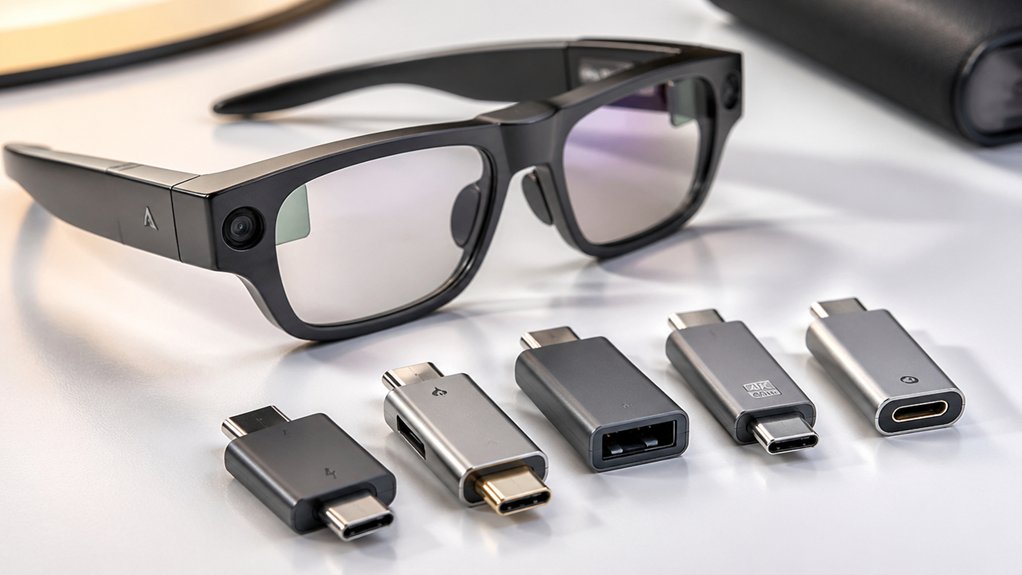

When you connect AR glasses to your device, you need a USB-C adapter that handles both power and video simultaneously. You’ll find options ranging from basic 5-in-1 hubs to specialized adapters designed specifically for AR platforms like XREAL and Rokid. Each adapter offers different power capacities, video resolutions, and port configurations. Before you commit to one, you should understand what features matter most for your setup—and which adapters actually deliver on their promises.
| USB-C Adapter for AR Glasses and Devices |

| Most Compatible | Video Output Resolution: 4K 60Hz / 1080P 120Hz | Power Delivery Capacity: 65W / 100W | AR Glasses Compatibility: XREAL, VITURE, RAYNEO, Rokid, DJI Pocket, Huawei/Honor/Sony devices | VIEW LATEST PRICE | Read Our Analysis |
| VITURE USB-C Glasses and Charging Adapter |

| Best Value | Video Output Resolution: Not specified | Power Delivery Capacity: 15W nominal | AR Glasses Compatibility: Any USB-C device (adapter only, not glasses-specific) | VIEW LATEST PRICE | Read Our Analysis |
| Guermok 5-in-1 USB-C Adapter for AR Glasses |

| Premium Performance | Video Output Resolution: 8K 60Hz / 4K 60Hz | Power Delivery Capacity: 100W PD fast charging | AR Glasses Compatibility: XREAL Air, Rokid Air, RayNeo, Thunderbird Air | VIEW LATEST PRICE | Read Our Analysis |
| Ubrokeifixit USB-C Hub Charging Adapter for Multiple Devices |

| Budget Pick | Video Output Resolution: Not specified | Power Delivery Capacity: 65W / 100W | AR Glasses Compatibility: AR Glasses, VR Glasses (requires DP Mode) | VIEW LATEST PRICE | Read Our Analysis |
| CableCreation USB-C Adapter for AR Glasses & Charging |

| Best Overall | Video Output Resolution: 4K 60Hz / 1080P 120Hz | Power Delivery Capacity: 100W PD | AR Glasses Compatibility: RayNeo, XREAL, Rokid, ThunderBird, GRAWOOA, Sunny AR, Honor/Huawei/Mate series | VIEW LATEST PRICE | Read Our Analysis |
More Details on Our Top Picks
USB-C Adapter for AR Glasses and Devices
This adapter’s most compatible design works with a wide range of AR glasses, gaming devices, and smartphones. You’ll get 65W or 100W fast charging via USB-C while maintaining video output at 4K 60Hz or 1080P 120Hz. The upgraded chip ensures stable transmission across XREAL, VITURE, RAYNEO, and Rokid glasses. For optimal performance, enable DP mode on compatible AR glasses. If your portable monitor draws over 25W, connect external power first to avoid screen blackouts. The palm-sized aluminum hub weighs 31 grams and minimizes connection wobble. Note that certain iPhone setups may require the DP mode switch.
- Video Output Resolution:4K 60Hz / 1080P 120Hz
- Power Delivery Capacity:65W / 100W
- AR Glasses Compatibility:XREAL, VITURE, RAYNEO, Rokid, DJI Pocket, Huawei/Honor/Sony devices
- Additional Ports/Connectivity:USB-C pass-through only (2-port hub)
- Connector Type:USB Type-C
- Warranty Period:1 year
- Additional Feature:Palm-sized aluminum alloy construction
- Additional Feature:Pass-through charging capability
- Additional Feature:DP mode switch support
VITURE USB-C Glasses and Charging Adapter
Want to use your AR glasses without draining your device’s battery? The VITURE USB-C Glasses and Charging Adapter solves this problem by delivering simultaneous power and video transmission. You connect your USB-C device—Steam Deck, Nintendo Switch, or ROG Ally—to the adapter’s input port. The adapter then supplies 15 watts of power while routing your display to your VITURE XR Glasses through a separate output port. This setup maintains consistent performance during extended gaming sessions. The adapter accepts 5 volts at 3 amps input. Its compact black design measures 0.61 by 7.76 by 2.3 inches, making it portable. Note that XR Glasses aren’t included with purchase. A 2-year warranty covers defects.
- Video Output Resolution:Not specified
- Power Delivery Capacity:15W nominal
- AR Glasses Compatibility:Any USB-C device (adapter only, not glasses-specific)
- Additional Ports/Connectivity:3 ports total
- Connector Type:USB Type-C
- Warranty Period:2 years
- Additional Feature:3-port hub design
- Additional Feature:Glass finish aesthetic
- Additional Feature:2-year warranty included
Guermok 5-in-1 USB-C Adapter for AR Glasses
Need premium performance that handles demanding AR setups? The Guermok 5-in-1 adapter delivers 100W PD fast charging, 8K@60Hz video output, and dual data ports in one aluminum hub. You get USB-C and USB-A ports for data transfer up to 480 Mbps, plus a 3.5mm audio jack for headphones. Simply connect your AR glasses like XREAL Air or Rokid Air to the USB-C display port, plug your host device into the USB-C input, and attach peripherals to the remaining ports. No drivers needed. The adapter works with Switch, Steam Deck, iPhone 15/16, Android phones, and MacBooks for work, gaming, and streaming applications.
- Video Output Resolution:8K 60Hz / 4K 60Hz
- Power Delivery Capacity:100W PD fast charging
- AR Glasses Compatibility:XREAL Air, Rokid Air, RayNeo, Thunderbird Air
- Additional Ports/Connectivity:USB-A, USB-C data ports, 3.5mm audio jack
- Connector Type:USB Type-C
- Warranty Period:30-day return (standard warranty)
- Additional Feature:8K@60Hz video output
- Additional Feature:3.5mm audio jack included
- Additional Feature:No driver installation required
Ubrokeifixit USB-C Hub Charging Adapter for Multiple Devices
The Ubrokeifixit adapter serves as your budget pick for powering multiple devices while connecting to AR glasses simultaneously. You’ll get a 2-in-1 video and charging solution supporting up to 100W fast charging for phones and gaming handhelds. Simply plug your USB-C cable into the adapter, then connect your AR glasses to the video output. Enable DisplayPort Mode on your glasses if required. This compact hub works with iPhones, iPads, Android devices, Steam Deck, ROG Ally, and Switch consoles. The adapter weighs just 37 grams, making it portable for travel. Check your AR glasses manual for specific DisplayPort requirements before purchasing.
- Video Output Resolution:Not specified
- Power Delivery Capacity:65W / 100W
- AR Glasses Compatibility:AR Glasses, VR Glasses (requires DP Mode)
- Additional Ports/Connectivity:1 USB port
- Connector Type:USB Type-C
- Warranty Period:30-day return policy
- Additional Feature:Plastic compact enclosure
- Additional Feature:65W/100W fast charging compatible
- Additional Feature:DisplayPort mode switching option
CableCreation USB-C Adapter for AR Glasses & Charging
CableCreation’s USB-C adapter stands out for users who need simultaneous charging and AR display connectivity without switching cables. This adapter delivers 100W power delivery while supporting 4K@60Hz video output to compatible AR glasses. Simply connect your USB-C device, attach your AR glasses, and start using them while charging. It works with Steam Deck, ROG Ally, and iPhones 15/16. The plug-and-play design requires no additional setup. You’ll appreciate the broad compatibility across RayNeo, XREAL, Rokid, and other AR brands. With a 24-month warranty and lifetime support, you’re protected during regular use.
- Video Output Resolution:4K 60Hz / 1080P 120Hz
- Power Delivery Capacity:100W PD
- AR Glasses Compatibility:RayNeo, XREAL, Rokid, ThunderBird, GRAWOOA, Sunny AR, Honor/Huawei/Mate series
- Additional Ports/Connectivity:USB-C single-port (no additional ports)
- Connector Type:USB Type-C
- Warranty Period:24 months / lifetime technical support
- Additional Feature:8W adapter power allocation
- Additional Feature:Lossless image quality transmission
- Additional Feature:Lifetime technical support included
Factors to Consider When Choosing a USB-C to AR Glasses Adapter
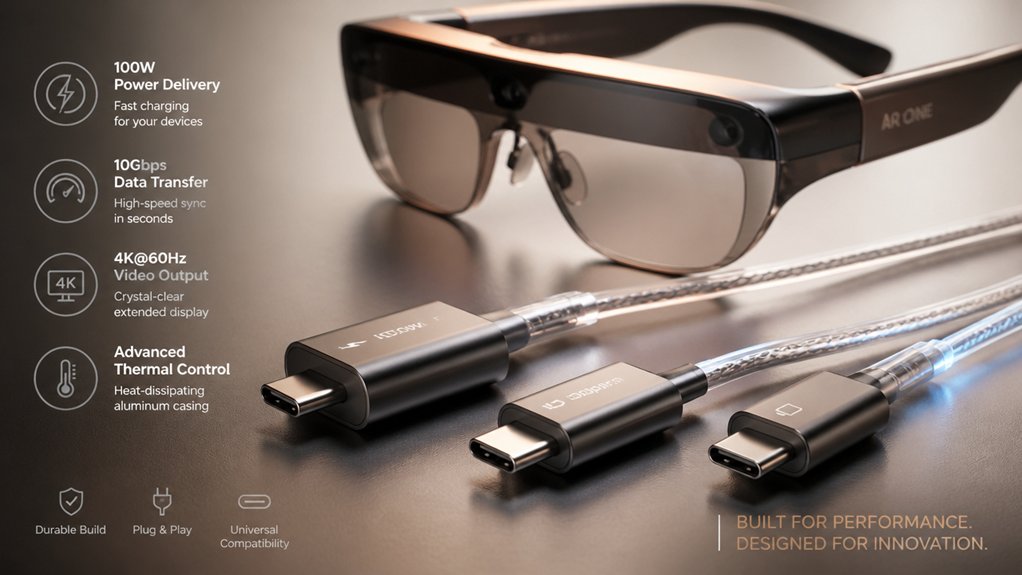
When you’re selecting a USB-C to AR glasses adapter, you’ll need to verify that it supports the video output resolution your glasses require (typically 1080p to 4K), check the power delivery wattage to ensure it meets your device’s charging needs, and confirm compatibility with your specific AR glasses model. Next, examine the port configuration to determine whether you need additional USB ports, HDMI outputs, or other connectivity options for simultaneous charging and data transfer. Finally, assess the build quality by reviewing cable durability, connector strength, and warranty coverage, since you’ll be connecting and disconnecting the adapter frequently during daily use.
Video Output Resolution Standards
How do you know which resolution and refresh rate your USB-C to AR glasses adapter actually needs to support? Start by checking your AR glasses’ specifications for maximum supported video input. Most adapters handle 4K at 60Hz or 1080p at 120Hz effectively. Some list 8K@60Hz capability, though actual performance depends on your host device and cable quality. Next, consider your primary use case—gaming typically demands higher refresh rates, while media consumption works fine at standard resolutions. Finally, verify your source device’s USB-C video output capabilities. If your device lacks native USB-C video support, you’ll need a HDMI-to-USB-C hub or DP-mode configuration instead. Match these three factors to select an adapter that meets your actual needs without overpaying for unused specs.
Power Delivery Wattage Requirements
What wattage does your adapter actually need to deliver? You’ll want at least 60–100W of power delivery (PD) to charge AR glasses while using them. Start by checking your device’s power requirements on its specifications sheet. Next, calculate the combined draw of your host device and any attached peripherals like external displays or controllers. Your adapter’s PD capacity must meet or exceed this total. Keep in mind that some adapters advertise 100W nominal power, but actual usable wattage gets shared across multiple ports, reducing available charging current. If your adapter can’t supply enough power, you’ll experience charging failures, screen dimming, or intermittent shutdowns during gameplay. Match your adapter’s PD rating directly to your combined device requirements to prevent these issues.
Device Compatibility Specifications
You’ll need to verify several key compatibility factors before purchasing a USB-C to AR glasses adapter. First, confirm your AR glasses brand and model—XREAL, Rokid, RayNeo, VITURE, and ThunderBird typically work with most adapters, but some require DP Mode or HDMI-to-USB-C workarounds. Second, check the adapter’s video output specifications: does it support 4K@60Hz or 1080P@120Hz? Third, determine if you need pass-through charging. Some adapters deliver 65W or 100W Power Delivery while maintaining video output, essential for devices like Steam Deck. Fourth, examine port directionality—verify the adapter sends video from USB-C host to USB-C display correctly. Finally, note excluded devices: Nintendo Switch 2, Meta Quest, PICO, and HTC Vive headsets aren’t compatible with standard AR glasses adapters.
Port Configuration And Connectivity
When selecting a USB-C to AR glasses adapter, port layout becomes one of your most critical decisions because it determines whether you can charge and transmit video simultaneously. Adapters with dual USB-C ports let you connect power and video feeds at once, eliminating bottlenecks. Single-port models force you to choose between charging or data transfer, requiring careful planning. Check whether your adapter includes USB-A ports for legacy device compatibility. Verify upstream charging capabilities—some models only accept power input and cannot deliver power to connected displays or glasses. Review your specific AR glasses’ power requirements and video standards before purchasing. Match the adapter’s port configuration directly to your workflow needs to avoid incompatibilities or performance limitations.
Build Quality And Durability
Durability forms the backbone of a reliable USB-C to AR glasses adapter because it directly affects how long your investment lasts and whether it’ll survive daily use without failing. Choose aluminum or metal enclosures over plastic housings—they dissipate heat better and resist damage. Look for anodized or electroplated finishes that prevent scratches and corrosion. Select palm-sized designs that reduce wobble when connected to your device. Verify the adapter weighs 30–40 grams, indicating solid construction without excess bulk. Inspect port reinforcement and cable management features that withstand frequent plugging and unplugging. Check whether the manufacturer specifies rugged construction details. These factors guarantee your adapter handles daily transportation and repeated use reliably.
Thermal Management Performance
Because AR glasses adapters handle simultaneous high-power charging and video output, thermal management directly impacts performance stability and device longevity. Check whether your adapter uses metal or aluminum enclosures, which dissipate heat more effectively than plastic. Select palm-sized hub designs that optimize airflow and reduce heat buildup compared to larger models. Verify the adapter’s PD rating—100W specifications indicate thermal design targets for handling peak loads during 4K video at 60Hz. Connect external power to your display or hub when available, especially for setups exceeding 25W, to maintain stable thermal performance. Review DP mode switch compatibility with your AR glasses, since different data paths and power configurations alter heat generation during video transmission. These steps ensure your adapter operates reliably without overheating during extended use.
DisplayPort Mode Functionality
While thermal management keeps your adapter running safely, DisplayPort mode functionality determines whether your AR glasses actually receive video and audio signals from your USB-C source.
Check your adapter’s specifications to confirm DP mode support. Some adapters require you to manually enable DP mode through a physical switch or software setting on your device. If your AR glasses show no display or audio, try switching DP mode on. This forces proper video signal routing through the DisplayPort protocol instead of alternative pathways.
Not all devices and glasses combinations support DP mode. Test your specific setup before purchasing. If DP mode doesn’t work, consider using a USB-C hub with built-in DP mode capability as a workaround. This ensures your glasses receive correct video and audio throughput.
Warranty And Return Policies
Before you buy a USB-C to AR glasses adapter, you’ll want to understand what protection you’re getting if something goes wrong. Most adapters come with a 30-day Amazon return window, allowing you to send back defective units. Warranties typically last 1 to 2 years depending on the manufacturer and model you choose. Check your product page or warranty documentation to see whether coverage includes replacement or repair. Some listings specify “Amazon Voluntary 30-Day Return Guarantee,” meaning Amazon handles returns rather than the brand. Review exclusions and requirements before purchasing, as eligibility conditions and proof of purchase may apply. Always verify exact terms on your specific listing to avoid surprises later.
Final Thoughts
You’ve reviewed five USB-C adapters that deliver power and video for AR glasses. Select based on your device’s needs: check power requirements (65W–100W), video specs (4K@60Hz or 1080p@120Hz), and port count. Verify compatibility with your AR glasses model. Purchase from reputable sellers offering 2-year warranties. Test immediately upon arrival to confirm functionality before extended use.

Meet Ry, “TechGuru,” a 36-year-old technology enthusiast with a deep passion for tech innovations. With extensive experience, he specializes in gaming hardware and software, and has expertise in gadgets, custom PCs, and audio.
Besides writing about tech and reviewing new products, he enjoys traveling, hiking, and photography. Committed to keeping up with the latest industry trends, he aims to guide readers in making informed tech decisions.