
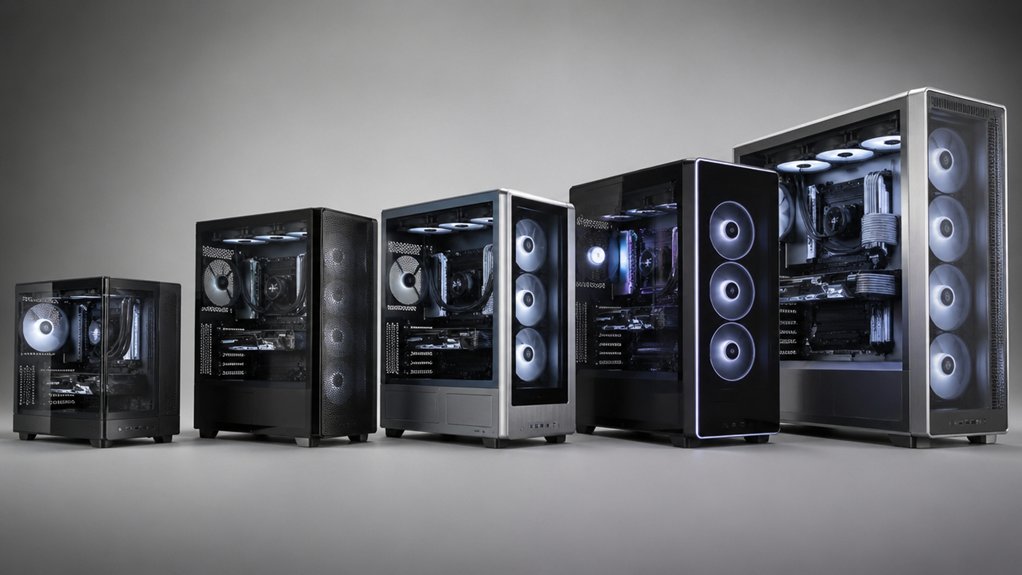

When you’re building a PC around a B450 motherboard, you’ll need a case that accommodates its ATX or micro-ATX form factor while delivering proper airflow and cooling support. Your choice directly impacts your build’s performance, temperature management, and future upgrade potential. You’ve got solid options available—from compact micro-ATX designs to spacious ATX towers—each with distinct cooling capabilities and features. Here’s what you need to know to pick the right case for your specific requirements.
| Cooler Master MasterBox Q300L Micro-ATX PC Case |

| Compact & Efficient | Motherboard Compatibility: Micro-ATX, Mini-ITX | GPU Length Support: Up to 360 mm | CPU Cooler Height Support: Up to 159 mm | VIEW LATEST PRICE | Read Our Analysis |
| DARKROCK EC2 Black ATX Mid Tower PC Case |
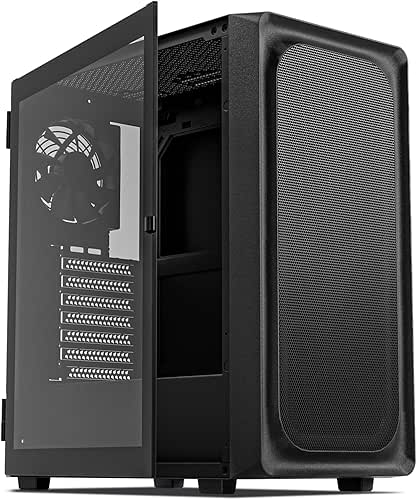
| Maximum Airflow Design | Motherboard Compatibility: ATX, Micro-ATX, Mini-ITX | GPU Length Support: Up to 340 mm | CPU Cooler Height Support: Not specified | VIEW LATEST PRICE | Read Our Analysis |
| MOROVOL MATX PC Case with Tempered Glass Panel |

| Space-Saving Powerhouse | Motherboard Compatibility: Micro-ATX, Mini-ITX | GPU Length Support: Up to 320 mm | CPU Cooler Height Support: Up to 158 mm | VIEW LATEST PRICE | Read Our Analysis |
| MUSETEX ATX PC Gaming Case with Tempered Glass |

| Premium Showcase Case | Motherboard Compatibility: ATX, Micro-ATX, Mini-ITX | GPU Length Support: Up to 400 mm | CPU Cooler Height Support: Up to 176 mm | VIEW LATEST PRICE | Read Our Analysis |
| TGDGAMER Micro ATX Case with 80MM Fans |

| Budget Air-Cooled Pick | Motherboard Compatibility: Micro-ATX, Mini-ITX | GPU Length Support: Up to 250 mm (without front fan), 225 mm (with front fan) | CPU Cooler Height Support: Not specified | VIEW LATEST PRICE | Read Our Analysis |
More Details on Our Top Picks
Cooler Master MasterBox Q300L Micro-ATX PC Case
Looking to build a compact system without sacrificing performance? The Cooler Master MasterBox Q300L supports both Micro-ATX and Mini-ITX motherboards, making it ideal for B450 builds. You’ll fit a CPU cooler up to 159 mm tall and a GPU up to 360 mm long. The case includes one pre-installed 120 mm fan and supports up to five total fans or a 240 mm liquid cooler for enhanced cooling. Its perforated steel design promotes airflow, while magnetic dust filters keep components clean. The modular I/O panel positions at six different locations. You get 360 mm of depth, ensuring standard ATX PSUs fit despite the compact 480-gram frame.
- Motherboard Compatibility:Micro-ATX, Mini-ITX
- GPU Length Support:Up to 360 mm
- CPU Cooler Height Support:Up to 159 mm
- Magnetic Dust Filters:Yes; perforated sides
- Pre-Installed Fans:1x 120 mm fan
- Liquid Cooler Support:240 mm radiator
- Additional Feature:Modular adjustable I/O panel
- Additional Feature:Edge-to-edge showcasing side panel
- Additional Feature:Compact cube frame design
DARKROCK EC2 Black ATX Mid Tower PC Case
The DARKROCK EC2 Black ATX Mid Tower’s maximum airflow design makes it ideal for builders who prioritize cooling performance without sacrificing component visibility. You’ll mount up to eight 120mm fans and one 360mm radiator to manage heat effectively. The meshed front panel draws air through magnetic dust filters on top and bottom, protecting your components from debris. You can fit ATX, M-ATX, or ITX motherboards, accommodating GPUs up to 340mm and PSUs up to 200mm. The tempered glass side panels let you monitor your build’s operation. Type-C front connectivity keeps your peripherals connected conveniently.
- Motherboard Compatibility:ATX, Micro-ATX, Mini-ITX
- GPU Length Support:Up to 340 mm
- CPU Cooler Height Support:Not specified
- Magnetic Dust Filters:Yes; top and bottom mounted
- Pre-Installed Fans:1x fan
- Liquid Cooler Support:360 mm radiator
- Additional Feature:Type-C ready front connectivity
- Additional Feature:Tempered glass side panels
- Additional Feature:Meshed front panel airflow
MOROVOL MATX PC Case with Tempered Glass Panel
If you’re building a compact system without sacrificing cooling performance, this space-saving powerhouse delivers efficient airflow and storage flexibility in a footprint measuring just 13.39″ deep by 10.87″ wide by 12.44″ high. The case supports Micro-ATX and Mini-ITX motherboards, accommodating GPUs up to 320mm and CPU coolers up to 158mm. You’ll fit up to three 2.5″ SSDs and two 3.5″ HDDs inside. The A/B division cooling design separates your power supply and hard drives behind the motherboard, creating distinct airflow channels. Three pre-installed fans come standard, with room for four additional fans total. The 270° tempered glass panel showcases your build while the magnetic dust filter keeps components clean.
- Motherboard Compatibility:Micro-ATX, Mini-ITX
- GPU Length Support:Up to 320 mm
- CPU Cooler Height Support:Up to 158 mm
- Magnetic Dust Filters:Yes; magnetic top filter
- Pre-Installed Fans:3 fans
- Liquid Cooler Support:Up to 280 mm radiator
- Additional Feature:270° panoramic tempered glass
- Additional Feature:A/B division cooling channels
- Additional Feature:Three pre-installed fans included
MUSETEX ATX PC Gaming Case with Tempered Glass
Want a premium showcase case that displays your B450 build while maintaining excellent airflow? The MUSETEX Y6 mid-tower offers a 270° tempered glass dual-panel design that lets you view your components from multiple angles. You’ll get three pre-installed 120mm fans and a dual-chamber layout that separates your power supply for better thermal management. The case accommodates GPUs up to 400mm and CPU coolers reaching 176mm, ensuring compatibility with most B450 builds. You can mount a 360mm liquid cooler on top or use the 360mm radiator support. Magnetic dust filters on top and bottom reduce maintenance needs. With USB 3.2 Type-C and USB 3.0 ports, you’ve got modern connectivity options for your peripherals.
- Motherboard Compatibility:ATX, Micro-ATX, Mini-ITX
- GPU Length Support:Up to 400 mm
- CPU Cooler Height Support:Up to 176 mm
- Magnetic Dust Filters:Yes; top and bottom mounted
- Pre-Installed Fans:3x 120 mm fans
- Liquid Cooler Support:360 mm radiator
- Additional Feature:Dual-chamber thermal design
- Additional Feature:270° full-view tempered glass
- Additional Feature:Independent PSU ventilation channel
TGDGAMER Micro ATX Case with 80MM Fans
Looking for a budget air-cooled case that won’t break your wallet? The TGDGAMER Micro ATX Case delivers high airflow performance in a compact design. This case supports Mini-ITX and Micro ATX motherboards, making it compatible with your B450 board. You’ll get one USB 3.0 and one USB 2.0 port for connectivity. The perforated front panel filters air directly through the case to cool your components efficiently. Install up to two 120mm fans and one 80mm fan for optimal cooling. Note that adding a front fan reduces maximum GPU length from 250mm to 225mm, so plan your graphics card accordingly. The case accommodates radiators up to 135mm in height and accepts standard ATX power supplies.
- Motherboard Compatibility:Micro-ATX, Mini-ITX
- GPU Length Support:Up to 250 mm (without front fan), 225 mm (with front fan)
- CPU Cooler Height Support:Not specified
- Magnetic Dust Filters:Not specified
- Pre-Installed Fans:80 mm fans included
- Liquid Cooler Support:Up to 135 mm radiator height
- Additional Feature:High airflow perforated front
- Additional Feature:Slim budget-friendly case design
- Additional Feature:USB 3.0 front port
Factors to Consider When Choosing a PC Case for a B450 Motherboard
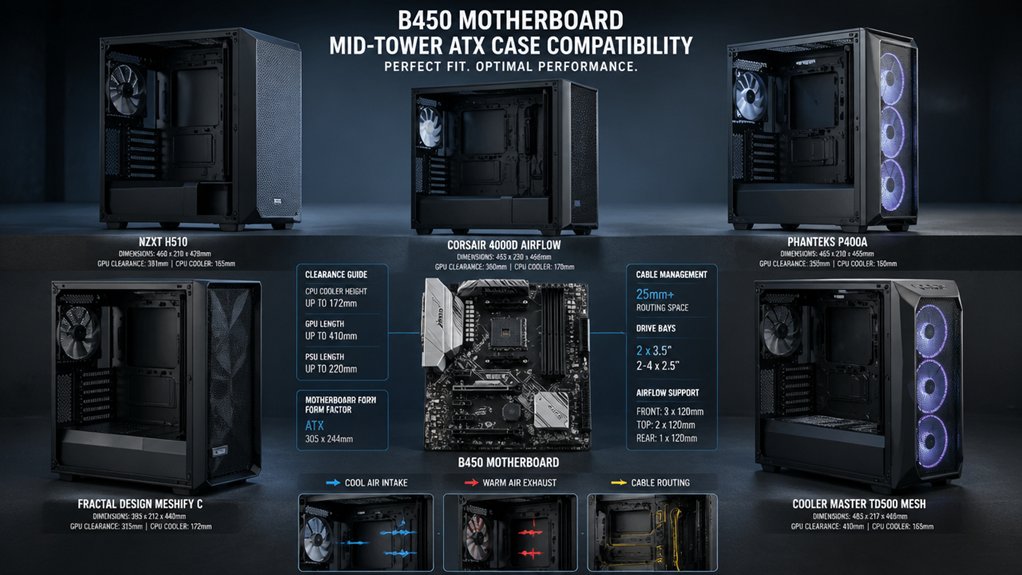
When you’re selecting a PC case for your B450 motherboard, you’ll need to verify that the case supports Micro ATX form factor, check the cooling capacity through fan mounts and airflow design, and ensure adequate clearance for your GPU length and CPU cooler height. You must also confirm that your power supply fits within the case’s PSU bay and that you’ll have enough expansion slots for additional components like extra storage drives or PCIe cards. Taking these five factors into account before purchasing prevents compatibility issues and ensures your build functions efficiently.
Form Factor Compatibility Standards
How do you know if a PC case’ll actually fit your B450 motherboard? Check your motherboard’s form factor first—B450 boards use Micro-ATX sizing. Next, review your case’s compatibility specifications. Look for cases that explicitly list “Micro-ATX” or “M-ATX” support. Many compact cases support both Micro-ATX and Mini-ITX formats, which works perfectly for your B450. Avoid cases labeled “ATX only,” as these require full-size ATX motherboards. Examine the case’s internal layout and mounting points to confirm they align with Micro-ATX standards. Finally, verify that your power supply and GPU fit within the case’s dimensions alongside your motherboard. This three-step verification—checking form factor, reading compatibility lists, and confirming internal space—ensures your B450 motherboard installs without issues.
Cooling and Airflow Capacity
Once you’ve confirmed your B450 motherboard fits properly in your case, you’ll want to evaluate the case’s cooling performance to keep your components running at safe temperatures. Look for cases supporting multiple fans—ideally up to 8 x 120 mm fans or 360 mm radiators. Check for mesh front panels and perforated side panels, which maximize intake airflow for your CPU and GPU. Front-mounted 360 mm radiators with pre-installed fans deliver better cooling than cases with limited radiator support. Verify dust filters on top and bottom sections to prevent airflow blockages. Finally, confirm that fan placement won’t restrict your GPU length or CPU cooler height. These specifications directly determine your component temperatures and system stability.
GPU and CPU Clearance
What’s the most common reason builders regret their case choice? GPU and CPU clearance issues. You need to match your GPU length against the case’s maximum supported length, typically 320–360 mm. Measure your GPU first, then verify the case specification. Next, check your CPU cooler height against the case’s limit, usually 158–176 mm. Tall coolers can block RAM slots or interfere with front panel components. If you’re installing a front-mounted radiator or fans, subtract that depth from available GPU space. Many cases offer adjustable drive bays and removable shrouds that you can reconfigure to optimize clearance around both components. Always confirm these measurements before purchasing to prevent installation problems later.
Power Supply Accommodation
Why does your power supply fit matter as much as your motherboard choice? Your PSU’s physical dimensions directly affect whether it’ll install without obstruction. Start by checking your case’s PSU bay specifications—most cases accommodate standard ATX PSUs between 160–200 mm in length. Next, verify your specific PSU’s measurements against these limits, as compact micro-ATX cases often cap PSU length below 160 mm. Choose cases with bottom-mounted PSU bays or removable drive bays to maximize clearance. Confirm the case provides adequate space behind the motherboard tray for cable routing around the B450’s power connectors and PCIe slots. Finally, review the case’s interior layout to ensure proper airflow circulation around your PSU placement, preventing thermal issues and ensuring reliable power delivery to your components.
Expansion Slot Availability
Beyond housing your power supply safely, your case must also provide enough room for expansion cards you’ll install now or add later. Check that your case has at least four expansion slots for Micro-ATX boards and seven or more for full ATX layouts. Verify the case supports your B450 motherboard size and inspect any extra slots behind the motherboard tray. Align your total slot count with your planned configurations—whether you’re adding multiple GPUs or other PCIe devices. Look for cases with standard PCIe spacing and easy-to-remove slot covers. Choose cases with offset or tall expansion areas to prevent thick heatsinks or front-facing devices from blocking adjacent slots. This planning prevents bottlenecks and ensures smooth future upgrades.
Build Quality and Materials
Most quality PC cases combine metal frames with reinforced plastic panels to provide the structural support your B450 motherboard and components need. You’ll want to verify that your case uses sturdy materials throughout, not just flimsy plastic-only construction that flexes under weight. Check the chassis specifications for metal frame reinforcement and alloy-plastic blends that maintain rigidity during installation and cable management. Examine the case’s mounting points carefully—ensure solid standoffs align with standard ATX and Micro-ATX backplate configurations. Look for reinforced areas around the motherboard tray and expansion slots where heavy GPUs and large heatsinks attach. Cases featuring braced internal supports prevent warping when components settle into place. Prioritize designs that explicitly confirm compatibility with your specific B450 board size to guarantee secure, stable installation without gaps or stress points.
Final Thoughts
You’ll find the right case by matching your B450 motherboard’s size to your chosen case type. First, confirm whether you’re building with micro-ATX or ATX. Next, prioritize airflow capacity and fan support for your cooling setup. Then, verify GPU clearance and internal space for your components. Finally, select based on your budget and aesthetic preferences. These five options cover all these requirements effectively.

Meet Ry, “TechGuru,” a 36-year-old technology enthusiast with a deep passion for tech innovations. With extensive experience, he specializes in gaming hardware and software, and has expertise in gadgets, custom PCs, and audio.
Besides writing about tech and reviewing new products, he enjoys traveling, hiking, and photography. Committed to keeping up with the latest industry trends, he aims to guide readers in making informed tech decisions.