
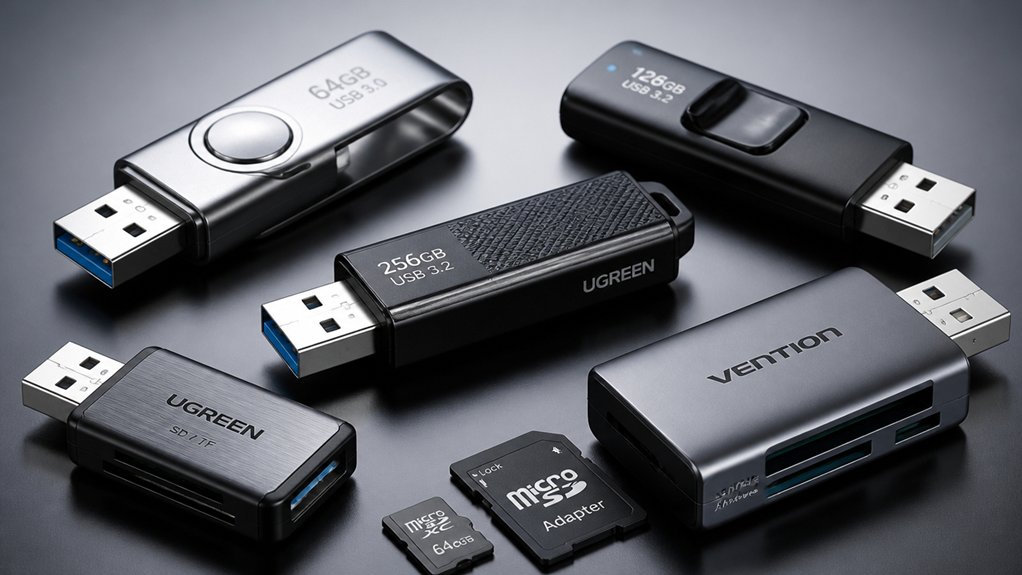

When you need an SD card reader that works across your devices, you’re looking for specific features that matter. You’ll want USB 3.0 or USB-C compatibility, dual-slot design, and support for multiple formats like SD, SDHC, and microSD. You also need plug-and-play functionality without drivers on Windows, macOS, Linux, Android, and iOS. But finding the right balance between speed, durability, and universal compatibility isn’t straightforward—which is why we’ve tested the top options to help you choose.
| Wansurs USB 3.0 Micro SD Card Reader Adapter |

| Compact & Reliable | Data Transfer Speed: 5 Gbps (USB 3.0) | Dual Slot Support: Micro SD + SD (not simultaneous) | Connector Type: USB-A 3.0 | VIEW LATEST PRICE | Read Our Analysis |
| uni SD Card Reader USB-C Dual Slots Adapter |

| Best for Mac Users | Data Transfer Speed: 5 Gbps (USB 3.0) | Dual Slot Support: Micro SD + SD (simultaneous) | Connector Type: USB-C with USB-A adapter | VIEW LATEST PRICE | Read Our Analysis |
| Acer Dual Slot SD Card Reader USB-C Adapter |

| Most Versatile | Data Transfer Speed: 5 Gbps (USB 3.0) | Dual Slot Support: Micro SD + SD (simultaneous) | Connector Type: USB-C with USB-A adapter | VIEW LATEST PRICE | Read Our Analysis |
| Anker USB 3.0 Micro SD Card Reader Adapter |

| Best Budget Option | Data Transfer Speed: 5 Gbps (USB 3.0) | Dual Slot Support: Micro SD + SD (simultaneous) | Connector Type: USB-A 3.0 | VIEW LATEST PRICE | Read Our Analysis |
| SD Card Reader USB 3.0 Type-C Adapter for iPhone |

| Fastest Transfer Speeds | Data Transfer Speed: 5 Gbps (USB 3.0) | Dual Slot Support: Micro SD + SD (simultaneous) | Connector Type: USB-C 3.0 | VIEW LATEST PRICE | Read Our Analysis |
More Details on Our Top Picks
Wansurs USB 3.0 Micro SD Card Reader Adapter
Need a compact & reliable way to transfer photos and files from your memory cards? The Wansurs CR034 offers dual slots for SD and Micro SD cards with 5 Gbps transfer speeds. Simply plug the USB 3.0 adapter into your desktop or laptop—no drivers required. It reads SD, SDHC, SDXC, and Micro SD formats, making it compatible with Windows, Mac, and Linux. The lightweight design weighs just 10 grams and dissipates heat effectively. You’ll appreciate the fast file transfers for photography workflows and large-file management. Note that you can’t use both card slots simultaneously. Wansurs backs this reader with a 2-year warranty and 24/7 customer support, plus free replacements for quality issues.
- Data Transfer Speed:5 Gbps (USB 3.0)
- Dual Slot Support:Micro SD + SD (not simultaneous)
- Connector Type:USB-A 3.0
- Operating System Compatibility:Windows, Mac OS, Linux, Android
- Warranty Period:2 years
- Weight:10 grams
- Additional Feature:Lightweight heat dissipation housing
- Additional Feature:2-year warranty included
- Additional Feature:Ideal for photographers/studios
uni SD Card Reader USB-C Dual Slots Adapter
The uni SD Card Reader delivers plug-and-play functionality that Mac users’ll appreciate immediately. You’ll connect it to your USB-C port without installing drivers on Windows or Mac systems. The dual-slot design lets you read two cards simultaneously, speeding up your workflow when you’re transferring photos or videos. You’ll achieve data transfer speeds up to 5 Gbps using USB 3.0, making file transfers fast. The reader supports SD, SDHC, SDXC, and microSD formats, so you’ll handle most memory cards you encounter. Its compact design with protective covers keeps dust out, and the included cord prevents loss during transport or travel.
- Data Transfer Speed:5 Gbps (USB 3.0)
- Dual Slot Support:Micro SD + SD (simultaneous)
- Connector Type:USB-C with USB-A adapter
- Operating System Compatibility:Windows, Mac OS, Linux, Android
- Warranty Period:18 months
- Weight:13 grams
- Additional Feature:Simultaneous dual-card reading/writing
- Additional Feature:Protective covers both ends
- Additional Feature:18-month warranty included
Acer Dual Slot SD Card Reader USB-C Adapter
Acer’s dual-slot design makes it the most versatile option for users managing multiple memory card formats simultaneously. You’ll connect this USB-C adapter to your laptop, tablet, or smartphone and insert both microSD and SD cards at once. The 5 Gbps transfer rate moves your files quickly. You don’t need drivers—it’s plug-and-play compatible with Windows, macOS, Android, and Chrome OS. The aluminum construction withstands extended work sessions. Note that thick phone cases may block full insertion, so remove your device’s case before connecting. This reader works with security cameras, GoPro footage, and wildlife monitor data, making it practical for transferring content from multiple sources simultaneously.
- Data Transfer Speed:5 Gbps (USB 3.0)
- Dual Slot Support:Micro SD + SD (simultaneous)
- Connector Type:USB-C with USB-A adapter
- Operating System Compatibility:Windows, Mac OS, Linux, Android, Chrome OS
- Warranty Period:1 year
- Weight:15 grams
- Additional Feature:Heat-resistant aluminum construction
- Additional Feature:Attached cord for security
- Additional Feature:1-year manufacturer warranty
Anker USB 3.0 Micro SD Card Reader Adapter
Looking for affordable dual-card reading capability? The Anker USB 3.0 Micro SD Card Reader lets you read and write simultaneously on two cards. It supports multiple formats including SDXC, SDHC, microSD, and MMC cards. Connect the device to your laptop, desktop, or tablet via its USB A port—no drivers needed for Windows or Mac systems. The reader transfers data at speeds up to 5 Gbps and requires no external power since it’s fully USB-powered. Its compact design measures 2.56 by 1.3 inches, making it portable. The 18-month warranty covers your investment, ensuring reliable performance across your devices.
- Data Transfer Speed:5 Gbps (USB 3.0)
- Dual Slot Support:Micro SD + SD (simultaneous)
- Connector Type:USB-A 3.0
- Operating System Compatibility:Windows, Mac OS
- Warranty Period:18 months (lifetime per some details)
- Weight:Not specified
- Additional Feature:Hot-swappable card support
- Additional Feature:Lifetime warranty available
- Additional Feature:Backward compatible USB 2.0/1.1
SD Card Reader USB 3.0 Type-C Adapter for iPhone
Need the fastest transfer speeds for your iPhone or Mac? This USB 3.0 Type-C adapter reads SD and microSD cards at up to 90 MB/s. The dual card slots let you transfer from two cards simultaneously. Simply plug it into your iPhone 15-17 Pro, MacBook, iPad, or Android device—no drivers needed. It supports cards up to 2TB and works with SD, SDHC, SDXC, and UHS formats. Built-in protection prevents damage from power surges. The compact white design fits easily in a camera bag or pocket, making it ideal for photographers and videographers who need quick file access across multiple platforms.
- Data Transfer Speed:5 Gbps (USB 3.0)
- Dual Slot Support:Micro SD + SD (simultaneous)
- Connector Type:USB-C 3.0
- Operating System Compatibility:Windows, Mac OS, Linux, Android, iOS
- Warranty Period:Standard Amazon return policy
- Weight:Not specified
- Additional Feature:Three-port multi-device capability
- Additional Feature:Over-current/short-circuit protection built-in
- Additional Feature:Supports up to 2TB
Factors to Consider When Choosing an SD Card Reader USB Flash Drive
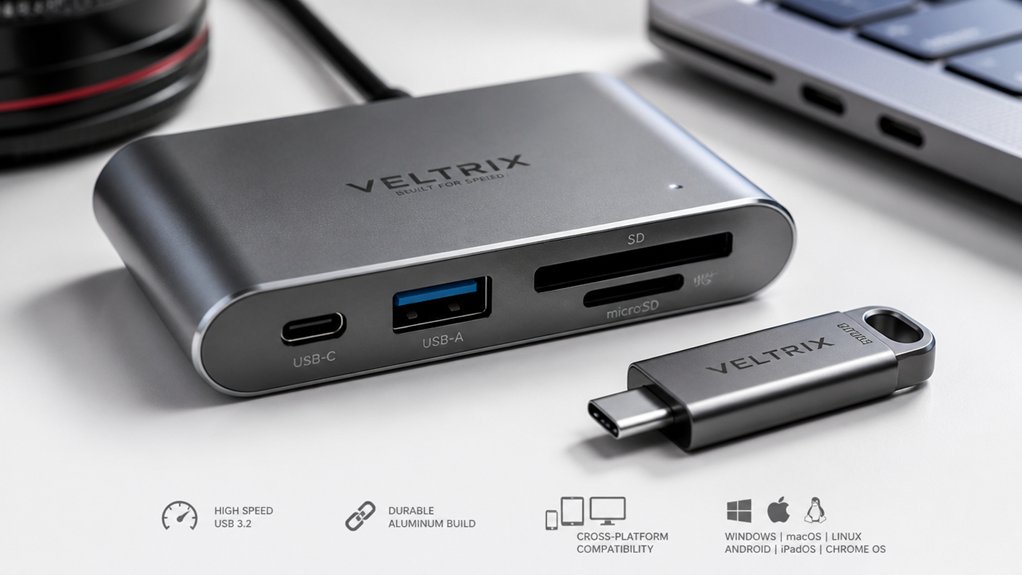
When selecting an SD card reader USB flash drive, you’ll need to evaluate transfer speed performance to ensure fast data movement, check for dual slot capability if you’re working with multiple card types, and verify device compatibility across your smartphones, tablets, and computers. Next, consider the USB interface type—USB 3.0 or USB 3.1 offers faster speeds than USB 2.0—and confirm whether you need USB-C, USB-A, or both connectors for your devices. Finally, assess portability and design by examining the drive’s size, weight, and build quality to guarantee it’ll withstand daily use and fit easily in your pocket or bag.
Transfer Speed Performance
How much faster can you move files with a USB 3.0 SD card reader versus USB 2.0? USB 3.0 readers deliver up to 5 Gbps theoretical speeds compared to USB 2.0’s much slower rates, enabling significantly faster transfers. Real-world performance ranges from 90 MB/s to 5 Gbps depending on your card type and device compatibility. Check your card’s speed rating—SD, SDHC, SDXC, or UHS-I/II cards perform differently. If you’re using dual-slot readers, transferring between two cards simultaneously may reduce peak sustained throughput. USB-C interfaces offer the same 5 Gbps speed with enhanced power delivery and compatibility for newer devices. Your actual speeds depend on both the card class and your host device’s capabilities, so neither component alone determines performance.
Dual Slot Capability
Beyond speed performance, the physical design of your reader matters—specifically whether it supports one or two card slots. Some dual-slot adapters let you read or write to both cards simultaneously, boosting productivity through parallel transfers. Others restrict you to one active card at a time, requiring sequential access. Check your reader’s specifications carefully, as many explicitly state that SD and microSD cards cannot function together. When both slots work simultaneously, you’ll save significant time transferring files between different card formats. Verify compatibility for your specific card types—SD, SDHC, SDXC, microSD, and microSDHC/XC formats vary by device. Look for protective end caps and compact designs that allow convenient dual-slot access during mobile work.
Device Compatibility Range
What devices’ll you actually connect your SD card reader to? First, check your computer’s ports—you’ll need either USB-A, USB-C, or both for compatibility. Next, confirm the reader works with your operating system: Windows, macOS, Linux, Android, or iOS. Some readers require driver installation, while others work immediately. Then verify the reader supports your card types: SD, SDHC, SDXC, SDUC, and MMC formats. Consider whether you’ll use USB-C hubs or adapters with your setup, and note any limitations with bulky cases. Finally, if you need simultaneous access to two cards, confirm the reader supports dual-card reading. Testing compatibility before purchasing prevents connection issues and ensures your reader functions across all your devices without problems.
USB Interface Type
Which USB interface you choose directly affects your reader’s speed, compatibility, and connection options across your devices. USB 3.0 provides up to 5 Gbps transfer rates while maintaining backward compatibility with USB 2.0 and 1.1 devices. USB-C offers reversible plugs, higher power delivery, and a more compact design suited for modern laptops. You should consider your existing device ports when selecting an interface. If you use both newer and older computers, choose a dual-interface reader with both USB-A and USB-C compatibility. This approach lets you connect directly to any device without adapters. Most readers work plug-and-play across Windows, macOS, Linux, and Android without requiring driver installation, streamlining your setup process.
Portability And Design
Once you’ve selected your USB interface type, you’ll want to focus on how the reader fits into your mobile lifestyle. Look for compact models weighing 10–15 grams and measuring 2.3–3.5 inches long. Choose dual-slot designs with protective end caps that shield against dust and accidental damage. An integrated cable or lanyard cord keeps your reader accessible and prevents loss during travel.
Select a slim profile with aluminum or durable plastic housing. These materials improve heat dissipation during extended portable use. Verify the connector matches your devices—USB-C, USB-A, or dual USB-C/USB-A options ensure seamless compatibility across laptops, tablets, and phones. These design features combine to create a reader that travels with you reliably and performs consistently wherever you work.
Warranty And Support
How long the manufacturer’s warranty lasts should influence your purchase decision, since it reflects the company’s confidence in their product’s durability. Check whether the warranty covers both parts and labor, and identify any exclusions for water damage or misuse. Verify that the seller offers 24/7 customer support and free replacements for quality defects. Confirm a straightforward return policy—Amazon’s standard window gives you time to test the device. Ensure warranty terms align with long-term OS compatibility across Windows, macOS, Linux, and Android. This guarantees ongoing support if you switch devices. A comprehensive warranty typically ranges from 18 months to lifetime coverage. Prioritize brands offering extended protection, as this demonstrates reliability and protects your investment against early failures.
Card Format Support
Several card formats exist, and you’ll need to confirm your reader supports the ones you actually use. SD, SDHC, and SDXC cards represent standard formats, while Micro SD variants offer smaller alternatives. Some readers also support MMC formats like RS-MMC. Check your reader’s specifications against your card collection to ensure compatibility. If you own multiple card types, verify that your reader handles all of them simultaneously or in succession. Additionally, confirm UHS speed class support—UHS-I, UHS-II, or UHS-III—matches your card’s performance level. This prevents bottlenecks during file transfers. Dual-card operation matters if your workflow requires simultaneous reading from two cards. Review product documentation carefully before purchasing to avoid compatibility issues that could disrupt your workflow or limit card functionality.
Heat Dissipation Quality
Why does your SD card reader slow down during long transfer sessions? Heat buildup causes throttling, which reduces transfer speeds to protect your device. To maintain consistent performance, choose readers with metal or aluminum casings instead of plastic housings—these materials dissipate heat more effectively. Dual-slot readers generate more heat during simultaneous operations, so consider single-slot models for sustained transfers. Examine the design for adequate airflow; compact form factors with protective covers can trap heat in tight spaces. Metal construction helps preserve your SD card’s integrity and prevents thermal damage during extended use. Prioritize heat management by selecting readers designed with cooling in mind, ensuring stable transfer rates throughout your sessions.
Final Thoughts
You’ll want to select an SD card reader that matches your devices and needs. Check whether you need USB 3.0 or USB-C compatibility, then verify it supports your card types (SD, SDHC, SDXC, microSD). Confirm plug-and-play operation without driver installation. Choose dual-slot models for efficiency and durable metal housings for longevity. Review warranty terms before purchasing to ensure protection against defects.

Meet Ry, “TechGuru,” a 36-year-old technology enthusiast with a deep passion for tech innovations. With extensive experience, he specializes in gaming hardware and software, and has expertise in gadgets, custom PCs, and audio.
Besides writing about tech and reviewing new products, he enjoys traveling, hiking, and photography. Committed to keeping up with the latest industry trends, he aims to guide readers in making informed tech decisions.