
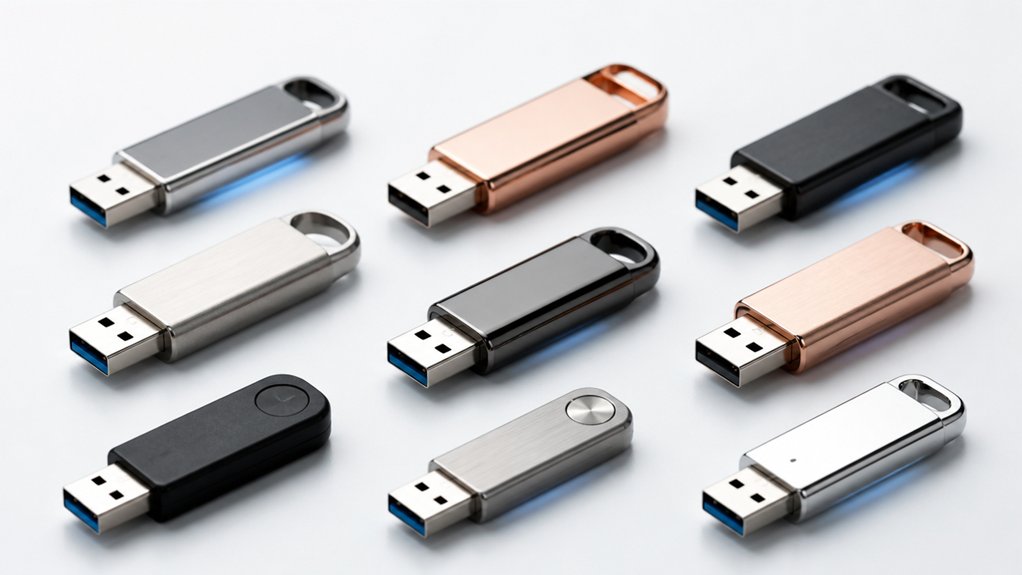

When your iPhone storage fills up, you’ll want to expand it without replacing your phone. Flash drives designed for iPhones offer a practical solution—they connect via Lightning or USB-C, store large files, and back up photos and videos directly. You can choose from MFi-certified options, specialized photo sticks, or high-speed dual-interface drives, each with distinct advantages depending on your needs and budget. The right drive depends on several key factors.
| MFi Certified USB 3.0 Flash Drive 128GB for iPhone |

| Best Seller | Storage Capacity: 128GB | Interface Ports: Lightning, USB 3.0, USB-C | Read/Write Speed: High speed (specific speeds not stated) | VIEW LATEST PRICE | Read Our Analysis |
| MFi Certified 256GB Flash Drive for iPhone Photo Stick |

| Maximum Capacity | Storage Capacity: 256GB | Interface Ports: USB, Lightning, USB-C with adapters | Read/Write Speed: Up to 80 MB/s read, 40 MB/s write | VIEW LATEST PRICE | Read Our Analysis |
| Fanxiang 128GB Flash Drive for iPhone/iPad (MFi Certified) |

| Best Value | Storage Capacity: 128GB | Interface Ports: Lightning, USB Type-C (2-in-1) | Read/Write Speed: Up to 80 MB/s read, 50 MB/s write | VIEW LATEST PRICE | Read Our Analysis |
| MFi Certified Flash Drive 256GB for iPhone & iPad |

| Most Versatile | Storage Capacity: 256GB | Interface Ports: USB, Lightning, Micro USB, USB-C | Read/Write Speed: Fast data transfer (specific speeds not stated) | VIEW LATEST PRICE | Read Our Analysis |
| SanDisk 256GB iXpand Flash Drive Go for iPhone |

| Brand Trust Pick | Storage Capacity: 256GB | Interface Ports: Dual-purpose swivel (Lightning/USB) | Read/Write Speed: High-speed USB 3.0 (specific speeds not stated) | VIEW LATEST PRICE | Read Our Analysis |
| Flash Drive for iPhone 256GB USB-C Memory Stick |

| All-in-One Solution | Storage Capacity: 256GB | Interface Ports: USB-C, Lightning, Micro USB, USB-A (4-in-1) | Read/Write Speed: Up to 80 MB/s read, 30 MB/s write | VIEW LATEST PRICE | Read Our Analysis |
| ThePhotoStick Omni 128GB USB Flash Drive Backup |

| Easiest Setup | Storage Capacity: 128GB | Interface Ports: USB-A, USB-C, Micro USB, Lightning | Read/Write Speed: Up to 125 MB/s read, 20 MB/s write | VIEW LATEST PRICE | Read Our Analysis |
| SSK 256GB Dual USB-C Flash Drive 3.2 Gen2 |

| Fastest Performance | Storage Capacity: 256GB | Interface Ports: USB-C, USB-A (2-in-1) | Read/Write Speed: Up to 550 MB/s read, 500 MB/s write | VIEW LATEST PRICE | Read Our Analysis |
| ThePhotoStick Omni 32GB USB Flash Drive Backup |

| Budget-Friendly Pick | Storage Capacity: 32GB | Interface Ports: USB-A, USB-C, Micro USB, Lightning | Read/Write Speed: Speed capabilities not specified | VIEW LATEST PRICE | Read Our Analysis |
More Details on Our Top Picks
MFi Certified USB 3.0 Flash Drive 128GB for iPhone
If you’re running low on iPhone storage and need a reliable external solution, this top-ranked flash drive delivers the compatibility and capacity you’re looking for. The 128GB MFi-certified drive features Lightning, USB, and USB-C connectors for seamless use across iPhones, iPads, Android devices, and computers. Download the U-Disk app on iOS to enable one-click backup of photos, videos, and files. The drive’s metal construction withstands dust and drops. Optional Touch ID encryption protects your data on the entire drive or specific files. Read/write speeds support fast transfers. With a 2-year warranty and 4.3-star rating from over 11,000 reviews, it’s ranked #19 in USB flash drives.
- Storage Capacity:128GB
- Interface Ports:Lightning, USB 3.0, USB-C
- Read/Write Speed:High speed (specific speeds not stated)
- MFi Certification/iOS Compatibility:MFi Certified; iOS 12.1+
- Build Material & Durability:Metal construction; dustproof, drop-proof, anti-magnetic
- Warranty Period:2-year manufacturer warranty
- Additional Feature:One-click backup to social media
- Additional Feature:Real-time in-app camera saving
- Additional Feature:Touch ID/Passcode encryption
MFi Certified 256GB Flash Drive for iPhone Photo Stick
Need maximum capacity storage that works seamlessly across your iPhone, iPad, and Android devices? This 256GB flash drive offers 80 MB/s read speeds and 40 MB/s write speeds for efficient file transfers. The drive features USB, Lightning, and USB-C ports with separate adapters, eliminating cable dependencies. Enable OTG on Android phones to access files directly without downloading an app. iOS users download the app from the App Store to backup photos, videos, and contacts with one click. The waterproof, dustproof metal design includes a keychain attachment. File encryption protects sensitive data. You’ll get a five-year warranty covering defects and damage.
- Storage Capacity:256GB
- Interface Ports:USB, Lightning, USB-C with adapters
- Read/Write Speed:Up to 80 MB/s read, 40 MB/s write
- MFi Certification/iOS Compatibility:MFi Certified; iOS 12.1+
- Build Material & Durability:High-quality metal; waterproof, dustproof, anti-drop, anti-magnetic
- Warranty Period:5-year warranty
- Additional Feature:Up to 80 MB/s read speed
- Additional Feature:Independent multi-port adapters
- Additional Feature:Five-year manufacturer warranty
Fanxiang 128GB Flash Drive for iPhone/iPad (MFi Certified)
You’re carrying around a phone that’s constantly running out of space—here’s where the Fanxiang 128GB Flash Drive offers outstanding value for the money. This MFi-certified device features dual USB connectors for Lightning and USB Type-C compatibility, letting you transfer photos, videos, and music directly from your iPhone or iPad. The compact 17-gram design fits easily in your pocket. Read speeds reach 80 MB/s, while write speeds hit 50 MB/s for quick file management. Install the Fanxiang Disk app to back up files and organize your content. The durable alloy shell resists drops and shocks, and the 5-year warranty covers your investment.
- Storage Capacity:128GB
- Interface Ports:Lightning, USB Type-C (2-in-1)
- Read/Write Speed:Up to 80 MB/s read, 50 MB/s write
- MFi Certification/iOS Compatibility:MFi Certified; iOS 8+
- Build Material & Durability:Durable alloy shell; shockproof, drop-resistant
- Warranty Period:5-year manufacturer coverage
- Additional Feature:No software installation required
- Additional Feature:Up to 80 MB/s read speed
- Additional Feature:Shockproof and drop-resistant design
MFi Certified Flash Drive 256GB for iPhone & iPad
This MFi Certified Flash Drive stands as the most versatile option for iPhone and iPad users who need genuine multi-device compatibility. You’ll access four interfaces: USB, Lightning, Micro USB, and Type-C, enabling seamless data transfer across smartphones, tablets, and computers. The 256GB capacity stores extensive files, high-resolution images, and HD videos without consuming your device’s memory. Install the required app on iPhone or enable OTG on Android devices, then plug in and back up your content with one click. You can encrypt files for security and play media directly from the drive. Its frosted aluminum body with retractable design and keychain attachment provides portable protection and convenient carrying.
- Storage Capacity:256GB
- Interface Ports:USB, Lightning, Micro USB, USB-C
- Read/Write Speed:Fast data transfer (specific speeds not stated)
- MFi Certification/iOS Compatibility:MFi Certified; iOS 12.1+
- Build Material & Durability:Frosted aluminum body; retractable design
- Warranty Period:Warranty included (duration not specified)
- Additional Feature:Retractable design with keychain
- Additional Feature:Four independent interfaces included
- Additional Feature:File and app encryption
SanDisk 256GB iXpand Flash Drive Go for iPhone
SanDisk’s iXpand Flash Drive Go stands out as the brand trust pick for iPhone users who need substantial storage expansion without upgrading their device. Download the SANDISK Memory Zone app from the App Store to manage files and automatically back up your photos and videos. The dual-purpose swivel design protects both connectors while the keyring hole enables portability. Use the high-speed USB 3.0 connector to transfer files quickly to your computer. Password-protect your files across iPhone, PC, and Mac for security. With 256GB capacity, you’ll free up significant iPhone space for apps and content.
- Storage Capacity:256GB
- Interface Ports:Dual-purpose swivel (Lightning/USB)
- Read/Write Speed:High-speed USB 3.0 (specific speeds not stated)
- MFi Certification/iOS Compatibility:Compatible with iPhone 14 or older
- Build Material & Durability:Dual-purpose swivel design; protective connectors
- Warranty Period:Warranty included (duration not specified)
- Additional Feature:Automatic photo/video backup feature
- Additional Feature:Password-protected file access
- Additional Feature:Dual-purpose swivel design
Flash Drive for iPhone 256GB USB-C Memory Stick
The ZARMST 256GB flash drive’s all-in-one design serves users who need seamless file transfers across multiple devices. This drive features four built-in ports—USB-C, iPhone, Micro USB, and USB-A—eliminating the need for adapters. You’ll achieve read speeds up to 80 MB/s and write speeds up to 30 MB/s for efficient data management. The easyflash pro app on iOS handles file organization, encrypted backups, and address book transfers. Compatible with iPhones, iPads, Macbooks, Android devices, and laptops, this aluminum drive stores up to 256GB. ZARMST backs it with a two-year warranty and tests all units before shipment, ensuring reliable performance across your ecosystem.
- Storage Capacity:256GB
- Interface Ports:USB-C, Lightning, Micro USB, USB-A (4-in-1)
- Read/Write Speed:Up to 80 MB/s read, 30 MB/s write
- MFi Certification/iOS Compatibility:Compatible with iPhone; no MFi specified
- Build Material & Durability:Aluminum frosted body; lightweight
- Warranty Period:2-year warranty
- Additional Feature:Four ports without adapters
- Additional Feature:One-click backup functionality
- Additional Feature:Encrypted file storage support
ThePhotoStick Omni 128GB USB Flash Drive Backup
Looking to back up your iPhone’s photos and videos without technical hassle? ThePhotoStick Omni’s 128GB capacity handles your entire digital collection. The device connects via Lightning, USB-C, and micro-USB ports, working with iPhones, iPads, Android devices, and computers. Install the free app, connect the adapter, and follow the onscreen steps to automatically find and save your photos, videos, and files in formats like JPEG, HEIC, and MOV. The drive reads at 125 MB/s and writes at 20 MB/s. You’ll free up device storage while organizing your memories in one compact, lightweight stick. A 30-day return window applies.
- Storage Capacity:128GB
- Interface Ports:USB-A, USB-C, Micro USB, Lightning
- Read/Write Speed:Up to 125 MB/s read, 20 MB/s write
- MFi Certification/iOS Compatibility:Compatible with iPhone, iPad; no MFi specified
- Build Material & Durability:Lightweight construction; all-in-one design
- Warranty Period:30-day return window
- Additional Feature:Automatic photo/video finding feature
- Additional Feature:Supports multiple file formats
- Additional Feature:Organizes entire digital collection
SSK 256GB Dual USB-C Flash Drive 3.2 Gen2
SSK’s 256GB dual USB-C flash drive delivers fastest performance for iPhone users who need rapid file transfers. You’ll experience read speeds up to 550 MB/s and write speeds up to 500 MB/s, making it 10× faster than traditional USB 3.0 sticks. The dual-port design features both USB-C and USB-A 3.2 connectors, so you can transfer files between iPhones, Android devices, MacBooks, and Windows computers without adapters. Its zinc alloy shell resists drops and abrasion, while the protective double-head cover shields both interfaces. Simply plug it in—no software installation required. The drive uses EXFAT format, compatible with Windows, Mac OS, Linux, and Android systems. Note that real-world speeds vary based on your device and usage conditions.
- Storage Capacity:256GB
- Interface Ports:USB-C, USB-A (2-in-1)
- Read/Write Speed:Up to 550 MB/s read, 500 MB/s write
- MFi Certification/iOS Compatibility:Compatible with iPhone 15, Android; no MFi specified
- Build Material & Durability:Zinc alloy shell; shock resistant, protective cover
- Warranty Period:Warranty included (duration not specified)
- Additional Feature:Up to 550 MB/s read speed
- Additional Feature:Zinc alloy protective shell
- Additional Feature:Backward-compatible with USB 2.0
ThePhotoStick Omni 32GB USB Flash Drive Backup
Need automatic photo and video backup without paying extra? ThePhotoStick Omni offers 32GB of storage—enough for over 12,000 images and videos. Download the free app, connect via the included Lightning adapter, and follow the onscreen steps to save your files. The device supports JPEG, PNG, HEIC, GIF, MOV, and MPEG4 formats across iPhones, iPads, Android devices, and computers. It includes USB-A, USB-C, and micro-USB connectors for multi-device compatibility. Once backed up, you’ll organize your digital life and free up phone storage. The 30-day return policy protects your purchase, making it a practical solution for decluttering devices and preserving memories.
- Storage Capacity:32GB
- Interface Ports:USB-A, USB-C, Micro USB, Lightning
- Read/Write Speed:Speed capabilities not specified
- MFi Certification/iOS Compatibility:Compatible with iPhone, iPad; no MFi specified
- Build Material & Durability:Lightweight; multi-connector design
- Warranty Period:30-day return policy
- Additional Feature:Holds over 12,000 images
- Additional Feature:Automatic content organization feature
- Additional Feature:Supports multiple file formats
Factors to Consider When Choosing Flash Drives for iPhone
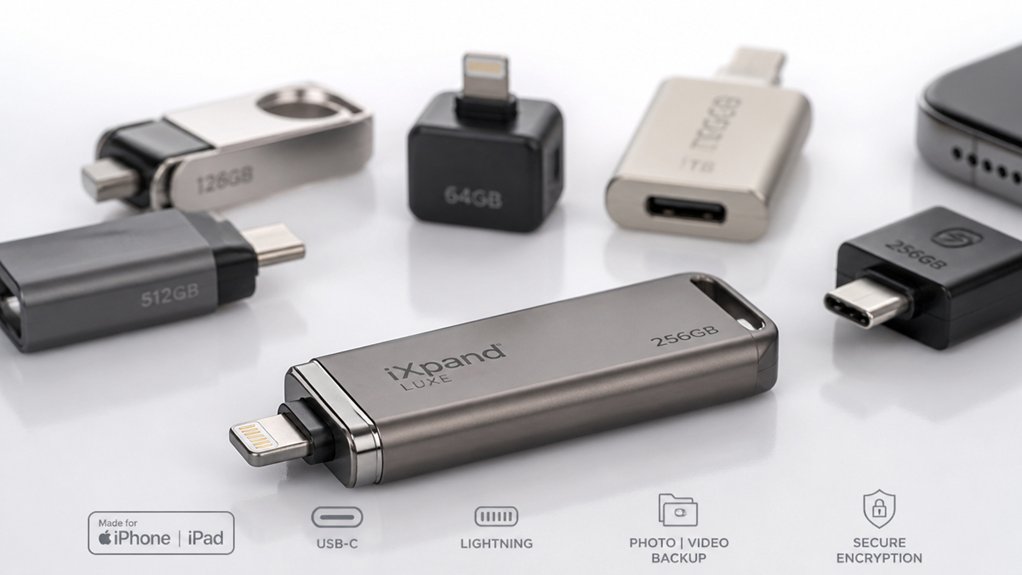
When you’re selecting a flash drive for your iPhone, you’ll need to evaluate storage capacity based on how many files you want to back up, confirm that the drive’s interface (Lightning, USB-C, or USB-A with adapter) matches your device, and check the read and write speeds to ensure quick file transfers. You should also verify whether the drive offers encryption or password protection if you’re storing sensitive information, and examine the construction materials and warranty to guarantee the drive withstands regular use. These five factors—capacity, compatibility, speed, security, and durability—work together to determine which flash drive best serves your storage needs.
Storage Capacity Needs
Capacity selection hinges on matching your flash drive size to your actual storage demands. Start by calculating your current library size. If you mainly store photos and documents, 128 GB provides sufficient space, though OS and app data will reduce usable capacity. For frequent video creators, choose 256 GB or higher to avoid constant backups. Note that 128 GB covers roughly 32,000 photos or 8–16 hours of 1080p video. Remember that capacity listings differ: 1 GB equals either 1000 MB or 1024 MB, affecting visible available space. Finally, project your future growth and select a capacity that minimizes frequent deletions or transfers. Balance cost against your actual needs to make an informed purchase.
Interface Compatibility Options
How’ll you connect your flash drive to your iPhone? You need to match the drive’s interface with your device’s port. Most iPhone models require Lightning connectors, so look for drives with built-in Lightning ports or multi-port adapters offering Lightning, USB-A, and USB-C options. Newer iPhones with USB-C ports work directly with USB-C drives or adapters. Multi-port adapters let you use one drive across iPhones, iPads, Android devices, and PCs without extra cables. Check compatibility requirements before purchasing—many drives need iOS 11 or higher. If you own multiple device types, prioritize drives with all three connector options. This flexibility ensures you can transfer data seamlessly across your entire device ecosystem without purchasing separate drives.
Read and Write Speed
Once you’ve confirmed your drive’s connector matches your iPhone’s port, you’ll want to evaluate the speed at which that drive can transfer your files. Read speeds typically range from 80 MB/s to 125 MB/s, though USB-C variants claim up to 550 MB/s. Write speeds fall between 30 MB/s and 50 MB/s for most drives, with high-performance models reaching 80 MB/s read and 50 MB/s write. The USB interface type—Lightning, USB-A, USB-C, or USB 3.2 Gen2—directly affects your actual transfer rates. Real-world performance also depends on your controller quality, NAND memory type, and whether you’re using the manufacturer’s app or direct OS transfer. Capacity alone doesn’t guarantee faster speeds; sustained performance requires a quality controller and true USB 3.x support.
Security and Encryption Features
Why should you care about encryption when selecting an iPhone flash drive? Encryption protects your sensitive data—photos, videos, and contacts—from unauthorized access. Some iPhone flash drives offer optional encryption that you can enable via Touch ID, passcode, or individual file protection. Before purchasing, verify the product specifies encryption capabilities, since not all third-party drives include this feature. You’ll typically need a dedicated companion app to manage encryption settings on iOS devices. Check iOS compatibility requirements; most encryption apps require iOS 11 or later. Enable encryption during initial setup by following the app’s instructions and creating a strong passcode. This approach ensures your stored data remains secure whether your device is lost or accessed by others.
Build Quality and Durability
What makes a flash drive last through daily use? You need to prioritize sturdy construction materials. Choose devices with metal or reinforced alloy bodies instead of plastic ones, as they resist drops and constant handling better. Look for protective design features like retractable connectors that shield the port from damage. Check product specifications for shockproof or drop-resistant certifications, which indicate ruggedized internal protection. Examine the connector housings—they should be shielded or recessed to prevent bending during plugging and unplugging. Additionally, consider flash drives that include durable keychains or protective sleeves. These accessories reduce loss risk and provide portable protection against impact and environmental exposure. Verify water and dust resistance ratings to ensure your drive withstands various conditions. These durability factors directly extend your flash drive’s lifespan.
MFi Certification Requirements
Because you’re connecting a flash drive directly to your iPhone, you’ll want to verify that it carries MFi (Made for iPhone) certification from Apple. This certification confirms the drive meets Apple’s security and functional standards for iOS devices. MFi-certified drives work reliably with iPhone and iPad, reducing connection failures and data transfer problems. Check the product listing or packaging for the MFi badge before purchasing. Most certified drives require iOS 11 or later. Many MFi drives include a dedicated app that enables auto-backup and encryption features. Some models support multiple interfaces—Lightning, USB, and USB-C—while maintaining MFi compliance for iPhone use. Non-MFi accessories may function, but they lack official Apple approval and could create compatibility issues with backup features.
Warranty and Support Coverage
Most flash drives for iPhone come with warranties ranging from 2 to 5 years, depending on the manufacturer and model you select. You’ll want to verify that your purchase qualifies for warranty coverage by buying directly from the seller or authorized retailer. Check whether the warranty covers manufacturing defects, dead-on-arrival units, and damage from improper use—most standard policies exclude user-caused damage.
Review the return policy before purchasing. Many retailers allow 30-day returns for unopened or defective items, though restocking fees may apply. Confirm whether the vendor offers responsive customer support through email or phone if you encounter issues. Keep your original receipt and proof of purchase to validate warranty claims. Understanding these coverage details helps you choose a flash drive with reliable protection for your investment.
Final Thoughts
You’ll free up iPhone storage by selecting a flash drive that matches your needs. Pick MFi-certified models with Lightning ports for direct iPhone compatibility. Choose 128GB or 256GB capacity based on your photo and file volume. Verify the drive includes app-based backup features and reads at 80+ MB/s for efficient transfers. Compare prices across options, then purchase and install the accompanying app to start backing up your data immediately.

Meet Ry, “TechGuru,” a 36-year-old technology enthusiast with a deep passion for tech innovations. With extensive experience, he specializes in gaming hardware and software, and has expertise in gadgets, custom PCs, and audio.
Besides writing about tech and reviewing new products, he enjoys traveling, hiking, and photography. Committed to keeping up with the latest industry trends, he aims to guide readers in making informed tech decisions.