
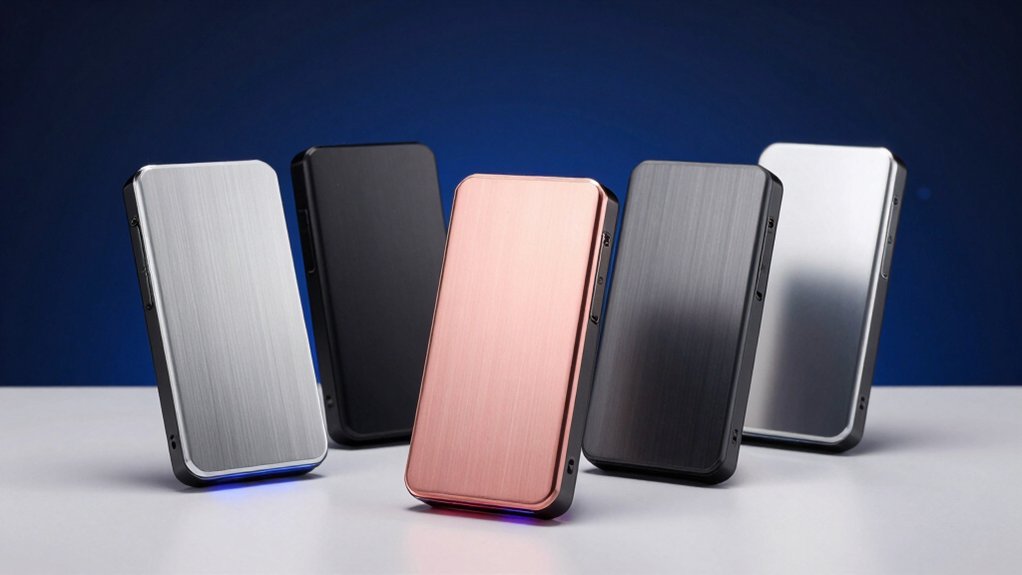

You’re looking to expand your PS5 storage, and you need an SSD that actually works. The right choice depends on speed, cooling, and warranty coverage. You’ll find several strong options that gamers trust, each with different strengths. Before you pick one, you should understand what makes each drive stand out and which factors matter most for your setup.
| WD_BLACK SN850X 2TB NVMe SSD with Heatsink |

| Gaming Performance Leader | Read Speed: Up to 7,300 MB/s | Write Speed: Up to 6,300 MB/s | Form Factor: M.2 2280 | VIEW LATEST PRICE | Read Our Analysis |
| Crucial P310 2TB PCIe Gen4 NVMe Gaming SSD |

| Best Value Pick | Read Speed: Up to 7,100 MB/s | Write Speed: Up to 6,000 MB/s | Form Factor: M.2 2280 | VIEW LATEST PRICE | Read Our Analysis |
| SIX NVME M.2 SSD PCIe 4.0 2TB with Heatsink |
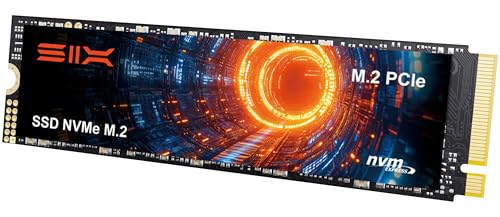
| Budget-Friendly Option | Read Speed: Up to 7,350 MB/s | Write Speed: Not specified | Form Factor: M.2 2280 | VIEW LATEST PRICE | Read Our Analysis |
| Samsung 990 PRO 2TB SSD with Heatsink |
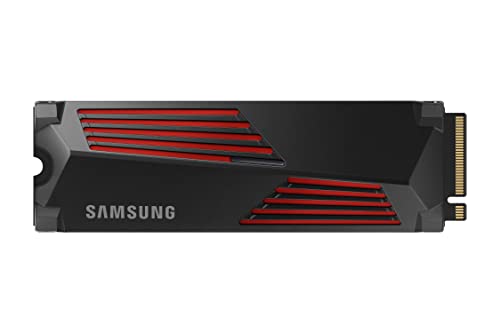
| Peak Speed Champion | Read Speed: Up to 7,450 MB/s | Write Speed: Up to 6,900 MB/s | Form Factor: M.2 2280 | VIEW LATEST PRICE | Read Our Analysis |
| 2TB NVMe M.2 SSD PCIe Gen4 PS5 Compatible |

| Best Overall | Read Speed: Up to 7,400 MB/s | Write Speed: Up to 6,300 MB/s | Form Factor: M.2 2280 | VIEW LATEST PRICE | Read Our Analysis |
More Details on Our Top Picks
WD_BLACK SN850X 2TB NVMe SSD with Heatsink
Looking for an SSD that’ll handle PS5 gaming without thermal throttling? The WD_BLACK SN850X delivers 7,300 MB/s read speeds and 6,300 MB/s write speeds in the M.2 2280 form factor. The integrated heatsink maintains peak performance during extended gaming sessions by managing heat buildup. This 2TB model fits PS5 expansion slots and uses SanDisk TLC 3D NAND technology. Install it by powering down your PS5, removing the cover panel, inserting the drive into the NVMe slot at a 30-degree angle, then securing it with the provided screw. The drive includes a 5-year limited warranty and works with Windows for additional customization through WD_BLACK Dashboard software.
- Read Speed:Up to 7,300 MB/s
- Write Speed:Up to 6,300 MB/s
- Form Factor:M.2 2280
- Interface/Protocol:NVMe
- Heatsink Included:Yes
- Warranty:5-year limited
- Additional Feature:Game Mode 2.0 technology
- Additional Feature:WD_BLACK Dashboard RGB customization
- Additional Feature:Predictive Loading & Overhead Balancing
Crucial P310 2TB PCIe Gen4 NVMe Gaming SSD
If you’re upgrading your PS5’s storage without breaking the bank, the Crucial P310 2TB delivers solid performance at a competitive price point. This drive offers read speeds up to 7,100 MB/s and write speeds up to 6,000 MB/s, enabling faster game load times and smoother multitasking. The integrated heatsink maintains thermal control during extended gaming sessions. You’ll benefit from advanced G8 NAND technology for reliability. The P310 works with desktops and laptops too, giving you flexibility beyond PS5 gaming. Its Gen4 performance runs approximately twice as fast as older Gen3 drives, making it a practical upgrade choice for gamers seeking performance improvements without premium pricing.
- Read Speed:Up to 7,100 MB/s
- Write Speed:Up to 6,000 MB/s
- Form Factor:M.2 2280
- Interface/Protocol:PCIe Gen4 NVMe
- Heatsink Included:Yes
- Warranty:Not specified
- Additional Feature:2x faster than Gen3
- Additional Feature:Advanced Micron G8 NAND
- Additional Feature:Backward compatible with Gen3
SIX NVME M.2 SSD PCIe 4.0 2TB with Heatsink
The SIX NVMe M.2 SSD PCIe 4.0×4 delivers read speeds up to 7,350 MB/s, making it an ideal choice for PS5 owners who want faster load times and quicker file transfers without upgrading their entire system. This M.2 2280 drive with integrated heatsink installs directly into your PS5’s expansion slot. You’ll experience up to 40% faster performance for gaming and heavy computing tasks. The included installation accessories—screws and screwdriver—simplify setup. Compatible with laptops, desktops, and PS5 systems, this 2TB drive extends your storage capacity and system lifecycle. A 5-year limited warranty covers your investment, ensuring reliable performance during demanding gameplay sessions and data-intensive applications.
- Read Speed:Up to 7,350 MB/s
- Write Speed:Not specified
- Form Factor:M.2 2280
- Interface/Protocol:PCIe Gen4x4
- Heatsink Included:Yes
- Warranty:5-year limited
- Additional Feature:40% faster heavy-duty performance
- Additional Feature:Installation accessories included
- Additional Feature:Purpose-built immersive gameplay
Samsung 990 PRO 2TB SSD with Heatsink
Samsung’s 990 PRO with heatsink delivers the performance you need if you’re serious about maximizing your PS5’s storage without thermal throttling. You’ll get sequential read speeds up to 7,450 MB/s and write speeds reaching 6,900 MB/s, enabling faster game loading and smoother performance. The integrated heatsink actively dissipates heat, maintaining stable temperatures during extended gaming sessions. This drive offers 55% better random performance than its predecessor, the 980 PRO. The ultra-slim heatsink design fits PS5’s storage expansion slot without requiring removal. You’re looking at a reliable option for gaming, video editing, and intensive workloads across compatible systems.
- Read Speed:Up to 7,450 MB/s
- Write Speed:Up to 6,900 MB/s
- Form Factor:M.2 2280
- Interface/Protocol:PCIe Gen4
- Heatsink Included:Yes
- Warranty:Not specified
- Additional Feature:55% random performance improvement
- Additional Feature:Ultra-slim PS5-compatible heatsink
- Additional Feature:Near max PCIe 4.0
2TB NVMe M.2 SSD PCIe Gen4 PS5 Compatible
Looking for an expansion drive that’ll work seamlessly with your PS5 without extra adapters or complications? This 2TB NVMe M.2 SSD delivers sequential read speeds up to 7400 MB/s using PCIe Gen4 technology. The drive’s 3D TLC NAND and dynamic SLC cache maintain consistent performance during extended gaming sessions. Installation requires inserting the M.2 2280 form factor drive into your PS5’s dedicated slot—no additional hardware needed. The composite heat dissipation design prevents thermal throttling. You’ll get a 5-year warranty, 4000TBW endurance rating, and multilingual installation documentation. This drive officially validates for PS5 storage expansion.
- Read Speed:Up to 7,400 MB/s
- Write Speed:Up to 6,300 MB/s
- Form Factor:M.2 2280
- Interface/Protocol:PCIe Gen4 x4 NVMe
- Heatsink Included:Yes
- Warranty:5-year limited
- Additional Feature:8x faster than SATA
- Additional Feature:Dynamic SLC cache technology
- Additional Feature:4000TBW endurance rating
Factors to Consider When Choosing 2TB SSDs for PS5
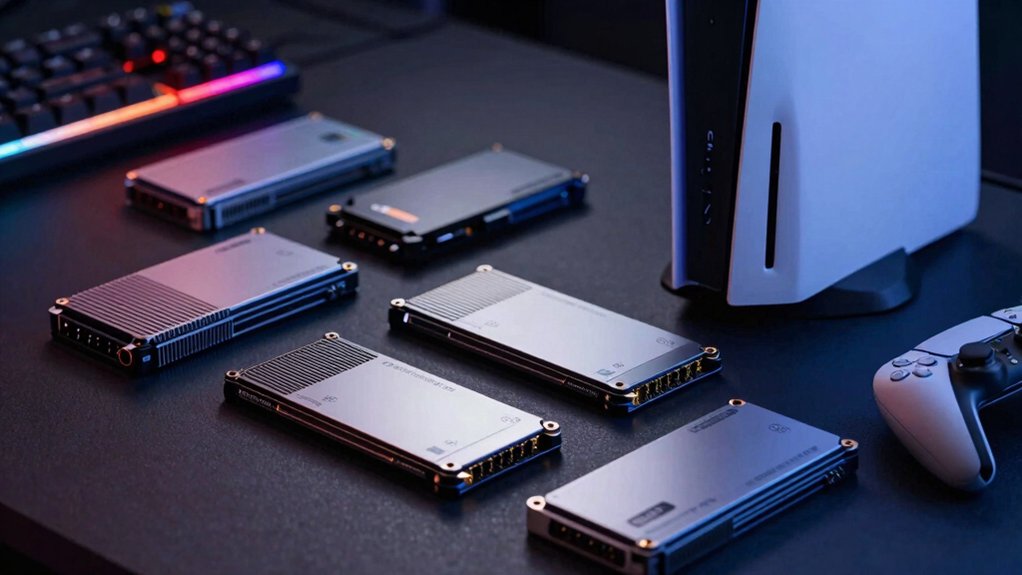
When you’re selecting a 2TB SSD for your PS5, you’ll need to evaluate speed and performance metrics (measured in read/write speeds), verify thermal management solutions like heat sinks to prevent throttling, and confirm the drive fits the M.2 form factor slot in your console. You should also plan your storage capacity by considering how many games you’ll install simultaneously and research warranty coverage and reliability standards from manufacturers to protect your investment. These five factors work together to ensure you’re choosing a drive that’ll perform reliably and handle your gaming library without performance issues or overheating problems.
Speed and Performance Metrics
How much faster can you load games with a Gen4 NVMe SSD compared to older storage options? Gen4 drives deliver sequential read speeds of 7,000–7,450 MB/s and write speeds of 6,000–6,900 MB/s, providing up to 40% faster performance for heavy-duty tasks than Gen3 models. You’ll notice quicker game load times, faster file transfers, and smoother multitasking during extended sessions. When selecting a 2TB SSD for PS5, prioritize PCIe Gen4 x4 interface compatibility, which ensures you’re utilizing full bandwidth potential. Check that your drive includes heatsink-enabled design to maintain peak performance and prevent thermal throttling. Compare real-world performance benchmarks across models to identify which drive delivers the speed improvements that match your gaming demands.
Thermal Management Solutions
Why’s thermal management so critical for PS5 SSDs? Without proper cooling, your drive throttles performance during extended gaming sessions, reducing read and write speeds when you need them most. You’ll want to select an SSD with an integrated heatsink designed specifically for PS5 compatibility. Check that the heatsink fits within your console’s M.2 slot without blocking airflow. Look for drives featuring advanced cooling fins or thermal patches that actively dissipate heat from the NAND and controller components. These features prevent thermal stress that degrades your drive’s lifespan over time. Installing your SSD with proper airflow around it ensures consistent performance throughout long gaming marathons and protects your investment from premature failure.
Form Factor Compatibility Requirements
Beyond keeping your drive cool, you’ll need to verify that your SSD matches the PS5’s specific physical and technical requirements. The PS5 accepts only M.2 2280 form factor drives, meaning the drive measures 22 millimeters wide and 80 millimeters long. You must also confirm your drive uses a PCIe Gen4 NVMe interface, which delivers the speed your PS5 demands. Check your drive’s specifications sheet to find these details listed clearly. When shopping, look for products labeled with PS5 compatibility or official validation from the manufacturer. This notation guarantees the drive will install without modification and perform reliably. Select a 2TB capacity to maximize your storage expansion while meeting typical gamer needs. Verify all three requirements—form factor, interface type, and capacity—before purchasing.
Storage Capacity Planning
When you’re deciding between SSDs for PS5 expansion, you’ll want to understand what 2TB actually means for your gaming library. A 2TB drive lets you store approximately 40–50 games simultaneously, depending on individual game sizes. Calculate your typical gaming habits: if you play 10–15 titles regularly, 2TB covers your needs without frequent deletions. If you rotate through 30+ games monthly, you’ll manage transfers between the internal storage and external drive. Consider your internet speed too—faster connections make redownloading games practical if storage becomes tight. Evaluate your play style: competitive players benefit from keeping ranked titles installed, while casual gamers can rotate titles more easily. Balance capacity against your budget and gaming frequency to determine if 2TB matches your requirements.
Warranty and Reliability Standards
How do you know if an SSD will last through years of PS5 gaming? Start by checking the warranty length—you’ll want a minimum of five years to ensure long-term vendor support and coverage. Next, examine the TBW (terabytes written) rating, which shows how much data the drive can handle before potential failure. Higher TBW numbers indicate better durability for heavy gaming and update downloads. Then verify that the drive includes thermal management features like a heatsink to prevent performance slowdowns from overheating. Finally, confirm the SSD supports SMART monitoring, allowing you to track drive health and catch problems early. Make sure warranty terms cover both PS5 expansion and PC usage, protecting your investment across multiple devices.
Final Thoughts
You’ve reviewed five reliable 2TB SSDs for your PS5. Choose the WD_BLACK SN850X for top speed and warranty coverage. Pick the Crucial P310 if you want solid performance at a lower price. Select the Samsung 990 PRO for durability. Consider the SIX NVMe or official PS5 option based on your budget and cooling needs. Check compatibility and warranty before purchasing.

Meet Ry, “TechGuru,” a 36-year-old technology enthusiast with a deep passion for tech innovations. With extensive experience, he specializes in gaming hardware and software, and has expertise in gadgets, custom PCs, and audio.
Besides writing about tech and reviewing new products, he enjoys traveling, hiking, and photography. Committed to keeping up with the latest industry trends, he aims to guide readers in making informed tech decisions.