
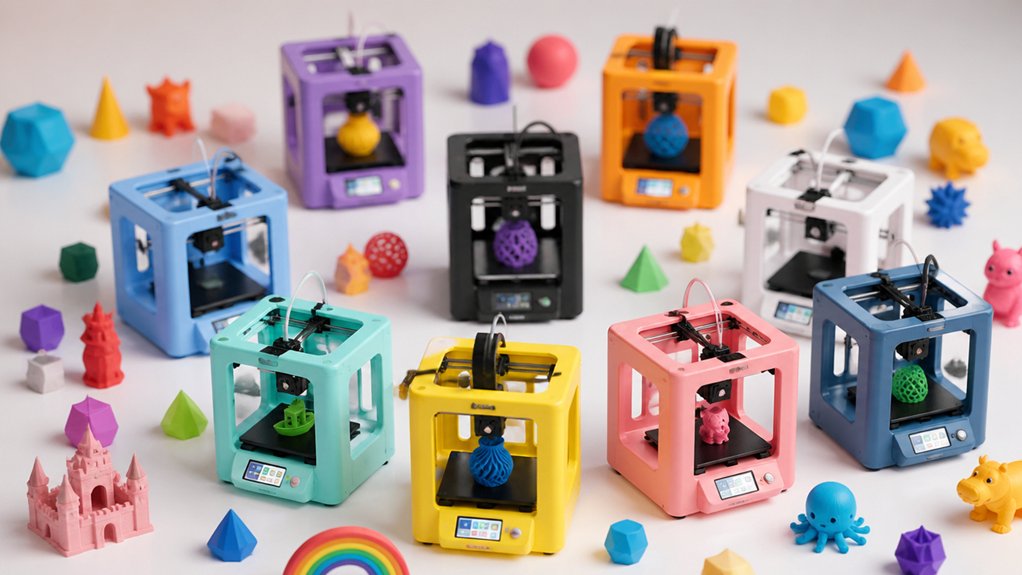

When you’re shopping for a 3D printer your kids will actually use, you need to focus on three core elements: safety features like enclosed designs and auto-pause functions, user-friendly controls such as one-tap printing and auto bed leveling, and engaging content libraries that spark creativity. You’ll find models ranging from starter kits to AI-powered systems, each with different price points and capabilities. Understanding what separates a printer kids abandon from one they return to repeatedly requires knowing which features matter most.
| AOSEED 3D Printer for Kids with AI Technology |

| Best AI Features | Max Print Speed: 220–250 mm/s (peaks to 400 mm/s) | Auto-Leveling: Yes (auto-leveling platform) | Connectivity: Wi-Fi, iOS/Android/Windows app, voice control | VIEW LATEST PRICE | Read Our Analysis |
| FLASHFORGE Adventurer 5M 3D Printer with Auto Leveling |

| Fastest Performance | Max Print Speed: 600 mm/s travel speed | Auto-Leveling: Yes (automatic bed leveling) | Connectivity: Wi-Fi via Flash Maker app | VIEW LATEST PRICE | Read Our Analysis |
| Entina TINA2S 3D Printer with WiFi & Auto Leveling |

| Most Compact | Max Print Speed: 200 mm/s | Auto-Leveling: Yes (auto bed leveling) | Connectivity: Wi-Fi cloud printing, TF card, app | VIEW LATEST PRICE | Read Our Analysis |
| 3D Printer for Kids with Wi-Fi & App Control |

| Best Safety Features | Max Print Speed: 600 mm/s | Auto-Leveling: Yes (auto bed leveling) | Connectivity: Wi-Fi app, USB, Cura compatibility | VIEW LATEST PRICE | Read Our Analysis |
| Mini 3D Printer for Kids & Beginners Starter Kit |

| Best Value | Max Print Speed: 250 mm/s | Auto-Leveling: Yes (one-button auto-leveling) | Connectivity: SD card included | VIEW LATEST PRICE | Read Our Analysis |
| Geeetech Mini 3D Printer for Kids & Beginners |

| Best For Beginners | Max Print Speed: 250 mm/s | Auto-Leveling: Yes (16-point full-auto leveling) | Connectivity: TF card with preloaded models, knob operation | VIEW LATEST PRICE | Read Our Analysis |
| AOSEED AI-Powered 3D Printer for Kids & Beginners |

| Best Overall | Max Print Speed: 220–250 mm/s (peaks to 400 mm/s) | Auto-Leveling: Yes (auto leveling) | Connectivity: Wi-Fi, SD card, USB options | VIEW LATEST PRICE | Read Our Analysis |
| Entina Tina2 Plus 3D Printer with WiFi Control |

| Most Versatile | Max Print Speed: 250 mm/s | Auto-Leveling: Yes (dual Z-axis auto-leveling) | Connectivity: Wi-Fi app (Poloprint Cloud), TF card, USB | VIEW LATEST PRICE | Read Our Analysis |
| Kidoodle 3D Printer for Kids with Wi-Fi Control |

| Best User Experience | Max Print Speed: 600 mm/s | Auto-Leveling: Yes (auto-leveling) | Connectivity: Wi-Fi app, USB, Cura compatibility | VIEW LATEST PRICE | Read Our Analysis |
| TINA2S 3D Printer WiFi Auto Leveling for Beginners |
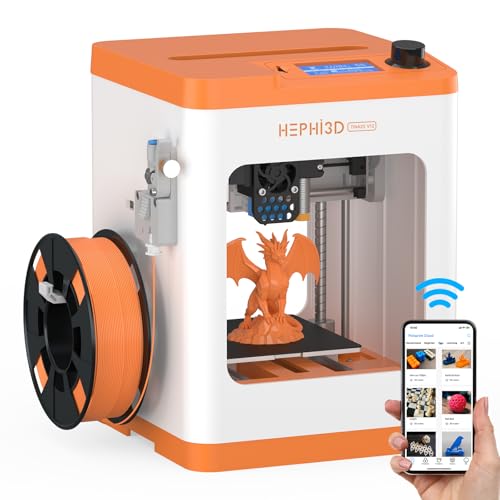
| Best Budget Pick | Max Print Speed: Not specified | Auto-Leveling: Yes (auto bed leveling) | Connectivity: Wi-Fi cloud printing, SD card, Cura/Wiibuilder | VIEW LATEST PRICE | Read Our Analysis |
More Details on Our Top Picks
AOSEED 3D Printer for Kids with AI Technology
Looking for a 3D printer that handles design creation for you? The AOSEED X-MAKER JOY AI+ uses artificial intelligence to transform your ideas into printable models. You can describe what you want using voice, text, or images, and the AI Doodle feature converts your prompts into 3D designs. The printer then produces your creation at speeds up to 250 mm/s with precision of 0.05 mm. You’ll access 1,500+ pre-made models and seventeen design modules through the app. The enclosed design keeps printing safe, while auto-leveling ensures consistent results. The starter kit includes eight filament colors, tools, and stickers for customization. Real-time monitoring via built-in camera lets you watch progress and create time-lapse videos to share.
- Max Print Speed:220–250 mm/s (peaks to 400 mm/s)
- Auto-Leveling:Yes (auto-leveling platform)
- Connectivity:Wi-Fi, iOS/Android/Windows app, voice control
- Precision:0.05 mm
- Pre-Assembled/Ready Out of Box:Yes (fully assembled, ready to use)
- Model Library/Content:1,500+ models, 17 design modules, AI creation tools
- Additional Feature:AI Doodle voice/text/image
- Additional Feature:AI MiniMe photo transformation
- Additional Feature:Real-time AI assistant guidance
FLASHFORGE Adventurer 5M 3D Printer with Auto Leveling
Need a 3D printer that’ll actually get used? The FLASHFORGE Adventurer 5M delivers automatic features that remove setup barriers. Its automatic bed leveling eliminates manual adjustments, ensuring consistent first layers every time. You’ll experience 12X ultra-fast printing through CoreXY structure technology, reaching 600 mm/s travel speed. The direct extruder accepts multiple materials, and quick 3-second nozzle changes let you switch between different sizes without tools. Real-time monitoring via the Flash Maker app keeps you informed during prints. Dual-sided PEI platform simplifies part removal. This combination of speed, automation, and ease makes sustained engagement likely for young makers.
- Max Print Speed:600 mm/s travel speed
- Auto-Leveling:Yes (automatic bed leveling)
- Connectivity:Wi-Fi via Flash Maker app
- Precision:Multiple nozzle sizes (0.25–0.8 mm)
- Pre-Assembled/Ready Out of Box:Yes (ready to use)
- Model Library/Content:Not specified
- Additional Feature:12X ultra-fast printing
- Additional Feature:3-second nozzle changes
- Additional Feature:600 mm/s travel speed
Entina TINA2S 3D Printer with WiFi & Auto Leveling
The Entina TINA2S is the most compact fully assembled 3D printer you’ll find for kids and classrooms. You unbox it and start printing immediately—no calibration needed. Its enclosed design keeps operations safe in homes and schools. The 3.9 × 4.7 × 3.9 inch build plate handles small projects well. You’ll access 1,500+ ready-to-print models through the Poloprint Cloud app, eliminating design work. WiFi connectivity enables cloud printing, while the auto bed leveling removes manual adjustment steps. The quick-swap nozzle simplifies maintenance. Fast 200 mm/s printing speed and 0.04 mm precision deliver quality results consistently.
- Max Print Speed:200 mm/s
- Auto-Leveling:Yes (auto bed leveling)
- Connectivity:Wi-Fi cloud printing, TF card, app
- Precision:0.04 mm
- Pre-Assembled/Ready Out of Box:Yes (fully assembled, no setup/calibration required)
- Model Library/Content:1,500+ ready-to-print models via Poloprint Cloud app
- Additional Feature:5X faster WiFi transfer
- Additional Feature:Quick-swap nozzle design
- Additional Feature:Flexible spring steel plate
3D Printer for Kids with Wi-Fi & App Control
Want a 3D printer that prioritizes your child’s safety while delivering reliable performance? The Kidoodle mini 3D printer features a fully enclosed structure with a child-safe lock that pauses printing when the door opens. You’ll control prints remotely via the app and access the weekly-updated toy library. The 5-inch touch screen provides intuitive navigation for easy operation. With 600mm/s printing speed, you’ll complete projects three times faster than comparable mini printers. The anti-clog nozzle and flexible PEI build plate simplify maintenance and model removal. Your starter kit includes PLA filament, USB flash drive, filament rack, and essential tools for immediate use.
- Max Print Speed:600 mm/s
- Auto-Leveling:Yes (auto bed leveling)
- Connectivity:Wi-Fi app, USB, Cura compatibility
- Precision:Not specified
- Pre-Assembled/Ready Out of Box:Yes (pre-assembled, one-click printing)
- Model Library/Content:Large library with weekly updates
- Additional Feature:Child-Safe Lock technology
- Additional Feature:5″ Large Touch Screen
- Additional Feature:Weekly Update Toy Library
Mini 3D Printer for Kids & Beginners Starter Kit
Looking for a printer that works straight out of the box without technical setup? This mini 3D printer arrives fully assembled and ready to use. You’ll load the included PLA filament using the one-touch loading system, then press the auto-leveling button to prepare the nozzle. The printer reaches speeds of 250mm/s with 0.01mm precision, producing detailed models quickly. The PEI heated bed releases finished prints easily. You get a preloaded SD card with sample files, filament, and accessories included. Setup takes minutes, not hours. The 12-month repair service and 24-hour technical support ensure you’ll solve any issues promptly.
- Max Print Speed:250 mm/s
- Auto-Leveling:Yes (one-button auto-leveling)
- Connectivity:SD card included
- Precision:0.01 mm
- Pre-Assembled/Ready Out of Box:Yes (fully assembled, ready out of box)
- Model Library/Content:Preloaded content on TF card
- Additional Feature:Direct Drive Extruder
- Additional Feature:Automatic Nozzle Cleaning
- Additional Feature:30-day worry-free return
Geeetech Mini 3D Printer for Kids & Beginners
Geeetech’s fully assembled mini printer removes setup barriers that typically frustrate newcomers to 3D printing. The 16-point auto-leveling system handles bed calibration automatically, eliminating manual adjustments. Its direct-drive extruder with dual-metal gears delivers consistent extrusion force for reliable prints up to 250 mm/s. The 2.4″ LCD screen lets you load filament with one button and monitor prints clearly. The heated magnetic build plate simplifies model removal and cleaning. You’ll get a 30-day return guarantee, 12-month free repairs, and 24-hour technical support. This combination of pre-assembly, automated leveling, and responsive support makes learning 3D printing straightforward.
- Max Print Speed:250 mm/s
- Auto-Leveling:Yes (16-point full-auto leveling)
- Connectivity:TF card with preloaded models, knob operation
- Precision:Not specified
- Pre-Assembled/Ready Out of Box:Yes (fully pre-assembled, STEM learning tool)
- Model Library/Content:Model file available upon request
- Additional Feature:16-point full-auto leveling
- Additional Feature:2.4″ LCD color screen
- Additional Feature:Dual-drive metal gear
AOSEED AI-Powered 3D Printer for Kids & Beginners
If you want a 3D printer that handles setup without frustration, the AOSEED AI-Powered model stands out for its fully assembled design and one-touch wireless printing. Connect via Wi-Fi or USB, then tap to start projects. The AI features convert your voice, text, or images into 3D models through AI Doodle, while AI MiniMe transforms photos into cartoon figurines. You’ll complete small projects in about twenty minutes using included PLA filament. The enclosed design isolates fumes safely, and the touchscreen manages printing with power-loss resumption. Access fifteen curriculum-aligned modules plus fifteen hundred digital toys for extended learning across ages nine through sixteen.
- Max Print Speed:220–250 mm/s (peaks to 400 mm/s)
- Auto-Leveling:Yes (auto leveling)
- Connectivity:Wi-Fi, SD card, USB options
- Precision:0.1/0.05 mm
- Pre-Assembled/Ready Out of Box:Yes (fully assembled, easy start)
- Model Library/Content:1,500+ digital toys, 15+ mini modules, AI creation tools
- Additional Feature:Ultra-silent <50dB operation
- Additional Feature:Power-loss resume printing
- Additional Feature:15+ curriculum-aligned modules
Entina Tina2 Plus 3D Printer with WiFi Control
Want a 3D printer that’s most versatile for kids, classrooms, and home makers alike? The Entina Tina2 Plus delivers fully assembled, ready-to-use functionality with no setup required. You’ll access 1,500+ printable models through the Poloprint Cloud app, controlling your printer via WiFi from your phone. The 250 mm/s printing speed completes projects quickly, while auto-leveling and the PEI build plate ensure reliable results. Its partially enclosed frame keeps moving parts safely separated from users. Compatible with Windows, macOS, Linux, and Chromebook, this printer supports diverse learning environments and creative projects efficiently.
- Max Print Speed:250 mm/s
- Auto-Leveling:Yes (dual Z-axis auto-leveling)
- Connectivity:Wi-Fi app (Poloprint Cloud), TF card, USB
- Precision:Not specified
- Pre-Assembled/Ready Out of Box:Yes (fully assembled, ready out of box)
- Model Library/Content:1,500+ printable models via Poloprint Cloud app
- Additional Feature:40-second fast heating
- Additional Feature:Partially enclosed frame
- Additional Feature:Dual Z-axis stability
Kidoodle 3D Printer for Kids with Wi-Fi Control
Looking for a 3D printer that’s actually safe enough for children to operate? The Kidoodle 3D Printer delivers with its fully enclosed design and child-safe lock that pauses printing if you open the door. The 5-inch touchscreen lets you control the printer directly, while Wi-Fi connectivity allows remote access through the accompanying app. You’ll access over 1,500 models from the built-in library, updated weekly. Setup takes minimal time since the printer arrives ready to print with auto-leveling technology. The starter kit includes filament, tools, and accessories you need immediately. You can print quality models in roughly ten minutes at maximum speed.
- Max Print Speed:600 mm/s
- Auto-Leveling:Yes (auto-leveling)
- Connectivity:Wi-Fi app, USB, Cura compatibility
- Precision:Not specified
- Pre-Assembled/Ready Out of Box:Yes (ready to print out of box)
- Model Library/Content:1,500+ models and modules with weekly updates
- Additional Feature:Child-Safe Lock design
- Additional Feature:5-inch HD touchscreen
- Additional Feature:1500+ weekly updated models
TINA2S 3D Printer WiFi Auto Leveling for Beginners
The TINA2S delivers reliable 3D printing without the premium price tag. You’ll appreciate the auto bed leveling system, which eliminates tedious manual calibration. The printer arrives fully assembled, so you skip setup complications. You can print using PLA, PLA Pro, or TPU filaments depending on your project needs. The filament sensor stops prints if material runs out, preventing wasted plastic. You control printing through WiFi via the Poloprint Cloud App on your smartphone or tablet, or you can use an SD card for offline printing. The flexible magnetic build plate makes removing finished models quick and easy. You access 2500+ online models with weekly updates, giving you consistent fresh content for projects.
- Max Print Speed:Not specified
- Auto-Leveling:Yes (auto bed leveling)
- Connectivity:Wi-Fi cloud printing, SD card, Cura/Wiibuilder
- Precision:Precise printing (exact tolerance not specified)
- Pre-Assembled/Ready Out of Box:Yes (fully assembled, ready to use)
- Model Library/Content:2,500+ online models with weekly updates, 20+ custom modules
- Additional Feature:Filament sensor technology
- Additional Feature:Power-loss resume function
- Additional Feature:2500+ online models
Factors to Consider When Choosing a 3D Printer for Kids
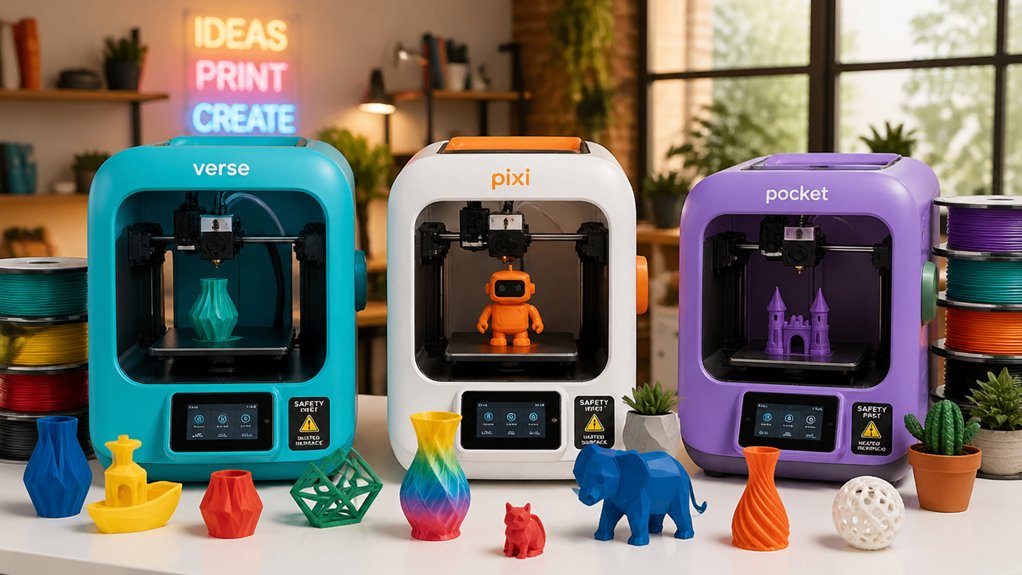
When selecting a 3D printer for kids, you’ll need to evaluate several key factors that directly impact safety, usability, and learning outcomes. You should prioritize safety features and enclosures that prevent burns, assess how quickly the printer sets up and calibrates, check the print speed to maintain your child’s engagement, verify that the device includes educational software or resources, and measure the build platform size to determine what projects your child can create. Each of these considerations works together to ensure you choose a printer that your child will actually use rather than abandon after initial interest fades.
Safety And Enclosure
How much protection does your child’s 3D printer actually provide? You’ll want an enclosed or semi-enclosed design that contains fumes while letting you monitor printing progress. Look for models with child-safe locks that prevent opening during operation and auto-pause features that stop the printer when doors open. Check that the frame shields hot surfaces and moving parts from direct contact. Removable build plates and quick-release nozzles make maintenance easier, reducing your involvement in heated component handling. Select printers with stable cooling systems and low-noise operation to minimize classroom or home disruptions. Verify the interior remains visible through transparent panels so you can supervise without exposing your child to high-temperature zones. These features work together to create a safer printing environment.
Ease Of Setup
Once you’ve secured a printer with proper safety features, you’ll want to minimize the time between unboxing and first print. Look for models that arrive fully assembled or require minimal setup, eliminating tedious construction steps. Auto-leveling beds remove the need for manual calibration, a common frustration for beginners. Choose printers with touchscreen interfaces and guided workflows that walk users through each step clearly. One-tap or app-based printing lets kids start projects without navigating complex menus. Preloaded models and starter kits provide ready-to-print content, so you’re not hunting for beginner-friendly files. These features combined mean your child can begin creating within minutes of opening the box, keeping initial frustration low and engagement high.
Print Speed Performance
Why does print speed matter for kids’ 3D printing projects? Faster print speeds reduce wait times between projects, keeping young users engaged and motivated. You’ll find most kid-focused printers operate between 200–600 mm/s, with many models running at 250–400 mm/s for practical toy prototyping.
Consider your printer’s cooling system and frame stability when selecting higher speeds. CoreXY and direct extrusion designs handle rapid printing better than other configurations. You should expect that very high speeds may compromise layer consistency and surface finish, requiring robust cooling to maintain quality.
Choose printers with auto-leveling and quick-swap nozzles to minimize downtime between prints. These features enhance overall throughput for classroom or family use. Balance speed with reliability—a dependable mid-range printer outperforms an unreliable high-speed model.
Educational Value
Educational value forms the core reason to invest in a 3D printer for kids, so you’ll want to prioritize models that support structured learning alongside creative play. Look for printers offering 1500+ pre-loaded models and 15+ design modules aligned to STEM curricula. Built-in AI tools like AI Doodle and creator courses strengthen design thinking skills. Check whether your chosen printer includes curriculum-mapped content and weekly updates that match classroom standards. Cloud-based libraries and Wi-Fi connectivity let you access ready-to-use designs instantly, eliminating setup delays. Verify that the printer connects to educational platforms your school uses. Finally, confirm that safety features and enclosed frames don’t restrict hands-on learning opportunities. These elements combine to create a legitimate educational tool rather than a novelty device.
Build Platform Size
While educational software and design tools develop your child’s creativity, the printer’s build platform size determines what they can actually create. Mini-printers with 3.9 × 4.3 inch platforms fit desks or small rooms but restrict model dimensions. Larger kid-oriented models offering 9–12 inch footprints allow bigger individual projects or multiple small prints simultaneously, boosting classroom and family throughput. Choose compact sizes for space-limited environments; select larger platforms when your child needs to print substantial designs or combine several items in one session. Flexible or magnetic beds on larger platforms simplify print removal and reduce warping during bigger jobs. Platform size also affects bed adhesion requirements and enclosure design choices for managing fumes safely. Assess your available space and your child’s project ambitions before deciding.
Connectivity Options
How your child transfers designs to the printer shapes their printing workflow and independence level. You’ll find three main connectivity options: USB cables, SD/TF cards, and Wi-Fi.
USB cables offer direct connection from a computer to the printer. Your child loads designs onto the computer, connects the cable, and initiates printing. This method requires proximity to the printer.
SD/TF cards provide offline printing. Your child transfers files to the card using a computer, inserts it into the printer’s slot, and selects designs independently. No network needed.
Wi-Fi enables remote printing through dedicated apps. Your child selects designs on a smartphone or tablet and prints from anywhere in your home. Some models include built-in cameras for real-time progress monitoring.
Choose based on your child’s tech comfort and your setup needs.
Maintenance Requirements
What separates a printer your child actually uses from one that sits idle? Maintenance requirements. You’ll want a printer with auto-leveling beds to eliminate manual calibration, which saves time and frustration. Choose models with flexible or removable build plates—PEI or magnetic flex plates work best—so your child can extract finished prints without struggling. Look for easy nozzle access or quick-swap nozzles to handle clogs quickly and minimize downtime. Filament runout detection prevents wasted prints when material runs empty mid-project. Power-loss resume lets interrupted prints continue after power cuts. Finally, select printers with clear maintenance guides or video tutorials your child can follow independently. These features keep the printer running smoothly and your child engaged in the hobby.
Final Thoughts
You’ve now reviewed ten kid-friendly 3D printers that combine safety features, ease of use, and engaging content. To make your choice, list your priorities: budget, build size, and whether you need WiFi control or AI assistance. Compare auto-leveling capabilities and cooling speeds across models. Check warranty coverage and available curriculum content. Select the printer matching your specific needs and available space, then verify it includes proper supervision features before purchase.

Meet Ry, “TechGuru,” a 36-year-old technology enthusiast with a deep passion for tech innovations. With extensive experience, he specializes in gaming hardware and software, and has expertise in gadgets, custom PCs, and audio.
Besides writing about tech and reviewing new products, he enjoys traveling, hiking, and photography. Committed to keeping up with the latest industry trends, he aims to guide readers in making informed tech decisions.