
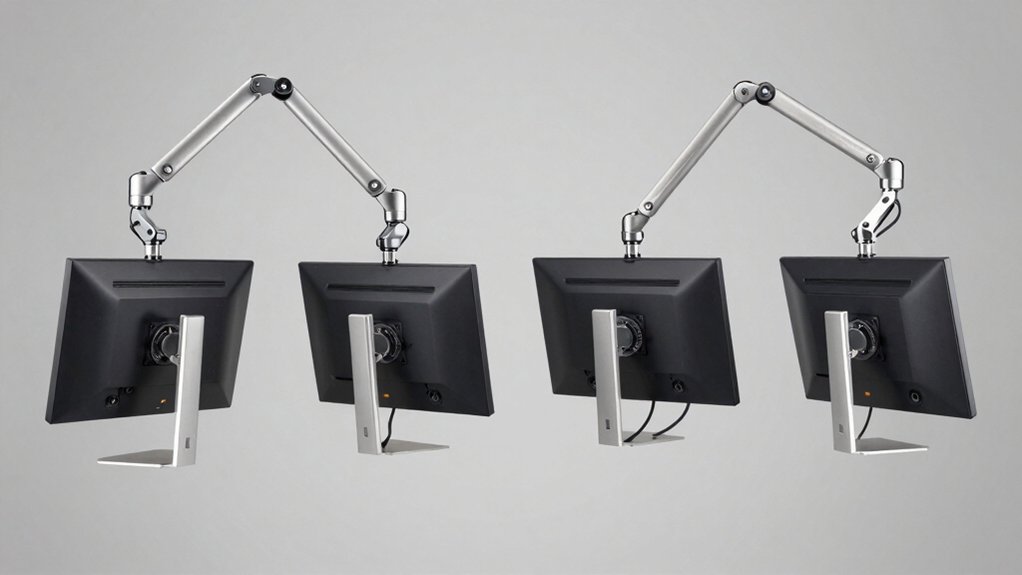

You’re setting up a multi-monitor workstation and need a mount that won’t fail you. A quality 4-monitor mount supports your displays safely, saves desk space, and lets you adjust screens to your exact viewing angle. The right choice depends on your monitor sizes, desk type, and weight capacity. Here’s what separates the trustworthy options from the rest—and why one might be perfect for your setup.
| MOUNT PRO Quad Monitor Stand for 13-32 Inch Screens |

| Best Universal Compatibility | Monitor Size Compatibility: 13–32 inches | Weight Capacity Per Arm: 17.6 lbs per monitor | VESA Compatibility: 75x75mm and 100x100mm | VIEW LATEST PRICE | Read Our Analysis |
| MOUNTUP Quad Monitor Stand for 17-32 Inch Screens |

| Best Customer Support | Monitor Size Compatibility: 17–32 inches | Weight Capacity Per Arm: 17.6 lbs per arm | VESA Compatibility: 75x75mm and 100x100mm | VIEW LATEST PRICE | Read Our Analysis |
| VIVO Pneumatic Quad Monitor Desk Mount (STAND-V400D) |

| Best Premium Build | Monitor Size Compatibility: Up to 49 inches (1 ultrawide), up to 38 inches (2 screens) | Weight Capacity Per Arm: 5.5–44 lbs per arm | VESA Compatibility: 75x75mm and 100x100mm | VIEW LATEST PRICE | Read Our Analysis |
| Quad Monitor Mount for 17-27 Inches Adjustable Desk Arm |
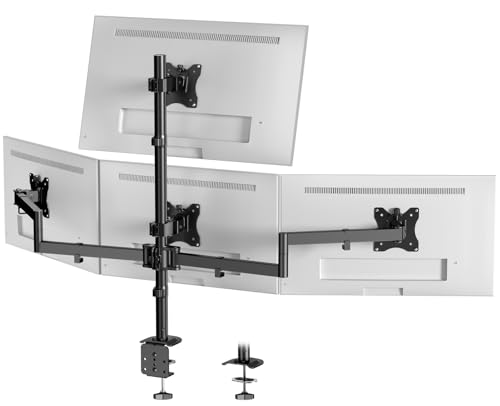
| Best Space Saver | Monitor Size Compatibility: 17–32 inches (top), up to 27 inches (lower three) | Weight Capacity Per Arm: 19.8 lbs per screen | VESA Compatibility: 75x75mm and 100x100mm | VIEW LATEST PRICE | Read Our Analysis |
| monTEK Quad Monitor Stand Mount for 4 Screens |
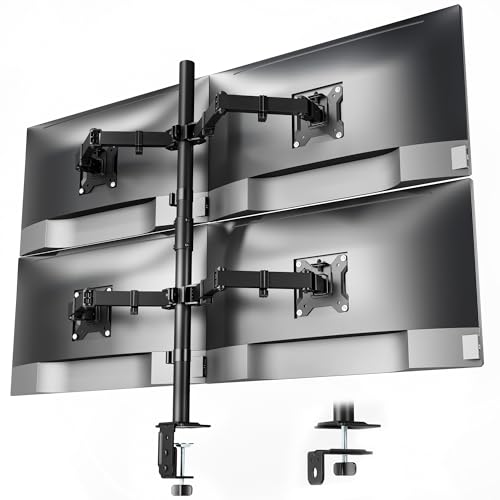
| Best Weight Capacity | Monitor Size Compatibility: 17–32 inches | Weight Capacity Per Arm: 22 lbs per arm | VESA Compatibility: 75x75mm and 100x100mm | VIEW LATEST PRICE | Read Our Analysis |
More Details on Our Top Picks
MOUNT PRO Quad Monitor Stand for 13-32 Inch Screens
The MOUNT PRO Quad Monitor Stand is the right choice for professionals who need to maximize desk space while supporting multiple screens of varying sizes. This stand accommodates 13–32 inch monitors, holding up to 17.6 lbs each through VESA 75x75mm and 100x100mm compatibility. You’ll adjust viewing angles with +90° to –90° tilt, 180° swivel, and 360° rotation on each arm. The 31.7-inch pole reaches appropriate heights for sitting or standing work. Installation takes minutes with labeled parts and clear instructions. Cable clips keep your desk organized. The stand fits desks from 0.59 to 3.15 inches thick, making it adaptable to most workspaces.
- Monitor Size Compatibility:13–32 inches
- Weight Capacity Per Arm:17.6 lbs per monitor
- VESA Compatibility:75x75mm and 100x100mm
- Tilt and Swivel Range:Tilt +90° to -90°, swivel 180°
- Desk Mounting Options:C-clamp for 0.59–3.15 inch thickness
- Assembly Time:Quick assembly with labeled parts
- Additional Feature:31.7 inches tall pole
- Additional Feature:Universal flat/curved compatibility
- Additional Feature:Organized cable clips included
MOUNTUP Quad Monitor Stand for 17-32 Inch Screens
Looking to consolidate four monitors on a single base without sacrificing desk real estate? The MOUNTUP Quad Monitor Stand delivers a heavy-duty solution supporting screens up to 17.6 lbs each. You’ll get full adjustability: 360° rotation, ±90° tilt, and ±180° swivel on each arm. Mount it using either a C-clamp or grommet system on desks measuring 0.39–3.15 inches thick. The stand accommodates VESA 75×75 mm or 100×100 mm patterns, fitting most LCD, LED, flat, and curved monitors sized 17–32 inches. Cable clips keep your setup organized. Assembly takes under 20 minutes with included hardware and instructions. You’re backed by a 3-year warranty covering installation questions and support.
- Monitor Size Compatibility:17–32 inches
- Weight Capacity Per Arm:17.6 lbs per arm
- VESA Compatibility:75x75mm and 100x100mm
- Tilt and Swivel Range:Tilt ±90°, swivel ±180°
- Desk Mounting Options:C-clamp or grommet mount; 0.39–3.15 inch thickness or 0.39–2.36 inch hole diameter
- Assembly Time:Under 20 minutes
- Additional Feature:Quick-release VESA plates
- Additional Feature:3-year warranty coverage
- Additional Feature:20-minute setup time
VIVO Pneumatic Quad Monitor Desk Mount (STAND-V400D)
Need a single mount that handles four ultrawide monitors without breaking your budget or your desk? The VIVO Pneumatic Quad Monitor Desk Mount supports one 49-inch screen and two 38-inch screens simultaneously. Each arm holds 5.5 to 44 pounds, accommodating various monitor weights. The pneumatic height adjustment system counterbalances your displays for effortless positioning. Cast aluminum construction delivers durability and scratch resistance across all arms. You’ll get 55-degree forward tilt and 25-degree backward tilt plus 180-degree swivel capability. The clamp base secures to desktops up to two inches thick. Installation includes detachable VESA plates compatible with 75x75mm or 100x100mm standards, simplifying the mounting process considerably.
- Monitor Size Compatibility:Up to 49 inches (1 ultrawide), up to 38 inches (2 screens)
- Weight Capacity Per Arm:5.5–44 lbs per arm
- VESA Compatibility:75x75mm and 100x100mm
- Tilt and Swivel Range:Tilt +55° to -25°, swivel 180°
- Desk Mounting Options:Clamp base fits desktops up to 2 inches thick
- Assembly Time:Not specified
- Additional Feature:Supports ultrawide screens (49″)
- Additional Feature:Pneumatic height adjustment
- Additional Feature:Heavy-duty cast aluminum
Quad Monitor Mount for 17-27 Inches Adjustable Desk Arm
For professionals who need four screens running simultaneously—think financial traders monitoring markets, programmers debugging across multiple windows, or designers comparing design files side-by-side—this quad monitor mount delivers the screen real estate you’re after without consuming your entire desk surface. You’ll free over 80% of desktop space compared to traditional stands. The top arm supports monitors up to 32 inches, while the three lower arms handle up to 27 inches each, with a 19.8-pound maximum load per screen. Both clamp and grommet mounting options accommodate desks ranging from 0.39 to 3.14 inches thick. Each arm tilts, swivels, and rotates 360 degrees independently, letting you position all four screens for optimal eye-level alignment. Installation takes minutes using included detachable VESA plates compatible with 75×75 and 100×100 mounting standards.
- Monitor Size Compatibility:17–32 inches (top), up to 27 inches (lower three)
- Weight Capacity Per Arm:19.8 lbs per screen
- VESA Compatibility:75x75mm and 100x100mm
- Tilt and Swivel Range:Fully adjustable tilt and swivel with 360° rotation
- Desk Mounting Options:Clamp (0.39–3.14 inch) and grommet (0.39–1.57 inch) included
- Assembly Time:Easy installation with detachable VESA plates
- Additional Feature:Frees 80% desk space
- Additional Feature:Vertical/horizontal stacking capability
- Additional Feature:Detachable VESA plates
monTEK Quad Monitor Stand Mount for 4 Screens
The monTEK Quad Monitor Stand Mount works best if you’re setting up a multi-screen workstation where you need each display positioned exactly where you want it without taking up extra desk space. Each arm holds monitors up to 32 inches and 22 pounds, supporting VESA 75x75mm or 100x100mm mounting patterns. You’ll choose between C-clamp or grommet installation based on your desk type. The mount tilts -45° to +45°, swivels -90° to +90°, and rotates 360°, letting you adjust all four screens for ergonomic viewing. Assembly takes about 20 minutes using included hardware. Quick-release VESA plates simplify monitor attachment and removal, while integrated cable organizers keep wires organized.
- Monitor Size Compatibility:17–32 inches
- Weight Capacity Per Arm:22 lbs per arm
- VESA Compatibility:75x75mm and 100x100mm
- Tilt and Swivel Range:Tilt -45° to +45°, swivel -90° to +90°
- Desk Mounting Options:C-clamp or grommet mount
- Assembly Time:Typically complete within 20 minutes
- Additional Feature:Integrated cable organizers
- Additional Feature:Quick-release VESA plates
- Additional Feature:Advanced joint design stability
Factors to Consider When Choosing a 4-Monitor Mount With Adjustable Arms
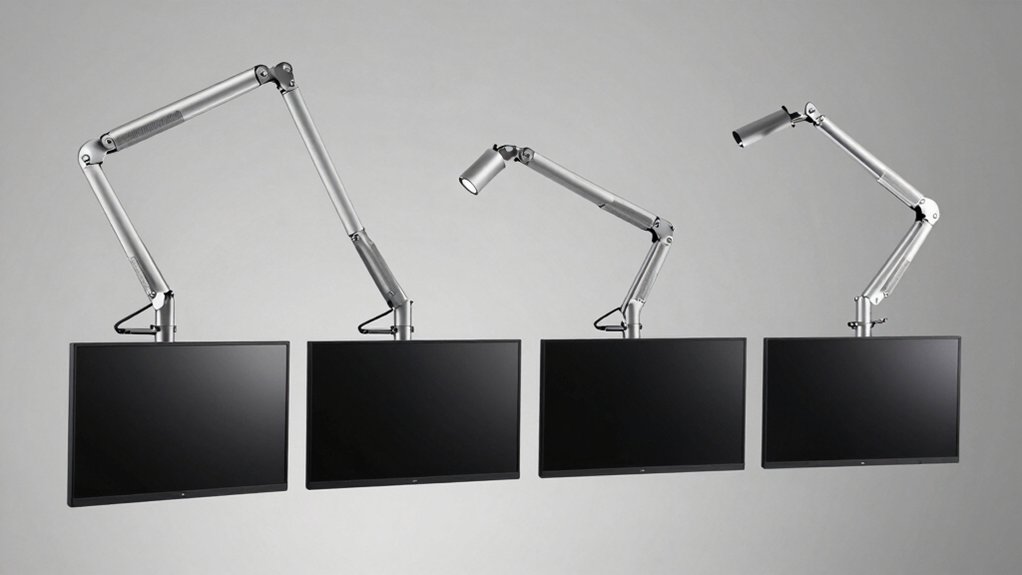
Before you select a 4-monitor mount with adjustable arms, you’ll need to evaluate five key factors: screen size compatibility to ensure your monitors fit the mount’s specifications, weight capacity per arm to confirm it supports your individual monitor weights, adjustment range and flexibility to achieve your preferred viewing angles and heights, desk space requirements to verify the mount won’t overcrowd your workspace, and installation time to determine how quickly you can set it up. Each factor directly affects whether the mount will function properly in your specific environment and meet your daily work needs. Review your monitor models’ dimensions and weights, measure your available desk space, and check the manufacturer’s specifications for each mount you’re considering.
Screen Size Compatibility
Compatibility between your monitors and mount requires checking three key specifications before you buy. First, verify your screen sizes fall within the mount’s range—most support 17–32 inches, though some accommodate up to 49 inches for ultrawide displays. Second, confirm your monitors match the mount’s VESA pattern, typically 75×75 mm or 100×100 mm hole spacing on the back. Third, weigh each monitor and ensure it doesn’t exceed the arm’s capacity, usually 17.6–22 lbs per display. Note that some mounts restrict top monitors to smaller sizes than bottom ones in stacked configurations. Finally, check whether your screens are curved or flat, as curvature and depth affect feasibility. Verify these details against your specific setup to avoid compatibility issues.
Weight Capacity Per Arm
How much weight can each arm handle? Each arm’s weight capacity varies by model, typically ranging from 5.5 lbs to 44 lbs depending on build quality and hardware. Many quad setups specify a per-arm limit of 17.6 lbs, which aligns with standard 13–32 inch monitors’ typical weights.
Before purchasing, identify your heaviest monitor’s weight. Then compare it against the mount’s stated per-arm capacity. The capacity must match or exceed that weight to prevent overloading.
Heavier loads require sturdier materials like heavy-duty steel or cast aluminum to prevent sag and maintain stability. Some products distinguish between ultrawide or larger screens, which can affect usable weight capacity per arm due to distribution and counterbalancing. Match your setup’s demands to the mount’s specifications.
Adjustment Range And Flexibility
What flexibility do you actually need from your four-monitor setup? Start by checking the tilt range—you’ll want at least ±90° to position screens at different vertical angles for comfortable viewing. Next, verify that each arm rotates 360° so you can switch between landscape and portrait orientations without removing monitors. Confirm the swivel capability reaches ±180° for side-to-side adjustments and easier port access. Look for pneumatic or gas-spring height adjustment, which lets you raise or lower monitors smoothly without tools, regardless of weight differences. Finally, ensure independent arm adjustment so each monitor moves separately without affecting the others. These features let you customize your workspace precisely to your ergonomic needs and workflow requirements.
Desk Space Requirements
Once you’ve locked in your adjustment preferences, measuring your available desk space becomes the next practical step. Most quad mounts require 0.39 to 3.15 inches of desk thickness for clamp or grommet installation, so verify your desk specifications first. Calculate the footprint width—vertical stacking arrangements consume less horizontal space than horizontal layouts, freeing up workspace for keyboards and documents. Check weight capacity limits, typically 17.6 to 22 pounds per monitor arm, to ensure stability on your desk edge. Central pole systems save desk footprint by mounting monitors above the surface rather than spreading across it. Measure from your chair to the wall behind your monitors, confirming adequate clearance for arm extension. Account for peripheral space needed to maintain ergonomic legroom and keep your work area organized.
Installation And Setup Time
Why does setup speed matter when you’re investing in a 4-monitor mount? Quick assembly means you’ll have your workstation operational faster, reducing downtime. Most quad mounts feature labeled parts and clear instructions that guide you through installation systematically. You can expect setup times under 20 minutes with detachable VESA plates and included hardware. Choose between C-clamp or grommet mounting based on your desk thickness—typically ranging from 0.39 to 3.15 inches. Verify that the mount’s weight capacity per arm (usually 17.6–22 lbs) suits your monitors to prevent sagging. Check compatibility with your monitors’ VESA patterns, either 75×75 mm or 100×100 mm. These specifications ensure straightforward installation without complications.
Cable Management Features
How you route your cables during setup directly impacts your workstation’s functionality and appearance. Look for mounts with integrated cable clips and management systems that guide wires along the arms and pole. These features keep cables organized and prevent tangling during monitor adjustments. Check whether the model offers detachable VESA plates, which simplify cable routing when installing or repositioning monitors. Cable management systems also protect your wires from snagging when you raise, lower, or tilt the arms. Evaluate each mount’s clips and routing channels to confirm they accommodate your video and power cables without restricting movement. A well-designed cable management system reduces desk clutter, maintains a professional appearance, and extends cable lifespan by preventing damage during daily adjustments.
Warranty And Support Coverage
Beyond ensuring your cables stay organized, you’ll want to protect your investment through solid warranty and support coverage. Check the warranty length first—most mounts offer either 1-year or 3-year coverage, so compare what each model provides. Review what the warranty actually covers by reading the terms carefully. Determine whether user-caused damage is included or excluded from protection. Look for responsive customer support options advertised alongside the warranty, as pre-purchase guidance helps you choose correctly. Register your product and keep proof of purchase on file to streamline any warranty claims. Note that additional return policies often apply independently—for example, Amazon offers 30-day returns separate from manufacturer warranties. Document all coverage details in your records before installation.
Final Thoughts
You’ll want to evaluate each mount’s weight capacity, VESA compatibility, and desk attachment method before purchasing. Check the setup time—aim for under 20 minutes. Verify cable management features and warranty length. Compare prices across models to find the best value for your workspace. Confirm the mount fits your monitor sizes and desk dimensions. Review customer support responsiveness. Once you’ve selected a mount, follow the installation instructions carefully and test all articulation points for stability.

Meet Ry, “TechGuru,” a 36-year-old technology enthusiast with a deep passion for tech innovations. With extensive experience, he specializes in gaming hardware and software, and has expertise in gadgets, custom PCs, and audio.
Besides writing about tech and reviewing new products, he enjoys traveling, hiking, and photography. Committed to keeping up with the latest industry trends, he aims to guide readers in making informed tech decisions.