
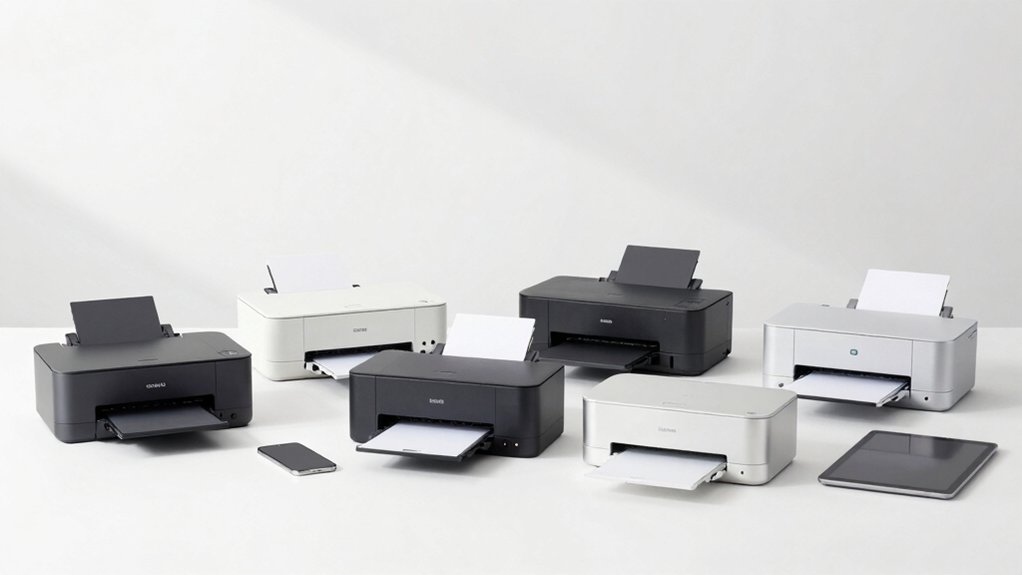

When you’re ready to buy a printer that connects effortlessly to your iPhone, iPad, and Mac, you’ll want to focus on models with certified AirPrint support and reliable wireless performance. The right printer saves you setup time and eliminates compatibility headaches across your devices. But which model actually delivers the best balance of speed, cost, and features for your specific needs?
| Canon PIXMA TS6520 Wireless Color Inkjet Printer |

| Best for Families | Printer Type: Wireless Color Inkjet | All-in-One Capabilities: Print, Scan, Copy | Print Speed (Black & White): 14 ppm | VIEW LATEST PRICE | Read Our Analysis |
| Epson EcoTank ET-2803 Wireless All-in-One Printer |

| Most Economical | Printer Type: Wireless Color Inkjet (Cartridge-Free) | All-in-One Capabilities: Print, Scan, Copy | Print Speed (Black & White): 10 ppm | VIEW LATEST PRICE | Read Our Analysis |
| HP OfficeJet Pro 8125e All-in-One Wireless Printer |

| Best for Home Office | Printer Type: Wireless Color Inkjet | All-in-One Capabilities: Print, Scan, Copy, Fax | Print Speed (Black & White): 20 ppm | VIEW LATEST PRICE | Read Our Analysis |
| Canon PIXMA TS702a Wireless Printer with Mobile Printing |

| Best Value | Printer Type: Wireless Color Inkjet | All-in-One Capabilities: Print Only | Print Speed (Black & White): 10 ipm | VIEW LATEST PRICE | Read Our Analysis |
| Brother HL-L2405W Wireless Monochrome Laser Printer |

| Best for Students | Printer Type: Wireless Monochrome Laser | All-in-One Capabilities: Print Only | Print Speed (Black & White): 30 ppm | VIEW LATEST PRICE | Read Our Analysis |
| HP LaserJet M110w Wireless Black & White Printer |

| Most Compact | Printer Type: Wireless Monochrome Laser | All-in-One Capabilities: Print Only | Print Speed (Black & White): 21 ppm | VIEW LATEST PRICE | Read Our Analysis |
More Details on Our Top Picks
Canon PIXMA TS6520 Wireless Color Inkjet Printer
Looking for a printer that handles multiple users without taking up space? The Canon PIXMA TS6520 delivers compact all-in-one functionality with print, scan, and copy capabilities. Set up wireless connectivity using dual-band Wi-Fi, then download the Canon PRINT App or use Apple AirPrint for seamless printing from your smartphone or tablet. The 2-cartridge ink system produces sharp black text at 14 pages per minute and color documents at 9 pages per minute. Auto duplex printing cuts paper usage by printing on both sides automatically. The 1.42-inch OLED display lets you navigate functions directly on the printer. Print borderless photos up to 8.5″ x 11″ with 1200 x 1200 dpi resolution. Weighing 15.65 pounds and measuring 14.8″ deep, it fits comfortably in tight spaces.
- Printer Type:Wireless Color Inkjet
- All-in-One Capabilities:Print, Scan, Copy
- Print Speed (Black & White):14 ppm
- Duplex (Two-Sided) Printing:Yes, Automatic
- Paper Capacity:Not specified
- Connectivity Options:Dual-Band Wi-Fi, Mobile Apps
- Additional Feature:1.42″ Monochrome OLED display
- Additional Feature:2-cartridge hybrid ink system
- Additional Feature:Compact design (14.8″ x 14″ x 6.7″)
Epson EcoTank ET-2803 Wireless All-in-One Printer
Want the most economical all-in-one printer for your household or small office? The Epson EcoTank ET-2803 delivers scanning, copying, and printing without cartridge expenses. Its refillable ink tanks reduce per-page costs significantly compared to traditional printers. You’ll print 10 pages per minute in black and white or 5 pages per minute in color at 5760 x 1440 dpi resolution. Connect via Wi-Fi or USB, then print directly from your Apple devices using AirPrint. The flatbed scanner handles documents up to 8.5 by 14 inches. Use the LCD display to navigate functions independently, or control operations through the Epson Smart Panel app on Android devices. The printer weighs 8.8 pounds and fits most desk spaces.
- Printer Type:Wireless Color Inkjet (Cartridge-Free)
- All-in-One Capabilities:Print, Scan, Copy
- Print Speed (Black & White):10 ppm
- Duplex (Two-Sided) Printing:No
- Paper Capacity:Not specified
- Connectivity Options:Wi-Fi, USB
- Additional Feature:Cartridge-free refillable ink tanks
- Additional Feature:5760 x 1440 dpi resolution
- Additional Feature:High-capacity tank system
HP OfficeJet Pro 8125e All-in-One Wireless Printer
The HP OfficeJet Pro 8125e handles printing, scanning, copying, and faxing for your home office setup. You’ll print at 20 pages per minute in black and white or 10 ppm in color. The automatic document feeder processes multiple pages without manual feeding, while duplex printing reduces paper usage by printing both sides automatically. Connect via Wi-Fi, USB, or Ethernet. Use the HP App on your mobile device, tablet, or PC to print and scan remotely. AirPrint compatibility lets you print directly from Apple devices. The 225-sheet paper capacity minimizes frequent refilling during work sessions.
- Printer Type:Wireless Color Inkjet
- All-in-One Capabilities:Print, Scan, Copy, Fax
- Print Speed (Black & White):20 ppm
- Duplex (Two-Sided) Printing:Yes, Automatic
- Paper Capacity:225 sheets
- Connectivity Options:Dual-Band Wi-Fi, USB, Ethernet
- Additional Feature:Auto document feeder (ADF)
- Additional Feature:225-sheet paper capacity
- Additional Feature:AI-enabled printing features
Canon PIXMA TS702a Wireless Printer with Mobile Printing
Canon’s PIXMA TS702a offers solid value for home offices needing dependable wireless printing across multiple devices. You’ll print directly from your iPhone, iPad, or Mac using AirPrint or Mopria without installing drivers. The CANON PRINT APP lets you manage jobs from your smartphone, and you can copy documents using your phone’s camera. Print speeds reach 10 ipm for documents and 2.15 ipm for photos. The hybrid ink system combines dye inks for vibrant color photos and black pigment ink for crisp text. Auto duplex printing cuts paper usage in half, while the 350-sheet capacity reduces refilling frequency. Energy Star certification keeps operating costs down.
- Printer Type:Wireless Color Inkjet
- All-in-One Capabilities:Print Only
- Print Speed (Black & White):10 ipm
- Duplex (Two-Sided) Printing:Yes, Automatic
- Paper Capacity:350 sheets
- Connectivity Options:Wi-Fi, Mobile Apps
- Additional Feature:350-sheet plain paper capacity
- Additional Feature:Hybrid dye/pigment ink system
- Additional Feature:Single-function printer design
Brother HL-L2405W Wireless Monochrome Laser Printer
Looking for a printer that handles your schoolwork without breaking your budget? The Brother HL-L2405W delivers reliable monochrome printing at 30 pages per minute. You’ll connect it wirelessly via 2.4GHz or 5GHz bands, or use USB for direct computer linking. The 250-sheet paper tray accommodates standard documents, while the manual feed slot handles envelopes and specialty paper. Download the Brother Mobile Connect App to print from your smartphone or tablet remotely. You’ll monitor toner levels and manage print jobs on-the-go. The compact design fits easily on desks. Optional Refresh EZ Print Subscription automates toner replenishment, eliminating supply concerns. Brother includes a 1-year warranty and lifetime support through phone, email, or chat.
- Printer Type:Wireless Monochrome Laser
- All-in-One Capabilities:Print Only
- Print Speed (Black & White):30 ppm
- Duplex (Two-Sided) Printing:No
- Paper Capacity:250 sheets
- Connectivity Options:Dual-Band Wi-Fi, USB
- Additional Feature:30 ppm print speed
- Additional Feature:Manual feed slot included
- Additional Feature:Refresh EZ Print subscription
HP LaserJet M110w Wireless Black & White Printer
HP’s most compact laser printer in its class delivers professional black & white documents for small teams of 1-3 people. You’ll print at 21 pages per minute with 600 x 600 dpi resolution. Set up wireless connectivity quickly—the printer self-resets for reliable connections. Use the HP Smart app to scan documents to the cloud or print from your mobile device. You can also print directly from smartphones and tablets via AirPrint, Android, or Chromebook. The printer weighs only 8.34 pounds, fitting easily into compact office spaces. You’ll appreciate Energy Star certification and auto-on/off technology that reduce power consumption to approximately 2.3 watts.
- Printer Type:Wireless Monochrome Laser
- All-in-One Capabilities:Print Only
- Print Speed (Black & White):21 ppm
- Duplex (Two-Sided) Printing:No
- Paper Capacity:Not specified
- Connectivity Options:Wireless Wi-Fi, USB 2.0
- Additional Feature:World’s smallest class laser
- Additional Feature:Alexa-compatible control support
- Additional Feature:600 x 600 dpi resolution
Factors to Consider When Choosing AirPrint Printers
When you’re selecting an AirPrint printer, you’ll need to evaluate your print speed requirements (measured in pages per minute), determine the resolution and quality level you need for your documents or photos, and check which connectivity options—such as Wi-Fi, Bluetooth, or USB—work best with your devices. Next, assess your paper capacity needs based on how often you’ll refill the tray, and decide whether you want a multifunction printer that scans, copies, and faxes or a single-function printer that only prints. These five factors will guide you toward a printer that matches your specific workflow and device ecosystem.
Print Speed Requirements
How fast do you actually need your printer to work? Start by assessing your environment. If you work in a busy office, prioritize black-and-white speeds of 20+ ppm and color speeds of 10+ ppm to reduce waiting times. For home offices handling light printing, 10–20 ppm satisfies most needs. Next, examine first-page-out times alongside sustained speeds, since some models deliver faster initial outputs. Finally, evaluate duplex performance if you frequently print double-sided documents, as two-sided printing affects effective speed per page. Match your printer’s specifications to your typical workload, ensuring sustained ppm ratings meet your daily volume requirements rather than peak scenarios.
Resolution And Quality
What role does resolution play in your print quality decisions? Resolution directly affects how sharp your text and images appear on paper. Choose printers offering at least 1200 dpi for crisp document printing, or 5760 x 1440 dpi for photo-quality results. Next, check the printer’s color depth—24-bit color ensures accurate color reproduction across your AirPrint jobs. Consider your scanning needs too; if you’ll copy or scan documents, select a scanner with 600 dpi or higher for quality output. Finally, evaluate how print speed impacts your quality settings. Faster ppm modes sometimes sacrifice detail, so balance speed with your resolution requirements. Match these specifications to your actual printing needs—documents require different quality standards than photos.
Connectivity Options
Beyond resolution quality, you’ll want to examine how your printer connects to your devices—this directly impacts your printing experience. Most AirPrint printers support dual-band Wi-Fi (2.4GHz and 5GHz), which provides stable wireless connections across different environments. Some models also include wired Ethernet or USB options as backup connectivity methods. Check whether your printer supports wireless direct printing, allowing device-to-printer connections without requiring a router. Verify that your specific printer model appears in your Apple device’s printer list and that its firmware supports current AirPrint features. Companion apps like Canon PRINT or Mopria extend compatibility beyond native AirPrint. Before purchasing, confirm your printer’s connectivity specifications match your home network setup and devices.
Paper Capacity Needs
Paper capacity directly affects how often you’ll need to reload your printer during work sessions. Evaluate your printing volume first. If you print fewer than 50 pages weekly, a modest 150-sheet tray works fine. For regular office use or home-based businesses, choose 250–350 sheet trays to minimize interruptions. Next, match the tray capacity to your paper sizes. Confirm the printer supports 8.5″ x 11″ sheets at minimum; larger formats like 8.5″ x 14″ require specific tray compatibility. Finally, pair high-capacity trays with auto-duplex printing for extended document runs. This combination reduces both reloading frequency and paper consumption. On smaller desks where space is limited, accept more frequent refilling as a trade-off for compact design and lower cost.
Multifunction Versus Single-Function
Once you’ve determined your paper capacity needs, you’ll want to decide whether a multifunction or single-function printer fits your workflow. Multifunction printers combine printing, scanning, and copying in one device, saving desk space if you frequently digitize documents or need copying capabilities. They typically include automatic document feeders and duplex scanning features. Single-function printers focus solely on printing, offering faster dedicated performance and simpler operation with lower maintenance requirements. Evaluate your actual needs: if you rarely scan or copy, a single-function model provides better speed and straightforward use. However, if you regularly need multiple functions, a multifunction unit reduces equipment clutter and total cost of ownership despite higher upfront expenses. Consider your specific workflow demands before deciding.
Budget And Total Cost
When selecting an AirPrint printer, you’ll need to evaluate both the upfront purchase price and the long-term expenses that come with ownership. Calculate your per-page printing costs by reviewing ISO yield ratings for black and color cartridges. Compare replacement cartridge prices across models, and determine whether high-yield or refillable tank options reduce ongoing expenses. Factor in subscription services like HP Instant Ink, which charge monthly fees based on your printing volume. Project your total cost of ownership over three to five years by multiplying monthly usage by per-page costs, then adding initial purchase price and any subscription fees. This calculation reveals which printer delivers the lowest long-term expense despite a higher upfront cost.
Wireless Range Coverage
Beyond calculating your printer’s operating costs, you’ll also need to assess how far the device can communicate with your Apple devices across your home or office. Check whether your printer supports dual-band Wi‑Fi (2.4 GHz and 5 GHz), as this allows you to switch to the less congested band for better range. Verify that your printer has 802.11n, ac, or ax capabilities to maintain stable connections at greater distances. Consider your router’s placement—central locations reduce interference from walls. If your main network signal weakens in certain areas, select a printer with Wi‑Fi Direct, which enables direct device-to-printer connections without relying on your router. Examine the printer’s antenna design, as quality antennas extend reliable AirPrint communication range noticeably.
Device Compatibility Scope
How do you know if a printer truly supports AirPrint across all your devices? First, check the manufacturer’s specifications for explicit AirPrint certification. Second, verify that your printer supports dual-band Wi-Fi, since AirPrint relies on stable network connectivity. Third, confirm compatibility with each device you own—iPhones, iPads, and Macs may have different requirements. Fourth, review whether the printer requires additional apps or drivers for setup, as some models need initial configuration before AirPrint functions. Fifth, check the firmware version, since updates can enable or disable AirPrint features. Finally, test printing from multiple devices before making your purchase decision. This systematic approach ensures you’re selecting a printer that actually works seamlessly with your entire Apple ecosystem.
Final Thoughts
You’ll select the right AirPrint printer by matching your needs to device compatibility, print volume, and budget. Review each model’s wireless capabilities, connectivity options, and running costs. If you print photos and documents casually, choose the Canon PIXMA TS6520. For high-volume printing, pick the Epson EcoTank or HP OfficeJet Pro. For monochrome only, consider the Brother or HP LaserJet. Test AirPrint functionality before purchasing to assure seamless integration with your devices.

Meet Ry, “TechGuru,” a 36-year-old technology enthusiast with a deep passion for tech innovations. With extensive experience, he specializes in gaming hardware and software, and has expertise in gadgets, custom PCs, and audio.
Besides writing about tech and reviewing new products, he enjoys traveling, hiking, and photography. Committed to keeping up with the latest industry trends, he aims to guide readers in making informed tech decisions.