
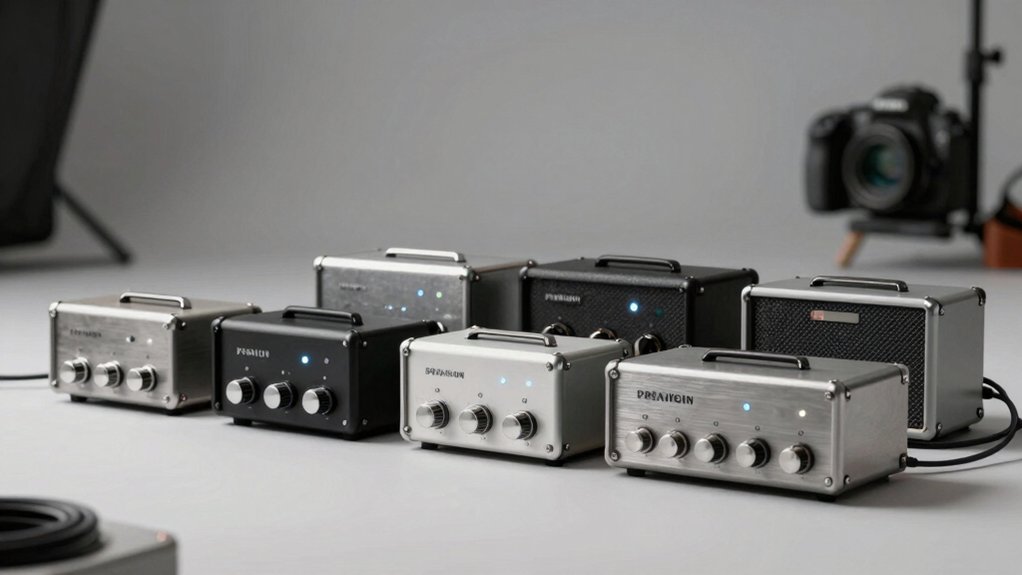

You’re looking to upgrade your PC audio setup, but you’re not sure which amplifier fits your needs. Should you prioritize portability, sound quality, or connectivity options? The seven amplifiers ahead offer different strengths—from compact desktop units to battery-powered models—each addressing specific listening situations. Understanding what features matter most to your setup will help you pick the right one.
| Fosi Audio Q4 DAC Headphone Amplifier Converter |

| Best Overall | Input Connectivity: USB, Optical, Coaxial | Headphone Impedance Range: 16Ω to 200Ω | Audio Output Options: RCA, 3.5mm headphone | VIEW LATEST PRICE | Read Our Analysis |
| Fosi Audio K5 Pro Gaming DAC Headphone Amplifier |

| Best for Gaming | Input Connectivity: USB Type C, Optical, Coaxial | Headphone Impedance Range: 16Ω to 300Ω | Audio Output Options: RCA, 3.5mm AUX | VIEW LATEST PRICE | Read Our Analysis |
| AIYIMA DAC-A2 Headphone Amplifier with USB/Optical Inputs |

| Best Value | Input Connectivity: PC-USB, Optical, Coaxial | Headphone Impedance Range: 16Ω to 200Ω | Audio Output Options: RCA, 3.5mm headphone | VIEW LATEST PRICE | Read Our Analysis |
| Neoteck Portable 3.5mm Headphone Amplifier with Gain Switch |

| Most Portable | Input Connectivity: 3.5mm AUX | Headphone Impedance Range: 16Ω to 300Ω | Audio Output Options: 3.5mm headphone only | VIEW LATEST PRICE | Read Our Analysis |
| LVY Portable HiFi Headphone Amplifier with Rechargeable Battery |
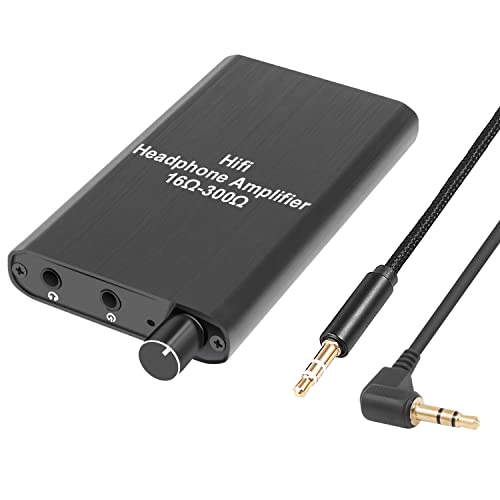
| Budget-Friendly Pick | Input Connectivity: 3.5mm AUX | Headphone Impedance Range: 16Ω to 300Ω | Audio Output Options: 3.5mm AUX only | VIEW LATEST PRICE | Read Our Analysis |
| Douk Audio U3 Mini Headphone Amplifier Hi-Fi |
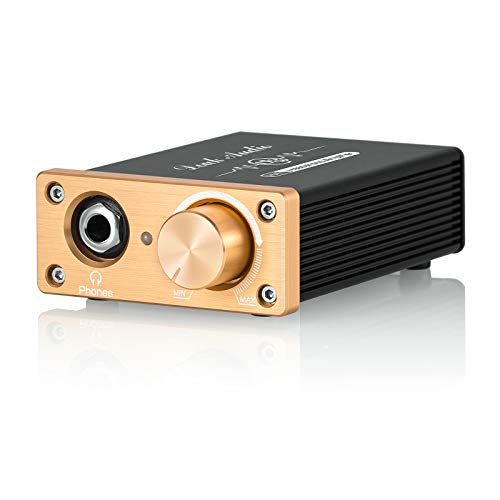
| Best for Audiophiles | Input Connectivity: RCA | Headphone Impedance Range: Variable high-impedance compatible | Audio Output Options: 6.35mm, 3.5mm headphone | VIEW LATEST PRICE | Read Our Analysis |
| TNP Portable Headphones Amplifier with Volume Control |

| Best Compact Option | Input Connectivity: RCA, 3.5mm AUX | Headphone Impedance Range: 16Ω minimum | Audio Output Options: 3.5mm, 6.35mm stereo jack | VIEW LATEST PRICE | Read Our Analysis |
More Details on Our Top Picks
Fosi Audio Q4 DAC Headphone Amplifier Converter
Looking for an entry-level amplifier that’ll work straight out of the box without requiring driver installation? The Fosi Audio Q4 DAC Headphone Amplifier Converter connects to your PC, TV, or speaker system via USB, optical, or coaxial inputs. You’ll get RCA and 3.5mm headphone outputs for flexible connectivity. The unit supports 24-bit/192kHz audio and drives headphones ranging from 16Ω to 200Ω. Adjust bass and treble using the metal knobs to fine-tune your sound. Its compact metal shell includes output protection, and you’ll receive a USB cable, optical cable, and user guide. The device weighs 430 grams and carries a 24-month warranty.
- Input Connectivity:USB, Optical, Coaxial
- Headphone Impedance Range:16Ω to 200Ω
- Audio Output Options:RCA, 3.5mm headphone
- Power Supply:5V DC USB charging
- Audio Controls:Bass, Treble, Volume knobs
- Physical Form Factor:Desktop table-top (3.9″L x 2.9″W, metal shell)
- Additional Feature:24-bit/192kHz HD audio support
- Additional Feature:Output protection circuit included
- Additional Feature:Plug-and-play, no driver installation
Fosi Audio K5 Pro Gaming DAC Headphone Amplifier
Need a compact device that handles both gaming and audio duties without taking up much desk space? The K5 Pro combines a digital-to-analog converter and headphone amplifier in one unit. You’ll connect it via USB Type C, optical, or coaxial inputs, then route audio to your headphones through the 3.5MM output or to powered speakers via RCA connections. The device supports up to 24-bit/192 kHz resolution through optical and coaxial inputs. Its Texas Instruments NE5532 op-amp chip delivers clean sound with a signal-to-noise ratio of 110 dB. You can adjust volume, bass, and treble using the control buttons. The K5 Pro outputs 1000 mW at 16 ohms, making it suitable for most gaming headphones and desktop speakers.
- Input Connectivity:USB Type C, Optical, Coaxial
- Headphone Impedance Range:16Ω to 300Ω
- Audio Output Options:RCA, 3.5mm AUX
- Power Supply:USB Type C charging
- Audio Controls:Bass, Treble, Master volume, Input mode switch
- Physical Form Factor:Mini Hi-Fi stereo (compact metal)
- Additional Feature:Texas Instruments NE5532 op-amp chip
- Additional Feature:THD ≤ 0.003% ultra-low distortion
- Additional Feature:2-in-1 USB Type C charging
AIYIMA DAC-A2 Headphone Amplifier with USB/Optical Inputs
The AIYIMA DAC-A2 serves as your best choice if you’re connecting multiple audio sources to a single desktop setup and need both amplification and digital-to-analog conversion in one compact unit. Connect your PC via USB, optical cable, or coaxial input—the device supports up to 24-bit/192kHz audio quality depending on your source. Route audio through either RCA or 3.5mm headphone outputs to powered speakers or additional amplifiers. The built-in bass and treble controls let you adjust sound characteristics without external equipment. The metal enclosure houses professional-grade chipsets and a TPA6120 headphone amplifier that drives headphones rated 16Ω to 200Ω. Power the unit with a standard 5V DC adapter. This configuration eliminates multiple devices while maintaining audio fidelity across your desktop setup.
- Input Connectivity:PC-USB, Optical, Coaxial
- Headphone Impedance Range:16Ω to 200Ω
- Audio Output Options:RCA, 3.5mm headphone
- Power Supply:5V DC
- Audio Controls:Bass, Treble controls
- Physical Form Factor:Desktop portable (3.86″L x 2.89″W, metal enclosure)
- Additional Feature:TPA6120 headphone amp chip
- Additional Feature:24-bit/192kHz optical/coaxial support
- Additional Feature:Highly portable desktop audio setup
Neoteck Portable 3.5mm Headphone Amplifier with Gain Switch
If you’re using headphones with higher impedance levels or need stronger audio output from your PC setup, this portable amplifier delivers the power you’re looking for. The Neoteck amplifier supports headphones between 16 and 300 ohms, making it compatible with most models. It features a two-stage gain switch for adjusting volume to your preference. The rechargeable battery provides approximately 12 hours of runtime. Connect your device via the 3.5mm input, then connect your headphones to the output. Audio quality remains clear with a signal-to-noise ratio exceeding 120 dB and distortion at 0.0003%. Avoid using the amplifier while charging to prevent audio interference.
- Input Connectivity:3.5mm AUX
- Headphone Impedance Range:16Ω to 300Ω
- Audio Output Options:3.5mm headphone only
- Power Supply:Rechargeable battery (~12 hours)
- Audio Controls:Two-stage gain switch
- Physical Form Factor:Portable pocket-size (3.82″L x 2.36″W, aluminum, 160g)
- Additional Feature:Rechargeable battery, 12-hour runtime
- Additional Feature:SNR > 120 dB performance
- Additional Feature:Two-stage gain switch adjustment
LVY Portable HiFi Headphone Amplifier with Rechargeable Battery
Looking for a compact amplifier that you can carry between your phone, laptop, and portable audio devices? The LVY Portable HiFi Headphone Amplifier delivers clear, sharp sound through its two-stage gain switch, which enhances input signals for optimal performance. This 3.5mm auxiliary amplifier supports headphones with impedance ranging from 16–300 Ω and maintains excellent audio quality with SNR exceeding 120 dB and distortion at just 0.004%. The rechargeable battery provides over five hours of continuous operation. Weighing only 0.16 kg and measuring 3.6 x 0.5 x 1.9 inches, it fits easily into bags or pockets. Connect your MP3 player, phone, or laptop via the 3.5mm input jack, adjust the gain switch to your preferred level, and enjoy enhanced audio output through your headphones.
- Input Connectivity:3.5mm AUX
- Headphone Impedance Range:16Ω to 300Ω
- Audio Output Options:3.5mm AUX only
- Power Supply:Rechargeable battery (5+ hours)
- Audio Controls:Two-stage gain switch
- Physical Form Factor:Mini portable (3.6″L x 1.9″H, aluminum matte, 160g)
- Additional Feature:SNR > 120 dB specification
- Additional Feature:Two-stage gain switch enhancement
- Additional Feature:5+ hours operation time
Douk Audio U3 Mini Headphone Amplifier Hi-Fi
Want a compact amplifier that drives high-impedance headphones without taking up valuable desk space? The Douk Audio U3 Mini delivers. Connect your audio source via RCA inputs, then plug in your headphones using the 6.35mm or 3.5mm jack. This Class A amplifier uses a TI-NE5532 op amp and outputs 1300 milliwatts, powering demanding models like the HD650 or DT880 effectively. You can upgrade the op amp yourself using the pluggable socket design. Supply voltage ranges from 5V to 20V DC, giving you flexible power options. The warm, detailed sound suits vocals and strings particularly well for desktop listening.
- Input Connectivity:RCA
- Headphone Impedance Range:Variable high-impedance compatible
- Audio Output Options:6.35mm, 3.5mm headphone
- Power Supply:5V-20V DC (5V-26V capable)
- Audio Controls:No controls (passive design)
- Physical Form Factor:Mini desktop (compact, 5.92 oz, freestanding)
- Additional Feature:Pluggable op-amp socket upgrades
- Additional Feature:1300mA large current output
- Additional Feature:DC 5-20V wide input
TNP Portable Headphones Amplifier with Volume Control
The TNP Portable Headphones Amplifier serves listeners who need extra power for high-impedance or large-driver headphones without sacrificing audio quality or portability. Connect your audio source using either the 3.5mm or RCA input—use only one input type. Select your output jack: the 3.5mm port for standard headphones or the 6.35mm jack for larger models. Power the unit via the included DC adapter or micro-USB connection. Adjust the analog volume knob for precise control at any listening level. The amplifier delivers 100 milliwatts of clean output with minimal distortion, making it suitable for studios, education settings, and home systems where enhanced headphone performance is essential.
- Input Connectivity:RCA, 3.5mm AUX
- Headphone Impedance Range:16Ω minimum
- Audio Output Options:3.5mm, 6.35mm stereo jack
- Power Supply:5V DC Micro-USB or adapter
- Audio Controls:Volume control with power switch
- Physical Form Factor:Portable compact (97x64x30mm, 70g)
- Additional Feature:6.35mm and 3.5mm outputs
- Additional Feature:LED power indicator light
- Additional Feature:Micro-USB or DC adapter
Factors to Consider When Choosing an Amplifier for PC Speakers and Headphones
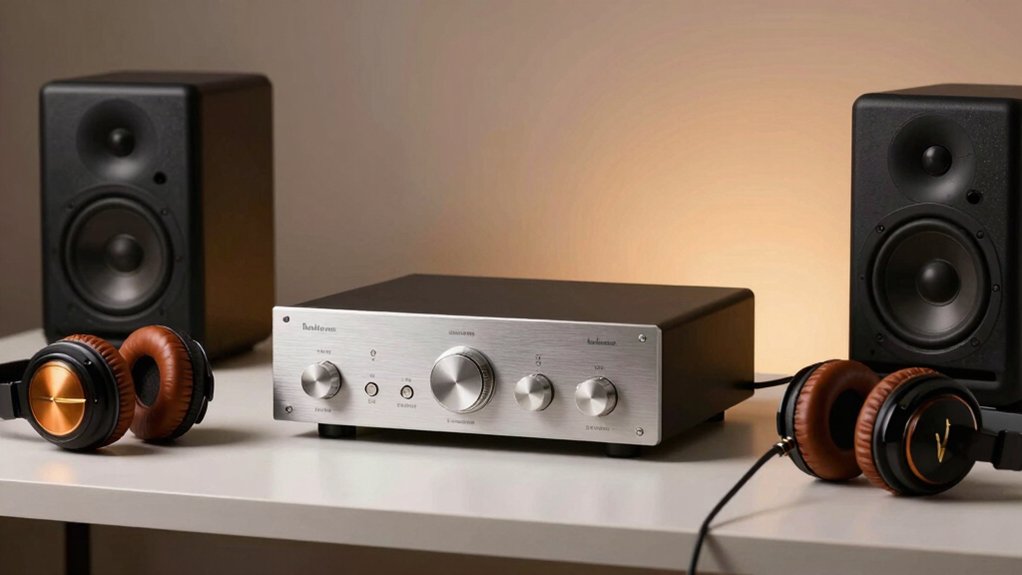
When choosing an amplifier for your PC setup, you’ll need to evaluate five key factors: input connectivity options (USB, 3.5mm jack, RCA, or Bluetooth), power output requirements (measured in watts), impedance compatibility range (typically 4-600 ohms), audio quality specifications (THD rate and frequency response), and whether you need portability or a desktop unit. Start by checking your PC’s available output ports and your speakers’ or headphones’ impedance rating to ensure compatibility. Then compare the amplifier’s wattage output to your speakers’ power needs and review the THD (total harmonic distortion) percentage—lower THD means cleaner sound—to make your final selection.
Input Connectivity Options
How you’ll connect your PC to an amplifier depends on which digital and analog inputs the device supports. USB inputs accept direct connections from your computer and support up to 24-bit/192 kHz audio quality. Optical and coaxial inputs also deliver high-fidelity digital signals at 24-bit/192 kHz, making them reliable alternatives if your PC has these outputs. Some amplifiers feature both USB and optical/coaxial options, giving you flexibility in setup. Check whether your model includes a 3.5 mm headphone output for direct headphone use or RCA outputs for powered speakers. Input mode switches or auto-detect features let you easily toggle between sources. Verify cable compatibility beforehand—certain models may require USB-C or USB-A adapters for proper connection.
Power Output Requirements
Why does matching your amplifier’s output power to your headphone impedance matter? Mismatched power ratings cause clipping, distortion, and reduced dynamic range. Check your headphones’ impedance first, then select an amplifier with corresponding output specs: 1000 mW at 16Ω, 500 mW at 32Ω, 300 mW at 64Ω, or 150 mW at 128Ω. Verify whether ratings list peak or continuous RMS power—peak figures appear higher but don’t indicate sustained performance. For low-impedance headphones (16–300Ω), prioritize higher output power and current delivery. For high-impedance models, ensure stable headroom rather than raw wattage. If using USB/PD-powered devices, confirm the 5V supply provides sufficient current for your load, especially at higher sample rates or louder volumes.
Impedance Compatibility Range
Once you’ve confirmed your amplifier’s power output at specific impedance ratings, you’ll need to verify that it can actually handle your headphones’ or speakers’ impedance value within its supported range. Check your equipment’s impedance spec—typically listed in ohms (Ω)—against the amplifier’s supported range, commonly 16–300 Ω. Lower-impedance devices like 16–32 Ω headphones require higher current delivery, while higher-impedance models around 300 Ω demand greater voltage swing. Mismatched impedance causes underpowered performance or distortion. Review the amplifier’s documentation for its exact supported load range and cross-reference your device’s impedance rating. This compatibility check prevents noise, ensures adequate headroom, and optimizes your damping factor for clean, controlled audio output.
Audio Quality Specifications
What separates a mediocre amplifier from one that truly elevates your listening experience? Audio quality specifications. You’ll want to prioritize signal-to-noise ratio (SNR) of at least 110 dB to eliminate hiss and background noise across both speakers and headphones. Next, check total harmonic distortion (THD+N) ratings—aim for 0.003–0.005% or lower to ensure clean, accurate sound at normal listening volumes. Verify DAC bit depth and sample rate support; prioritize 24-bit/192 kHz compatibility for high-definition audio. Examine headphone output power measured in milliwatts, confirming it handles your headphones’ impedance range (16–300 Ω) without volume limitations. Finally, confirm the unit features a low-jitter DAC design and well-regulated 5 V DC power supply to preserve detail and dynamic range consistently.
Portability Versus Desktop Setup
How you’ll use your amplifier—whether you’re moving between locations or keeping it stationary at your desk—fundamentally shapes which model suits you best. Portable amplifiers run on internal batteries and feature compact designs, allowing you to use them with laptops or mobile devices anywhere. They typically include multiple input types like USB and optical connections. Desktop units require constant 5V DC power and stay fixed at your workstation, delivering higher output power—sometimes exceeding 1300 mW at 16Ω—making them ideal for driving low-impedance headphones. If you need flexibility and quick adjustments on the go, portable models with two-stage gain controls work well. If you prioritize maximum power for stationary PC setups, desktop-oriented DAC/amp units provide superior performance.
Build Quality and Materials
The materials and construction methods used in your amplifier directly affect its durability, performance stability, and lifespan. Look for full-metal shells or durable aluminum alloy housings that protect internal components from damage and maintain rigidity over time. Check that the unit features built-in output protection circuits—these safeguard your headphones and speakers from electrical surges or short circuits. Examine the internal construction for soldered PCB mounts and sturdy connectors, which minimize vibration and ensure reliable connections. Inspect metal knobs for volume and tone controls; high-quality, tactile knobs indicate precise adjustments and long-term durability. Consider weight and dimensions as indicators of chassis mass—units weighing 430–600+ grams typically signal solid construction rather than flimsy plastic design. These factors combine to determine how well your amplifier performs and how long it lasts.
Warranty and Support Coverage
Before you buy an amplifier, check whether the manufacturer offers a clear warranty period—ideally 18–24 months—and verify exactly what it covers on the product page or in the documentation. Compare this to Amazon’s standard 30-day return window, which won’t protect you beyond that timeframe. Review what the warranty actually includes: does it cover defects, repairs, or replacements? Next, confirm you can easily register the product or file a claim by locating contact information and registration procedures. Finally, examine whether the seller provides additional support resources like user manuals, troubleshooting guides, or accessible customer service. Some amplifiers include product-specific limitations or conditions that restrict coverage, so read the fine print carefully before purchasing to understand your full protection.
Final Thoughts
You should select an amplifier based on your specific needs. If you want a desktop solution, choose the Fosi Audio Q4 or K5 Pro for their multiple input options. For portable use, pick the Neoteck or LVY models with battery power. Check your headphone impedance against each amplifier’s range to guarantee compatibility. Verify that the inputs match your PC’s audio outputs—USB, optical, or coaxial. Compare SNR ratings and gain settings to match your audio quality requirements.

Meet Ry, “TechGuru,” a 36-year-old technology enthusiast with a deep passion for tech innovations. With extensive experience, he specializes in gaming hardware and software, and has expertise in gadgets, custom PCs, and audio.
Besides writing about tech and reviewing new products, he enjoys traveling, hiking, and photography. Committed to keeping up with the latest industry trends, he aims to guide readers in making informed tech decisions.