

If you’re serious about competitive fighting games, you need an arcade stick that won’t fail during tournaments. You’ve got several proven options: MAYFLASH’s multi-platform sticks offer affordability and easy upgrades, HORI delivers official Sony and Xbox licensing with reliable performance, and 8Bitdo provides versatile connectivity across systems. But which one matches your setup and budget? The answer depends on specific factors that’ll determine whether you’re tournament-ready or struggling with subpar equipment.
| MAYFLASH F300 Arcade Fight Stick Joystick Multi-Platform Compatible |

| Most Versatile | Platform Compatibility: Switch, PS3/PS4/PS5, Xbox 360/One/Series X|S, PC, Steam Deck, Android | Customization Support: Compatible with Sanwa Denshi buttons and joystick | Connectivity Type: Wired USB | VIEW LATEST PRICE | Read Our Analysis |
| HORI Fighting Stick Mini for PS5 PS4 and PC – Officially Licensed by Sony |

| Best Portable | Platform Compatibility: PS4, PS5, PC | Customization Support: No customization noted | Connectivity Type: Wired USB | VIEW LATEST PRICE | Read Our Analysis |
| 8Bitdo Arcade Stick for Switch & Windows |

| Most Customizable | Platform Compatibility: Nintendo Switch, Windows PC | Customization Support: Ultimate software for button mapping, macro creation, supports Sanwa arcade sticks with universal mounting plate | Connectivity Type: Bluetooth, 2.4 GHz wireless receiver, wired USB-C | VIEW LATEST PRICE | Read Our Analysis |
| MAYFLASH Arcade Fighting Stick F101 Multi-Platform Compatible |

| Budget-Friendly Pick | Platform Compatibility: Switch, PS3, PC, Android, Neo Geo Mini, SEGA Genesis/Mega Drive Mini | Customization Support: Supports Sanwa Denshi buttons (sold separately) | Connectivity Type: Wired USB | VIEW LATEST PRICE | Read Our Analysis |
| HORI Fighting Stick Alpha for Xbox Series X|S |

| Premium Performance | Platform Compatibility: Xbox Series X|S, Xbox One, Windows 10 | Customization Support: Replaceable artwork, open chassis, assignable buttons, four custom profiles via app | Connectivity Type: Wired USB | VIEW LATEST PRICE | Read Our Analysis |
More Details on Our Top Picks
MAYFLASH F300 Arcade Fight Stick Joystick Multi-Platform Compatible
Looking for an arcade stick that works across multiple gaming platforms without requiring separate purchases? The MAYFLASH F300 delivers compatibility with Switch, PS4, PS3, Xbox Series S/X, Xbox One, Xbox 360, PC Windows, macOS, Steam Deck, and Android. You’ll achieve PS5 compatibility through the MAYFLASH Magic-S Ultimate adapter or MagicBoots-S5 Converter. The stick supports both XINPUT and DINPUT on PC, giving you flexibility across different games. You can customize it with Sanwa Denshi buttons and joysticks to match your preferences. The turbo function offers multiple speed settings for enhanced gameplay control. This multi-platform approach eliminates the need for purchasing separate sticks for different consoles, making it a practical investment for fighting game enthusiasts.
- Platform Compatibility:Switch, PS3/PS4/PS5, Xbox 360/One/Series X|S, PC, Steam Deck, Android
- Customization Support:Compatible with Sanwa Denshi buttons and joystick
- Connectivity Type:Wired USB
- Button Layout:Standard 8-button arcade layout
- Form Factor:Full-size arcade stick
- Official Licensing:Not officially licensed
- Additional Feature:Turbo functions with speed settings
- Additional Feature:Sanwa Denshi compatible components
- Additional Feature:Multi-platform adapter support
HORI Fighting Stick Mini for PS5 PS4 and PC – Officially Licensed by Sony
If you’re a fighting game player who values portability without sacrificing performance, the HORI Fighting Stick Mini delivers a compact solution that doesn’t compromise on functionality. This officially licensed stick measures 8″ x 6″ and weighs 467 grams, making it ideal for tournaments or travel. The 8-button layout with micro switch joystick provides responsive inputs for competitive play. You’ll connect via USB cable to your PS5, PS4, or PC. The rubberized feet keep it stable during intense matches. At 4.3 stars from 543 reviews, players recognize its reliability. The one-year manufacturer warranty covers defects, ensuring your investment stays protected.
- Platform Compatibility:PS4, PS5, PC
- Customization Support:No customization noted
- Connectivity Type:Wired USB
- Button Layout:8-button layout
- Form Factor:Compact/mini (approx. 8″ x 6″)
- Official Licensing:Officially licensed by Sony
- Additional Feature:Micro switch joystick technology
- Additional Feature:Compact 8″ x 6″ design
- Additional Feature:Rubberized feet for stability
8Bitdo Arcade Stick for Switch & Windows
The 8Bitdo Arcade Stick works best for you if you want a portable, customizable arcade stick that connects to both Nintendo Switch and Windows PC. This device offers three connection methods: Bluetooth, a 2.4 GHz wireless receiver, and wired USB-C. You can customize button mapping and create macros using 8Bitdo’s software. The stick features a 16-button layout and weighs 4.62 pounds, making it portable. Its universal mounting plate supports Sanwa arcade sticks, allowing you to modify components. The included 2.4G receiver stores safely in a hidden compartment. You’ll find this arcade stick ideal for players prioritizing flexibility and cross-platform compatibility.
- Platform Compatibility:Nintendo Switch, Windows PC
- Customization Support:Ultimate software for button mapping, macro creation, supports Sanwa arcade sticks with universal mounting plate
- Connectivity Type:Bluetooth, 2.4 GHz wireless receiver, wired USB-C
- Button Layout:16-button layout
- Form Factor:Full-size arcade stick
- Official Licensing:Not officially licensed
- Additional Feature:16-button layout configuration
- Additional Feature:Triple connectivity (Bluetooth/wireless/USB-C)
- Additional Feature:Universal Sanwa mounting plate
MAYFLASH Arcade Fighting Stick F101 Multi-Platform Compatible
Want an arcade stick that works across nearly every gaming platform you own? The MAYFLASH F101 connects to Switch, Switch 2, PC Windows, PlayStation 3, Android, Neo Geo Mini, and SEGA systems. You’ll need to purchase Sanwa Denshi buttons separately since they don’t come included. The stick supports turbo functions with adjustable speed settings for different game types. Windows compatibility spans XP through Windows 11, ensuring broad PC support. You can customize the button layout to match your preferences and playstyle. This multi-platform approach makes the F101 practical if you game across various systems and want a single stick investment.
- Platform Compatibility:Switch, PS3, PC, Android, Neo Geo Mini, SEGA Genesis/Mega Drive Mini
- Customization Support:Supports Sanwa Denshi buttons (sold separately)
- Connectivity Type:Wired USB
- Button Layout:Standard arcade button layout
- Form Factor:Compact arcade stick
- Official Licensing:Not officially licensed
- Additional Feature:Turbo function with speed settings
- Additional Feature:Sanwa Denshi customization support
- Additional Feature:Retro console compatibility included
HORI Fighting Stick Alpha for Xbox Series X|S
Looking for an arcade stick that works seamlessly across multiple Xbox platforms? The HORI Fighting Stick Alpha delivers professional-grade performance across Xbox Series X|S, Xbox One, and Windows 10. You’ll get the HORI HAYABUSA lever and matte-finished buttons that pros rely on for competitive play. The stick features 21 assignable buttons, letting you customize your control layout through the companion app. You can create and switch between four custom profiles on the fly during matches. The open chassis design allows you to swap top housing artwork and perform maintenance without hassle. The USB connection provides reliable connectivity, and onboard audio and mic controls keep you connected. At 3 grams with dimensions of 18.9 x 14.37 x 6.5 inches, it balances portability with stability. The 4.4-star rating from 410 reviews confirms its reliability among fighting game players.
- Platform Compatibility:Xbox Series X|S, Xbox One, Windows 10
- Customization Support:Replaceable artwork, open chassis, assignable buttons, four custom profiles via app
- Connectivity Type:Wired USB
- Button Layout:21 buttons
- Form Factor:Full-size arcade stick
- Official Licensing:Officially licensed by Microsoft
- Additional Feature:Replaceable artwork/open chassis design
- Additional Feature:Four custom profiles via app
- Additional Feature:HORI HAYABUSA lever included
Factors to Consider When Choosing Arcade Sticks for Fighting Games
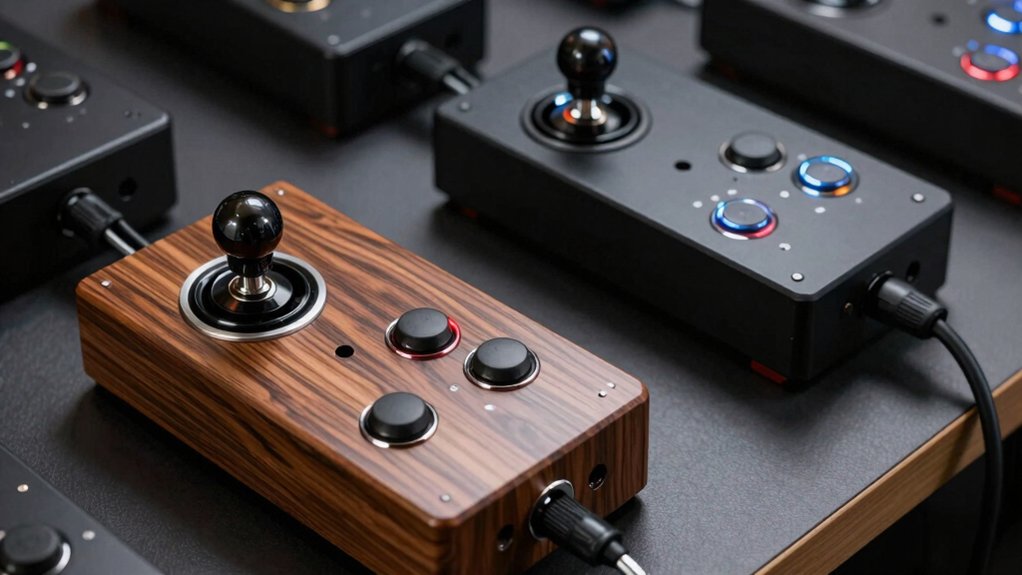
You’ll want to evaluate platform compatibility first, since you can’t use an arcade stick built for PlayStation on Xbox without checking adapter options. Next, consider the stick’s size and portability—smaller models fit in bags for tournaments, while larger ones offer more comfortable spacing for extended play sessions at home. Finally, examine the build quality, button layout, customization options, and overall durability to ensure you’re investing in equipment that matches both your playing style and your budget.
Platform Compatibility Matters
Which platforms do you plan to play fighting games on? Your answer determines which arcade stick you’ll need. First, identify your target platform: Switch, PS4/PS5, Xbox Series X|S, Windows, or macOS. Next, check if the stick supports native hardware compatibility for that system. Some sticks offer multi-platform support through USB, Bluetooth, or wireless receivers, expanding your options across multiple consoles and PC. Verify licensing requirements—Sony-licensed sticks work with PlayStation systems, while Microsoft-licensed models support Xbox. Finally, confirm software compatibility by checking XINPUT/DINPUT support on PC or required driver installations. Don’t overlook older consoles either; certain sticks work with PS3, Xbox 360, or neo geo systems through specific adapters. Match your stick’s specifications to your gaming setup before purchasing.
Customization And Modding Options
Do you want your arcade stick to feel exactly like your preferred setup? Many sticks let you swap buttons and joysticks to match your comfort level. You can purchase models with Sanwa Denshi component support for high-precision customization. Once you’ve selected a stick, check if it offers button remapping or macro features through software or built-in profiles. These tools let you reconfigure layouts and create multiple configurations for different games. Universal mounting plates and mod-friendly designs make upgrading components straightforward. However, not all sticks include complete button sets, so you may need to buy additional components separately. Before purchasing, verify what hardware access the model provides and whether extra parts fit your budget.
Size And Portability Needs
Once you’ve settled on your preferred button layout and customization options, consider how you’ll transport and store your arcade stick. If you travel frequently to tournaments, prioritize compact models like the HORI Fighting Stick Mini, which measures around 8″ x 6″ and weighs considerably less than standard sticks. For wireless flexibility, the 8Bitdo Arcade Stick offers Bluetooth and 2.4 GHz connectivity with an included receiver, eliminating cable management during transport. Multi-platform sticks such as the Mayflash F300 and F101 reduce your equipment load by working across multiple systems, meaning you won’t need separate devices when traveling. Conversely, larger sticks provide better comfort and button spacing during extended play sessions but sacrifice portability and storage convenience. Evaluate your lifestyle and competition schedule to determine whether size or comfort takes priority.
Build Quality And Durability
What separates an arcade stick that lasts for years from one that fails after months of competitive play? Build quality determines durability. You should prioritize sticks featuring Sanwa Denshi buttons and joysticks, which withstand intense use better than cheaper alternatives. Check the chassis design—sturdy construction supports customization without warping or cracking. Examine the wiring and USB/XINPUT/DINPUT interfaces, as these components experience wear from frequent plugging and unplugging during tournaments. Review documentation about replaceable components like button kits; modular designs let you upgrade individual parts instead of replacing the entire stick. Finally, verify official manufacturer licenses and warranties, which indicate the maker’s confidence in long-term reliability. These factors combined ensure your arcade stick performs consistently during competitive play.
Button Layout And Feel
Beyond durability, you’ll want to evaluate how an arcade stick feels in your hands during actual gameplay. Button layout directly impacts your performance in fast-paced situations. You’ll choose between 8-button and 16-button configurations, each offering different spacing and accessibility for combos and defense. Eight-button layouts provide tighter, more accessible buttons for quick inputs. Sixteen-button layouts spread buttons wider, which some players prefer for precision. Next, consider the switch type. Sanwa Denshi micro switches deliver consistent actuation and tactile feedback that many professionals rely on. V-cut housing in joysticks offers faster response for precise directional inputs. Finally, check compatibility with standard arcade buttons so you can customize and replace components as needed to match your preferred feel and performance requirements.
Final Thoughts
You’ll want to pick an arcade stick based on your platform, budget, and upgrade preferences. MAYFLASH sticks offer affordability and modularity across systems. HORI sticks provide official licensing and reliability. 8Bitdo covers Switch and PC gaming. Prioritize sticks with replaceable Sanwa components, solid warranties, and layouts matching your play style. Test button configurations before committing. Your choice determines your competitive edge and long-term investment.

Meet Ry, “TechGuru,” a 36-year-old technology enthusiast with a deep passion for tech innovations. With extensive experience, he specializes in gaming hardware and software, and has expertise in gadgets, custom PCs, and audio.
Besides writing about tech and reviewing new products, he enjoys traveling, hiking, and photography. Committed to keeping up with the latest industry trends, he aims to guide readers in making informed tech decisions.