
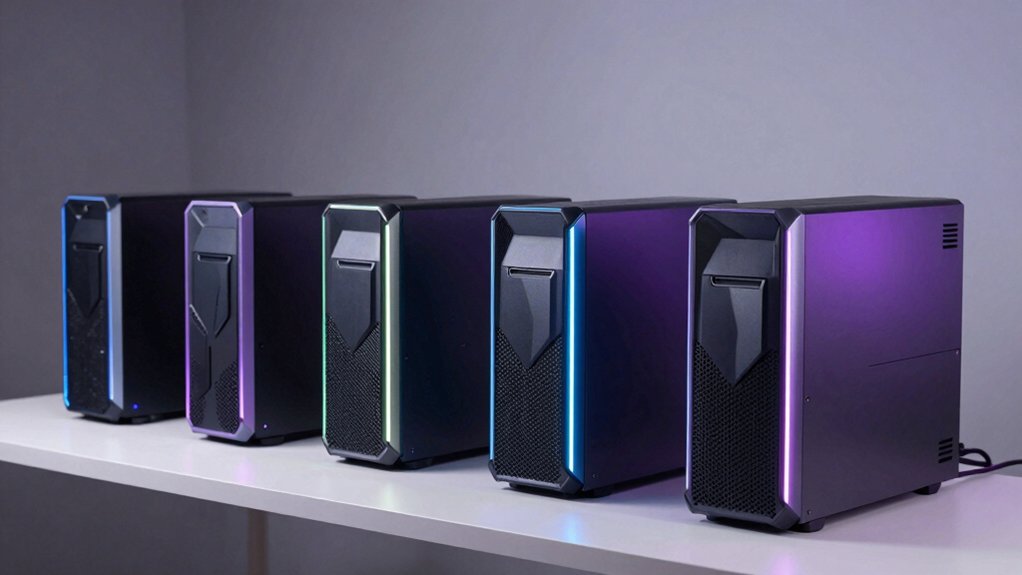

When you’re looking for a desktop PC that handles gaming, streaming, editing, and everyday work, you need to know which ASUS models deliver real performance. You’ve got options ranging from high-end gaming rigs to business towers, each built for different tasks and budgets. The right choice depends on your specific needs—but how do you match your requirements to the actual specs? Here’s what you need to consider first.
| ASUS ROG GM700 Gaming Desktop PC (GM700TZ-MS777) |

| Best High-Performance Gaming | Processor: AMD Ryzen 7 9800X3D | Graphics Card: AMD Radeon RX 9070 XT PRIME OC | RAM: 32GB DDR5 | VIEW LATEST PRICE | Read Our Analysis |
| ASUS ROG G700 Gaming Desktop PC (G700TF-XS776) |

| Best Design & Features | Processor: Intel Core Ultra 7 265F | Graphics Card: NVIDIA GeForce RTX 5070 | RAM: 32GB DDR5 | VIEW LATEST PRICE | Read Our Analysis |
| ASUS ROG G700 Gaming Desktop PC with RTX 5060 |

| Best Mid-Range Gaming | Processor: Intel Core Ultra 7 265F | Graphics Card: NVIDIA GeForce RTX 5060 8GB | RAM: 32GB DDR5 | VIEW LATEST PRICE | Read Our Analysis |
| ASUS V500 Tower Desktop with Intel Core i7 16GB DDR5 |

| Best Business Productivity | Processor: Intel Core i7-13620H | Graphics Card: Intel UHD Graphics (integrated) | RAM: 16GB DDR5 | VIEW LATEST PRICE | Read Our Analysis |
| ASUS V500 Desktop Tower Intel i7-13620H 32GB 1TB |
| Best Professional Multitasking | Processor: Intel Core i7-13620H | Graphics Card: Intel UHD Graphics (integrated) | RAM: 32GB DDR5 | VIEW LATEST PRICE | Read Our Analysis |
More Details on Our Top Picks
ASUS ROG GM700 Gaming Desktop PC (GM700TZ-MS777)
Are you a gamer who streams, edits, and multitasks simultaneously? The ASUS ROG GM700 handles all three without lag. It’s equipped with an AMD Ryzen 7 9800X3D processor that delivers seamless multitasking and blazing-fast performance. The AMD Radeon RX 9070 XT PRIME OC GPU provides immersive visuals with enhanced ray tracing and AV1 encoding for streaming. You get 32GB DDR5 RAM for smooth operation and 2TB PCIe Gen 4.0 SSD storage for near-instant load times. Windows 11 Home comes preinstalled. This setup supports gaming, streaming, editing, and creative work without performance drops, making it suitable for demanding workloads and next-generation power requirements.
- Processor:AMD Ryzen 7 9800X3D
- Graphics Card:AMD Radeon RX 9070 XT PRIME OC
- RAM:32GB DDR5
- Storage:2TB PCIe Gen 4.0 SSD
- Operating System:Windows 11 Home
- Connectivity:Not detailed
- Additional Feature:AMD Radeon RX 9070 XT GPU
- Additional Feature:2TB PCIe Gen 4.0 SSD
- Additional Feature:Enhanced ray tracing and AV1
ASUS ROG G700 Gaming Desktop PC (G700TF-XS776)
The ASUS ROG G700 combines a premium design with powerful gaming hardware. You’ll get an Intel Core Ultra 7 265F processor paired with an RTX 5070 GPU, delivering strong performance for gaming and demanding applications. The 32GB DDR5 RAM and 1TB SSD ensure smooth multitasking and fast load times. The dual-glass chassis houses a quad-fan cooling system that keeps temperatures manageable during intense sessions. You can easily upgrade components thanks to tool-less access and the spacious 58L capacity. Connectivity includes 2.5Gbps Ethernet and WiFi 6 for stable online performance. The system arrives ready to use with included peripherals and Dolby Atmos audio support.
- Processor:Intel Core Ultra 7 265F
- Graphics Card:NVIDIA GeForce RTX 5070
- RAM:32GB DDR5
- Storage:1TB SSD PCIe 4.0
- Operating System:Not specified
- Connectivity:2.5Gbps Ethernet, WiFi 6
- Additional Feature:Dual-glass chassis with RGB lighting
- Additional Feature:Quad-fan cooling system
- Additional Feature:Tool-less upgrade access
ASUS ROG G700 Gaming Desktop PC with RTX 5060
Want a gaming desktop that handles modern titles without breaking your budget? The ASUS ROG G700 with RTX 5060 delivers solid performance for competitive gaming and streaming. You’ll get an Intel Core Ultra 7 265F processor paired with 32GB DDR5 RAM, ensuring smooth multitasking across demanding applications. The RTX 5060 8GB GPU supports ray tracing and DLSS technology, enhancing visual quality while maintaining playable frame rates. Your setup includes a 1TB NVMe SSD for fast load times, WiFi 6 connectivity, and Windows 11 pre-installed. The 600W 80 Plus Gold PSU provides stable power, while air cooling keeps components running efficiently. You’ll receive an RGB keyboard and mouse, plus a 12-month warranty covering mechanical and electrical issues.
- Processor:Intel Core Ultra 7 265F
- Graphics Card:NVIDIA GeForce RTX 5060 8GB
- RAM:32GB DDR5
- Storage:1TB NVMe SSD
- Operating System:Windows 11
- Connectivity:WiFi 6, HDMI port
- Additional Feature:Tempered glass side panel
- Additional Feature:600W 80 Plus Gold PSU
- Additional Feature:12-month CPS protection plan
ASUS V500 Tower Desktop with Intel Core i7 16GB DDR5
Looking for a desktop that handles business productivity without compromise? The ASUS V500 delivers with its Intel Core i7-13620H processor, offering 10 cores and 16 threads for seamless multitasking. You’ll get 16GB DDR5 RAM at 4800 MHz, expandable to 64GB if you need additional capacity. The 1TB SSD boots applications instantly and stores your files securely. For connectivity, you’re equipped with USB-C, multiple USB-A ports, HDMI 1.4, and DisplayPort 1.4 for dual monitors. Windows 11 Pro provides enterprise-grade security. This configuration handles demanding productivity software, data analysis, and business applications efficiently without stuttering or delays.
- Processor:Intel Core i7-13620H
- Graphics Card:Intel UHD Graphics (integrated)
- RAM:16GB DDR5
- Storage:1TB SSD (PCIe NVMe)
- Operating System:Windows 11 Pro
- Connectivity:Wi-Fi 6, Bluetooth, Ethernet
- Additional Feature:Multi-monitor DisplayPort capability
- Additional Feature:64GB maximum RAM support
- Additional Feature:Business-ready Windows 11 Pro
ASUS V500 Desktop Tower Intel i7-13620H 32GB 1TB
ASUS’s V500 Desktop Tower with Intel i7-13620H processor delivers professional multitasking through 10 cores and 32GB DDR5 memory, making it ideal for professionals who need to run multiple demanding applications simultaneously—spreadsheets, video conferencing, design software, and data analysis all at once without slowdowns. The 1TB SSD ensures fast file access and boot times. You’ll find expandable storage up to 2TB and maximum memory capacity of 64GB for future upgrades. Windows 11 Pro includes business security features. Seven USB ports, dual HDMI outputs, and DisplayPort support multi-monitor setups. The included keyboard, mouse, and 64GB flash drive provide immediate productivity.
- Processor:Intel Core i7-13620H
- Graphics Card:Intel UHD Graphics (integrated)
- RAM:32GB DDR5
- Storage:1TB SSD (PCIe NVMe)
- Operating System:Windows 11 Pro
- Connectivity:Wi-Fi 6, Bluetooth, Ethernet
- Additional Feature:7.1 channel audio system
- Additional Feature:4 memory slots expandable
- Additional Feature:A-DATA 64GB USB included
Factors to Consider When Choosing an ASUS Desktop PC
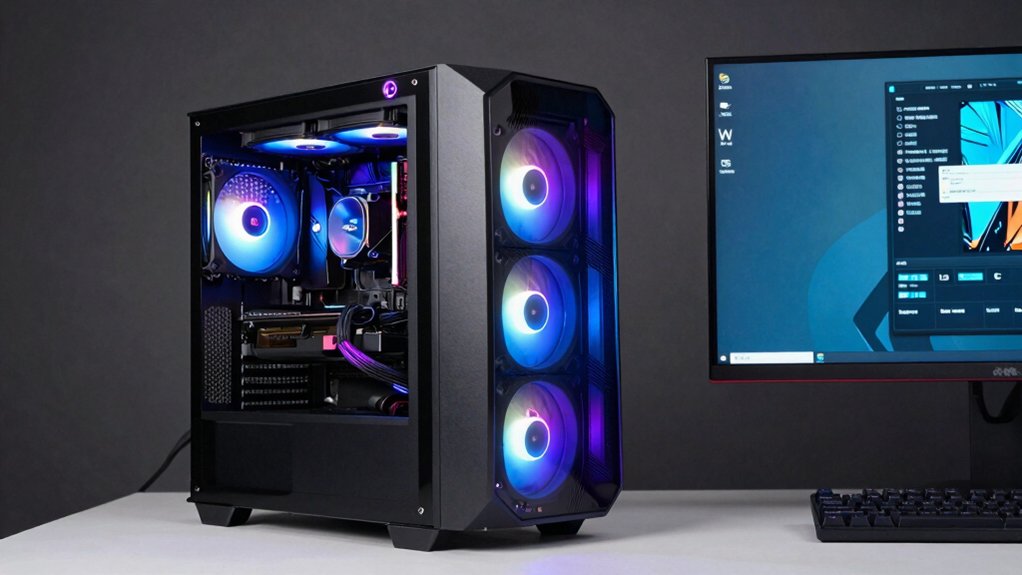
When you’re selecting an ASUS desktop PC, you’ll need to evaluate five key factors that directly affect how well the computer performs your tasks. First, assess the processor and RAM for speed and multitasking ability; second, check the graphics card if you’re gaming or doing video work; third, verify the storage capacity and type (SSD vs. HDD); fourth, review the cooling system to ensure the machine won’t overheat during heavy use; and fifth, confirm the ports and upgrade options match your current and future needs.
Performance And Processing Power
To get the best performance from an ASUS desktop PC, you’ll need to evaluate several key components that work together to handle your tasks efficiently. Start by examining the processor core count and clock speeds—more cores enable better multitasking, while higher turbo frequencies up to 4.9 GHz accelerate single-threaded tasks. Next, check your RAM capacity and speed; 32 GB DDR5 at 4800 MT/s handles memory-intensive applications without bottlenecks. Balance your CPU with a capable GPU like RTX 5060 or 5070 for gaming and creative work. Finally, prioritize NVMe SSD storage to reduce boot and load times. These components working together determine whether your system crushes everyday tasks or struggles under load.
Graphics And Gaming Capabilities
While a strong processor and ample RAM form your desktop’s foundation, the GPU you choose determines how well your system handles modern games and graphics-intensive work. Select a GPU like the RTX 5070 or RX 9070 XT for advanced ray tracing and high frame rates on demanding titles. Prioritize VRAM size—8GB handles 1080p gaming, while 12GB or more supports 1440p and 4K resolutions during intensive scenes. Verify your GPU supports DLSS, ray tracing, and AV1 encoding for enhanced visual quality and streaming efficiency. Pair your GPU with 32GB system RAM to eliminate multitasking bottlenecks while gaming or recording. Finally, install 1TB–2TB NVMe SSD storage to minimize texture and asset load times in open-world games.
Memory And Storage Capacity
How much RAM and storage do you actually need in your ASUS desktop? Start by evaluating your workload. For multitasking and heavy applications, choose 32 GB DDR5 RAM over the base 16 GB option. All models feature DDR5 memory, which delivers faster speeds and greater bandwidth than older DDR4 systems. You can upgrade most configurations up to 64 GB for demanding tasks. For storage, 1 TB NVMe SSD serves as standard in several towers, with expandable options reaching 2 TB. Select PCIe Gen NVMe drives for faster boot times and quicker loading compared to SATA alternatives. Assess your needs, then configure your system accordingly to match your performance requirements.
Cooling And Thermal Management
Effective cooling systems are essential for maintaining your ASUS desktop’s performance and longevity, especially when you’re running demanding applications or gaming for extended periods. Look for models with multi-fan setups, such as quad-fan configurations, that optimize airflow and keep temperatures stable under heavy workloads. Check that your chassis includes dust filters and well-vented designs to reduce interior dust buildup that degrades thermal efficiency. Higher-end gaming or workstation desktops often feature advanced cooling layouts with multiple intake and exhaust paths supporting future upgrades. Tempered glass side panels improve airflow visibility and efficiency. Choose desktops with tool-less access and modular components, which let you enhance cooling systems and swap parts easily as your needs change.
Connectivity And Expansion Options
Once you’ve ensured your ASUS desktop has proper cooling in place, you’ll want to examine its connectivity and expansion capabilities to support your current setup and future upgrades. Check for multiple Ethernet options, including 2.5Gbps ports for faster wired speeds. Verify Wi-Fi 6 and Bluetooth support for wireless devices and peripherals. Review display outputs like HDMI 1.4 and DisplayPort 1.4 to confirm multi-monitor compatibility. Evaluate USB ports across front and rear panels, prioritizing 5 Gbps or higher speeds for both USB-C and USB-A connections. Finally, assess PCIe slots and tool-less case access, which enable straightforward GPU, RAM, and storage upgrades without requiring additional tools or technical expertise.
Budget And Value Proposition
What’s the right balance between spending and getting genuine value from your ASUS desktop purchase? Start by identifying your primary use case: gaming, content creation, or business productivity. Next, compare tier options—the V500 business variant delivers strong value for productivity workflows at lower cost than gaming-focused premium models. Then, evaluate component upgrades carefully. A 2 TB SSD and 32 GB RAM improve multitasking but increase upfront expenses; prioritize these only if you genuinely need them. Finally, consider long-term upgradability. Systems with accessible PCIe slots, swappable components, and higher RAM ceilings delay replacement costs significantly. This approach ensures you’re paying for features you’ll actually use rather than unnecessary premium specifications.
Final Thoughts
You’ve reviewed five strong ASUS desktop options covering gaming, streaming, editing, and business needs. Match your choice to your primary use: pick the GM700 for high-end gaming and content creation, the G700 models for gaming at different budgets, or V500 towers for productivity work. Consider your budget, required performance level, and upgrade needs before deciding. Each model delivers reliable performance for its intended purpose.

Meet Ry, “TechGuru,” a 36-year-old technology enthusiast with a deep passion for tech innovations. With extensive experience, he specializes in gaming hardware and software, and has expertise in gadgets, custom PCs, and audio.
Besides writing about tech and reviewing new products, he enjoys traveling, hiking, and photography. Committed to keeping up with the latest industry trends, he aims to guide readers in making informed tech decisions.