
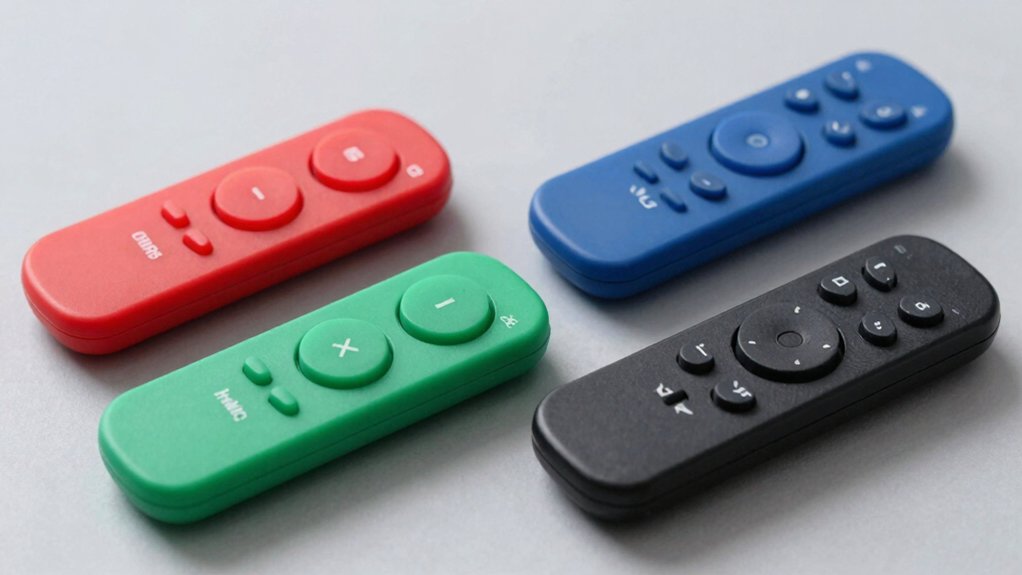

If you’re tired of fumbling with tiny buttons or struggling through complicated setup processes, you’ll want a big button universal remote that actually works. You need oversized, tactile buttons you can feel and see clearly, pre-programmed profiles for your devices, and minimal setup steps. The right remote lets you control your TV, streaming devices, and sound system without confusion or frustration. But which models truly deliver on ease of use?
| Big Button Universal Remote for All TVs |
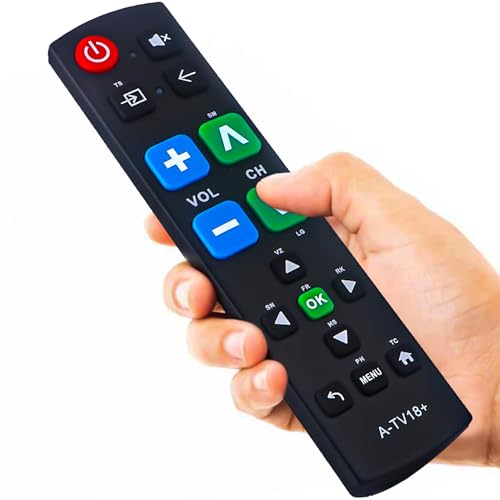
| Best Universal Compatibility | Target Audience: Seniors, limited dexterity/vision, dementia/Alzheimer’s patients | Button Design: Extra-large enter button, big buttons, tactile feedback | TV Compatibility: Samsung, LG, VIZIO, Sony, Hisense, Philips, Panasonic, Sharp | VIEW LATEST PRICE | Read Our Analysis |
| Samsung Replacement TV Remote (Black Big Button) |

| Best Samsung-Specific Remote | Target Audience: Seniors, limited dexterity/vision, dementia/Alzheimer’s patients | Button Design: Extra-large enter button, big buttons, tactile feedback | TV Compatibility: Samsung TVs only | VIEW LATEST PRICE | Read Our Analysis |
| EZclicker TV Remote for Seniors with Big Buttons |

| Best Easy Programming | Target Audience: Seniors, limited dexterity/vision, dementia/Alzheimer’s patients | Button Design: Extra-large buttons, tactile feedback | TV Compatibility: Universal (top brand TV models) | VIEW LATEST PRICE | Read Our Analysis |
| GE BigEZ Universal TV Remote with Backlit Buttons |

| Best Multi-Device Control | Target Audience: Seniors, visually impaired, anyone seeking simple operation | Button Design: Extra-large white buttons, backlit, colorblind-friendly colors | TV Compatibility: Samsung, LG, Vizio, Sony, Roku | VIEW LATEST PRICE | Read Our Analysis |
More Details on Our Top Picks
Big Button Universal Remote for All TVs
Who’s struggling with tiny remote buttons? You’ll want this universal remote designed specifically for easier use. The device features an extra-large enter button and tactile feedback, making it ideal if you’ve got limited dexterity or vision concerns. Setup takes minimal effort: insert batteries and you’re ready to use it with your Samsung, LG, VIZIO, Sony, Hisense, Philips, Panasonic, or Sharp TV. No programming or pairing is necessary. The remote works immediately out of the box. Note that it doesn’t support streaming devices or cable boxes. If you need a replacement within 90 days, the manufacturer provides free replacements with excellent customer support available within 12 hours.
- Target Audience:Seniors, limited dexterity/vision, dementia/Alzheimer’s patients
- Button Design:Extra-large enter button, big buttons, tactile feedback
- TV Compatibility:Samsung, LG, VIZIO, Sony, Hisense, Philips, Panasonic, Sharp
- Setup Requirements:No programming needed; insert batteries and use
- Battery Type:Batteries type not specified
- Physical Dimensions:Dimensions not specified
- Additional Feature:Compatible with 8+ TV brands
- Additional Feature:90-day free replacement warranty
- Additional Feature:12-hour customer support response
Samsung Replacement TV Remote (Black Big Button)
If you own a Samsung TV and need a remote that’s actually comfortable to grip, the Samsung Replacement TV Remote delivers the straightforward functionality you’re looking for. This remote works exclusively with Samsung televisions and requires no programming—simply insert two AAA batteries and start using it immediately. The oversized buttons and tactile feedback make it ideal for seniors or anyone with limited dexterity or vision. The compact design measures seven by two by one inch, fitting comfortably in your hand without weighing you down. Note that this remote won’t work with cable boxes or streaming devices, only Samsung TV models.
- Target Audience:Seniors, limited dexterity/vision, dementia/Alzheimer’s patients
- Button Design:Extra-large enter button, big buttons, tactile feedback
- TV Compatibility:Samsung TVs only
- Setup Requirements:No programming needed; insert batteries and use
- Battery Type:2x AAA batteries (not included)
- Physical Dimensions:7 x 2 x 1 inches
- Additional Feature:Samsung TV exclusive compatibility
- Additional Feature:Compact lightweight design (7x2x1″)
- Additional Feature:AAA battery powered
EZclicker TV Remote for Seniors with Big Buttons
The EZclicker TV Remote for Seniors features big, easy-to-press buttons designed specifically for older adults, people with limited dexterity, or those with vision impairment. This universal remote works with major TV brands but doesn’t function with cable boxes, Fire Stick, or Roku devices. To program it, turn on your TV, point the remote at it, then hold down Mute and Volume+ together for up to 60 seconds until the volume changes. The compact, lightweight design measures 6 by 2 by 1 inch and requires two AAA batteries, which you’ll need to purchase separately. Check the product images for your specific TV model’s compatibility.
- Target Audience:Seniors, limited dexterity/vision, dementia/Alzheimer’s patients
- Button Design:Extra-large buttons, tactile feedback
- TV Compatibility:Universal (top brand TV models)
- Setup Requirements:Easy programming (Mute & Volume+ method)
- Battery Type:2x AAA batteries (not included)
- Physical Dimensions:6 x 2 x 1 inches
- Additional Feature:Easy 60-second programming method
- Additional Feature:Compact lightweight design (6x2x1″)
- Additional Feature:Universal top brand compatibility
GE BigEZ Universal TV Remote with Backlit Buttons
GE’s BigEZ OneTouch remote offers multi-device control across five major TV brands—Samsung, LG, Vizio, Sony, and Roku—plus one additional device like a Blu-ray player, streaming device, or soundbar. The white remote features extra-large backlit buttons with colorblind-friendly volume (blue) and channel (orange) indicators. Setup takes minutes: insert two AA batteries, press your TV brand’s button, then press power to test. The AUX button comes preset for Roku boxes but you can reprogram it for other devices. Its infrared technology reaches up to 30 feet, and the backlit design helps you locate buttons in dim lighting. U.S.-based technical support operates Monday through Friday if you need assistance.
- Target Audience:Seniors, visually impaired, anyone seeking simple operation
- Button Design:Extra-large white buttons, backlit, colorblind-friendly colors
- TV Compatibility:Samsung, LG, Vizio, Sony, Roku
- Setup Requirements:Simple OneTouch setup; select brand, press power
- Battery Type:2x AA batteries
- Physical Dimensions:0.16 kilograms; backlit design for visibility
- Additional Feature:Backlit buttons with colorblind-friendly design
- Additional Feature:OneTouch favorites skip programming
- Additional Feature:30-foot infrared range maximum
Factors to Consider When Choosing a Big Button Universal Remote
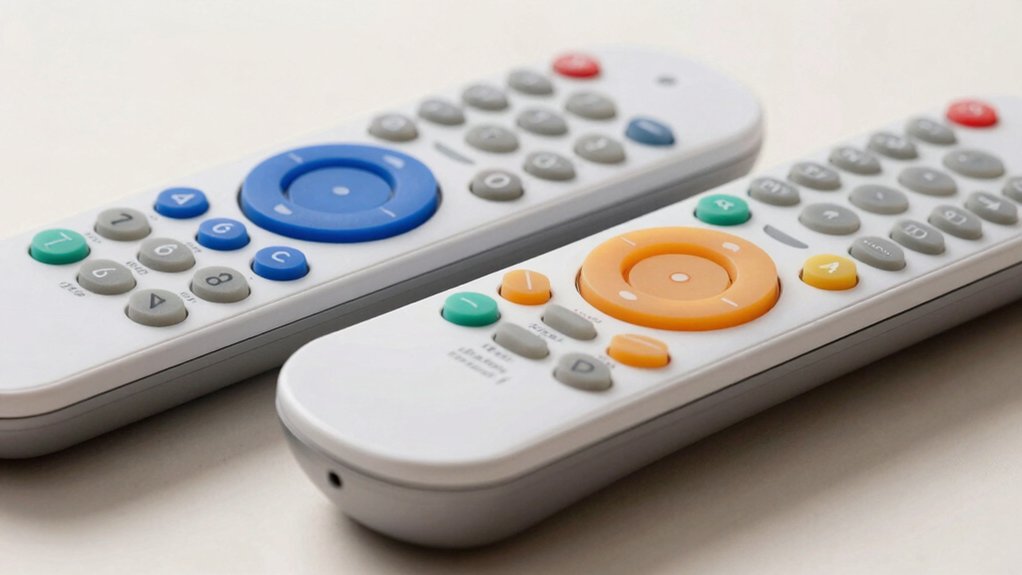
Before you buy a big button universal remote, you’ll want to check your TV’s compatibility, evaluate how much setup work you’re willing to do, and examine the button layout to make sure it fits your needs. Consider whether you need special accessibility features like voice control or tactile feedback, and verify that the remote comes with a solid warranty and customer support if you run into problems. These five factors will help you narrow down your choices and find a remote that actually works for your situation.
Compatibility With Your TV
How do you know if a big button universal remote will actually work with your specific TV? Start by identifying your TV brand—Samsung, LG, Vizio, Sony, or another manufacturer. Check the remote’s packaging or product description to confirm it supports your brand. Next, determine whether you need a universal remote for your TV alone or for multiple devices like cable boxes and streaming players. Some remotes work with top brands without programming, while others require setup. Verify the remote’s infrared range matches your typical viewing distance and room layout. Finally, note any brand limitations, as certain remotes work with multiple brands while others function with only one specific manufacturer. These steps ensure compatibility before purchasing.
Ease Of Setup Required
What’s the actual setup process you’ll face when you bring a big button universal remote home? Some models require nothing beyond inserting batteries—you’re ready to use them immediately. Others use a OneTouch or quick-setup method where you press a few buttons to select your TV brand and power it on. A third category needs basic battery insertion, typically 2x AAA or 2x AA, followed by a simple brand selection step. Certain models specify zero setup, functioning right out of the box once batteries are installed. Setup complexity varies by device type; many big button remotes aren’t designed for streaming devices or cable boxes, which actually simplifies your initial setup decisions. Check your remote’s specifications before purchasing to confirm which setup method matches your needs.
Button Design And Layout
When you’re selecting a big button universal remote, the physical layout and button characteristics directly affect your ability to use it consistently and accurately. Look for remotes with high-contrast, color-coded buttons that help you distinguish between functions quickly. Blue buttons typically control volume, while orange buttons manage channels, reducing the mental effort needed to navigate.
Check that the remote features an extra-large enter button positioned prominently in the center. This design ensures you can target it easily without precision grip strength. Verify that buttons provide strong tactile feedback—you should feel a distinct click when pressing, confirming your action without requiring visual confirmation.
Consider remotes with backlit buttons if you frequently watch television in dimly lit rooms. This feature improves visibility and prevents accidental button presses in darkness.
Special Accessibility Features
Beyond the physical button design, you’ll want to examine the accessibility features that make a remote genuinely usable for people with varying abilities. Check for tactile feedback—audible clicks or vibrations that confirm each button press, reducing input errors. Look for high-contrast color schemes, such as blue for volume controls and orange for channels, which improve visibility in dim lighting and assist colorblind users. Backlit buttons are essential for low-light viewing environments. Verify that setup requires no programming—simply insert batteries and power on your TV. Universal remotes that control multiple device brands without complex configuration steps benefit users with memory or cognitive challenges. These features work together to ensure the remote remains accessible across different user needs and situations.
Warranty And Support Options
How important is warranty coverage and support responsiveness when you’re investing in a big button universal remote? It’s critical. Compare what each product offers before purchasing. Product #1 provides a 90-day free replacement warranty with 12-hour response times and direct contact availability. Product #4 includes a limited lifetime warranty, U.S.-based technical support, and a 30-day Amazon Voluntary Return Guarantee. Check the return window—30 days versus 90 days affects your decision timeline. Verify compatibility with your specific devices, as some remotes won’t work with certain streaming devices or non-TV hardware, which impacts post-purchase support needs. Review each support option’s accessibility: direct contact channels are preferable to generic manufacturer support without defined response time commitments. Prioritize products matching your device setup and support expectations.
Final Thoughts
You’ll find the right big button remote by matching your device types to compatible models, checking button layout preferences, and confirming backlight availability. Start by listing your devices, then select a remote with pre-programmed profiles to skip setup hassles. Verify battery requirements and warranty terms before purchasing. Test the button response and contrast labeling to ensure comfortable, reliable daily use without programming complications.

Meet Ry, “TechGuru,” a 36-year-old technology enthusiast with a deep passion for tech innovations. With extensive experience, he specializes in gaming hardware and software, and has expertise in gadgets, custom PCs, and audio.
Besides writing about tech and reviewing new products, he enjoys traveling, hiking, and photography. Committed to keeping up with the latest industry trends, he aims to guide readers in making informed tech decisions.