
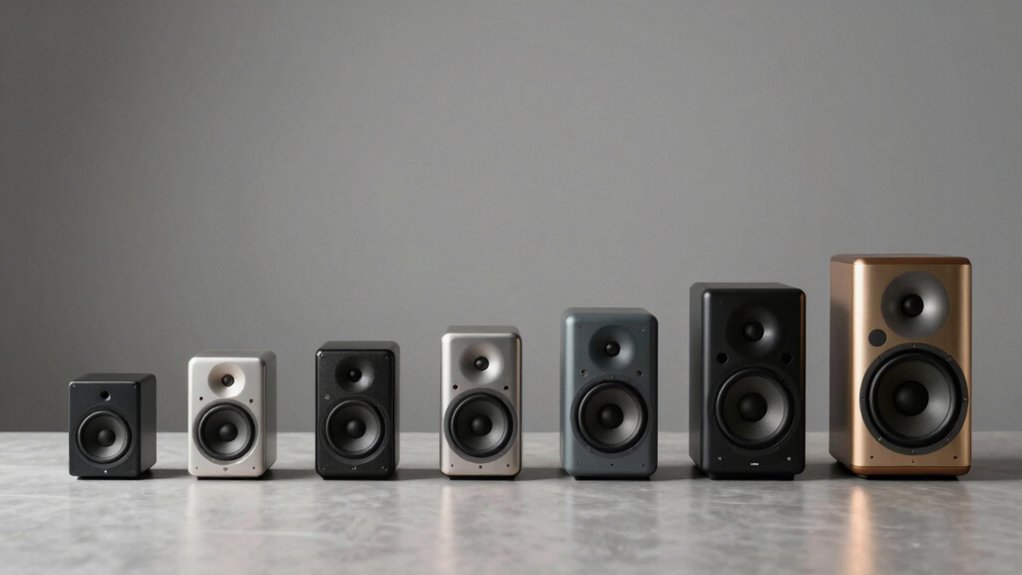

You’ll want to evaluate Bluetooth computer speakers based on three core criteria: audio quality, connectivity options, and practical features. Start by checking the wattage and driver configuration—balanced woofer-tweeter setups deliver clearer sound. Next, verify connectivity: USB-C, 3.5mm, and multipoint Bluetooth give you flexibility. Finally, consider controls and sound modes that match your use case. But which models actually deliver on these specs?
| SOULION 2.0 Bluetooth Computer Speakers with LED Lights |

| Best LED Lighting | Max Power Output: Not specified | Connectivity Options: Bluetooth, 3.5mm AUX | Form Factor: Desktop speakers (2.0 stereo pair) | VIEW LATEST PRICE | Read Our Analysis |
| Logitech Z207 2.0 Stereo Computer Speakers with Bluetooth |

| Best Value | Max Power Output: 10 watts | Connectivity Options: Bluetooth, 3.5mm cable | Form Factor: Desktop speakers (2.0 stereo pair) | VIEW LATEST PRICE | Read Our Analysis |
| KEiiD Bluetooth Computer Speakers with Wireless Touch Control |

| Best Sound Customization | Max Power Output: 20 watts | Connectivity Options: Bluetooth, 3.5mm AUX | Form Factor: Desktop speakers (2.0 stereo pair) | VIEW LATEST PRICE | Read Our Analysis |
| Creative Pebble V3 USB-C Desktop Speakers Bluetooth |

| Most Compact | Max Power Output: 16 watts (peak) | Connectivity Options: Bluetooth 5.0, USB-C, 3.5mm AUX | Form Factor: Compact desktop speakers (2.0 pair) | VIEW LATEST PRICE | Read Our Analysis |
| Cyber Acoustics USB & Bluetooth Speaker Bar (CA-2890BT) |

| Best Monitor Mount | Max Power Output: 5 watts | Connectivity Options: Bluetooth 5.0, USB | Form Factor: Monitor-mounted soundbar | VIEW LATEST PRICE | Read Our Analysis |
| Jeecoo A40 Bluetooth Computer Speakers with Clear Sound |

| Best Budget Pick | Max Power Output: 10 watts (dual 5W speakers) | Connectivity Options: Bluetooth, USB/USB-C | Form Factor: Compact soundbar/speaker pair | VIEW LATEST PRICE | Read Our Analysis |
| Nylavee Hi-Fi Stereo Computer Sound Bar with Bluetooth |

| Best Sound Bar | Max Power Output: Not specified | Connectivity Options: Bluetooth 5.0, 3.5mm AUX, USB | Form Factor: Desktop soundbar | VIEW LATEST PRICE | Read Our Analysis |
| Sanyun SW208 Active Bluetooth Bookshelf Speakers (Pair White) |

| Best Premium Quality | Max Power Output: 60 watts | Connectivity Options: Bluetooth 5.0, USB, 3.5mm AUX | Form Factor: Bookshelf speakers (compact 3″ pair) | VIEW LATEST PRICE | Read Our Analysis |
| OHAYO 60W Bluetooth Computer Speakers for Gaming |

| Best Gaming Performance | Max Power Output: 60 watts | Connectivity Options: Bluetooth 5.3, USB, 3.5mm AUX, RCA | Form Factor: Desktop speakers (2.0 stereo pair) | VIEW LATEST PRICE | Read Our Analysis |
| Sonos Era 100 – Black – Wireless Alexa Enabled Smart Speaker |

| Best Smart Features | Max Power Output: Not specified | Connectivity Options: WiFi, Bluetooth, 3.5mm line-in, Sonos app | Form Factor: Smart speaker (single unit) | VIEW LATEST PRICE | Read Our Analysis |
More Details on Our Top Picks
SOULION 2.0 Bluetooth Computer Speakers with LED Lights
The SOULION 2.0 speakers deliver outstanding LED lighting capabilities for gamers and content creators who want synchronized visual effects with their audio. Use the circular knob on the C30 control pod to adjust volume, or press the M button to switch between AUX and Bluetooth modes. Access lighting features by long-pressing the light button: choose Pulsing Mode to sync lights with audio rhythm, select Flame Lighting Mode for beat-matched flickering, or disable lighting entirely. Connect via 3.5mm AUX cable with USB power, or pair wirelessly to “C30” through Bluetooth. The balanced sound design separates left and right channels effectively, allowing you to position speakers on either side of your setup for distributed audio across desktops, laptops, tablets, and smartphones.
- Max Power Output:Not specified
- Connectivity Options:Bluetooth, 3.5mm AUX
- Form Factor:Desktop speakers (2.0 stereo pair)
- Number of Drivers/Speaker Units:2 speakers (pair)
- Special Audio Features:LED pulsing/flame lighting effects
- Warranty Length:Not specified
- Additional Feature:Pulsing & flame lighting modes
- Additional Feature:All-in-one circular knob control
- Additional Feature:Balanced left-right channel separation
Logitech Z207 2.0 Stereo Computer Speakers with Bluetooth
Looking for solid stereo sound without overspending? The Logitech Z207 delivers versatile audio connectivity through Bluetooth or a 3.5mm cable. You’ll get 10 watts of power from two drivers per speaker—one active and one passive radiator for bass. The Easy-Switch technology lets you pause playback on one device and resume on another instantly. Set them up on your desk using the compact design measuring 4.88 inches deep. Connect to your computer, smartphone, tablet, or television within the 10-meter wireless range. Access controls directly on each speaker for volume, power, and Bluetooth pairing. An on-speaker headphone jack provides additional audio output flexibility for personal listening.
- Max Power Output:10 watts
- Connectivity Options:Bluetooth, 3.5mm cable
- Form Factor:Desktop speakers (2.0 stereo pair)
- Number of Drivers/Speaker Units:2 speakers with passive radiators
- Special Audio Features:Easy-Switch technology between devices
- Warranty Length:2 years
- Additional Feature:Easy-Switch multi-device technology
- Additional Feature:On-speaker headphone jack
- Additional Feature:Passive radiator bass extension
KEiiD Bluetooth Computer Speakers with Wireless Touch Control
Want sound that adapts to what you’re watching or playing? The KEiiD speakers offer four EQ modes—News, Music, Movie, and Game—so you select the right setting for your activity. The 12W bass woofer delivers powerful low frequencies while separate dome-silk tweeters handle high notes clearly. You’ll get 20W maximum output and 18 KHz frequency response across 2.0 channels. Connect wirelessly via Bluetooth up to 20 meters away, or use the 3.5mm cable for wired connection. The wireless touch control pod lets you adjust settings from anywhere in the room. These speakers work with computers, laptops, phones, tablets, and TVs. You receive a power adapter, audio cable, and speaker cables included.
- Max Power Output:20 watts
- Connectivity Options:Bluetooth, 3.5mm AUX
- Form Factor:Desktop speakers (2.0 stereo pair)
- Number of Drivers/Speaker Units:2 speakers (dome tweeters, bass woofer)
- Special Audio Features:4 EQ modes (News, Music, Movie, Game); 3D surround
- Warranty Length:1 year
- Additional Feature:Four EQ preset modes
- Additional Feature:Wireless touchpad remote control
- Additional Feature:20-meter Bluetooth range
Creative Pebble V3 USB-C Desktop Speakers Bluetooth
Creative’s Pebble V3 delivers desktop audio in the most compact footprint available. You’ll connect it via USB-C for plug-and-play setup or use the included USB-A converter for older computers. The 2.25-inch drivers produce 8W RMS power with enhanced bass and a built-in gain switch for louder output. You can stream wirelessly through Bluetooth 5.0 or connect analog devices through the 3.5mm AUX jack. The 45° elevated drivers direct sound toward you, while the longer cable between speakers lets you position them flexibly on your desk. Clear Dialog processing keeps speech intelligible without raising overall volume levels.
- Max Power Output:16 watts (peak)
- Connectivity Options:Bluetooth 5.0, USB-C, 3.5mm AUX
- Form Factor:Compact desktop speakers (2.0 pair)
- Number of Drivers/Speaker Units:2 speakers (custom full-range drivers)
- Special Audio Features:Clear Dialog audio processing for speech clarity
- Warranty Length:Not specified
- Additional Feature:Clear Dialog audio processing
- Additional Feature:45° elevated driver design
- Additional Feature:Built-in gain switch amplification
Cyber Acoustics USB & Bluetooth Speaker Bar (CA-2890BT)
The Cyber Acoustics CA-2890BT works well for desk setups where monitor space is limited. You’ll clamp this speaker bar directly to your monitor, freeing up desk real estate. It connects via USB to your PC or Mac and simultaneously pairs with your smartphone through Bluetooth 5.0. The multi-function button lets you switch between connections, adjust volume, control playback, and mute the microphone with an LED indicator. Setup requires no installation—just plug in the USB cable and pair your devices. The 5-watt output delivers bass and midrange audio across its 2.0-channel speakers within a 10-meter Bluetooth range. You get a 1-year limited warranty and a 30-day return guarantee.
- Max Power Output:5 watts
- Connectivity Options:Bluetooth 5.0, USB
- Form Factor:Monitor-mounted soundbar
- Number of Drivers/Speaker Units:1 soundbar unit
- Special Audio Features:Built-in speakerphone, USB/Bluetooth switching
- Warranty Length:1 year limited
- Additional Feature:Monitor clamp mount design
- Additional Feature:Integrated speakerphone functionality
- Additional Feature:5-inch subwoofer diameter
Jeecoo A40 Bluetooth Computer Speakers with Clear Sound
Looking for affordable speakers that deliver clear audio without breaking your budget? The Jeecoo A40 offers dual 5W full-range speakers with rubber diaphragms designed for games, music, videos, and movies. You’ll connect via USB or Bluetooth. For USB mode, plug the cable into your laptop or PC—no drivers needed. The speakers power on automatically when connected to your desktop. To switch to Bluetooth, press the volume knob, then search for “A40” on your smartphone or tablet. You’ll rotate the knob to adjust volume and long-press for three seconds to power on or off. The package includes a USB-C adapter for compatible devices and features four RGB lighting modes with memory function.
- Max Power Output:10 watts (dual 5W speakers)
- Connectivity Options:Bluetooth, USB/USB-C
- Form Factor:Compact soundbar/speaker pair
- Number of Drivers/Speaker Units:2 speakers (pair)
- Special Audio Features:RGB lighting modes with memory function
- Warranty Length:Not specified
- Additional Feature:RGB lighting with memory
- Additional Feature:Auto power-on via USB
- Additional Feature:Dual 5W full-range drivers
Nylavee Hi-Fi Stereo Computer Sound Bar with Bluetooth
If you’re setting up a desktop workspace that demands superior audio, the Nylavee SK100 sound bar delivers the performance you need. Connect via Bluetooth 5.0 or the included 3.5mm cable to your laptop, desktop, monitor, or gaming console. The bar features six driver units with dual bass diaphragms, producing frequency response up to 20 kHz and a 72 dB signal-to-noise ratio. Power it through USB without requiring batteries. Adjust volume and settings using the single side knob. The built-in microphone and headphone jack provide additional functionality. At 16 inches wide and weighing 2 pounds, it fits standard desktop setups. An 18-month warranty covers your purchase.
- Max Power Output:Not specified
- Connectivity Options:Bluetooth 5.0, 3.5mm AUX, USB
- Form Factor:Desktop soundbar
- Number of Drivers/Speaker Units:1 soundbar with 4 units, 6 drivers total
- Special Audio Features:Bass boost, cavity design for louder output
- Warranty Length:18 months
- Additional Feature:Double-layer neodymium magnets
- Additional Feature:Built-in microphone & headphone jack
- Additional Feature:Cavity design for amplification
Sanyun SW208 Active Bluetooth Bookshelf Speakers (Pair White)
Want premium-quality desktop audio that doesn’t demand much space? The Sanyun SW208 bookshelf speakers deliver 60W of power through carbon fiber drivers in a compact 3-inch form factor. Connect via Bluetooth 5.0, USB with built-in 24bit DAC, or 3.5mm aux input. Adjust volume, treble, and bass directly on the speakers to customize your sound. The carbon fiber construction produces warm midrange tones, deep bass, and clear highs suitable for computers, laptops, and gaming consoles. At roughly 7.5 inches wide and 5.3 inches tall, they fit neatly on desks or monitor stands without consuming valuable workspace.
- Max Power Output:60 watts
- Connectivity Options:Bluetooth 5.0, USB, 3.5mm AUX
- Form Factor:Bookshelf speakers (compact 3″ pair)
- Number of Drivers/Speaker Units:2 speakers (pair, 60W carbon fiber)
- Special Audio Features:Built-in 24-bit DAC, adjustable treble/bass controls
- Warranty Length:Not specified (30-day return mentioned)
- Additional Feature:Built-in 24bit DAC technology
- Additional Feature:Adjustable treble & bass controls
- Additional Feature:Carbon fiber woofer driver
OHAYO 60W Bluetooth Computer Speakers for Gaming
The OHAYO 60W speakers deliver superior gaming performance through their dual 30W channels and independent sound card. You’ll connect them via Bluetooth 5.3, USB, aux, or RCA inputs to your desktop, laptop, or gaming console. The 0.75-inch tweeter produces crystal-clear highs while the 3-inch driver handles rich mids and bass. Adjust volume using the front-panel knob during gameplay for immediate control. The wooden enclosure reduces resonance, ensuring clean audio without distortion. These compact speakers fit any desk setup without consuming excess space, making them ideal for gamers prioritizing both performance and aesthetics.
- Max Power Output:60 watts
- Connectivity Options:Bluetooth 5.3, USB, 3.5mm AUX, RCA
- Form Factor:Desktop speakers (2.0 stereo pair)
- Number of Drivers/Speaker Units:2 speakers (tweeter, woofer per side)
- Special Audio Features:Independent sound card for detailed playback
- Warranty Length:2 years
- Additional Feature:Independent sound card included
- Additional Feature:Rear bass port design
- Additional Feature:Premium MDF wooden enclosure
Sonos Era 100 – Black – Wireless Alexa Enabled Smart Speaker
Looking for a compact speaker that delivers studio-quality sound while handling your smart home commands? The Sonos Era 100 fits both needs. Set it up by plugging in the power cord, connecting to WiFi through the Sonos app, and running Trueplay tuning to optimize sound for your space. Its 2.0 channel configuration includes dual tweeters and a 4.72-inch woofer for rich bass and stereo separation. You’ll stream from WiFi services, pair via Bluetooth within 10 meters, or connect external sources using the 3.5mm line-in. Built-in Alexa enables hands-free voice control. The compact design measures 7.22 by 5.1 by 7 inches, fitting shelves or desks easily. A one-year warranty covers your purchase.
- Max Power Output:Not specified
- Connectivity Options:WiFi, Bluetooth, 3.5mm line-in, Sonos app
- Form Factor:Smart speaker (single unit)
- Number of Drivers/Speaker Units:1 speaker unit (dual tweeters, woofer)
- Special Audio Features:Trueplay space tuning, Alexa voice control, multi-room audio
- Warranty Length:1 year
- Additional Feature:Amazon Alexa voice control
- Additional Feature:Trueplay space-tuning technology
- Additional Feature:Multi-room audio capability
Factors to Consider When Choosing Bluetooth Computer Speakers
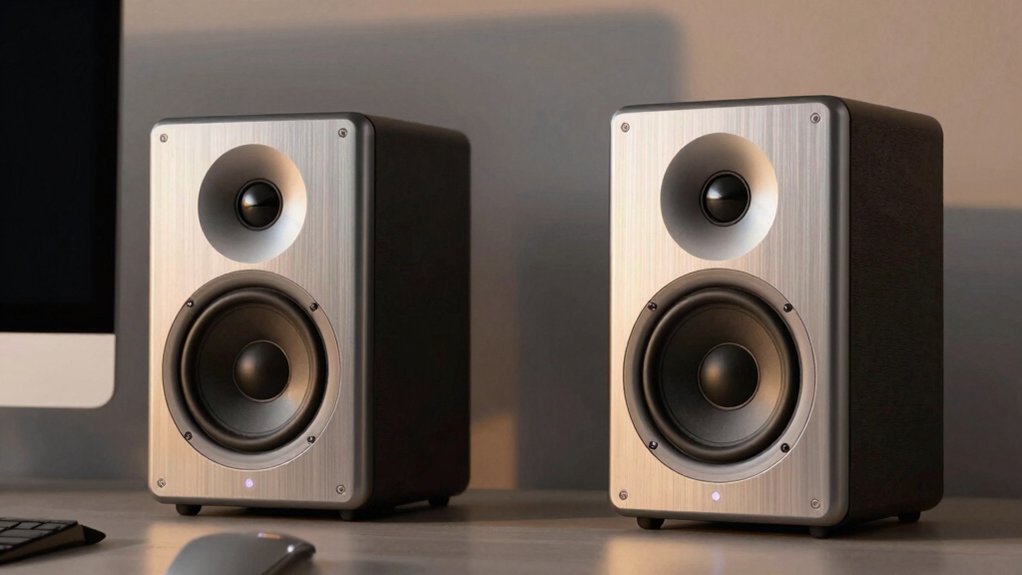
When selecting Bluetooth computer speakers, you’ll want to evaluate five key factors: sound quality and audio performance, connectivity options and compatibility, power output and wattage rating, design and physical dimensions, and control features and ease of use. Each factor directly affects how well the speakers’ll work with your setup and whether you’ll actually enjoy using them daily. Review each point systematically to match the speakers to your specific needs, space constraints, and device compatibility before making your purchase.
Sound Quality and Audio Performance
Since you’re investing in Bluetooth computer speakers, you’ll want to evaluate sound quality across several measurable factors before making your purchase. First, examine the woofer-tweeter configuration and driver tuning to verify clear stereo imaging and balanced midrange reproduction. Next, check the total system power output measured in watts and the frequency response range to determine dynamic capability and bass depth without distortion. Third, review built-in DAC specifications and bit-depth processing—24-bit or 32-bit options preserve source quality over USB and Bluetooth connections. Finally, investigate jitter-reduction features, including advanced Bluetooth codecs and low-noise amplification circuits that minimize interference. Test any included audio modes like game, music, or dialog enhancement to assess how they affect clarity and tonal balance across your specific content types.
Connectivity Options and Compatibility
Beyond audio quality, you’ll need to verify that your speakers connect reliably to your devices and work across the gadgets you actually use. Check the Bluetooth version supported—5.0 or 5.3 models offer stronger range (up to 20 meters) compared to older versions. Confirm dual connectivity options like 3.5mm AUX input for devices without Bluetooth capability. Review multi-device support to ensure compatibility with your PC, laptop, smartphone, tablet, or TV. Examine power requirements: USB-powered speakers may auto-power on when plugged into desktops, which affects usage convenience. Verify included adapters such as USB-C or USB-A connectors for your specific devices. Test pairing confirmation features like LED indicators or beep sounds when switching between sources, ensuring smooth device transitions without confusion.
Power Output and Wattage Rating
How much volume do you actually need from your speakers? Power output, measured in watts, determines the maximum acoustic power your speakers deliver. Desktop Bluetooth speakers typically range from 5W per channel to 60W total, directly affecting loudness and sound impact in your space.
When evaluating wattage, distinguish between peak power and RMS power. Peak power shows maximum burst capability, while RMS reflects steady listening levels more accurately. Compare total system wattage alongside per-channel wattage to assess balanced stereo performance.
Higher wattage requires increased power consumption, generating more heat and demanding stronger USB power requirements in USB-powered designs. Match the speaker’s wattage to your room size and listening distance. For small desks, 10-20W suffices. Larger spaces benefit from 40W or higher output for adequate volume levels.
Design and Physical Dimensions
Once you’ve determined the wattage you need, the next step is finding a speaker that physically fits your workspace. Compact bars measuring 3–4 inches tall require minimal desk space, while larger shelf speakers reach 6–9 inches and demand more room. Consider your desk layout carefully. Monitor-clamp and USB-powered models save valuable surface area, whereas standalone 2.0 systems use two separate enclosures that take up more space. Sound bars consolidate drivers into single elongated units, offering a middle ground. Evaluate your placement options next. Elevation matters—speakers positioned higher or with tilted drivers deliver better sound across different listening positions. Finally, examine enclosure materials. Plastic and ABS reduce costs but affect sound quality, while wood or metal options provide better resonance control and durability for serious listeners.
Control Features and Ease of Use
What makes a speaker truly user-friendly isn’t just its sound quality—it’s how easily you can actually operate it during your workday. Look for models with a unified control pod or circular knob that manages volume, mode switching between AUX and Bluetooth, and LED lighting from one location. This eliminates reaching for multiple buttons. Check whether long-pressing the lighting button lets you adjust or disable LED effects quickly. Verify that Bluetooth pairing works reliably with audible confirmation beeps when modes switch or devices reconnect. Prioritize speakers with quick-access controls positioned on top or within arm’s reach—play, pause, volume, and mic mute buttons should be accessible from your desk without moving your computer or leaning awkwardly.
Warranty Coverage and Support Services
Most Bluetooth computer speakers come with a limited warranty lasting one to two years, and you’ll want to verify the exact duration before making your purchase. Check the manufacturer’s warranty coverage terms to understand what’s included and excluded. Damage from misuse or unauthorized modifications typically isn’t covered, so you’ll need to use the speaker normally to maintain protection. Proof of purchase is required for all warranty claims, so keep your receipt or order confirmation. Support services vary by seller and often include email, online chat, or direct messaging options. Many sellers offer next-business-day or 24-hour response times. Return policies generally allow refunds within 30 days for eligible items, though restocking or condition-based fees may apply. Review these policies carefully before buying.
Final Thoughts
You’ll want to match your speaker choice to your specific needs. First, decide your budget range. Next, identify whether you prioritize gaming, music, or general use. Then, check the wattage and driver configuration for your room size. Finally, confirm the connectivity options—USB-C, 3.5mm, or Bluetooth—match your devices. Test the sound profile before purchasing if possible. These steps ensure you get quality audio that fits your setup.

Meet Ry, “TechGuru,” a 36-year-old technology enthusiast with a deep passion for tech innovations. With extensive experience, he specializes in gaming hardware and software, and has expertise in gadgets, custom PCs, and audio.
Besides writing about tech and reviewing new products, he enjoys traveling, hiking, and photography. Committed to keeping up with the latest industry trends, he aims to guide readers in making informed tech decisions.