
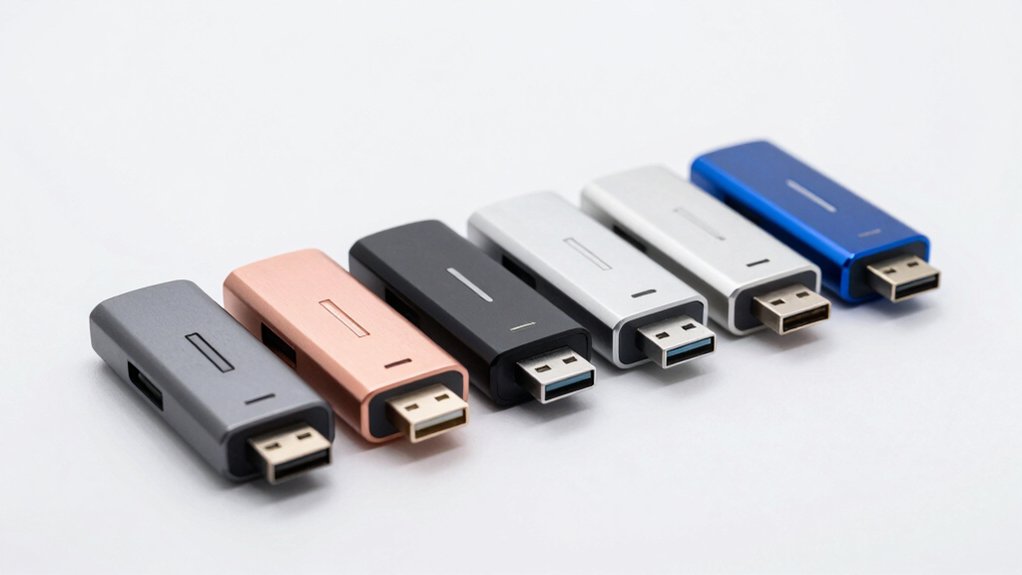

When you connect a Bluetooth dongle to your PC, you’re adding wireless capability without replacing hardware. You’ll find five reliable options that handle multiple devices, require minimal setup, and deliver consistent connections. Each dongle offers different advantages—some prioritize range, others emphasize compact design or device capacity. Your choice depends on what you actually need from your setup. Here’s what distinguishes each option.
| TP-Link Bluetooth 5.4 USB Adapter (UB500) |

| Latest Technology Leader | Bluetooth Version: Bluetooth 5.4 | Windows Compatibility: Windows 11/10/8.1/7 | Simultaneous Device Connections: Multiple devices (not specified) | VIEW LATEST PRICE | Read Our Analysis |
| Amazon Basics Bluetooth 5.4 USB Adapter Dongle |

| Best Value | Bluetooth Version: Bluetooth 5.4 | Windows Compatibility: Windows 11/10/8.1 only | Simultaneous Device Connections: Up to 6 devices | VIEW LATEST PRICE | Read Our Analysis |
| UGREEN USB Bluetooth 5.3 Adapter for PC |

| Plug-and-Play Champion | Bluetooth Version: Bluetooth 5.3 | Windows Compatibility: Windows 11/10/8.1 only | Simultaneous Device Connections: Up to 5 devices | VIEW LATEST PRICE | Read Our Analysis |
| ASUS USB-BT500 Bluetooth 5 USB Adapter |

| Best Overall | Bluetooth Version: Bluetooth 5.0 | Windows Compatibility: Windows 10 or later | Simultaneous Device Connections: Multiple devices (not specified) | VIEW LATEST PRICE | Read Our Analysis |
| Long Range USB Bluetooth 5.3 Adapter for Desktop PC |

| Extended Range Winner | Bluetooth Version: Bluetooth 5.3 | Windows Compatibility: Windows 11/10/8.1 | Simultaneous Device Connections: Up to 5 devices | VIEW LATEST PRICE | Read Our Analysis |
More Details on Our Top Picks
TP-Link Bluetooth 5.4 USB Adapter (UB500)
Want a Bluetooth dongle that doesn’t require you to replace your entire system? The TP-Link UB500 offers Bluetooth 5.4 compatibility with backward support for older versions. This nano-sized USB adapter plugs directly into your PC and works with Windows 11, 10, 8.1, and 7. Setup requires downloading drivers from TP-Link’s website and disabling any internal Bluetooth in Device Manager to prevent conflicts. You’ll gain 2x faster data transfer and 4x broader coverage compared to Bluetooth 4.0. The UB500 supports multiple devices simultaneously, including keyboards, mice, headsets, and printers. Note that this adapter works only on Windows PCs, not macOS or Linux systems.
- Bluetooth Version:Bluetooth 5.4
- Windows Compatibility:Windows 11/10/8.1/7
- Simultaneous Device Connections:Multiple devices (not specified)
- Plug-and-Play Setup:Yes (Windows 8.1/10/11; internet required for driver)
- Form Factor:Nano-sized, ultra-slim USB dongle
- Operating System Limitations:Windows only (no macOS/Linux)
- Additional Feature:2x faster data transfer
- Additional Feature:4x broader coverage range
- Additional Feature:Backward compatible to 2.0
Amazon Basics Bluetooth 5.4 USB Adapter Dongle
The Amazon Basics Bluetooth 5.4 USB Adapter Dongle offers exceptional value for users who need to add Bluetooth connectivity to Windows PCs without purchasing expensive built-in upgrades. This nano-sized dongle supports Windows 8.1, 10, and 11 exclusively. It pairs with up to six devices simultaneously while maintaining backward compatibility with Bluetooth versions 5.3 through 2.0. Before installation, disable any existing built-in Bluetooth on your PC. Insert the dongle into any standard USB port, then follow the user manual for driver setup. The adapter uses EDR and BLE technology to optimize data transfer speed and reduce power consumption, making it practical for users seeking straightforward Bluetooth expansion without complexity.
- Bluetooth Version:Bluetooth 5.4
- Windows Compatibility:Windows 11/10/8.1 only
- Simultaneous Device Connections:Up to 6 devices
- Plug-and-Play Setup:Yes (driver installation required)
- Form Factor:Nano receiver, compact USB dongle
- Operating System Limitations:Windows only (no Mac/Linux/Chrome/Unix)
- Additional Feature:Connects up to 6 devices
- Additional Feature:Enhanced data rate (EDR)
- Additional Feature:Nano receiver design
UGREEN USB Bluetooth 5.3 Adapter for PC
UGREEN’s USB Bluetooth 5.3 adapter serves Windows 10, 11, and 8.1 users who want a plug-and-play champion that requires zero driver installation. You’ll connect up to five devices simultaneously—mice, keyboards, headphones, and phones work together seamlessly. The compact design won’t block adjacent USB ports, making it ideal for laptops. Bluetooth 5.3 technology stabilizes connections and reduces power drain. If you experience wireless issues, disable other Bluetooth devices in Device Manager before reinserting the adapter. Note that only one audio device can play music at a time if you’re connecting multiple speakers or headphones.
- Bluetooth Version:Bluetooth 5.3
- Windows Compatibility:Windows 11/10/8.1 only
- Simultaneous Device Connections:Up to 5 devices
- Plug-and-Play Setup:Yes (no driver installation)
- Form Factor:Mini size, compact stick
- Operating System Limitations:Windows only (no Win 7/Linux/macOS)
- Additional Feature:No driver installation required
- Additional Feature:Mini compact stick design
- Additional Feature:Doesn’t block other ports
ASUS USB-BT500 Bluetooth 5 USB Adapter
Looking for reliable wireless connectivity across multiple devices? The ASUS USB-BT500 delivers Bluetooth 5.0 performance with speeds up to 2X faster and range up to 4X greater than previous versions. This compact adapter works with desktops, laptops, headphones, and speakers. It’s backward compatible with Bluetooth 2.1, 3.x, and 4.x devices, ensuring compatibility with older equipment. The USB-BT500 requires Windows 10 or later and includes Bluetooth Low Energy technology for energy-efficient operation. At just 4.54 grams, it fits easily into any USB port without obstruction. You’ll receive a three-year manufacturer warranty with your purchase.
- Bluetooth Version:Bluetooth 5.0
- Windows Compatibility:Windows 10 or later
- Simultaneous Device Connections:Multiple devices (not specified)
- Plug-and-Play Setup:Not explicitly stated
- Form Factor:Ultra small design
- Operating System Limitations:Windows only (OS family not specified beyond Win 10+)
- Additional Feature:Ultra small design
- Additional Feature:3-year manufacturer warranty
- Additional Feature:4.54g lightweight device
Long Range USB Bluetooth 5.3 Adapter for Desktop PC
Need your Bluetooth devices to connect from across the room or even further? This adapter delivers up to 328 feet of range in open areas, making it ideal for larger workspaces. You’ll connect up to five devices simultaneously—speakers, keyboards, headsets, mice, and printers—without installing drivers. Simply plug it into your USB port and start pairing. The Bluetooth 5.3 technology supports previous versions, ensuring compatibility with older devices. Windows 10 or higher is required. With a 2-year warranty and 4.3-star rating from over 14,000 reviews, this dongle offers reliable performance at a reasonable price point for desktop users seeking extended wireless connectivity.
- Bluetooth Version:Bluetooth 5.3
- Windows Compatibility:Windows 11/10/8.1
- Simultaneous Device Connections:Up to 5 devices
- Plug-and-Play Setup:Yes (no driver installation)
- Form Factor:Compact USB adapter with antenna
- Operating System Limitations:Windows only (no macOS/Linux)
- Additional Feature:328ft extra long range
- Additional Feature:Class 1 radio antenna
- Additional Feature:2-year manufacturer warranty
Factors to Consider When Choosing a Bluetooth Dongle for PC
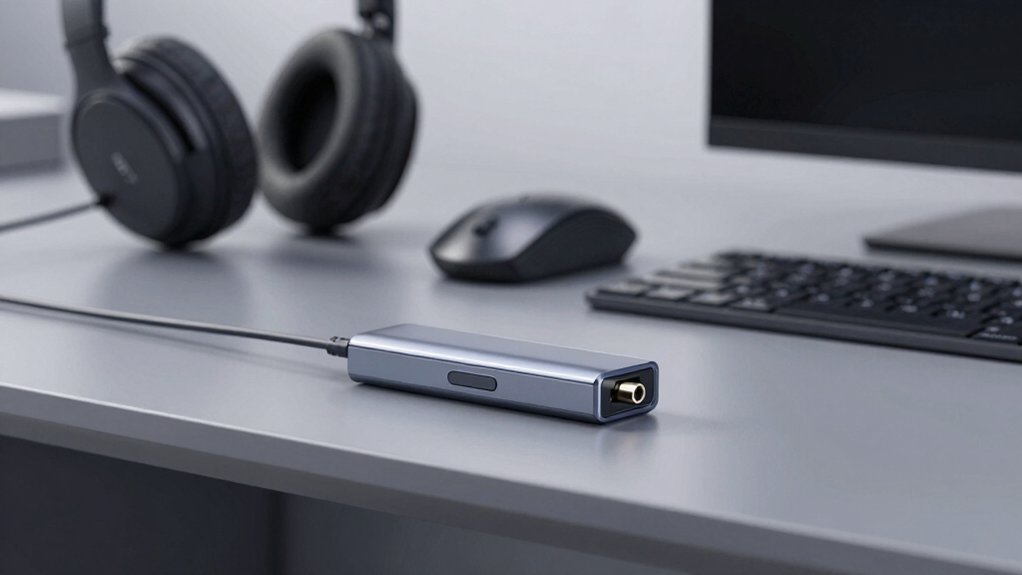
When you’re selecting a Bluetooth dongle for your PC, you’ll need to evaluate five key factors: verify that the Bluetooth version matches your devices’ compatibility requirements, check whether the dongle works with your operating system (Windows, Mac, or Linux), review the range and speed specifications to ensure they meet your usage distance and performance needs, confirm how many devices you can connect simultaneously, and assess the physical design to determine if portability or desktop stability matters for your setup. Start by checking your PC’s OS and your devices’ Bluetooth versions, then compare those specifications against each dongle’s product details. Finally, prioritize the factors that impact your specific use case—for example, if you need to move the dongle between locations, prioritize compact design; if you’re connecting multiple wireless peripherals, prioritize multi-device capacity.
Bluetooth Version Compatibility
What Bluetooth version does your dongle actually need to support? Match your dongle’s version to your devices’ requirements. If you’re connecting Bluetooth 5.0 or 5.3 devices, your dongle must support that version or higher. Older devices using 4.0, 4.2, or 2.1 work with newer dongles due to backward compatibility, though performance may suffer. For multi-device setups, choose version 5.x for better data rates and range. Check whether your dongle supports BR/EDR alongside BLE to enable both classic Bluetooth and low-energy connections. Verify OS compatibility—some dongles work natively without drivers, while others require vendor-specific software. Confirm your Windows or Linux version supports your chosen dongle before purchasing.
Operating System Requirements
Three critical factors determine whether a Bluetooth dongle will actually work on your PC: your Windows version, driver requirements, and potential conflicts with existing hardware. First, check the dongle’s specifications for supported Windows versions—most models explicitly list Windows 10 or 11 compatibility while excluding Windows 7 and older systems. Second, determine if you’ll need to download and install drivers from the vendor’s website or if the dongle works plug-and-play on your Windows version. Third, if your PC has built-in Bluetooth, you may need to disable it in Device Manager to prevent conflicts with the new dongle. Review these requirements before purchasing to ensure compatibility with your specific setup.
Range And Performance Specs
How do you know which Bluetooth dongle will actually deliver the speed and coverage you need for your setup? Start by checking whether the dongle supports Bluetooth 5.x, which offers up to 2x faster data transfer and 4x broader coverage compared to older 4.0 versions. Next, verify that it uses Class 1 radio designs for maximum range—up to 100 meters in open areas. Look for dual-mode BR/EDR plus BLE support, enabling both high throughput and energy-efficient connections. Count how many devices you’ll connect simultaneously; most adapters support 5 to 6 devices. Finally, remember that real-world performance depends on your environment. Test your dongle in your actual workspace to account for obstructions and interference that affect stability.
Multi-Device Connection Capacity
Beyond raw speed and coverage, you’ll need to contemplate how many devices you can actually use at once with your Bluetooth dongle. Most adapters support between 5 and 6 simultaneous connections, allowing you to pair a keyboard, mouse, headphones, and speakers concurrently. However, limitations exist when you connect multiple devices of the same type—some dongles restrict audio playback to a single device at a time. Before purchasing, identify which peripherals you’ll use simultaneously and verify the dongle’s stated capacity matches your needs. Remember that real-world performance depends on environmental factors, interference levels, and device compatibility, so stated specs don’t always guarantee flawless operation in your specific setup.
Design And Portability Features
What’s the point of owning a Bluetooth dongle if it clutters your desk or gets lost in travel? Choose a nano-sized, ultra-slim dongle that you’ll leave plugged in without blocking other USB ports. Check the physical dimensions—most quality models weigh just a few grams and measure only millimeters thick. This compact form factor makes them ideal for laptops, small desktops, and portable setups. Look for discreet USB receivers that stay hidden, keeping your workspace organized. When selecting a dongle, verify it fits your USB hub configuration and won’t interfere with adjacent ports. Prioritize models designed for travel so you can move them between devices without hassle. A truly portable dongle eliminates setup friction and adapts to your working environment.
Final Thoughts
You’ll find the right Bluetooth dongle by matching your specific needs to each model’s strengths. If you want compact design, choose the TP-Link UB500. Need multiple device support? Go with Amazon Basics. Prefer zero-driver setup? Select UGREEN or Long Range options. For extended range and warranty, pick ASUS. Compare your required features—simultaneous connections, range, driver compatibility—then purchase accordingly. All five options deliver reliable performance without compromise.

Meet Ry, “TechGuru,” a 36-year-old technology enthusiast with a deep passion for tech innovations. With extensive experience, he specializes in gaming hardware and software, and has expertise in gadgets, custom PCs, and audio.
Besides writing about tech and reviewing new products, he enjoys traveling, hiking, and photography. Committed to keeping up with the latest industry trends, he aims to guide readers in making informed tech decisions.