
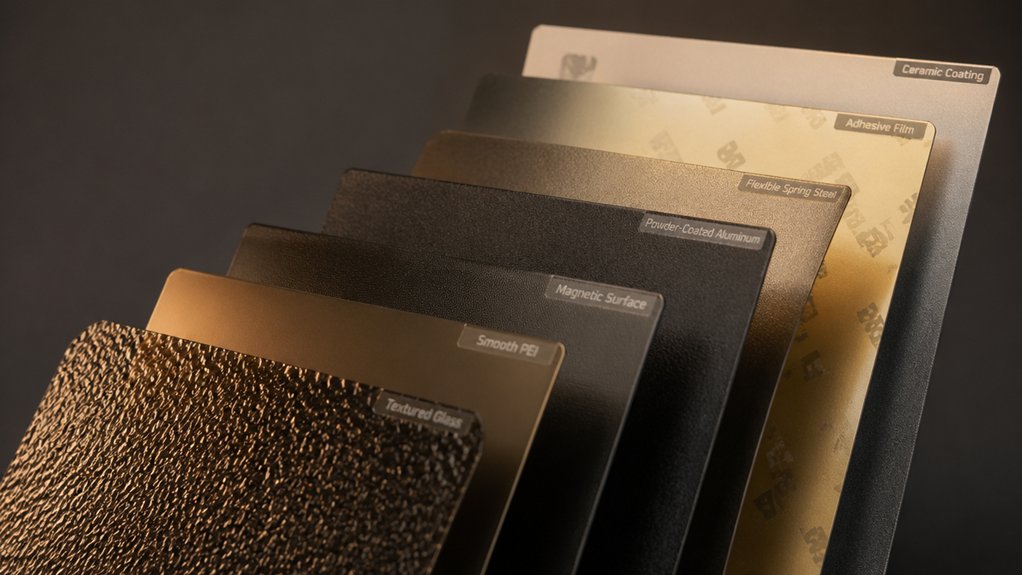

When your 3D prints won’t stay put on the bed, you’ve got a real problem. A poor build plate can waste material, ruin projects, and frustrate your workflow. You’ll find seven proven options here that solve adhesion issues through different approaches: magnetic surfaces, PEI coatings, spring-steel designs, and specialized adhesives. Each one targets specific printer models and material types. The right choice depends on what you’re printing and which printer you own—so let’s examine what sets each apart.
| BIQU CryoGrip Pro Glacier 257x257mm Build Plate |

| Premium Bambu Lab Choice | Surface Type: Double-sided (Glacier/Frostbite cobalt oxide coating) | Compatibility Range: Bambu Lab printers (P1S, P1P, P2S, X1C, X1E, X2D, A1) | Plate Dimensions: 257x257mm | VIEW LATEST PRICE | Read Our Analysis |
| Creality Ultra Removable Magnetic 3D Printer Build Surface |

| Best For Ender 3 | Surface Type: Single magnetic removable surface | Compatibility Range: Creality Ender series (Ender 3, 3 Pro, 3 V2, 3 V2 Neo, 3 Neo, 3 S1, S1 Pro, Ender 5 Pro) | Plate Dimensions: 235x235mm | VIEW LATEST PRICE | Read Our Analysis |
| UniTak3D PEI Build Plate for Bambu Lab Printers |

| Versatile Double-Sided Option | Surface Type: Double-sided (smooth PEI + textured PEI) | Compatibility Range: Bambu Lab printers (X2D, P2S, P1P, P1S, X1, X1C, X1E, A1) | Plate Dimensions: 257x257mm | VIEW LATEST PRICE | Read Our Analysis |
| Creality Ultra Removable Magnetic 3D Printer Build Surface |
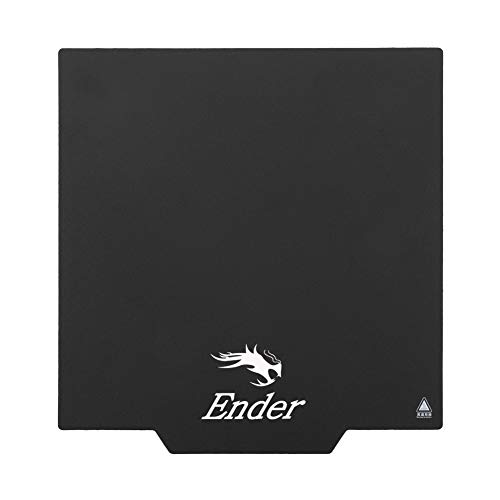
| Budget-Friendly Magnetic Pick | Surface Type: Single magnetic removable surface | Compatibility Range: Creality Ender series (Ender 3, 3 Pro, 3 V2, 3 V2 Neo, 3 S1, S1 Pro, Ender 5 Pro) | Plate Dimensions: 235x235mm | VIEW LATEST PRICE | Read Our Analysis |
| ENOMAKER Bamboo Lab 3D Printer Bed Adhesive (60ml) |

| Essential Adhesive Solution | Surface Type: Liquid adhesive (not a plate) | Compatibility Range: Universal (PLA, PETG, PET, ABS, ASA, TPU; multiple surface types) | Plate Dimensions: N/A (liquid adhesive) | VIEW LATEST PRICE | Read Our Analysis |
| Ender 3 V3 KE PEI Spring Steel Heated Bed |

| Best Spring Steel Build | Surface Type: Single textured PEI coating | Compatibility Range: Creality & ELEGOO models (K1C, K1, Ender 3 V3, Neptune 3 Pro, and 10+ others) | Plate Dimensions: 235x235mm | VIEW LATEST PRICE | Read Our Analysis |
| ELEGOO PEI Magnetic Build Plate for Neptune 3 Pro |

| Neptune 3 Pro Specialist | Surface Type: Single PEI magnetic surface | Compatibility Range: Neptune 3 Pro and universal 235x235mm beds | Plate Dimensions: 235x235mm | VIEW LATEST PRICE | Read Our Analysis |
More Details on Our Top Picks
BIQU CryoGrip Pro Glacier 257x257mm Build Plate
If you’re running a Bambu Lab printer—whether it’s a P1S, P1P, P2S, X1C, X1E, X2D, or A1—this premium Bambu Lab choice delivers a double-sided build plate that you’ll swap between prints without waiting for cooldown. The 257x257mm Glacier surface uses high-magnetism substrate and seven-layer cobalt oxide coating for strong adhesion and durability. You’ll get reliable results with PLA, PETG, ABS, and PA filaments across specified temperature ranges. The hollow-out handle stays safe at 100℃ maximum heat, letting you remove plates immediately after printing. AR code markings help verify correct plate placement, reducing installation errors on X1 models.
- Surface Type:Double-sided (Glacier/Frostbite cobalt oxide coating)
- Compatibility Range:Bambu Lab printers (P1S, P1P, P2S, X1C, X1E, X2D, A1)
- Plate Dimensions:257x257mm
- Material Compatibility:PLA, PETG, ABS, PA, and other filaments
- Key Adhesion Technology:High-magnetism substrate with cobalt oxide coating
- Removal/Reusability Method:Immediate post-print removal; hot plate protects hands
- Additional Feature:Hollow-out handle heat protection
- Additional Feature:AR code verification system
- Additional Feature:Seven-layer cobalt oxide coating
Creality Ultra Removable Magnetic 3D Printer Build Surface
Looking for a build plate that works across Ender 3 models? The Creality Ultra features two magnetic layers: a flexible top surface and an adhesive base. It’s compatible with Ender 3, Ender 3 Pro, Ender 3 V2, Ender 3 S1, and Ender 5 Pro models. Installation requires checking magnetic alignment by rotating the layers ninety degrees until they fully adhere. Heat your bed for two to three minutes before removing prints. Then detach the upper magnetic surface, bend the flexible layer, and your model drops into your hand. You can cut this surface to fit different build sizes, making it adaptable to various printer configurations.
- Surface Type:Single magnetic removable surface
- Compatibility Range:Creality Ender series (Ender 3, 3 Pro, 3 V2, 3 V2 Neo, 3 Neo, 3 S1, S1 Pro, Ender 5 Pro)
- Plate Dimensions:235x235mm
- Material Compatibility:All FDM printer filaments
- Key Adhesion Technology:Magnetic removable system with flexible bending
- Removal/Reusability Method:Remove magnetic surface and bend to release model
- Additional Feature:Flexible surface customizable sizing
- Additional Feature:Two-piece magnetic system design
- Additional Feature:Bend-to-release model removal
UniTak3D PEI Build Plate for Bambu Lab Printers
Need a versatile double-sided option that handles multiple filament types without constant plate swaps? The UniTak3D PEI Build Plate fits Bambu Lab printers with a 257x257mm surface featuring textured and smooth sides. The black textured coating provides superior adhesion for materials like ABS, ASA, PETG, and TPU. Use the smooth side for easy removal without bending the steel sheet, though you may need adhesive for non-PLA materials. Heat resistance reaches 300°C on the textured side and 200°C on the smooth side. Peel the protective film before use, re-level when switching sides, and clean with a soft cloth only.
- Surface Type:Double-sided (smooth PEI + textured PEI)
- Compatibility Range:Bambu Lab printers (X2D, P2S, P1P, P1S, X1, X1C, X1E, A1)
- Plate Dimensions:257x257mm
- Material Compatibility:PLA, ABS, ASA, PETG, TPU, Nylon/PA, PC
- Key Adhesion Technology:Black textured PEI coating with spring steel
- Removal/Reusability Method:Peel smooth side for easy removal; textured side requires adhesive
- Additional Feature:Double-sided smooth/textured surfaces
- Additional Feature:Black textured superior adhesion
- Additional Feature:300°C high-temperature resistance capability
Creality Ultra Removable Magnetic 3D Printer Build Surface
The Creality Ultra removable magnetic build plate works best for Ender 3 series users who want a budget-friendly magnetic pick without breaking the bank. This 235 x 235 mm surface attaches to your heated bed and includes a soft magnetic sticker base. Before installation, verify the bottom sticker and top layer are fully adhered. If they’re not, rotate the plate 90 degrees and test again until it sits stable. Once you’ve confirmed proper magnetic alignment, attach the bottom section to your hot bed, paying careful attention to orientation. The plate’s removable design lets you pop off finished prints easily.
- Surface Type:Single magnetic removable surface
- Compatibility Range:Creality Ender series (Ender 3, 3 Pro, 3 V2, 3 V2 Neo, 3 S1, S1 Pro, Ender 5 Pro)
- Plate Dimensions:235x235mm
- Material Compatibility:All FDM printer filaments
- Key Adhesion Technology:Magnetic removable system with flexible bending
- Removal/Reusability Method:Bend flexible surface to drop model into hand
- Additional Feature:Magnetic direction rotation adjustment
- Additional Feature:Two-layer magnetic construction system
- Additional Feature:90-degree rotation troubleshooting method
ENOMAKER Bamboo Lab 3D Printer Bed Adhesive (60ml)
ENOMAKER’s liquid adhesive serves as an essential adhesive solution for anyone printing PLA, PETG, ABS, or TPU materials on glass, PEI, or aluminum plates. Press the applicator head to open the valve, then spread the adhesive evenly across your build surface before each print session. The water-soluble formula cleans up easily with a wet rag, leaving no residue behind. One 60ml tube lasts through many prints due to the small amount required per application. After printing completes and the bed cools, prints release cleanly without damage. This adhesive prevents warping and lifting during high-speed printing, ensuring consistent first-layer quality across varied build plate types and materials.
- Surface Type:Liquid adhesive (not a plate)
- Compatibility Range:Universal (PLA, PETG, PET, ABS, ASA, TPU; multiple surface types)
- Plate Dimensions:N/A (liquid adhesive)
- Material Compatibility:PLA, PETG, PET, ABS, ASA, TPU
- Key Adhesion Technology:Water-soluble liquid glue for strong bonding
- Removal/Reusability Method:Easy release after cooling; reapply before each session
- Additional Feature:Water-soluble odorless liquid formula
- Additional Feature:Multi-surface adhesion compatibility
- Additional Feature:Press-valve applicator head design
Ender 3 V3 KE PEI Spring Steel Heated Bed
If you’re printing with materials like ABS, PETG, or nylon that demand reliable adhesion and repeated flexing without warping, Creality’s premium spring steel build plate delivers the durability you need. The PEI-coated surface provides high abrasion resistance and scratch protection while maintaining a frosted texture that grips prints securely. The magnetic base attaches directly to your heated bed, and positioning holes ensure precise alignment during installation. You’ll find this plate compatible with Ender 3 V3 models, Ender 3 Pro, and several ELEGOO Neptune printers. Once your print finishes, you simply flex the plate slightly to release the finished model. The strong magnetic paste resists temperature changes, keeping the bed stable throughout extended print jobs.
- Surface Type:Single textured PEI coating
- Compatibility Range:Creality & ELEGOO models (K1C, K1, Ender 3 V3, Neptune 3 Pro, and 10+ others)
- Plate Dimensions:235x235mm
- Material Compatibility:PLA, ABS, ASA, PETG, TPU, Nylon, PA, PC
- Key Adhesion Technology:PEI coating with strong magnetic paste system
- Removal/Reusability Method:Slight flexing of plate for easy removal
- Additional Feature:Positioning holes double handles
- Additional Feature:High-temperature magnetic paste technology
- Additional Feature:Frosted texture scratch resistance
ELEGOO PEI Magnetic Build Plate for Neptune 3 Pro
Looking for a build plate that works right out of the box with your Neptune 3 Pro? The ELEGOO PEI Magnetic Build Plate delivers reliable adhesion and easy print removal. Install it by placing the magnetic base sheet on your heated bed, then positioning the steel platform with PEI surface on top. The flexible design lets you bend the plate slightly to pop finished prints off without damage. Its powder-coated surface resists heat during printing and maintains consistent performance. At 235x235mm, it fits your Neptune 3 Pro and other compatible printers. This original ELEGOO spare part provides a durable, mess-free solution for consistent printing results.
- Surface Type:Single PEI magnetic surface
- Compatibility Range:Neptune 3 Pro and universal 235x235mm beds
- Plate Dimensions:235x235mm
- Material Compatibility:Universal compatibility (heat resistant)
- Key Adhesion Technology:PEI magnetic spring steel platform
- Removal/Reusability Method:Bend plate to remove print
- Additional Feature:One-sided powder-coated PEI
- Additional Feature:Flexible bending plate removal
- Additional Feature:Original spare part certification
Factors to Consider When Choosing a Build Plate for a 3D Printer
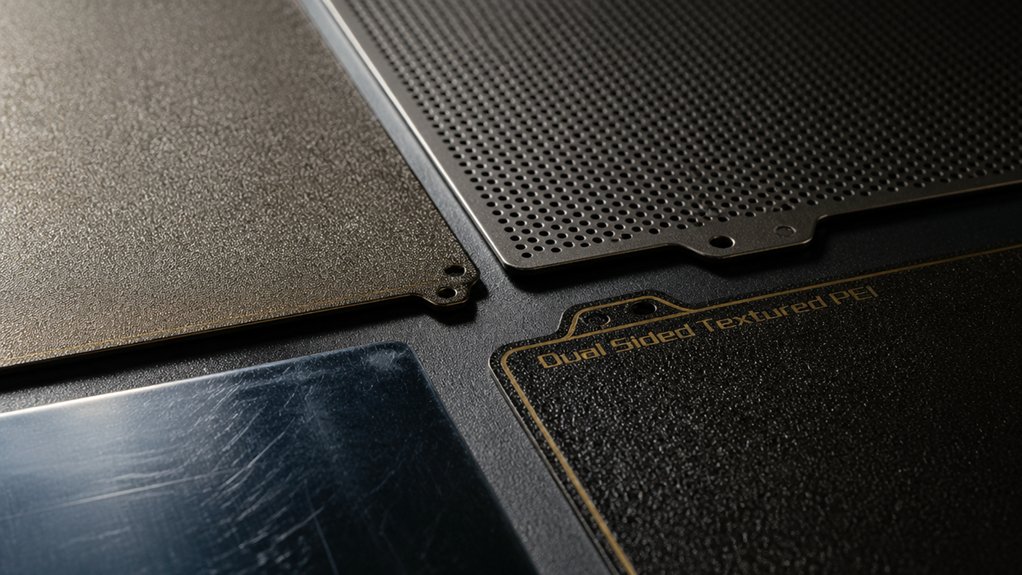
You’ll need to evaluate five key factors before selecting a build plate: material compatibility with your printer’s heating system and filament type, surface adhesion strength to prevent warping and failed prints, build plate size to match your printer’s specifications, removal and flexibility features that allow you to extract finished prints without damage, and temperature tolerance ratings that align with your typical printing settings. Start by checking your printer’s manual to identify compatible materials, then assess whether you need a rigid plate for large projects or a flexible one for easier part removal. Finally, compare adhesion levels across options—such as textured surfaces, PEI coatings, or magnetic systems—to determine which best suits your most-used filaments.
Factors to Consider When Choosing Build Plate for 3d Printer
What makes one build plate perform better than another comes down to several practical factors you’ll need to evaluate before buying. First, consider the material—glass, PEI-coated steel, and magnetic flexible sheets each offer different adhesion strengths and heat tolerances. Check temperature compatibility; PEI surfaces handle up to 300°C while others max around 120°C, which directly affects your filament choices. Next, assess installation requirements by verifying proper alignment and secure adhesion to prevent warping. Evaluate maintenance demands: some surfaces need glue sticks or water-soluble adhesives, while others require only wipe-downs. Finally, examine whether interchangeable or double-sided options suit your workflow, allowing you to swap plates between prints without cooling downtime and reduce overall production delays.
Material Compatibility And Temperature
How do you match a build plate to the filaments you plan to print? First, identify which materials you’ll use most often. PLA requires lower bed temperatures around 45–60°C and works well on most surfaces. PETG demands higher temperatures between 60–75°C for reliable adhesion. ABS, ASA, and Nylon need even higher temps and more robust plates to prevent warping. Next, check your plate’s temperature rating. Standard PEI textures handle up to 200–300°C depending on which side you use. Finally, consider double-sided magnetic plates that offer a textured side for strong adhesion and a smooth side for easy removal. Match your filament’s requirements to your plate’s capabilities before printing to ensure both proper adhesion and successful part removal.
Surface Adhesion Strength Levels
Once you’ve matched your filament’s temperature needs to your plate’s rating, the next factor is how strongly the surface actually grips your print during those critical first layers. Textured surfaces like PEI provide stronger initial adhesion than smooth alternatives, reducing warping and lift across most filaments. Double-sided plates offer flexibility—use the textured side for materials needing maximum grip and the smooth side for easier removal when adhesion’s less critical. Magnetic or spring-steel-backed plates enhance consistency by ensuring uniform contact between bed and surface, which stabilizes first-layer adherence across repeated prints. Consider your filament type and removal preferences when selecting adhesion strength levels, since stronger grip means easier printing but potentially harder part removal afterward.
Build Plate Size Requirements
Selecting the right build plate size is fundamental to avoiding print failures like edge lifting and unsupported geometry. Match your plate dimensions to your printer’s bed size—common options include 257×257 mm or 235×235 mm for Bambu Lab and Ender/Neptune models. Measure your model’s maximum dimensions, then choose a plate that accommodates these measurements with minimal excess space. Larger plates improve stability for bigger parts but require longer heat-up times and demand adequate printer bed capacity. Verify that your plate size aligns with your printer’s standard specifications to maintain accurate leveling and consistent adhesion. If you use modular surfaces, select a plate size supporting multiple configurations without hardware changes.
Removal And Flexibility Features
What makes a build plate practical for daily printing? Removability and flexibility. You’ll want a flexible surface that bends without breaking, allowing you to release prints quickly without waiting for cooling. Look for magnetic attachment systems—they let you swap surfaces between prints, reducing downtime significantly.
Double-sided plates give you options: use textured sides for better adhesion, smooth sides for easier removal. Choose based on your material and release preferences. Thickness matters too; thinner plates bend more easily for removal but must stay flat during printing. Thicker plates maintain flatness better but require more force to flex.
Balance these factors by testing different surfaces. Prioritize flexibility to avoid damaging prints or the plate itself during removal.
Durability And Coating Quality
Durability and coating quality determine how long your build plate’ll perform reliably across multiple prints. Choose multi-layer coatings like cobalt oxide or PEI, which resist impact and corrosion while reducing peeling. Check temperature ratings—textured PEI handles up to 300°C, while smooth PEI reaches 200°C—ensuring adhesion during high-heat prints. Inspect the spring steel core and magnetic backing to confirm they resist deformation under repeated bending and flexing. Understand that textured surfaces grip better initially but may need releveling after flipping the plate. Consider double-sided plates to extend lifespan by alternating surfaces, reducing wear on a single coating. Evaluate your material type and print temperature to match the appropriate coating quality for sustained performance.
Final Thoughts
You’ll improve your 3D printing results by selecting the right build plate for your printer model. Choose magnetic surfaces like BIQU CryoGrip Pro or Creality Ultra for easy removal and reusability. For specialized materials, use PEI plates designed for ABS or PETG. If you’re using glass or aluminum beds, apply ENOMAKER adhesive for better grip. Match your plate to your printer’s specifications and material needs for consistent, successful prints.

Meet Ry, “TechGuru,” a 36-year-old technology enthusiast with a deep passion for tech innovations. With extensive experience, he specializes in gaming hardware and software, and has expertise in gadgets, custom PCs, and audio.
Besides writing about tech and reviewing new products, he enjoys traveling, hiking, and photography. Committed to keeping up with the latest industry trends, he aims to guide readers in making informed tech decisions.