
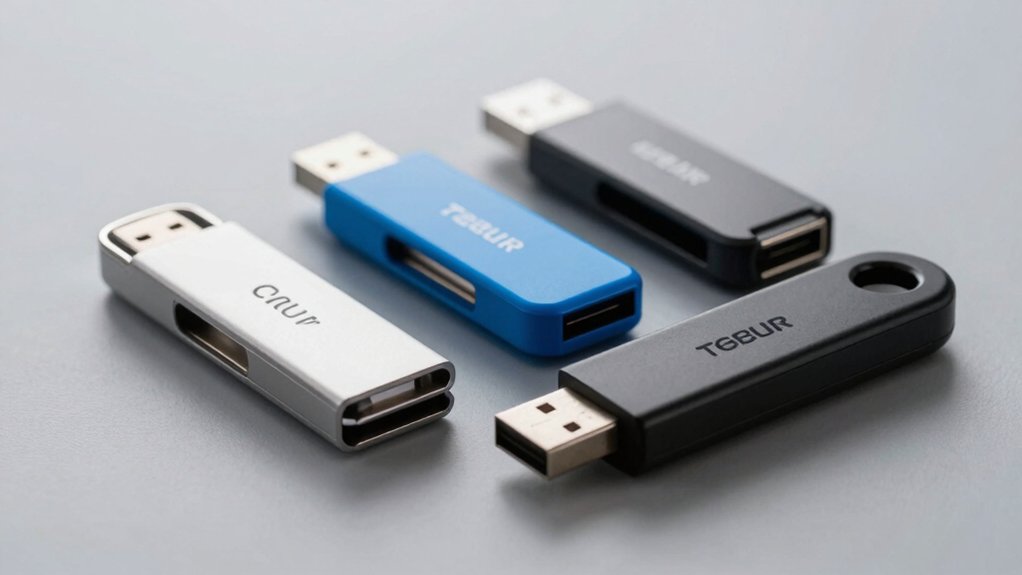

When you need to distribute files across your office, you’ll want bulk USB flash drives that balance storage capacity, quantity, and cost. You can choose from several reliable options, each designed for different workplace demands. The selection ranges from budget-friendly 128MB packs to higher-capacity 8GB drives, allowing you to match your needs precisely. Before deciding which option works best for your situation, you should understand the key factors that distinguish these products.
| EASTBULL 128MB USB 2.0 Flash Drives (100 Pack) |
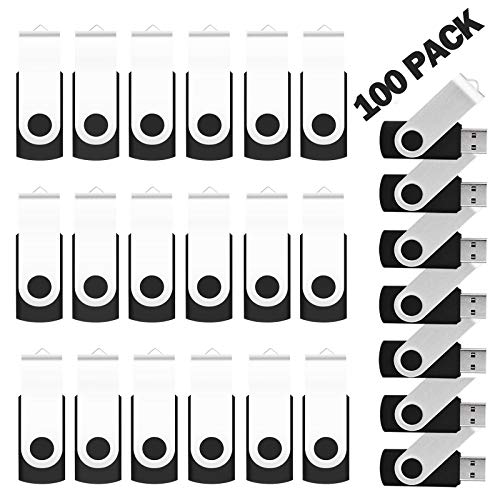
| Budget Bulk Pack | Storage Capacity: 128MB | Pack Quantity: 100 pack | USB Interface: USB 2.0 | VIEW LATEST PRICE | Read Our Analysis |
| Bulk Flash Drives 2GB USB Stick (20 Pack) |

| Best Value Option | Storage Capacity: 2GB | Pack Quantity: 20 pack | USB Interface: USB 2.0 | VIEW LATEST PRICE | Read Our Analysis |
| 8GB Flash Drive 10 Pack USB 2.0 Thumb Drive |

| Most Versatile Choice | Storage Capacity: 8GB | Pack Quantity: 10 pack | USB Interface: USB 2.0 | VIEW LATEST PRICE | Read Our Analysis |
| USB Flash Drive 2GB 20 Pack Bulk Memory Stick |
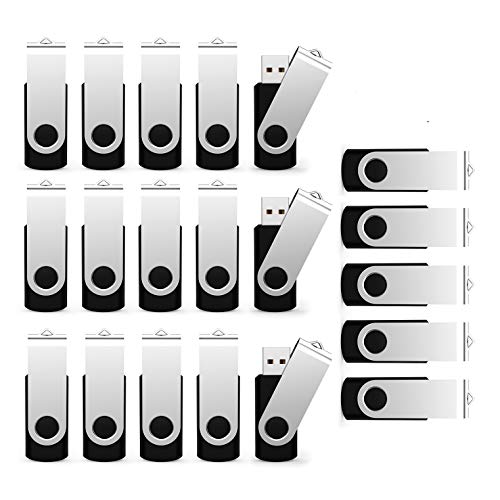
| Branding-Friendly Pick | Storage Capacity: 2GB | Pack Quantity: 20 pack | USB Interface: USB 2.0 | VIEW LATEST PRICE | Read Our Analysis |
| Kanayu 50 Pack 128MB USB 2.0 Flash Drives |

| Colorful Starter Pack | Storage Capacity: 128MB | Pack Quantity: 50 pack | USB Interface: USB 2.0 | VIEW LATEST PRICE | Read Our Analysis |
More Details on Our Top Picks
EASTBULL 128MB USB 2.0 Flash Drives (100 Pack)
The EASTBULL’s budget bulk pack of 100 units makes it ideal for organizations that need to distribute storage devices across multiple departments or employees without straining their technology budget. Each drive offers 128MB storage with USB 2.0 compatibility, ensuring broad device support across computers, cameras, and media players. The plug-and-play design requires no software installation, allowing immediate use. With 15 MB/s read and write speeds, these drives handle standard file transfers efficiently. The lightweight, portable design supports employee mobility. A three-year warranty provides quality assurance protection. Simply insert the drive into any USB slot and begin transferring files. This solution delivers practical, straightforward storage distribution for organizational needs.
- Storage Capacity:128MB
- Pack Quantity:100 pack
- USB Interface:USB 2.0
- Portability Features:Lightweight, compact design
- System Compatibility:Windows, PC, cameras, TVs, car, music players
- Warranty/Support:3 years warranty
- Additional Feature:Double-tested quality assurance
- Additional Feature:A+ chip performance
- Additional Feature:3-year warranty included
Bulk Flash Drives 2GB USB Stick (20 Pack)
Need to distribute files across your entire office without breaking your budget? The MECHEER 2GB USB flash drives offer practical storage for twenty users. Each drive features a 360-degree metal swivel cap protecting the port and includes a detachable lanyard for secure transport. These drives work instantly with Windows XP through 11 and macOS using plug-and-play functionality—no software installation required. The LED indicator shows activity during read/write operations. For optimal performance, reformat drives to FAT32 for universal compatibility or exFAT for larger files. Use these drives for distributing presentations, training materials, or project files throughout your organization efficiently.
- Storage Capacity:2GB
- Pack Quantity:20 pack
- USB Interface:USB 2.0
- Portability Features:Pocket-sized with detachable lanyard
- System Compatibility:Windows XP/Vista/7/8/10/11, macOS
- Warranty/Support:Amazon return policy with standard returns
- Additional Feature:360-degree metal swivel cap
- Additional Feature:Included detachable lanyards
- Additional Feature:LED read/write indicator
8GB Flash Drive 10 Pack USB 2.0 Thumb Drive
Bulk storage needs across schools, offices, and organizations find their most versatile choice here. You get ten 8GB drives with USB 2.0 interfaces and swivel designs that protect ports from damage. Each drive features an LED indicator showing read/write activity. You’ll achieve read speeds of 10–30 MB/s and write speeds of 4–15 MB/s. The drives work with Windows, Mac, and Linux systems plus televisions, printers, and vehicles. Format them as FAT32 for files up to 4GB each, or reformat to exFAT for larger files. You’ll have approximately 7.2GB usable storage per drive. These drives include keychains and include a one-year warranty, making them cost-effective for giveaways and bulk distribution needs.
- Storage Capacity:8GB
- Pack Quantity:10 pack
- USB Interface:USB 2.0
- Portability Features:Swivel design with lanyard hole and LED indicator
- System Compatibility:Windows 7/8/10, Linux, Mac OS, TVs, DVD players, vehicles, printers
- Warranty/Support:1 year warranty with Amazon returns policy
- Additional Feature:360° swivel port protection
- Additional Feature:Lanyard attachment hole
- Additional Feature:LED connection/activity indicator
USB Flash Drive 2GB 20 Pack Bulk Memory Stick
Looking for a branding-friendly pick that distributes data across your entire team? This 20-pack of 2GB USB flash drives offers practical bulk storage for offices needing multiple units. Each drive holds 2GB, sufficient for documents, spreadsheets, and presentations. USB 2.0 compatibility ensures connection with standard office computers. The black design provides a professional appearance. You can print your company logo or branding on each drive, enhancing visibility during distribution. This quantity works well for training sessions, client giveaways, or internal file sharing. The bulk format reduces per-unit costs, making it economical for larger organizations. Assess your team size and data transfer needs before ordering to confirm this capacity meets your requirements.
- Storage Capacity:2GB
- Pack Quantity:20 pack
- USB Interface:USB 2.0
- Portability Features:Compact swivel memory stick design
- System Compatibility:Data transfer across devices
- Warranty/Support:Standard Amazon returns policy
- Additional Feature:Printable/customizable branding surface
- Additional Feature:Swivel memory stick design
- Additional Feature:File classification capability
Kanayu 50 Pack 128MB USB 2.0 Flash Drives
The Kanayu 50-pack delivers a colorful starter pack for offices that need affordable bulk storage. You’ll receive ten drives in each of five colors, giving you options for organizing files by department or project. Each 128MB drive requires no software installation—simply plug it into any USB port on Windows 7 through 10, Linux systems, laptops, or desktops. The compact design measures 5.2 x 2 x 0.8 centimeters, fitting easily into backpacks or desk drawers. You’ll benefit from reliable flash memory that prevents data loss and supports multiple file formats automatically. This pack suits offices distributing drives to clients, employees, or event attendees while maintaining budget constraints.
- Storage Capacity:128MB
- Pack Quantity:50 pack
- USB Interface:USB 2.0
- Portability Features:Small, lightweight, easy to carry
- System Compatibility:Windows 7/8/10/XP/2000/Vista/ME/NT, Linux, laptops, portable speakers, smart TVs
- Warranty/Support:No specific warranty mentioned
- Additional Feature:Five color variety included
- Additional Feature:Reliable flash memory chip
- Additional Feature:Compact 2×0.78×0.3 inch design
Factors to Consider When Choosing Bulk USB Flash Drives
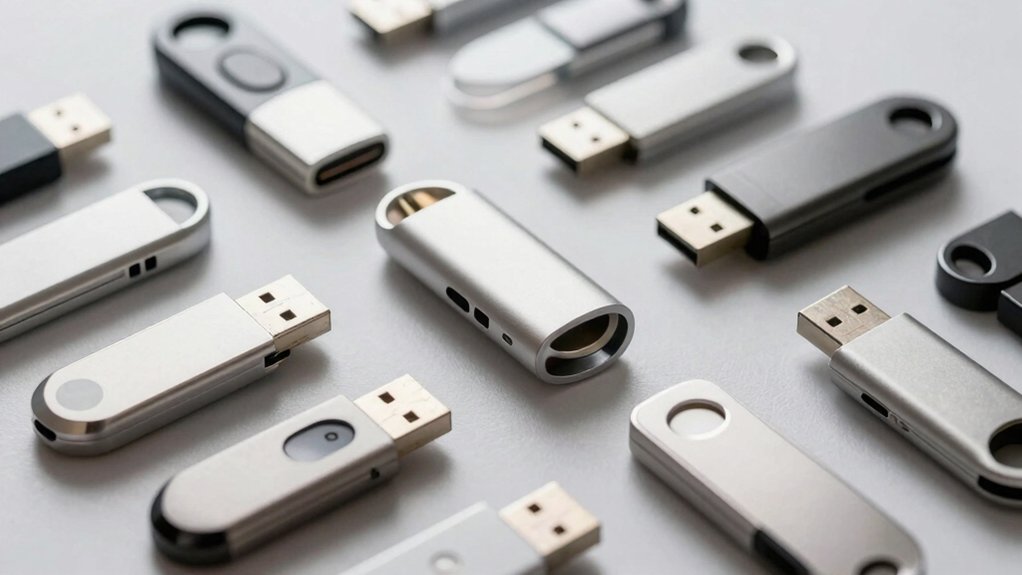
When you’re selecting bulk USB flash drives for your office, you’ll need to evaluate several key factors: storage capacity that matches your data distribution needs, compatibility with your existing systems and USB standards, read/write speeds that support your workflow efficiency, physical durability to withstand daily handling, and packaging quantities that fit your budget and distribution requirements. Start by determining how much data you’ll store on each drive, then confirm the interface type (USB 2.0 or 3.0) works with your computers and devices. Finally, compare speed specifications, build quality, and minimum order quantities across vendors to find the option that balances performance, longevity, and cost for your specific office situation.
Storage Capacity Requirements
How much data do you actually need to store on each drive? Start by listing the files you’ll distribute—documents, presentations, or software—then calculate their total size. Next, decide on your capacity tier: 128 MB works for small documents, 2 GB handles multiple files and presentations, and 8 GB accommodates larger datasets or software packages. Remember that advertised capacity differs from usable space; expect around 90% of labeled capacity due to formatting overhead. For office distribution, consider a mixed approach: use smaller capacities to reduce per-unit costs while meeting most recipients’ needs, or invest in higher capacities if you’re storing substantial files. Match capacity to your actual data volume, not your maximum possible volume, to avoid overspending on unused storage.
Compatibility And Interface Standards
What USB standard does your office infrastructure currently support? Check your existing ports and devices to determine whether you need USB 2.0, 3.0, or 3.1 drives. USB 3.0 and 3.1 drives offer faster speeds—up to 400 MB/s compared to USB 2.0’s typical 15 MB/s—but they work on older USB 2.0 ports with reduced speed. If your office uses newer devices without USB-A ports, you’ll need USB-C adapters or hubs. Verify operating system compatibility across Windows, macOS, and Linux systems your team uses. Consider FAT32 formatting limitations if you’re transferring files larger than 4GB. Match the drive’s interface to your infrastructure to avoid compatibility issues and maximize performance across your office environment.
Speed Performance Specifications
You’ll find that USB flash drive performance depends primarily on three factors: the interface standard, the quality of the internal flash memory, and the drive’s controller chip. Most bulk USB 2.0 drives deliver read and write speeds between 4–30 MB/s, with mid-range models typically claiming 15 MB/s performance. Expect real-world speeds to reach only 60–90% of advertised rates due to formatting overhead and measurement differences. When evaluating specifications, ignore physical design features like swivel mechanisms or metal casings—they don’t improve speed. Instead, focus on the controller quality and memory type listed in technical specifications. For office file transfers, these mid-range speeds suffice for documents and spreadsheets. Consider exFAT or NTFS formatting to optimize performance across Windows and macOS systems.
Durability And Design Features
While speed matters for file transfers, physical durability determines how long your bulk USB drives’ll actually last in an office environment. You’ll want metal casings and rugged housings that shield internal components from impacts during daily carry. Swivel-design drives protect the USB connector when not in use, reducing exposure to dust and damage. Check for LED indicators that provide real-time feedback on power, connection, and read/write activity, helping you identify potential failure points early. Select drives with lanyard holes or keychain attachments to prevent loss and reduce accidental drops. For busy environments, choose bulk packs with multi-color or reinforced shells that improve visibility and handling. These features directly extend your drives’ lifespan through better protection and easier identification.
Bulk Quantity And Packaging
Most bulk USB flash drive purchases come in standard pack sizes—typically 20, 50, or 100 units—which lower your per-unit cost and streamline distribution across your office. When selecting your quantity, match the pack size to your actual need. A 20-unit pack works for small teams, while 50 or 100 units suit larger departments or company-wide rollouts.
Examine the packaging details carefully. Verify whether drives come in uniform capacity (such as 8GB or 128MB) to simplify inventory management and compatibility. Check if the packaging includes accessories like lanyards or swivel designs that enhance usability during group distribution. Confirm that drives are plug-and-play with no required software installation, enabling immediate deployment. Multi-color assortment options accommodate branding or gifting needs efficiently.
Warranty And Quality Assurance
Protection plans form a critical layer of your bulk USB flash drive purchase, safeguarding your investment against defects and malfunctions. Most warranties range from 1 to 3 years, with some bulk packs offering manufacturer or vendor-backed coverage. Review explicit warranty terms carefully, noting what’s covered—such as manufacturing defects—versus what’s excluded, like wear or data loss. Verify that coverage transfers to your organization and understand the claims process before purchasing. Check required documentation, including proof of purchase and return procedures. Look for vendors advertising “strict quality control” or similar language, indicating multiple-stage factory testing and inspection. These quality assurance processes ensure reliability before drives reach your office, reducing potential failures and replacement costs.
Device Versatility And Applications
How you’ll actually use bulk USB flash drives should shape every purchasing decision you make. Consider your primary application first: distributing files at conferences, backing up documents, or sharing training materials. Next, match capacity to your needs—128 MB suits simple documents, while 4–8 GB handles multimedia content. Evaluate compatibility requirements across your office systems: Windows, macOS, and Linux all need support through FAT, exFAT, or NTFS formats. Check read/write speeds if you’re transferring large files regularly; 10–30 MB/s reads ensure reasonable performance. Finally, assess portability features for your setting. Swivel designs and lanyards prevent loss during events or classroom distribution. Bulk packaging in sets of 20–100 provides flexibility for various organizational scales and giveaway purposes.
Final Thoughts
When you’re buying bulk USB flash drives for your office, match the storage capacity to your actual needs—128MB works for documents, while 2GB handles larger files. Compare pack sizes and unit costs to find the best value. Check compatibility with your devices and consider durability for frequent use. Select drives that fit your budget without sacrificing quality, ensuring they’ll reliably serve your team’s file-sharing requirements.

Meet Ry, “TechGuru,” a 36-year-old technology enthusiast with a deep passion for tech innovations. With extensive experience, he specializes in gaming hardware and software, and has expertise in gadgets, custom PCs, and audio.
Besides writing about tech and reviewing new products, he enjoys traveling, hiking, and photography. Committed to keeping up with the latest industry trends, he aims to guide readers in making informed tech decisions.