
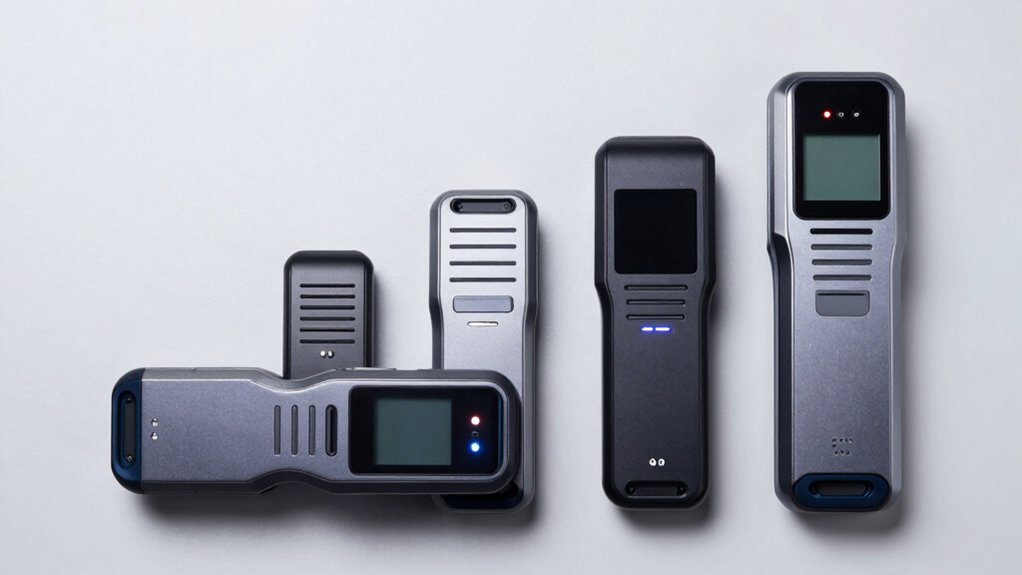

You’re looking for a CAC reader that works reliably with your system and software. Your choice depends on three key factors: USB type (standard or USB-C), portability needs, and required software compatibility like ActivClient or AKO. Each reader offers different advantages, from compact designs to advanced features. Understanding what you actually need will determine which option serves your workflow best—and some choices offer capabilities you might not expect.
| Identiv SCR3310v2.0 USB Smart Card Reader |

| Universal Compatibility Leader | Operating System Compatibility: Windows, macOS, Linux, Android | Card Type Support: Contact chip cards (ISO/IEC 7816) | Installation Requirements: No driver specified; firmware upgradeable | VIEW LATEST PRICE | Read Our Analysis |
| ZOWEETEK CAC Reader USB-C Military DOD Compatible |

| Military-Grade USB-C | Operating System Compatibility: Windows 10/11, macOS 10.15+, Linux | Card Type Support: CAC chip cards | Installation Requirements: Windows 11 requires driver; Mac requires Java | VIEW LATEST PRICE | Read Our Analysis |
| ZOWEETEK CAC Card Reader Military USB Compatible |

| Plug-and-Play Performance | Operating System Compatibility: Windows, macOS, Linux | Card Type Support: CAC chip cards | Installation Requirements: Driver-free plug and play; no firmware upgrade | VIEW LATEST PRICE | Read Our Analysis |
| AKERU CAC Card Reader with LED Indicator (EAL-20) |

| Best with LED Indicator | Operating System Compatibility: Windows Vista/8/8.1/10, macOS 10.4+, Linux | Card Type Support: CAC, Government ID, National ID, Bank Card (ISO7816 Class A/B/C) | Installation Requirements: Plug and play; no driver needed; no firmware upgrades | VIEW LATEST PRICE | Read Our Analysis |
| Identiv SCR3500 Smartfold Smart Card Reader |
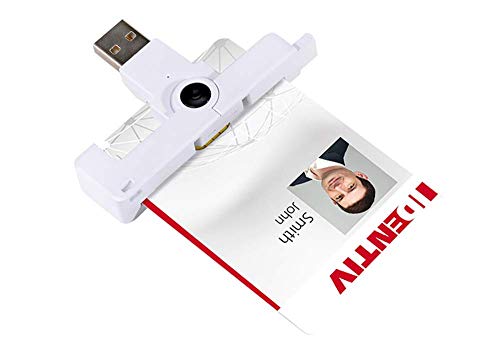
| Most Portable Design | Operating System Compatibility: Not specified | Card Type Support: ID1 format smart cards (ISO 8716) | Installation Requirements: No installation details specified | VIEW LATEST PRICE | Read Our Analysis |
More Details on Our Top Picks
Identiv SCR3310v2.0 USB Smart Card Reader
If you need a smart card reader that works across multiple operating systems without compatibility headaches, the Identiv SCR3310v2.0 is built for you. This USB reader supports Windows, macOS, Linux, and Android, eliminating operating system barriers. It’s fully compliant with ISO/IEC 7816, PC/SC, and EMV 2011 standards, ensuring broad card compatibility. The device transfers data at 600 kbps and features an ultra-compact design for mobile use. You’ll appreciate its in-field firmware upgrade capability, which keeps your reader current with the SCR33xx family. Installation requires minimal setup—connect via USB Type A, and the reader integrates seamlessly with your existing systems.
- Operating System Compatibility:Windows, macOS, Linux, Android
- Card Type Support:Contact chip cards (ISO/IEC 7816)
- Installation Requirements:No driver specified; firmware upgradeable
- USB Connection Type:USB Type A
- EMV/Security Certifications:EMV 2011 Ver 4.3 Level 1; GSA FIPS 201
- Design Form Factor:Ultra-compact, robust design
- Additional Feature:In-field firmware upgrades supported
- Additional Feature:600 kbps read/write speed
- Additional Feature:SCR33xx family compatibility
ZOWEETEK CAC Reader USB-C Military DOD Compatible
Need a CAC reader that works with your military or government computer? The ZOWEETEK CAC Reader offers USB-C connectivity for Windows 10/11, Mac OS 10.15+, and Linux systems. Install the required Windows 11 driver first, then ensure Java is installed on Mac devices. You’ll likely need a third-party CAC Enabler program for DOD/USG authentication. This reader supports Government ID cards and accesses ActivClient, AKO, OWA, DKO, and other military portals. The high-end chip design delivers extended durability for frequent use. Connect the device to your USB-C port and launch your required application. Verify compatibility with your specific CAC card before purchasing.
- Operating System Compatibility:Windows 10/11, macOS 10.15+, Linux
- Card Type Support:CAC chip cards
- Installation Requirements:Windows 11 requires driver; Mac requires Java
- USB Connection Type:USB Type C
- EMV/Security Certifications:Not specified
- Design Form Factor:Compact USB-C device
- Additional Feature:USB-C Type C interface
- Additional Feature:DOD/USG CAC Enabler compatible
- Additional Feature:Long-life high-end chips
ZOWEETEK CAC Card Reader Military USB Compatible
Military personnel and federal employees who need seamless access to Department of Defense systems will find the ZOWEETEK CAC Card Reader delivers the compatibility and ease of use required for your daily workflow. This reader supports Windows, Mac OS, and Linux operating systems, ensuring you can use it across multiple devices. The driver-free, plug-and-play design means you’ll install it immediately without firmware updates. It’s compatible with ActivClient, AKO, OWA, and other military platforms. The advanced Realtek chipset meets PIV, EMS, and ISO-7816 standards. Simply insert your CAC chip card horizontally into the precise slot and access secured systems instantly.
- Operating System Compatibility:Windows, macOS, Linux
- Card Type Support:CAC chip cards
- Installation Requirements:Driver-free plug and play; no firmware upgrade
- USB Connection Type:Not specified
- EMV/Security Certifications:PIV, EMS, ISO-7816, EMV2 2000 Level 1; CE, FCC, VCCI, Microsoft WHQL
- Design Form Factor:Sleek ergonomic flat design
- Additional Feature:Driver-free plug and play
- Additional Feature:Advanced Realtek Chipset
- Additional Feature:Horizontal card slot design
AKERU CAC Card Reader with LED Indicator (EAL-20)
The AKERU CAC Card Reader with LED Indicator (EAL-20) works well for you if you need quick, hassle-free access to government documents across multiple platforms. Simply plug the USB Type A connector into your computer—no drivers or firmware updates required. The reader supports Windows Vista through Windows 10, macOS 10.4 and above, and Linux systems. You’ll access CAC cards, government IDs, and national IDs through ActivClient, AKO, OWA, and military portals like JKO and NKO. The five-foot cable provides flexibility for desk positioning. With its compact design, LED indicator for status confirmation, and lifetime technical support, you gain reliable card authentication without installation complexity.
- Operating System Compatibility:Windows Vista/8/8.1/10, macOS 10.4+, Linux
- Card Type Support:CAC, Government ID, National ID, Bank Card (ISO7816 Class A/B/C)
- Installation Requirements:Plug and play; no driver needed; no firmware upgrades
- USB Connection Type:USB Type A
- EMV/Security Certifications:ISO7816 Class A/B/C compliant
- Design Form Factor:Compact with LED indicator; 5-foot cable
- Additional Feature:LED indicator included
- Additional Feature:5 feet long cable
- Additional Feature:Free lifetime technical support
Identiv SCR3500 Smartfold Smart Card Reader
If you’re working in environments where you need a portable smart card reader that doesn’t take up much space, the Identiv SCR3500 Smartfold offers a compact dongle-form-factor design that you can easily carry between workstations. This lightweight reader accepts ID1 format cards and connects via USB to your device. It’s CCID compliant, meaning it works with major smart card standards across different systems. The device holds EMV Level 1 certification, confirming it meets payment and security card requirements. You’ll find it suitable for external smart card reading in various professional environments where portability matters. Simply plug it into your USB port and insert your card to authenticate or access secure data quickly.
- Operating System Compatibility:Not specified
- Card Type Support:ID1 format smart cards (ISO 8716)
- Installation Requirements:No installation details specified
- USB Connection Type:USB (via dongle form factor)
- EMV/Security Certifications:EMV Level 1; CCID compliant
- Design Form Factor:Compact dongle form factor; lightweight/portable
- Additional Feature:Compact dongle-form-factor design
- Additional Feature:ID1 format card acceptance
- Additional Feature:Lightweight portable design
Factors to Consider When Choosing CAC Readers
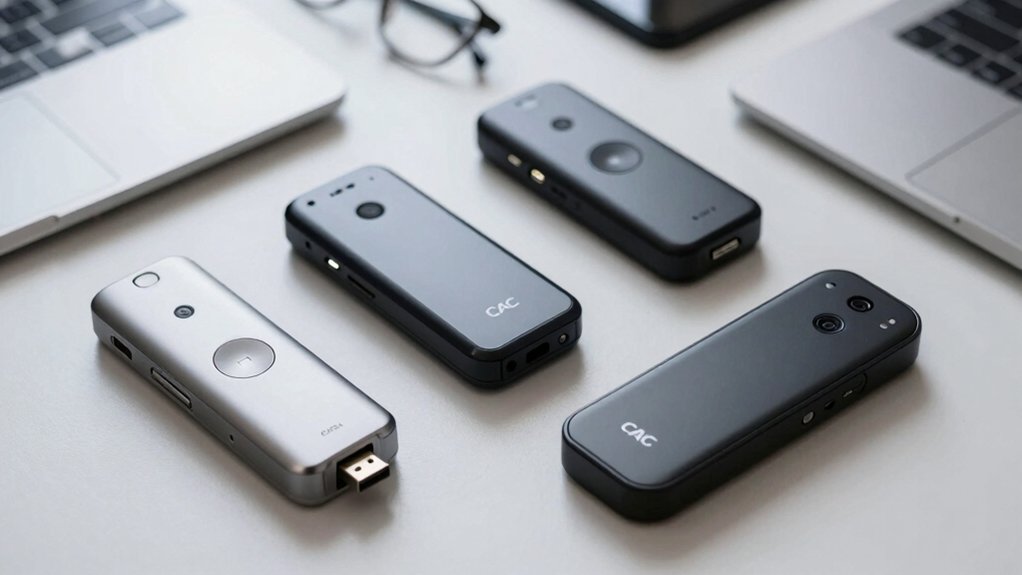
When you’re selecting a CAC reader, you’ll need to verify that it’s compatible with your operating system, meets military and government standards like FIPS 201, and supports the specific card types your organization uses. Next, check the installation requirements and driver availability for your system, then assess the physical design to determine whether you need a portable option or a stationary device for your workspace. Finally, confirm that the reader’s specifications align with your security protocols and daily workflow demands before making your purchase.
Operating System Compatibility
How compatible’s your CAC reader with your devices? You’ll need to verify operating system support before purchasing. Check whether the reader offers driver support or plug-and-play functionality across Windows, macOS, and Linux. Some units require Windows 10/11 drivers, while others operate driver-free. On macOS, confirm whether you’ll need Java or specific CAC enablers installed, as this affects setup complexity. For Linux systems, verify CCID/PC/SC support and available kernel drivers. Consider your interface type carefully—USB-C compatibility matters if your devices rely on Type-C connections or adapters. Document each reader’s OS requirements against your actual systems. This direct comparison prevents compatibility problems after purchase and ensures seamless workflow integration across your government or civilian network.
Military And Government Standards
What standards must your CAC reader meet to operate within government networks? Your reader must support US DoD standards and PIV-compatible ISO 7816 interfaces to handle CAC PIN-protected credentials. You’ll also need compliance certifications including EMV Level 1, CE, FCC, VCCI, and Microsoft WHQL. These certifications ensure your reader functions across government systems and maintains security standards.
Additionally, verify that your reader supports required software ecosystems like ActivClient, AKO, OWA, DKO, JKO, NKO, BOL, GKO, and Marinenet. These applications are essential for accessing government networks and databases. Choose readers with USB-C or USB-A interfaces that match your equipment setup. Driver-free operation is preferable for field deployment, though some Windows 11 or macOS environments may require optional drivers. Confirm these specifications before purchasing.
Installation And Driver Requirements
Installation and driver requirements vary substantially depending on your operating system and CAC reader model, so you’ll need to verify compatibility before purchasing. Some readers work plug-and-play on Windows 11 without any driver installation, while others require driver setup. Mac users should confirm whether Java or additional software components are necessary for functionality. Check if your reader specifies driver-free operation, though you may still need to complete post-install steps for full features. USB-C models often require different driver support than USB-A versions, so review vendor-provided installers carefully. For government network access, certain readers need third-party CAC Enabler programs or specific driver packages. Verify your operating system version meets the reader’s compatibility requirements before attempting installation.
Card Type Support Capabilities
Once you’ve confirmed your CAC reader installs properly on your system, you’ll need to verify it actually works with the specific cards and software your organization uses. Check that your reader explicitly supports CAC and PIV cards with ISO 7816 compliance for broad government credential compatibility. Confirm CCID and PC/SC compliance to guarantee interoperable drivers across Windows, macOS, and Linux. If your organization uses EMV-enabled credentials, verify EMV Level 1 certification. Match the reader’s card interfaces—USB Type-A or USB-C—with your devices and check voltage support (5V, 3V, or 1.8V) against ISO 7816 class requirements. Finally, verify the reader supports your institution’s required software and protocols: ActivClient, AKO, OWA, JKO, NKO, and DKO.
Physical Design And Portability
How you’ll actually use your CAC reader—whether at a desk, in the field, or between multiple locations—should drive your choice of physical design. A compact dongle fits easily into pockets or small bags, making it ideal for mobile work. Check the interface type: USB Type-A works with older devices, while USB-C connects to modern laptops and peripherals more reliably. LED indicators let you verify connection status without guessing. Evaluate the housing design for comfort during repeated use—ergonomic grips reduce hand strain. Consider cable length; a 5-foot cable provides workspace flexibility, while cable-free designs eliminate clutter. Match these physical features to your specific work environment for maximum efficiency and minimal wear.
Warranty And Technical Support
Since your CAC reader’s lifespan depends heavily on manufacturer backing, you’ll want to examine warranty terms before making a purchase. Check the warranty duration—typically one to three years—and what it covers. Verify whether the seller accepts returns within a standard period, like Amazon’s 30-day policy. Next, confirm technical support availability. Determine if the manufacturer offers lifetime support or limited-period assistance, and clarify whether support is free or paid. Review whether the reader requires driver installations or firmware upgrades after purchase, as this affects your ongoing support needs. Finally, confirm the manufacturer provides updated firmware support and in-field upgrade capabilities. Request clear contact information and detailed after-sales service policies from the seller or manufacturer before buying.
Final Thoughts
You’ve reviewed five reliable CAC readers—each offering broad OS compatibility and ISO compliance. Select based on your specific needs: choose portability with USB-C options, prioritize military certification for DOD requirements, or opt for LED indicators for visual feedback. Verify your organization’s software requirements (ActivClient, AKO, OWA) match your reader choice. Install drivers if needed, then authenticate seamlessly across your network.

Meet Ry, “TechGuru,” a 36-year-old technology enthusiast with a deep passion for tech innovations. With extensive experience, he specializes in gaming hardware and software, and has expertise in gadgets, custom PCs, and audio.
Besides writing about tech and reviewing new products, he enjoys traveling, hiking, and photography. Committed to keeping up with the latest industry trends, he aims to guide readers in making informed tech decisions.