
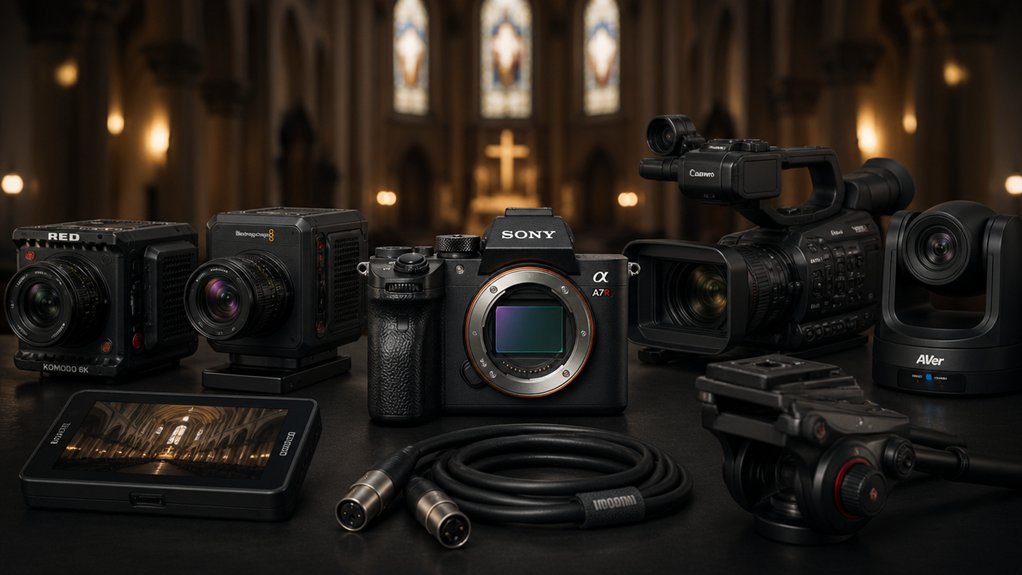

When you’re setting up live-stream equipment for your church, you’ll need cameras that deliver sharp video, track movement smoothly, and connect to your existing software. You’ve got specific requirements: fast autofocus, reliable AI tracking, and flexible streaming options like RTSP, RTMP, and VISCA compatibility. The right camera choice can transform your service broadcasts from basic to professional. Here’s how to evaluate the top options available.
| TONGVEO Conference Room PTZ Camera with 20X Zoom |
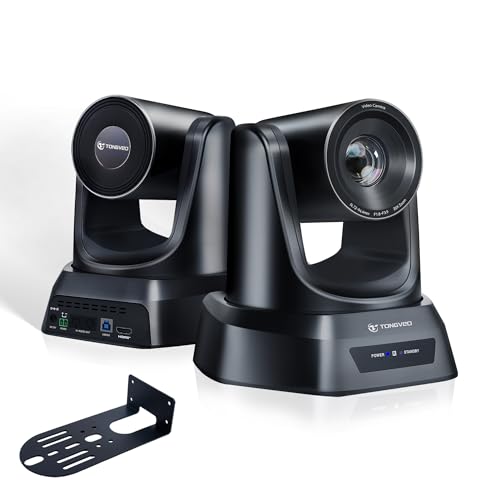
| Reliable Starter Pick | Optical Zoom: 20X optical zoom | Video Resolution: 1080P 60fps | AI Auto-Tracking: Single-person and multi-person auto framing | VIEW LATEST PRICE | Read Our Analysis |
| PTZ Camera 4K UHD 20X Optical Zoom Conference |

| Best Value | Optical Zoom: 20X optical zoom | Video Resolution: 4K UHD 30fps | AI Auto-Tracking: Not featured | VIEW LATEST PRICE | Read Our Analysis |
| Tenveo 4K NDI PTZ Camera with Auto-Tracking Bundle |

| Professional Bundle | Optical Zoom: 20X optical zoom | Video Resolution: 4K 20X optical zoom | AI Auto-Tracking: Humanoid and face auto-tracking with dual tracking | VIEW LATEST PRICE | Read Our Analysis |
| Tenveo PTZ Camera with AI Auto-Tracking & Controller Bundle |
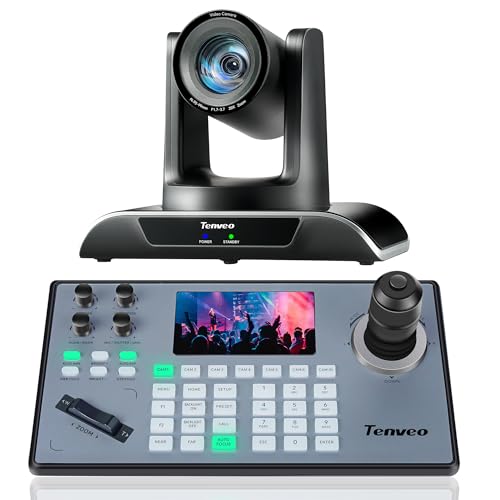
| Best Auto-Tracking | Optical Zoom: 20X optical zoom | Video Resolution: 1080P 60fps | AI Auto-Tracking: Humanoid and face auto-tracking with dual tracking | VIEW LATEST PRICE | Read Our Analysis |
| FoMaKo HDMI PTZ Camera with 20X Optical Zoom |
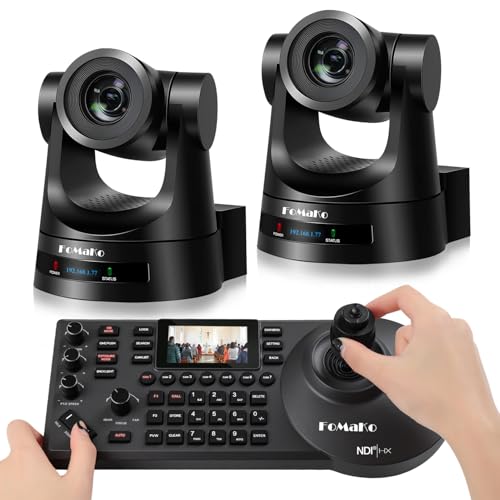
| Most Versatile | Optical Zoom: 20X optical zoom | Video Resolution: 1080p60/50 | AI Auto-Tracking: Advanced Gen 3 with customizable modes and click tracking | VIEW LATEST PRICE | Read Our Analysis |
More Details on Our Top Picks
TONGVEO Conference Room PTZ Camera with 20X Zoom
Why settle for a static camera when you’re streaming church services? The TONGVEO Conference Room PTZ Camera delivers 1080P video at 60fps with a 20X optical zoom, keeping your subjects sharp from any distance. Its AI auto-tracking modes follow single speakers or frame multiple people automatically, reducing manual adjustments during live broadcasts. You’ll connect via HDMI or USB 3.0 directly to your streaming software—OBS, vMix, or Zoom—without installing drivers. The camera tilts 180 degrees and pans 350 degrees smoothly and quietly. Store up to 255 preset angles for quick scene switching. The included remote control lets you adjust zoom, pan, and tilt instantly while maintaining stable framing.
- Optical Zoom:20X optical zoom
- Video Resolution:1080P 60fps
- AI Auto-Tracking:Single-person and multi-person auto framing
- Connectivity Options:HDMI and USB 3.0
- PTZ Control Range:350° pan, 180° tilt
- Presets:Up to 255 presets with fast recall
- Additional Feature:Near-silent motor operation
- Additional Feature:255 customizable angle presets
- Additional Feature:3-year warranty included
PTZ Camera 4K UHD 20X Optical Zoom Conference
Need seamless pan-and-tilt control without breaking your budget? This PTZ camera delivers 4K UHD resolution at 30 frames per second, capturing sharp visuals with smooth motion during church services. The 20X optical zoom and 58.7° wide field of view let you frame shots precisely, while 340° pan and 120° tilt movements cover your entire sanctuary. Setup’s straightforward—connect via IP/LAN, HDMI, or USB 3.0 with no driver installation required. The camera supports PoE power, RTSP and RTMP streaming, and H.264/H.265 encoding for low-bandwidth efficiency. You’ll integrate easily with Zoom, Teams, OBS, and YouTube. Its CMOS sensor includes 2D/3D noise reduction for clean footage in varied lighting.
- Optical Zoom:20X optical zoom
- Video Resolution:4K UHD 30fps
- AI Auto-Tracking:Not featured
- Connectivity Options:IP/LAN, HDMI, USB3.0
- PTZ Control Range:340° pan, 120° tilt
- Presets:Not mentioned
- Additional Feature:PoE power support
- Additional Feature:100-meter transmission distance
- Additional Feature:2D/3D noise reduction
Tenveo 4K NDI PTZ Camera with Auto-Tracking Bundle
The Tenveo 4K NDI PTZ Camera with Auto-Tracking Bundle delivers professional-grade capabilities you’ll need for consistent, high-quality church live streams. The bundle includes two 4K cameras with 20X optical zoom, AI face and body tracking, and a controller featuring a 7-inch screen for quad-view monitoring. You’ll connect cameras via HDMI, USB 3.0, or LAN with PoE support. The joystick controller lets you manage pan, tilt, zoom, and focus remotely while tracking your pastor or speakers automatically. Output streams to vMix, OBS, YouTube, and Facebook simultaneously, making professional multi-camera production straightforward.
- Optical Zoom:20X optical zoom
- Video Resolution:4K 20X optical zoom
- AI Auto-Tracking:Humanoid and face auto-tracking with dual tracking
- Connectivity Options:HDMI, USB3.0, LAN with PoE support
- PTZ Control Range:Not specified
- Presets:Not mentioned
- Additional Feature:7″ LCD quad-screen controller
- Additional Feature:Dual humanoid + face tracking
- Additional Feature:Lifetime technical support
Tenveo PTZ Camera with AI Auto-Tracking & Controller Bundle
Looking for a camera that tracks your pastor or worship leader automatically? The Tenveo PTZ Camera with AI Auto-Tracking & Controller Bundle delivers professional-grade streaming for churches. You’ll get a 1080P camera with 20X optical zoom and AI-powered tracking that follows your subject seamlessly. The included KB200PRO controller features a 5-inch LCD screen and joystick for manual control when needed. Setup involves connecting via HDMI, USB3.0, or LAN PoE, then assigning a static IP using the provided IP Search Tool. You can record tracking movements and replay them automatically during future services. The bundle works with Zoom, Teams, OBS, and vMix, making integration straightforward for your existing workflow.
- Optical Zoom:20X optical zoom
- Video Resolution:1080P 60fps
- AI Auto-Tracking:Humanoid and face auto-tracking with dual tracking
- Connectivity Options:HDMI, USB3.0, LAN with PoE support
- PTZ Control Range:Not specified
- Presets:Not mentioned
- Additional Feature:5″ LCD joystick controller
- Additional Feature:Track recording & trajectory playback
- Additional Feature:30-day money-back guarantee
FoMaKo HDMI PTZ Camera with 20X Optical Zoom
If you’re seeking a camera that handles multiple worship spaces, camera angles, and streaming platforms without switching equipment, the FoMaKo HDMI PTZ Camera with 20X Optical Zoom stands as the most versatile option for church broadcasting. You’ll connect via HDMI, 3G-SDI, or USB to stream directly to YouTube or Facebook. The camera’s AI Auto-Tracking Gen 3 keeps speakers framed automatically, while you control 255 presets to capture pulpit, congregation, and choir shots. You’ll manage everything through your web browser, OBS, vMix, or the included KC608 controller. With PoE power support and compatibility across Mac, Windows, and Linux systems, you’ll simplify your technical setup considerably. The 1080p60 video quality ensures professional-grade livestreams for any worship setting.
- Optical Zoom:20X optical zoom
- Video Resolution:1080p60/50
- AI Auto-Tracking:Advanced Gen 3 with customizable modes and click tracking
- Connectivity Options:HDMI, 3G-SDI, USB 3.0, LAN with PoE support
- PTZ Control Range:Not specified
- Presets:Up to 255 presets with gear-based precision positioning
- Additional Feature:3G-SDI video output option
- Additional Feature:Customizable AI tracking modes
- Additional Feature:Gear-based preset positioning
Factors to Consider When Choosing Cameras for Live Streaming Church
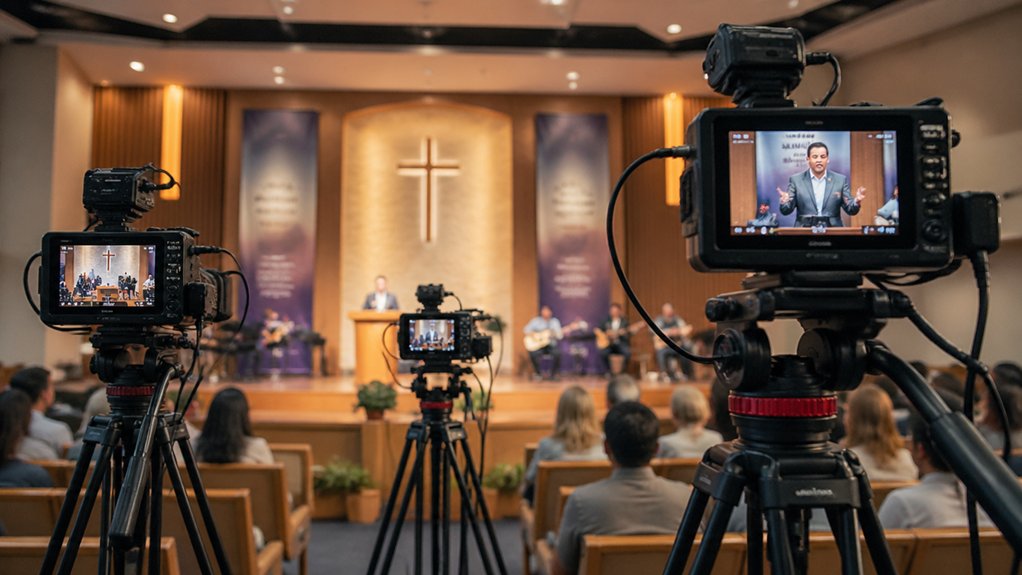
When you’re selecting a camera for church live streaming, you need to evaluate five essential factors: video quality and resolution for clear image output, audio capability and integration to capture sound directly or through external microphones, PTZ control and presets to adjust framing without manual repositioning, AI auto-tracking features to follow speakers and movement automatically, and connectivity and streaming compatibility to ensure the camera works with your chosen platform. You’ll want to assess each factor based on your church’s specific setup, budget constraints, and technical expertise available to operate and maintain the equipment. These considerations will determine whether you can deliver professional-quality broadcasts that engage your congregation both in-person and online.
Video Quality and Resolution
What resolution and frame rate should your church streaming camera deliver? You’ll want to choose between 4K UHD at 3840 x 2160 resolution for maximum detail or 1080P60 for smoother motion. Here’s what each option provides: 4K captures the sharpest images for wide shots and distant speakers, while 1080P60 ensures fluid movement during sermons and crowd scenes. For frame rates, select 60fps on 1080p or 30fps on 4K to eliminate choppy playback. Pair your resolution choice with wide dynamic range capability to maintain clear subjects and natural colors under varying church lighting conditions. This combination preserves video quality whether you’re filming in bright sanctuary windows or dimly lit areas, ensuring your congregation receives professional-quality streams.
Audio Capability and Integration
Audio capability forms a critical foundation for professional church streaming, as viewers won’t tolerate unclear or out-of-sync sound regardless of video quality. When selecting cameras, check whether they include built-in microphones or support external audio inputs like 3.5mm, XLR, or line-in connections. Verify that your chosen camera integrates seamlessly with your streaming platform—whether you’re using OBS, vMix, Zoom, or Teams—so audio routes correctly alongside video. Confirm the camera embeds audio through HDMI or SDI if needed, or allows separate synchronized audio channels. Finally, test how the control software manages audio latency to maintain lipsync between speaker movements and sound during live production. Proper audio integration prevents frustrating delays and ensures your congregation receives professional-quality broadcasts.
PTZ Control and Presets
How much control do you need over your camera positioning during a live service? PTZ cameras let you pan up to 350°, tilt 180°, and zoom smoothly without distracting noise. You can save up to 255 preset positions—specific angles for the pulpit, choir, or congregation—then recall them instantly during your stream. This eliminates the need to reposition cameras manually mid-service. You’ll control presets through IR remotes, joystick controllers, or protocols like VISCA and RS-232. Auto-tracking modes automatically keep speakers or multiple subjects centered without your intervention. Choose this feature if your production team is small or if you want consistent framing throughout services. Preset functionality reduces camera movement visibility and maintains professional-quality shots.
AI Auto-Tracking Features
While PTZ presets give you manual control over camera positioning, AI auto-tracking takes that a step further by automating subject following entirely. You’ll find two primary modes: single-person tracking for focused sermons and multi-person auto-framing for dynamic services with movement across the stage. The system uses humanoid and face detection to keep your subject centered while maintaining smooth transitions. Dual-tracking setups combining body and face detection improve accuracy in crowded environments, though they demand higher processing power and network bandwidth. Adjust firmware settings and sensitivity levels to match your specific space. Start with single-person mode during sermons, then switch to multi-person framing for congregational singing or interactive segments. This automation significantly reduces your need for live manual camera operation.
Connectivity and Streaming Compatibility
What outputs and control methods does your camera offer? You’ll need multiple connectivity options to streamline your church streaming setup. Look for cameras with HDMI, USB 3.0, and LAN/PoE outputs so you can connect directly to your streaming software and control equipment without additional adapters. Verify that your camera supports RTSP or RTMP streaming protocols for reliable live encoding to platforms like OBS, vMix, Zoom, and YouTube. Choose a camera with PoE capability to combine power and data through a single Ethernet cable, reducing clutter and simplifying installation. If you’re planning multi-camera productions, confirm support for NDI, VISCA over IP, and ONVIF standards. These protocols enable remote management and automated camera control across your sanctuary, allowing one operator to manage multiple angles efficiently.
Budget and Total Cost
When you’re selecting a camera for church streaming, the purchase price is only the beginning of your actual investment. You’ll need to budget for optional licenses like NDI capability, which enables multi-camera switching. Factor in firmware updates and service fees required to maintain automation features. Calculate ongoing power costs and PoE connectivity expenses that reduce cabling needs. Plan for accessory purchases including controllers, mounts, and remote kits that complete your setup. Evaluate scalability costs if you’ll expand to multiple cameras for different angles or future events. Compare warranty lengths across models, since extended coverage reduces repair and replacement expenses down the road. Review total cost of ownership across three to five years, not just the initial purchase.
Ease of Setup and Operation
How simple is it to get your camera running on day one? Look for models with plug-and-play HDMI or USB 3.0 connectivity that require no driver installation. This eliminates setup delays before your first service. Choose cameras with PoE support to reduce cabling complexity and network configuration work. Select units offering web-based management interfaces for straightforward remote adjustments. Verify compatibility with OBS, vMix, Zoom, and Teams before purchasing to ensure seamless integration with your existing streaming workflow. Prioritize cameras featuring 255 preset options and intuitive remote controls, allowing operators to switch angles quickly between hymns, sermons, and prayers. Built-in auto-tracking and auto-framing capabilities further simplify operation by reducing manual adjustments during live broadcasts, freeing your team to focus on service quality.
Warranty and Technical Support
Why you’ll want to prioritize warranty coverage and support services: they’re your safety net when equipment fails during a critical broadcast. Look for cameras offering three-year warranties that cover hardware defects and malfunctions. Verify that your supplier provides dedicated technical support channels—phone, email, or chat—for setup and troubleshooting. Confirm firmware update availability to maintain compatibility with streaming software like OBS, vMix, Zoom, and Teams. Check if warranty terms include remote setup assistance, allowing technicians to help you configure your system without visiting your location. Request information about 30-day money-back guarantees so you can test equipment risk-free. Ensure the manufacturer offers lifetime technical support or guaranteed firmware upgrade services. These protections keep your streaming operations secure and functional long-term.
Final Thoughts
You’ll want to prioritize cameras with 20X optical zoom, AI auto-tracking, and RTSP/RTMP streaming capabilities for your church setup. Choose between TongVeo or FoMaKo for budget-friendly 1080p60 options, or invest in Tenveo’s 4K/NDI bundles for advanced multi-camera control. Verify compatibility with OBS or vMix, ensure driverless connectivity via HDMI or PoE, and confirm warranty coverage. Start with one camera, then scale your system as needed.

Meet Ry, “TechGuru,” a 36-year-old technology enthusiast with a deep passion for tech innovations. With extensive experience, he specializes in gaming hardware and software, and has expertise in gadgets, custom PCs, and audio.
Besides writing about tech and reviewing new products, he enjoys traveling, hiking, and photography. Committed to keeping up with the latest industry trends, he aims to guide readers in making informed tech decisions.