
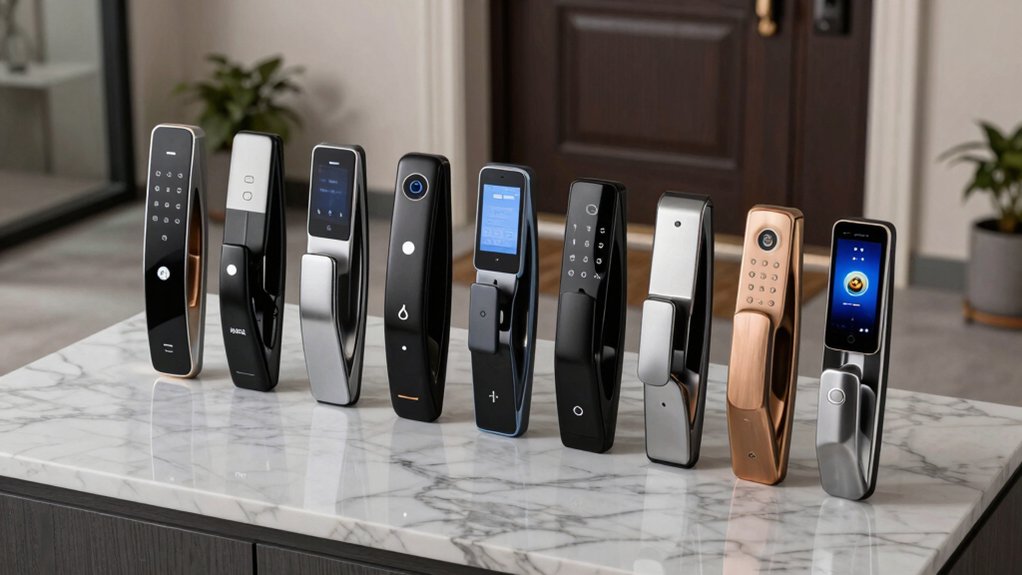

You’re looking to upgrade your home security, and digital door locks offer a straightforward solution. These locks eliminate the need for physical keys while providing keyless entry through multiple methods—codes, fingerprints, or smartphone apps. They create audit trails showing who entered and when. Before you choose one, you’ll need to understand what features matter most for your situation: remote access capability, weather resistance, battery life, and compatibility with your existing smart home system. Let’s examine seven proven options that deliver these benefits.
| Philips Wi-Fi Smart Door Lock with Alexa & Google Assistant |

| Most Versatile | Access Methods: App, passcode, fingerprint, physical key, voice control | Installation Type: DIY with screwdriver | Battery Life: 4-8 AA alkaline batteries (not included) | VIEW LATEST PRICE | Read Our Analysis |
| Schlage Encode Smart Wi-Fi Deadbolt Lock (BE489WB) |

| Best Overall | Access Methods: App, passcode, touchscreen, physical key, voice control | Installation Type: DIY with screwdriver; no hardwiring | Battery Life: Up to 6 months; four AA batteries included | VIEW LATEST PRICE | Read Our Analysis |
| Veise VE019 Fingerprint Smart Lever Lock with App Control |

| Most Advanced | Access Methods: Fingerprint, app, IC card, passcode, voice control, backup key | Installation Type: 15-minute DIY; no drilling required | Battery Life: Up to 16 months; four AA/LR6 batteries | VIEW LATEST PRICE | Read Our Analysis |
| TEEHO TE001 Keyless Entry Smart Deadbolt Lock |

| Best Value | Access Methods: Keypad passcode, backup keys | Installation Type: Screwdriver-only installation | Battery Life: Up to 365 days; four AA batteries (not included) | VIEW LATEST PRICE | Read Our Analysis |
| Kwikset Powerbolt 240 Electronic Keypad Door Lock |

| Budget-Friendly Pick | Access Methods: Keypad passcode, one-time codes, backup keys | Installation Type: Easy install with screwdriver | Battery Life: At least 12 months; four AA batteries (not included) | VIEW LATEST PRICE | Read Our Analysis |
| Yamiry Fingerprint Smart Door Lock with Keypad |

| Best For Renters | Access Methods: Fingerprint, app, passcode, key fobs, mechanical keys, voice control | Installation Type: Tool-free installation (~10 minutes) | Battery Life: Not specified; requires batteries | VIEW LATEST PRICE | Read Our Analysis |
| Keypad Door Lock with Handle Keyless Entry Smart Lock |

| Best For Simplicity | Access Methods: Keypad passcode, one-time codes, backup keys | Installation Type: 15-minute DIY with screwdriver | Battery Life: 8-12 months; four AA batteries (not included) | VIEW LATEST PRICE | Read Our Analysis |
More Details on Our Top Picks
Philips Wi-Fi Smart Door Lock with Alexa & Google Assistant
The Philips Wi-Fi Smart Door Lock is the most versatile option for homeowners who want multiple ways to access their door. You can open using your smartphone app, a passcode, your fingerprint, or a physical key. Voice commands through Alexa or Google Assistant let you lock and open hands-free. The lock stores multiple fingerprints for family members and supports up to 100 custom passcodes. You can create one-time or scheduled codes for guests and service providers. Away Mode disables all open methods except your master code when you’re not home. Real-time alerts notify you of door activity with a complete access history. The auto-lock feature automatically secures your door after 10–180 seconds.
- Access Methods:App, passcode, fingerprint, physical key, voice control
- Installation Type:DIY with screwdriver
- Battery Life:4-8 AA alkaline batteries (not included)
- Door Compatibility:1-3/8 to 2 inches thick
- Weather Resistance:Not specified
- Warranty & Support:Phone support Mon-Fri 9AM-9PM, Sat 10AM-6PM EST; 24/7 email
- Additional Feature:Up to 100 custom passcodes
- Additional Feature:Real-time door activity alerts
- Additional Feature:Away Mode enhanced security
Schlage Encode Smart Wi-Fi Deadbolt Lock (BE489WB)
Looking for a smart lock that combines remote access, voice control, and robust security? The Schlage Encode delivers all three. Install it yourself using just a screwdriver on doors measuring 1-3/8 to 1-3/4 inches thick. Create up to 100 access codes for keyless entry and monitor lock activity through the Schlage Home app. Enable voice commands via Alexa or Google Home for hands-free control. Set auto-lock to engage after your chosen time delay or disable it entirely. The lock runs on four included AA batteries lasting six months typically. You’ll receive low-battery alerts on your touchscreen and app. The fingerprint-resistant exterior touchscreen provides one-touch locking, while the BHMA highest rating confirms durability and security. A backup physical key comes included for emergencies.
- Access Methods:App, passcode, touchscreen, physical key, voice control
- Installation Type:DIY with screwdriver; no hardwiring
- Battery Life:Up to 6 months; four AA batteries included
- Door Compatibility:1-3/8 to 1-3/4 inches thick
- Weather Resistance:Not specified
- Warranty & Support:Not specified; Amazon Voluntary 30-Day Return Guarantee
- Additional Feature:Built-in forced entry alarm
- Additional Feature:Fingerprint-resistant touchscreen
- Additional Feature:One-touch exterior locking
Veise VE019 Fingerprint Smart Lever Lock with App Control
Veise’s most advanced fingerprint lock delivers eight distinct access methods—fingerprint, app, voice commands, IC card, password, code sharing, backup key, and temporary authorization—making it ideal for homeowners who want flexibility without complexity. The lock unlocks in 0.2 seconds with 99.99% fingerprint accuracy. You’ll manage unlimited one-time codes and 100+ permanent codes through the app, granting guests temporary or permanent access remotely. The IP55-rated aluminum construction handles temperatures from -35°F to 160°F. Installation takes 15 minutes on standard US doors without drilling. Four AA batteries last up to 16 months, with a Type-C emergency port for backup power. A single IC card unlocks all your Veise locks across properties.
- Access Methods:Fingerprint, app, IC card, passcode, voice control, backup key
- Installation Type:15-minute DIY; no drilling required
- Battery Life:Up to 16 months; four AA/LR6 batteries
- Door Compatibility:1-3/8 to 2 inches thick
- Weather Resistance:IP55 rating; -35°F to 160°F
- Warranty & Support:Lifetime US-based support; 2+ year warranty; Mon-Fri 9AM-5PM PST phone support
- Additional Feature:0.2 seconds fingerprint unlock
- Additional Feature:Emergency Type-C power port
- Additional Feature:Unlimited one-time codes
TEEHO TE001 Keyless Entry Smart Deadbolt Lock
If you’re renting your home or frequently host guests, TEEHO’s TE001 offers solid value through its 20 individual access codes and one-time temporary PIN feature, which let you grant entry without sharing a permanent password. The deadbolt installs easily with just a screwdriver on standard 2-1/8 inch door holes. You’ll get up to 365 days of battery life from four AA batteries, with a red alert when power drops below 15 percent. The anti-peeping keypad protects your code from shoulder surfers, while vacation mode disables entry temporarily. Auto-lock engages automatically or when you hold any key for two seconds. Back-up keys, installation instructions, and a two-year warranty come included with full customer support available 24/7 via email and phone.
- Access Methods:Keypad passcode, backup keys
- Installation Type:Screwdriver-only installation
- Battery Life:Up to 365 days; four AA batteries (not included)
- Door Compatibility:2-1/8 inch hole only (54mm)
- Weather Resistance:IP54 weather resistance
- Warranty & Support:2-year warranty; lifetime after-sales support; 24/7 email support
- Additional Feature:Up to 365 days battery
- Additional Feature:Back-lit keypad visibility
- Additional Feature:Anti-peeping password protection
Kwikset Powerbolt 240 Electronic Keypad Door Lock
The Kwikset Powerbolt 240 is your budget-friendly pick for keyless entry without the premium price tag. You’ll enjoy a 5-button illuminated keypad for low-light code entry and can set up to 12 user codes plus 2 one-time codes. The motorized deadbolt locks automatically with configurable delays ranging from 30 seconds to 10 minutes. After three incorrect entry attempts, the alarm sounds and disables the keypad for one minute. Vacation Mode temporarily shuts down keypad access when you’re away. Installation requires only a screwdriver, and four AA batteries power the lock for at least 12 months.
- Access Methods:Keypad passcode, one-time codes, backup keys
- Installation Type:Easy install with screwdriver
- Battery Life:At least 12 months; four AA batteries (not included)
- Door Compatibility:Standard mounting hardware; specific thickness not detailed
- Weather Resistance:Not specified
- Warranty & Support:Not specified
- Additional Feature:5-button light-up keypad
- Additional Feature:Intrusion alert after attempts
- Additional Feature:Motorized deadbolt one-touch
Yamiry Fingerprint Smart Door Lock with Keypad
Renters and property managers gain significant control through Yamiry’s six-in-one unsealing system. You’ll access your door using fingerprint recognition, Bluetooth app control, personalized passcodes, key fobs, mechanical keys, or Alexa voice commands with a WiFi gateway. Installation takes roughly 10 minutes without tools—simply replace your existing handle or deadbolt with a screwdriver. The reversible handle fits left- or right-handed doors on standard American wooden frames. Through the mobile app, you’ll grant permanent or temporary access, generate one-time passcodes for visitors, and track unlock records remotely. This setup makes managing multiple properties straightforward and cost-effective.
- Access Methods:Fingerprint, app, passcode, key fobs, mechanical keys, voice control
- Installation Type:Tool-free installation (~10 minutes)
- Battery Life:Not specified; requires batteries
- Door Compatibility:Standard American wooden doors; left/right compatible
- Weather Resistance:Not specified
- Warranty & Support:Not specified
- Additional Feature:Reversible handle installation design
- Additional Feature:One-time passcodes for visitors
- Additional Feature:Property manager ideal solution
Keypad Door Lock with Handle Keyless Entry Smart Lock
Want keyless entry without the complexity of apps and WiFi? The NICE DIGI Electronic Digital Door Lock delivers straightforward security through keypad access alone. You’ll set up to 20 passcodes ranging from 4–8 digits, plus create one-time codes for visitors. Installation takes roughly 15 minutes with a screwdriver and fits 99% of standard US and Canadian wooden doors. The aluminum alloy chassis resists water damage with IP54 rating, while the backlit keypad ensures nighttime visibility. You’ll adjust auto-lock timing between 5–99 seconds or disable it entirely. Four AA batteries power the lock for 8–12 months; low battery alerts notify you in advance. Two backup keys provide emergency access. A 2-year warranty and lifetime customer support protect your investment.
- Access Methods:Keypad passcode, one-time codes, backup keys
- Installation Type:15-minute DIY with screwdriver
- Battery Life:8-12 months; four AA batteries (not included)
- Door Compatibility:99% of standard US/CA wooden doors
- Weather Resistance:IP54 water resistance; backlit keypad
- Warranty & Support:2-year warranty; lifetime customer support
- Additional Feature:Up to 20 passcodes
- Additional Feature:No app/WiFi required
- Additional Feature:Duplicable backup keys included
Factors to Consider When Choosing a Digital Door Lock
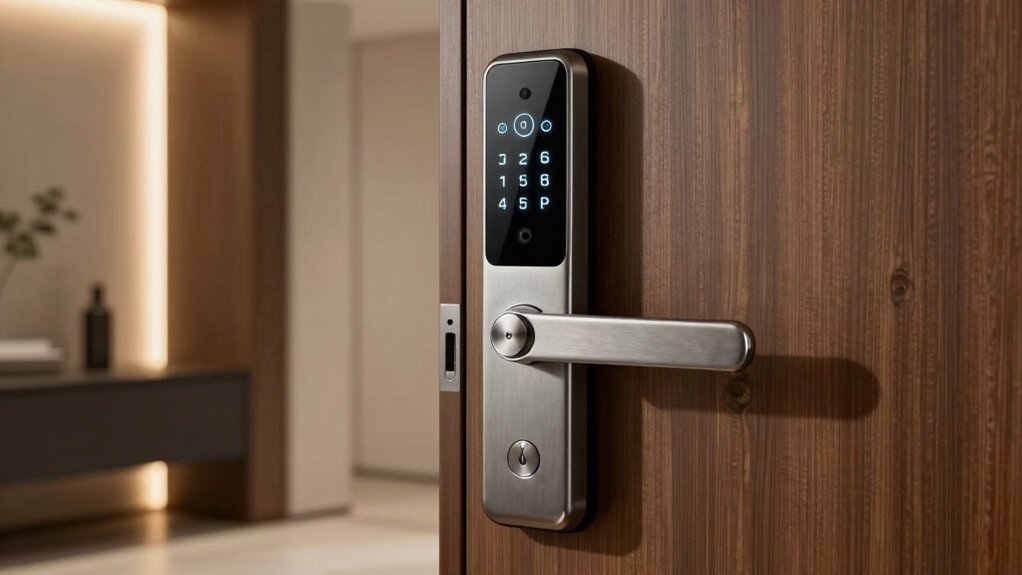
When you’re selecting a digital door lock, you’ll need to verify that it meets recognized security certifications, check whether it’s compatible with your existing door and smart home system, and evaluate its battery life to ensure reliable operation. You should also confirm that the lock allows you to manage multiple access codes, set temporary permissions for guests, and control it remotely through your smartphone or other devices. Finally, review the installation requirements to determine whether you can install it yourself or need professional help, as this affects both cost and timeline.
Security and Certification Standards
Because you’re investing in a lock that’ll protect your home, you’ll want to verify it meets recognized security standards before making your purchase. Look for BHMA grades, which rate locks on durability, finish quality, and security performance. Check that the lock uses encrypted wireless communications to prevent hackers from intercepting your access data and activity logs. Confirm the lock includes tamper alarms or movement detection that alert you immediately when someone attempts forced entry. Verify the lock has weatherproof or IP-rated construction—IP54 or higher—to ensure it functions reliably outdoors or in exposed locations. Finally, confirm the lock maintains detailed audit trails or access logs showing who unlocked the door and when, supporting your security monitoring and accountability needs.
Installation Requirements and Compatibility
Once you’ve confirmed your lock meets security standards, you’ll need to verify it’ll actually fit your door and install without complications. Check your door’s thickness—most locks support 1-3/8 to 2 inches, though some require specific measurements like 1-3/4 inches only. Next, confirm the backset distance (typically 2-3/8″ or 2-3/4″) matches your existing hole pattern to avoid additional drilling. Many models replace existing hardware without new holes, simplifying installation to basic screwdriver work. However, verify your door’s hole configuration aligns with the lock’s requirements. Finally, confirm battery specifications: some include 4 AA batteries, while others don’t, affecting your installation readiness. For exterior doors, check IP ratings like IP54 to ensure weather resistance. These compatibility steps prevent costly mistakes before purchase.
Remote Access and Smart Home Integration
How much control do you actually need over your lock when you’re away from home? Built-in Wi-Fi or AirPlay compatibility lets you lock and unlock remotely without purchasing a separate hub. App-based control gives you real-time alerts, access logs, and the ability to create guest codes from your phone. If you want hands-free operation, choose a lock compatible with Alexa or Google Assistant for voice commands. For multiple properties, select models that manage several locks through one app. Check battery life specifications—some locks run for months and send low-battery notifications to your phone, ensuring you maintain remote access. Match these features to your specific needs before purchasing.
Battery Life and Power Management
Battery life directly impacts how often you’ll maintain your digital lock, so you’ll want to compare runtime specifications across models before deciding. Some locks deliver up to 365 days on four AA batteries, while others estimate 6–12 months under typical use. Check whether your chosen model includes batteries or requires separate purchase, since replacement cadence affects long-term costs. Look for locks with app-based battery status indicators and low-battery alerts that notify you before power fails. Many models feature auto-lock and power-saving modes that reduce energy consumption. Consider emergency power options like USB Type-C ports or backup keys for situations where batteries drain unexpectedly. These features ensure you won’t get locked out and maintain reliable access to your home.
Access Code Management Capabilities
What’ll determine whether you can easily control who enters your home? Your lock’s access code management capabilities. First, check how many codes the device supports—options range from 12–20 user codes to over 100 custom codes depending on the model. Next, look for temporary or one-time codes for guests and service providers; you can share, modify, or revoke these remotely through an app. Consider whether the lock offers scheduled codes or vacation modes that temporarily disable keypad access when you’re away. Some locks provide separate programming codes for administrators, letting technicians manage access without exposing your personal codes. Finally, verify the lock maintains real-time or historical access logs so you can see exactly which codes were used and when anyone entered.
Final Thoughts
You should select a digital door lock based on your specific needs. Evaluate weather resistance ratings, battery life, and access methods—keypad, fingerprint, or app control. Compare installation requirements with your door type. Check if you need remote access or voice integration. Review security certifications like BHMA ratings. Test temporary code management features. Confirm smartphone compatibility. Match these factors to your budget and security priorities before purchasing.

Meet Ry, “TechGuru,” a 36-year-old technology enthusiast with a deep passion for tech innovations. With extensive experience, he specializes in gaming hardware and software, and has expertise in gadgets, custom PCs, and audio.
Besides writing about tech and reviewing new products, he enjoys traveling, hiking, and photography. Committed to keeping up with the latest industry trends, he aims to guide readers in making informed tech decisions.