
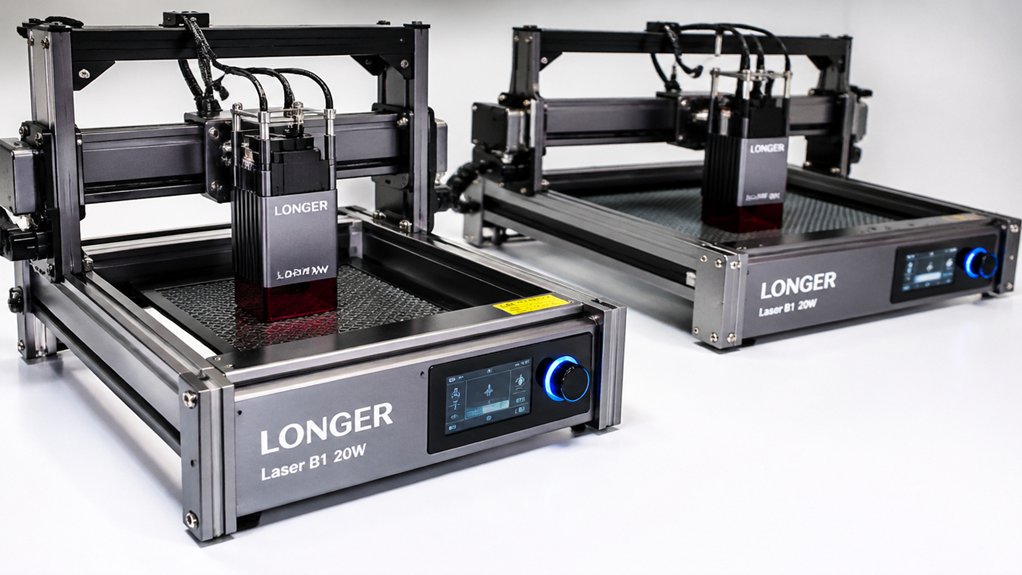

You’re evaluating dual-laser engravers for your business, and you need reliable equipment that delivers results. Each machine on this list combines specific laser types—diode, fiber, or IR—to handle different materials efficiently. Your choice depends on your production volume, material types, and budget constraints. Here’s what separates the top performers and how each one works.
| xTool F2 Dual Laser Engraver with Camera |
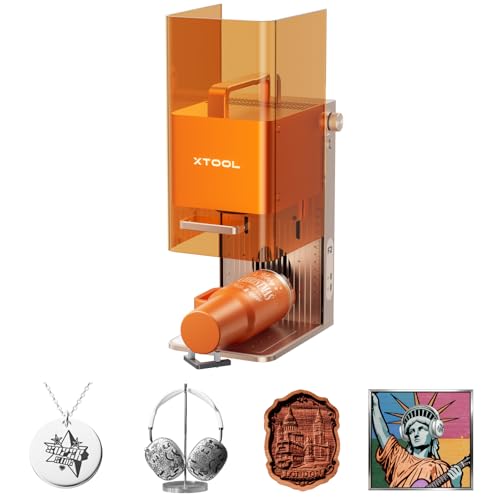
| Best for Portability | Laser Type Combination: 15W Diode + 5W IR | Maximum Engraving Speed: 6000 mm/s | Working Area Size: 6.89″ L x 9.33″ W | VIEW LATEST PRICE | Read Our Analysis |
| xTool F2 Ultra Dual Laser Engraver Machine |

| Best Overall | Laser Type Combination: 60W MOPA Fiber + 40W Diode | Maximum Engraving Speed: 15,000 mm/s | Working Area Size: 8.7″ x 8.7″ (expandable to 8.7″ x 19.7″) | VIEW LATEST PRICE | Read Our Analysis |
| LaserPecker LP4 Dual Laser Engraver Machine with Accessories |

| Best for Batch Production | Laser Type Combination: 10W Diode + 2W IR | Maximum Engraving Speed: 4000 mm/s | Working Area Size: 160x300mm expanded workspace | VIEW LATEST PRICE | Read Our Analysis |
| ATOMSTACK P1 Dual Laser Engraver 5W Diode |

| Best for Beginners | Laser Type Combination: 5W Diode + 1.2W IR | Maximum Engraving Speed: Not specified | Working Area Size: 110x110mm | VIEW LATEST PRICE | Read Our Analysis |
| Mecpow X1 Dual Laser Engraver Machine |
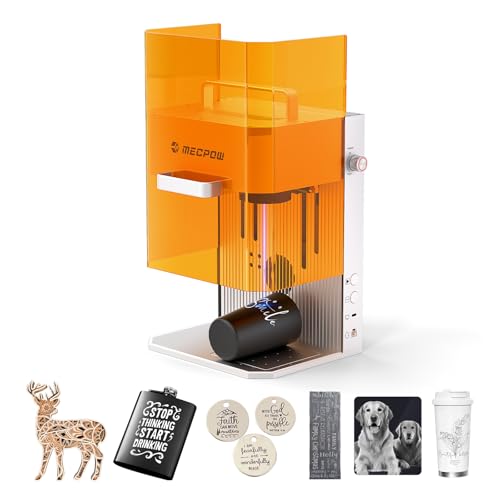
| Best Value | Laser Type Combination: 10W Diode + 2W IR | Maximum Engraving Speed: 5000 mm/s | Working Area Size: 105x105mm | VIEW LATEST PRICE | Read Our Analysis |
More Details on Our Top Picks
xTool F2 Dual Laser Engraver with Camera
Why’d you choose a portable laser engraver for on-site work? The xTool F2 delivers dual capabilities with its 15W Diode and 5W IR lasers, handling 300+ materials. You’ll engrave cards in about 3 seconds and achieve 0.1mm alignment accuracy on small pieces. The 50MP camera positions designs precisely, while the fully enclosed design keeps your workspace safe. At 4.6kg and ready assembled, you’ll set up in minutes for fairs, markets, or pop-ups. Use the Slide Extension for batch processing coasters and phone cases. Maximum speed of 6000mm/s and 0.00199 motion accuracy ensure high-resolution results every time you operate it.
- Laser Type Combination:15W Diode + 5W IR
- Maximum Engraving Speed:6000 mm/s
- Working Area Size:6.89″ L x 9.33″ W
- Positioning/Alignment Accuracy:0.1mm on small pieces
- Materials Supported:300+ materials
- Portability/Weight:4.6 kg (10 lbs) – portable desktop setup
- Additional Feature:50MP built-in camera visualization
- Additional Feature:Card engraving in 3 seconds
- Additional Feature:Fully enclosed, leak-proof design
xTool F2 Ultra Dual Laser Engraver Machine
Looking to handle both metal engraving and general materials in one setup? The xTool F2 Ultra combines a 60W MOPA fiber laser and 40W diode laser for versatile work. You’ll engrave 100+ colors on metal, cut through 2mm metal or 20mm acrylic, and use dual 48MP cameras for 0.2mm positioning accuracy. The machine reaches speeds up to 15,000 mm/s, reducing 3D embossing time by 80% compared to standard fiber lasers. Your workspace measures 8.7 x 8.7 inches, expandable to 8.7 x 19.7 inches with an auto conveyor for batch processing. AI material detection automatically adjusts settings, while one-click preview shows results before production.
- Laser Type Combination:60W MOPA Fiber + 40W Diode
- Maximum Engraving Speed:15,000 mm/s
- Working Area Size:8.7″ x 8.7″ (expandable to 8.7″ x 19.7″)
- Positioning/Alignment Accuracy:0.2mm with dual 48MP cameras
- Materials Supported:Metals, wood, acrylic, leather, glass, rubber, fabric
- Portability/Weight:Industrial-grade desktop (not portable)
- Additional Feature:100+ consistent metal colors
- Additional Feature:Dual 48MP AI cameras
- Additional Feature:Auto conveyor batch processing
LaserPecker LP4 Dual Laser Engraver Machine with Accessories
The LaserPecker LP4 Ultimate excels for engraving 50-100 piece batches efficiently. You’ll use dual lasers—a 10W diode for wood and ceramics, plus a 2W infrared for metals and plastics. Load your design into LightBurn software, then use Smart Screen Repeat to save and reload designs instantly for batch work. The slide and rotary extensions hold 10+ items simultaneously, cutting your production time significantly. You’ll achieve 4000mm/s engraving speed while the 4-layer HEPA air purifier eliminates 99.97% of fumes. Generate revenue of $15-50 per unit with zero setup time between orders. This setup reduces material waste by 45% and processes 5x more orders daily compared to single-laser alternatives.
- Laser Type Combination:10W Diode + 2W IR
- Maximum Engraving Speed:4000 mm/s
- Working Area Size:160x300mm expanded workspace
- Positioning/Alignment Accuracy:Not specified
- Materials Supported:Metals, wood, acrylic, leather, glass, rubber, fabric
- Portability/Weight:41.6 lbs – handheld/mobile capable
- Additional Feature:4-layer HEPA air purifier
- Additional Feature:Smart Screen Repeat batch engraving
- Additional Feature:45% material waste reduction
ATOMSTACK P1 Dual Laser Engraver 5W Diode
AtomStack’s P1 Dual Laser Engraver opens laser engraving to newcomers through its enclosed, safety-focused design and FDA Class 1 certification. You’ll work with a 5W diode laser and 1.2W infrared laser in a compact 110x110mm engraving area. The machine automatically shuts down if you tilt it or open the enclosure, protecting you during operation. You can engrave wood, leather, acrylic, and coated metals with 0.06mm precision. Add the rotary accessory to engrave cylindrical objects like mugs and bottles. Setup requires no installation—simply plug it in and download the free AtomStack software featuring over 1,000 materials. The included 365-day warranty and 24/7 support ensure you receive help whenever needed.
- Laser Type Combination:5W Diode + 1.2W IR
- Maximum Engraving Speed:Not specified
- Working Area Size:110x110mm
- Positioning/Alignment Accuracy:0.1mm
- Materials Supported:Wood, bamboo, paper, leather, cardboard, cork, rock, felt, fabric, MDF, coated metal, acrylic
- Portability/Weight:3 kg (6.7 lbs) – compact, portable
- Additional Feature:FDA Class 1 safety certified
- Additional Feature:1000+ material library included
- Additional Feature:Auto-shutdown on tilt detection
Mecpow X1 Dual Laser Engraver Machine
Crafters and small-business owners gain exceptional value from Mecpow’s dual-laser setup because you’re getting two complete engraving systems in one compact device. The 2W infrared laser handles metals and plastics, while the 10W diode laser works on wood and acrylic. You’ll engrave at 5000mm/s with 0.01mm spot precision across a 105x105mm area. The machine cuts up to 8mm wood and 5mm acrylic cleanly. Setup requires no complex installation—it’s calibrated at the factory and ready immediately. You control both lasers through LightBurn software on Windows, macOS, Android, or iOS. The portable 6.5kg design with built-in handle lets you transport between locations easily.
- Laser Type Combination:10W Diode + 2W IR
- Maximum Engraving Speed:5000 mm/s
- Working Area Size:105x105mm
- Positioning/Alignment Accuracy:0.0001mm repeat positioning
- Materials Supported:Metals, wood, acrylic, plastics, glass, jewelry
- Portability/Weight:6.5 kg – portable with built-in handle
- Additional Feature:Industrial-grade galvo technology
- Additional Feature:0.0001mm repeat positioning accuracy
- Additional Feature:One-click repeat engraving function
Factors to Consider When Choosing a Dual Laser Engraver
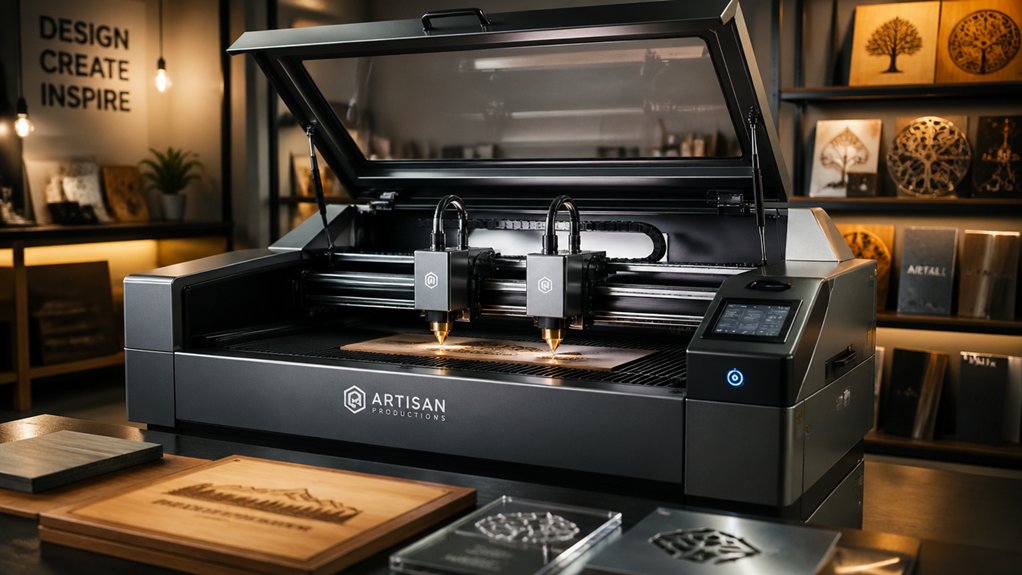
When you’re selecting a dual laser engraver, you’ll need to evaluate five critical factors: the power output and laser type (CO2 or fiber), the range of materials it can engrave (wood, acrylic, metal, leather), and its precision specifications measured in resolution and accuracy. You should also compare the engraving speed in inches per minute, the maximum workspace dimensions, and how these specs match your production volume and project sizes. Match each machine’s capabilities directly to your typical jobs—if you engrave primarily on wood and acrylic, you don’t need a fiber laser designed for metal, and if you produce small items, you’ll waste money on an oversized bed.
Power and Laser Type
Why does laser type matter more than you might think? Your choice determines what materials you can engrave and how effectively. Dual systems combine two laser types—typically fiber and diode—each handling different tasks. Fiber lasers mark metals with precision and perform rust removal, while diode lasers excel at non-metals like wood and acrylic. Check the power output for each laser separately, such as 60W fiber plus 40W diode. Higher combined wattage enables faster engraving speeds and deeper cuts on thicker materials. Match your intended materials to the laser type: use fiber for metal color engraving or black marking, and diode for detailed wood work. Verify the system’s safety classification and required enclosure features before purchasing.
Material Compatibility Range
Once you’ve determined which laser types fit your engraving needs, you’ll want to confirm that a dual system can actually handle the specific materials you plan to work with. Check the manufacturer’s compatibility list—most quality dual systems support 300+ materials including metals, wood, acrylic, leather, glass, rubber, fabric, and composites. A typical setup combines a 60W fiber laser for metals with a 15W diode for non-metals like plastic and wood. Verify the maximum thickness capabilities: metals up to 2mm and acrylic up to 20mm are common benchmarks. Look for systems with AI-enabled material detection and preset profiles, which automatically adjust engraving parameters to your chosen substrate. This feature ensures consistent results across different material classes without manual recalibration.
Precision and Accuracy Specs
How closely can a dual laser engraver position your design on a material? Most systems achieve motion accuracy between 0.00199 and 0.2 mm, with some models reaching 0.1 mm for small pieces. You’ll find that dual-laser systems separate capabilities—a high-power diode handles marking while a fiber or IR laser performs deeper engraving—which affects overall placement precision.
To improve accuracy further, look for AI-assisted positioning with multi-camera setups and auto-focus features, achieving approximately 0.2 mm precision. Note that high-speed capabilities up to 15,000 mm/s don’t guarantee accuracy; advanced motion control maintains sub-millimeter precision at speed.
When processing batches, automated alignment aids reduce cumulative positioning errors across multiple items. Evaluate each machine’s specific accuracy rating for your material and design requirements.
Speed and Productivity Levels
While precision ensures your designs land exactly where you want them, speed determines how many designs you can complete in a workday. Dual-laser systems reach speeds from 5,000 mm/s to 15,000 mm/s, allowing you to engrave cards in as little as 3 seconds. Compare models based on their maximum processing speeds to match your production volume. Consider batch processing features like auto conveyors or slide extensions, which let you handle multiple items simultaneously without manual repositioning. AI-assisted positioning and multi-camera setups reduce setup time and idle periods, boosting your effective throughput. Understand that faster systems may require robust cooling and maintenance to sustain consistent performance during long production runs. Evaluate your typical job volume and turnaround requirements before selecting your speed tier.
Workspace Size Requirements
What workspace you need depends on your typical project scope and production volume. Desktop models offer 110×110 mm to 160×300 mm work areas, suitable for small single items like pens or jewelry. If you handle larger pieces or multiple projects simultaneously, consider expandable systems reaching 8.7 x 19.7 inches with auto conveyors. These accommodate batch production without repositioning items repeatedly. Assess your space constraints next. Expandable configurations require additional accessories and larger machine footprints, potentially affecting stability. Evaluate your facility’s dimensions before purchasing. Finally, match workspace to your workflow. High-volume batch work demands larger or expandable platforms, while occasional small-scale projects fit standard desktop units. Verify that your chosen model accommodates your largest anticipated project and supports your production pace.
Safety Features and Certifications
When you’re selecting a dual laser engraver, you’ll want to prioritize safety features that protect you from laser emissions and operational hazards. Verify the unit holds FDA Class 1 certification or equivalent international safety standards to ensure compliant operation. Look for enclosed designs with interlocks that automatically shut down the laser when you open the lid or access internal areas. Check for built-in air filtration systems that control fumes and particulates during engraving. Examine the viewing window and protective housing to confirm you can monitor your work safely. Finally, confirm the manufacturer offers a solid warranty and accessible online support for addressing safety concerns or updates. These certifications and features directly reduce your exposure to hazards.
Portability and Setup Ease
How easily can you move and set up your dual laser engraver on-site? Select a model weighing 3–4.6 kg with a compact footprint for straightforward transport and quick deployment. Enclosed designs with built-in exhaust systems or optional purifiers eliminate extra installation steps and improve workplace safety immediately. Choose a unit that arrives fully assembled and ready to use, reducing setup time significantly. Integrated features like built-in cameras and AI positioning streamline initial alignment without manual adjustments. Once operational, evaluate accessory options—slides, rotary extenders, and auto conveyors—that expand your batch capabilities without requiring complex reconfiguration. These add-ons let you process different materials and quantities efficiently while maintaining your workflow.
Budget and Expandability Options
Once you’ve confirmed your engraver arrives ready to operate, you’ll need to plan for the full cost of ownership—both today and as your business grows. Calculate upfront expenses plus potential add-ons like auto conveyors, slide extensions, or air purification systems. Compare dual-laser configurations—fiber/diode or diode/IR combinations—and their maximum output powers to determine if they’ll handle thicker materials later. Check whether the system supports batch processing and expandable work areas, allowing you to scale production without replacing the entire unit. Verify that expansion accessories like rotary extensions connect seamlessly to your base model. Review warranty terms and upgrade paths, including software updates and hardware replacement options. These steps ensure your investment protects your business’s growth trajectory within your budget constraints.
Final Thoughts
You’ll choose your dual-laser engraver based on your specific needs. If you need portability and cameras, pick the xTool F2. For high-volume production, go with the xTool F2 Ultra. Want precision and affordability? Choose the Mecpow X1. Need safety compliance? Select the ATOMSTACK P1. Match the machine’s power, speed, and features to your materials and production volume to maximize your investment.

Meet Ry, “TechGuru,” a 36-year-old technology enthusiast with a deep passion for tech innovations. With extensive experience, he specializes in gaming hardware and software, and has expertise in gadgets, custom PCs, and audio.
Besides writing about tech and reviewing new products, he enjoys traveling, hiking, and photography. Committed to keeping up with the latest industry trends, he aims to guide readers in making informed tech decisions.