
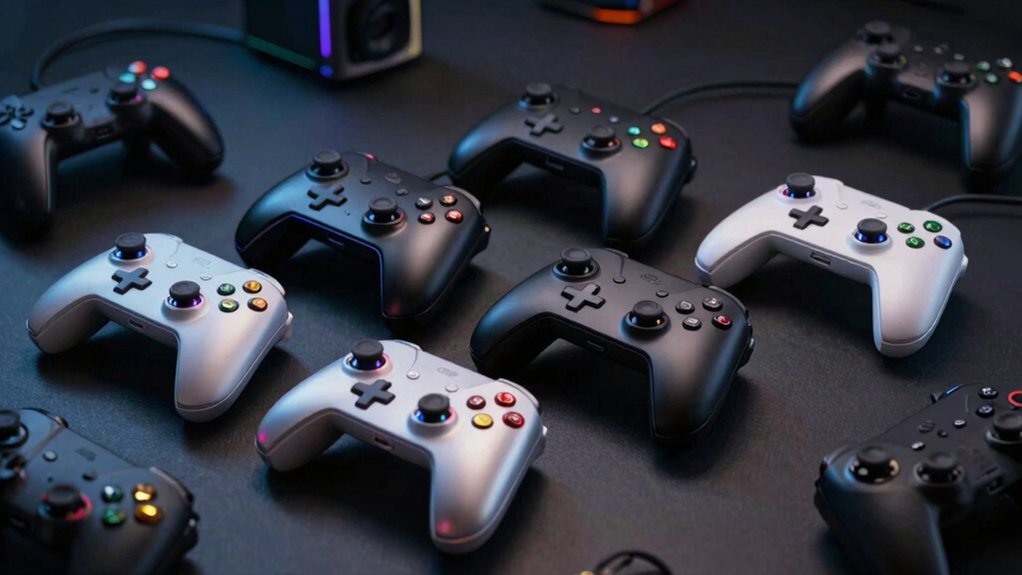

When you want to use older controllers or connect devices across different gaming platforms, you’ll need a gamepad converter. These adapters let you plug PS2, PS1, or Wii controllers into modern consoles and PCs without buying new equipment. You can choose from wired or wireless options, each offering different features like vibration support and button mapping. Before you pick one, though, you should understand what factors actually matter for your specific setup.
| ELECOM Gamepad Converter for Wii Controllers (JC-W01UWH) |

| Classic Controller Specialist | Primary Controller Type: Wii Classic Controller | Compatible Gaming Platforms: Windows PC | Connection Type: USB wired | VIEW LATEST PRICE | Read Our Analysis |
| PS2 Controller to USB Adapter Converter (2 Pack) |

| Budget-Friendly Dual Pack | Primary Controller Type: PS2/PS1 Controller | Compatible Gaming Platforms: PS3, PC | Connection Type: USB wired | VIEW LATEST PRICE | Read Our Analysis |
| PS2 Controller USB Adapter for PS3 PC Gaming |

| Driver-Based Performance | Primary Controller Type: PS1/PS2 Controller | Compatible Gaming Platforms: PS3, PC | Connection Type: USB wired | VIEW LATEST PRICE | Read Our Analysis |
| OSTENT Dual USB Adapter for PlayStation Controller to PC |

| Dual Controller Option | Primary Controller Type: PS1/PS2 Controller | Compatible Gaming Platforms: PC/Laptop | Connection Type: USB wired | VIEW LATEST PRICE | Read Our Analysis |
| Brook Wingman PS2 Converter Wireless Adapter |

| Modern Retro Gaming | Primary Controller Type: PS2/PS1 Controller | Compatible Gaming Platforms: PS2, PS1, PS Classic | Connection Type: Wireless (Bluetooth) + wired USB options | VIEW LATEST PRICE | Read Our Analysis |
| Keyboard and Mouse Adapter for Gaming Consoles |
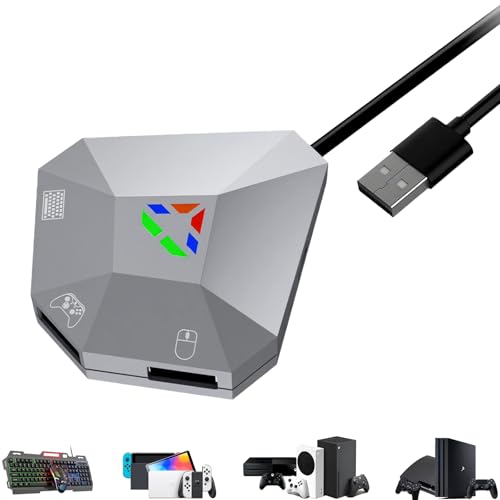
| FPS Gaming Focus | Primary Controller Type: Keyboard/Mouse | Compatible Gaming Platforms: Nintendo Switch, Xbox One/Series X|S, PS4/PS3 | Connection Type: USB wired | VIEW LATEST PRICE | Read Our Analysis |
| 8BitDo Wireless USB Adapter 2 for Multiple Platforms |

| Most Versatile | Primary Controller Type: Multiple wireless controllers | Compatible Gaming Platforms: Nintendo Switch/Switch 2, Windows, Mac, Raspberry Pi | Connection Type: USB wireless (2.4G) | VIEW LATEST PRICE | Read Our Analysis |
| 8Bitdo Bluetooth Retro Controller Adapter for PS1/PS2 |

| Wireless Retro Play | Primary Controller Type: PS1/PS2 Controller | Compatible Gaming Platforms: PS1, PS2, Windows 10/11 | Connection Type: Wireless receiver | VIEW LATEST PRICE | Read Our Analysis |
| 8Bitdo Wireless USB Adapter 2 for Switch/Windows/Mac |

| Ultimate Platform Support | Primary Controller Type: Multiple wireless controllers | Compatible Gaming Platforms: Nintendo Switch, Windows, Mac, Raspberry Pi, PS Classic, Sega consoles | Connection Type: USB wireless (2.4G) | VIEW LATEST PRICE | Read Our Analysis |
| leadjoy VX2 AimBox Keyboard Mouse Adapter for Gaming Consoles |

| Precision Keyboard-Mouse Gaming | Primary Controller Type: Keyboard/Mouse | Compatible Gaming Platforms: PS4, Xbox One, Xbox Series X/S, Nintendo Switch | Connection Type: USB wired (Micro USB/Type C) | VIEW LATEST PRICE | Read Our Analysis |
More Details on Our Top Picks
ELECOM Gamepad Converter for Wii Controllers (JC-W01UWH)
Looking to revive your classic controllers? The ELECOM Gamepad Converter for Wii Controllers (JC-W01UWH) converts your Wii Classic Controller or Classic Controller Pro into a USB adapter for Windows PCs. Simply connect your controller to the adapter, then plug the USB cable into your computer’s port. No driver installation is required. The adapter supports Windows 10, Windows 8, Windows 7 SP1, Windows Vista SP2, and Windows XP SP3. With an input rate of 60 times per second, it handles fast-paced shooters effectively. The 39-inch cable provides adequate desk reach. You can configure continuous shooting mode by pressing buttons while holding HOME. This single-player adapter measures 2.4 x 1 x 0.6 inches and weighs 32 grams.
- Primary Controller Type:Wii Classic Controller
- Compatible Gaming Platforms:Windows PC
- Connection Type:USB wired
- Number of Players Supported:Single player
- Installation Required:Plug-and-play, no driver
- Special Features:Continuous shooting mode
- Additional Feature:60 Hz input rate
- Additional Feature:Continuous shooting mode
- Additional Feature:Plug-and-play operation
PS2 Controller to USB Adapter Converter (2 Pack)
This budget-friendly dual pack converts your PS2 and PS1 controllers for use with PS3 and PC systems. You’ll need no external power or drivers—simply plug each adapter into your USB port and connect your controller. The converter supports both wired and wireless PS2 controllers, plus vibration-enabled models. You can use these adapters simultaneously on one system or distribute them across different devices. Setup takes seconds, and you’re ready to play PS3 games or PC titles. With a 4.1-star rating from 418 reviews and Amazon’s 30-day return guarantee, you’re getting reliable performance at minimal cost.
- Primary Controller Type:PS2/PS1 Controller
- Compatible Gaming Platforms:PS3, PC
- Connection Type:USB wired
- Number of Players Supported:Multiple players (2-pack)
- Installation Required:No driver required
- Special Features:Vibration support
- Additional Feature:Two adapters included
- Additional Feature:Vibration support enabled
- Additional Feature:No external power required
PS2 Controller USB Adapter for PS3 PC Gaming
Retro gaming enthusiasts who want to use their PS1 or PS2 controllers on modern systems will find driver-based performance key to success. This USB adapter converter connects your Dual Shock 2 joypad directly to Windows PCs and PS3 consoles. Install the required driver from the manufacturer’s download link, then plug the adapter into your USB port—no restart needed. The adapter supports both digital and analog modes, enabling vibration feedback on compatible games. It’s compatible with Win 98 through Win 7 systems running DirectX 7.0a or higher. Check your controller connection immediately after driver installation to confirm functionality before launching games.
- Primary Controller Type:PS1/PS2 Controller
- Compatible Gaming Platforms:PS3, PC
- Connection Type:USB wired
- Number of Players Supported:Single player
- Installation Required:Driver installation required
- Special Features:Digital/analog mode, vibration
- Additional Feature:Digital/analog mode switching
- Additional Feature:DualShock vibration support
- Additional Feature:Hot-plug USB installation
OSTENT Dual USB Adapter for PlayStation Controller to PC
Want to play classic PlayStation games on your PC without buying new controllers? The OSTENT Dual USB Adapter lets you connect two wired PS1 or PS2 controllers to your Windows PC or laptop. First, install the required driver before plugging in the USB cable. Connect your controllers to the adapter’s ports, then launch your game. You can switch between digital and analog modes by pressing the analog button on your controller. Note that this adapter doesn’t support vibration features or specialty controllers like dance pads or guitars. Setup takes minutes once drivers are installed, making retro gaming accessible.
- Primary Controller Type:PS1/PS2 Controller
- Compatible Gaming Platforms:PC/Laptop
- Connection Type:USB wired
- Number of Players Supported:Two wired controllers
- Installation Required:Driver installation required
- Special Features:Digital/analog mode, no vibration
- Additional Feature:Supports two controllers
- Additional Feature:480 Mbps transfer rate
- Additional Feature:Digital/analog mode switching
Brook Wingman PS2 Converter Wireless Adapter
Ever wanted to play your PS2 or PS1 with a modern controller? The Brook Wingman PS2 Converter makes this possible. You connect your wireless controller via USB to register it first, then switch to wireless play. The adapter accepts Xbox Series X/S, PS5, PS4, and Switch Pro controllers. For wired setups, you can use Xbox 360 controllers through the USB-A port. The device includes customizable button mapping and adjustable turbo with five speed levels. Setup requires minimal steps: plug the converter into your PS2, pair your controller, and begin gaming. Each converter pairs with one controller at a time for stability and consistent performance.
- Primary Controller Type:PS2/PS1 Controller
- Compatible Gaming Platforms:PS2, PS1, PS Classic
- Connection Type:Wireless (Bluetooth) + wired USB options
- Number of Players Supported:Single controller pairing
- Installation Required:Quick first-time setup
- Special Features:Adjustable turbo (5 speeds), button mapping, keychain design
- Additional Feature:Adjustable turbo speeds
- Additional Feature:Customizable button mapping
- Additional Feature:Wireless modern controller support
Keyboard and Mouse Adapter for Gaming Consoles
For FPS gaming focus, the Keyboard and Mouse Adapter for Gaming Consoles converts your PC peripherals into console-compatible controls through a simple plug-and-play connection that requires no driver installation. You’ll adjust mouse sensitivity, aiming speed, and dead zones to match your preferences. The adapter works with Switch, Xbox Series X|S, Xbox One, PS4, and PS3—but not Switch Lite, Switch 2, Xbox 360, or PS5. Connect a 2.4G wireless keyboard and mouse; Bluetooth devices won’t function. Note that Xbox and PlayStation consoles require official controllers attached for proper operation. The adapter’s four USB ports support additional devices like wired peripherals and USB drives, making it versatile for your setup.
- Primary Controller Type:Keyboard/Mouse
- Compatible Gaming Platforms:Nintendo Switch, Xbox One/Series X|S, PS4/PS3
- Connection Type:USB wired
- Number of Players Supported:Single user
- Installation Required:Plug-and-play, no driver
- Special Features:Mouse sensitivity adjustment, aiming speed, dead zone adjustment
- Additional Feature:Mouse sensitivity adjustment
- Additional Feature:Dead zone adjustment
- Additional Feature:Four USB ports included
8BitDo Wireless USB Adapter 2 for Multiple Platforms
The 8BitDo Wireless USB Adapter 2 stands as the most versatile converter if you’re juggling controllers across multiple gaming platforms. This adapter connects Xbox, PlayStation, Switch, and 8BitDo controllers to your Switch, Windows PC, Mac, Steam Deck, or Raspberry Pi. You’ll access the Ultimate software to customize button mapping, adjust stick sensitivity, and create macros. The adapter supports 6-axis motion on Switch and vibration in X-input mode. Simply plug the USB adapter into your device, pair your controller via Bluetooth, and configure your settings through the software. This setup eliminates the need for multiple converters across different platforms.
- Primary Controller Type:Multiple wireless controllers
- Compatible Gaming Platforms:Nintendo Switch/Switch 2, Windows, Mac, Raspberry Pi
- Connection Type:USB wireless (2.4G)
- Number of Players Supported:Single adapter, multiple controllers
- Installation Required:Plug-and-play
- Special Features:6-axis motion, vibration, button mapping, macros, profiles
- Additional Feature:6-axis motion support
- Additional Feature:Customizable button mapping
- Additional Feature:Macro creation capability
8Bitdo Bluetooth Retro Controller Adapter for PS1/PS2
Want wireless retro play without replacing your favorite controllers? The 8Bitdo Bluetooth Retro Controller Adapter connects PS1 and PS2 consoles to modern wireless controllers. You can pair PS4/PS5 controllers, Switch Pro controllers, Xbox controllers, or 8Bitdo Bluetooth controllers directly to your retro systems. The adapter delivers virtually lag-free gameplay with vibration support. Before using it, update the firmware to the latest version for optimal performance. Note that controller compatibility varies—only the listed controllers work with this adapter. This setup lets you enjoy classic PS1 and PS2 games wirelessly on Windows 10/11 as well.
- Primary Controller Type:PS1/PS2 Controller
- Compatible Gaming Platforms:PS1, PS2, Windows 10/11
- Connection Type:Wireless receiver
- Number of Players Supported:Single adapter, multiple controllers
- Installation Required:Firmware update recommended
- Special Features:Vibration support, firmware upgradeable
- Additional Feature:PS1/PS2 wireless gaming
- Additional Feature:Vibration support enabled
- Additional Feature:Firmware update capability
8Bitdo Wireless USB Adapter 2 for Switch/Windows/Mac
8BitDo’s Wireless USB Adapter 2 delivers ultimate platform support across Nintendo Switch, Windows, Mac, PlayStation, Xbox, and retro consoles through a single compact device. Connect via USB or 2.4G wireless mode to access X-input, D-input, Mac, and Switch modes. Use 8BitDo Ultimate Software to customize button mapping, adjust stick and trigger sensitivity, create macros, and establish controller profiles for quick switching. The adapter supports 6-axis motion on Switch and vibrations on PS5 and PS4 controllers in X-input mode. Upgrade firmware as needed for optimal performance. This converter eliminates lag while accommodating virtually all major controllers and gaming platforms.
- Primary Controller Type:Multiple wireless controllers
- Compatible Gaming Platforms:Nintendo Switch, Windows, Mac, Raspberry Pi, PS Classic, Sega consoles
- Connection Type:USB wireless (2.4G)
- Number of Players Supported:Single adapter, multiple controllers
- Installation Required:Plug-and-play
- Special Features:6-axis motion, vibration, button mapping, macros, profiles
- Additional Feature:6-axis motion support
- Additional Feature:Multiple connection modes
- Additional Feature:Controller profile quick-switching
leadjoy VX2 AimBox Keyboard Mouse Adapter for Gaming Consoles
Gamers who want precision keyboard-mouse gaming on consoles will find the leadjoy VX2 AimBox a practical solution. This adapter works with PS4, Xbox One, Xbox Series X/S, and Nintendo Switch, though it’s incompatible with PS5. Setup requires no firmware updates—you configure everything through the Vlead app to adjust keybinds, camera sensitivity, and mouse settings. The adapter supports only wired keyboards and mice; wireless devices won’t function. Connect your keyboard and mouse to the AimBox, plug in the Type C power cable, and launch your game. The built-in 3.5mm headset handles voice chat. Agility Translation Technology delivers 1:1 accuracy for responsive gameplay across supported systems.
- Primary Controller Type:Keyboard/Mouse
- Compatible Gaming Platforms:PS4, Xbox One, Xbox Series X/S, Nintendo Switch
- Connection Type:USB wired (Micro USB/Type C)
- Number of Players Supported:Single user
- Installation Required:App configuration via Vlead app
- Special Features:1:1 aiming accuracy, built-in 3.5mm headset, customizable keybinds
- Additional Feature:Built-in 3.5mm headset
- Additional Feature:1:1 gaming accuracy
- Additional Feature:365-day warranty included
Factors to Consider When Choosing a Gamepad Converter
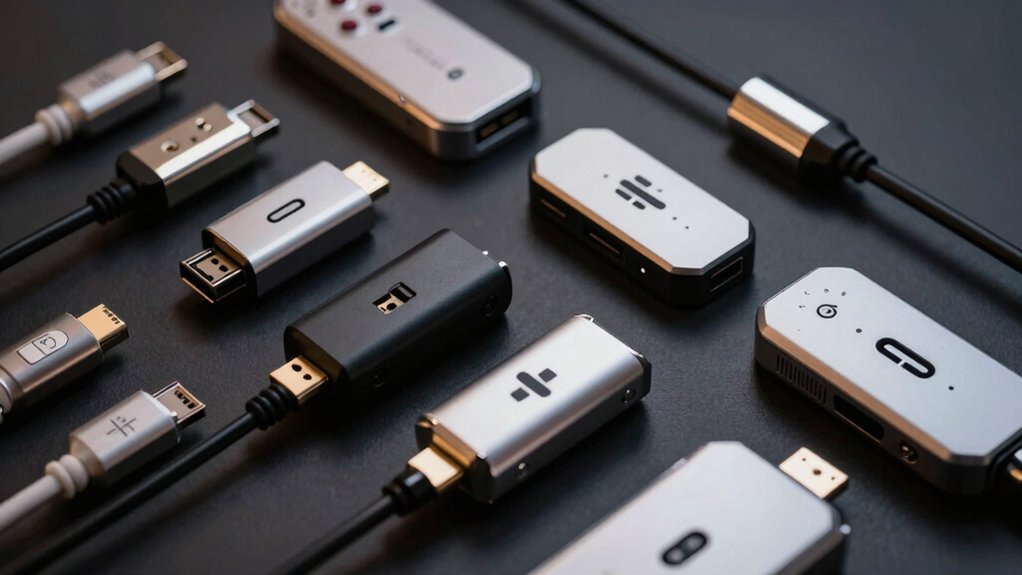
You’ll want to verify that your gamepad converter supports your specific controller model and gaming system before purchasing, as not all adapters work with every device. Check the operating system requirements, measure your available cable length, and confirm whether the converter needs driver installation on your device or connects plug-and-play. Finally, compare the input rate performance specifications across models you’re considering, since faster response times improve your gameplay experience in competitive games.
Controller Compatibility Match
What controller types does your converter actually support? Check the manufacturer’s specifications for exact compatibility—Wii Classic Controller, PS1/PS2 controllers, or Xbox models. Don’t assume compatibility; verify each controller model listed.
Next, confirm whether the adapter works with wired, wireless, or both connection types. Some converters require direct wired connections, while others support wireless pairing through Bluetooth or USB dongles.
Then examine what features the adapter preserves. Does it maintain vibration feedback, analog stick sensitivity, and digital button responsiveness? Not all converters support force feedback equally across controller types.
Finally, determine how many players you need. Some adapters support only one controller at a time, while others handle multiple simultaneous connections. Match the adapter’s player capacity to your gaming needs before purchasing.
Operating System Support
Once you’ve confirmed your converter handles your controller types and connection methods, the next step involves verifying it’ll actually work with your computer’s operating system. Check the product specifications to see which OS versions the converter supports—Windows XP through Windows 10, macOS, or Linux. Some converters work only on Windows, while others function across multiple platforms. Review whether driver installation is necessary or if the device operates as plug-and-play. Visit the manufacturer‘s website to confirm compatibility with your specific OS version, including any required firmware updates. Look for documentation listing tested controller models on your system. If you’re using a less common operating system, verify the converter explicitly supports it before purchasing to avoid compatibility issues.
Cable Length Requirements
Because your controller’s distance from your gaming setup directly affects both gameplay comfort and equipment functionality, cable length represents a critical specification when selecting a gamepad converter. Standard adapters typically measure 39 inches (1 meter), suitable for most desk configurations. Measure the distance between your PC or console and your usual playing position to determine if this length works for you. Longer cables provide greater reach for distant seating arrangements but may create excess slack on your desk. Shorter cables reduce clutter but limit mobility. Consider your USB port placement—front-facing ports on desktops may require longer cables than rear ports. Verify cable length specifications match your setup before purchasing. Inadequate length forces uncomfortable positioning or necessitates external hubs, compromising both comfort and power delivery reliability.
Driver Installation Needs
You’ll encounter two main installation scenarios when setting up a gamepad converter: plug-and-play models that work immediately upon connection, and models requiring driver installation before full functionality. Check your product page first to determine which type you’re purchasing. For plug-and-play converters, simply connect the device and start using it. For models needing drivers, download the software from the manufacturer‘s website before connecting the converter. Install the drivers on your operating system, then plug in the converter. If your converter supports vibration or analog/digital mode switching, drivers are typically mandatory to access these features. Some converters work with specific controllers only, so verify compatibility on the product page. Always confirm driver availability for your operating system before purchasing.
Input Rate Performance
After confirming your converter’s driver requirements, you’ll want to evaluate its input rate performance, which directly affects how quickly your controller inputs reach the game. Input rate measures how many times per second your converter reads and sends signals to your game, typically up to 60 times per second on many adapters. A higher input rate reduces latency, giving you more responsive control in fast-paced games where milliseconds matter. Check your converter’s specifications for its rated sampling frequency, often listed as “60 Hz” or similar. Consistent input rate matters too—fluctuations cause irregular response times and perceived lag. Before purchasing, verify the actual tested input rate rather than assuming all models perform identically across different games and controllers.
Number Of Connected Players
How many controllers do you need to connect simultaneously? This question determines which converter suits your setup. Single-player converters accept one wired controller per adapter, limiting you to solo gaming. If you play two-player games, select an adapter that explicitly supports two wired controllers natively. Some converters offer multiple USB ports, enabling you to connect several controllers at once. Check whether your adapter supports both wired and wireless controllers, as this affects total player capacity. Review the product documentation carefully to confirm the maximum number of controllers it reliably supports simultaneously. Don’t assume an adapter handles multiple players without verification. Match your converter’s capabilities to your actual gaming needs before purchasing to avoid compatibility issues later.
Vibration Function Support
Beyond confirming your converter handles the right number of controllers, you’ll also want to verify whether it supports vibration feedback. Vibration capability isn’t universal across all adapters, so check the product documentation first. Some converters enable vibration only with specific controllers or input modes, like certain X-input configurations. Others may advertise vibration support but limit it to particular games or platforms such as PS3, PS4, or PC.
Before purchasing, confirm that your exact controller model is compatible with the adapter’s vibration features. Test the vibration with your target games if possible. Driver or firmware updates may affect vibration functionality, so stay informed about available updates. This verification step prevents disappointment when vibration doesn’t work as expected.
Wireless Versus Wired Options
When you’re selecting a gamepad converter, you’ll need to decide between wireless and wired connectivity based on your gaming setup and performance needs. Wireless adapters use 2.4GHz radio or Bluetooth to connect controllers without cables, reducing clutter and increasing mobility. However, they may introduce latency and require pairing procedures. Wired options eliminate these concerns by connecting directly via USB, providing stable, lag-free performance. Some adapters offer both modes, letting you switch to wired connection if wireless becomes unstable. Consider your priority: convenience favors wireless, while competitive gaming demands wired reliability. Check compatibility across your platforms—many wireless adapters support Switch, Windows, macOS, and Raspberry Pi. Update firmware regularly to ensure your converter supports new controllers and maintains optimal performance for your chosen connection method.
Final Thoughts
You’ve now reviewed the top gamepad converters available. To choose the right one, match your controller type with your desired platform, check driver requirements for your operating system, and verify compatibility features like vibration support and input rate. Test your selection with your most-used games first. This approach ensures you’ll get the performance and functionality you need without wasting time on incompatible options.

Meet Ry, “TechGuru,” a 36-year-old technology enthusiast with a deep passion for tech innovations. With extensive experience, he specializes in gaming hardware and software, and has expertise in gadgets, custom PCs, and audio.
Besides writing about tech and reviewing new products, he enjoys traveling, hiking, and photography. Committed to keeping up with the latest industry trends, he aims to guide readers in making informed tech decisions.