
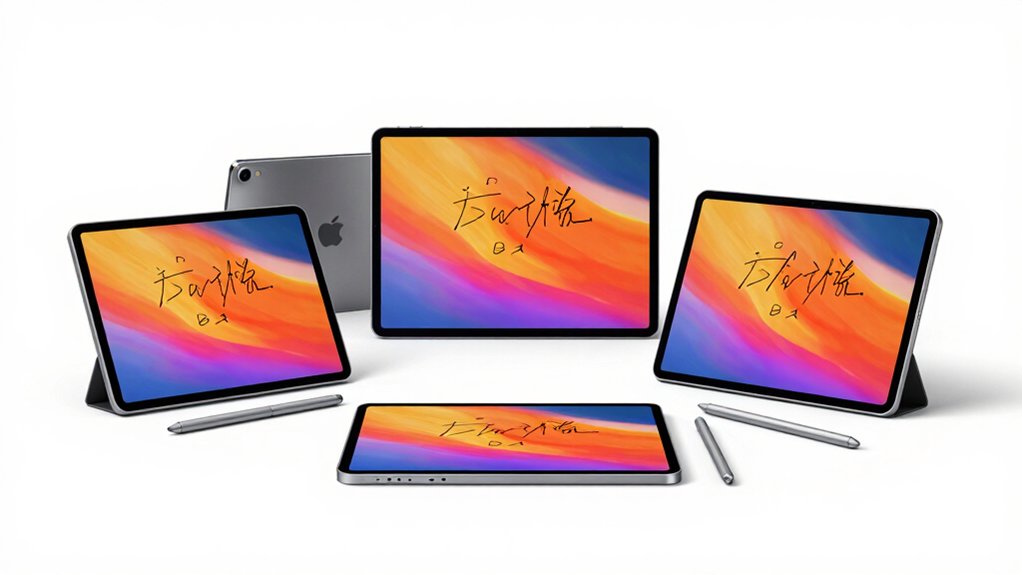

If you’re looking to convert handwriting into digital text efficiently, you’ll need to evaluate tablets based on their conversion accuracy, ease of use, and how well they sync across your devices. The market offers several strong contenders, each with distinct advantages in speed, portability, and offline capability. Understanding what matters most for your workflow—whether that’s real-time transcription, cloud storage, or distraction-free writing—will help you choose the right device. Here’s what sets each option apart.
| Amazon Kindle Scribe 64GB with Premium Pen |

| Best for Writing | Display Size: 10.2 inches | Handwriting-to-Text Conversion: Summarize and transform notes via AI | Cloud Sync & Sharing: Send to Kindle integration | VIEW LATEST PRICE | Read Our Analysis |
| reMarkable Paper Pro 7.3″ Color Tablet with Marker |
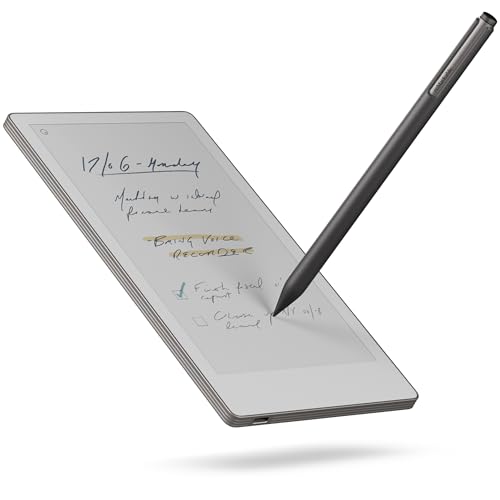
| Most Portable | Display Size: 7.3 inches | Handwriting-to-Text Conversion: Convert handwriting to typed text | Cloud Sync & Sharing: Cloud sync with mobile/desktop apps; tap-to-share | VIEW LATEST PRICE | Read Our Analysis |
| Ophayapen Smart Sync Pen for Note Taking |

| Best Value | Display Size: Not specified | Handwriting-to-Text Conversion: OCR handwriting recognition to Word documents | Cloud Sync & Sharing: Real-time sync via Ophaya Pro+ app; shareable formats (PDF, Word, PNG) | VIEW LATEST PRICE | Read Our Analysis |
| reMarkable 2 Paper Tablet Starter Bundle with Marker Plus |

| Best Overall | Display Size: 10.3 inches | Handwriting-to-Text Conversion: Convert handwritten notes to typed text | Cloud Sync & Sharing: Connect subscription with cloud storage; Google Drive, Dropbox, OneDrive | VIEW LATEST PRICE | Read Our Analysis |
| Penstar eNote Pro 10.3″ E-Ink Tablet with Stylus |

| Most Feature-Rich | Display Size: 10.3 inches | Handwriting-to-Text Conversion: OCR-enabled handwriting recognition with MyScript tech | Cloud Sync & Sharing: Cloud-connected with Google Drive, OneDrive, Dropbox integration | VIEW LATEST PRICE | Read Our Analysis |
More Details on Our Top Picks
Amazon Kindle Scribe 64GB with Premium Pen
The Amazon Kindle Scribe 64GB excels for writers who need focused note-taking without distractions. You’ll convert handwritten notes into readable text using built-in AI tools. The Premium Tungsten Pen requires no charging, letting you start writing immediately. You can summarize notes and adjust their length and tone to match your needs. Import PDFs and documents via Send to Kindle, then mark them up directly. The 10.2-inch glare-free display works indoors and outdoors. You’ll get weeks of writing battery life on a single charge, keeping your workflow uninterrupted.
- Display Size:10.2 inches
- Handwriting-to-Text Conversion:Summarize and transform notes via AI
- Cloud Sync & Sharing:Send to Kindle integration
- Storage Capacity:64 GB
- Included Stylus/Pen:Premium Tungsten Pen (no charging needed)
- Battery Life:Months of reading; weeks of writing on single charge
- Additional Feature:AI-powered note summarization
- Additional Feature:Active Canvas margin expansion
- Additional Feature:Months-long battery life
reMarkable Paper Pro 7.3″ Color Tablet with Marker
If you’re constantly moving between meetings, classrooms, and client sites, reMarkable’s most portable option deserves your attention. The 7.3″ Paper Pro Move weighs just 248.4 grams and fits into jacket pockets, making it ideal for capturing ideas on the go. You’ll convert handwriting to typed text instantly, then search your notes across devices through the Connect subscription. The color E Ink display renders your writing naturally, while the included Marker Plus stylus provides precise input. With 64GB storage and fifteen-day battery life, you’ll handle full workdays without charging or worrying about capacity limits.
- Display Size:7.3 inches
- Handwriting-to-Text Conversion:Convert handwriting to typed text
- Cloud Sync & Sharing:Cloud sync with mobile/desktop apps; tap-to-share
- Storage Capacity:64 GB
- Included Stylus/Pen:Marker Plus with 6 spare tips
- Battery Life:Approximately 15 days
- Additional Feature:Ultraportable seven-inch design
- Additional Feature:Handwriting-to-text conversion
- Additional Feature:Fifteen-day battery life
Ophayapen Smart Sync Pen for Note Taking
Students and professionals who want handwriting conversion without premium pricing will find strong value in Ophayapen’s Smart Sync Pen system. You’ll download the free Ophaya Pro+ app on iOS or Android, then use the smart pen with the included notebook to capture notes in real-time. The app converts your handwriting to digital text via OCR, exports files as Word documents, PDFs, or images, and lets you search notes by keywords and timestamps. You can also record audio while writing, then click notes to replay corresponding recordings. The system stores content offline automatically, syncing when you reconnect to your device.
- Display Size:Not specified
- Handwriting-to-Text Conversion:OCR handwriting recognition to Word documents
- Cloud Sync & Sharing:Real-time sync via Ophaya Pro+ app; shareable formats (PDF, Word, PNG)
- Storage Capacity:Not specified
- Included Stylus/Pen:Smart Sync Pen with 4 ballpoint refills and 2 plastic nibs
- Battery Life:Offline capability; auto-syncs when reconnected
- Additional Feature:Real-time audio recording sync
- Additional Feature:Offline storage with auto-upload
- Additional Feature:Multiple export formats supported
reMarkable 2 Paper Tablet Starter Bundle with Marker Plus
For anyone seeking a distraction-free writing experience that converts handwriting to text, reMarkable’s 2 tablet stands out as the superior choice among digital note-taking devices. You’ll write on its 10.3-inch black-and-white display using the Marker Plus pen, which features 2048 pressure sensitivity levels for natural handwriting. The tablet’s Linux operating system eliminates notifications and app store distractions. You can organize notes with folders and tags, then convert handwritten entries into typed text automatically. You’ll access unlimited cloud storage through the Connect subscription, sync across Android and iPhone devices, and share files via Google Drive, Dropbox, or OneDrive. The 4.7mm thin design and two-week battery life support portable productivity.
- Display Size:10.3 inches
- Handwriting-to-Text Conversion:Convert handwritten notes to typed text
- Cloud Sync & Sharing:Connect subscription with cloud storage; Google Drive, Dropbox, OneDrive
- Storage Capacity:Not specified
- Included Stylus/Pen:Marker Plus with 9 spare tips and built-in eraser
- Battery Life:Up to 2 weeks
- Additional Feature:Distraction-free notification-blocking design
- Additional Feature:Two-week battery endurance
- Additional Feature:Microsoft document transfer capability
Penstar eNote Pro 10.3″ E-Ink Tablet with Stylus
The Penstar eNote Pro stands out as the most feature-rich choice for professionals who need handwriting conversion without sacrificing battery life or eye comfort. Its MyScript technology converts your handwriting to editable text in real time. You’ll access 52+ languages through AI-powered voice-to-text during meetings and conferences. The 10.3″ color e-ink display eliminates glare, protecting your eyes during extended sessions. With 128 GB storage and cloud integration via Google Drive, OneDrive, and Dropbox, you’ll sync notes across devices seamlessly. The customizable side bar and five shortcut buttons accelerate your workflow. Export your organized, searchable notes to PDF or email directly from the tablet.
- Display Size:10.3 inches
- Handwriting-to-Text Conversion:OCR-enabled handwriting recognition with MyScript tech
- Cloud Sync & Sharing:Cloud-connected with Google Drive, OneDrive, Dropbox integration
- Storage Capacity:128 GB
- Included Stylus/Pen:B6 metal stylus with 10 spare nibs
- Battery Life:Not specified
- Additional Feature:AI voice-to-text fifty-two languages
- Additional Feature:Five customizable physical shortcut buttons
- Additional Feature:Real-time meeting summary generation
Factors to Consider When Choosing Handwriting to Text Tablets
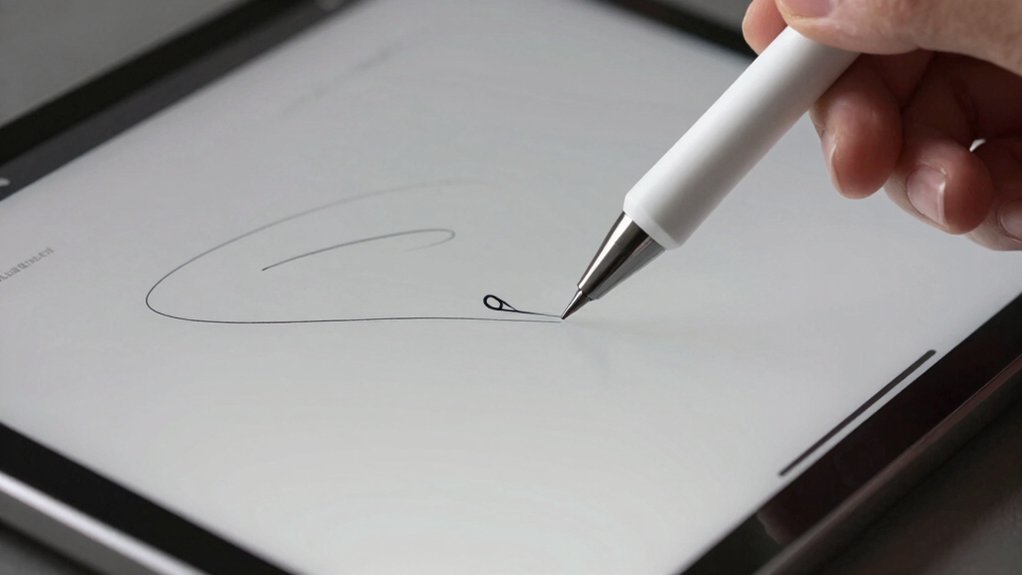
When you’re selecting a handwriting to text tablet, you’ll want to evaluate display size and resolution to match your writing space, battery life endurance to ensure uninterrupted use throughout your day, and handwriting recognition accuracy to confirm the device converts your writing reliably. You should also assess cloud sync and sharing capabilities so you can access your notes across devices and collaborate with others, plus consider the tablet’s portability and weight if you plan to carry it between locations. These five factors work together to determine whether a tablet will fit your specific needs and usage patterns.
Display Size and Resolution
Screen dimensions and pixel density work together to determine how well your tablet captures and converts handwriting. Choose a 10-inch to 11-inch screen for the optimal balance between portability and usable writing space. Higher native resolution reduces jagged edges and improves edge detection, directly enhancing OCR accuracy. Display density, measured in pixels per inch, affects how clearly you’ll see your handwritten input and how accurately the tablet recognizes characters. Select tablets with higher pixel-per-inch ratings to ensure legible handwriting capture. Consider color e-ink displays for minimal glare and extended reading comfort, though they refresh slower than grayscale LCDs, potentially affecting real-time note syncing. Evaluate these specifications based on your primary use: if portability matters most, prioritize the 10-inch to 11-inch range; if accuracy matters most, prioritize higher resolution and display density.
Battery Life Endurance
How long can you write and read on a single charge before you’ll need to plug in again? Most quality handwriting tablets offer days to weeks of battery life, depending on your usage patterns. Devices advertising “weeks of reading, days of writing” typically assume light note-taking rather than continuous heavy handwriting or processing.
Check the battery specifications carefully. Verify whether the manufacturer tested battery life under specific conditions: backlight brightness level, offline versus online use, and task types. AI features like transcription and OCR consume more power and reduce runtime significantly. Color displays drain batteries faster than e-ink screens.
For mixed handwriting and reading sessions, prioritize tablets rated for multi-day endurance. This ensures you’ll complete typical workdays without frequent charging interruptions.
Handwriting Recognition Accuracy
What makes one handwriting tablet convert your notes to editable text better than another? The OCR engine quality determines conversion accuracy. Look for tablets using AI-powered or MyScript-based technology, which reduces errors significantly. Check whether the device offers real-time conversion or requires cloud syncing for full-text search capabilities. Real-time conversion lets you edit text immediately, while cloud-dependent systems need internet access for complete indexing across devices. Test mixed-content support—tablets handling notes, drawings, and audio simultaneously produce more accurate results. Consider offline-writing workflows; some tablets process handwriting after connecting online, enabling robust OCR results. Review the tablet’s specifications for syncing speed and whether timestamped notes are available. Compare accuracy rates between models before purchasing, as recognition quality varies considerably across devices.
Cloud Sync and Sharing
Once you’ve confirmed that a tablet’s handwriting recognition engine meets your accuracy needs, you’ll want to examine how well it syncs your notes across devices and shares them with others. Check whether the tablet offers real-time synchronization through dedicated apps on your phone and computer. Verify if cloud storage comes included or requires a separate subscription. Review what export options exist—PDF, Word, and other formats—since these determine how easily you can share notes with colleagues. Test the cross-platform compatibility by accessing your notes from different devices. Finally, evaluate the advanced search functionality available through the cloud app, as this directly impacts your ability to locate specific information after syncing.
Portability and Weight
Physical weight and form factor directly affect whether you’ll actually carry your tablet daily and use it comfortably during extended sessions. Choose tablets under 400 grams to prevent hand strain during long writing periods. Look for slim profiles that reduce bulk in your bag or backpack. Select compact screen sizes between 7–10 inches for improved pocketability and easier handling throughout the day. Check that your tablet includes USB-C charging to minimize cable clutter and enable quick setup anywhere. Verify wireless syncing capabilities so you don’t need cables to transfer notes. Test the device’s grip comfort before purchasing. Lighter tablets with thin form factors make frequent handling and on-the-go note-taking more practical for daily use.
Pressure Sensitivity and Pen Feel
Pressure sensitivity levels determine how precisely your tablet captures the nuances of your handwriting, which directly impacts the accuracy of text conversion. Look for tablets with 2048 levels or higher to achieve finer stroke control and calligraphic variation. Next, evaluate the pen’s nib design and weight. Thinner, lighter pens typically provide more natural, handwriting-like feedback that closely simulates writing on paper. Consider whether the tablet offers haptic or auditory feedback, which enhances your perception of writing cadence and realism. Finally, examine pen tilt accuracy and stroke latency. These factors determine how well your tablet captures consistent pen angles and real-time handwriting movements. Tablets with low latency and accurate tilt detection convert your handwriting to text more reliably.
Final Thoughts
You’ll find the right handwriting-to-text tablet by matching your priorities to these five options. If you want AI transcription, choose the Kindle Scribe. Need offline reliability? Pick the Ophayapen. Prefer color displays, go with reMarkable Paper Pro. Want distraction-free writing, select reMarkable 2. For robust cloud exports, use Penstar eNote Pro. Evaluate latency, portability, and conversion accuracy against your workflow before deciding.

Meet Ry, “TechGuru,” a 36-year-old technology enthusiast with a deep passion for tech innovations. With extensive experience, he specializes in gaming hardware and software, and has expertise in gadgets, custom PCs, and audio.
Besides writing about tech and reviewing new products, he enjoys traveling, hiking, and photography. Committed to keeping up with the latest industry trends, he aims to guide readers in making informed tech decisions.