
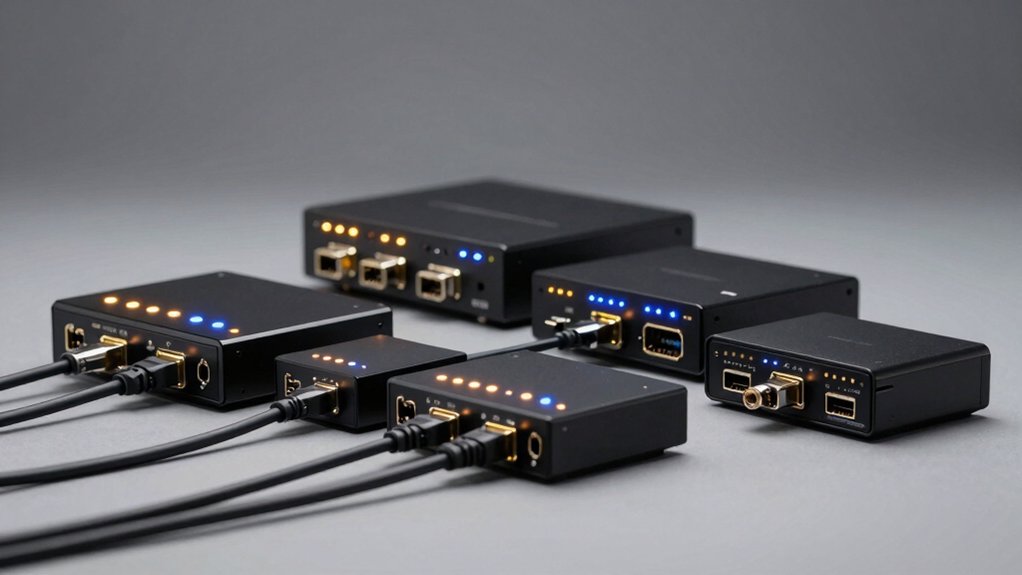

When you’re setting up multiple displays across different rooms or devices, you’ll need a reliable way to route HDMI signals efficiently. An HDMI matrix switch lets you connect several sources to multiple displays simultaneously, giving you flexible control over what appears where. You can choose from 2×2, 4×2, or 4×4 configurations depending on your needs. But which model fits your setup best?
| OREI 4K HDMI Matrix Switch with Downscaler |

| Best Overall | Matrix Configuration: 4×4 (4 inputs, 4 outputs) | Maximum Resolution Support: 4K@60Hz | Audio Outputs: Optical (S/PDIF) and 3.5mm analog | VIEW LATEST PRICE | Read Our Analysis |
| FERRISA 4×2 HDMI Matrix Switch with Audio Output |

| Budget-Friendly Pick | Matrix Configuration: 4×2 (4 inputs, 2 outputs) | Maximum Resolution Support: 4K×2K (up to 60Hz) | Audio Outputs: Optical (S/PDIF) and 3.5mm headphone | VIEW LATEST PRICE | Read Our Analysis |
| OREI 4K HDMI Matrix Switch 2×2 (UHDS-202) |

| Best For Small Setups | Matrix Configuration: 2×2 (2 inputs, 2 outputs) | Maximum Resolution Support: 4K@60Hz | Audio Outputs: Digital and analog audio outputs | VIEW LATEST PRICE | Read Our Analysis |
| MT-VIKI 4K HDMI Matrix Switch 4×4 Rack Mount |

| Professional Grade | Matrix Configuration: 4×4 (4 inputs, 4 outputs) | Maximum Resolution Support: 4K@30Hz | Audio Outputs: 3.5mm stereo audio extraction | VIEW LATEST PRICE | Read Our Analysis |
| OREI 4K 4×4 HDMI Extender Matrix with HDR |
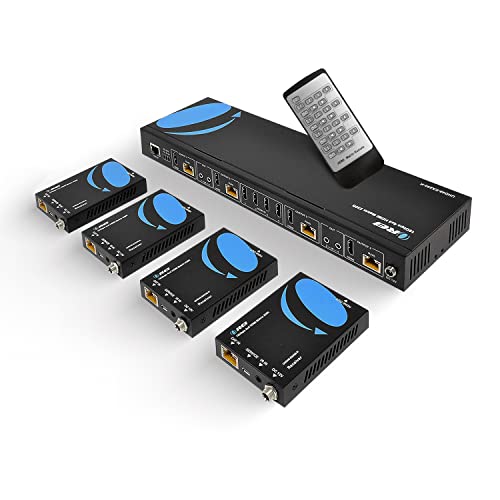
| Best For Long Distances | Matrix Configuration: 4×4 (4 inputs, 4 outputs) | Maximum Resolution Support: 4K@60Hz | Audio Outputs: HDMI audio pass-through (7.1 channel) | VIEW LATEST PRICE | Read Our Analysis |
| PORTTA 4×2 HDMI Matrix Switch with Audio Extractor |

| Best Value | Matrix Configuration: 4×2 (4 inputs, 2 outputs) | Maximum Resolution Support: 4K@60Hz | Audio Outputs: Toslink (optical) and 3.5mm | VIEW LATEST PRICE | Read Our Analysis |
| FERRISA 4×2 HDMI Matrix Switch 4K@60Hz |

| Most Versatile | Matrix Configuration: 4×2 (4 inputs, 2 outputs) | Maximum Resolution Support: 4K@60Hz | Audio Outputs: SPDIF (optical) and 3.5mm | VIEW LATEST PRICE | Read Our Analysis |
More Details on Our Top Picks
OREI 4K HDMI Matrix Switch with Downscaler
Are you managing multiple video sources and displays in a home theater, conference room, or commercial space? The OREI 4K HDMI Matrix Switch with Downscaler handles this task efficiently. You connect up to four HDMI inputs and route them independently to four HDMI outputs at 4K@60Hz resolution. The device supports 18Gbps bandwidth and HDMI 2.0 standards, ensuring compatibility with modern equipment. You’ll benefit from 4K-to-1080p downscaling capability, which adapts high-resolution content for standard displays. Audio extraction options include optical S/PDIF and 3.5mm analog outputs. The metal enclosure provides reliable heat dissipation for continuous operation.
- Matrix Configuration:4×4 (4 inputs, 4 outputs)
- Maximum Resolution Support:4K@60Hz
- Audio Outputs:Optical (S/PDIF) and 3.5mm analog
- Control Methods:IR remote
- Color Depth Support:12-bit
- Warranty Period:1 year
- Additional Feature:4K-to-1080p downscaling capability
- Additional Feature:ARC on Output A
- Additional Feature:Metal enclosure with heat dissipation
FERRISA 4×2 HDMI Matrix Switch with Audio Output
If you’ve got multiple HD sources feeding into just two displays, the FERRISA 4×2 HDMI Matrix Switch handles the routing without requiring separate cables for each device. Connect up to four HD sources—like Blu-ray players or streaming devices—to the switcher’s inputs. Route video to two separate HDMI displays or projectors simultaneously. Extract audio independently through the optical SPDIF or 3.5mm headphone port while video passes through uninterrupted. Use the included remote or panel buttons to select which input feeds to each output. The device supports 4K resolution, 3D content, and multiple audio formats including Dolby and DTS 5.1. Built-in equalization and ESD protection ensure reliable performance.
- Matrix Configuration:4×2 (4 inputs, 2 outputs)
- Maximum Resolution Support:4K×2K (up to 60Hz)
- Audio Outputs:Optical (S/PDIF) and 3.5mm headphone
- Control Methods:IR remote and panel buttons
- Color Depth Support:8/10/12-bit
- Warranty Period:Not specified
- Additional Feature:Smart EDID management
- Additional Feature:Built-in automatic equalization/amplification
- Additional Feature:ESD protection
OREI 4K HDMI Matrix Switch 2×2 (UHDS-202)
The OREI UHDS-202 works best if you’re routing 4K video between two sources and two displays without sacrificing picture quality or audio fidelity. This 2×2 matrix switch handles 18Gbps bandwidth at 4K 60Hz with 4:4:4 chroma sampling and full HDR support. It accepts PCM, Dolby TrueHD, and DTS-HD Master Audio up to 7.1 channels through both digital and analog outputs. Use the included IR remote to select which input feeds to which output independently. The device includes HDCP 2.2 compliance and smart EDID management. Note that it won’t extend PC monitors, so verify your display compatibility before purchasing.
- Matrix Configuration:2×2 (2 inputs, 2 outputs)
- Maximum Resolution Support:4K@60Hz
- Audio Outputs:Digital and analog audio outputs
- Control Methods:IR remote control
- Color Depth Support:4:4:4 support (up to 12-bit)
- Warranty Period:1 year
- Additional Feature:EDID bypass available
- Additional Feature:International adapter included
- Additional Feature:Dual voltage power supply
MT-VIKI 4K HDMI Matrix Switch 4×4 Rack Mount
For anyone managing four 4K video sources across four displays—whether you’re running a control room, broadcast studio, or commercial installation—this 4×4 matrix switch gives you independent routing control over each output. You can mirror all outputs to show identical content or customize each display separately. The unit supports 4K resolution at 30Hz and includes a 3.5mm audio extractor on the fourth output, handling PCM, Dolby AC3, DTS5.1, DTS7.1, and DSD formats. Control the switch through buttons, an IR remote, RS232, LAN, or web interface. Its 1U rack-mount design fits standard 19-inch cabinets, and 8KV ESD protection safeguards your equipment from static damage.
- Matrix Configuration:4×4 (4 inputs, 4 outputs)
- Maximum Resolution Support:4K@30Hz
- Audio Outputs:3.5mm stereo audio extraction
- Control Methods:Button, IR remote, RS232, LAN, WEB GUI
- Color Depth Support:Not specified
- Warranty Period:2 years
- Additional Feature:1U 19-inch rack mount
- Additional Feature:Multi-control: RS232/LAN/Web GUI
- Additional Feature:8KV ESD protection
OREI 4K 4×4 HDMI Extender Matrix with HDR
Need to distribute 4K video across multiple rooms without running HDMI cables through your walls? The OREI 4K 4×4 matrix handles this task by transmitting 4K video at 60Hz over standard CAT5e/6/7 cabling up to 230 feet. Connect four HDMI sources to the main unit, then route video to four separate rooms using the included receivers. The system supports HDR, passes through 7.1-channel audio, and includes IR control for remote operation. You’ll receive six receivers total, giving you flexibility for future expansion. The metal enclosure provides reliable heat dissipation for continuous operation.
- Matrix Configuration:4×4 (4 inputs, 4 outputs)
- Maximum Resolution Support:4K@60Hz
- Audio Outputs:HDMI audio pass-through (7.1 channel)
- Control Methods:IR control, RS-232
- Color Depth Support:HDMI 2.0 (12-bit capable)
- Warranty Period:1 year
- Additional Feature:Extends up to 230 feet
- Additional Feature:12V POC on all CAT ports
- Additional Feature:4x loop out capability
PORTTA 4×2 HDMI Matrix Switch with Audio Extractor
Managing multiple video sources across different displays becomes straightforward with this 4-input, 2-output matrix switch—especially if you’re running a gaming center, conference room, or lecture hall where you need flexibility in routing. The PORTTA 4×2 handles 4K@60Hz with full 4:4:4 chroma subsampling, plus 1080P@120Hz and 1440P@120Hz for gaming. You’ll extract audio simultaneously to both Toslink and 3.5mm outputs from either display. Use the included IR remote to switch sources instantly. Output A supports Audio Return Channel for reverse audio flow, while Output B doesn’t. Set manual EDID modes to downscale 4K sources to 1080P when needed. Connect your PS5, Xbox, Blu-ray player, or computer to any input, then route them independently to two different displays or projectors for complete control.
- Matrix Configuration:4×2 (4 inputs, 2 outputs)
- Maximum Resolution Support:4K@60Hz
- Audio Outputs:Toslink (optical) and 3.5mm
- Control Methods:IR remote (included)
- Color Depth Support:8/10/12-bit
- Warranty Period:2 years
- Additional Feature:16 EDID modes available
- Additional Feature:Supports Dolby Vision/HDR10
- Additional Feature:2-year warranty included
FERRISA 4×2 HDMI Matrix Switch 4K@60Hz
The FERRISA 4×2 HDMI Matrix Switch handles situations where you’ve got multiple video sources but only two displays to work with. Connect up to four devices—like a Blu-ray player, gaming console, streaming device, or PC—to the switch’s inputs. Route any source to either output independently using the IR remote or manual buttons. The unit supports 4K@60Hz with HDMI 2.0 and automatically downscales 4K to 1080P when needed. Extract audio separately through optical or 3.5mm outputs for flexible speaker setup. Its metal housing dissipates heat effectively, ensuring reliable performance in home theaters, offices, or conference rooms.
- Matrix Configuration:4×2 (4 inputs, 2 outputs)
- Maximum Resolution Support:4K@60Hz
- Audio Outputs:SPDIF (optical) and 3.5mm
- Control Methods:IR remote and manual buttons
- Color Depth Support:8/10/12-bit
- Warranty Period:Not specified
- Additional Feature:Auto 4K-to-1080P downscaling
- Additional Feature:Metal shell heat dissipation
- Additional Feature:Built-in amplification/equalization
Factors to Consider When Choosing an HDMI Matrix Switch
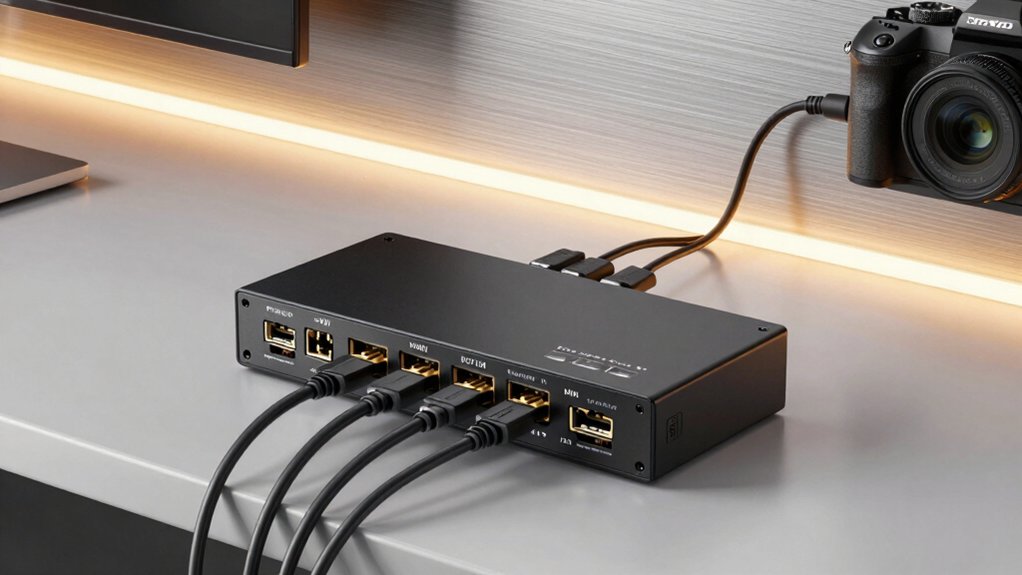
When you’re selecting an HDMI matrix switch, you’ll want to evaluate five key factors: input and output configuration (how many devices you need to connect), resolution and video quality (whether you require 4K support), audio format compatibility (which sound standards your equipment uses), control methods and features (remote, app, or manual operation), and build quality and durability (metal construction versus plastic). Start by counting your source devices and displays to determine the input-output ratio you need, then check whether your devices support the resolution standards the switch offers. Finally, confirm that the switch handles your audio formats and includes control options that fit your setup, while choosing a model with robust construction to ensure long-term reliability.
Input And Output Configuration
How many sources do you need to connect, and how many displays will you be using? Your answer determines which configuration you’ll require. Matrix switches come in standard setups: 4×4 (four inputs, four outputs), 4×2 (four inputs, two outputs), or 2×2 (two inputs, two outputs). Each configuration supports a specific number of source devices—like Blu-ray players, streaming devices, or gaming consoles—feeding into corresponding display outputs. You’ll choose based on your current setup and future expansion plans. Larger configurations offer more flexibility, allowing you to route any input to any output independently. Smaller setups work well for basic needs. Match your configuration to your equipment count to avoid overpaying for unused capabilities or purchasing insufficient ports.
Resolution And Video Quality
What resolution your sources and displays support will directly affect which HDMI matrix switch you should buy. Check whether your devices handle 4K at 60Hz or max out at 1080p. Many matrix switches support 4K@60Hz with 4:4:4 chroma, but some downscale 4K to 1080p for older displays. Verify your switch has 18Gbps bandwidth or higher for HDMI 2.0/2.1 compatibility, which enables 4K with deep color and HDR support. Lower bandwidth limits these features. Confirm the switch offers independent EDID control so each display receives optimal resolution from its assigned source. Also evaluate HDR support—matching HDR-capable sources and displays produces superior contrast and color, while mismatched setups result in muted image quality.
Audio Format Compatibility
While video quality sets the foundation for your setup, audio format compatibility determines whether you’ll actually hear what you’re watching in full fidelity. Check that your matrix switch supports LPCM, Dolby TrueHD, DTS-HD Master Audio, and Dolby Digital formats. Verify the device includes audio extraction outputs like SPDIF/optical and 3.5mm connections so you can route audio separately from video when needed. Confirm ARC capability on at least one output to enable two-way audio with compatible soundbars or receivers. Look for EDID management options—smart or manual modes ensure correct audio format negotiation with all connected sources. Finally, verify that downscaling or pass-through behavior preserves audio formats during resolution conversion without degrading quality.
Control Methods And Features
Because you’ll be switching inputs and outputs regularly, choosing the right control method directly impacts your daily usability. You can operate your matrix switch through several options: remote control provides the simplest hands-on approach, while on-device buttons offer quick access without additional equipment. For integrated systems, you’ll want IR, RS-232, LAN, or web GUI control to connect with home automation or control room setups. Web and app control let you manage switching from computers or mobile devices across your network. Evaluate your environment first—a small home theater works well with remote control, while classrooms and control rooms benefit from networked solutions. Select the control method that matches your workflow and existing infrastructure for seamless operation.
Build Quality And Durability
How durable is your matrix switch when it’s running continuously in a demanding environment? Look for robust metal enclosures that improve heat dissipation and reduce thermal throttling and fan noise during extended operation. Choose rack-mountable 1U designs with sturdy chassis for professional AV setups, as they enhance installation stability and minimize vibration. Verify built-in ESD protection rated at 8kV or higher to guard HDMI circuitry against static discharge during handling. Assess accessory quality, including reinforced power adapters and reliable IR remotes, since these components determine long-term usability. Evaluate physical weight and construction materials; heavier, well-built units typically outlast lighter alternatives in high-usage environments like conference rooms and digital signage installations. Prioritize these durability factors to ensure reliable performance across years of continuous operation.
Warranty And Technical Support
What’s your plan if your matrix switch fails six months after purchase? Check your warranty first. Most HDMI matrix switches offer 1 to 2 years of coverage, though some manufacturers provide extended options. Review the specific terms: replacement policies, whether parts like adapters are included, and processing timelines through your retailer.
Next, identify available support channels. Manufacturers typically offer email contact, product manuals, and remote diagnostics via RS-232 or LAN control. Confirm these details before buying.
Finally, understand what support covers. Technical assistance should address EDID management, HDCP compatibility, downscaling functions, and ARC behavior—critical for troubleshooting display and audio problems. Longer warranties often correlate with more comprehensive after-sales assistance and replacement parts, so factor this into your decision.
Final Thoughts
You’ve reviewed seven reliable HDMI matrix switches designed for different setups. To choose correctly, match your needs: determine how many sources and displays you require, confirm 4K@60Hz support matters for your content, and pick your control method—IR remote, RS232, LAN, or web interface. Check whether audio extraction or HDR passthrough align with your system. Select a 2×2, 4×2, or 4×4 configuration based on scalability requirements. Your choice depends entirely on these specific technical needs.

Meet Ry, “TechGuru,” a 36-year-old technology enthusiast with a deep passion for tech innovations. With extensive experience, he specializes in gaming hardware and software, and has expertise in gadgets, custom PCs, and audio.
Besides writing about tech and reviewing new products, he enjoys traveling, hiking, and photography. Committed to keeping up with the latest industry trends, he aims to guide readers in making informed tech decisions.