
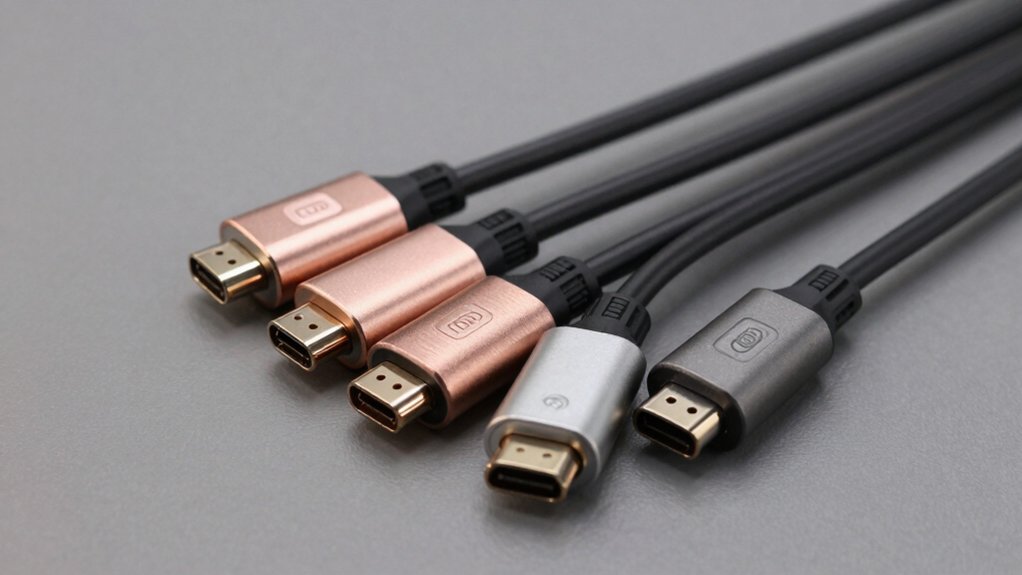

When you need to display your tablet on a larger screen, you’ll want an HDMI adapter that delivers reliable performance without complications. You’ve got several solid options available, each offering different combinations of features like 4K resolution, fast charging, and multiple ports. The right choice depends on your specific tablet model, display requirements, and whether you need additional functionality beyond basic screen sharing. Here’s what you should know to make the best decision for your setup.
| QianLink USB-C to HDMI 4K Adapter Cable |

| Best Durability | Maximum Video Resolution: 4K at 30Hz | Power Delivery/Charging: None | Additional Ports: Single HDMI output only | VIEW LATEST PRICE | Read Our Analysis |
| Anker USB-C to HDMI Adapter 4K@60Hz |

| Best Overall | Maximum Video Resolution: 4K at 60Hz | Power Delivery/Charging: None | Additional Ports: Single HDMI output only | VIEW LATEST PRICE | Read Our Analysis |
| Acer USB-C to HDMI Adapter with 100W PD |

| Most Versatile | Maximum Video Resolution: 4K at 30Hz | Power Delivery/Charging: 100W PD charging | Additional Ports: USB-A 3.0 port | VIEW LATEST PRICE | Read Our Analysis |
| Kinhaly USB-C to HDMI 4K Adapter with Charging Port |

| Best For Charging | Maximum Video Resolution: 4K at 60Hz | Power Delivery/Charging: Charging port (wattage unspecified) | Additional Ports: Single charging port | VIEW LATEST PRICE | Read Our Analysis |
| USB-C to HDMI Multiport Adapter with Charging Port |

| Budget-Friendly Pick | Maximum Video Resolution: 4K (resolution unspecified) | Power Delivery/Charging: 27W PD charging | Additional Ports: USB 3.0 port | VIEW LATEST PRICE | Read Our Analysis |
| Acer 5 in 1 USB-C Hub with 4K HDMI |

| Most Ports | Maximum Video Resolution: 4K at 30Hz | Power Delivery/Charging: 100W PD charging | Additional Ports: 3 USB-A ports (1× USB 3.0, 2× USB 2.0) | VIEW LATEST PRICE | Read Our Analysis |
| Amazon Basics USB-C to HDMI Adapter 4K |
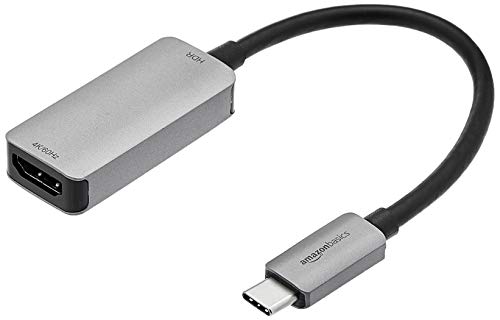
| Simplest Design | Maximum Video Resolution: 4K at 60Hz | Power Delivery/Charging: None | Additional Ports: Single HDMI output only | VIEW LATEST PRICE | Read Our Analysis |
More Details on Our Top Picks
QianLink USB-C to HDMI 4K Adapter Cable
If you’re connecting a MacBook Pro, iPad Pro, or iPhone 15 Pro to an external display, you’ll want an adapter that withstands daily use. The QianLink USB-C to HDMI 4K Adapter Cable delivers reliable performance with military nylon braiding that endures 25,000 bending cycles. Simply plug the USB-C end into your device and connect the HDMI output to your monitor, TV, or projector—no drivers required. It supports 4K video at 30Hz and 2K at 60Hz with audio transfer included. Verify your device supports DisplayPort Alt Mode before purchasing, as USB 2.0 and 3.0 devices won’t work. The flat design keeps cables organized without tangling.
- Maximum Video Resolution:4K at 30Hz
- Power Delivery/Charging:None
- Additional Ports:Single HDMI output only
- Cable/Design Type:Braided cable with flat design
- Warranty Length:Standard Amazon 30-day return policy
- Setup Requirements:Plug and play (no drivers required)
- Additional Feature:Military nylon braided protection
- Additional Feature:Withstands 25,000 bending tests
- Additional Feature:24-hour customer support response
Anker USB-C to HDMI Adapter 4K@60Hz
Looking for a tablet adapter that delivers outstanding performance without complexity? The Anker USB-C to HDMI Adapter 4K@60Hz connects your tablet’s USB-C port directly to an HDMI display. You’ll get plug-and-play functionality—no drivers or software required. The adapter supports 4K resolution at 60Hz, making it suitable for presentations and media viewing. Its lightweight aluminum housing with braided-nylon cable withstands regular use. Compatible with iPad Pro, MacBook Pro, and other USB-C or Thunderbolt 3 devices, this adapter handles DP Alt mode connections reliably. The compact design measures 1.97 by 0.85 inches, fitting easily in bags. Anker backs it with an 18-month warranty and responsive customer support for peace of mind.
- Maximum Video Resolution:4K at 60Hz
- Power Delivery/Charging:None
- Additional Ports:Single HDMI output only
- Cable/Design Type:Braided-nylon cable with aluminum housing
- Warranty Length:18-month warranty
- Setup Requirements:Plug and play (no installation)
- Additional Feature:Lightweight aluminum heat dissipation
- Additional Feature:Reinforced braided-nylon cable construction
- Additional Feature:18-month warranty coverage
Acer USB-C to HDMI Adapter with 100W PD
The Acer USB-C to HDMI Adapter stands out as the most versatile option if you’re connecting multiple devices across different operating systems. This 3-in-1 hub supports Windows, macOS, Linux, and ChromeOS, making it compatible with MacBook Pro, Surface devices, and Dell laptops. The adapter outputs 4K video at 30Hz to HDTVs and monitors. It includes a USB-A 3.0 port for data transfer up to 5 Gbps and delivers 100W power delivery to charge your host device. The aluminum enclosure provides durability. Simply plug it in—no drivers required. Note that it doesn’t support iPhones, iPads, or portable monitors.
- Maximum Video Resolution:4K at 30Hz
- Power Delivery/Charging:100W PD charging
- Additional Ports:USB-A 3.0 port
- Cable/Design Type:Aluminum enclosure (compact hub)
- Warranty Length:1-year warranty
- Setup Requirements:Plug and play (no drivers required)
- Additional Feature:3-in-1 multiport hub design
- Additional Feature:5 Gbps USB-A data transfer
- Additional Feature:Aluminum housing for durability
Kinhaly USB-C to HDMI 4K Adapter with Charging Port
Kinhaly’s USB-C to HDMI adapter charges your device while you project 4K content onto any TV or projector. Connect the USB-C end to your iPhone, iPad, MacBook, or Samsung Galaxy device. Plug the HDMI cable into your display. Simultaneously attach a power source to the charging port to keep your device powered during streaming. The adapter supports 4K@60Hz resolution without requiring drivers, apps, or external power for the adapter itself. It works with DisplayPort Alternate Mode–compatible USB-C devices. Note that HDCP-protected services like Netflix won’t display through this adapter. The aluminum alloy construction with nylon braiding ensures durability and stable signal transfer for reliable performance.
- Maximum Video Resolution:4K at 60Hz
- Power Delivery/Charging:Charging port (wattage unspecified)
- Additional Ports:Single charging port
- Cable/Design Type:Nylon braided cable with aluminum alloy casing
- Warranty Length:1-year warranty
- Setup Requirements:Plug and play (no drivers/apps required)
- Additional Feature:2-in-1 simultaneous HDMI/charging functionality
- Additional Feature:Premium aluminum alloy casing
- Additional Feature:Nylon braided cable included
USB-C to HDMI Multiport Adapter with Charging Port
Need versatile connectivity without breaking your budget? The USB-C to HDMI Multiport Adapter delivers multiple functions in a compact aluminum design. Connect your tablet or laptop’s USB-C port to display content on an external monitor via HDMI 2.1, supporting resolutions up to 4K. Simultaneously charge your device through the dedicated USB-C charging port with up to 27W power delivery. Use the USB 3.0 port for data transfer or connect peripherals like mice, keyboards, or external drives. This adapter works with MacBooks, iPads, Chromebooks, and Galaxy devices. Its 60mm cable length keeps everything portable and organized for travel or office use.
- Maximum Video Resolution:4K (resolution unspecified)
- Power Delivery/Charging:27W PD charging
- Additional Ports:USB 3.0 port
- Cable/Design Type:130mm cable with aluminum alloy shell
- Warranty Length:Warranty details not specified
- Setup Requirements:Plug and play (no drivers required)
- Additional Feature:HDMI 2.1 backward compatible standard
- Additional Feature:27W PD charging support
- Additional Feature:Mini compact form factor
Acer 5 in 1 USB-C Hub with 4K HDMI
Looking for a hub that won’t limit your connectivity options? The Acer 5-in-1 USB-C Hub delivers 4K HDMI output at 30Hz, letting you mirror or extend your tablet’s display effortlessly. You’ll get one USB 3.0 port for faster data transfers up to 5Gbps, plus two USB 2.0 ports for additional peripherals. The 100W Power Delivery port charges your device while you work—though it handles charging only, not data transfer. This adapter works with iPad Pro, iPad Air, MacBook Pro/Air, Chromebooks, and most USB-C devices. Simply plug it in; no drivers required. Its lightweight, compact design makes it ideal for travel and daily use.
- Maximum Video Resolution:4K at 30Hz
- Power Delivery/Charging:100W PD charging
- Additional Ports:3 USB-A ports (1× USB 3.0, 2× USB 2.0)
- Cable/Design Type:Compact, lightweight (no cable specified)
- Warranty Length:Warranty details not specified
- Setup Requirements:Plug and play (no drivers required)
- Additional Feature:3 USB-A ports included
- Additional Feature:Mirror and extend display modes
- Additional Feature:Lightweight portable design
Amazon Basics USB-C to HDMI Adapter 4K
The Amazon Basics USB-C to HDMI Adapter 4K offers simplest design for tablet users who need immediate screen mirroring without extra setup. You connect your USB-C tablet directly to this adapter, then plug an HDMI cable into the female port. The adapter supports 4K resolution at 60Hz, making it suitable for presentations and media viewing. It requires no external power, operates plug-and-play, and weighs only 0.03 kg for portability. The reversible USB-C connector works with tablets, phones, and laptops that support DisplayPort Alt Mode. Its compact aluminum housing fits easily in bags. Check your device’s DP Alt Mode compatibility before purchasing to ensure proper functionality.
- Maximum Video Resolution:4K at 60Hz
- Power Delivery/Charging:None
- Additional Ports:Single HDMI output only
- Cable/Design Type:Slim aluminum housing (adapter only, no cable)
- Warranty Length:Amazon returns policy applies
- Setup Requirements:Plug and play (no external power adapter needed)
- Additional Feature:Reversible USB-C input connector
- Additional Feature:Slim compact aluminum housing
- Additional Feature:No external power required
Factors to Consider When Choosing an HDMI Tablet Adapter
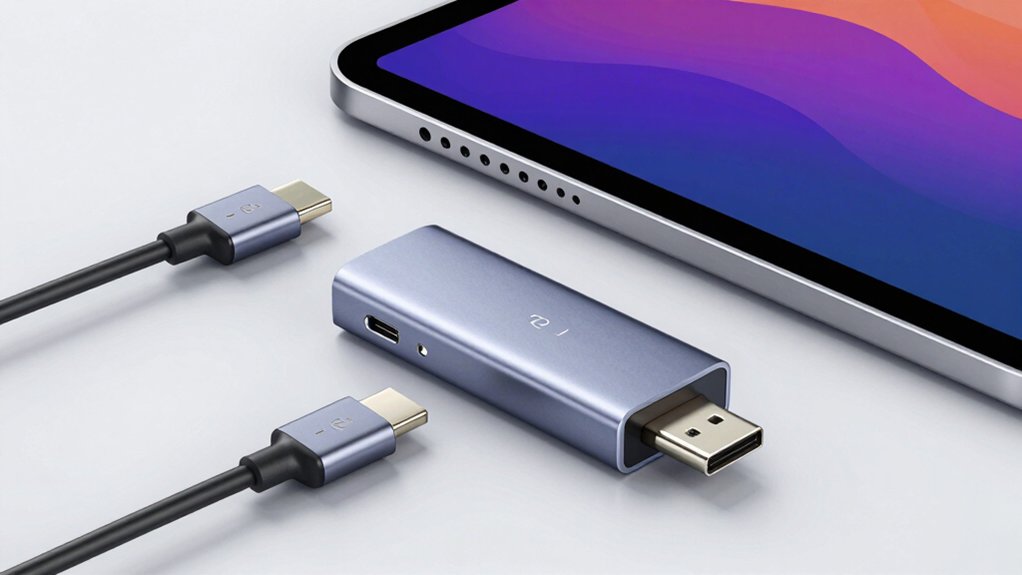
When you’re selecting an HDMI tablet adapter, you’ll need to evaluate five critical factors: whether your tablet supports DisplayPort Alternate Mode (which enables video output through USB-C), the maximum resolution and refresh rate the adapter handles (4K at 60Hz is standard for most tablets), whether the adapter can simultaneously charge your device while transmitting video, the build quality and cable durability to withstand daily use, and the specific tablet models and operating systems the adapter supports. Check your tablet’s technical specifications against the adapter’s compatibility list, confirm the resolution matches your display capabilities, and verify that any charging feature uses appropriate wattage for your device. These factors work together to determine whether an adapter will function reliably for your screen-sharing needs.
DisplayPort Alternate Mode Support
Since many modern tablets and smartphones use USB-C ports, you’ll need to understand DisplayPort Alternate Mode (DP Alt Mode) to guarantee your HDMI adapter will actually work. DP Alt Mode allows your device’s USB-C port to transmit native DisplayPort video signals through an adapter to an external display. Without DP Alt Mode support, your tablet won’t output video to HDMI, even if the adapter claims compatibility. Before purchasing an adapter, check your tablet’s specifications to confirm DP Alt Mode capability. Visit the manufacturer’s website or consult your device manual for this information. This verification step prevents buying incompatible adapters and ensures you’ll achieve high-resolution video output, including 4K displays, when needed for presentations or screen sharing.
Resolution And Refresh Rate
How much clarity and smoothness do you actually need from your tablet’s display output? Resolution and refresh rate determine what you’ll see on your connected screen. Most adapters support 4K at 30Hz or 60Hz, with some offering 5K and 8K options. If you’re watching videos or presenting slideshows, 60Hz delivers smooth motion, while 30Hz may appear choppy during fast-paced content. Check whether your adapter specifies 4K at 30Hz only, which limits frame rate despite high resolution. Your tablet must have DP Alt Mode or USB-C video support to achieve the claimed specs. Some adapters downscale resolution when your source content doesn’t match their maximum output. Compare your tablet’s native resolution against the adapter’s capabilities to avoid unnecessary features you won’t use.
Charging Capability Integration
Two key factors determine whether an HDMI tablet adapter can charge your device during use: the adapter’s power delivery capacity and its port configuration. Check the adapter’s maximum wattage output—common options range from 27W to 100W—to ensure it meets your tablet’s charging requirements. Verify that the USB-C PD port supports pass-through power specifically designed for your host device, not peripheral charging. Review whether the adapter requires your tablet to support DP Alt Mode for video output, as this affects compatibility. Confirm that the charging port operates independently from HDMI bandwidth and USB data transfer to prevent performance conflicts. Before purchasing, cross-reference your tablet’s specifications with the adapter’s power delivery capabilities to guarantee seamless operation during screen sharing sessions.
Cable Durability And Build
When you’re selecting an HDMI tablet adapter, the cable’s construction directly affects how long it’ll last through daily use and travel. Prioritize nylon-braided cables, which resist wear and handle up to 25,000 bending cycles. Choose flat cable designs over round ones to reduce tangling and improve reliability. Look for reinforced connector ends at both the USB-C and HDMI interfaces to prevent loose connections and breakage. Select adapters with aluminum or premium alloy housings, which enhance durability and improve heat dissipation during extended use. Verify that the cable includes reinforced strain relief at connection points. These combined features—braided exterior, flat design, reinforced ends, and quality housing—work together to ensure your adapter withstands frequent plugging, unplugging, and transport without performance degradation.
Device Compatibility Range
Beyond the physical durability of your adapter, you’ll need to verify it’ll actually work with your devices. Start by checking which devices you own—laptops, tablets, and phones—and confirm each has USB-C, Thunderbolt 3, or Thunderbolt 4 compatibility. Next, identify your operating systems: Windows, macOS, iPadOS, or ChromeOS. Match your adapter to these systems since not all adapters support every platform equally. Then verify the adapter’s USB-C port supports DisplayPort Alt Mode for video output. If you need charging or data transfer, confirm the port handles power delivery and USB 3.0/3.1 standards. Finally, review the adapter’s documentation for specific limitations like incompatibility with HDCP-protected content or portable monitors, which could restrict functionality for your particular use case.
Data Transfer Speeds
Three key factors determine your adapter’s data transfer capability: the USB standard it supports, whether it separates data and video pathways, and the power delivery specs you’ll need.
First, check if your tablet’s USB-C port supports DP Alt Mode, which enables 4K video at 60Hz. USB 3.0 data paths reach 5 Gbps, while USB 3.1 and 4.0 offer faster speeds. Second, understand that some adapters run data and video through separate channels—your USB-A port may operate at different speeds than the HDMI output. Third, verify power delivery capacity. If you’re charging simultaneously, guarantee your adapter supports adequate wattage (27W–100W) so performance doesn’t drop. Match your adapter’s USB standard to your device’s specifications to avoid bottlenecks and maximize throughput.
Portability And Design
You’ll want to balance performance capabilities with practical carrying considerations when selecting your adapter. Choose a compact, lightweight design that fits easily into bags or pockets without adding bulk. Look for a braided or reinforced cable that resists damage during frequent travel and daily use. A flat, knotted-resistant design keeps cables organized and prevents tangling in laptop sleeves. Select an adapter with a single HDMI output and one USB-C input to minimize overall size while maintaining essential connectivity. Verify the color and finish are unobtrusive so the adapter won’t snag in cases or draw attention during portable setups. These design features work together to create an adapter that performs reliably while remaining genuinely portable for your on-the-go needs.
Warranty And Return Policy
What protection does your adapter actually have if it fails? Check the warranty length—typically 12–24 months—and determine what it covers: manufacturing defects or only wear and tear. Verify whether the manufacturer requires product registration to activate coverage or if seller guarantees apply automatically.
Confirm the return window on your marketplace, usually 30 days. Review any restocking fees for opened or damaged items. Locate the RMA process instructions, required documentation, and whether refunds go to your original payment method.
Check if the policy covers accessories or bundled items. Note exceptions for counterfeit products or third-party chargers. Understanding these details upfront prevents surprises if your adapter malfunctions, ensuring you know exactly how to proceed with claims or returns.
Final Thoughts
You’ll want to select an adapter that matches your tablet’s operating system and your display’s requirements. Check your tablet’s USB-C port for DisplayPort Alt Mode support, then choose between basic adapters like Amazon Basics for standard use or multiport hubs for additional connectivity. Verify 4K capability at your preferred refresh rate—60Hz for smooth video, 30Hz for basic presentations. Confirm power delivery specifications if you’re charging simultaneously. Test compatibility before relying on it for important presentations.

Meet Ry, “TechGuru,” a 36-year-old technology enthusiast with a deep passion for tech innovations. With extensive experience, he specializes in gaming hardware and software, and has expertise in gadgets, custom PCs, and audio.
Besides writing about tech and reviewing new products, he enjoys traveling, hiking, and photography. Committed to keeping up with the latest industry trends, he aims to guide readers in making informed tech decisions.