
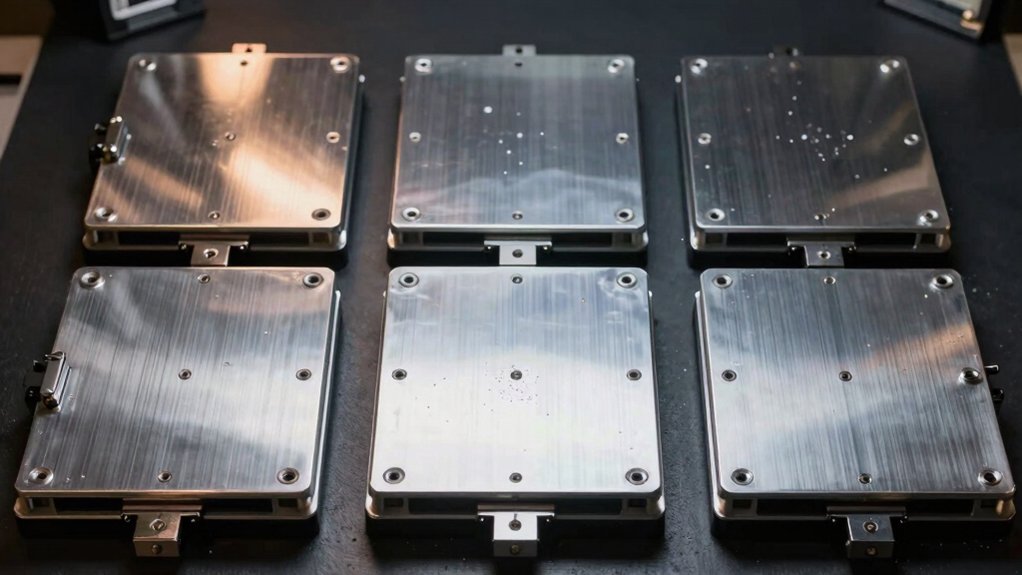

You need a heated bed that performs consistently without constant readjustment. The right choice depends on your printer’s voltage, bed size, and whether you want built-in leveling assistance. This guide walks you through ten tested options—from official Ender 3 replacements to high-powered platforms—plus the key factors that separate reliable beds from problematic ones. Here’s what you should know before you buy.
| Official Ender 3 V2 Heated Bed Replacement 220W |

| Official & Compatible | Power Output: 220W | Voltage: 24V DC | Heating Surface Dimensions: 235 x 235 x 3 mm | VIEW LATEST PRICE | Read Our Analysis |
| HICTOP Ender 3 Heated Bed 24V 220W |

| Third-Party Alternative | Power Output: 220W | Voltage: 24V | Heating Surface Dimensions: 235 x 235 x 3 mm | VIEW LATEST PRICE | Read Our Analysis |
| K1 Hotbed Plate Kit 24V 280W Aluminum |

| Premium K-Series | Power Output: 280W | Voltage: DC24V | Heating Surface Dimensions: 235 × 235 × 3 mm | VIEW LATEST PRICE | Read Our Analysis |
| Aluminum Heated Bed Upgrade for Anet A8 A6 3D Printer |

| Budget-Friendly Pick | Power Output: 120W | Voltage: 12V | Heating Surface Dimensions: 220 x 220 mm | VIEW LATEST PRICE | Read Our Analysis |
| Creality Ultra Removable Magnetic 3D Printer Build Surface |
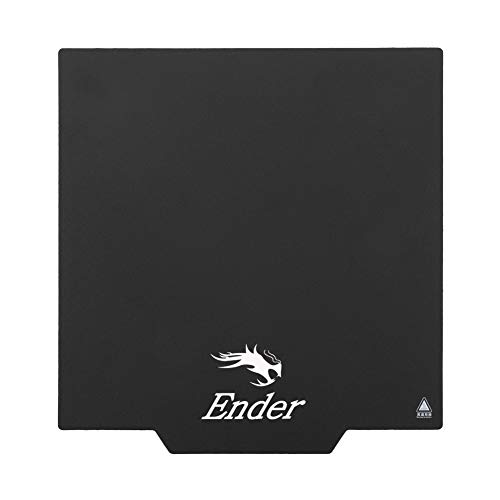
| Best Build Surface | Power Output: N/A (magnetic build surface, no heating element) | Voltage: N/A (magnetic build surface, no heating element) | Heating Surface Dimensions: 235 x 235 mm | VIEW LATEST PRICE | Read Our Analysis |
| 24V 220W Aluminum Heated Bed for Ender 3 |

| Best Value | Power Output: 220W | Voltage: DC 24V | Heating Surface Dimensions: 235 × 235 × 3 mm | VIEW LATEST PRICE | Read Our Analysis |
| 24V 220W Aluminum Heated Bed for 3D Printer |

| Larger Platform | Power Output: 220W | Voltage: 24V | Heating Surface Dimensions: 310 x 310 mm | VIEW LATEST PRICE | Read Our Analysis |
| 3D Printer Hot Bed 500x500mm with Adhesive Sticker |

| Industrial Grade | Power Output: 350W | Voltage: 24V | Heating Surface Dimensions: 500 x 500 mm | VIEW LATEST PRICE | Read Our Analysis |
| 3D Printer Silicone Heating Pad 450W 350x350mm |

| Compact Upgrade | Power Output: 450W | Voltage: DC 12V/24V | Heating Surface Dimensions: 350 x 350 mm | VIEW LATEST PRICE | Read Our Analysis |
| FYSETC Anycubi Mega-S Silicone Heater Pad for 3D Printer |

| Advanced Control Kit | Power Output: 350W | Voltage: AC 220V | Heating Surface Dimensions: 218 x 218 mm | VIEW LATEST PRICE | Read Our Analysis |
More Details on Our Top Picks
Official Ender 3 V2 Heated Bed Replacement 220W
Are you running an Ender 3 series printer that’s struggling with uneven heating or bed adhesion problems? The Official Ender 3 V2 Heated Bed Replacement solves these issues with its 220W aluminum platform. This 24V heating bed measures 235 x 235 x 3 mm and fits Ender 3, Ender 3 Pro, Ender 3 V2, Ender 3 Neo, and Ender 3 V2 Neo models. The bed arrives fully assembled with an integrated cable, eliminating complex wiring. Installation requires disconnecting your old bed and attaching the new one using the existing mounting points. The aluminum construction distributes heat evenly across the entire surface, ensuring consistent first-layer adhesion and eliminating hot spots that cause warping and print failures.
- Power Output:220W
- Voltage:24V DC
- Heating Surface Dimensions:235 x 235 x 3 mm
- Material Substrate:Aluminum
- Included Cables/Wiring:Power cable (assembled)
- Primary Printer Compatibility:Creality Ender 3 series (3, 3 Pro, 3 V2, 3 Neo, 3 V2 Neo)
- Additional Feature:Compatible with five printer models
- Additional Feature:Assembled cable included
- Additional Feature:Official Creality manufacturer product
HICTOP Ender 3 Heated Bed 24V 220W
If you’re running a Creality Ender 3, Ender 3 Pro, Ender 3 V2, or compatible Voxelab model, the HICTOP Ender 3 Heated Bed offers a direct replacement that doesn’t require modification or adaptation. This aluminum bed measures 235 x 235 x 3 mm and operates at 24V with 220W power output. It reaches a maximum temperature of 110°C, providing consistent heat distribution for reliable print adhesion. The included cable connects directly to your printer’s control board. Installation takes minutes—simply disconnect your old bed, unplug the power connector, and attach the new unit. This straightforward swap ensures your printer maintains proper bed leveling without compatibility issues.
- Power Output:220W
- Voltage:24V
- Heating Surface Dimensions:235 x 235 x 3 mm
- Material Substrate:Aluminum
- Included Cables/Wiring:Power cable
- Primary Printer Compatibility:Creality Ender 3 series + Voxelab Aquila X2
- Additional Feature:Maximum temperature 110°C
- Additional Feature:Compatible with Voxelab Aquila
- Additional Feature:Black color option
K1 Hotbed Plate Kit 24V 280W Aluminum
The K1 Hotbed Plate Kit 24V 280W Aluminum is built specifically for Creality K1, K1C, and K1 SE printer owners who need a direct replacement or upgrade hotbed. This aluminum plate measures 235 × 235 × 3 mm and delivers 280 watts of heating power at 24 volts. The kit arrives with preinstalled power cables and a temperature sensor cable, reducing setup time. You’ll connect these cables directly to your printer’s control board following your manual’s wiring diagram. The aluminum construction distributes heat evenly across the printing surface, promoting consistent bed leveling and adhesion. Before purchasing, verify your printer model because this hotbed doesn’t work with K1 MAX machines.
- Power Output:280W
- Voltage:DC24V
- Heating Surface Dimensions:235 × 235 × 3 mm
- Material Substrate:Aluminum
- Included Cables/Wiring:Power and temperature sensor cables (preinstalled)
- Primary Printer Compatibility:Creality K1 series (K1, K1C, K1 SE)
- Additional Feature:Higher wattage: 280W
- Additional Feature:Preinstalled temperature sensor cable
- Additional Feature:K1 series specific design
Aluminum Heated Bed Upgrade for Anet A8 A6 3D Printer
Looking to replace a worn or underperforming heated bed on your Anet A8, A6, or A2 printer? This aluminum upgrade delivers 120W of heating power at 12V, reaching temperatures quickly for reliable printing. The 220x220mm plate includes a resistance wire cable for straightforward installation. Its 1.2-ohm aluminum construction ensures consistent heat distribution across your print surface. Simply connect the included wire, secure the plate, and calibrate your leveling. The 214mm hole spacing matches your printer’s existing mounting points, eliminating modification needs. This complete package provides durable performance without requiring extensive setup time or additional components.
- Power Output:120W
- Voltage:12V
- Heating Surface Dimensions:220 x 220 mm
- Material Substrate:Aluminum + resistance wire
- Included Cables/Wiring:Hot bed wire cable
- Primary Printer Compatibility:Anet A8, A6, A2
- Additional Feature:Lower voltage: 12V operation
- Additional Feature:220x220mm bed size
- Additional Feature:Includes hotbed wire cable
Creality Ultra Removable Magnetic 3D Printer Build Surface
Creality’s Ultra Removable Magnetic Build Surface works well for users who want a bed that comes off their printer easily and sticks reliably without adhesive. The 235 x 235 mm surface fits Ender 3, Ender 3 Pro, Ender 3 V2, Ender 3 V2 Neo, Ender 3 S1, Ender 3 S1 Pro, and Ender 5 Pro models. Before installation, press the soft magnetic sticker and top layer together firmly until they adhere completely. If they separate, rotate the surface 90 degrees and try again. Once fully bonded, attach the bottom part to your heated bed, paying close attention to magnetic orientation. This design eliminates the need for tape or glue, simplifying bed preparation and part removal.
- Power Output:N/A (magnetic build surface, no heating element)
- Voltage:N/A (magnetic build surface, no heating element)
- Heating Surface Dimensions:235 x 235 mm
- Material Substrate:Magnetic surface layer (non-heating)
- Included Cables/Wiring:N/A (magnetic surface only)
- Primary Printer Compatibility:Creality Ender 3 series + Ender 5 Pro
- Additional Feature:Removable magnetic build surface
- Additional Feature:Compatible with Ender 3 S1
- Additional Feature:235x235mm magnetic plate
24V 220W Aluminum Heated Bed for Ender 3
Want a heated bed that heats quickly and maintains consistent temperature for your Ender 3 printer? The 24V 220W Aluminum Heated Bed delivers reliable performance for your Ender 3, Ender 3X, or Ender 3 Pro. This 235×235×3mm aluminum bed operates at 24V with 220W power output, ensuring rapid heating and stable temperature control. The package includes the heated bed with pre-attached cable, simplifying installation. You’ll appreciate the durable aluminum construction that distributes heat evenly across the print surface. This bed works as a direct replacement or upgrade component for DIY kit builds. Installation requires connecting the cable to your printer’s control board following your printer’s wiring diagram. The aluminum material resists warping over time, maintaining leveling accuracy through countless print jobs.
- Power Output:220W
- Voltage:DC 24V
- Heating Surface Dimensions:235 × 235 × 3 mm
- Material Substrate:Aluminum
- Included Cables/Wiring:Power cable
- Primary Printer Compatibility:Creality Ender 3, Ender 3X, Ender 3 Pro
- Additional Feature:Compatible with Ender 3X
- Additional Feature:DIY kit suitable option
- Additional Feature:Generic third-party alternative
24V 220W Aluminum Heated Bed for 3D Printer
If you’re upgrading a 3D printer with a 300×300 mm platform, you’ll want a heated bed that delivers consistent heat across the entire build surface without hot spots. This 24V 220W aluminum heated bed covers a 310×310 mm heating area, ensuring uniform temperature distribution. The aluminum substrate resists heat damage and maintains durability through repeated use. Installation requires connecting the included cable accessories to your printer’s power supply and control board. The steady heat output improves adhesion between your print and the bed surface, reducing warping and material separation. This upgrade works with standard 300×300 mm platforms and enhances overall print quality across various materials and printing techniques.
- Power Output:220W
- Voltage:24V
- Heating Surface Dimensions:310 x 310 mm
- Material Substrate:Aluminum
- Included Cables/Wiring:Power cable
- Primary Printer Compatibility:Generic 300 x 300 mm platform printers
- Additional Feature:Larger 310x310mm heating area
- Additional Feature:Reduces warping and improves adhesion
- Additional Feature:Uniform heat distribution
3D Printer Hot Bed 500x500mm with Adhesive Sticker
The 24V 350W aluminum alloy hotbed with its 500x500mm platform works best for users who need rapid, stable heating and consistent first-layer adhesion without frequent bed recalibration. The integrated aluminum substrate distributes heat evenly across the entire surface, reducing warping and improving print quality. Countersunk holes enhance flatness while preventing nozzle collisions during printing. Installation is straightforward—mount the bed securely, connect the 24V power supply, and attach the included adhesive sticker sheet. The built-in safety tube protects against electrical hazards. This hotbed handles various materials effectively, making it suitable for both standard and high-temperature printing projects. Reliable performance promotes accuracy and reduces print defects.
- Power Output:350W
- Voltage:24V
- Heating Surface Dimensions:500 x 500 mm
- Material Substrate:Aluminum alloy
- Included Cables/Wiring:Adhesive build sticker
- Primary Printer Compatibility:Generic 500 x 500 mm platform printers
- Additional Feature:Largest bed: 500x500mm
- Additional Feature:Countersunk hole design
- Additional Feature:Premium adhesive build sticker
3D Printer Silicone Heating Pad 450W 350x350mm
You’ll find the Asixxsix silicone heating pad especially useful if you’re upgrading a 350x350mm hot bed or building a printer that demands reliable, consistent temperature control. This 450W pad reaches 180°C quickly while consuming minimal power. The silicone heating element resists high temperatures and distributes heat uniformly across the surface. Installation takes minutes: peel the adhesive backing and press firmly onto your print bed. The included 100K thermistor provides accurate temperature sensing for precise control. Strong adhesion prevents detachment during operation. This pad suits standard hot bed upgrades and replacement applications. Its durable construction extends service life substantially.
- Power Output:450W
- Voltage:DC 12V/24V
- Heating Surface Dimensions:350 x 350 mm
- Material Substrate:Silicone heating pad
- Included Cables/Wiring:High-temperature resistant adhesive backing
- Primary Printer Compatibility:Generic 350 x 350 mm platform printers
- Additional Feature:Silicone heating element construction
- Additional Feature:High-temperature resistant adhesive backing
- Additional Feature:100K thermistor included
FYSETC Anycubi Mega-S Silicone Heater Pad for 3D Printer
Looking for a direct replacement heater pad that works with your Anycubi Mega or Mega-S printer without modification hassles? The FYSETC Anycubi Mega-S delivers 350W at 220V across a 218x218mm surface, matching your printer’s bed perfectly. Install it directly on your stock glass bed, then route wires carefully to prevent shorts. Alternatively, pair it with an aluminum heating plate and magnetic PEI build surface for improved heat distribution. Connect the thermistor’s red wires to your controller, attach white power wires to the SSR, and wire the fuse connection to your live supply. The built-in thermostat safeguards against overheating by disconnecting at 120°C.
- Power Output:350W
- Voltage:AC 220V
- Heating Surface Dimensions:218 x 218 mm
- Material Substrate:Silicone heating pad
- Included Cables/Wiring:Thermistor, power wires, SSR, fuse wire, signal leads
- Primary Printer Compatibility:Anycubi Mega/S Mega Pro series
- Additional Feature:AC 220V power supply
- Additional Feature:Built-in bimetal thermostat safety
- Additional Feature:SSR and fuse wire included
Factors to Consider When Choosing a Heated Bed for 3D Printer
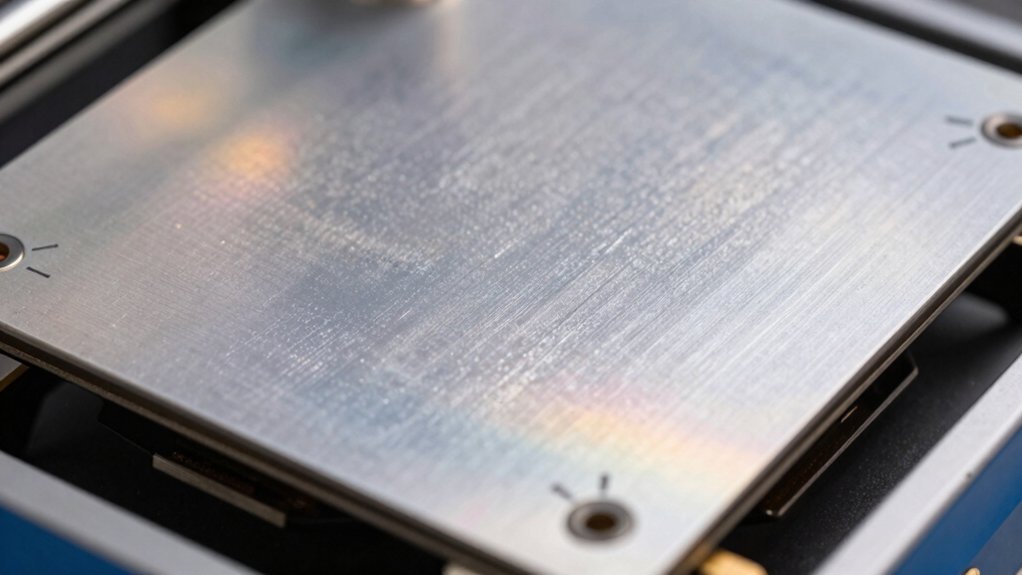
When you’re selecting a heated bed for your 3D printer, you’ll need to evaluate five key factors: power and voltage requirements that match your printer’s electrical specifications, heating surface size that fits your build platform dimensions, material quality and durability that’ll withstand repeated heating cycles, temperature control capabilities that maintain consistent heat levels, and installation ease that doesn’t require extensive modifications. Start by checking your printer’s power supply to determine the voltage and wattage you can safely support, then measure your build platform to ensure the heated bed you choose covers the entire printing area without overshooting. Finally, compare the construction materials, warranty coverage, and setup instructions across your options so you can install the bed quickly and operate it reliably from day one.
Power And Voltage Requirements
What voltage does your 3D printer’s mainboard supply? You’ll find most heated beds operate at either 12V or 24V DC. Match your bed’s voltage to your mainboard’s output to prevent under- or over-heating. Next, check the bed’s power rating, typically ranging from 120W to 350W. Higher wattage—250W or above—reduces heat-up time significantly but requires compatible wiring and power supplies that handle the increased current. For a 235×235 mm bed, choose at least 220W for reliable performance. Verify your printer’s power supply can deliver the necessary current without strain. Some aftermarket beds include integrated cables and thermistor wiring, simplifying installation. Still, confirm voltage and current compatibility before purchasing. This ensures safe operation and optimal heating performance.
Heating Surface Size Compatibility
Does your replacement heated bed match your printer’s bed dimensions? You’ll need to verify the heating surface size before purchasing. Most Ender 3 models require 235 × 235 mm beds with 3 mm thickness for proper fit. Check your printer’s specifications to confirm compatible dimensions. Larger beds like 310 × 310 mm demand printers with frames that accommodate that footprint—installing an oversized bed risks mounting conflicts and cable misalignment. Review the hole spacing around mounting hardware, typically 214 mm for standard beds. Compatibility lists specify printer families: Ender 3, Ender 3 Pro, Ender 3 V2, and K1 series each have distinct mounting requirements. Match your heated bed size precisely to your printer model to ensure the bed aligns with existing mounts and electrical connections.
Material Quality And Durability
Most quality heated beds use aluminum substrates because they conduct heat efficiently and distribute warmth evenly across the 235 × 235 mm surface without creating hot spots. You’ll want to verify the bed plate thickness—around 3 mm is standard—to maintain flatness and prevent warping during high-temperature prints. Check that the aluminum has integrated heaters and cables already installed, which reduces delamination risk significantly. Look for built-in temperature sensors that monitor performance and prevent overheating. You should also confirm the bed delivers consistent heating power, typically 220W at 24V, ensuring rapid temperature reach. Robust insulation around the heating elements prolongs bed life. These durability features protect your investment and guarantee reliable leveling performance over extended use, reducing maintenance needs and replacement costs.
Temperature Control Capabilities
Beyond the physical durability of your heated bed, you’ll need to understand how it manages temperature to achieve consistent printing results. Look for beds equipped with integrated thermistors, typically 100K units, that provide real-time temperature feedback for precise regulation. Check the maximum temperature capability—most quality beds reach 100°C to 180°C depending on wattage and insulation. Verify that your system includes built-in safety features like thermal cutoffs or thermostats to prevent overheating. Consider the voltage and power rating: 12V or 24V systems with 120W to 350W outputs determine heating speed and evenness. Aluminum or alloy substrates distribute heat uniformly, reducing hotspots that compromise print quality. Evaluate whether your controller supports the thermistor type for accurate temperature monitoring throughout your print job.
Installation And Setup Ease
How straightforward is your heated bed’s installation process? You’ll want to prioritize models that arrive with pre-wired cables and integrated temperature sensors, which eliminate extensive wiring work. Check that your chosen bed includes clear mounting hardware and installation documentation with step-by-step guidance covering orientation, securing methods, and safety checks. Verify plug-and-play compatibility with your specific printer series to avoid compatibility issues. Confirm that integrated connectors match your printer’s voltage requirement, typically 24V, preventing dangerous mismatches. Look for beds offering detailed installation notes addressing cable routing and sensor placement. This combination—pre-assembled components, comprehensive instructions, compatible connectors, and voltage alignment—transforms setup from complicated to manageable, allowing you to begin printing sooner while reducing installation errors.
Printer Model Compatibility
Once you’ve confirmed your heated bed arrives with compatible connectors and voltage specifications, you’ll need to verify that the bed itself fits your specific printer model. Check your printer’s manual to identify the exact model family—Ender 3, Ender 3 Pro, Ender 3 V2, or K1 series each have distinct mounting dimensions and electrical requirements. Confirm the bed dimensions match your build platform, typically 235×235 mm, and verify thickness around 3 mm won’t interfere with your enclosure. Cross-reference the bed’s voltage and power rating—commonly 12V or 24V at 120W–350W—against your printer’s power supply capacity. Match connectors to your wiring harness, or plan for adapters. Consulting manufacturer compatibility notes prevents installation failures and control malfunctions.
Thermal Efficiency Performance
Thermal efficiency determines how quickly your heated bed reaches target temperature and maintains consistent heat across the entire 235×235 mm surface. You’ll want to prioritize wattage—220W at 24V delivers faster heat-up than lower-power alternatives. Check the bed’s material construction; aluminum with integrated heaters reduces heat loss significantly. Examine insulation features like silicone pads, which stabilize thermal performance and require less input energy to maintain temperatures. Verify uniform heating across the entire plate to avoid hotspots that cause warping and adhesion problems. Higher operating voltage paired with adequate wattage ensures you reach equilibrium temperatures quickly. Compare specifications across models, focusing on watts-per-surface-area ratio to identify genuinely efficient options. These factors directly impact your print quality and bed leveling reliability.
Long-Term Reliability Factors
Why do some heated beds outlast others by years? You’ll find the answer in construction quality and thermal stability. Choose beds with solid aluminum substrates and integrated heaters that distribute heat uniformly across 235×235 mm areas, reducing hot spots that degrade components over time. Verify preinstalled temperature sensors are included—they maintain accurate control during extended printing sessions. Select models compatible with your specific printer (Ender 3, Pro, V2, or Neo) to minimize wear from frequent replacements. Look for robust cabling and silicone insulation options that resist warping and mechanical stress. Confirm maximum temperature ratings reach 110°C on 24V 220W systems, supporting repeated high-temperature cycles without degrading adhesive layers or insulation. These specifications directly impact how many printing hours your bed will reliably perform.
Final Thoughts
You’ll find the right heated bed by prioritizing 24V power systems, aluminum construction, and integrated cables. Match the bed size to your printer—235×235 mm for Ender 3 models or 500×500 mm for larger machines. Choose between standard beds and magnetic removable surfaces based on your leveling needs. Verify compatibility with your printer’s power supply before purchasing. Install silicone pads underneath for improved heat distribution and durability.

Meet Ry, “TechGuru,” a 36-year-old technology enthusiast with a deep passion for tech innovations. With extensive experience, he specializes in gaming hardware and software, and has expertise in gadgets, custom PCs, and audio.
Besides writing about tech and reviewing new products, he enjoys traveling, hiking, and photography. Committed to keeping up with the latest industry trends, he aims to guide readers in making informed tech decisions.