
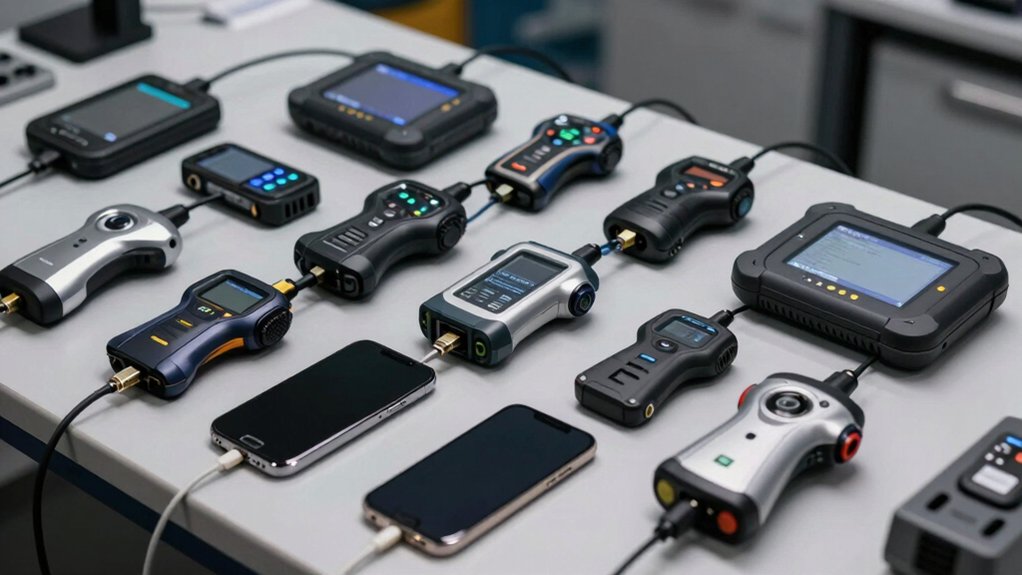

You’ll find that selecting the right iPhone OBDII scanner depends on three key factors: your vehicle’s year and make, your budget range, and which diagnostic features you actually need. Bluetooth and Wi-Fi adapters pair with apps like Torque or Car Scanner to pull real-time data and trouble codes. But here’s where it gets tricky—not all scanners handle advanced diagnostics like ABS or SRS checks equally, and some require subscriptions you’ll want to avoid.
| Veepeak OBDCheck BLE Bluetooth OBD II Scanner for iOS & Android |

| Best For BMW/Mini | Vehicle Compatibility: 1996+ US OBD-II vehicles; some regional EOBD | Core OBD-II Functions: Read/clear codes, freeze frame, I/M readiness, live sensor data | Connectivity Type: Bluetooth LE & Classic (Android); Bluetooth LE (iOS) | VIEW LATEST PRICE | Read Our Analysis |
| BlueDriver Bluetooth OBD2 Car Scanner Tool |

| Best Overall | Vehicle Compatibility: 1996+ vehicles (7000+ issues) | Core OBD-II Functions: Read/clear codes, check engine light diagnosis, ABS/SRS/airbag diagnostics | Connectivity Type: Bluetooth | VIEW LATEST PRICE | Read Our Analysis |
| OBD2 Bluetooth Scanner for iPhone Android Cars |

| Most Affordable | Vehicle Compatibility: 1996+ OBDII-compliant vehicles; excludes 24V diesel, hybrid, new energy | Core OBD-II Functions: Read/erase codes, live sensor data, SMOG readiness, freeze frame, performance tests | Connectivity Type: Bluetooth | VIEW LATEST PRICE | Read Our Analysis |
| Panlong OBD2 Bluetooth Scanner for iPhone & Android |

| Best Basic Scanner | Vehicle Compatibility: 1996 US, 2000 EU, Asian 12V gas/light diesel | Core OBD-II Functions: Read/erase codes, turn off check engine light, O2/EVAP tests, live data | Connectivity Type: Bluetooth (ELM327 compliant) | VIEW LATEST PRICE | Read Our Analysis |
| Veepeak OBDCheck BLE+ Bluetooth OBD II Scanner |

| Advanced BMW Diagnostics | Vehicle Compatibility: 1996+ OBD-II US vehicles; EVs excluded | Core OBD-II Functions: Read/clear codes, freeze frame, I/M readiness, live sensor data | Connectivity Type: Bluetooth LE & Classic (Android); Bluetooth LE (iOS) | VIEW LATEST PRICE | Read Our Analysis |
| OBD2 Bluetooth Scanner for iPhone & Android |

| Best Free App | Vehicle Compatibility: 1996+ (12V gas/diesel cars and light trucks) | Core OBD-II Functions: Read/clear codes, live data, freeze frame, I/M readiness, VIN reading, performance test | Connectivity Type: Bluetooth (ELM327 compliant) | VIEW LATEST PRICE | Read Our Analysis |
| OBDLink MX+ OBD2 Bluetooth Scanner for iPhone Android and Windows |

| Professional Grade | Vehicle Compatibility: Universal fit; enhanced OEM support for Ford, GM, Mazda, Nissan, Toyota, Honda, Hyundai, Kia | Core OBD-II Functions: Clear check engine light, ABS/SRS/TPMS codes, live parameters | Connectivity Type: Bluetooth | VIEW LATEST PRICE | Read Our Analysis |
| AUTOPHIX 3210 OBD2 Bluetooth Scanner for Cars |

| Best Global Coverage | Vehicle Compatibility: 1996+ US, 2002+ EU, 2008+ Asian (99%+ OBDII vehicles globally) | Core OBD-II Functions: Check engine light identification/clearing, I/M readiness, EVAP/O2 checks, real-time data | Connectivity Type: Bluetooth | VIEW LATEST PRICE | Read Our Analysis |
| BLCKTEC 430 Bluetooth OBD2 Scanner for iPhone & Android |

| Best US/Canada Support | Vehicle Compatibility: 1996-2023 OBD2-compliant vehicles; USA/Canada only | Core OBD-II Functions: Read/clear trouble codes, ABS/airbag/SRS/TPMS codes, repair guidance | Connectivity Type: Bluetooth (no pairing via phone settings; app-based) | VIEW LATEST PRICE | Read Our Analysis |
| Mini OBDII Car Scanner & Check Engine Reader |

| Best With Screen | Vehicle Compatibility: 1996+ OBDII vehicles | Core OBD-II Functions: Read/clear codes, battery voltage, freeze frame, MIL status, performance tests | Connectivity Type: Bluetooth | VIEW LATEST PRICE | Read Our Analysis |
| OBD2 Scanner for iOS & Android with Lifetime Updates |
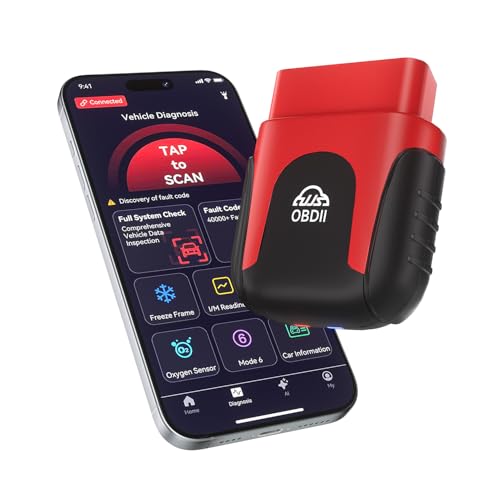
| AI-Powered Diagnostics | Vehicle Compatibility: 1996+ vehicles (all OBD2 protocol cars, trucks, SUVs) | Core OBD-II Functions: One-tap full vehicle scan and code clearance, real-time data visualization | Connectivity Type: Bluetooth 5.4 | VIEW LATEST PRICE | Read Our Analysis |
| WiFi ELM327 OBD2 Scanner Adapter for iOS Android |

| WiFi Alternative | Vehicle Compatibility: All 12V vehicles after 1996 | Core OBD-II Functions: Scan/explain/clear fault codes, freeze frame, live data, IM readiness, EVAP/O2/smog tests | Connectivity Type: WiFi (not Bluetooth) | VIEW LATEST PRICE | Read Our Analysis |
| Bluetooth OBD2 Scanner for iPhone & Android Cars |

| Compact & Reliable | Vehicle Compatibility: 1996+ OBD2 vehicles; excludes electric/hybrid | Core OBD-II Functions: Read/erase codes, live data, I/M readiness, freeze frame, vehicle info, smog checks | Connectivity Type: Bluetooth BLE 4.2 | VIEW LATEST PRICE | Read Our Analysis |
| ANCEL AD310 OBD II Scanner Car Diagnostic Tool |

| Best Emissions Focus | Vehicle Compatibility: 1996 US, 2000 EU, Asian cars; newer OBD2/CAN vehicles | Core OBD-II Functions: Read/clear codes, live data, hard memory data, freeze frame, I/M readiness | Connectivity Type: Wired (2.5-foot cable from OBDII port) | VIEW LATEST PRICE | Read Our Analysis |
| OBD2 Scanner Bluetooth for iOS and Android |
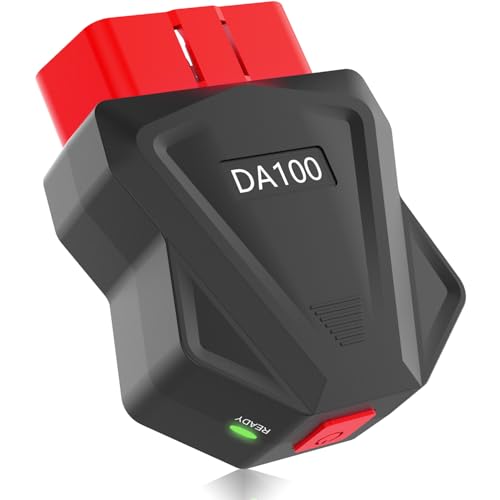
| Battery-Saving Design | Vehicle Compatibility: 1996+ (12V gas/diesel cars and light trucks) | Core OBD-II Functions: Read/clear codes, live engine data, freeze frame, I/M readiness, VIN reading, battery check | Connectivity Type: Bluetooth 5.4 + BLE Low-energy | VIEW LATEST PRICE | Read Our Analysis |
More Details on Our Top Picks
Veepeak OBDCheck BLE Bluetooth OBD II Scanner for iOS & Android
The Veepeak OBDCheck BLE works with most 1996+ US vehicles, though BMW and Mini owners will find this scanner especially compatible with specialized apps like BimmerCode and BimmerLink. To use it, plug the device into your car’s OBD-II port, then open a compatible app like Car Scanner on your iPhone. Connect directly through the app rather than pairing in your phone’s Bluetooth menu. You’ll read and clear trouble codes, view freeze frame data, and monitor live sensor information. The scanner requires a third-party app to function, and advanced diagnostics depend on which app you choose. Note that special functions like oil resets and ABS bleeding aren’t supported, and newer vehicles with WWH-OBD won’t work with this device.
- Vehicle Compatibility:1996+ US OBD-II vehicles; some regional EOBD
- Core OBD-II Functions:Read/clear codes, freeze frame, I/M readiness, live sensor data
- Connectivity Type:Bluetooth LE & Classic (Android); Bluetooth LE (iOS)
- App Ecosystem:Car Scanner (recommended); Torque, OBD Fusion, BimmerCode, BimmerLink, OBD JScan, Dr. Prius
- Warranty Period:1-year manufacturer replacement warranty
- Power Source:OBD II Port
- Additional Feature:No pairing required (Bluetooth LE)
- Additional Feature:Mini carrying case included
- Additional Feature:1-year replacement warranty
BlueDriver Bluetooth OBD2 Car Scanner Tool
BlueDriver’s Bluetooth OBD2 scanner stands as the top choice for iPhone users who need reliable vehicle diagnostics without monthly subscription costs. You’ll download the BlueDriver app on iOS or Android, then plug the scanner into your vehicle’s OBD2 port. The device reads and clears trouble codes across 7000+ issues for vehicles from 1996 onward, covering check engine lights, ABS, SRS, and airbag systems. You’ll get professional-grade diagnostics in your pocket. The scanner weighs just 2.08 ounces, making it portable. Lemur Vehicle Monitors backs the product with a 180-day money-back guarantee and one-year defect coverage with paid return shipping included.
- Vehicle Compatibility:1996+ vehicles (7000+ issues)
- Core OBD-II Functions:Read/clear codes, check engine light diagnosis, ABS/SRS/airbag diagnostics
- Connectivity Type:Bluetooth
- App Ecosystem:BlueDriver proprietary app (iOS/Android)
- Warranty Period:180-day money-back guarantee; 1-year defective product coverage
- Power Source:OBD2 port (powers from vehicle)
- Additional Feature:7000+ issues database
- Additional Feature:180-day money-back guarantee
- Additional Feature:ABS/SRS/Airbag diagnostics
OBD2 Bluetooth Scanner for iPhone Android Cars
Looking for a budget-friendly diagnostic tool that works across multiple devices? This OBD2 Bluetooth scanner connects to your iPhone, Android phone, or Windows PC via a single adapter. You’ll read engine codes, reset check engine lights, and monitor live sensor data like RPM and coolant temperature. The device supports nine OBD2 protocols and works on most 1996+ vehicles, including BMW, Ford, Honda, and Toyota. Download a compatible app—Torque for Android or Car Scanner for iOS—then plug the scanner into your vehicle’s diagnostic port. You’ll access over 3000 code definitions and performance data instantly. The two-year warranty and thirty-day return guarantee protect your investment.
- Vehicle Compatibility:1996+ OBDII-compliant vehicles; excludes 24V diesel, hybrid, new energy
- Core OBD-II Functions:Read/erase codes, live sensor data, SMOG readiness, freeze frame, performance tests
- Connectivity Type:Bluetooth
- App Ecosystem:Torque, DashCommand, OBD Fusion on Android; Mini OBDII, Car Scanner, OBD Auto Doctor on iOS
- Warranty Period:2-year manufacturer warranty
- Power Source:OBD2 port (powers from vehicle)
- Additional Feature:3000+ generic code definitions
- Additional Feature:Performance acceleration/braking tests
- Additional Feature:Supports 9 OBDII protocols
Panlong OBD2 Bluetooth Scanner for iPhone & Android
Panlong’s OBD2 Bluetooth scanner serves as your foundational diagnostic tool, transforming your iPhone or Android phone into a real-time engine monitoring device without the complexity of professional shop equipment. You’ll read and erase fault codes, turn off the Check Engine Light, and monitor live data including fuel consumption, throttle position, and coolant temperatures. The device supports nine OBDII protocols, covering vehicles from 1996 US models onward. You’ll download Panlong’s free app for automatic connection, then optionally install third-party apps like Torque or Car Scanner for expanded features. The scanner includes a one-year warranty and works with iOS, Android, and Windows systems.
- Vehicle Compatibility:1996 US, 2000 EU, Asian 12V gas/light diesel
- Core OBD-II Functions:Read/erase codes, turn off check engine light, O2/EVAP tests, live data
- Connectivity Type:Bluetooth (ELM327 compliant)
- App Ecosystem:Free dedicated app; Torque, Dashcommand, Car Scanner ELM OBD2, OBD Fusion, OBD Auto Doctor, Dr. Prius
- Warranty Period:1-year warranty
- Power Source:OBD2 port (powers from vehicle)
- Additional Feature:Automatic app connection
- Additional Feature:O2 sensor/EVAP testing
- Additional Feature:ELM327 fully compliant
Veepeak OBDCheck BLE+ Bluetooth OBD II Scanner
The Veepeak OBDCheck BLE+ offers advanced BMW diagnostics through wireless Bluetooth connectivity for iPhone and Android users. You’ll plug the device into your vehicle’s OBD-II port and open a compatible app like Car Scanner ELM OBD2 or BimmerCode. The scanner reads and clears trouble codes, displays freeze frame data, and shows live sensor information from 1996+ OBD-II vehicles. Note that BimmerCode and BimmerLink require model years 2008 and newer. You’ll access generic functions universally, but advanced diagnostics for ABS and transmission data depend on your vehicle’s make and model. The device includes a carrying case and one-year manufacturer warranty.
- Vehicle Compatibility:1996+ OBD-II US vehicles; EVs excluded
- Core OBD-II Functions:Read/clear codes, freeze frame, I/M readiness, live sensor data
- Connectivity Type:Bluetooth LE & Classic (Android); Bluetooth LE (iOS)
- App Ecosystem:Car Scanner ELM OBD2 (recommended); Torque, OBD Fusion, BimmerCode, BimmerLink, OBD JScan, Dr. Prius
- Warranty Period:1-year manufacturer warranty
- Power Source:OBD II Port
- Additional Feature:No Bluetooth pairing required
- Additional Feature:Advanced ABS/SRS diagnostics
- Additional Feature:Carrying case included
OBD2 Bluetooth Scanner for iPhone & Android
Want professional diagnostic capability without monthly subscriptions? The FlyroadUp OBD2 Scanner delivers exactly that. You’ll connect this ELM327-compliant device to your car’s OBD2 port, then pair it via Bluetooth to your iPhone or Android phone. The included Mini OBDII app reads and clears diagnostic codes, displays live engine data, and checks I/M readiness—no login required. You’ll also access battery voltage readings and VIN information. The scanner works with most 12V gas and diesel vehicles from 1996 onward, supporting nine OBDII protocols across multiple languages. Note that it won’t diagnose ABS, SRS, or VSC systems. Compatible third-party apps like Torque Pro expand functionality further.
- Vehicle Compatibility:1996+ (12V gas/diesel cars and light trucks)
- Core OBD-II Functions:Read/clear codes, live data, freeze frame, I/M readiness, VIN reading, performance test
- Connectivity Type:Bluetooth (ELM327 compliant)
- App Ecosystem:Mini OBDII App (free dedicated); Torque Pro, Dashcommand, Car Scanner, OBD Fusion, OBD Auto Doctor, Dr. Prius
- Warranty Period:1-year warranty
- Power Source:OBD2 port (powers from vehicle)
- Additional Feature:Battery voltage/VIN reading
- Additional Feature:Speed performance test analysis
- Additional Feature:Mini OBDII free app
OBDLink MX+ OBD2 Bluetooth Scanner for iPhone Android and Windows
OBDLink MX+ transforms your smartphone into a professional-grade diagnostic scanner. You’ll connect this device to your vehicle’s OBD2 port and pair it via Bluetooth to your phone or tablet running iOS, Android, or Windows. The scanner reads and clears check engine lights while providing live data from multiple vehicle systems including ABS, SRS, and TPMS. You can use compatible apps like FORScan, Torque, and BimmerCode to access detailed diagnostic information. The device includes over-voltage protection and battery drain safeguards. This universal-fit scanner works across Ford, GM, Mazda, Nissan, Toyota, Honda, Hyundai, and Kia vehicles. Its compact design fits easily in your glove compartment.
- Vehicle Compatibility:Universal fit; enhanced OEM support for Ford, GM, Mazda, Nissan, Toyota, Honda, Hyundai, Kia
- Core OBD-II Functions:Clear check engine light, ABS/SRS/TPMS codes, live parameters
- Connectivity Type:Bluetooth
- App Ecosystem:FORScan, Torque, BimmerCode, Dashcommand, AlfaOBD, Carista, and more
- Warranty Period:Warranty details on product page (not specified)
- Power Source:OBD2 port (powers from vehicle)
- Additional Feature:Over-voltage/battery drain protection
- Additional Feature:Enhanced OEM manufacturer support
- Additional Feature:Included firmware updates
AUTOPHIX 3210 OBD2 Bluetooth Scanner for Cars
Looking for one scanner that’ll work on your 1996 Ford, your neighbor’s 2015 Nissan, and that European BMW down the street? The AUTOPHIX 3210 handles 99%+ of global vehicles across all regions. Plug it in, open the free app, and you’ll see real-time engine data, freeze frames, and I/M readiness status. Check your trouble codes instantly with built-in DTC lookup linked to Google Search for fixes. Clear codes after repairs, run a 0-60 test through the dashboard, or conduct at-home emissions checks. Note: you can’t clear ABS, SRS, or transmission codes. Battery-powered with a 2.8-inch screen, it works on iOS and Android. Three-year warranty included.
- Vehicle Compatibility:1996+ US, 2002+ EU, 2008+ Asian (99%+ OBDII vehicles globally)
- Core OBD-II Functions:Check engine light identification/clearing, I/M readiness, EVAP/O2 checks, real-time data
- Connectivity Type:Bluetooth
- App Ecosystem:AUTOPHIX app (free, no subscriptions)
- Warranty Period:3-year warranty with 100% refund guarantee
- Power Source:OBD2 port (powers from vehicle); 2.8-inch built-in battery-powered screen
- Additional Feature:Built-in DTC Google lookup
- Additional Feature:3-year warranty/refund guarantee
- Additional Feature:2.8-inch built-in screen
BLCKTEC 430 Bluetooth OBD2 Scanner for iPhone & Android
The BLCKTEC 430 delivers wireless diagnostics across iOS and Android devices, with dedicated support exclusively for USA and Canadian users. Plug the device into your vehicle’s OBD2 port, and it powers on automatically with a green indicator light. Use the RepairSolutions2 app to pair—don’t pair through your phone’s Bluetooth settings. The scanner reads and clears trouble codes, monitors your check engine light, and provides advanced diagnostics for ABS, airbag, and TPMS systems depending on your vehicle. You’ll access repair reports with potential causes and solutions tailored to your car’s make and model. The one-time purchase includes unlimited feature access with no subscription fees required.
- Vehicle Compatibility:1996-2023 OBD2-compliant vehicles; USA/Canada only
- Core OBD-II Functions:Read/clear trouble codes, ABS/airbag/SRS/TPMS codes, repair guidance
- Connectivity Type:Bluetooth (no pairing via phone settings; app-based)
- App Ecosystem:RepairSolutions2 app (one-time purchase, no subscription)
- Warranty Period:1-year limited manufacturer warranty
- Power Source:OBD2 port (powers from vehicle); no external power needed
- Additional Feature:USA/Canada regional support only
- Additional Feature:Free repair video library
- Additional Feature:Auto power-on (green light)
Mini OBDII Car Scanner & Check Engine Reader
Want quick access to your vehicle’s diagnostic data without paying a mechanic for the first hour of labor? The Mini OBDII Car Scanner connects wirelessly to any 1996+ OBDII vehicle. Plug the device into your car’s OBD port, open the app on iOS or Android, and it auto-connects—no pairing needed. You’ll read and clear engine fault codes, monitor battery voltage, access live data streams, and review freeze frame information. The intuitive interface displays diagnostic results clearly so you understand what’s happening with your vehicle. The 3-year warranty covers manufacturing defects, and Amazon’s 30-day return policy protects your purchase.
- Vehicle Compatibility:1996+ OBDII vehicles
- Core OBD-II Functions:Read/clear codes, battery voltage, freeze frame, MIL status, performance tests
- Connectivity Type:Bluetooth
- App Ecosystem:Mini OBDII app (dedicated)
- Warranty Period:3-year warranty
- Power Source:OBD port (powers from vehicle)
- Additional Feature:3-year manufacturer warranty
- Additional Feature:8-language multilingual support
- Additional Feature:Auto-connect, no pairing
OBD2 Scanner for iOS & Android with Lifetime Updates
Mechanics and car owners who need fast, actionable diagnostics without specialized knowledge should consider AI-powered diagnostics that generate comprehensive health reports in minutes. This wireless scanner plugs into your OBD2 port and connects via Bluetooth 5.4 to read engine codes across all 1996+ vehicles. You’ll access 35,901+ fault codes through lifetime app updates on iOS and Android. The device runs one-tap full vehicle scans, displays real-time data through graphs, and clears check engine lights after repairs. At 0.98 ounces, it stays permanently in your car with no cables or batteries required.
- Vehicle Compatibility:1996+ vehicles (all OBD2 protocol cars, trucks, SUVs)
- Core OBD-II Functions:One-tap full vehicle scan and code clearance, real-time data visualization
- Connectivity Type:Bluetooth 5.4
- App Ecosystem:iOS and Android app with 35,901+ fault codes; lifetime updates
- Warranty Period:Lifetime warranty
- Power Source:OBD2 port (wireless operation via Bluetooth 5.4)
- Additional Feature:35,901+ fault code library
- Additional Feature:AI-powered health reports
- Additional Feature:Real-time data visualization graphs
WiFi ELM327 OBD2 Scanner Adapter for iOS Android
You’ll find this WiFi-based alternative to Bluetooth scanners works with your iPhone, Android phone, or tablet to read and clear fault codes without professional diagnostic equipment. Download Car Scanner for iPhone or Torque for Android, then connect to the adapter via WiFi. You can scan fault codes, explain their meanings, and clear check engine lights directly from your device. The tool reads live sensor data, freeze frames, and vehicle information to help you assess performance beyond your dashboard display. It supports all 12V vehicles manufactured after 1996, making it versatile for most car owners performing DIY maintenance and diagnostics.
- Vehicle Compatibility:All 12V vehicles after 1996
- Core OBD-II Functions:Scan/explain/clear fault codes, freeze frame, live data, IM readiness, EVAP/O2/smog tests
- Connectivity Type:WiFi (not Bluetooth)
- App Ecosystem:Torque (Android recommended), Car Scanner (iPhone recommended)
- Warranty Period:Warranty details available on product page (not specified)
- Power Source:OBD2 port (powers from vehicle)
- Additional Feature:WiFi connectivity (not Bluetooth)
- Additional Feature:On-road fault monitoring
- Additional Feature:Smog/EVAP/O2 testing
Bluetooth OBD2 Scanner for iPhone & Android Cars
The FASLINK X1 mini offers a compact and reliable diagnostic tool for DIYers and technicians who need quick access to vehicle trouble codes without bulky equipment. Power on the scanner, open the FASLINK X app on your iPhone or Android device, and it’ll auto-connect via Bluetooth BLE 4.2 within 100 feet. You’ll read and erase diagnostic trouble codes, view live data like RPM and O₂ sensor readings, and check I/M readiness status. The device works with all OBD2 vehicles from 1996 onward through the 16-pin connector under your dashboard. Note that it doesn’t support electric or hybrid vehicles, and third-party apps like Torque may require additional charges for expanded features.
- Vehicle Compatibility:1996+ OBD2 vehicles; excludes electric/hybrid
- Core OBD-II Functions:Read/erase codes, live data, I/M readiness, freeze frame, vehicle info, smog checks
- Connectivity Type:Bluetooth BLE 4.2
- App Ecosystem:FASLINK X app (auto-connect); Car Scanner, Torque, and other third-party apps
- Warranty Period:1-year manufacturer warranty
- Power Source:16-pin OBD2 connector (corded electric)
- Additional Feature:BLE 4.2 (100 ft range)
- Additional Feature:Mode 6/saved reports access
- Additional Feature:3-inch screen display
ANCEL AD310 OBD II Scanner Car Diagnostic Tool
Looking for a scanner that zeros in on emissions diagnostics? The ANCEL AD310 reads and clears emission-related trouble codes for 1996 or newer OBD2 vehicles. You’ll connect the 2.5-foot cable directly to your vehicle’s diagnostic port—no battery required. The scanner supports all five OBDII protocols: KWP2000, J1850 VPW, ISO9141, J1850 PWM, and CAN. You can access live data, freeze frame information, and I/M monitor readiness. Its compact design (8.9 x 6.9 x 1.4 inches) and lightweight construction make it portable for travel. Note that this tool diagnoses emission system faults only, not other engine issues. Confirm vehicle compatibility with customer service before purchasing.
- Vehicle Compatibility:1996 US, 2000 EU, Asian cars; newer OBD2/CAN vehicles
- Core OBD-II Functions:Read/clear codes, live data, hard memory data, freeze frame, I/M readiness
- Connectivity Type:Wired (2.5-foot cable from OBDII port)
- App Ecosystem:Standalone handheld device with built-in display (no app required)
- Warranty Period:No warranty mentioned (handheld device)
- Power Source:OBDII Data Link Connector (battery-free; powers from vehicle)
- Additional Feature:2.5-foot thick insulation cable
- Additional Feature:Battery-free OBD port power
- Additional Feature:Emission-diagnostic scope focus
OBD2 Scanner Bluetooth for iOS and Android
Want diagnostic tools that won’t drain your vehicle’s battery? The FlyroadUp OBD2 Scanner Bluetooth includes a power ON/OFF button that prevents battery drain when plugged into your OBDII port. Download the free OBD HOME app on your iPhone or Android device, then connect via Bluetooth 5.4 for fast pairing—no manual setup required. You’ll read and clear check engine codes, view live engine data like RPM and fuel economy, check battery voltage, and access freeze frame data. This scanner works on 1996 and newer 12V gas and diesel vehicles using nine OBDII protocols. The 24-month warranty includes free troubleshooting support.
- Vehicle Compatibility:1996+ (12V gas/diesel cars and light trucks)
- Core OBD-II Functions:Read/clear codes, live engine data, freeze frame, I/M readiness, VIN reading, battery check
- Connectivity Type:Bluetooth 5.4 + BLE Low-energy
- App Ecosystem:OBD HOME free dedicated app; supports multiple languages
- Warranty Period:24-month warranty with free troubleshooting support
- Power Source:OBDII port with power ON/OFF button
- Additional Feature:Power ON/OFF button included
- Additional Feature:Battery drain prevention feature
- Additional Feature:24-month manufacturer warranty
Factors to Consider When Choosing an iPhone OBDII Scanner Tool
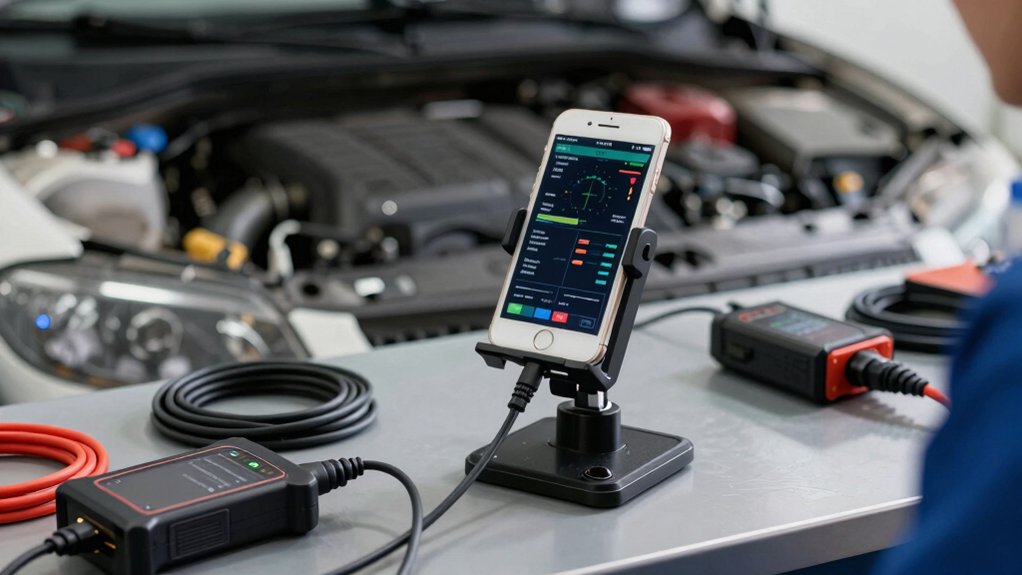
When selecting an iPhone OBDII scanner tool, you’ll need to evaluate five critical factors: vehicle compatibility range (which determines if the scanner works with your car’s make, model, and year), app ecosystem and support (the quality of the accompanying software and manufacturer assistance), diagnostic capability scope (what specific codes and systems the tool can read and interpret), Bluetooth connectivity standards (the reliability and range of the wireless connection between scanner and phone), and warranty and return policy (your protection if the device fails or doesn’t meet your needs). You should check each scanner’s specifications against your vehicle’s requirements and review the manufacturer’s support options before purchasing. Compare the warranty length and return window across different brands to ensure you’re protected if the scanner doesn’t perform as expected.
Vehicle Compatibility Range
Which vehicles’ll your iPhone scanner actually work with? Most scanners support 1996 and newer OBD-II compliant vehicles, though regional variations exist. US and Canadian models typically cover 1996+, while European vehicles require 2000+, and Asian vehicles need 2008+. Check whether your scanner handles 12V gasoline and diesel light-duty vehicles, as some exclude 24V diesel, hybrid, or new energy models. Verify region-specific limitations, since certain scanners work only in USA/Canada. Before purchasing, confirm your vehicle’s make, model, and year match the scanner’s supported list. Use VIN reading features when available to verify compatibility for used cars. Review the app ecosystem to ensure it covers your vehicle’s specific systems like ABS and SRS data.
App Ecosystem and Support
Once you’ve confirmed your vehicle’s compatibility, you’ll need to examine the app ecosystem that powers your scanner. Many iPhone OBDII scanners require third-party apps like Car Scanner, OBD Fusion, or DashCommand to function. Before purchasing, verify which apps your scanner supports and whether they’re available for your specific vehicle make and model. Check if advanced diagnostics require separate in-app purchases or subscriptions. Some scanners offer dedicated iOS apps with live sensor graphs and customizable data displays. Others emphasize app-free connections for simpler operation. Since Bluetooth LE compatibility means you connect through the app rather than your phone’s settings, ensure the app interface suits your needs. App availability changes over time, so confirm current support for your vehicle before committing to any scanner.
Diagnostic Capability Scope
What diagnostic functions does your scanner actually deliver? You’ll want to verify whether it reads and clears generic codes, displays live sensor data, and checks I/M readiness. Advanced models offer manufacturer-specific codes and freeze frame data across multiple OBDII protocols. However, capabilities vary substantially based on your vehicle’s year and make. Pre-2008 models and certain CAN variants may limit available functions. Some apps support ABS, SRS, and transmission diagnostics, while others don’t. Before purchasing, confirm your scanner’s compatibility with your specific vehicle and confirm which systems it accesses. Check whether EV or HEV data functions are included, as these aren’t universally available. Match the scanner’s capabilities to your diagnostic needs rather than assuming all features apply to your car.
Bluetooth Connectivity Standards
After confirming your scanner’s diagnostic capabilities match your vehicle’s needs, you’ll need to evaluate how the device actually connects to your iPhone. Most iPhone OBDII scanners use Bluetooth Low Energy (BLE) technology, which doesn’t require traditional pairing through your phone’s Bluetooth settings. Instead, you’ll download the scanner’s dedicated app and establish the connection directly through that application. BLE offers power efficiency, meaning your adapter consumes less battery during operation. Before purchasing, verify the scanner supports BLE compatibility with iOS. Check whether the device requires app-based connection exclusively or if it also supports system-level pairing. Confirm the typical operating range meets your needs—most scanners function reliably within standard car interiors. Understanding these connectivity requirements ensures seamless operation and prevents frustration during diagnostics.
Warranty and Return Policy
How much protection do you really need after your purchase? Start by checking the manufacturer’s warranty length, which typically runs one year but may extend to two years or include 180-day money-back guarantees. Next, review the retailer’s return policy—Amazon offers a standard 30-day window, though conditions vary by seller. Understand what each covers: warranties replace or repair defective units, while excluding wear-and-tear and user damage. Before buying, verify whether the scanner includes “lifetime updates” or requires subscriptions, as this affects long-term support costs. Finally, compare both the manufacturer warranty duration and retailer return policy side-by-side to determine your eligibility for returns, exchanges, or repairs. This step prevents surprises later.
Advanced Feature Availability
Advanced diagnostics aren’t universal across iPhone OBDII scanners—you’ll find that feature support depends on both your scanner hardware and the third-party app you pair it with. Check whether your scanner accesses ABS, SRS, TPMS, and transmission data for your vehicle’s make and model through apps like Car Scanner or OBD Fusion. Understand that advanced functions—injector coding, ABS bleeding, EPB resets, and oil life resets—aren’t supported by most generic Bluetooth scanners. Verify live sensor data, freeze frame capability, and I/M readiness availability before purchasing, as these vary by vehicle and app. Confirm additional features like battery voltage reading, VIN retrieval, and performance tests through compatible apps or firmware updates to ensure you’re getting the diagnostics you need.
Ease of Setup Process
Once you’ve confirmed your scanner supports the advanced diagnostics you need, the setup process becomes your next practical consideration. Many iPhone OBDII scanners use Bluetooth LE technology that requires no pairing through iOS settings—you simply plug the device into your vehicle’s OBD port, open the compatible app, and connect directly within it. Other models demand you install a dedicated companion app like Car Scanner or OBD Fusion before establishing connection. Some scanners offer one-tap or automatic setup to streamline this initial step. Review your scanner’s app instructions beforehand, as iOS compatibility and feature availability vary by product. Certain devices may require firmware or driver updates during setup. Wireless operation eliminates USB adapter needs, enabling hands-free diagnostics once configured properly.
Price to Value Ratio
What’s the real cost difference between a $30 scanner and a $150 model, and does your vehicle actually need those premium features? Start by identifying which diagnostic capabilities your specific vehicle requires. Check whether you need basic code reading or advanced features like ABS, SRS, and VIN scanning. Next, evaluate the app ecosystem—determine if critical updates and iOS compatibility remain free or require paid subscriptions. Then assess warranty coverage; longer warranties reduce long-term costs if device failures occur. Finally, verify manufacturer-specific support and EV/Hybrid capabilities if applicable to your vehicle type. Match scanner price to genuine diagnostic needs rather than selecting premium options automatically. This approach ensures you pay only for features you’ll actually use.
Final Thoughts
You’ll want to pick an OBDII scanner that matches your vehicle’s year and your diagnostic needs. Compare Bluetooth adapters like Veepeak, BlueDriver, and Panlong across app compatibility, warranty coverage, and update support. Check that your chosen scanner reads DTCs, handles live data streaming, and works with your iPhone’s iOS version. Verify subscription costs upfront, then purchase from reputable retailers offering return policies.

Meet Ry, “TechGuru,” a 36-year-old technology enthusiast with a deep passion for tech innovations. With extensive experience, he specializes in gaming hardware and software, and has expertise in gadgets, custom PCs, and audio.
Besides writing about tech and reviewing new products, he enjoys traveling, hiking, and photography. Committed to keeping up with the latest industry trends, he aims to guide readers in making informed tech decisions.