
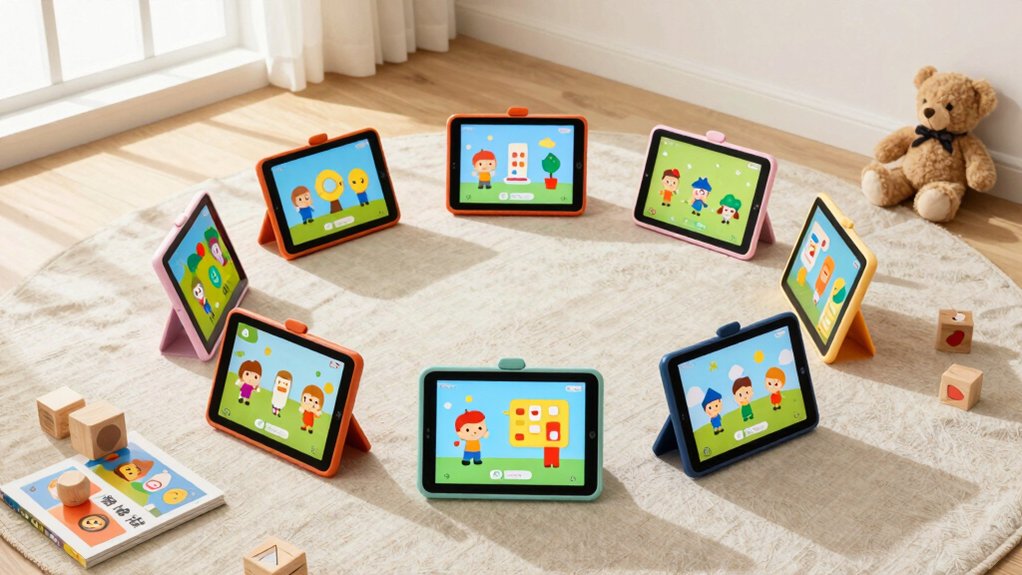

You’re looking for a tablet that keeps your child safe while they learn. Strong parental controls, durable construction, and age-appropriate content matter most. The right device balances screen time limits with educational value and works offline when you need it to. But choosing between budget options and premium models depends on your specific needs—and that’s where understanding each tablet’s features becomes essential.
| Amazon Fire 7 Kids Tablet (16GB Blue) |

| Best Overall | Display Size: 7 inches | Screen Resolution: 1024×600 IPS | Storage & RAM: 16GB or 32GB ROM; 2GB RAM | VIEW LATEST PRICE | Read Our Analysis |
| Vyrolina Kids Tablet 7 Inch with Parental Control |
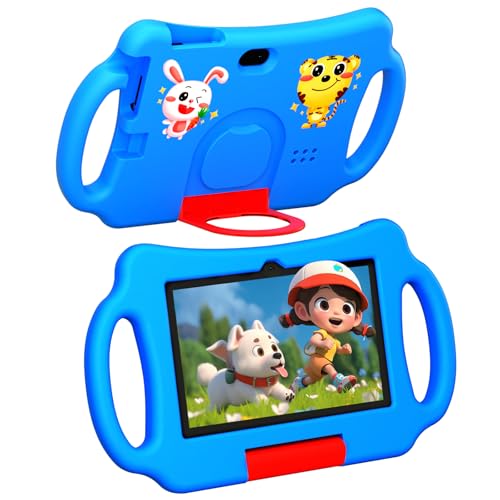
| Budget-Friendly Pick | Display Size: 7 inches | Screen Resolution: 1024×600 LCD | Storage & RAM: 32GB ROM; 4GB RAM (2+2 expansion) | VIEW LATEST PRICE | Read Our Analysis |
| Kids Tablet 7 inch 32GB with Shockproof Case |

| Best Value | Display Size: 7 inches | Screen Resolution: 1024×600 IPS | Storage & RAM: 32GB ROM; 4GB RAM (2+2 expansion) | VIEW LATEST PRICE | Read Our Analysis |
| Kids Tablets 7 inch Android with Parental Controls (Roser) |

| Best Parental Controls | Display Size: 7 inches | Screen Resolution: 1024×600 with wide viewing angles | Storage & RAM: Specifications not detailed | VIEW LATEST PRICE | Read Our Analysis |
| 2025 Android 15 Kids Tablet 10 Inch HD Display |

| Best For Older Kids | Display Size: 10.1 inches | Screen Resolution: 1280×800 IPS | Storage & RAM: 64GB ROM; 8GB RAM (4+4 expansion) | VIEW LATEST PRICE | Read Our Analysis |
| Amazon Fire HD 10 Kids Pro Tablet (32GB) |

| Premium Choice | Display Size: 10.1 inches | Screen Resolution: 1920×1200 | Storage & RAM: 32GB ROM; 3GB RAM | VIEW LATEST PRICE | Read Our Analysis |
| Kids Tablet 7 inch Android with Parental Control |

| Best For Learning | Display Size: 7 inches | Screen Resolution: 1024×600 IPS | Storage & RAM: 32GB ROM; 2GB RAM | VIEW LATEST PRICE | Read Our Analysis |
More Details on Our Top Picks
Amazon Fire 7 Kids Tablet (16GB Blue)
If you’re looking for a durable, affordable tablet that gives kids ages 3-7 access to thousands of ad-free educational and entertainment content without breaking your budget, the Amazon Fire 7 Kids Tablet is a solid choice. The 7-inch touchscreen displays content clearly at 1024×600 resolution. You’ll receive a kid-proof case, USB-C charger, and six months of Amazon Kids+ subscription included in the bundle. The tablet features a quad-core processor and 2GB RAM for smooth performance. You can expand storage up to 1TB using a microSD card. Battery life reaches ten hours on mixed use. Use the Parent Dashboard to set time limits, filter content by age, and grant access to apps like Netflix or Disney+. The two-year worry-free guarantee provides protection against accidental damage.
- Display Size:7 inches
- Screen Resolution:1024×600 IPS
- Storage & RAM:16GB or 32GB ROM; 2GB RAM
- Parental Controls:Parent Dashboard with age filtering, educational goals, time limits, content access management
- Protective Case Included:Kid-proof case included
- Battery Life:Up to 10 hours mixed use
- Additional Feature:6-month Amazon Kids+ included
- Additional Feature:2-year worry-free guarantee
- Additional Feature:Expandable up to 1TB microSD
Vyrolina Kids Tablet 7 Inch with Parental Control
Looking for a compact tablet that grows with your child’s learning needs? The Vyrolina Kids Tablet 7 Inch delivers educational content with built-in safety features. You’ll appreciate the 4GB RAM and 32GB storage, sufficient for learning apps, cartoons, and puzzles. The 7-inch LCD display suits small hands with its lightweight design and shockproof protective case. You can expand storage up to 1TB via TF card when your child accumulates more content. The tablet runs Android 12 and includes parental controls: screen time limits, website filtering, and one-click kid-friendly content access. Dual cameras support video chatting for online learning. Wi-Fi connectivity enables educational platforms. The default kids mode password is 0000. This tablet fits ages three through seven and handles both home and outdoor use.
- Display Size:7 inches
- Screen Resolution:1024×600 LCD
- Storage & RAM:32GB ROM; 4GB RAM (2+2 expansion)
- Parental Controls:Screen time limits, website filtering, one-click kid-friendly content
- Protective Case Included:Shockproof lightweight protective case included
- Battery Life:Not specified
- Additional Feature:4GB RAM with expansion option
- Additional Feature:Default password 0000 kids mode
- Additional Feature:FHD 1080p video recording
Kids Tablet 7 inch 32GB with Shockproof Case
The ICONLINK Kids Tablet 7 inch works best for parents who need a durable device that can withstand drops and rough handling from children ages 3–9. The shockproof protective case provides essential protection against accidental damage. You’ll get 32GB storage with microSD expansion up to 512GB for apps and content. The 4GB RAM ensures smooth multitasking and fast app launching. Set up parental controls to limit screen time, create separate kid profiles, and block inappropriate apps or websites. The 1024×600 IPS display offers automatic brightness adjustment to reduce eye strain. Use the adjustable stand for hands-free viewing during learning activities.
- Display Size:7 inches
- Screen Resolution:1024×600 IPS
- Storage & RAM:32GB ROM; 4GB RAM (2+2 expansion)
- Parental Controls:Screen time limits, password protection, separate kid profiles, app blocking, web page filtering
- Protective Case Included:Shockproof case with adjustable stand included
- Battery Life:3000 mAh Li-ion (approximately 6-8 hours typical use)
- Additional Feature:Netflix and YouTube pre-installed
- Additional Feature:GMS certified Google Play access
- Additional Feature:Widevine L1 streaming support
Kids Tablets 7 inch Android with Parental Controls (Roser)
Parents seeking a balanced tablet that grows with their child should consider the Roser 7-inch Android tablet, which combines a standard Android system with a dedicated kid-safe mode featuring comprehensive parental controls. You’ll set screen time limits, establish educational goals, and filter content to match your child’s age. The 1024 x 600 display includes eye-protection features and viewing distance reminders for comfortable use. A silicone protective case with a handle and adjustable stand shields against drops and dust while enabling hands-free viewing. UJoyFeel, the manufacturer since 2011, provides professional support to address your concerns. As your child develops, you can expand approved apps and adjust playtime accordingly, ensuring the tablet remains relevant and safe throughout their growth.
- Display Size:7 inches
- Screen Resolution:1024×600 with wide viewing angles
- Storage & RAM:Specifications not detailed
- Parental Controls:Screen time limits, educational goals, content filters, age-appropriate web access, app management
- Protective Case Included:Silicone protective case with handle and adjustable stand included
- Battery Life:Not specified
- Additional Feature:Dual system normal/kid-safe modes
- Additional Feature:Portable handle on case
- Additional Feature:UJoyFeel brand since 2011
2025 Android 15 Kids Tablet 10 Inch HD Display
If you’re searching for a tablet that balances learning features with hardware durability for younger children, the 2025 Android 15 Kids Tablet delivers both in a 10-inch format. The 10.1-inch HD display provides adequate screen real estate for reading and educational apps. Android 15 with Google Kids Space offers built-in parental controls to filter content, set daily learning goals, and manage screen time. The 8GB RAM and 64GB expandable storage handle multiple apps without lag. At 1.15 kg with an included protective case and adjustable stand, the tablet remains portable and durable. The 5000 mAh battery provides approximately six hours of typical use, sufficient for extended learning sessions. Wi-Fi 6 connectivity ensures reliable streaming and app downloads.
- Display Size:10.1 inches
- Screen Resolution:1280×800 IPS
- Storage & RAM:64GB ROM; 8GB RAM (4+4 expansion)
- Parental Controls:Content filtering, daily learning goals, screen time management via Google Kids Space
- Protective Case Included:Durable case included
- Battery Life:5000 mAh (approximately 6 hours typical use)
- Additional Feature:Android 15 with Google Kids Space
- Additional Feature:Wi-Fi 6 connectivity support
- Additional Feature:Up to 6 hours battery life
Amazon Fire HD 10 Kids Pro Tablet (32GB)
Want the largest screen and longest battery life among kids’ tablets for your older elementary-aged child? The Amazon Fire HD 10 Kids Pro delivers a 10.1-inch HD display with 1920×1200 resolution and runs up to 13 hours on a single charge. You’ll get 32GB storage (24GB usable), expandable via microSD up to 1TB. The tablet includes a kid-proof case, 1-year Amazon Kids+ subscription with parental controls, and a 2-year worry-free guarantee. Set screen time limits and monitor content remotely through the Parent Dashboard. Note: This model suits ages 6+, not younger children, due to choking hazard warnings.
- Display Size:10.1 inches
- Screen Resolution:1920×1200
- Storage & RAM:32GB ROM; 3GB RAM
- Parental Controls:Parent Dashboard with remote screen time limits, content monitoring, award-winning controls
- Protective Case Included:Kid-proof case with stand and handle included
- Battery Life:Up to 13 hours reading, browsing, video, music
- Additional Feature:1 year Amazon Kids+ included
- Additional Feature:Best Parental Controls award winner
- Additional Feature:Up to 13 hours battery life
Kids Tablet 7 inch Android with Parental Control
Looking for a device that balances entertainment with genuine safety controls? This 7-inch Android tablet offers quad-core processing, 2GB RAM, and 32GB expandable storage for kids’ apps and content. The 1024×600 IPS screen includes eye protection with automatic brightness adjustment. You’ll access the preinstalled Yubabe software featuring math, music, and memory activities. Set game-time limits, manage app downloads, and control content through password-protected parental controls. The 3500mAh battery supports 6-10 hours of use, making it practical for travel. Exit kid mode using the default password to use it as a standard Android tablet. The protective silicone case with adjustable stand provides durability and hands-free viewing for video calls.
- Display Size:7 inches
- Screen Resolution:1024×600 IPS
- Storage & RAM:32GB ROM; 2GB RAM
- Parental Controls:App and content management, child locks, game-time limits, password-protected mode
- Protective Case Included:Silicone case with adjustable stand and protective bumper included
- Battery Life:3500 mAh (6-10 hours)
- Additional Feature:Yubabe kids software pre-installed
- Additional Feature:GMS certified access
- Additional Feature:6-10 hour battery usage
Factors to Consider When Choosing Kids Tablets Ages 3-7
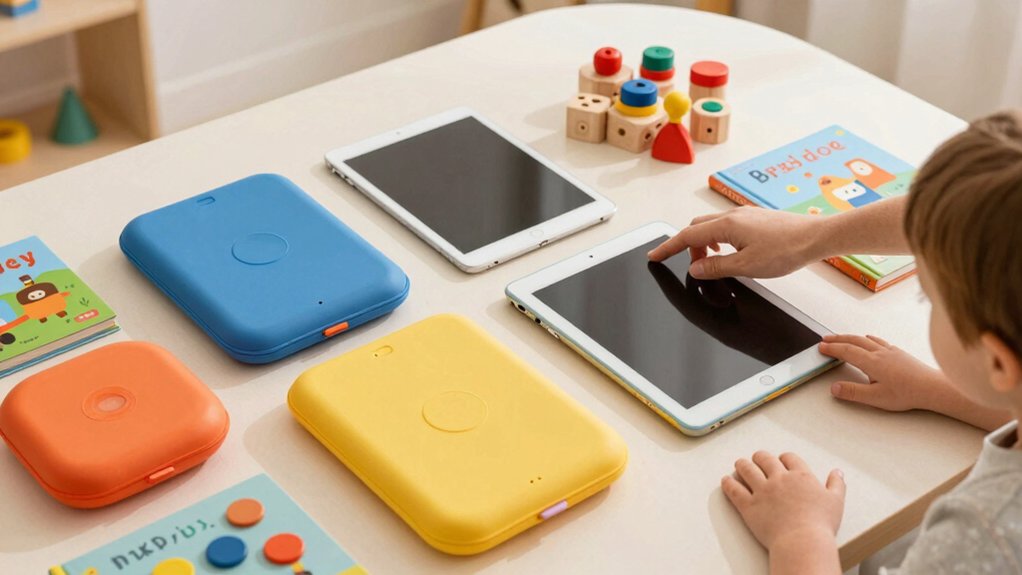
When selecting a kids tablet for ages 3-7, you’ll want to evaluate five key factors: display size and resolution to ensure comfortable viewing and learning, parental control features to manage content and screen time effectively, battery life and charging speed to support extended use without frequent interruptions, storage capacity and expandability options to accommodate apps and educational content, and durability plus protective features to withstand drops and daily wear. Each of these elements directly impacts how well the tablet serves your child’s needs and your peace of mind as a parent. Review your priorities in order—starting with safety controls, then display quality, then practical features like battery and storage—to narrow down your options systematically.
Display Size and Resolution
How do you know what display specs actually matter for your child’s tablet? Focus on two key metrics: screen size and resolution.
For ages 3–7, a 7-inch display strikes the right balance. It’s portable enough for travel yet large enough for comfortable viewing. The screen won’t strain your child’s eyes during educational apps or cartoons.
Resolution around 1024×600 pixels delivers adequate sharpness for standard content. This resolution produces approximately 170–180 ppi, which renders text and images clearly without unnecessary processing demands.
Look for IPS panel technology. IPS panels maintain color consistency when your child views the screen from different angles—important since kids rarely hold tablets straight-on. Combined with a 16:9 or 16:10 aspect ratio, these specs align with most app layouts designed for younger users.
Parental Control Features
Since you’ll want to monitor and manage your child’s tablet use, prioritize parental controls that give you real authority over screen time and content access. Look for a dedicated dashboard where you can set daily screen time limits, filter content by age group, and approve or deny specific apps and websites. Verify the tablet offers kid-mode or separate user profiles that require a password to exit, keeping your child within curated content boundaries. Check whether the controls support both broad categories like education versus entertainment and per-app restrictions to customize learning experiences. Review how subscriptions and content bundles are managed and canceled. Confirm the tablet tracks educational progress and lets you set learning goals aligned with your child’s development.
Battery Life and Charging
Once you’ve locked down parental controls, battery life becomes your next practical concern—a tablet that dies mid-afternoon won’t serve your child’s learning or entertainment needs. Check the manufacturer’s reported battery estimates for mixed use, typically ranging from 6 to 13 hours. Review the charging specifications, including adapter wattage (usually 4–9W standard, or 15W for fast-charging options) and whether proprietary chargers are required. Calculate real-world endurance by considering screen size, battery capacity in mAh or Wh, and your child’s usage patterns for video, games, and apps. Remember that higher-performance tablets with more RAM and storage drain power faster than basic models. Compare these factors across your shortlisted devices to identify which tablet sustains daily play sessions between charges.
Storage and Expandability
What storage capacity does your child actually need? Start by calculating how many apps and games you’ll install. Most kids’ tablets come with 16 GB or 32 GB of internal storage, but preinstalled content and system files reduce available space significantly. A 32 GB model provides better breathing room than 16 GB for app updates and new downloads.
Next, check whether the tablet supports microSD expansion. This feature lets you add up to 512 GB of additional storage without replacing the device. If your child uses offline educational content, videos, or large games, expandable storage becomes essential.
Finally, balance storage with the tablet’s processor and RAM. Devices with stronger performance handle larger apps more smoothly, so don’t prioritize storage alone when choosing your tablet.
Durability and Protection
You’ll want to protect your tablet investment once your child starts using it daily, so durability becomes your next consideration. Select a kid-proof or shockproof case designed to withstand drops and bumps, with built-in stands or handles that improve grip security. Choose tablets with sturdy silicone or polycarbonate shells that resist cracking and absorb impact from regular handling. Look for reinforced ports and covered openings that block dust and moisture during rough use. Prioritize models featuring adjustable stands and ergonomic grips that reduce accidental drops during play or video calls. Additionally, verify the device includes parental controls that restrict access to risky apps and features, preventing damage from misuse. These protective measures ensure your tablet survives active childhood use.
Educational Content Quality
How can you guarantee your child’s tablet actually supports learning rather than just entertainment? Check the pre-installed apps to verify they cover reading, math, and science. Review whether the platform offers a parental dashboard that filters content by age and lets you set educational goals aligned to early learning standards. Examine the app library for certified, regularly updated content with structured learning paths and progress tracking. Confirm the device supports adjustable difficulty levels so your child advances appropriately. Verify offline access is available to prevent interruptions during learning sessions. Look for multi-language options that match your child’s needs. Finally, ensure you can easily access additional kid-friendly educational apps beyond the default selection.
Processor Performance and RAM
When selecting a kids tablet, processor speed and RAM capacity directly determine how smoothly your child’s educational apps run and how quickly the device responds to taps and swipes. Choose a quad-core or octa-core processor to handle multitasking and game loading efficiently. Look for clock speeds of 2.05 GHz or higher to support responsive animations and interactive learning activities. Prioritize 4 GB RAM over 2 GB configurations, as this reduces slowdowns when switching between educational apps, videos, and games. The pairing of a faster processor with adequate RAM improves app start times and enables your child to run newer kid-friendly apps smoothly. Check device specifications before purchasing to ensure both components meet these performance standards for sustained educational use.
Final Thoughts
You’ve reviewed seven tablet options designed for kids ages 3–7. Select one based on your specific needs: choose Amazon Fire models for established ecosystems, pick Vyrolina or Roser tablets for budget-friendly options, or select the 10-inch Android tablet for larger screens. Verify parental controls match your requirements, confirm battery life meets daily use, and check that included cases provide adequate protection. Purchase directly from manufacturers to guarantee warranty coverage and return policies.

Meet Ry, “TechGuru,” a 36-year-old technology enthusiast with a deep passion for tech innovations. With extensive experience, he specializes in gaming hardware and software, and has expertise in gadgets, custom PCs, and audio.
Besides writing about tech and reviewing new products, he enjoys traveling, hiking, and photography. Committed to keeping up with the latest industry trends, he aims to guide readers in making informed tech decisions.