
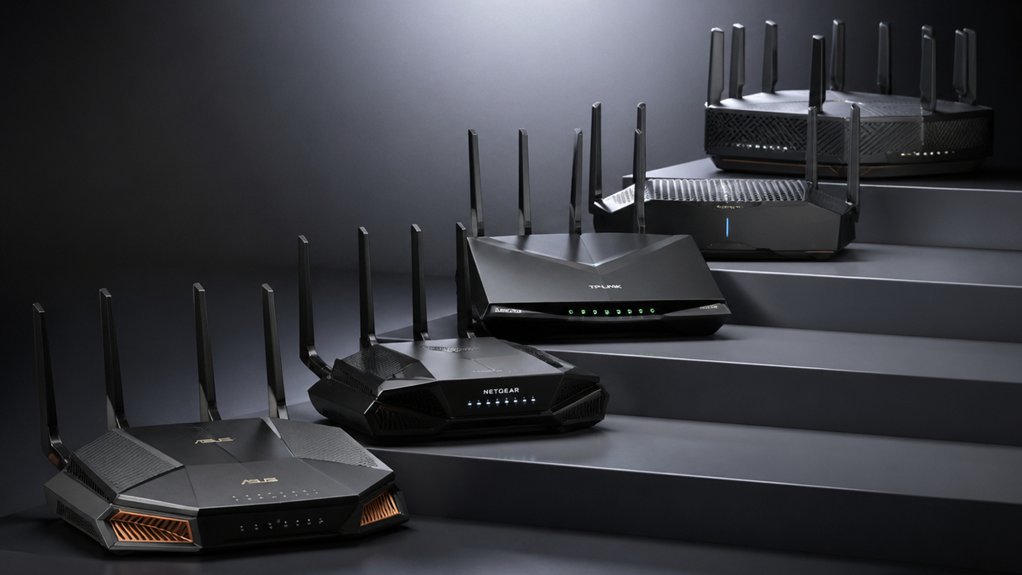

When your network traffic grows faster than your current router can handle, you’ll need a device that distributes connections across multiple connections instead of relying on a single link. Load balancing routers accomplish this by splitting data across several WAN ports, which boosts your bandwidth and keeps your connection stable. You’ve got options ranging from budget-friendly models to enterprise-grade equipment with 10G ports—each suited to different business sizes and needs.
| TP-Link ER605 V2 Gigabit VPN Router |

| Best Entry-Level | VPN Support: Up to 20 LAN-to-LAN IPsec, 16 OpenVPN, 16 L2TP, 16 PPTP | WAN Ports: Up to 3 WAN Ethernet ports plus 1 USB WAN port | Firewall & Security: Advanced firewall policies, DoS defense, IP/MAC/URL filtering, ALG support | VIEW LATEST PRICE | Read Our Analysis |
| TP-Link ER707-M2 Multi-Gigabit VPN Router |

| Best Overall | VPN Support: Up to 100 LAN-to-LAN IPsec, 66 OpenVPN, 60 L2TP, 60 PPTP | WAN Ports: 1x 2.5Gigabit WAN, 1x 2.5Gigabit WAN/LAN, 4 Gigabit WAN/LAN ports | Firewall & Security: Highly secure VPN with advanced firewall capabilities | VIEW LATEST PRICE | Read Our Analysis |
| TP-Link ER7206 Multi-WAN Gigabit VPN Router |

| Best Mid-Range | VPN Support: Up to 100 LAN-to-LAN IPsec, 50 OpenVPN, 50 L2TP, 50 PPTP | WAN Ports: 1 Gigabit WAN, 2 Gigabit WAN/LAN ports, 1 Gigabit SFP WAN port | Firewall & Security: Advanced firewall policies, DoS defense, IP/MAC/URL filtering, speed test | VIEW LATEST PRICE | Read Our Analysis |
| TP-Link ER8411 Enterprise 10G VPN Router |

| Enterprise Grade | VPN Support: OpenVPN, IPSec, PPTP, L2TP, SSL support | WAN Ports: 1x 10G SFP+ WAN, 1x 10G SFP+ WAN/LAN, 1x Gigabit SFP WAN/LAN, 8x Gigabit RJ45 | Firewall & Security: SPI firewall, DoS defense, IP/MAC/URL filtering, IP-MAC binding, ALG | VIEW LATEST PRICE | Read Our Analysis |
| Cudy Gigabit Multi-WAN VPN Router with Load Balance |

| Budget-Friendly Pick | VPN Support: PPTP, L2TP, OpenVPN, WireGuard, IPsec, Zerotier | WAN Ports: Up to 4 Gigabit WAN ports | Firewall & Security: IP/MAC/URL filtering, device control, lightning protection | VIEW LATEST PRICE | Read Our Analysis |
More Details on Our Top Picks
TP-Link ER605 V2 Gigabit VPN Router
Why’d you choose a load balancing router if you’re just starting out? The TP-Link ER605 V2 handles multiple internet connections simultaneously, distributing traffic across up to three WAN ports plus a USB port for mobile backup. You’ll gain firewall protection through SPI technology and advanced security policies that filter by IP, MAC, and URL. The router supports 20 IPsec connections, 16 OpenVPN tunnels, 16 L2TP, and 16 PPTP protocols for secure remote access. You can integrate it into Omada SDN for centralized management across your network. Five Gigabit ports provide wired connectivity, while the compact 6.22 x 3.98-inch design fits most installations. TP-Link backs this model with a five-year warranty.
- VPN Support:Up to 20 LAN-to-LAN IPsec, 16 OpenVPN, 16 L2TP, 16 PPTP
- WAN Ports:Up to 3 WAN Ethernet ports plus 1 USB WAN port
- Firewall & Security:Advanced firewall policies, DoS defense, IP/MAC/URL filtering, ALG support
- Omada SDN Integration:Omada SDN integrated for centralized management
- Warranty:5-year manufacturer warranty
- Load Balancing:Multi-WAN load balancing supported
- Additional Feature:USB mobile broadband backup
- Additional Feature:Lightning surge protection
- Additional Feature:Five Gigabit ports total
TP-Link ER707-M2 Multi-Gigabit VPN Router
Need a router that handles multiple high-bandwidth connections without slowing down? The ER707-M2 delivers this through its multi-gigabit ports: one 2.5G WAN port, one 2.5G WAN/LAN port, and four gigabit WAN/LAN ports. You’ll manage up to 1,000+ clients and 500,000 concurrent sessions simultaneously. Configure load balancing across these ports to distribute traffic evenly, preventing bottlenecks. The router supports 100 LAN-to-LAN IPsec VPN connections plus 66 OpenVPN and 60 L2TP connections for secure remote access. You’ll access centralized cloud management via the Omada app, controlling your network from anywhere. TP-Link provides five-year warranty coverage and free technical support weekdays 6am–6pm PST.
- VPN Support:Up to 100 LAN-to-LAN IPsec, 66 OpenVPN, 60 L2TP, 60 PPTP
- WAN Ports:1x 2.5Gigabit WAN, 1x 2.5Gigabit WAN/LAN, 4 Gigabit WAN/LAN ports
- Firewall & Security:Highly secure VPN with advanced firewall capabilities
- Omada SDN Integration:Cloud management via Omada app with remote cloud access
- Warranty:5-year warranty with free technical support
- Load Balancing:Load balancing capability for bandwidth optimization
- Additional Feature:500,000 concurrent sessions maximum
- Additional Feature:2.5 Gigabit WAN ports
- Additional Feature:Remote cloud access anywhere
TP-Link ER7206 Multi-WAN Gigabit VPN Router
The ER7206 delivers solid mid-range performance for organizations that need reliable load balancing across multiple internet connections. You’ll gain access to four WAN ports, allowing you to distribute traffic across separate internet lines and prevent bottlenecks. The router supports up to 100 LAN-to-LAN IPsec VPN connections, 50 OpenVPN tunnels, and 50 L2TP connections, securing your remote office communications. With 1 Gbps data transfer capacity and 512 MB RAM, you’ll handle 150,000 associated devices. Integration with Omada SDN enables centralized management across multiple locations through a single interface, simplifying network administration and reducing downtime.
- VPN Support:Up to 100 LAN-to-LAN IPsec, 50 OpenVPN, 50 L2TP, 50 PPTP
- WAN Ports:1 Gigabit WAN, 2 Gigabit WAN/LAN ports, 1 Gigabit SFP WAN port
- Firewall & Security:Advanced firewall policies, DoS defense, IP/MAC/URL filtering, speed test
- Omada SDN Integration:Integrated Omada SDN with cloud-based controller options
- Warranty:5-year manufacturer warranty
- Load Balancing:Load balance support for bandwidth optimization
- Additional Feature:Four WAN port optimization
- Additional Feature:150,000 associated client devices
- Additional Feature:Speed test capability built-in
TP-Link ER8411 Enterprise 10G VPN Router
Looking to consolidate multiple internet connections across your enterprise network? The ER8411 handles up to 10 WAN ports with built-in load balancing to distribute traffic efficiently. You’ll support 2.3 million concurrent sessions and 1,000+ clients simultaneously. Its dual 10G SFP+ ports deliver high-speed connectivity, while eight Gigabit RJ45 ports provide standard connections. Configure VPN protocols including OpenVPN, IPSec, PPTP, and L2TP for secure remote access. Use Omada SDN integration for centralized management across multiple sites from anywhere. The device includes comprehensive security features: SPI firewall, DoS defense, and IP-MAC binding. Activate lightning protection to safeguard your equipment, and leverage the 5-year warranty for long-term reliability.
- VPN Support:OpenVPN, IPSec, PPTP, L2TP, SSL support
- WAN Ports:1x 10G SFP+ WAN, 1x 10G SFP+ WAN/LAN, 1x Gigabit SFP WAN/LAN, 8x Gigabit RJ45
- Firewall & Security:SPI firewall, DoS defense, IP/MAC/URL filtering, IP-MAC binding, ALG
- Omada SDN Integration:Omada SDN support with cloud access and app integration
- Warranty:5-year manufacturer warranty
- Load Balancing:Up to 10 WAN ports with load balance to optimize bandwidth
- Additional Feature:10 Gigabit SFP+ ports
- Additional Feature:2.3 million concurrent sessions
- Additional Feature:Dual-band IEEE 802.11ax
Cudy Gigabit Multi-WAN VPN Router with Load Balance
Cudy’s budget-friendly pick works best if you’re running a small-to-medium business that needs reliable network connectivity without overspending. The router supports up to four gigabit WAN ports with intelligent load balancing that distributes traffic based on bandwidth, optimizing your network’s performance. You’ll get VPN flexibility through PPTP, L2TP, OpenVPN, WireGuard, and IPsec protocols. Built-in lightning protection safeguards your equipment during power surges. The compact metal design fits easily on a desktop. IP and MAC filtering let you control device access. A two-year warranty covers hardware failures, making this router a practical choice for businesses seeking redundancy and cost-effectiveness.
- VPN Support:PPTP, L2TP, OpenVPN, WireGuard, IPsec, Zerotier
- WAN Ports:Up to 4 Gigabit WAN ports
- Firewall & Security:IP/MAC/URL filtering, device control, lightning protection
- Omada SDN Integration:No Omada SDN integration
- Warranty:2-year warranty
- Load Balancing:Intelligent load balancing by WAN bandwidth
- Additional Feature:WireGuard VPN protocol support
- Additional Feature:Intelligent bandwidth-based load balancing
- Additional Feature:Metal durable compact desktop
Factors to Consider When Choosing a Load Balancing Router
When you’re selecting a load balancing router, you’ll need to evaluate your network’s capacity requirements, assess the port configuration flexibility that matches your setup, and confirm that the router supports the VPN protocols your organization uses. Next, examine how many concurrent sessions the router can handle simultaneously, since this determines whether it’ll maintain performance during peak traffic periods. Finally, compare the management interface options available—whether you prefer web-based dashboards, command-line access, or mobile apps—to ensure you can monitor and adjust your network efficiently.
Network Capacity Requirements
How much traffic can your router actually handle? Match your network capacity to the maximum concurrent sessions your router supports to prevent bottlenecks during peak usage. Check device specifications for both maximum concurrent sessions and maximum client devices—this combination reveals scalability under heavy load. Look for routers advertising data transfer rates of 1 Gbps or higher, which indicate sustained throughput for multiple WAN streams. Prioritize devices with multiple high-speed WAN ports like 2.5G or 10G connections. These enable load balancing across faster uplinks, reducing congestion significantly. Consider cloud-managed or SDN-enabled routers for advanced traffic optimization across multiple sites. These capabilities help distribute traffic efficiently and improve overall network capacity management during demanding periods.
Port Configuration Flexibility
The number and type of ports your router offers directly determines how many upstream connections you can actively load balance across. Count the dedicated WAN ports and WAN/LAN switchable ports available—more ports mean you can distribute traffic across additional internet links simultaneously. Look for 2.5G or 10G ports if you need higher bandwidth for backbone connections. Consider routers with USB WAN or LTE backup ports for failover connectivity without disrupting your primary LAN setup. Port multiplexing capability—the ability to reassign ports between WAN and LAN functions—gives you flexibility as your network needs change. Evaluate your current topology and future growth, then select a router with sufficient port options to support your load balancing strategy without requiring immediate upgrades.
VPN Protocol Support
Why should you care about VPN protocol support when selecting a load balancing router? Your choice directly affects which remote access methods you’ll support and how securely you’ll connect distributed sites.
Most load-balancing routers support IPsec for site-to-site connections, plus OpenVPN, L2TP, and PPTP for client access. Some models also include SSL-based VPN options, expanding device compatibility. Check the maximum concurrent tunnel capacity—routers typically handle 100+ IPsec tunnels or dozens of OpenVPN connections. This limit determines your network’s scalability.
Hardware specifications like RAM, CPU, and crypto acceleration affect VPN throughput. Review these specs against your bandwidth requirements. Consider centralized management through Omada SDN controllers, which simplifies configuring and monitoring multiple VPN tunnels across your distributed locations. Match protocol support to your actual connectivity needs.
Concurrent Session Handling
What’s the real limit on how many active connections your router can maintain at once? Concurrent session capacity determines how many simultaneous connections your router handles during peak usage. You’ll find this specification ranges from hundreds of thousands in standard models to over a million in enterprise routers. To evaluate options properly, examine three factors: the router’s CPU power, RAM availability, and VPN or firewall processing efficiency. These components directly impact sustained performance under multi-user load. Compare stated concurrent sessions against per-client limits to understand real-world performance across multiple sites or users. Higher capacity prevents new connections from being blocked during peak periods. Check manufacturer specifications carefully, then match the concurrent session rating to your organization’s expected usage patterns and growth projections.
Management Interface Options
Once you’ve confirmed your router can handle the concurrent sessions your network demands, you’ll need to decide how you’ll actually manage and monitor that load-balancing performance—and your choice of management interface directly affects your ability to deploy policies efficiently across multiple locations.
You can choose between cloud-access-enabled interfaces, which let you manage your router from anywhere, or local GUI/CLI interfaces that require direct network access. Some routers offer single-interface management through dedicated apps, while others provide multi-interface options including hardware controllers, software controllers, or cloud-based controllers for centralized oversight. If you’re managing multiple sites, Omada SDN-based centralized management streamlines firmware updates and policy synchronization automatically. Consider your authentication requirements and role-based access controls too, since these determine who configures VPNs, firewall rules, and load-balancing settings across your network.
Security Features Evaluation
Every load-balancing router you’re considering should defend your network through multiple security layers—starting with a SPI (Stateful Packet Inspection) firewall, DoS protection, and filtering options like IP/MAC/URL blocking. Next, evaluate VPN support: check whether the router handles IPSec, OpenVPN, L2TP, or PPTP protocols, and confirm it supports LAN-to-LAN tunnels for secure site-to-site connections. Verify SSL/TLS security features and ALG (Application Layer Gateway) compatibility to ensure remote access services function properly. Review device-level protections such as IP/MAC binding and traffic filtering to handle high concurrent sessions. Finally, assess centralized management capabilities—SDN or Omada integration—for enforcing consistent security policies across multiple sites. These evaluations ensure your router maintains protection as your network scales.
Scalability For Growth
How’ll you know if a router can handle your network as it expands? Check the number of WAN and LAN ports available—multiple ports let you add connections without replacing equipment. Review concurrent session limits; higher numbers mean more devices can connect simultaneously without performance drops. Examine RAM and processor specifications to ensure they support increased traffic and client connections. Look for routers offering scalable VPN capacity that grows from tens to hundreds of connections as your sites multiply. Verify SDN integration like Omada for centralized management across expanding locations. Confirm support for failover options such as LTE or Wi-Fi to maintain uptime. Finally, assess modular expansion capabilities that allow hardware upgrades without complete replacement.
Warranty And Support Coverage
After you’ve confirmed a router’s ability to scale with your network, examine the warranty and support terms that’ll protect your investment and keep your system running smoothly. Most load-balancing routers offer 5-year warranties covering defects in materials and workmanship, significantly longer than standard 1–2 year coverage. Verify what accessories your warranty includes—typically power adapters, installation guides, and cables. Check support availability carefully, as many vendors provide limited technical assistance, such as weekday business-hours support in specific time zones. If your router includes cloud management or SDN features, confirm whether remote updates and management fall under warranty protection. Understanding these coverage details upfront prevents unexpected costs and ensures you’ll receive help when problems arise.
Final Thoughts
You’ve reviewed five solid load-balancing routers. Pick the ER605 V2 if you need basic multi-WAN setup. Choose the ER707-M2 for faster speeds and more connections. Select the ER7206 when you require four WAN ports and expandable VPN capacity. Go with the ER8411 if your business demands 10G performance. Consider Cudy’s model for budget-conscious deployment. Match your router choice to your bandwidth needs, concurrent user count, and security requirements.

Meet Ry, “TechGuru,” a 36-year-old technology enthusiast with a deep passion for tech innovations. With extensive experience, he specializes in gaming hardware and software, and has expertise in gadgets, custom PCs, and audio.
Besides writing about tech and reviewing new products, he enjoys traveling, hiking, and photography. Committed to keeping up with the latest industry trends, he aims to guide readers in making informed tech decisions.