
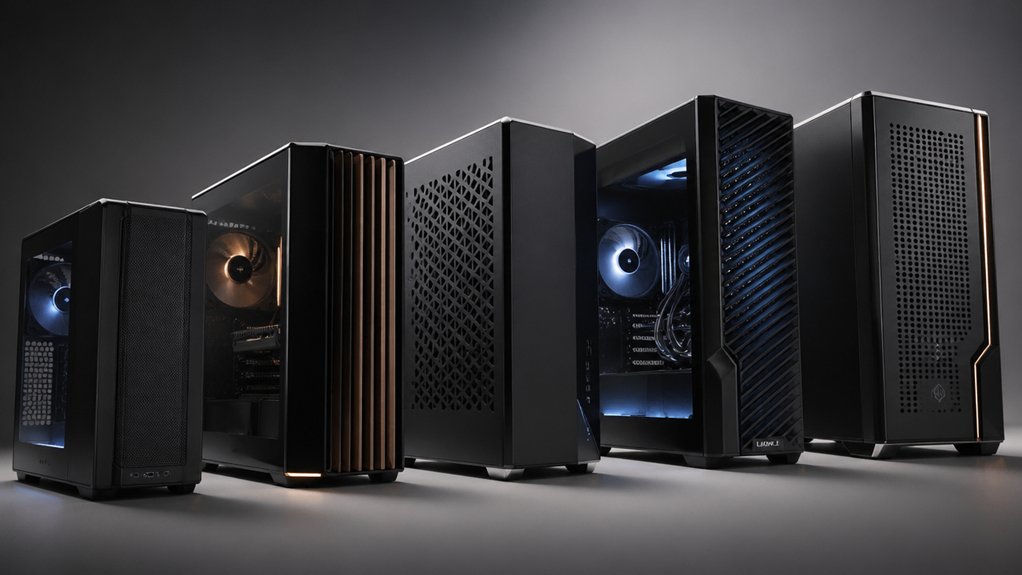

When you’re building a compact mATX system, you’ll need a case that balances space efficiency with cooling and component compatibility. You should evaluate cases based on interior volume, GPU clearance (up to 415 mm), radiator support (360 mm), and fan slots (7–10 minimum). The right choice depends on your specific components and cooling needs. We’ve tested ten cases that deliver performance without unnecessary bulk—here’s what you need to know.
| Cooler Master MasterBox Q300L Micro-ATX PC Case |

| Best Airflow Design | Maximum GPU Length Support: Up to 360 mm | Radiator Support: 240 mm liquid cooler | Pre-Installed Fans: 1x 120 mm | VIEW LATEST PRICE | Read Our Analysis |
| Lian Li A3-mATX-WD Micro Form Factor Chassis |

| Most Compact Build | Maximum GPU Length Support: Up to 415 mm | Radiator Support: 360 mm radiator | Pre-Installed Fans: None included | VIEW LATEST PRICE | Read Our Analysis |
| Antec C2M ARGB Compact MicroATX PC Case |

| Best RGB Features | Maximum GPU Length Support: Up to 415 mm | Radiator Support: 360 mm radiator | Pre-Installed Fans: 1x 240 mm reverse-blade ARGB PWM + 1x 120 mm ARGB PWM | VIEW LATEST PRICE | Read Our Analysis |
| Lian Li VECTOR V100 MINI PC Case (V100RMIX) |

| Best Aesthetics | Maximum GPU Length Support: Up to 415 mm | Radiator Support: 360 mm radiator/AIO | Pre-Installed Fans: 4x pre-installed ARGB PWM (1 rear exhaust, 3 side intakes) | VIEW LATEST PRICE | Read Our Analysis |
| Lian Li A3 Micro Form Factor Chassis (A3X.US) |

| Best Flexibility | Maximum GPU Length Support: Up to 415 mm | Radiator Support: 360 mm radiator/AIO | Pre-Installed Fans: None included | VIEW LATEST PRICE | Read Our Analysis |
| Thermaltake View 170 TG ARGB Micro-ATX Case |

| Best All-Around | Maximum GPU Length Support: Up to 340 mm | Radiator Support: Top: 240 mm or 280 mm; Rear: 120 mm | Pre-Installed Fans: 3x 120 mm ARGB Lite fans | VIEW LATEST PRICE | Read Our Analysis |
| NZXT H3 Flow Micro-ATX PC Case Black |

| Best Value | Maximum GPU Length Support: Up to 377 mm (no front fans); 352 mm (with front fans); 317 mm (with front radiator/fans) | Radiator Support: Front: 280 mm; Top: 240 mm | Pre-Installed Fans: 1x 120 mm rear fan (F120Q) | VIEW LATEST PRICE | Read Our Analysis |
| TGDGAMER Matx High Airflow Micro ATX Case |

| Budget Pick | Maximum GPU Length Support: Up to 250 mm (no front fan); up to 225 mm (with front fan) | Radiator Support: Up to 135 mm radiator height | Pre-Installed Fans: 80 mm fans included | VIEW LATEST PRICE | Read Our Analysis |
| Okinos MiniArt 4 Micro ATX PC Case |
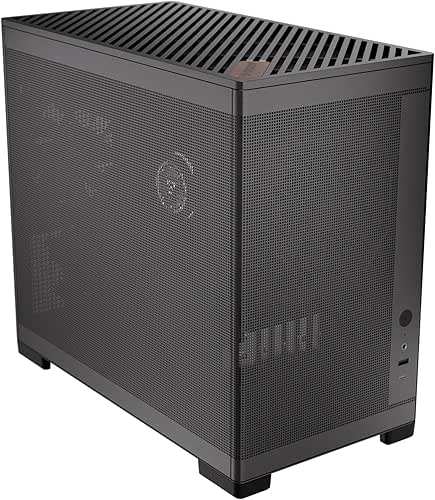
| Best Cable Management | Maximum GPU Length Support: Up to 330 mm (PSU ≤140 mm); up to 280 mm (longer PSU) | Radiator Support: 240 mm radiator (top) | Pre-Installed Fans: 3x 120 mm (2 bottom reverse, 1 rear) | VIEW LATEST PRICE | Read Our Analysis |
| Zalman CUBIX Compact Mini Tower mATX PC Case |

| Most Durable | Maximum GPU Length Support: Up to 260 mm | Radiator Support: No radiator support listed | Pre-Installed Fans: 1x 80 mm preinstalled fan | VIEW LATEST PRICE | Read Our Analysis |
More Details on Our Top Picks
Cooler Master MasterBox Q300L Micro-ATX PC Case
The Cooler Master MasterBox Q300L delivers superior airflow through its perforated side panels and open thermal design. You’ll fit Micro-ATX and Mini-ITX motherboards in its compact cube frame. Install a CPU cooler up to 159 mm tall and a GPU extending 360 mm long. The case supports a standard ATX power supply despite its small footprint. You can add up to five fans total, including the pre-installed 120 mm fan, or mount a 240 mm liquid cooler. Position the modular I/O panel in six different locations on the front, top, or bottom. Use the magnetic dust filters on the perforated sides to keep components clean while maintaining optimal airflow and heat dissipation.
- Maximum GPU Length Support:Up to 360 mm
- Radiator Support:240 mm liquid cooler
- Pre-Installed Fans:1x 120 mm
- Maximum Fan Capacity:Up to 5 fans
- Case Volume/Size:15.39″ D x 9.06″ W x 15″ H
- Motherboard Compatibility:Micro-ATX and Mini-ITX
- Additional Feature:Modular adjustable I/O panel
- Additional Feature:Magnetic dust filters
- Additional Feature:Edge-to-edge showcased panel
Lian Li A3-mATX-WD Micro Form Factor Chassis
Looking for the most compact build that doesn’t sacrifice performance? The Lian Li A3-mATX-WD delivers in its 26.3L design. You’ll fit mATX or ITX motherboards comfortably while supporting GPUs up to 415mm long. Install a 360mm radiator and up to 10 x 120mm fans for effective cooling of high-TDP components. The chassis accepts ATX, SFX, SFX-L, and LIAN LI EDGE power supplies with flexible front or side placement. You get four expansion slots for additional cards. The modular wood front panel with walnut finish provides aesthetic appeal. Steel mesh panels ensure high airflow circulation. This case handles demanding builds without wasting space.
- Maximum GPU Length Support:Up to 415 mm
- Radiator Support:360 mm radiator
- Pre-Installed Fans:None included
- Maximum Fan Capacity:Up to 10x 120 mm fans
- Case Volume/Size:26.3 liters
- Motherboard Compatibility:Micro-ATX and Mini-ITX
- Additional Feature:Walnut finish wood panel
- Additional Feature:Flexible PSU installation options
- Additional Feature:Steel mesh high airflow
Antec C2M ARGB Compact MicroATX PC Case
Antec’s C2M ARGB delivers outstanding RGB features through its pre-installed dual-fan setup, making it ideal for builders who want integrated lighting without additional purchases. You’ll benefit from the 270° panoramic glass panel that displays your entire build clearly. The case supports GPUs up to 415mm and accommodates 360mm radiators, accommodating high-end components. Tool-free panels streamline your installation and maintenance tasks. Included dust filters protect your system from debris. USB 3.2 Gen 2 Type-C connectivity provides fast data transfer at 10Gbps, essential for modern peripherals and external storage devices.
- Maximum GPU Length Support:Up to 415 mm
- Radiator Support:360 mm radiator
- Pre-Installed Fans:1x 240 mm reverse-blade ARGB PWM + 1x 120 mm ARGB PWM
- Maximum Fan Capacity:Supports 360 mm radiator (fan capacity not specified)
- Case Volume/Size:Volume not specified
- Motherboard Compatibility:Micro-ATX (Mini-ITX implied)
- Additional Feature:270° panoramic glass design
- Additional Feature:USB 3.2 Gen 2 Type-C
- Additional Feature:Tool-free panel access
Lian Li VECTOR V100 MINI PC Case (V100RMIX)
Lian Li’s VECTOR V100 MINI delivers outstanding aesthetics through its 270° panoramic tempered glass panels, making it an excellent choice for builders who want their Micro-ATX setup visible and visually striking. You’ll find four pre-installed ARGB PWM fans—one rear exhaust and three side intakes—that provide robust airflow and customizable RGB lighting. The case supports GPUs up to 415 mm and accommodates 360 mm radiators, though you’ll need to avoid 280 mm AIOs due to motherboard clearance. You can install up to nine 120 mm fans total for enhanced cooling performance. The PSU shroud and dedicated routing channels simplify cable management, while the anti-sag GPU bracket keeps your graphics card secure and properly positioned.
- Maximum GPU Length Support:Up to 415 mm
- Radiator Support:360 mm radiator/AIO
- Pre-Installed Fans:4x pre-installed ARGB PWM (1 rear exhaust, 3 side intakes)
- Maximum Fan Capacity:Up to 9x 120 mm fans
- Case Volume/Size:17.17″ D x 17.47″ W x 8.72″ H
- Motherboard Compatibility:Micro-ATX only
- Additional Feature:270° panoramic tempered glass
- Additional Feature:Anti-sag GPU bracket
- Additional Feature:PSU shroud cable routing
Lian Li A3 Micro Form Factor Chassis (A3X.US)
This 26.3L chassis accommodates both M-ATX and ITX motherboards, offering you flexibility in component placement and PSU orientation. You’ll install your power supply on the front or side, depending on your cooling setup. The case supports GPUs up to 415mm and holds up to 10 x 120mm fans across a 360mm radiator configuration. Internal bays fit three 3.5″ drives for storage expansion. Weighing 11 pounds with dimensions of 17.44″ x 7.64″ x 12.05″, this mini-tower integrates a steel mesh design that optimizes airflow. You can use ATX, SFX, or SFX-L power supplies, providing multiple options for your build requirements.
- Maximum GPU Length Support:Up to 415 mm
- Radiator Support:360 mm radiator/AIO
- Pre-Installed Fans:None included
- Maximum Fan Capacity:Up to 10x 120 mm fans
- Case Volume/Size:26.3 liters; 17.44″ D x 7.64″ W x 12.05″ H
- Motherboard Compatibility:Micro-ATX and Mini-ITX
- Additional Feature:DAN Collaboration design
- Additional Feature:Flexible PSU installation options
- Additional Feature:Steel mesh airflow optimization
Thermaltake View 170 TG ARGB Micro-ATX Case
The Thermaltake View 170 TG ARGB delivers a well-rounded platform for builders who prioritize visibility without sacrificing functionality. You’ll install your Micro-ATX or Mini-ITX motherboard into four expansion slots while managing cable routing through detachable panels. The case supports CPU coolers up to 160mm tall and graphics cards up to 340mm long. You can mount radiators on top (240mm or 280mm) or rear (120mm), then position fans across multiple locations for optimal airflow. Three pre-installed 120mm ARGB fans connect directly to your motherboard’s RGB headers, letting you control lighting through ASUS, GIGABYTE, MSI, or ASRock software. The dual tempered glass panels showcase your components clearly.
- Maximum GPU Length Support:Up to 340 mm
- Radiator Support:Top: 240 mm or 280 mm; Rear: 120 mm
- Pre-Installed Fans:3x 120 mm ARGB Lite fans
- Maximum Fan Capacity:Top: 2x120mm + 1x120mm or 2x140mm + 1x140mm; Right: 2x120mm + 1x120mm; Rear: 1x120mm; Power Cover: 2x120mm + 1x120mm
- Case Volume/Size:438 x 212 x 377.5 mm (17.24″ x 8.35″ x 14.86″)
- Motherboard Compatibility:Micro-ATX and Mini-ITX
- Additional Feature:Pillarless tempered glass design
- Additional Feature:RGB lighting motherboard control
- Additional Feature:3-year manufacturer warranty
NZXT H3 Flow Micro-ATX PC Case Black
Looking for a micro-ATX case that doesn’t sacrifice cooling performance? The NZXT H3 Flow delivers efficient airflow through its ultra-fine steel mesh panels and ventilated PSU shroud. You’ll receive a pre-installed 120mm rear fan for immediate exhaust capability. Install front radiators up to 280mm or top radiators up to 240mm, supporting seven fans total. The case accommodates full-sized graphics cards up to 377mm without front fans, 352mm with front fans, or 317mm with front radiators. Its back-connect motherboard design manages rear I/O efficiently. Bottom-mounted power supply placement maximizes internal space. You get two USB 3.0 ports for connectivity. Alloy steel construction with dust filtration protects your components while maintaining airflow.
- Maximum GPU Length Support:Up to 377 mm (no front fans); 352 mm (with front fans); 317 mm (with front radiator/fans)
- Radiator Support:Front: 280 mm; Top: 240 mm
- Pre-Installed Fans:1x 120 mm rear fan (F120Q)
- Maximum Fan Capacity:Up to 7 fans total
- Case Volume/Size:Dimensions not specified; Mid-tower classification
- Motherboard Compatibility:Micro-ATX
- Additional Feature:Ultra-fine steel mesh
- Additional Feature:Ventilated PSU shroud
- Additional Feature:Back-connect motherboard support
TGDGAMER Matx High Airflow Micro ATX Case
Want a budget pick that doesn’t sacrifice cooling performance? The TGDGAMER Matx case delivers high-airflow design through its perforated front panel that filters and directs air across your components. You’ll fit up to two 120mm fans and one 80mm fan inside, with radiator support reaching 135mm in height. Plan your GPU carefully: without a front fan, your graphics card can measure up to 250mm; installing a front fan reduces this to 225mm maximum. The case supports both Mini-ITX and Micro-ATX motherboards with pre-mounted holes for straightforward installation. You get one USB 3.0 port and one USB 2.0 port for connectivity. This slim design accommodates standard ATX power supplies, making upgrades straightforward.
- Maximum GPU Length Support:Up to 250 mm (no front fan); up to 225 mm (with front fan)
- Radiator Support:Up to 135 mm radiator height
- Pre-Installed Fans:80 mm fans included
- Maximum Fan Capacity:Up to 2x 120 mm + 1x 80 mm
- Case Volume/Size:Volume not specified
- Motherboard Compatibility:Micro-ATX, Mini-ITX, and full-size ATX
- Additional Feature:Perforated front filtered airflow
- Additional Feature:Budget-friendly design
- Additional Feature:Supports normal ATX PSU
Okinos MiniArt 4 Micro ATX PC Case
Okinos designed the MiniArt 4 for builders who prioritize efficient cable management in compact builds. You’ll route cables through 25 mm channels in the main area and 8 mm spaces behind the motherboard tray. The case supports up to five 120 mm fans and a 240 mm radiator for cooling flexibility. Three fans come pre-installed: two reverse fans at the bottom and one rear fan. Front-mounted PSU design accommodates units up to 150 mm without cables. You’ll verify your GPU fits within 330 mm clearance with shorter PSUs or 280 mm with longer units. Tool-free panels simplify maintenance while fine mesh construction maintains airflow and reduces dust accumulation.
- Maximum GPU Length Support:Up to 330 mm (PSU ≤140 mm); up to 280 mm (longer PSU)
- Radiator Support:240 mm radiator (top)
- Pre-Installed Fans:3x 120 mm (2 bottom reverse, 1 rear)
- Maximum Fan Capacity:Up to 5 fans total
- Case Volume/Size:24.5 liters
- Motherboard Compatibility:Micro-ATX
- Additional Feature:USB Type-C 3.2 Gen 2
- Additional Feature:Front-mounted PSU design
- Additional Feature:Fine mesh multi-zone vents
Zalman CUBIX Compact Mini Tower mATX PC Case
The Zalman CUBIX’s most durable 0.8T steel chassis suits builders who need reliable small-form-factor housing. You’ll fit Micro-ATX and Mini-ITX motherboards within its compact 17.1-liter volume. Install your GPU up to 260mm long and your CPU cooler up to 137mm tall. The bottom-mounted power supply design frees internal space. You get an 80mm preinstalled fan and perforated front panel for airflow management. Connect peripherals via USB 3.0, USB 2.0, and 3.5mm AUX ports. Three internal bays provide storage flexibility. This case balances durability with compact dimensions, making it practical for SFF and HTPC builds.
- Maximum GPU Length Support:Up to 260 mm
- Radiator Support:No radiator support listed
- Pre-Installed Fans:1x 80 mm preinstalled fan
- Maximum Fan Capacity:Fan capacity not specified
- Case Volume/Size:17.1 liters; 11.96″ D x 6.29″ W x 13.85″ H
- Motherboard Compatibility:Micro-ATX, Mini-ITX, DTX, ITX, and SFF
- Additional Feature:Heavy-duty 0.8T steel
- Additional Feature:Perforated front panel airflow
- Additional Feature:17.1-liter compact volume
Factors to Consider When Choosing an mATX Case
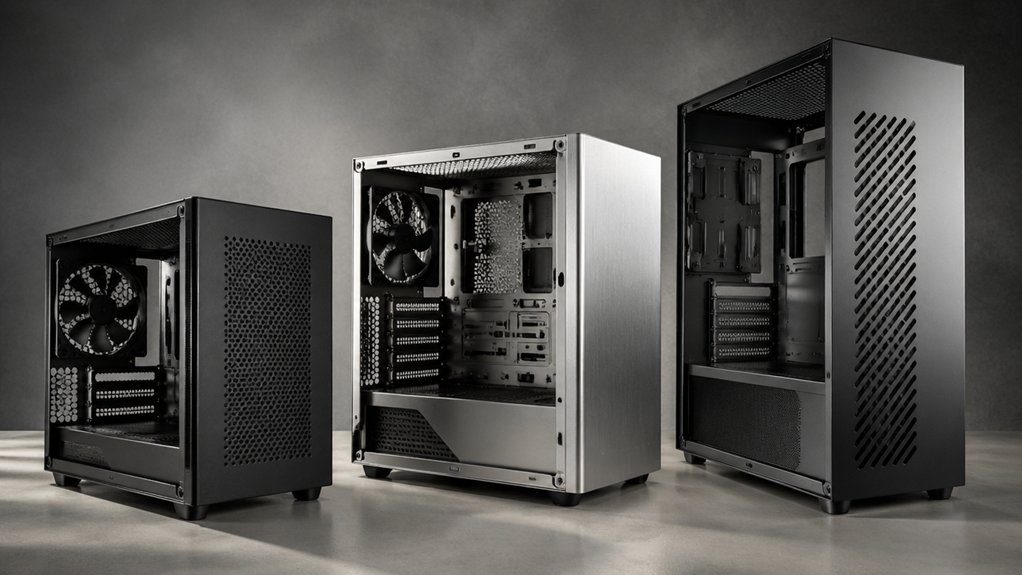
When you’re selecting an mATX case, you’ll need to evaluate five critical factors that directly impact your build’s success: size and space requirements for your motherboard and components, cooling capacity and airflow to maintain safe temperatures, GPU and component compatibility to ensure all your hardware fits properly, build quality and materials that protect your investment, and cable management features that keep your system organized. Start by measuring your largest components—particularly your graphics card and CPU cooler—against the case’s internal dimensions to confirm everything fits without forcing parts into tight spaces. Next, examine the case’s fan mounting options, ventilation design, and material thickness to verify you’re getting adequate cooling and durability for your budget.
Size And Space Requirements
How much space do you actually need in an mATX case? Measure your components first. Check your GPU length—most mATX cases support 225–415 mm cards depending on front fan placement and radiator mounts. Next, verify CPU cooler height limits, which typically max out at 137–160 mm, ruling out tall air coolers in compact shells. Then assess radiator compatibility: cases range from supporting single 120mm units to full 360mm radiators, affecting both cooling capacity and case width. Finally, examine case dimensions against your motherboard form factor. Micro-ATX boards fit standard mATX cases, but ITX boards require smaller enclosures. Compare interior volumes carefully—compact designs around 17.24″ x 8.35″ x 14.86″ differ significantly from larger models at 17.44″ x 7.64″ x 12.05″, directly impacting drive bay availability and expansion options.
Cooling Capacity And Airflow
Once you’ve confirmed your components fit within the case’s physical limits, you’ll need to evaluate its cooling capacity and airflow design to prevent thermal throttling and component degradation. Check what radiator sizes the case supports—most mATX cases accommodate 280 mm or 360 mm radiators on front or top panels. Count available fan slots; cases typically support 7 to 10 fans total. Examine the front and side panels for perforations or mesh grills that improve intake airflow. Verify pre-installed fans—standard configurations include 1x 120 mm or multiple ARGB fans. Assess your GPU length and CPU cooler height, as these components restrict radiator placement. Finally, confirm the case includes dust filters and modular panels, which maintain cooling efficiency while keeping internal components clean.
GPU And Component Compatibility
What’s the longest GPU you’re planning to install? Check your case’s maximum GPU length first—most mATX cases support 250–415 mm depending on radiator and fan placement. Micro-ATX and ITX motherboards limit expansion slots to around 4, so verify PCIe access isn’t blocked by drive bays. Remove front fans or drive cages if you need extra clearance for longer cards. Inspect where 2.5″ and 3.5″ bays sit; they often interfere with GPU length and power connectors. Some cases offer modular panels and adjustable PCIe shrouds to optimize space. Measure your GPU’s exact dimensions and compare against your case’s specifications before purchasing. Document any modifications required for proper fit and airflow.
Build Quality And Materials
Several material choices determine whether your mATX case will protect your components and last for years. Check the chassis construction first—steel-based frames weighing 14–15 pounds provide superior rigidity compared to lighter plastic designs. Examine the panel materials: tempered glass adds durability and visual appeal, while SPCC steel offers reliable protection. Verify internal framing quality by confirming anti-sag GPU brackets and reinforced support structures exist. Review pre-installed components carefully, including magnetic dust filters and ARGB fans that reduce maintenance needs. Assess vertical clearance around tempered glass panels to prevent component contact. Prioritize cases with integrated cooling solutions and organized cable routing, which improve airflow and long-term reliability. These material and design factors directly affect how well your case protects expensive hardware through extended use.
Cable Management Features
Because mATX cases pack components into tight spaces, effective cable management becomes essential to maintaining airflow and simplifying future upgrades. Look for cases with internal routing channels and multiple tie points that organize cables and reduce clutter throughout the chassis. Choose models featuring 8–25 mm clearance behind the motherboard tray, which lets you hide cables and preserve airflow patterns. Verify that your case includes a PSU shroud that conceals power cables and drive connections, contributing to a cleaner interior. Select cases offering tool-free panels and modular I/O panels, which eliminate screws and enable easier component access during builds. Some cases provide flexible PSU installation with front or side orientation options, improving cable routing and reducing clearance problems significantly.
Expansion Slots And Drive Bays
How you’ll balance storage capacity with component compatibility depends largely on understanding your case’s expansion slot count and drive bay configuration. Most mATX cases offer four PCIe slots for graphics cards and other peripherals. Check how many 3.5″ bays your case provides for traditional hard drives—typically one to three—and count available 2.5″ mounts for SSDs. Verify that drive bay placement won’t obstruct your GPU length or power supply clearance. Cases with higher expansion slot counts usually accommodate longer graphics cards and more flexible cooling options. Map out your storage needs first: decide between bulk HDD capacity or SSD speed, then match your case’s drive configuration to those requirements before purchasing components.
Final Thoughts
You’ll find your ideal mATX case by matching your specific needs to each model’s strengths. Measure your GPU length and cooler height first. Then compare case dimensions, fan support, and radiator compatibility against your components. The Q300L, A3-mATX-WD, and C2M ARGB offer reliable starting points. Prioritize cases with tool-free panels and adequate cable routing. Your final choice depends on balancing thermal performance, build volume, and budget constraints.

Meet Ry, “TechGuru,” a 36-year-old technology enthusiast with a deep passion for tech innovations. With extensive experience, he specializes in gaming hardware and software, and has expertise in gadgets, custom PCs, and audio.
Besides writing about tech and reviewing new products, he enjoys traveling, hiking, and photography. Committed to keeping up with the latest industry trends, he aims to guide readers in making informed tech decisions.