

When you’re setting up a monitor or TV on a floor stand, you need to know which models won’t tip over during everyday use. You’ll want to examine base width, wheel brakes, weight capacity, and VESA compatibility before deciding. This guide walks you through five reliable stands—each with specific features that keep your screen stable. Understanding these differences helps you choose the right stand for your setup.
| Low Height Mobile TV Stand with Adjustable Angle |

| Best for Large Displays | TV Size Compatibility: 26–65 inch | Weight Capacity: 50 kg (110 lbs) | Height Adjustability: Adjustable height with 36°–68° tilt range | VIEW LATEST PRICE | Read Our Analysis |
| TVON Height Adjustable TV Floor Stand for 13-50 inch |

| Most Versatile Adjustability | TV Size Compatibility: 13–50 inch | Weight Capacity: 44 lbs (20 kg) | Height Adjustability: 6 height settings (44.6–52.4 inches) | VIEW LATEST PRICE | Read Our Analysis |
| AM alphamount TV Floor Stand for 13-43 inch TVs |

| Best Budget Option | TV Size Compatibility: 13–43 inch | Weight Capacity: 44 lbs (20 kg) | Height Adjustability: 8 height levels (43.66″–54.68″) | VIEW LATEST PRICE | Read Our Analysis |
| Rfiver Mobile TV Stand for 23-60 Inch TVs |

| Best Heavy-Duty Mobile | TV Size Compatibility: 23–60 inch | Weight Capacity: 88 lbs (40 kg) | Height Adjustability: Height-adjustable brackets | VIEW LATEST PRICE | Read Our Analysis |
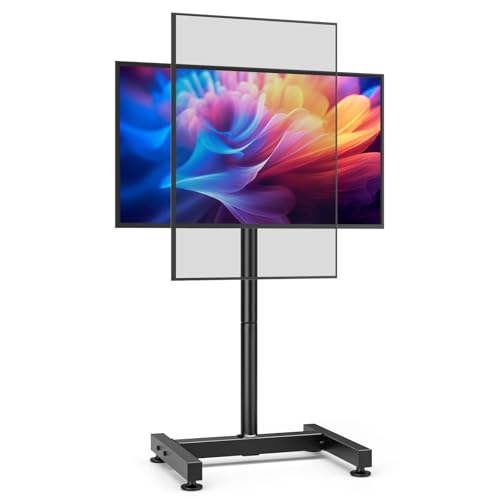
| AX WABER TV Floor Stand for 13-50 inch Screens |
| Best Stability Features | TV Size Compatibility: 13–50 inch | Weight Capacity: 77 lbs (35 kg) | Height Adjustability: 8 height settings | VIEW LATEST PRICE | Read Our Analysis |
More Details on Our Top Picks
Low Height Mobile TV Stand with Adjustable Angle
If you’re setting up a TV or monitor in a space where a traditional wall mount won’t work—like a rental apartment, a commercial display area, or a room where you need flexibility—the Low Height Mobile TV Stand with Adjustable Angle is your best choice. This floor stand accommodates 26–65 inch displays up to 50 kg and features VESA compatibility from 26×120 to 600×500. You’ll adjust the viewing angle from 36° to 68°, reducing glare based on your room’s lighting. The ultra-thick alloy steel frame includes 360° moving casters with brakes, letting you reposition without sliding. Assembly requires four mounting holes on your TV’s back. Use this stand in living rooms, bedrooms, hospitals, conference rooms, or retail environments where mobility and stability matter.
- TV Size Compatibility:26–65 inch
- Weight Capacity:50 kg (110 lbs)
- Height Adjustability:Adjustable height with 36°–68° tilt range
- VESA Compatibility:26×120 to 600×500 mm
- Mobility & Base Stability:360° rolling casters with brakes; silent wheels
- Assembly & Installation:Quick assembly with all hardware included
- Additional Feature:360° moving casters with brakes
- Additional Feature:Wide tilt range (36°–68°)
- Additional Feature:Ultra-thick alloy steel frame
TVON Height Adjustable TV Floor Stand for 13-50 inch
You’ll find the TVON stand especially valuable if you’re setting up a display that needs flexibility across multiple environments—whether that’s a home office, fitness room, dorm, or commercial space like a trade show booth. The stand accommodates 13- to 50-inch screens with up to 44 lbs capacity and supports VESA patterns from 75x75mm to 200x200mm. Rotate your display between portrait and landscape orientations, then adjust height across six settings ranging from 44.6 to 52.4 inches. Tilt control spans from -2° to +20°, letting you eliminate glare and match your viewing angle. The alloy steel construction with adjustable feet and four wheels keeps everything stable on uneven floors while maintaining a compact footprint. Assembly requires no drilling, and organized cable management keeps wiring hidden for a clean setup.
- TV Size Compatibility:13–50 inch
- Weight Capacity:44 lbs (20 kg)
- Height Adjustability:6 height settings (44.6–52.4 inches)
- VESA Compatibility:75×75 to 200×200 mm
- Mobility & Base Stability:Four wheels with adjustable feet for uneven floors
- Assembly & Installation:No-drill setup with tools and instructions included
- Additional Feature:Portrait to landscape rotation
- Additional Feature:Six height settings (44.6–52.4″)
- Additional Feature:Organized cable management system
AM alphamount TV Floor Stand for 13-43 inch TVs
The AM alphamount TV Floor Stand works best for anyone who needs a portable, adjustable display solution without drilling into walls. This stand fits 13–43 inch TVs and monitors weighing up to 44 lbs, supporting VESA patterns from 75×75 to 200×200 mm. You’ll adjust the height across eight levels, ranging from 43.66 to 54.68 inches, and tilt the screen ±30° to reduce glare. The tempered glass base measures 17.44 x 15.75 inches, providing stability on various surfaces. Four adjustable foot pads accommodate uneven floors, carpets, and outdoor areas. Assembly takes less than ten minutes and requires no tools. Built-in cable management keeps wires organized, making this stand ideal for living rooms, bedrooms, and offices.
- TV Size Compatibility:13–43 inch
- Weight Capacity:44 lbs (20 kg)
- Height Adjustability:8 height levels (43.66″–54.68″)
- VESA Compatibility:75×75 to 200×200 mm
- Mobility & Base Stability:Tempered glass base (17.44″×15.75″) with adjustable foot pads
- Assembly & Installation:Tool-inclusive assembly in under 10 minutes
- Additional Feature:Eight level height adjustment
- Additional Feature:Tempered glass base platform
- Additional Feature:±30° tilt angle reduction
Rfiver Mobile TV Stand for 23-60 Inch TVs
Need a versatile stand that accommodates most standard TV sizes without breaking your budget on multiple fixtures? The Rfiver Mobile TV Stand fits 23–60 inch TVs with a maximum VESA pattern of 400×400 mm and supports up to 88 lbs. Its all-metal construction and safety screws ensure stability. You’ll appreciate the height-adjustable brackets for viewing angle customization and the included media shelf for equipment storage. Wheeled mobility lets you reposition the stand indoors or outdoors easily. Brakes secure it in place once positioned. Assembly is straightforward with organized parts and clear instructions. The 5-year manufacturer warranty provides long-term protection and local service support.
- TV Size Compatibility:23–60 inch
- Weight Capacity:88 lbs (40 kg)
- Height Adjustability:Height-adjustable brackets
- VESA Compatibility:Up to 400×400 mm
- Mobility & Base Stability:Rolling wheels with brakes; space-saving footprint
- Assembly & Installation:Easy assembly with organized parts and instructions
- Additional Feature:Solid media shelf included
- Additional Feature:5-year manufacturer warranty
- Additional Feature:88 lbs weight capacity
AX WABER TV Floor Stand for 13-50 inch Screens
If you’re furnishing a dorm room, classroom, or office with limited wall space, this stand’s compact footprint and H-shaped base deliver the stability you need without consuming much floor area. The AX WABER accommodates screens from 13 to 50 inches and supports up to 77 lbs. Its solid metal construction includes four adjustable feet for leveling on uneven surfaces. You’ll find eight height settings and tilt adjustment from -10° to +10°, allowing you to position your screen to reduce glare and optimize viewing angles. The stand accepts VESA patterns from 75×75 mm to 200×200 mm, making it compatible with most LCD, LED, OLED, and curved displays. Assembly requires included tools and takes minimal time.
- TV Size Compatibility:13–50 inch
- Weight Capacity:77 lbs (35 kg)
- Height Adjustability:8 height settings
- VESA Compatibility:75×75 to 200×200 mm
- Mobility & Base Stability:H-shaped wide base with four adjustable feet
- Assembly & Installation:Easy assembly with included tools and hardware
- Additional Feature:H-shaped wide base design
- Additional Feature:Eight height adjustment settings
- Additional Feature:-10° to +10° tilt
Factors to Consider When Choosing Monitor and TV Floor Stands
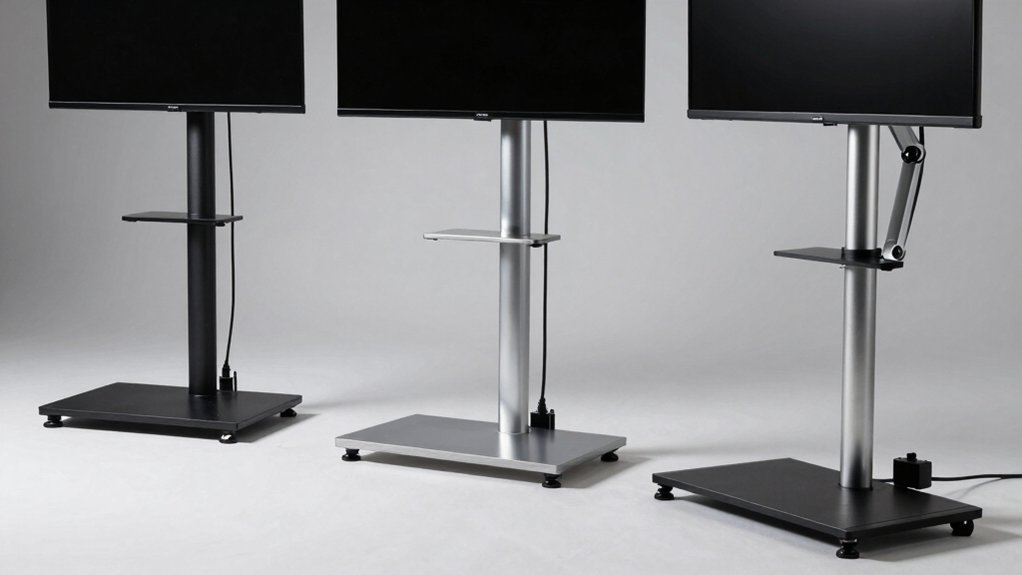
You’ll need to check your monitor or TV’s weight and compare it against the stand’s weight capacity, then verify the stand’s VESA mounting pattern matches your screen’s specifications. Next, examine the height adjustment range and tilt options to ensure you can position your screen at eye level and the angle you prefer for your viewing setup. Finally, confirm the stand’s base footprint provides stable support for your screen size and measure your available floor space to guarantee the stand will fit securely in your intended location.
Weight Capacity Requirements
What’s the first thing you should check before buying a floor stand? You need to match your TV’s or monitor’s weight to the stand’s weight capacity. Check your device’s manual or the back panel for the exact weight, then compare it to the stand’s specifications, which typically range from 44 lbs to 88 lbs depending on the model.
Don’t load your stand to its maximum capacity. Instead, choose a stand rated well above your device’s weight to ensure safe mounting and allow room for future upgrades. If you’re adding accessories like soundbars or additional mounts, factor their combined weight into your calculation. Higher-capacity stands generally support larger screens within specified VESA ranges. This simple verification step prevents tipping, failure, and potential damage to your equipment.
VESA Compatibility Standards
The second critical factor in choosing a floor stand is matching your device’s VESA mounting pattern to the stand’s supported standards. VESA patterns specify the bolt hole spacing on your TV or monitor’s back, measured in millimeters like 75×75, 200×200, or 600×500. You must verify that your device’s pattern matches the stand’s supported options. Many stands accommodate multiple patterns—for example, 75×75 to 200×200—making them versatile choices. Check your TV or monitor’s manual or back panel to identify its exact VESA specification. Then compare it directly to the stand’s listed compatibility range. Mismatched patterns require adapters, which compromise stability and defeat the stand’s purpose of keeping your display secure.
Height And Tilt Adjustability
Once you’ve confirmed your display’s VESA pattern matches the stand, you’ll next need to evaluate how well the stand’s height and tilt features align with your setup.
Height adjustability determines your monitor’s vertical range. Some stands offer discrete settings like eight preset levels, while others provide continuous adjustment. Measure the distance from your seating position to eye level, then check whether the stand reaches that height comfortably.
Tilt range, typically spanning -10° to +30°, lets you angle your display to reduce glare and optimize viewing comfort. Test different angles during your workday to identify your ideal position.
Quick-adjust mechanisms enable tool-free height and tilt changes without disassembly. Wider bases and additional feet support larger tilt and height ranges, maintaining stability during adjustments. Verify the stand’s base design matches your display’s size and weight requirements.
Base Stability Features
Stability in a floor stand depends on how well its base resists tipping and wobbling during daily use. You’ll want to examine the base design first. H-shaped or solid metal bases provide superior rigidity compared to narrow designs. Look for four adjustable feet that level on uneven floors, which prevents rocking. Tempered glass bases offer heavy contact with your floor and resist wobble effectively. Check for built-in safety screws or locking mechanisms on mounting brackets—these add load-bearing security. You should also verify that the stand keeps your monitor’s or TV’s center of gravity low, which improves overall stability. Space-saving designs often accomplish this while maintaining strength. Test the stand’s weight distribution before purchasing to confirm it won’t tip under normal conditions.
Screen Size Compatibility Range
While a stable base keeps your stand from tipping, you’ll also need to match the stand’s size range to your actual monitor or TV. Most stands support screens between 13 and 65 inches, but each model specifies its exact range—for example, 26–65″ or 13–50″. Check your screen’s dimensions and compare them directly to the stand’s specifications before purchasing. You’ll also need to verify the VESA mounting pattern, which ranges from 75×75 mm to 600×500 mm. Confirm your screen’s weight capacity requirements match the stand’s rating, typically 44–88 lbs for larger models. Finally, consider whether adjustable height and tilt features suit your viewing setup and screen size.
Assembly And Installation Ease
How much time can you spare for setup? Most floor stands feature quick assembly with included hardware and detailed instructions. You’ll find no-drill or minimal-assembly options that require no wall modifications, making installation straightforward. Begin by unpacking all components and organizing hardware before starting. Follow the instruction manual step-by-step, connecting the base, pole, and mounting bracket in sequence. Attach your monitor or TV using the provided brackets and fasteners. Incorporate cable management during assembly by routing cables through designated channels or clips to keep your setup tidy. Many manufacturers provide responsive customer service within 24 hours if you encounter installation issues. This support ensures you can resolve problems quickly and get your stand operational without extended delays.
Final Thoughts
You’ll find the right stand by matching your TV’s weight and size to the stand’s weight rating and VESA compatibility. Check that your choice has a low, wide base with locking caster wheels for stability. Verify assembly requirements don’t need drilling, and confirm cable management features are included. Test the stand’s height adjustment range to fit your viewing needs. These steps ensure you select a stable, functional stand for your space.

Meet Ry, “TechGuru,” a 36-year-old technology enthusiast with a deep passion for tech innovations. With extensive experience, he specializes in gaming hardware and software, and has expertise in gadgets, custom PCs, and audio.
Besides writing about tech and reviewing new products, he enjoys traveling, hiking, and photography. Committed to keeping up with the latest industry trends, he aims to guide readers in making informed tech decisions.