
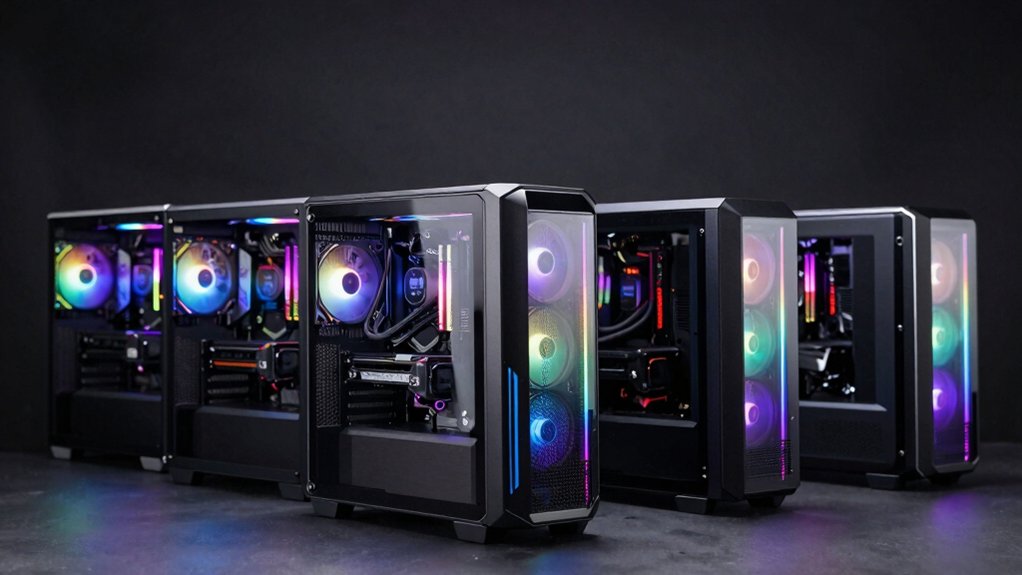

You’re looking to upgrade your gaming setup, and choosing the right MSI desktop requires understanding what separates entry-level builds from professional-grade machines. You’ll need to evaluate GPU performance, RAM capacity, cooling systems, and upgrade flexibility across different price points. Each model offers distinct advantages depending on your budget and gaming demands. The question becomes: which MSI desktop aligns with your specific performance requirements and long-term gaming goals?
| MSI Codex Z2 Gaming Desktop (A8NVP-436US) |

| Best All-Around Gaming | Graphics Card: NVIDIA GeForce RTX 5070 | Processor: AMD Ryzen R7-8700F | RAM: 32GB DDR5 | VIEW LATEST PRICE | Read Our Analysis |
| MSI Codex Z2 Gaming Desktop AMD R7-8700F RTX 5060 |
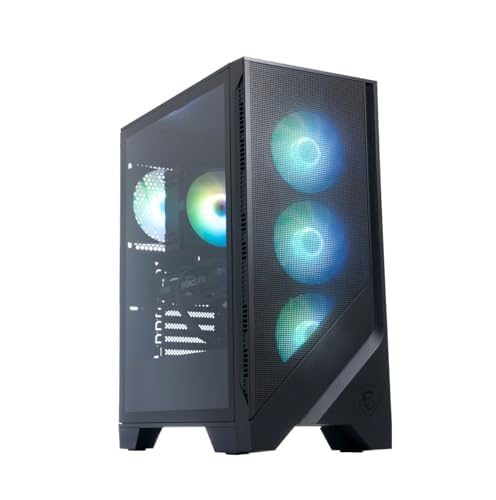
| Best Value Gaming | Graphics Card: NVIDIA GeForce RTX 5060 | Processor: AMD Ryzen R7-8700F | RAM: 32GB DDR5 | VIEW LATEST PRICE | Read Our Analysis |
| MSI Aegis ZS2 Gaming Desktop with RTX 5080 |

| Ultimate Performance Beast | Graphics Card: NVIDIA GeForce RTX 5080 | Processor: AMD Ryzen 9 9900X (12-core) | RAM: 64GB DDR5 | VIEW LATEST PRICE | Read Our Analysis |
| MSI Codex R2 AI Gaming Desktop (A2NVM7-455US) |
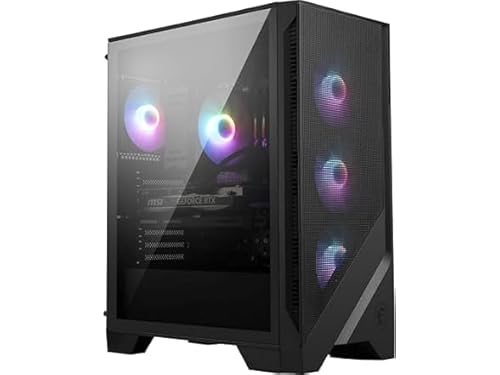
| Best AI Gaming | Graphics Card: NVIDIA GeForce RTX 5060Ti | Processor: Intel Core Ultra 7 265 | RAM: 32GB DDR5 | VIEW LATEST PRICE | Read Our Analysis |
| MSI Cubi 5 Premium Compact Desktop Computer |

| Best Compact Workstation | Graphics Card: Intel Iris Xe Graphics (Integrated) | Processor: 12th Gen Intel i7-1255U (10-core) | RAM: 32GB DDR4 | VIEW LATEST PRICE | Read Our Analysis |
More Details on Our Top Picks
MSI Codex Z2 Gaming Desktop (A8NVP-436US)
Want a gaming rig that handles everything without compromise? The MSI Codex Z2 delivers. You get an AMD Ryzen R7-8700F processor paired with an NVIDIA GeForce RTX 5070 GPU, 32GB DDR5 RAM, and a 2TB NVMe SSD. This combination handles 4K gaming, VR applications, and everyday tasks simultaneously. The tower includes four cooling fans and customizable RGB lighting controlled through MSI Center. Connectivity features USB Type-C, HDMI output, Wi-Fi 6, and Bluetooth. Windows 11 Home comes preinstalled. You’ll find this system ideal for education, gaming, and general computing, with expandable RAM supporting up to 96GB if you upgrade later.
- Graphics Card:NVIDIA GeForce RTX 5070
- Processor:AMD Ryzen R7-8700F
- RAM:32GB DDR5
- Storage Capacity:2TB NVMe SSD
- Cooling System:Air cooling (4 fans + ARGB cooler)
- Display Output Support:HDMI (4K up to 3840×2160)
- Additional Feature:VR-ready performance capability
- Additional Feature:Customizable RGB lighting system
- Additional Feature:Up to 96GB RAM expandable
MSI Codex Z2 Gaming Desktop AMD R7-8700F RTX 5060
Looking for a gaming PC that delivers solid performance without overspending? The MSI Codex Z2 with AMD R7-8700F and RTX 5060 offers reliable gaming capabilities. You’ll get 32GB DDR5 memory for smooth multitasking and a 1TB NVMe SSD for fast game loading. The system includes four cooling fans—three front intake, one rear exhaust—maintaining ideal temperatures during extended gaming sessions. Customize RGB lighting through MSI Center software to match your setup. Windows 11 Home handles everyday tasks, though MSI recommends Pro for business use. This configuration supports VR gaming and delivers the performance needed for competitive play at reasonable frame rates.
- Graphics Card:NVIDIA GeForce RTX 5060
- Processor:AMD Ryzen R7-8700F
- RAM:32GB DDR5
- Storage Capacity:1TB NVMe SSD
- Cooling System:Air cooling (4 fans + ARGB cooler)
- Display Output Support:HDMI
- Additional Feature:VR-ready gaming performance
- Additional Feature:Customizable ARGB lighting control
- Additional Feature:Optimized thermal airflow design
MSI Aegis ZS2 Gaming Desktop with RTX 5080
The MSI Aegis ZS2 delivers ultimate performance beast specs for competitive gamers and content creators who demand sustained high-frame-rate gameplay and professional-grade rendering. You’ll get a 12-core AMD Ryzen 9 9900X processor paired with an RTX 5080 graphics card, handling 4K gaming and video editing seamlessly. The 64GB DDR5 RAM supports multitasking without lag, while the 2TB SSD provides fast load times. Liquid cooling keeps temperatures stable during intensive sessions. Connect multiple monitors using three DisplayPort 1.4a outputs. Windows 11 Professional comes preinstalled, and the included keyboard and mouse let you start gaming immediately.
- Graphics Card:NVIDIA GeForce RTX 5080
- Processor:AMD Ryzen 9 9900X (12-core)
- RAM:64GB DDR5
- Storage Capacity:2TB SSD
- Cooling System:360mm Liquid cooling
- Display Output Support:HDMI 2.1 + 3x DisplayPort 1.4a
- Additional Feature:360mm liquid cooling system
- Additional Feature:Included gaming keyboard/mouse
- Additional Feature:Windows 11 Professional included
MSI Codex R2 AI Gaming Desktop (A2NVM7-455US)
You’ll find superior AI gaming performance in this Codex R2 model through its Intel Ultra 7 265 processor paired with an RTX 5060Ti GPU. The 32GB DDR5 RAM and 1TB NVMe SSD deliver fast load times and smooth multitasking. Air cooling with multiple fans keeps temperatures stable during extended gaming sessions. WiFi 7 connectivity ensures minimal lag for online play. The 650-watt 80+ Gold PSU provides reliable power management. Use MSI Center software to customize RGB lighting through the LED button. DisplayPort and HDMI outputs support multiple monitors. This configuration handles competitive gaming and content creation effectively without requiring upgrades immediately.
- Graphics Card:NVIDIA GeForce RTX 5060Ti
- Processor:Intel Core Ultra 7 265
- RAM:32GB DDR5
- Storage Capacity:1TB NVMe SSD
- Cooling System:Air cooling (multiple fans + RGB cooler)
- Display Output Support:DisplayPort + HDMI
- Additional Feature:WiFi 7 wireless connectivity
- Additional Feature:AI gaming features integrated
- Additional Feature:Up to 96GB RAM expandable
MSI Cubi 5 Premium Compact Desktop Computer
Need a powerful machine that doesn’t consume your desk space? The MSI Cubi 5 Premium delivers compact performance with a 12th Gen Intel i7-1255U processor, 32GB DDR4 RAM, and 1TB SSD. You’ll handle multitasking, office work, and light gaming without issues. The integrated Intel Iris Xe Graphics supports 4K displays at 60Hz across three monitors simultaneously. Connectivity includes Thunderbolt 4, USB 3.2, DisplayPort, and HDMI 2.1 ports. Wi-Fi 6 and dual Ethernet connections ensure reliable networking. At just 1.27 kilograms, this mini PC fits tight spaces while Windows 11 Pro provides security and productivity features you need for professional work.
- Graphics Card:Intel Iris Xe Graphics (Integrated)
- Processor:12th Gen Intel i7-1255U (10-core)
- RAM:32GB DDR4
- Storage Capacity:1TB NVMe SSD
- Cooling System:Passive cooling
- Display Output Support:DisplayPort + HDMI 2.1 (4K@60Hz triple display)
- Additional Feature:Ultra-compact mini PC form
- Additional Feature:Triple 4K display support
- Additional Feature:Passive cooling (fanless design)
Factors to Consider When Choosing an MSI Desktop PC
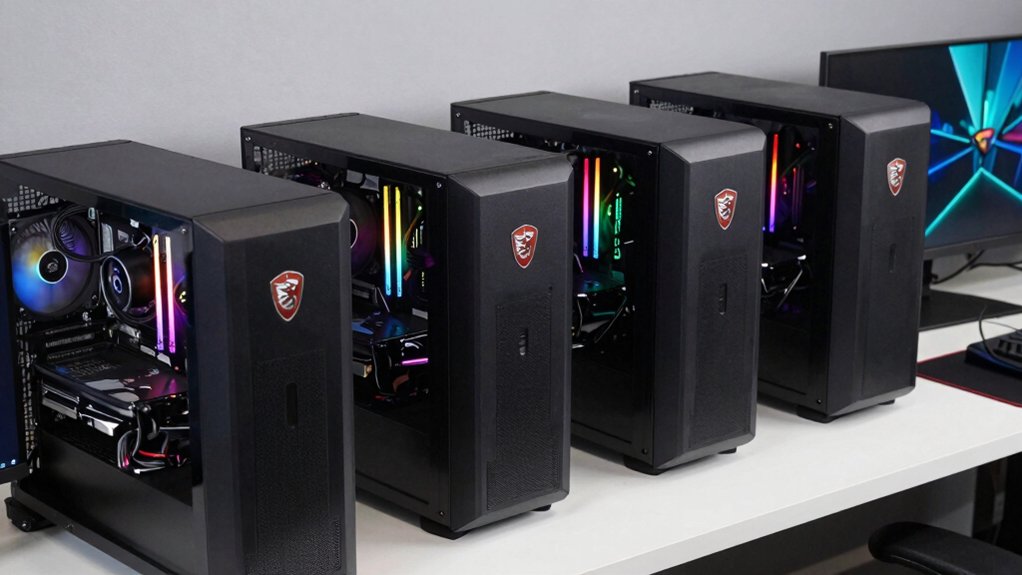
When you’re selecting an MSI desktop PC, you’ll need to evaluate performance metrics like processor speed and cores, graphics card capabilities for your gaming resolution and frame rate goals, and memory plus storage capacity based on your game library size. Next, you should assess the cooling system’s ability to handle sustained gaming sessions, verify that the motherboard offers enough USB ports and expansion slots for your peripherals, and confirm the power supply has adequate wattage for your components. By comparing these five factors across different MSI models, you’ll identify which PC matches your specific gaming requirements and budget constraints.
Performance And Processing Power
What components matter most when evaluating an MSI desktop’s raw power? Start by examining the CPU—newer architectures like Ryzen 7000 series or Intel Ultra deliver faster multi-threaded performance through higher core counts and clock speeds. Next, assess the GPU; RTX 5060, 5070, and 5080 models determine graphics throughput for gaming and GPU-accelerated tasks. Then check your RAM: 32 GB DDR5 or higher supports multitasking and memory-intensive applications, while faster memory speeds boost certain workloads. Finally, evaluate storage—1–2 TB NVMe SSDs reduce load times and improve data access. These four components directly influence responsiveness and processing capability, so prioritize them based on your intended use: gaming, content creation, or general productivity.
Graphics Card Capabilities
How do you know which GPU will actually deliver the performance you need? First, match the GPU tier to your gaming resolution and settings. RTX 5060 handles 1080p gaming, while RTX 5070 supports 1440p smoothly, and RTX 5080 tackles 4K performance. Next, check memory capacity—6GB suits entry-level gaming, 8GB works for 1440p, and 12GB handles demanding titles. Then verify ray tracing and DLSS support for visual quality boosts in compatible games. Finally, confirm your power supply meets requirements; most high-end GPUs need 650W minimum with proper cooling. Check PCIe compatibility and storage speeds to ensure smooth data throughput. These steps guarantee your MSI PC’s GPU matches your actual gaming demands and budget constraints.
Memory And Storage Options
Memory and storage form the foundation of your MSI desktop’s speed and multitasking ability, so you’ll want to match these components to your actual usage needs. Most MSI Codex models come equipped with 32 GB DDR5 RAM, which handles gaming and professional work effectively. Higher-end configurations reach 64 GB or even 96 GB for demanding applications requiring extensive multitasking. Check your motherboard’s specifications, as rated RAM speeds sometimes run slower than advertised due to BIOS tuning. For storage, prioritize NVMe PCIe M.2 SSDs ranging from 1 TB to 2 TB, which directly impact system responsiveness and load times. Larger storage capacities prove essential for VR games and resource-intensive software that demand faster data access.
Cooling And Thermal Design
When you’re selecting an MSI desktop, the cooling system you choose directly affects how well your PC handles demanding tasks like gaming and video rendering. You’ll find two primary cooling options: air cooling and liquid cooling. Air cooling uses multiple fans—typically three intake fans at the front and one exhaust fan at the rear—to create push-pull airflow that removes heat from your CPU and GPU. Liquid cooling, available in 360mm configurations, offers superior heat dissipation for high-end processors. Pair your cooling choice with an appropriately sized power supply, such as 650W to 850W units, to ensure stable performance during intensive workloads. Many MSI models include ARGB lighting components, which you can customize through MSI Center while monitoring thermal performance.
Connectivity And Expandability Features
Once you’ve secured proper cooling for your system, you’ll want to examine how you’ll connect peripherals, monitors, and networks to your MSI desktop. Check for USB Type-C ports that support fast data transfer with modern devices. Verify display outputs include HDMI and DisplayPort for 4K monitor compatibility. Confirm your desktop includes Wi-Fi 6 (802.11ax) and Bluetooth for wireless connectivity. Ensure an Ethernet (RJ-45) port exists for stable wired network connections, essential for gaming and high-bandwidth tasks. Review the total USB ports available across USB 2.0, USB 3.2 Gen 1, and Gen 2 to accommodate your peripherals and external storage needs. These connectivity options determine how effectively you’ll integrate your desktop into your gaming setup.
Budget And Value Proposition
How should you balance your gaming performance needs with your available budget? Start by identifying your spending limit, then match it to MSI’s tier structure. If you’ve got $1,500 or more, higher-end Codex Z2 models with RTX 5070/5080 GPUs and 32 GB DDR5 RAM deliver premium gaming performance. For $800–$1,200, RTX 5060Ti configurations offer solid gaming capability without overspending. Under $600, Cubi 5 Premium compact units work for budget builds, though expandability suffers. Next, factor in Windows 11 licensing costs—Home is standard, but Pro may suit business needs. Finally, verify warranty coverage and Amazon’s 30-day return policy to protect your investment. These options ensure you’ll find genuine value within your price range.
Final Thoughts
When you’re selecting an MSI desktop, you’ll want to match the model to your specific needs. If you need maximum power, choose the Aegis ZS2 with RTX 5080. For balanced performance and value, pick the Codex Z2. If you prefer compact design, go with the Cubi 5. Check your budget, required GPU performance, storage capacity, and cooling requirements before purchasing. Verify the warranty coverage and upgrade options available.

Meet Ry, “TechGuru,” a 36-year-old technology enthusiast with a deep passion for tech innovations. With extensive experience, he specializes in gaming hardware and software, and has expertise in gadgets, custom PCs, and audio.
Besides writing about tech and reviewing new products, he enjoys traveling, hiking, and photography. Committed to keeping up with the latest industry trends, he aims to guide readers in making informed tech decisions.