
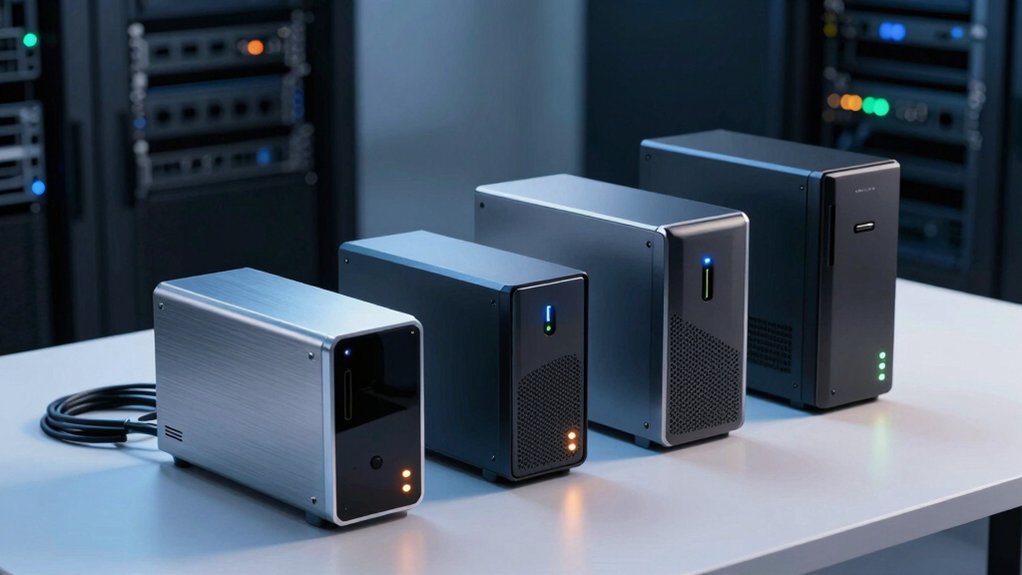

You need a home server that won’t let you down. That means selecting NAS drives built for constant operation, paired with the right hardware and configuration. Your choices matter—the wrong setup costs you speed, reliability, and money down the line. Before you buy anything, you should understand what separates a solid performer from an underperformer. Let’s examine five proven NAS systems and the factors that make them work.
| UGREEN NAS DH2300 2-Bay Network Storage (Diskless) |

| Best for Beginners | Storage Capacity: Up to 64TB | Drive Bays: 2-bay | AI Photo Organization: Face, location, text, and object tagging with duplicate removal | VIEW LATEST PRICE | Read Our Analysis |
| UGREEN NAS DH4300 Plus 4-Bay Desktop Storage |

| Best AI Features | Storage Capacity: Up to 128TB | Drive Bays: 4-bay | AI Photo Organization: AI album recognition, semantic search, people/object/pet recognition, duplicate removal | VIEW LATEST PRICE | Read Our Analysis |
| UGREEN NAS DXP2800 2-Bay Network Attached Storage |

| Best Performance | Storage Capacity: Up to 76TB | Drive Bays: 2-bay | AI Photo Organization: Face, scene, object, and location recognition with duplicates removal | VIEW LATEST PRICE | Read Our Analysis |
| BUFFALO LinkStation 720 8TB 2-Bay NAS Storage |

| Best Value | Storage Capacity: 8TB | Drive Bays: 2-bay | AI Photo Organization: No AI features mentioned | VIEW LATEST PRICE | Read Our Analysis |
| BUFFALO LinkStation 210 6TB NAS Network Storage Device |

| Most Affordable | Storage Capacity: 6TB | Drive Bays: 1-bay | AI Photo Organization: No AI features mentioned | VIEW LATEST PRICE | Read Our Analysis |
More Details on Our Top Picks
UGREEN NAS DH2300 2-Bay Network Storage (Diskless)
If you’re starting your journey into home network storage and need a straightforward way to back up photos, videos, and personal files without relying on cloud services, the UGREEN NAS DH2300 delivers essential functionality at an entry-level price point. The diskless 2-bay unit supports up to 64TB capacity when you add compatible drives from Western Digital, Seagate, or Toshiba. You’ll get 4GB RAM and 1GbE connectivity, enabling file transfers around 125MB/s. The device includes AI tagging features that automatically organize photos by faces, locations, and objects, plus duplicate detection. Security options include RAID configurations, two-factor authentication, and encrypted transfers. Note that Docker and virtual machines aren’t supported, and you’ll need a wired connection for peak performance. This NAS suits personal use and small teams, not critical business operations.
- Storage Capacity:Up to 64TB
- Drive Bays:2-bay
- AI Photo Organization:Face, location, text, and object tagging with duplicate removal
- Network Connectivity:1GbE network port
- Security & Encryption:RAID options, two-factor authentication, encrypted transfers, TRUSTe and TÜV SÜD certified
- Warranty & Support:2-year protection, lifetime service via Amazon or UGREEN Knowledge Center
- Additional Feature:Live photo backup sharing
- Additional Feature:Automatic duplicate photo removal
- Additional Feature:Face/location/text AI tagging
UGREEN NAS DH4300 Plus 4-Bay Desktop Storage
Looking for an entry-level NAS that handles home media storage and remote access without requiring advanced technical skills? The UGREEN DH4300 Plus offers four bays and 128TB maximum capacity with 2.5GbE networking and 8GB RAM. You’ll appreciate the AI-powered photo organization that recognizes people, objects, and pets automatically. Docker support lets you run containerized applications, though virtual machines aren’t available. Data stays on your private drives with advanced encryption and TÜV SÜD certification. Connect across iOS, Android, Windows, and macOS devices. Note that performance depends on your router, drives, and file sizes. Internet access requires wired Ethernet only.
- Storage Capacity:Up to 128TB
- Drive Bays:4-bay
- AI Photo Organization:AI album recognition, semantic search, people/object/pet recognition, duplicate removal
- Network Connectivity:2.5GbE network port
- Security & Encryption:Advanced encryption, TRUSTe certified, ETSI EN 303 645 certification
- Warranty & Support:2-year warranty with support (specific support details limited)
- Additional Feature:4K HDMI output
- Additional Feature:Docker support capability
- Additional Feature:2.5GbE network connectivity
UGREEN NAS DXP2800 2-Bay Network Attached Storage
The UGREEN NAS DXP2800 works well for enthusiasts and small teams who want reliable storage without paying monthly cloud subscription fees. This 2-bay desktop unit features a 12th Gen Intel N100 processor, 8GB DDR5 RAM, and 2.5GbE connectivity. You’ll access up to 76TB of storage capacity by installing compatible hard drives separately. The device includes AI-powered photo organization that recognizes faces and removes duplicates automatically. Setup takes minutes through the user-friendly app, which works on Windows, macOS, Android, iOS, and smart TVs. Advanced encryption protects your files in your private cloud. You’ll get a 2-year warranty and 24/7 support.
- Storage Capacity:Up to 76TB
- Drive Bays:2-bay
- AI Photo Organization:Face, scene, object, and location recognition with duplicates removal
- Network Connectivity:2.5GbE network port
- Security & Encryption:Advanced encryption, secure private cloud
- Warranty & Support:2-year warranty with 24/7 specialist support, 30-day free returns
- Additional Feature:12th Gen Intel processor
- Additional Feature:DDR5 RAM architecture
- Additional Feature:M.2 NVMe slot support
BUFFALO LinkStation 720 8TB 2-Bay NAS Storage
Buffalo’s LinkStation 720 works best for home users who want a personal cloud without paying monthly subscription fees. You’ll choose between RAID 1 for 4TB usable storage with automatic backup or RAID 0 for the full 8TB capacity. The device connects directly to your router, enabling shared network storage across Windows and MacOS devices. You can back up multiple computers simultaneously, sync with Dropbox, Azure, and OneDrive, and configure individual folder access restrictions for secure sharing. Buffalo includes NAS Navigator management software, PC backup tools, and 24/7 US-based support. The closed system design and SSL encryption protect your data from third-party vulnerabilities.
- Storage Capacity:8TB
- Drive Bays:2-bay
- AI Photo Organization:No AI features mentioned
- Network Connectivity:Standard network connectivity (wired Ethernet)
- Security & Encryption:SSL encryption, closed system, 2-year warranty
- Warranty & Support:2-year warranty with 24/7 US-based support
- Additional Feature:Dropbox/Azure/OneDrive integration
- Additional Feature:RAID 1 automatic backup
- Additional Feature:Made in Japan
BUFFALO LinkStation 210 6TB NAS Network Storage Device
Want a straightforward NAS that handles centralized storage and backups without monthly subscription fees? The BUFFALO LinkStation 210 offers 6TB capacity in a single-bay design with the drive included. Connect it to your router, then use the included NAS Navigator utility to set up network access across Windows and macOS devices. Configure folder permissions to control who accesses what data. Enable SSL encryption for secure file transfers. Schedule automated backups from your computers to the NAS. You’ll get 24/7 US support and a two-year warranty covering the hardware and drive.
- Storage Capacity:6TB
- Drive Bays:1-bay
- AI Photo Organization:No AI features mentioned
- Network Connectivity:Standard network connectivity (wired Ethernet)
- Security & Encryption:SSL encryption, closed system, 2-year warranty
- Warranty & Support:2-year warranty including hard drives, 24/7 US-based support
- Additional Feature:Hard drives included
- Additional Feature:Single bay configuration
- Additional Feature:Closed system architecture
Factors to Consider When Choosing NAS Drives for Home Servers
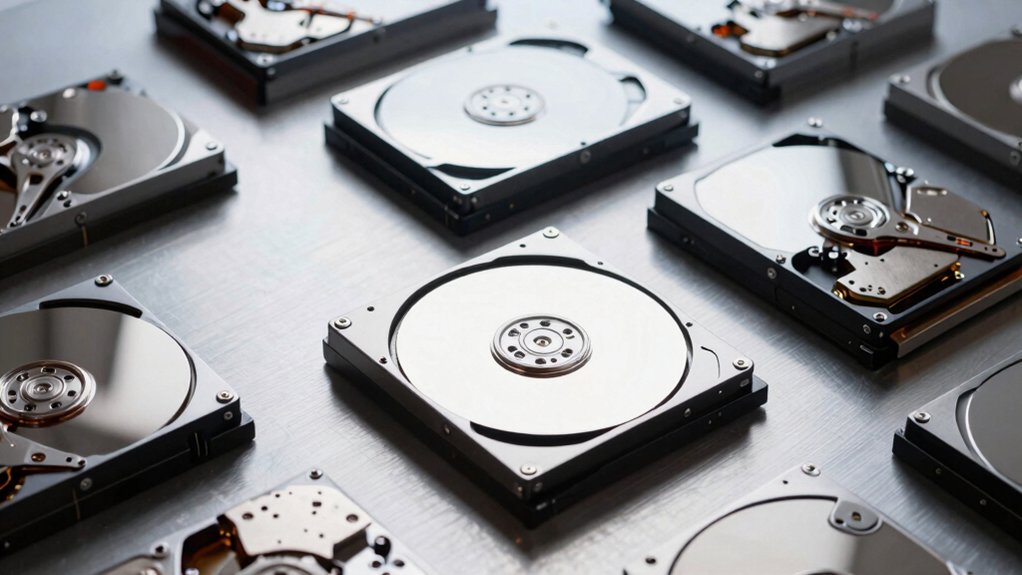
You’ll need to evaluate five key areas before purchasing a NAS drive: determine your storage capacity requirements based on how much data you plan to store, assess performance and speed metrics like RPM and cache size to match your usage needs, check reliability ratings and warranty coverage to protect your investment, verify compatibility with your specific NAS model to avoid installation issues, and understand RAID configuration options to decide how you want your drives to work together for data protection and performance. Each of these factors directly affects whether your home server will meet your needs reliably and efficiently. Start by calculating your current storage needs and adding 30 percent for future growth, then use those numbers to narrow down which drives and RAID setups make sense for your situation.
Storage Capacity Requirements
How do you determine the right storage capacity for your home NAS? Start by calculating your daily data growth. Estimate how many photos, videos, and backups you generate daily, then multiply by 365 to find annual needs. Next, factor in your RAID configuration. RAID 0 uses full drive capacity, while RAID 1 cuts usable space in half for redundancy. Add 20–30% headroom for the operating system, metadata, and snapshots. Consider future expansion by selecting a NAS that supports larger drives or additional bays. This prevents immediate reconfiguration as your storage demands increase. Finally, verify that your chosen drives match your NAS model’s specifications and can handle continuous 24/7 operation without overheating.
Performance And Speed Metrics
What determines whether your NAS will handle large file transfers smoothly or lag during backups? You need to evaluate three key metrics: network speed, drive specifications, and storage configuration.
First, check your network capability. 1 GbE networks sustain around 110–125 MB/s, while 2.5 GbE reaches 240–260 MB/s. Second, examine drive speed—7200 RPM drives outperform 5400 RPM models for sequential transfers. Third, consider your array type. RAID 0 maximizes speed but lacks redundancy. RAID 5 or 6 adds protection but slows writes due to parity calculations. RAID 10 balances both.
Additionally, assess CPU power, RAM capacity, and cache options. NVMe caches boost random access performance significantly. Match these specifications to your actual workload demands for optimal results.
Reliability And Warranty Coverage
With speed and performance metrics determining how rapidly your NAS handles data, reliability decides whether that data stays safe over months and years of continuous operation. Check the manufacturer’s warranty length—longer warranties typically signal greater confidence in drive durability. Compare annualized failure rates (AFR) across models; lower rates indicate better performance in 24/7 environments. Select NAS-rated drives specifically optimized for RAID systems, as they include enhanced endurance and vibration tolerance. Confirm that drives include TLER (Time-Limited Error Recovery) or ERC features to prevent stalls during array operations. Research vendor support availability and replacement part accessibility, since quick replacements minimize downtime. These factors combined ensure your home server maintains data integrity reliably.
Compatibility With NAS Models
Before you buy any drive, you’ll need to verify it’ll work with your specific NAS model. Check your NAS manufacturer’s official compatibility list first, as not all drives work with all systems. Some NAS models accept only 3.5″ SATA HDDs, while others exclude M.2 NVMe drives entirely. Next, confirm the drive’s specifications match your system’s requirements—spindle speed, cache size, and capacity limits vary by model. Your chosen RAID configuration also affects compatibility; different RAID levels may support only certain drive speeds and capacities. Finally, verify the drive meets the manufacturer’s reliability ratings. Using approved drives prevents speed throttling, automatic backup failures, and potential data loss. Buying incompatible drives wastes money and creates setup problems.
RAID Configuration Options
Since your NAS’s RAID setup directly determines how much storage you’ll actually have available and how well your data’s protected, you’ll need to understand each option before selecting drives. RAID 0 combines all drives for maximum capacity and speed, but offers no protection. RAID 1 mirrors drives for fault tolerance, though you’ll lose half your usable space. RAID 5 and RAID 6 use parity across three or more drives, balancing protection with efficiency; RAID 6 handles two simultaneous failures. RAID 10 mirrors and stripes drives, requiring an even number while delivering high performance and redundancy. Match your drive selection to your chosen RAID level, ensuring drives have similar performance and wear levels to maintain rebuild speeds and array stability.
Power Consumption And Efficiency
Power consumption directly impacts your home server’s operating costs, and you’ll want to account for it when selecting NAS drives. Most 3.5″ HDDs draw 6–9 watts while idle and 8–12+ watts under load, whereas 2.5″ drives consume less power but offer lower performance density. Choose drives with low spin-up current and efficient idle states to reduce peak power draw during activity and shutdown periods. Consider adding NVMe or SSD caches to boost responsiveness, though this increases instantaneous power usage compared to HDD-only setups. Larger RAID arrays consume more baseline power, but certain configurations optimize rebuild workloads to minimize energy during maintenance. Select energy-efficient drives with wear-leveling and advanced power management features to maintain consistently lower long-term consumption for your home server.
Noise Levels During Operation
How much noise can you tolerate from your home server? Check the drive’s decibel (dB) rating under load, since 5400–5900 RPM drives typically run quieter than 7200 RPM models. Compare official acoustics specs measured in dB(A) at specified conditions to predict real-world performance. Consider your NAS enclosure design—multi-drive setups amplify vibration and fan noise, so case construction matters as much as the drive itself. Evaluate both idle and burst noise profiles, since continuous humming during backup tasks affects daily comfort. If silence matters, explore fanless or low-noise cooling options, though these limit capacity and RAID configurations. For higher-capacity setups requiring active cooling, expect increased sound output. Match your noise tolerance to the drive’s specifications before purchasing.
Budget And Long-Term Value
When you’re building a home server, the drive you choose today will impact your wallet for years to come. Compare NAS-rated drives against desktop drives by calculating total cost of ownership: divide the drive’s price by its expected lifespan in years. NAS drives cost more upfront but last longer, reducing replacement frequency. Plan your capacity now—choosing 8TB drives instead of 4TB minimizes future expansion expenses and avoids premature replacements. Consider your RAID configuration’s impact: RAID 1 uses half your total capacity for redundancy, while RAID 0 maximizes capacity but increases failure risk. Finally, check power consumption specifications. Lower-wattage drives reduce electricity costs and heat generation, extending your NAS hardware’s longevity. These factors combined determine your genuine long-term expenses, not just initial purchase price.
Final Thoughts
You’ll get the best performance by matching your NAS drive to your specific setup. Start by determining your storage capacity needs and redundancy requirements. Next, select a NAS unit with adequate connectivity—2.5GbE minimum. Then choose drives rated for 24/7 operation with TLER enabled. Finally, configure RAID based on your priority: RAID 1 for protection or RAID 0 for speed. Verify drive compatibility with your NAS manufacturer’s list before purchasing.

Meet Ry, “TechGuru,” a 36-year-old technology enthusiast with a deep passion for tech innovations. With extensive experience, he specializes in gaming hardware and software, and has expertise in gadgets, custom PCs, and audio.
Besides writing about tech and reviewing new products, he enjoys traveling, hiking, and photography. Committed to keeping up with the latest industry trends, he aims to guide readers in making informed tech decisions.