
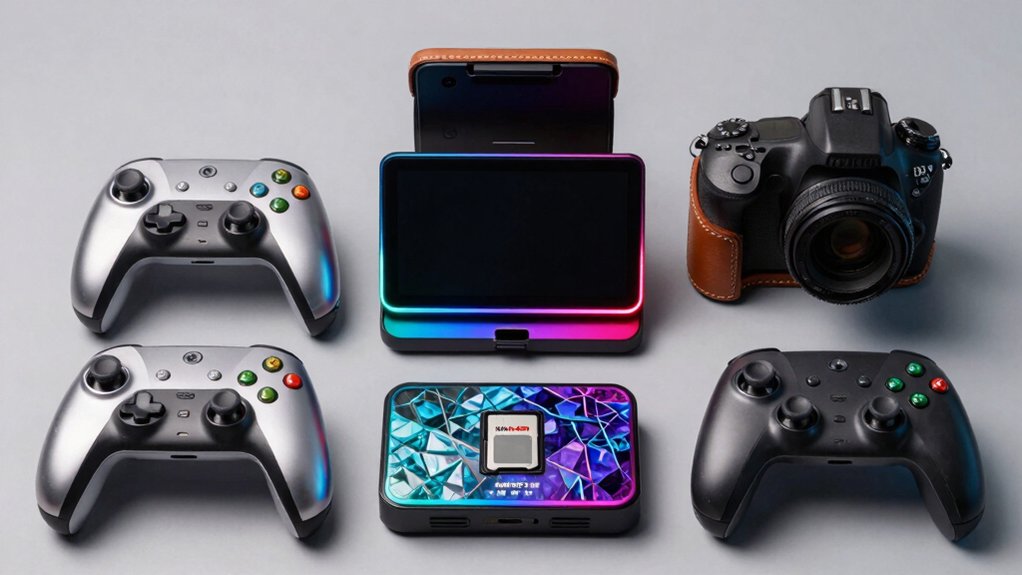

You can enhance your Nintendo Switch 2 experience by considering five key upgrades. These improvements address performance, storage, navigation, social connectivity, and account management. Each upgrade serves a specific function that impacts how you play and enjoy your games. Understanding what each upgrade does helps you decide which ones fit your needs. Let’s examine what makes each upgrade worth your attention.
| The Legend of Zelda: Tears of the Kingdom Nintendo Switch 2 |

| Best Visual Upgrade | Product Type: Game upgrade pack (digital code) | Nintendo Play Account Required: Yes | Return/Refund Policy: Non-returnable, non-refundable | VIEW LATEST PRICE | Read Our Analysis |
| Nintendo Switch 2 System |

| Essential Hardware | Product Type: Hardware system console | Nintendo Play Account Required: No | Return/Refund Policy: Not specified | VIEW LATEST PRICE | Read Our Analysis |
| Animal Crossing: New Horizons Nintendo Switch 2 Upgrade |

| Best Multiplayer Experience | Product Type: Game upgrade pack (digital code) | Nintendo Play Account Required: Yes | Return/Refund Policy: Non-returnable, non-refundable | VIEW LATEST PRICE | Read Our Analysis |
| Pokémon Legends: Z-A Nintendo Switch 2 Digital Code |

| Best Performance Boost | Product Type: Game upgrade pack (digital code) | Nintendo Play Account Required: Yes | Return/Refund Policy: Non-returnable, non-refundable | VIEW LATEST PRICE | Read Our Analysis |
| LONANDY Joycon Joystick Replacement for Nintendo Switch 2 |

| Best Maintenance Kit | Product Type: Controller accessory/repair kit | Nintendo Play Account Required: No | Return/Refund Policy: Not specified | VIEW LATEST PRICE | Read Our Analysis |
More Details on Our Top Picks
The Legend of Zelda: Tears of the Kingdom Nintendo Switch 2
Are you looking for superior visual performance in Hyrule? The Nintendo Switch 2 Edition Upgrade Pack delivers improved framerates, faster load times, enhanced resolution, and better textures. You’ll transfer your save data from your original Nintendo Switch or start fresh with two separate manual save files. The ZELDA NOTES service connects to your compatible smart device, offering voice-assisted shrine navigation, character voice memories, and daily bonuses. You can compare world-wide play data, decorate photos, and share items through QR codes. This upgrade pack requires only a Nintendo Play account—no Nintendo Switch Online membership necessary for ZELDA NOTES features.
- Product Type:Game upgrade pack (digital code)
- Nintendo Play Account Required:Yes
- Return/Refund Policy:Non-returnable, non-refundable
- Multiplayer Capability:Voice-assisted features, worldwide play data comparison
- Enhanced Performance:Improved framerates, faster load times, enhanced resolution/textures
- Release/Availability Date:June 5, 2025
- Additional Feature:Voice-assisted shrine/Korok navigation
- Additional Feature:QR Code item transfer system
- Additional Feature:Daily in-game bonuses
Nintendo Switch 2 System
The Nintendo Switch 2’s essential hardware delivers three distinct play modes—TV, Tabletop, and Handheld—making it the versatile choice for gamers who want flexibility across different play environments. The 7.9″ LCD touch screen with HDR support displays vivid graphics up to 120 fps. Connect the dock to a compatible TV for 4K output. Store games using 256GB internal storage, expandable via microSD Express cards. Attach Joy-Con 2 controllers magnetically; they include mouse controls. Play physical and digital Switch games. Use GameChat for voice communication, screen sharing, and video chat during gameplay. Access multiplayer options: same-system, local wireless, and online.
- Product Type:Hardware system console
- Nintendo Play Account Required:No
- Return/Refund Policy:Not specified
- Multiplayer Capability:Same-system, local wireless, online multiplayer
- Enhanced Performance:Up to 120 fps, HDR support
- Release/Availability Date:Not specified
- Additional Feature:7.9″ HDR LCD touchscreen
- Additional Feature:4K dock connectivity support
- Additional Feature:Magnetic Joy-Con attachment
Animal Crossing: New Horizons Nintendo Switch 2 Upgrade
Animal Crossing: New Horizons Switch 2 Edition offers you the strongest multiplayer experience available, supporting up to 12 players in online sessions when everyone has the upgraded version. You’ll access enhanced resolution and faster load times on your Switch 2 system. Mouse control support streamlines decorating tasks, while the new megaphone feature lets you call residents using your system microphone. You can scan amiibo figures to invite specific guests to VIP rooms, decorate hotel spaces for tourists, and design custom guest rooms. The free update includes batch crafting, storage material access, and camera support for real-time reactions with friends and family.
- Product Type:Game upgrade pack (digital code)
- Nintendo Play Account Required:Yes
- Return/Refund Policy:Non-returnable, non-refundable
- Multiplayer Capability:Up to 12-player online sessions, same-system, local wireless
- Enhanced Performance:Enhanced resolution, faster load times, mouse control support
- Release/Availability Date:January 15, 2026
- Additional Feature:12-player online sessions supported
- Additional Feature:Amiibo figure/card scanning
- Additional Feature:Mouse control for decorating
Pokémon Legends: Z-A Nintendo Switch 2 Digital Code
Want to experience Pokémon Legends: Z-A with peak performance? Purchase the Nintendo Switch 2 Edition Upgrade Pack to access enhanced graphics and smoother gameplay. The upgrade delivers improved resolution and faster frame rates, making Lumiose City appear more vibrant than ever. To obtain it, you’ll need a Nintendo Play account to download and install the digital code. The product releases October 16, 2025, though pre-orders became available June 18, 2025. Note that this digital purchase is non-returnable and non-refundable. When you buy, you’re agreeing to Nintendo’s Games and Software Terms of Use. The upgrade pack costs extra beyond the base game, so factor that into your budget when planning your purchase.
- Product Type:Game upgrade pack (digital code)
- Nintendo Play Account Required:Yes
- Return/Refund Policy:Non-returnable, non-refundable
- Multiplayer Capability:Not specified
- Enhanced Performance:Enhanced resolution, smoother frame rates
- Release/Availability Date:October 16, 2025
- Additional Feature:Lumiose City enhanced vibrancy
- Additional Feature:Smoother frame rate performance
- Additional Feature:Everyone 10+ rating
LONANDY Joycon Joystick Replacement for Nintendo Switch 2
Experiencing drift or unresponsive controls on your Switch 2? The LONANDY Joycon Joystick Replacement kit solves this problem directly. You’ll receive two replacement joysticks with a complete tool kit: magnetic screwdrivers, a pry bar, tweezers, four thumb grip caps, and twelve spare screws. Installation requires you to watch the included YouTube tutorial, then use the provided tools to open your controller and swap the damaged joystick. After replacement, you’ll calibrate the new joystick through System Settings under Controllers and Sensors. The silicone thumb grip caps protect your joysticks from future damage. This 2-pack kit addresses drift issues immediately without purchasing a new controller.
- Product Type:Controller accessory/repair kit
- Nintendo Play Account Required:No
- Return/Refund Policy:Not specified
- Multiplayer Capability:Not applicable
- Enhanced Performance:Not applicable
- Release/Availability Date:Not specified
- Additional Feature:Anti-drift analog thumbsticks
- Additional Feature:Magnetized screwdriver tool set
- Additional Feature:Silicone protective grip caps
Factors to Consider When Choosing Nintendo Switch 2 Upgrades
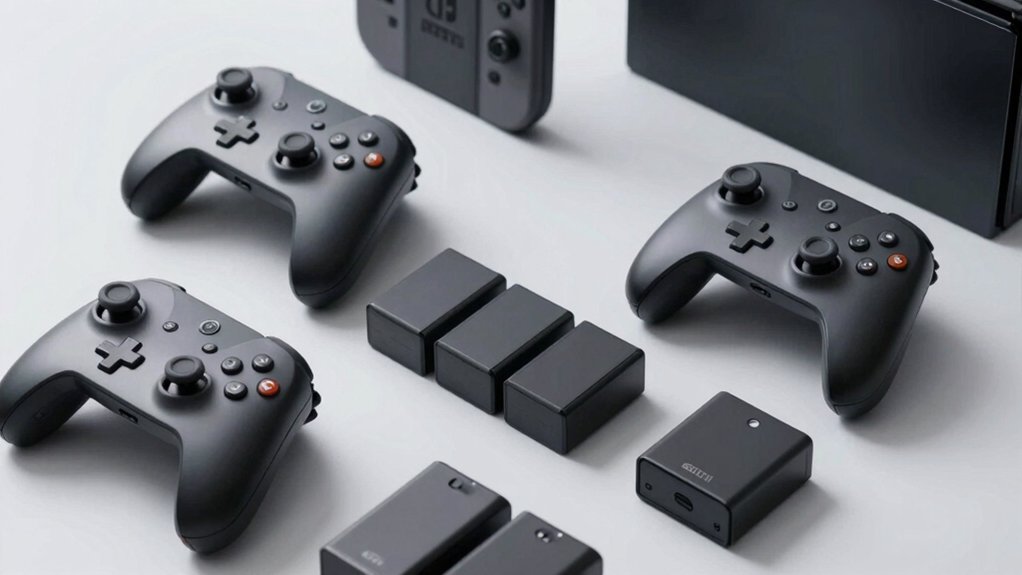
When selecting Nintendo Switch 2 upgrades, you’ll want to evaluate performance enhancement options that match your gaming style, verify compatibility with your existing game library, and assess whether you need improved multiplayer features for social gaming. Consider your storage requirements based on how many games you plan to install, then weigh these needs against your budget to determine which upgrades deliver the best value for your specific use case. By examining each factor in order—performance, compatibility, social features, storage, and cost—you can make a practical decision that aligns with your gaming priorities.
Performance Enhancement Options
How do you decide which Nintendo Switch 2 upgrade pack best suits your gaming needs? First, identify your priority: faster load times, improved framerates, or enhanced graphics. If you play story-heavy games, prioritize faster load times for smoother progression. For action games, choose packs emphasizing higher framerates to maintain responsive gameplay. If visual quality matters most, select upgrades featuring enhanced resolution and textures.
Next, check system compatibility requirements. You’ll need a Nintendo Play account to download and install your chosen upgrade. Review whether the pack includes companion app features like ZELDA NOTES, which offers voice-assisted navigation and daily bonuses without Nintendo Switch Online membership.
Finally, confirm the upgrade supports your save data transfer needs. Digital upgrade codes enable transferring saves from your base system and support two separate manual save files for testing different game approaches.
Compatibility With Existing Games
While performance upgrades improve how your games run, you’ll also need to verify that your chosen upgrade pack works properly with the games you already own. First, check whether your upgrade supports save data transfer from your original Nintendo Switch to the Switch 2. Some upgrades require separate save files, meaning you’ll restart games rather than continue progress. Second, confirm that enhanced resolution and faster load times don’t create compatibility issues with existing game assets. Third, verify whether your upgrade needs a Nintendo Play account for download and installation—without it, you may lose access to titles you’ve purchased. Finally, review what additional features the upgrade enables, such as improved framerates or QR-based item transfers, as these directly affect your gameplay experience with already-owned games.
Multiplayer And Social Features
Do you want to play with friends locally or online? Nintendo Switch 2 upgrades deliver both options. For local multiplayer, you can connect up to 4 players on the same system or use local wireless play. Online multiplayer supports up to 12-player sessions through upgrade packs. To access multiplayer features, you’ll need a Nintendo Play account to download upgrade content. Some social features work without a Nintendo Switch Online membership, while others require it. Game-specific upgrades include companion apps with voice navigation, in-game photo decoration, and cross-save data transfer via QR codes. You can also transfer save data between Switch generations and synchronize in-game worlds for collaborative play with friends. Choose upgrades matching your preferred play style.
Storage And Expandability Needs
When you’re deciding which Nintendo Switch 2 upgrades to purchase, you’ll want to contemplate your storage requirements first. Evaluate how many games you plan to install simultaneously and whether you prefer digital or physical copies. The built-in 256GB won’t accommodate large libraries without expansion. Invest in a microSD Express card to increase storage capacity and improve load times for open-world games requiring substantial data streaming. Calculate your needs by checking game file sizes before purchasing. Next, consider cloud save options to backup progress and reduce on-device storage strain across multiple profiles. Finally, verify that any digital upgrade packs you buy integrate with your Nintendo Play account, ensuring proper license management and organized content distribution across your available storage regions.
Budget And Value Assessment
How much should you actually spend on Nintendo Switch 2 upgrades? Start by comparing upgrade pack prices against the performance gains they deliver. Calculate the cost-per-benefit ratio by examining framerates, load times, and resolution improvements over the base game. Next, identify required accounts or subscriptions, as Nintendo Play membership may add ongoing expenses beyond the initial purchase. Check return policies carefully—many upgrades are non-returnable, so verify warranty coverage before buying. Evaluate save data transfer capabilities and cloud storage options to avoid losing progress. Finally, assess included accessories like calibration tools or hardware parts against the upgrade’s price. This systematic approach ensures you’re investing money in upgrades that genuinely enhance your gaming experience rather than spending unnecessarily on redundant features.
Hardware Repair Considerations
Beyond calculating what you’ll spend on upgrades, you’ll want to assess whether your Nintendo Switch 2 hardware needs repair before investing in performance enhancements. Start by testing your joysticks for drift or input lag. If you detect problems, prioritize replacement joysticks with anti-drift designs—they’ll extend your controller’s lifespan and improve accuracy. You’ll need a complete repair kit containing multiple screwdrivers, spare screws, and calibration guidance. Follow manufacturer instructions carefully during installation to avoid damage. After reassembly, calibrate your joystick through System Settings > Controllers and Sensors > Calibrate the Joystick. Verify compatibility with your specific Nintendo Switch 2 model and revision before purchasing parts. Contact manufacturer support if issues persist post-repair. Addressing hardware problems first ensures your upgrades function optimally.
Final Thoughts
You’ve reviewed five essential Nintendo Switch 2 upgrades that improve your gaming experience. Start by prioritizing your needs: if you play demanding games, get the high-performance pack first. Next, add 256GB storage for your game library. Then layer in ZELDA NOTES for navigation assistance, social features for multiplayer engagement, and Nintendo Play account integration for cloud saves. Install each upgrade systematically to maximize your console’s capabilities.

Meet Ry, “TechGuru,” a 36-year-old technology enthusiast with a deep passion for tech innovations. With extensive experience, he specializes in gaming hardware and software, and has expertise in gadgets, custom PCs, and audio.
Besides writing about tech and reviewing new products, he enjoys traveling, hiking, and photography. Committed to keeping up with the latest industry trends, he aims to guide readers in making informed tech decisions.