
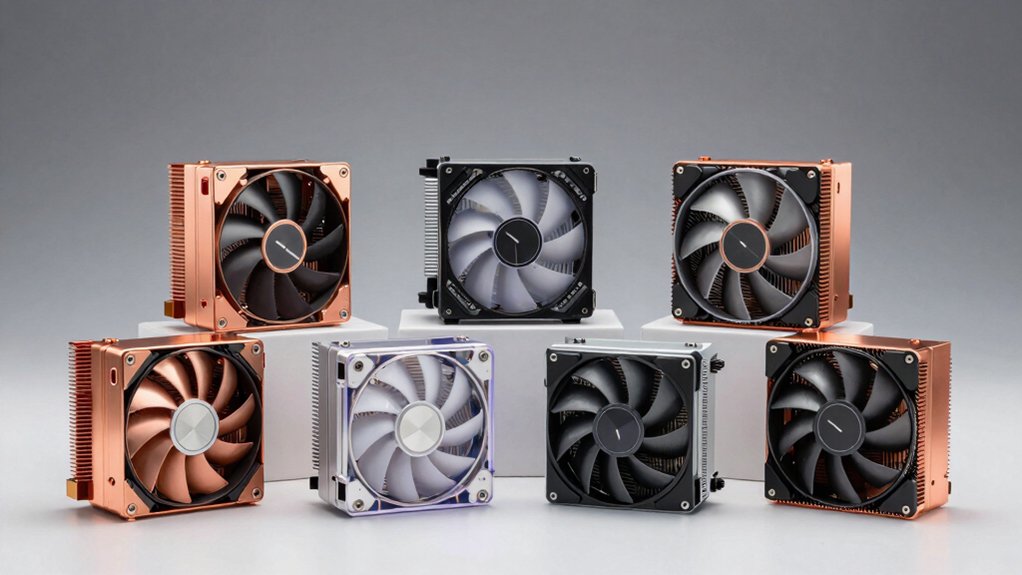

You’re building or upgrading a workstation, and you need a CPU cooler that won’t distract you with noise. The right cooler keeps your processor cool while staying nearly silent—a critical balance for focused work environments. This guide walks you through six proven options, from air coolers with advanced heat pipe designs to liquid alternatives, each selected for quiet operation and reliable performance. But which one’s right for your specific setup?
| Thermalright Peerless Assassin 120 SE CPU Cooler |

| Best Performance | Cooling Type: Air cooling with dual 120mm fans | Noise Level: ≤ 25.6 dB(A) | Heat Pipes: 6 AGHP heat pipes | VIEW LATEST PRICE | Read Our Analysis |
| Intel CPU Aluminum Heatsink Cooler LGA115x Compatible |

| Budget Pick | Cooling Type: Air cooling with single fan | Noise Level: 30 dB(A) | Heat Pipes: Not specified | VIEW LATEST PRICE | Read Our Analysis |
| CORSAIR Nautilus 360 RS ARGB Liquid CPU Cooler |

| Premium Liquid Cooling | Cooling Type: Liquid cooling (360mm AIO) | Noise Level: ~20 dB(A) pump | Heat Pipes: Convex cold plate (liquid) | VIEW LATEST PRICE | Read Our Analysis |
| ID-COOLING SE-903-XT V2 CPU Air Cooler |

| Compact & Quiet | Cooling Type: Air cooling with single 100mm fan | Noise Level: 29.1 dB(A) | Heat Pipes: Direct touch heatpipes | VIEW LATEST PRICE | Read Our Analysis |
| Thermalright Phantom Spirit 120 EVO CPU Cooler |

| Best Overall | Cooling Type: Air cooling with dual 120mm fans | Noise Level: ≤ 27 dB(A) | Heat Pipes: 7×6mm heat pipes | VIEW LATEST PRICE | Read Our Analysis |
| be quiet! Dark Rock 5 CPU Air Cooler (BK035) |

| Quietest Operation | Cooling Type: Air cooling with single 120mm fan | Noise Level: Silent Wings 4 technology (not specified) | Heat Pipes: 6 copper heat pipes | VIEW LATEST PRICE | Read Our Analysis |
More Details on Our Top Picks
Thermalright Peerless Assassin 120 SE CPU Cooler
Want a workstation cooler that runs quietly without sacrificing performance? The Thermalright Peerless Assassin 120 SE delivers both. This cooler features six heat pipes with AGHP technology and dual 120mm PWM fans operating at 1550 RPM, producing just 25.6 dB(A) of noise. Its double-tower aluminum design fits Intel LGA 1700/1150/1151/1200/1851 and AMD AM4/AM5 sockets. The cooler measures 125×135×155mm, leaving room for RAM installation. You’ll receive corresponding mounting hardware for your platform. For AMD systems, use your motherboard’s built-in backplate. Before installing, verify your case accommodates the cooler’s dimensions to avoid clearance issues.
- Cooling Type:Air cooling with dual 120mm fans
- Noise Level:≤ 25.6 dB(A)
- Heat Pipes:6 AGHP heat pipes
- Intel/AMD Compatibility:Intel LGA 1700/1150/1151/1200/1851; AMD AM4/AM5
- Maximum Airflow:66.17 CFM
- Maximum RPM:1550 RPM ±10%
- Additional Feature:Double tower enhanced performance
- Additional Feature:RAM clearance unrestricted installation
- Additional Feature:AGHP heat pipe technology
Intel CPU Aluminum Heatsink Cooler LGA115x Compatible
If you’re building or upgrading a workstation with Intel Core i3, i5, i7, or i9 processors on LGA1156, LGA1155, LGA1150, LGA1151, or LGA1200 sockets, this aluminum heatsink cooler delivers quiet operation at 30 decibels while handling CPUs with thermal designs up to 65 watts. The unit features pre-applied thermal paste, eliminating manual application steps. Installation uses either direct screw mounting or tool-free push-pin methods. The 4-pin PWM connector integrates with your motherboard’s fan header, reaching maximum speeds of 3000 RPM. At 0.3 pounds, it’s lightweight and fits standard form factors. This cooler maintains optimal processor temperatures during demanding workstation tasks without generating excessive noise.
- Cooling Type:Air cooling with single fan
- Noise Level:30 dB(A)
- Heat Pipes:Not specified
- Intel/AMD Compatibility:Intel LGA1200/1151/1150/1155/1156
- Maximum Airflow:Not specified
- Maximum RPM:3000 RPM
- Additional Feature:Pre-applied thermal paste included
- Additional Feature:Tool-free push-pin installation
- Additional Feature:Up to 65W TDP support
CORSAIR Nautilus 360 RS ARGB Liquid CPU Cooler
The CORSAIR Nautilus 360 RS ARGB Liquid CPU Cooler stands out as an excellent choice for professionals who need reliable cooling without distracting noise in their workspace. The pump operates at approximately 20 dBA, ensuring quiet operation during demanding workloads. Its 360mm radiator houses three RS120 ARGB fans that deliver strong airflow while maintaining low noise through Magnetic Dome bearings and CORSAIR AirGuide technology. Installation is straightforward: the convex cold plate comes with pre-applied thermal paste, eliminating preparation steps. Setup requires connecting only one 4-pin PWM fan header and one +5V ARGB header to your motherboard. This cooler supports Intel LGA1851, LGA1700, AMD AM5, and AM4 sockets. Daisy-chain connections minimize cable clutter in your case, keeping your workstation clean and organized.
- Cooling Type:Liquid cooling (360mm AIO)
- Noise Level:~20 dB(A) pump
- Heat Pipes:Convex cold plate (liquid)
- Intel/AMD Compatibility:Intel LGA 1851/1700; AMD AM5/AM4
- Maximum Airflow:3x RS120 fans (high airflow)
- Maximum RPM:Not specified (pump-based)
- Additional Feature:Convex cold plate design
- Additional Feature:Daisy-chain wiring reduces cables
- Additional Feature:ARGB control via motherboard
ID-COOLING SE-903-XT V2 CPU Air Cooler
Building a quiet workstation or gaming PC requires a cooler that balances thermal performance with minimal noise output, and the ID-COOLING SE-903-XT V2 delivers on both fronts with its 29.1-decibel operating level. You’ll appreciate the upgraded 100mm fan that moves 47.1 CFM of air while spinning at just 2500 RPM maximum. The direct-touch heatpipes efficiently transfer heat from your CPU to the aluminum fin array. Install it using the upgraded universal bracket, which fits both Intel and AMD platforms. Its low-profile design won’t interfere with RAM or motherboards in ITX and mATX cases. You’re getting reliable cooling with minimal acoustic disruption, supported by its 4.2-star rating across user reviews.
- Cooling Type:Air cooling with single 100mm fan
- Noise Level:29.1 dB(A)
- Heat Pipes:Direct touch heatpipes
- Intel/AMD Compatibility:Intel & AMD platforms
- Maximum Airflow:47.1 CFM
- Maximum RPM:2500 RPM
- Additional Feature:Low-profile ITX/mATX compatible
- Additional Feature:Direct touch heatpipes design
- Additional Feature:Reinforced aluminum fins vibration-resistant
Thermalright Phantom Spirit 120 EVO CPU Cooler
Looking for a cooler that delivers quiet operation without sacrificing cooling power? The Thermalright Phantom Spirit 120 EVO features dual TL-K12 PWM fans operating at 2150 RPM while maintaining noise levels at or below 27 dB(A). Its seven 6mm heat pipes and copper base with micro-engraved finish work together to dissipate heat efficiently. You’ll appreciate the broad compatibility across Intel LGA 1700, 1150, 1151, 1155, 1156, 1200, 2011, and 2066 sockets, plus AMD AM4 and AM5. The cooler’s aluminum fin design avoids memory interference, so you won’t encounter clearance problems during installation. With 69 CFM maximum airflow, you’re getting reliable performance for workstation environments where noise control matters.
- Cooling Type:Air cooling with dual 120mm fans
- Noise Level:≤ 27 dB(A)
- Heat Pipes:7×6mm heat pipes
- Intel/AMD Compatibility:Intel LGA 1700/1150/1151/1155/1156/1200/2011/2066; AMD AM4/AM5
- Maximum Airflow:69 CFM
- Maximum RPM:2150 RPM ±10%
- Additional Feature:Copper base micro-engraved finish
- Additional Feature:Memory avoidance broader compatibility
- Additional Feature:Anodized black frosted top
be quiet! Dark Rock 5 CPU Air Cooler (BK035)
Are you building a high-performance workstation that demands both silent operation and reliable cooling? The be quiet! Dark Rock 5 delivers efficient heat dissipation through six copper heat pipes and a dense aluminum fin array. Its Silent Wings 4 120mm PWM fan uses advanced fluid-dynamic bearing technology to minimize noise while maintaining strong airflow. The asymmetrical design accommodates tall RAM modules and optional second fan installation for enhanced cooling. You’ll benefit from the preinstalled mounting bridge, which simplifies installation across multiple socket types. The magnetic mesh cover provides a clean aesthetic while hiding internal components.
- Cooling Type:Air cooling with single 120mm fan
- Noise Level:Silent Wings 4 technology (not specified)
- Heat Pipes:6 copper heat pipes
- Intel/AMD Compatibility:Intel & AMD compatible (specific sockets not listed)
- Maximum Airflow:Not specified
- Maximum RPM:Not specified
- Additional Feature:Asymmetrical design RAM compatible
- Additional Feature:Magnetic mesh top cover
- Additional Feature:Optional second fan expandable
Factors to Consider When Choosing a Noiseless Workstation CPU Cooler
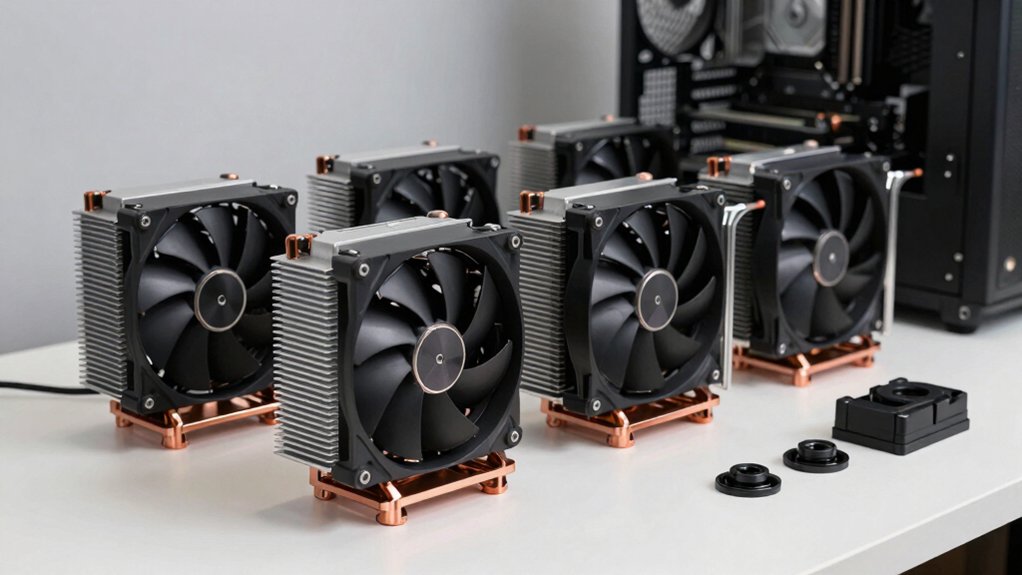
When you’re selecting a noiseless workstation CPU cooler, you’ll need to evaluate the decibel (dB) ratings to confirm the unit operates quietly during your workday, compare thermal performance specs against your processor’s TDP to ensure adequate cooling capacity, and verify socket compatibility with your specific motherboard model. You should also examine the cooler’s heat pipe technology, which transfers heat away from the CPU core more efficiently than standard designs, and assess the fan blade configuration and motor quality since these components directly affect both noise output and cooling efficiency. By checking these factors systematically—noise levels first, then thermal capacity, compatibility, heat pipe count, and fan specifications—you’ll identify a cooler that meets your silence and performance requirements.
Noise Level Specifications
How loud does a CPU cooler actually get, and what measurements should you trust when comparing models? Noise levels are measured in decibels (dB(A)), which indicates how loud the cooler operates during use. You’ll typically see maximum noise specifications listed, such as 25.6 dB(A) or 27 dB(A), reflecting test conditions at full fan speed. Fan speed in RPM directly correlates with noise—higher RPM means louder operation. When evaluating coolers, check both idle and load noise ratings for accurate comparison. Dual-fan configurations can reduce peak noise through synchronized control. Additionally, examine heat sink design and fan quality, as superior mounting efficiency and reduced vibration lower perceived noise independent of decibel ratings. Compare these specifications across models before purchasing.
Thermal Performance Requirements
Understanding noise levels sets the foundation, but you’ll also need to evaluate the cooling capacity a cooler can actually deliver under your workstation’s demands. Check the radiator size and heat pipe count—larger radiators (120–360 mm) and designs with 6 or 7 heat pipes provide substantial thermal capacity for sustained workloads. Verify that multiple PWM fans (2×120 mm or 3×120 mm configurations) increase airflow without raising noise significantly. Confirm the cooler’s cold plate design is optimized—convex surfaces and pre-applied thermal paste ensure efficient heat transfer on first installation. Review your motherboard layout to confirm RAM clearance won’t obstruct the cooler’s contact or airflow. Match the cooler’s capacity directly to your CPU’s TDP and expected usage patterns to maintain stable temperatures throughout your workday.
Compatibility With Workstations
What’s the first step before you buy a CPU cooler? Check your motherboard’s socket type. Your workstation uses either LGA115x, LGA1200, LGA1700, or AM4/AM5 sockets, and the cooler must match exactly. Next, measure your case’s interior height and width to ensure the cooler fits without blocking RAM slots or VRM components. Large dual-tower designs require significant clearance. Verify the mounting hardware includes compatible plates and fasteners for your socket family—don’t assume adapters come included. Finally, confirm the cooler’s TDP rating exceeds your processor’s thermal output during workstation tasks. These compatibility checks prevent installation problems and guarantee proper cooling performance without unnecessary noise or equipment damage.
Heat Pipe Technology Advantages
The efficiency of heat pipe design directly determines whether your workstation cooler can handle thermal loads quietly. Heat pipes contain sealed fluid that changes phase to transfer heat from your CPU to the fin stack with minimal resistance. You’ll want coolers with larger diameter pipes—typically 6 mm—since they increase heat capacity without requiring higher fan speeds. More heat pipes also improve performance; seven pipes spread heat across a broader aluminum fin array, reducing bottlenecks near RAM and VRM areas. Copper bases enhance initial heat absorption before transfer to pipes, accelerating the cooling cycle. By selecting coolers with optimized pipe layouts and adequate diameter, you’ll achieve lower temperatures at reduced noise levels, meeting workstation demands effectively.
Fan Design And Efficiency
How do you balance airflow with noise when selecting a cooler for your workstation? First, check the fan’s specifications at your target RPM range. A 120mm PWM fan rated at 2150 RPM ±10% producing 25.6 dB(A) offers a practical baseline. Next, examine blade design and frame features—funnel-shaped outlets and optimized blades improve static pressure without increasing noise. Consider the bearing type: fluid-dynamic and magnetic bearings reduce noise and extend longevity compared to alternatives. Finally, verify PWM connectivity; 4-pin connections enable dynamic speed adjustments, letting you lower RPMs during light workloads to minimize noise. Prioritize specifications over marketing claims, and match fan performance directly to your thermal requirements rather than selecting maximum-speed models unnecessarily.
Installation Ease Matters
Why spend extra time wrestling with complicated mounting systems when you’re already investing in a quality cooler? Installation ease directly impacts your setup efficiency and cooling performance. Look for coolers with pre-applied thermal paste or pre-attached cold plates to eliminate preparation steps. Tool-free push-pin mounting or simple direct-screw options reduce installation time significantly. A compact or low-profile design prevents clearance conflicts with RAM modules and motherboard components, letting you work without obstruction. Before purchasing, verify compatibility notes regarding motherboard backplate requirements. Included installation hardware and straightforward assembly steps prevent misalignment and vibration, which contribute to quieter operation. By prioritizing installation simplicity, you’ll achieve a distraction-free setup that performs optimally from day one.
Build Quality And Durability
Material composition directly affects how long your cooler’ll last and how steadily it performs. Aluminum fins with copper bases provide strong thermal mass, though they vary in weight and rigidity. Check for anodized black finishes or ceramic particle coatings—these improve corrosion resistance over time. Examine the mounting hardware: metal fasteners and preinstalled bridges reduce stress during thermal cycling. Dual-tower designs with reinforced fins enhance structural integrity and reduce vibration transmission. Look for long-life bearings like fluid-dynamic or magnetic dome designs that sustain performance with less degradation. Secure clip systems stabilize components under high airflow. Inspect the frame assembly for reinforcement. These durability indicators ensure your cooler maintains consistent cooling performance across extended use without premature wear or mounting failures.
Long-Term Reliability Considerations
When you’re selecting a noiseless workstation CPU cooler, you’ll want to prioritize components that maintain steady performance over years of continuous use. Look for coolers with multiple heat pipes and dense fin arrays, which reduce thermal cycling stress during sustained workloads. Choose dual PWM fans with fluid-dynamic or magnetic dome bearings to minimize wear and stalling over time. Verify the cooler uses aluminum and copper construction with robust mounting hardware and backplates that prevent flex and contact degradation. Check that pre-applied paste quality is high and fin designs are secure to limit micro-movements. Finally, confirm broad socket compatibility and adequate memory clearance to avoid frequent re-mounts during upgrades, which disrupts long-term cooling consistency.
Final Thoughts
You’ve reviewed six noiseless workstation coolers with varying designs and performance levels. Choose based on your CPU socket type—LGA1700, LGA115x, or AM4/AM5—and case space constraints. Prioritize models with multi-heat-pipe configurations, PWM fans, and low RPM operation for silent performance. Verify RAM clearance before purchasing. Compare noise levels and thermal capacity against your workload demands to select the best match for your system.

Meet Ry, “TechGuru,” a 36-year-old technology enthusiast with a deep passion for tech innovations. With extensive experience, he specializes in gaming hardware and software, and has expertise in gadgets, custom PCs, and audio.
Besides writing about tech and reviewing new products, he enjoys traveling, hiking, and photography. Committed to keeping up with the latest industry trends, he aims to guide readers in making informed tech decisions.